
A native 120Hz panel that can hit 240Hz via a game accelerator is the sweet spot for console and PC gamers who demand fluid motion without sacrificing the razor-sharp detail of 4K resolution. This hybrid capability lets you toggle between immersive single-player worlds and competitive shooters on a single screen, making panel selection more nuanced than simply looking at a refresh rate number. The real differentiator today is how a television handles that variable refresh rate range, its local dimming architecture, and whether its HDMI 2.1 ports can actually deliver the full bandwidth required.
I’m Min — the co-founder and writer behind Gadgets Feed. My research philosophy centers on dissecting the real-world performance metrics hidden inside marketing claims, particularly how local dimming zone counts, panel type (OLED versus Mini-LED), and HDMI 2.1 bandwidth shape the practical experience of running high-frame-rate 4K content.
After analyzing hours of technical specifications and user feedback across the current landscape, this guide identifies the models that genuinely deliver on the promise of high-refresh 4K. Whether you are a competitive esports player or a home theater enthusiast, understanding the trade-offs between response time, HDR brightness, and input lag will lead you to the perfect 240hz 4k tv for your setup.
How To Choose The Best 240Hz 4K TV
The decision between a true 240Hz native panel and a 120Hz panel with a game accelerator determines not only your gaming experience but also how you will consume standard 24fps movies and 60fps broadcast content. Misunderstanding this distinction is the most common mistake buyers make in this high-refresh landscape.
Native Refresh Rate vs. Accelerated Refresh Rate
Most televisions advertising 240Hz achieve that figure through a frame insertion or overclocked VRR mode rather than a native 240Hz panel. A native 120Hz panel with a game accelerator that supports 240Hz VRR provides a cleaner experience for content mastered at 24fps or 60fps because the panel can divide evenly into those frame rates without introducing judder. Dedicated gaming monitors, on the other hand, often feature native 240Hz panels that demand a constant high-bandwidth signal from a capable GPU to avoid visual artifacts.
Panel Technology: OLED vs. Mini-LED vs. QLED
OLED panels deliver infinite contrast and per-pixel lighting control, making dark scenes in HDR games look extraordinarily rich, but they risk burn-in from static HUD elements during long gaming sessions. Mini-LED and QLED panels with high zone counts offer superior brightness and no burn-in risk, but they cannot match OLED black levels. The Hisense U8 series, for example, uses over 5600 local dimming zones to approach OLED-like contrast while maintaining peak brightness above 3000 nits, a figure that OLEDs struggle to sustain across large areas.
HDMI 2.1 Bandwidth and Port Count
Running 4K at 240Hz requires HDMI 2.1 ports capable of handling 48 Gbps bandwidth per port. Many televisions include only one or two ports that meet this specification, with the remaining ports capped at 18 Gbps HDMI 2.0 speeds. If you plan to connect a PlayStation 5, Xbox Series X, and a high-end PC simultaneously, verify that the television provides at least two full-bandwidth HDMI 2.1 inputs to avoid constantly swapping cables.
Quick Comparison
On smaller screens, swipe sideways to see the full table.
| Model | Category | Best For | Key Spec | Amazon |
|---|---|---|---|---|
| Hisense 55″ U8 Series | Mini-LED QLED | Bright-room HDR gaming | 5000 nits peak, 5600 zones | Amazon |
| ASUS ROG Swift PG32UCDM | QD-OLED Monitor | PC competitive gaming | 0.03ms GtG, 240Hz native | Amazon |
| LG 32GX870A-B UltraGear | OLED Monitor | Dual-mode 4K/1080p | 480Hz at 1080p, 240Hz at 4K | Amazon |
| MSI MAG 272UP QD-OLED | QD-OLED Monitor | Budget OLED 4K 240Hz | 0.03ms, DisplayHDR True Black 400 | Amazon |
| INNOCN GA27W1Q | QD-OLED Monitor | Value QD-OLED | 240Hz, 1.5M:1 contrast | Amazon |
| TCL 55″ Q7 QLED | QLED TV | Budget 120Hz to 240Hz | Game Accelerator 240, VRR | Amazon |
| Samsung Odyssey G9 G95C | VA Monitor | Ultrawide 32:9 immersion | 5120×1440, 240Hz, 1000R curve | Amazon |
| Samsung S90F 42″ OLED | OLED TV | Compact OLED for gaming | NQ4 AI Gen3, Motion Xcelerator 144Hz | Amazon |
| Sony BRAVIA XR8B 65″ OLED | OLED TV | PS5 integration | XR Processor, Auto HDR Tone Mapping | Amazon |
| LG G4 65″ OLED evo | OLED TV | Premium home theater | a11 AI Processor, 144Hz support | Amazon |
| ApoloSign 32″ 4K Portable | Portable TV | Mobile touchscreen use | 15000mAh battery, touch screen | Amazon |
In‑Depth Reviews
1. Hisense 55″ U8 Series ULED Mini-LED 4K UHD Smart Google TV (55U8QG)
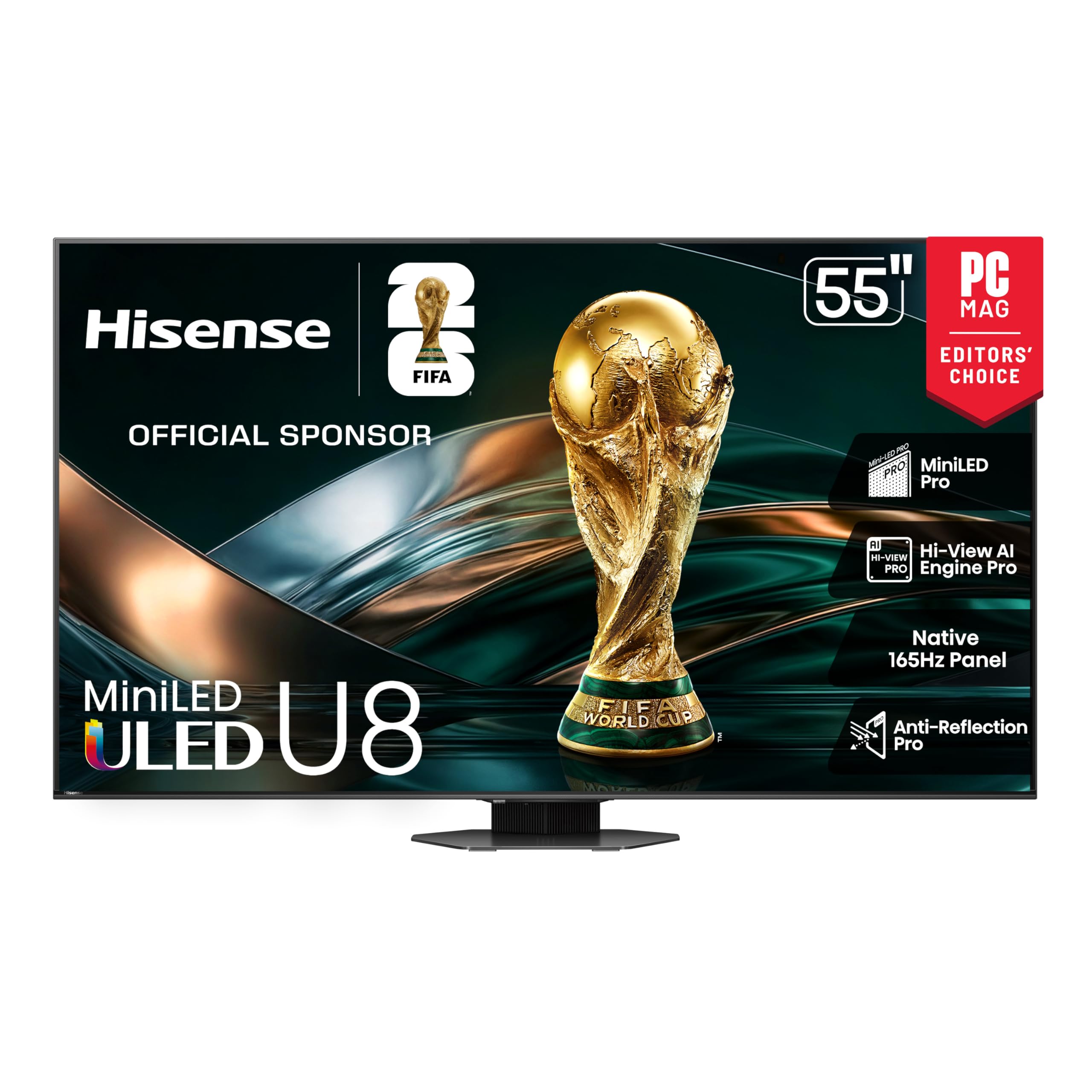
The Hisense U8 series redefines what a Mini-LED television can achieve in a gaming-centric living room. With a native 165Hz panel that supports VRR up to 288Hz, it provides headroom above the standard 120Hz mark while maintaining compatibility with HDMI 2.1 variable refresh rate signals from both consoles and PCs. The 5600-zone local dimming system allows the panel to produce blacks deep enough to rival entry-level OLEDs, while sustaining a peak brightness of 5000 nits that no OLED can match without aggressive automatic brightness limiting.
Gamers benefit from the dedicated Game Bar overlay, which lets you adjust shadow boost, black stabilizer, and refresh rate monitoring directly on screen without leaving your title. The Anti-Reflection Pro coating keeps the image visible even when sunlight floods the room, a critical advantage if your setup sits near windows. The built-in 4.1.2-channel Dolby Atmos system provides competent spatial audio, though pairing it with a dedicated soundbar unlocks its full home theater potential.
Where the U8 falls short is in motion handling at standard 24fps content; the aggressive local dimming can introduce slight blooming around subtitles and fast-moving objects. The Google TV interface is snappy but includes ad placements on the home screen. For a mid-range investment, this television delivers a brightness and zone density that usually costs twice as much, making it the top recommendation for mixed-use gaming and movie enthusiasts.
Why it’s great
- Exceptional 5000-nit peak brightness and thousands of local dimming zones for near-OLED black levels without burn-in risk.
- Native 165Hz panel with VRR support up to 288Hz provides future-proofed refresh rate headroom for next-gen gaming.
Good to know
- Standard 24fps content can exhibit slight blooming around high-contrast edges due to aggressive dimming algorithms.
- Built-in speakers are competent but a dedicated sound system noticeably improves the audio experience.
2. ASUS ROG Swift 32” 4K OLED Gaming Monitor (PG32UCDM)

The ASUS ROG Swift PG32UCDM uses a third-generation QD-OLED panel that combines a custom heatsink with graphene film to manage thermals and reduce burn-in risk during extended gaming sessions. At 32 inches, it hits the sweet spot between desktop immersion and pixel density — 138 pixels per inch at 4K makes text rendering sharp enough for productivity work, unlike larger OLED monitors where text fringing becomes distracting. The 240Hz native refresh rate paired with a 0.03ms GtG response time results in motion clarity that feels instantaneous, with no visible ghosting or overshoot.
Color accuracy out of the box reaches Delta E < 2 with 99% DCI-P3 coverage, making this monitor suitable for photo editing and content consumption alongside gaming. The VESA DisplayHDR 400 True Black certification ensures that dark scenes in HDR titles maintain detail without crushing shadows. Connectively includes DisplayPort 1.4a, two HDMI 2.1 ports, and a 90W USB-C port that can charge a laptop while carrying a video signal, simplifying cable management for multi-device setups.
The main drawbacks are the stand footprint and software ecosystem. The included stand requires significant desk depth, and the DisplayWidget Center software has been reported as buggy by users, with occasional settings resets after firmware updates. The glossy QD-OLED coating delivers vibrant colors in a controlled lighting environment but can reflect ambient light sources when the room is bright. For PC gamers who demand the lowest latency and most vibrant colors at a true 240Hz, this monitor remains the gold standard.
Why it’s great
- Third-gen QD-OLED panel with graphene heatsink delivers exceptional color volume and burn-in resistance for long gaming sessions.
- 90W USB-C power delivery and dual HDMI 2.1 ports simplify multi-device connectivity without sacrificing bandwidth.
Good to know
- The included stand is deep and the DisplayWidget Center software can be buggy, occasionally resetting user settings after updates.
- Glossy screen coating requires careful room lighting placement to avoid distracting reflections during dark scenes.
3. LG 32GX870A-B 32-inch Ultragear 4K OLED Gaming Monitor

The LG 32GX870A-B introduces a Dual-Mode capability that lets you switch between 4K at 240Hz and Full HD at 480Hz with a single hotkey press, a feature that directly addresses the split between immersive AAA titles and competitive shooters. The 32-inch W-OLED panel uses Micro Lens Array+ technology to achieve a peak brightness of 1300 nits, making it one of the brightest OLED monitors on the market without sacrificing the infinite contrast ratio that defines the technology. The matte anti-glare coating handles ambient light better than glossy competitors, reducing reflections while maintaining black depth.
Multi-device users will appreciate the DisplayPort 2.1 port, which offers 80 Gbps bandwidth — enough to drive 4K at 240Hz without display stream compression, ensuring artifact-free image transmission from high-end GPUs. The built-in speakers are surprisingly capable for a monitor, delivering clear mids and adequate bass for casual gaming without external audio. The Switch app allows screen splitting into up to six sections, turning the monitor into a productivity hub when you step away from gaming.
Text clarity on the W-OLED panel shows minor softness compared to high-end IPS monitors, though disabling ClearType in Windows largely resolves the issue for most users. The initial vertical banding that appears on gray uniformity tests tends to fade after the first 50 hours of use as the pixels break in. For gamers who split time between story-driven RPGs and fast-paced shooters, the Dual-Mode flexibility provides two monitors in one package.
Why it’s great
- Dual-Mode hotkey switching between 4K 240Hz and 1080p 480Hz covers both immersive and competitive gaming scenarios seamlessly.
- DisplayPort 2.1 with 80 Gbps bandwidth eliminates the need for display stream compression at 4K 240Hz.
Good to know
- Text rendering on the W-OLED panel is slightly softer than high-end IPS; disabling ClearType improves legibility.
- Initial vertical banding artifacts typically disappear after 50 hours of use as the OLED panel breaks in.
4. MSI MAG 272UP QD-OLED X24 27-Inch 4K UHD Gaming Monitor

The MSI MAG 272UP QD-OLED X24 represents the most affordable entry point into the 4K 240Hz OLED category, sacrificing screen size to hit a lower price while retaining the core advantages of Quantum Dot OLED technology. The 26.5-inch panel delivers a 1500000:1 static contrast ratio and 99% DCI-P3 coverage, producing the same per-pixel blacks and vibrant colors found on monitors costing significantly more. The graphene heatsink is fanless yet effective at preventing thermal-related image retention during extended gaming marathons.
MSI’s OLED Care 2.0 suite provides AI-supported pixel refresh routines and a Smart Crosshair tool that adjusts reticle color based on the background, a small but practical advantage for competitive shooters. The 4-way adjustable stand offers full ergonomic range, and VESA 100mm compatibility makes arm mounting straightforward. Connectivity includes DisplayPort 1.4a and two HDMI 2.1 ports that both support UHD at 240Hz with DSC, plus a USB-C port delivering 15W of power delivery.
The primary trade-off for the lower price is the build quality, which uses more plastic in the chassis compared to premium alternatives. Some units have reported firmware issues that require a PC with an RTX 30-series or newer GPU to update, and the HDR image settings are locked during calibration, limiting fine-tuning. For gamers who prioritize panel performance over chassis materials and want OLED-level immersion at a 27-inch desk-friendly size, this monitor delivers the best price-to-performance ratio in the category.
Why it’s great
- Lowest price for a 4K 240Hz QD-OLED panel while retaining 99% DCI-P3 and 1500000:1 contrast ratio.
- OLED Care 2.0 with AI-supported pixel refresh and fanless graphene heatsink for reliable long-term durability.
Good to know
- Build quality uses more plastic than premium rivals, and firmware updates may require a recent GPU to install.
- HDR settings are greyed out during calibration, limiting advanced picture fine-tuning options.
5. INNOCN 27″ OLED 4K 240Hz Gaming Monitor (GA27W1Q)

The INNOCN GA27W1Q offers a QD-OLED panel with the same underlying Samsung Display technology found in monitors priced substantially higher, making it a compelling choice for budget-conscious enthusiasts who refuse to compromise on color performance. The 27-inch 4K UHD panel covers 99% DCI-P3 and delivers 1.07 billion colors through true 10-bit processing, ensuring smooth gradients and accurate skin tones out of the box. The 0.03ms GtG response time eliminates motion blur entirely, and the 240Hz refresh rate keeps fast-paced gameplay feeling fluid and responsive.
One standout feature is the MAC-View mode, which adjusts the OSD to better match Mac color profiles and reduce unevenness when used as an external display for a MacBook Pro or Mac Mini. The LED atmosphere lights on the rear add ambient bias lighting that reduces eye strain during dark-room gaming, a small ergonomic touch missing from most competitors. The adjustable stand provides height, tilt, swivel, and pivot adjustments, and VESA 100mm compatibility allows wall mounting.
The build quality lags behind ASUS and LG alternatives, with a plastic chassis and an external power brick that can be inconvenient for desk cable management. The OSD menu system is basic, and the HDR settings are poorly documented — users have noted that the “Normal” HDR mode corresponds to HDR1000 while “Highlights” corresponds to True Black 400, a confusing labeling choice. For those willing to spend a few minutes calibrating, the underlying panel performance rivals monitors that cost over a thousand dollars.
Why it’s great
- Same underlying QD-OLED panel as premium competitors at a significantly lower price point, with true 10-bit color depth.
- MAC-View mode and rear LED atmosphere lights add useful functionality missing from similarly priced alternatives.
Good to know
- Plastic build quality and external power brick feel less premium, and the OSD menu is basic with confusing HDR labeling.
- Documentation and instructions are sparse, requiring user experimentation to optimize HDR and color settings.
6. TCL 55-Inch Q7 QLED 4K Smart Google TV (55Q750G)

The TCL Q7 series delivers a native 120Hz panel that can accelerate to 240Hz VRR, making it the most budget-friendly way to access high-refresh 4K gaming on a large screen. The QLED Quantum Dot layer produces over a billion colors with an UltraWide Color Gamut, and the Full Array PRO local dimming divides the screen into over 200 zones — a modest count compared to premium Mini-LED sets but miles ahead of edge-lit panels in the same price tier. The Motion Rate 480 with MEMC frame insertion keeps sports and fast-paced action sequences smooth without visible judder.
Gamers will appreciate the AMD FreeSync compatibility, which works across both console and PC sources to eliminate screen tearing during VRR operation. The Google TV interface is responsive and includes hands-free voice control via the backlit remote, which also features dedicated buttons for major streaming services. Dolby Vision IQ and HDR10+ support ensure that HDR content from Netflix, Disney+, and Blu-ray discs is displayed with proper dynamic metadata mapping.
The TCL Q7 is not truly a native 240Hz panel — it uses frame insertion to simulate higher refresh rates, which can introduce slight input lag in its most aggressive motion smoothing modes. The built-in speakers are adequate for dialogue but lack bass for action movies, and the Google TV interface includes ad placements on the home screen that cannot be fully removed. For console gamers who want a large screen with solid 4K HDR performance and the option of 240Hz acceleration on supported titles, this is the most accessible entry point.
Why it’s great
- Lowest-priced large-screen option for accessing 240Hz variable refresh rate gaming with QLED color and local dimming.
- Dolby Vision IQ and HDR10+ support ensure accurate dynamic HDR mapping across major streaming platforms.
Good to know
- 240Hz mode uses frame insertion rather than native panel refresh, and aggressive motion smoothing can introduce input lag.
- Built-in speakers lack bass depth, and the Google TV interface includes unremovable ad placements on the home screen.
7. Samsung Odyssey G9 (G95C) 49″ DQHD Curved Gaming Monitor

The Samsung Odyssey G9 G95C uses a 49-inch VA panel with a 1000R curvature that wraps around your peripheral vision, creating an immersive cockpit-like experience for flight simulators, racing games, and first-person shooters. The Dual QHD resolution of 5120×1440 offers more horizontal real estate than a standard 4K display while remaining less demanding on GPU resources, allowing higher frame rates in supported titles. The 240Hz native refresh rate and 1ms GtG response time ensure that the ultrawide format never feels sluggish, even in fast-paced multiplayer matches.
AMD FreeSync Premium Pro certification guarantees tear-free gameplay with HDR content, and the VESA DisplayHDR 1000 certification with 1000-nit peak brightness makes explosions and sunlight effects look impactful. The CoreSync and Core Lighting+ features extend on-screen colors into the room through rear LEDs, adding ambient immersion that complements the curved form factor. The stand offers height, tilt, and swivel adjustments, and the monitor supports VESA 100mm mounting for arm setups.
The VA panel’s contrast ratio of 1,000,000:1 delivers deep blacks, but the viewing angles are narrower than IPS or OLED alternatives, causing color shift at the edges if you sit too close. The curvature is aggressive and may feel disorienting during productivity tasks like document editing, where straight lines appear warped. For gamers who prioritize immersion in supported ultrawide titles and want a single monitor that replaces a multi-monitor setup, the G9 is the definitive choice in this form factor.
Why it’s great
- 49-inch 1000R curved VA panel with 5120×1440 resolution delivers unmatched peripheral immersion for sim and FPS gaming.
- 240Hz native refresh rate with 1ms response and FreeSync Premium Pro ensures smooth, tear-free ultrawide gameplay.
Good to know
- VA panel viewing angles cause color shift at the edges when sitting close, and the aggressive curve can distort productivity layouts.
- The heavy stand requires significant desk space, and initial setup can be finicky until adjustment settings are dialed in.
8. Samsung 42-Inch Class OLED S90F 4K Smart TV (2025 Model)

The Samsung S90F brings QD-OLED technology to a compact 42-inch footprint, making it an ideal desktop monitor replacement or secondary gaming screen for smaller spaces. The NQ4 AI Gen3 processor uses 128 neural networks to upscale lower-resolution content to 4K, reducing the visual impact of running Switch or older console titles on a high-resolution panel. The Motion Xcelerator 144Hz capability ensures that console gamers on PlayStation 5 or Xbox Series X can take advantage of 120Hz output with VRR, while PC users can push the panel to its 144Hz limit over HDMI 2.1.
The QD-OLED panel delivers the vibrant colors and deep blacks that define the technology, with brightness levels that are noticeably higher than Samsung’s previous-generation WOLED competitors. The anti-reflective coating does an admirable job of maintaining black levels in moderately lit rooms, though direct sunlight still washes out the image. The Tizen smart platform includes Samsung TV Plus for free ad-supported channels and deep integration with Samsung Galaxy devices for seamless content sharing.
The 42-inch size lacks the immersive scale of larger OLED TVs for movie nights, and the 144Hz refresh rate falls short of the 240Hz threshold that hardcore PC gamers seek. The included remote is minimalist and relies heavily on voice commands, which can be frustrating in noisy environments. For console gamers and PC users who prioritize picture quality over raw refresh rate and want a QD-OLED panel that fits on a standard desk, the S90F is a compelling choice.
Why it’s great
- QD-OLED panel in a compact 42-inch form factor delivers exceptional color and black levels suitable for desktop or secondary setups.
- NQ4 AI Gen3 processor with 128 neural networks provides excellent upscaling for lower-resolution content playing on the 4K panel.
Good to know
- 144Hz refresh rate is lower than dedicated 240Hz monitors, and the small remote relies heavily on voice commands.
- 42-inch size lacks cinematic scale for movie viewing, and the anti-reflective coating struggles with direct sunlight.
9. Sony 65 Inch OLED 4K Ultra HD TV BRAVIA XR8B

The Sony BRAVIA XR8B is built from the ground up for PlayStation 5 integration, with exclusive features like Auto HDR Tone Mapping and Auto Genre Picture Mode that optimize the TV’s settings when it detects a PS5 signal. The XR Processor intelligently analyzes every scene and adjusts contrast, color, and clarity in real time, producing a picture that is widely regarded as the most accurate out of the box among OLED televisions. The OLED panel with over 8 million self-lit pixels delivers pure black levels, and the Acoustic Surface Audio+ technology uses the screen itself as a speaker to create directional sound that matches on-screen action.
Home theater enthusiasts will appreciate the support for Dolby Vision, Dolby Atmos, IMAX Enhanced, and DTS:X, making this one of the most format-complete televisions available. The Google TV platform with Google Assistant provides voice control and app access, while Apple AirPlay 2 and Google Cast allow easy streaming from mobile devices. The XR OLED Motion technology interpolates frames to keep sports and action movies blur-free without introducing the soap opera effect that cheaper motion smoothing creates.
The 65-inch size and OLED panel make the XR8B sensitive to bright room environments; reflections are minimal when the TV is on but the screen appears mirror-like when off. The refresh rate peaks at 120Hz, meaning it cannot match the frame rates of dedicated 240Hz gaming monitors. For PS5 owners who want the deepest integration with their console and the most accurate picture quality for movies, this TV justifies its premium price through software intelligence rather than raw refresh rate numbers.
Why it’s great
- Exclusive PS5 features including Auto HDR Tone Mapping and Auto Genre Picture Mode provide seamless console integration.
- Acoustic Surface Audio+ uses the OLED panel as a speaker for directional sound matched to on-screen action.
Good to know
- Refresh rate is capped at 120Hz, making it unsuitable for PC gamers seeking native 240Hz performance.
- OLED panel is highly reflective when the television is off, and the TV is sensitive to bright room environments.
10. LG 65-Inch Class OLED evo G4 Series Smart TV (OLED65G4SUB)

The LG G4 represents the pinnacle of LG’s OLED evo technology, with Brightness Booster Max technology that pushes the panel’s luminance significantly higher than previous generations, reducing the brightness gap with Mini-LED televisions while maintaining perfect black levels. The a11 AI Processor powers AI Picture Pro and AI Super Upscaling, which analyze scene-by-scene content to enhance texture and depth across all sources, from 480p DVDs to native 4K streams. The One Wall Design mounts flush against the wall with virtually no gap, transforming the television into an art piece that blends with the room when using the Gallery Mode.
Gamers benefit from a 144Hz refresh rate that supports both NVIDIA G-Sync and AMD FreeSync, plus a dedicated Game Dashboard that provides quick access to VRR, input lag, and black stabilizer settings. The webOS Re:New Program guarantees five years of software updates, ensuring the television remains feature-competitive long after purchase. Dolby Vision and Dolby Atmos support, combined with Filmmaker Mode, make this an outstanding choice for movie purists who want to see content exactly as the director intended.
The G4 is designed to be wall-mounted and does not include a stand in the box — buyers must purchase a separate stand if they plan to use it on a media console. The webOS interface, while responsive, includes promotional content that cannot be fully removed from the home screen. For buyers who want the absolute best OLED picture quality in a premium living room setup and are willing to invest in a wall-mount solution, the G4 sets the benchmark for consumer television.
Why it’s great
- Brightness Booster Max technology significantly narrows the luminance gap with Mini-LED while preserving perfect OLED black levels.
- Five years of webOS software updates through the Re:New Program provide long-term feature parity and security.
Good to know
- Designed for wall mounting with no included stand, requiring an additional purchase for media console placement.
- webOS interface includes unremovable promotional content on the home screen, and the refresh rate maxes out at 144Hz.
11. ApoloSign 32 Inch 4K UHD Smart Portable TV on Wheels

The ApoloSign 32-inch portable TV breaks the traditional television form factor by integrating a 15000mAh rechargeable battery and a rolling stand, allowing cordless operation for up to six hours in any room. The 4K UHD touchscreen supports 10-point multi-touch, effectively turning the television into a giant Android tablet for browsing, recipe following, fitness classes, and interactive children’s content. The Android 16 operating system with Google EDLA certification provides access to the Google Play Store, allowing installation of native streaming apps like Netflix, Disney+, and Hulu without an external streaming device.
The built-in rolling stand moves smoothly between rooms and adjusts in height, making it suitable for both seated and standing use. The wireless screen mirroring feature works with phones, tablets, and laptops, though it does not support AirPlay or Google Cast for streaming services — content must be mirrored from the device’s screen rather than cast directly. The detachable camera enables video calls on the large screen, adding utility for remote work and family communication.
The 240Hz capability is not present on this model — it uses a standard 60Hz panel, making it unsuitable for high-refresh-rate gaming. Some users have reported that the Android version displayed in settings may differ from the advertised version, and the app store has restrictions that prevent installing traditional mobile apps in full-screen mode. For families and professionals who prioritize portability and touch interaction over raw performance, this television serves a unique niche that no traditional high-refresh TV can fill.
Why it’s great
- Built-in 15000mAh battery and rolling stand provide up to six hours of cordless, room-to-room portability.
- 10-point touchscreen with Android 16 and Google Play Store access transforms the TV into an interactive family hub.
Good to know
- Panel is limited to 60Hz, making it unsuitable for the high-refresh-rate gaming that defines the 240Hz 4K TV category.
- Screen mirroring does not support AirPlay or Google Cast for streaming services, requiring device-level mirroring instead.
FAQ
Can a native 120Hz TV actually display 240Hz content?
Does a 240Hz TV require an HDMI 2.1 graphics card?
Is OLED burn-in a real concern for 240Hz gaming TVs?
Final Thoughts: The Verdict
For most users, the 240hz 4k tv winner is the Hisense 55″ U8 Series because its 5600-zone Mini-LED backlight delivers OLED-like black levels with superior brightness and zero burn-in risk, making it the most versatile choice for mixed gaming and movie use. If you want the absolute lowest latency and motion clarity for competitive PC gaming, grab the ASUS ROG Swift PG32UCDM. And for console gamers who prioritize PS5 integration and picture accuracy above all else, nothing beats the Sony BRAVIA XR8B.