
Our readers keep the lights on and my morning glass full of iced black tea. As an Amazon Associate, I earn from qualifying purchases.
Specs are compiled from manufacturer listings and verified buyer reviews and can change over time — please confirm the key details on the product page before buying.
If you play competitive shooters, that extra smoothness from 144Hz to 240Hz is the difference between spotting an enemy’s shoulder pixel and taking a headshot. This guide breaks down the best 240Hz monitors for 2025, balancing speed, panel quality, and price.
I’m Min — the founder and writer behind Gadgets Feed. This guide is built by comparing the manufacturers’ published specifications and the patterns across verified customer reviews, so you get each pick’s real strengths and trade-offs instead of marketing spin.
Whether you are chasing a competitive edge or want buttery-smooth single-player worlds, these picks cover the spectrum of what a quality 240hz monitor should offer in 2025, from fast IPS panels to stunning QD-OLED options.
Our Picks at a Glance

How To Choose The Best 240Hz Monitor
The biggest mistake buyers make is focusing only on the refresh rate number. A 240Hz monitor with a slow panel will still show ghosting in motion. You need the refresh rate and a fast response time to work together for that crisp, smear-free image.
Panel Type Matters More Than You Think
Fast IPS panels offer a great balance of color and speed, making them excellent all-rounders. QD-OLED and WOLED panels deliver perfect blacks and incredible contrast, but they come at a premium price and require some care to prevent burn-in.
Check Your Cable and Ports
To actually run a monitor at 240Hz, you can’t just use any cable. You need a DisplayPort 1.4 or HDMI 2.1 connection. Using an older HDMI port will often lock you to 60Hz or 144Hz, which defeats the entire purpose of the upgrade.
Resolution: 1080p vs 1440p
At 240Hz, 1080p is easier for your graphics card to drive, which is great for maximum frame rates in competitive games. A 1440p panel offers a sharper image for both gaming and daily use, but it demands a much more powerful GPU to maintain those high frame rates.
Quick Comparison
| Model | Best For | Panel Type | Resolution | Response Time | Amazon |
|---|---|---|---|---|---|
| Samsung Odyssey G4★ Best Overall | Best Overall | IPS | 1920 x 1080 | 1ms (GTG) | Amazon |
| Pixio PX249 Wave BlueBudget Champion | Budget Value | IPS | 1920 x 1080 | 1ms (GTG) | Amazon |
| Pixio PX279 Wave WhiteComfy 27-Inch Value | Bigger Screen Value | IPS | 1920 x 1080 | 1ms (GTG) | Amazon |
| LG 27GR83Q-B | Best 1440p IPS | IPS | 2560 x 1440 | 1ms (GTG) | Amazon |
| AOC Q27GAZDV | Value OLED | QD-OLED | 2560 x 1440 | 0.03ms | Amazon |
| LG 27GX704A-B | Glossy OLED | OLED | 2560 x 1440 | 0.03ms | Amazon |
| Samsung Odyssey G6 | QD-OLED Performer | QD-OLED | 2560 x 1440 | 0.03ms | Amazon |
| AOC Q27GAZD | Premium QD-OLED | QD OLED | 2560 x 1440 | 0.03ms | Amazon |
| LG 27GS93QE | Versatile OLED | OLED | 2560 x 1440 | 0.03ms | Amazon |
| ASUS ROG XG27AQDMG | Glossy WOLED | OLED | 2560 x 1440 | 0.03ms | Amazon |
| MSI MPG 491CQPX | Ultra-Wide Immersion | QD-OLED | 5120 x 1440 | 0.03ms | Amazon |
In‑Depth Reviews
1. Samsung Odyssey G4 (LS25BG402ENXGO)
Our pick — over 4.5★ from 950+ verified ratings; the strongest balance of quality and price.
This 25-inch Samsung keeps you comfortable for marathon gaming sessions, thanks to a stand you can adjust to match your posture.
This Samsung delivers sharp motion with zero smearing at 240Hz, according to owners, thanks to its bright IPS panel (a screen type known for accurate colors and wide viewing angles). The 400 cd brightness (a measure of screen luminance) keeps the display visible even in a sunlit room, and the 178-degree viewing angle means colors stay true whether you sit centered or off to the side.
Owners constantly praise the fully adjustable stand, which lets you swivel, tilt, and change the height to find a comfortable position for long sessions. The Auto Source Switch+ feature automatically detects when your console or PC turns on and swaps to that input, so you do not have to fiddle with buttons.
While it pairs well with both NVIDIA and AMD GPUs thanks to G-Sync compatibility and FreeSync Premium support, the setup isn’t without its quibbles. The 1080p resolution means you might see slight pixelation if you sit very close, and some owners note the wide stand base takes up a good chunk of desk space. A solid, well-built display that has earned its reputation over two years of use.
What won owners over
- Bright IPS panel with excellent color that beats most budget gaming monitors
- Rock-solid stand with real height and tilt range
- G-Sync and FreeSync Premium both work without fuss
Trade-offs to know
- The wide stand base demands desk space
- 1080p resolution shows pixelation up close
Reach for it if: you want a no-nonsense competitive display with a premium stand that punches above its price.
Look elsewhere if: your desk is cramped and you need a monitor with a small footprint.
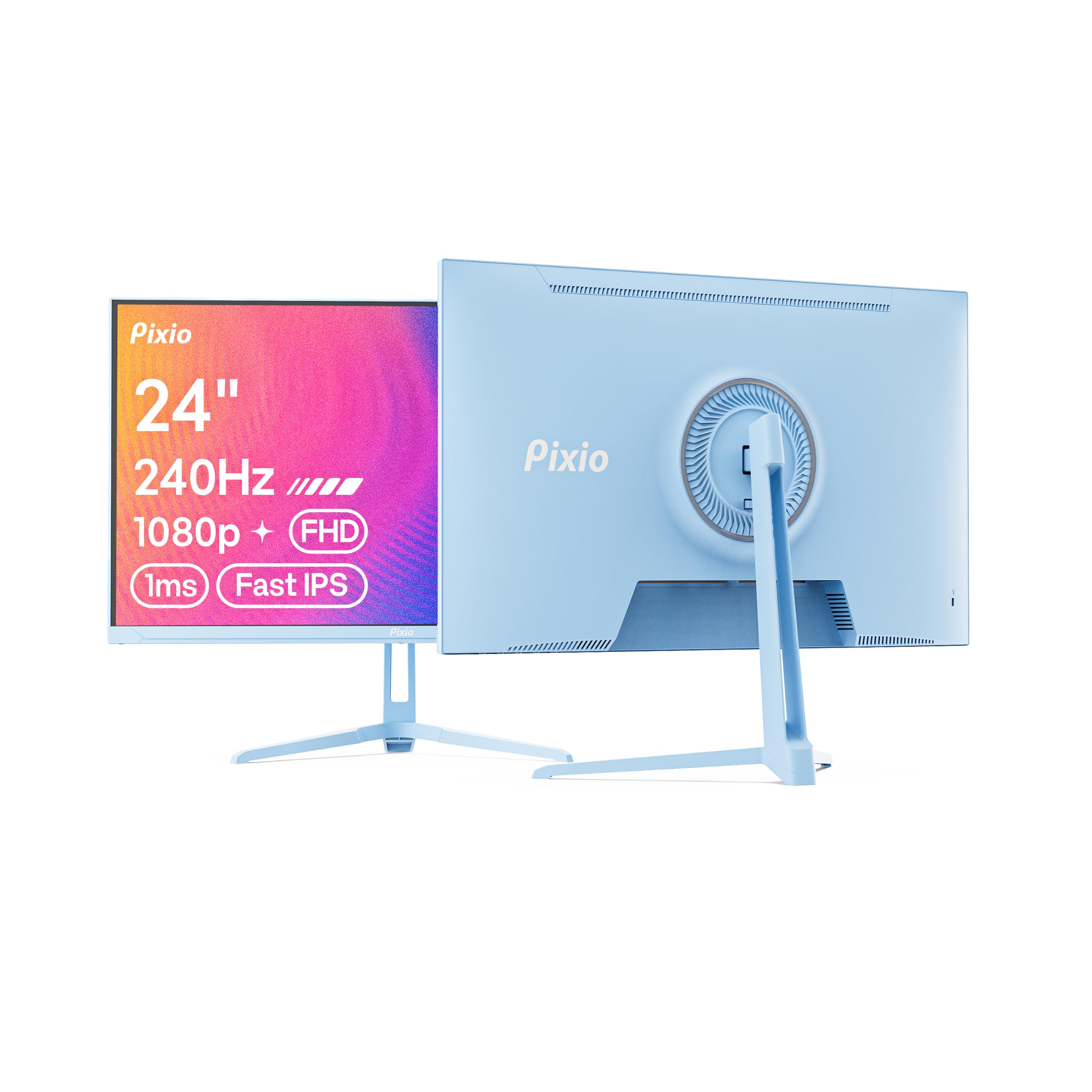
2. Pixio PX249 Wave Blue
A 24-inch Fast IPS panel that delivers surprising clarity for the price, even if the extras are basic.
If you are shopping on a budget, this Pixio delivers the core experience without skimping on the panel. It hits 240Hz with a 1ms response time, and buyers report “excellent picture quality and style” for the money. The 24-inch size is a smart choice for a compact desk setup, keeping the whole screen in your peripheral vision for competitive play.
Owners consistently praise the color and appearance, with the 112% sRGB coverage making games look vibrant. The inclusion of built-in speakers is a convenience, though several owners describe them as “awful” and only suitable for basic system sounds; you will want a headset for real gaming.
Its sleek, slim-bezel design and light weight make it easy to set up, but the stand only offers tilt. The screen quality earns unqualified praise, but the package isn’t perfect for everyone. Unlike the Samsung G4 above, you will need to buy an HDMI cable separately if you want to use that input, and the speakers are best ignored.
The core strengths
- Sharp 1080p clarity with vibrant color on a Fast IPS panel
- Lightweight and very easy to set up
- Great value, especially when on sale
What to plan for
- Only a DisplayPort cable is included in the box
- Built-in speakers are weak for serious use
Perfect for: the first-time 240Hz buyer who wants max smoothness for the minimum spend.
Think twice if: you need a height-adjustable stand or good speakers without external gear.
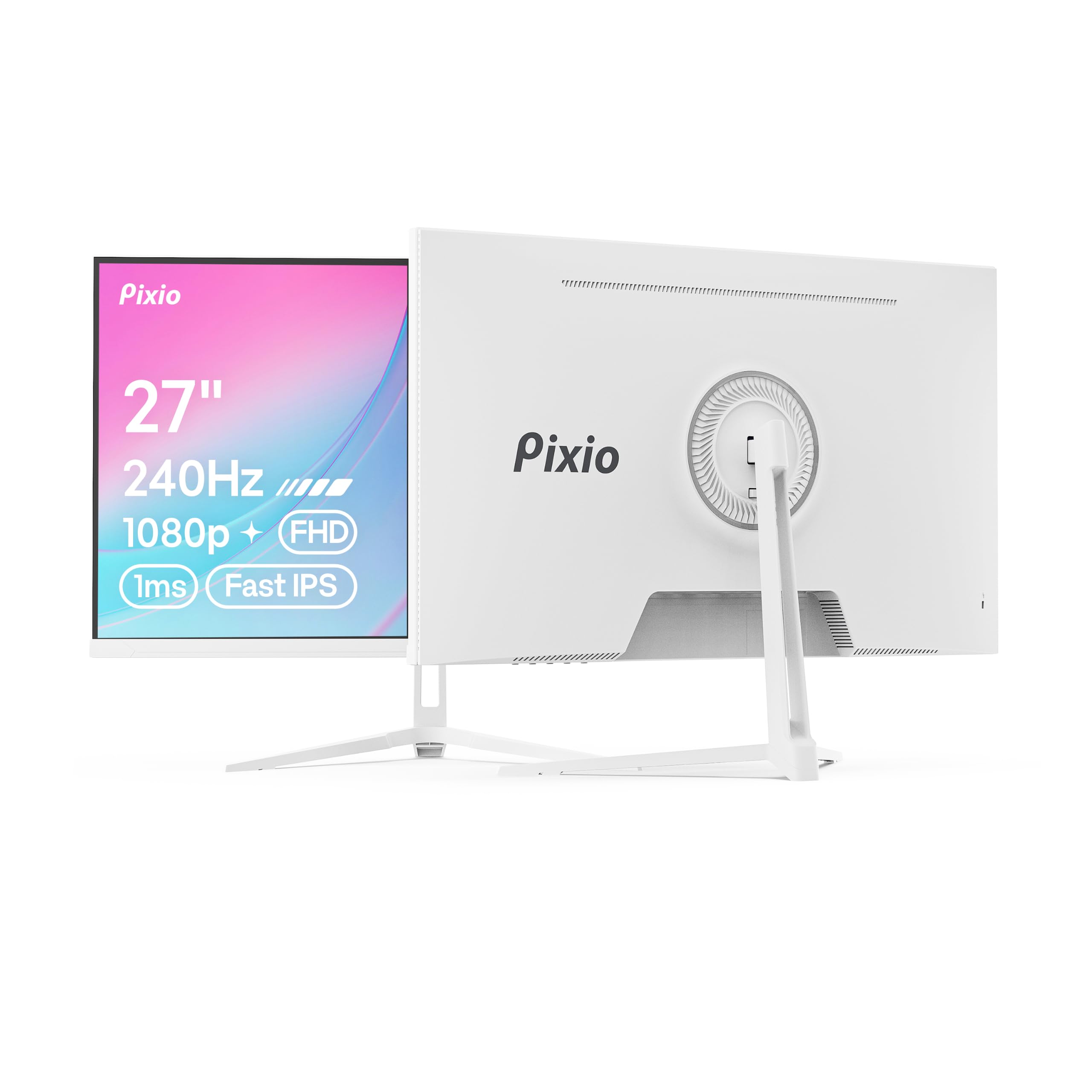
3. Pixio PX279 Wave White
The 27-inch screen that gives you extra real estate over the 24-inch model without a big price jump.
Moving up from the 24-inch PX249, this Pixio gives you a larger 27-inch screen at the same 1080p resolution. That extra three inches — a 12% larger screen compared to the 24-inch Wave Blue — brings more immersion for games, though it does mean the pixel density is a bit looser. The Fast IPS panel keeps the 240Hz refresh rate and 1ms response time intact for smooth visuals.
What makes this one stand out is the matte anti-glare screen. Owners note it handles bright rooms well, and the color accuracy is a highlight, with many praising the accurate colors and multiple color options available. The built-in speakers are “excellent” according to some, though others find them weak at full volume, so external speakers are the safer bet.
The bigger screen also makes this a better fit for desk setups that double as productivity stations. If you are coming from a smaller IPS panel, the jump in clarity and color is immediately noticeable. Just remember that at this resolution and size, you will want to sit a comfortable distance back to avoid seeing individual pixels.
Why it wins: the larger screen with the same silky refresh rate makes it a versatile pick for gaming and work, and the matte finish tames reflections.
One honest note: some owners have hit reliability issues where the monitor stops turning on, so it pays to test it thoroughly in the return window.
Grab it for: a cozy, color-accurate 27-inch setup that handles games, media, and daily work with equal ease.
Pass if: you want a sharp 1440p image rather than a large 1080p one.
4. LG 27GR83Q-B UltraGear
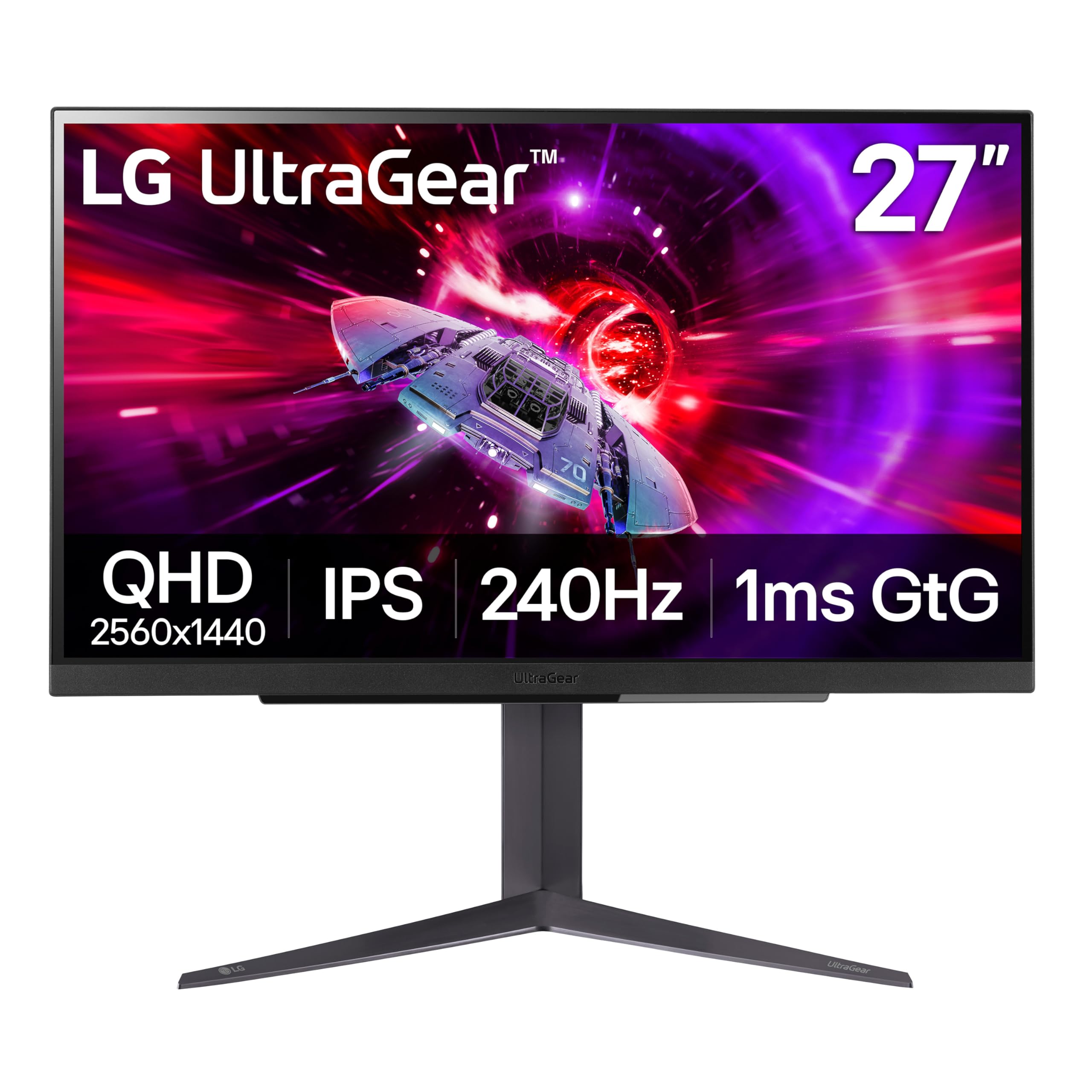
The sharp 1440p step up from 1080p, with a stand that does everything but make your coffee.
This is the monitor to pick when you want a sharper image than the 1080p panels above without jumping to OLED prices. The 27-inch QHD (2560×1440) IPS panel looks “amazing” compared to a standard 1080p display, and it still hits that full 240Hz refresh rate over both DisplayPort and HDMI 2.1. The 400 cd brightness and 95% DCI-P3 color gamut make games and movies pop with vibrant, accurate color.
It is officially validated by NVIDIA as G-Sync Compatible and also supports AMD FreeSync Premium, so it plays nicely with both major GPU brands. Owners describe the stand as “amazing” with full height, tilt, and pivot adjustment, giving you total control over your viewing position. You also get gaming extras like a black stabilizer for dark scenes and an on-screen FPS counter.
There is no built-in speaker, so plan on a headset or external speakers. The biggest gripe among owners is pixel quality — specifically, stuck pixels that appear on some units. It is a risk with any monitor, but the praise for the display’s color, smoothness, and sturdy build outweighs the occasional bad panel.
What makes it great
- Crisp 1440p resolution with excellent color accuracy
- Supports 240Hz on both HDMI 2.1 and DisplayPort 1.4
- Sturdy, fully adjustable stand with tilt, height, and pivot
Keep in mind
- No built-in speakers
- Stuck pixels appear on some units
The decision: this is the smart upgrade for anyone moving off 1080p who wants a high-refresh IPS panel with a top-tier stand.
Careful if: you are sensitive to pixel defects and want confidence without dealing with a return process.
5. AOC Q27GAZDV
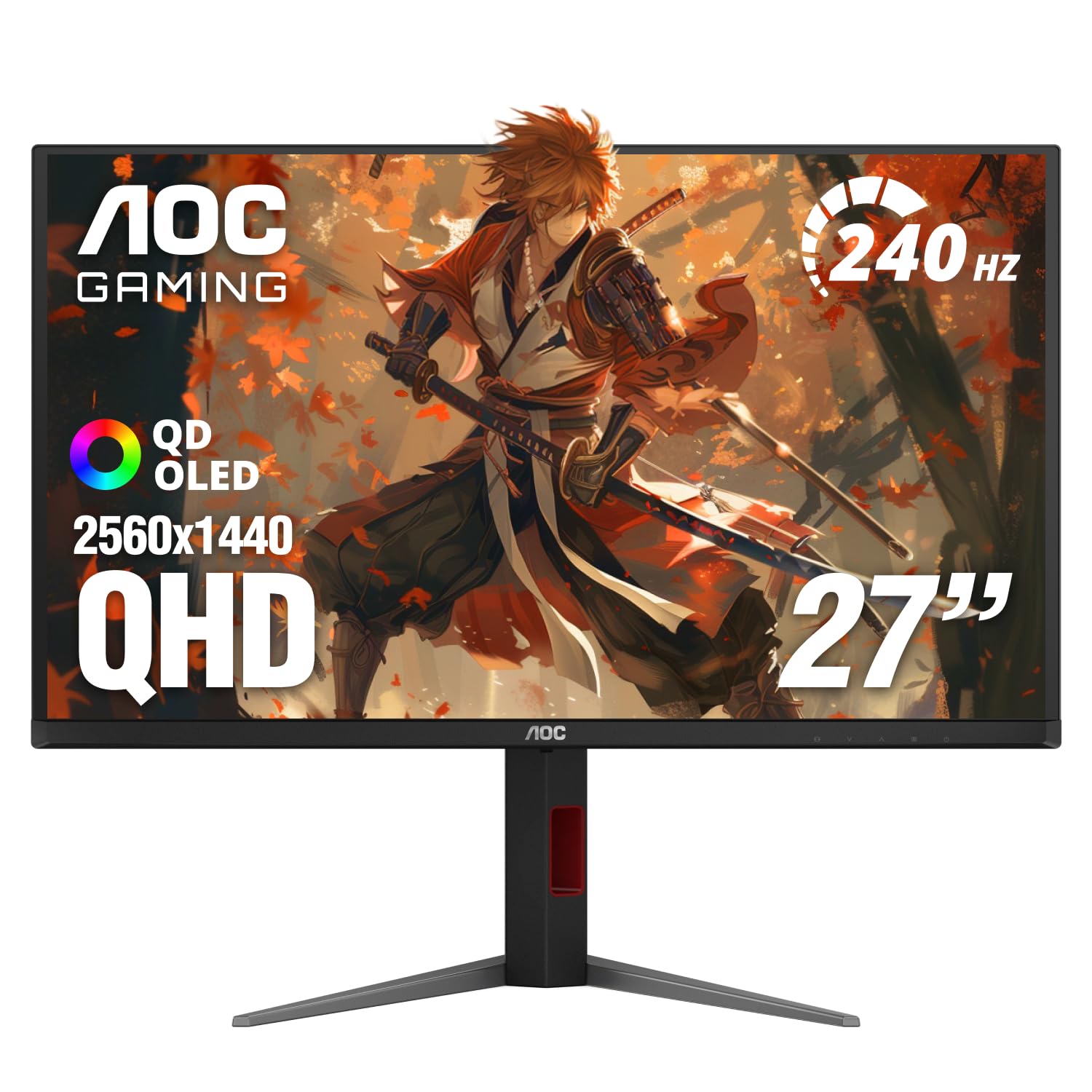
Your first taste of OLED’s perfect blacks and infinite contrast without emptying your wallet.
Switching from an IPS to an OLED panel is the biggest visual upgrade you can make in a monitor, and this AOC is among the most affordable ways in. The QD-OLED panel (a type of OLED that uses quantum dots for richer colors) delivers true blacks and a 1500000:1 contrast ratio, so dark scenes in games and movies look dramatically better. Colors are stunning too, covering 147% sRGB and 110% DCI-P3 (color gamut standards) for ultra-vivid imagery.
It pairs that gorgeous picture with a 240Hz refresh rate and a blistering 0.03ms response time, which essentially eliminates motion blur and ghosting. The ergonomic stand lets you adjust height, tilt, swivel, and pivot, and the built-in USB 3.2 hub is handy for connecting peripherals. Owners upgrading from a 65Hz 1080p panel describe the change as “life-changing.”
Owners mention the 240Hz is legitimate, and that you need a DisplayPort connection for full speed; HDMI tops out at 60Hz. There are no built-in speakers, and the glossy finish can reflect a purple hue under bright studio lighting, though it is not noticeable during normal use.
Standout spec: the 0.03ms response time and infinite contrast make motion look impossibly clean.
The honest catch: use DisplayPort to get your 240Hz, and be ready for a glossy screen that likes controlled lighting.
Choose it if: you want OLED’s legendary black levels and color for gaming and movies at the lowest entry cost.
skip it if: you need HDMI to run at 240Hz for a console that only has HDMI out.
6. LG 27GX704A-B UltraGear
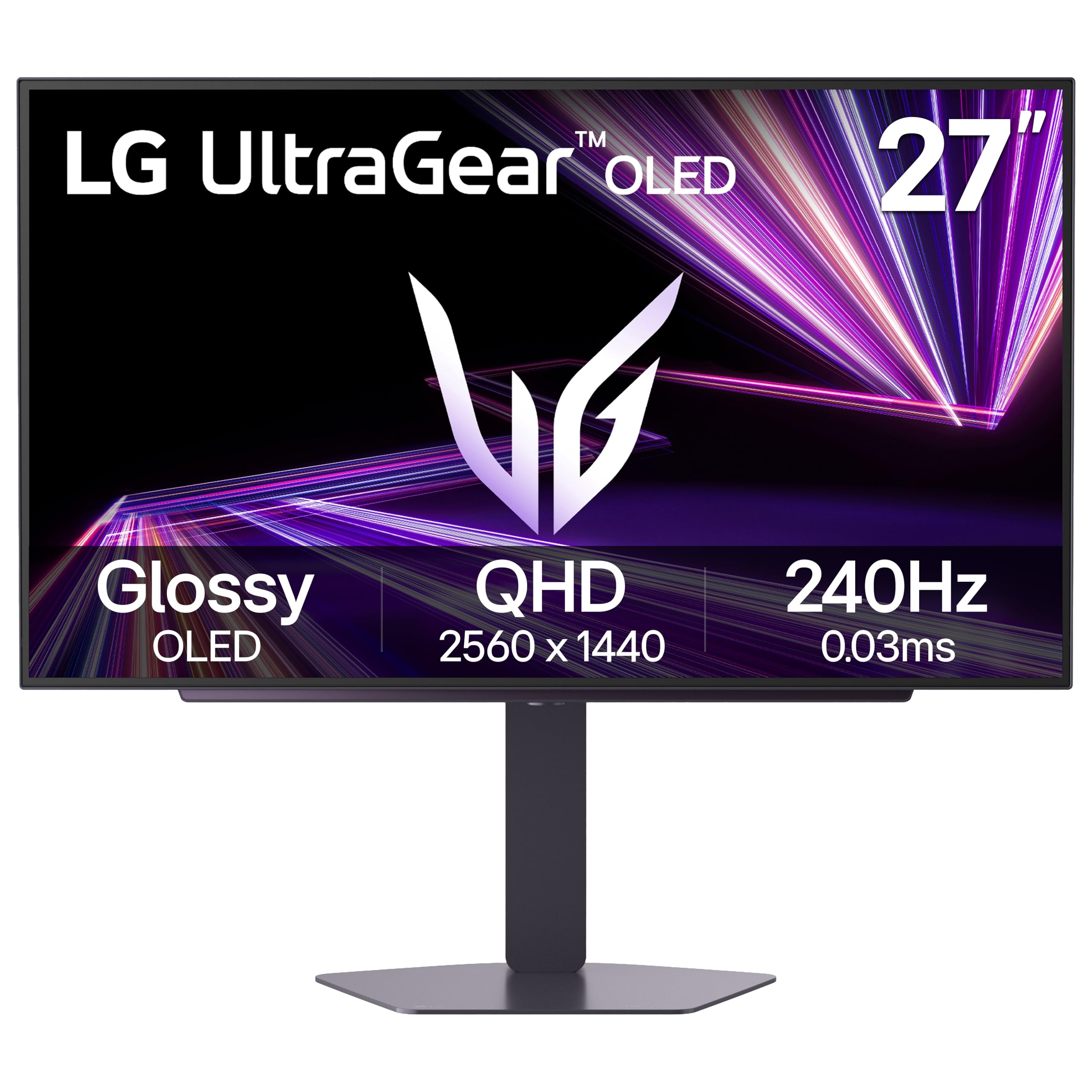
A glossy OLED that makes colors look painted on the screen, with a 1300 nits peak that dazzles.
If you prefer a screen with that rich, glass-like finish, this LG is a standout. The glossy OLED panel delivers 98.5% DCI-P3 color coverage and a 1.5M:1 contrast ratio, producing “deep inky blacks” that make HDR content look incredible. It hits a standard 275 nits of brightness and peaks at a searing 1300 nits for dazzling highlights in games.
The speed is equally impressive, with a 240Hz refresh rate and a near-instantaneous 0.03ms response time that minimizes ghosting. It’s certified by both NVIDIA as G-Sync Compatible and by AMD as FreeSync Premium Pro, so it works perfectly with any modern GPU. Owners coming from a 165Hz 1080p panel note the jump to 1440p/240Hz makes games “smoother and easier.”
The slim, virtually borderless design sits on a fully adjustable stand with height, tilt, swivel, and pivot. Owners praise the sturdy metal construction, and the included cables are a nice touch. The main differences from the more expensive ASUS WOLED below are subtle, but the LG’s glossy finish is what wins people over for its sheer visual pop.
The thing everyone raves about: the glossy screen’s color intensity and deep blacks make both gaming and movies feel more alive.
Worth noting: a poorly made companion software app can cause input lag when switching apps, so many owners just use the manual buttons.
Perfect for: gamers and photo editors who want the most vibrant, high-contrast picture with a premium metal stand.
Look elsewhere if: you work in a very bright room and prefer a matte screen to cut reflections.
7. Samsung Odyssey G6 (G61SH)
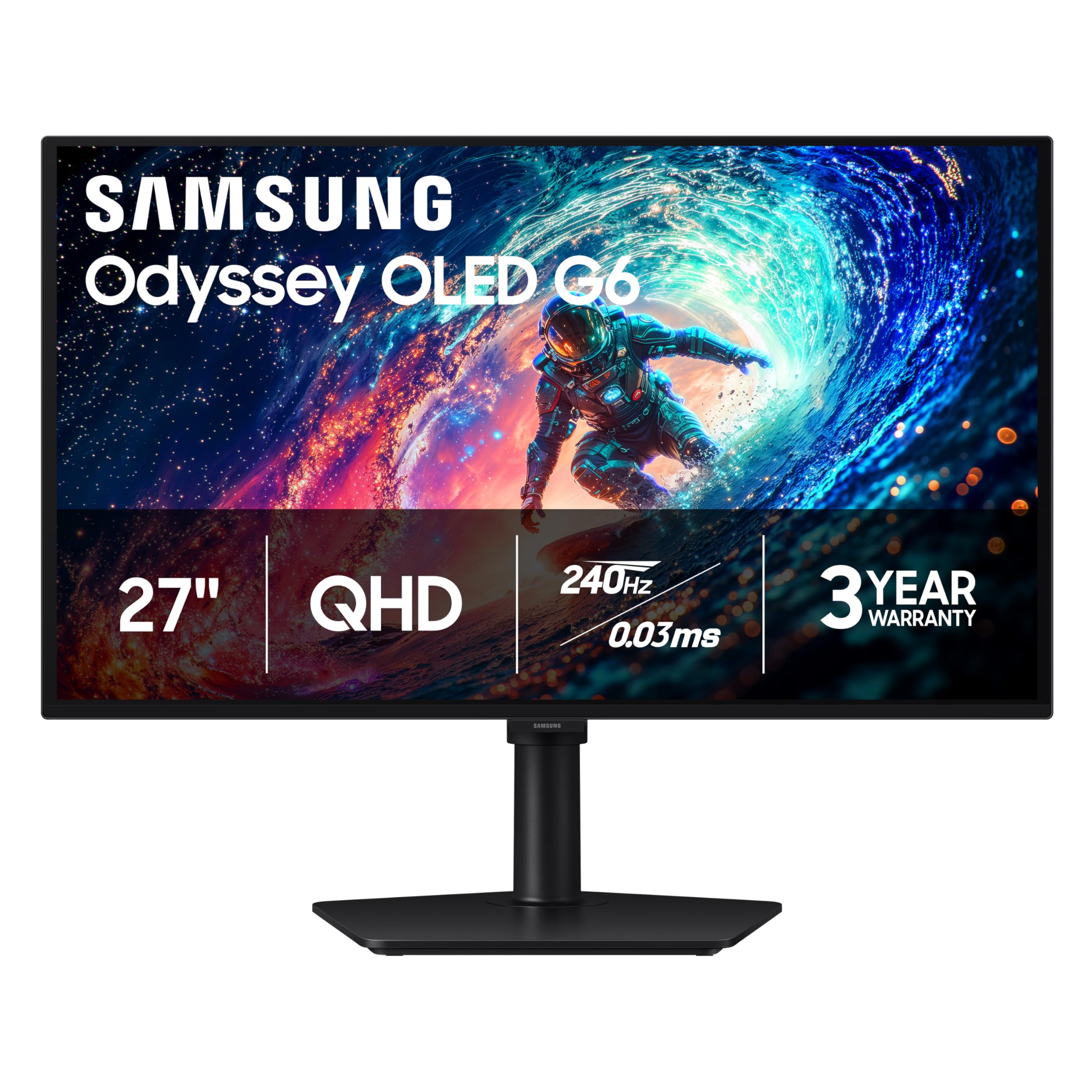
A QD-OLED that brings Samsung’s famously rich color to a 27-inch competitive gaming size.
This Samsung stacks up as a serious contender if you want the best of both worlds: pro-level speed and cinema-grade color. The QD-OLED panel is Pantone Validated, which means it accurately reproduces 2100+ lifelike colors and 110+ skin tone shades, making it as good for content creation as it is for gaming. The 240Hz refresh and 0.03ms response time keep things buttery smooth.
Samsung’s Glare Free Technology keeps the screen readable in bright rooms, and the OLED Safeguard system works to prevent burn-in using a thermal modulation system. The height-adjustable, ergonomic stand pivots, tilts, and swivels, offering excellent flexibility. Owners running games like Warzone, Fortnite, and Cyberpunk report smooth, vibrant performance.
The one thing to know is that the factory color settings are not great from the start. As several owners put it, you absolutely must calibrate HDR in Windows and tune the display to open up its full potential. With that done, the picture quality is stunning, especially for the price, which one owner called “the best deal vs similar specs.”
Best feature: the Pantone-validated color accuracy that makes games and photos look lifelike.
The homework: plan to spend a few minutes tuning the display in your OS; the default settings undersell this panel.
Reach for this if: you want a fast, color-accurate OLED that handles both competitive play and creative work.
Pass if: you want a perfect picture the second you plug it in without tweaking settings.
8. AOC Q27GAZD
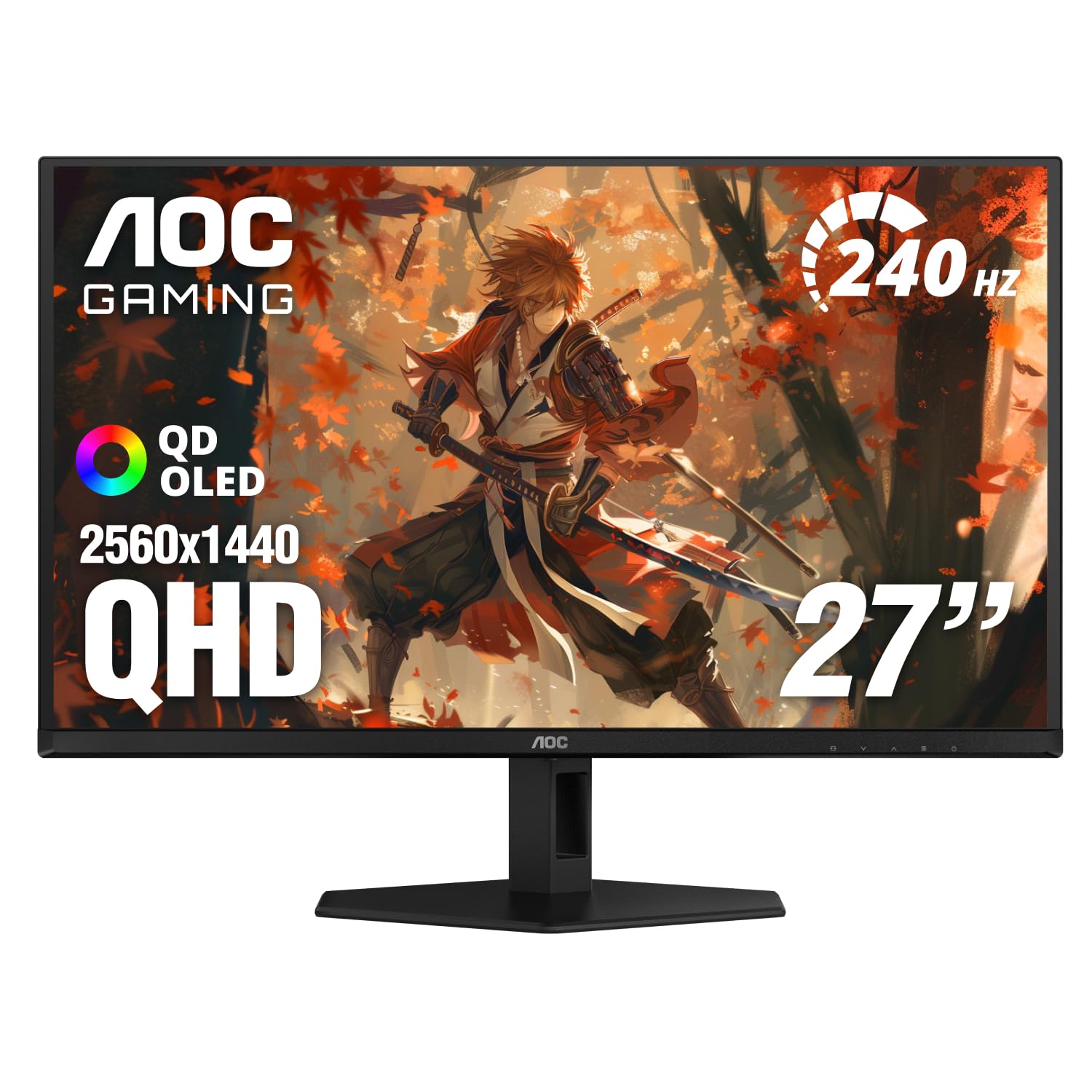
A step-up AOC OLED with a touch more polish, bigger color coverage, and the same silky motion.
This is the more refined sibling to the AOC Q27GAZDV, and the differences come down to small but meaningful upgrades. It keeps the 27-inch QHD (2560×1440) QD-OLED panel and 240Hz refresh rate, but boosts the color gamut slightly to 147.6% sRGB and 110.2% DCI-P3. The HDR400 True Black certification ensures deep blacks and brighter highlights.
Owners love the glossy finish and describe the dark scenes in games and movies as looking “much better” than on older monitors. The 0.03ms response time keeps motion perfectly clean, and Adaptive-Sync technology eliminates screen tearing for a fluid experience. The picture quality is frequently described as “insane” and the HDR is impressive.
The trade-offs are the same ones you’ll find across this tier: the stand is basic and offers limited adjustment, so an arm is a smart add-on. Brightness is also a point of contention, with some owners finding it just okay and others wishing for more. One owner’s tip is to enable the AOC displayHDR setting and pair it with AMD tweaks to get the best HDR picture.
Why it earns its spot: the slightly richer QD-OLED color and excellent HDR make it a great entry into the OLED world.
The fine print: expect to pay more than the Q27GAZDV but get marginally better color; the stand is still basic.
Choose it for: a premium QD-OLED upgrade where you want top-tier contrast and are happy to add your own monitor arm.
Think twice if: you want a fully adjustable stand included in the box or a very bright HDR mode.
9. LG 27GS93QE UltraGear
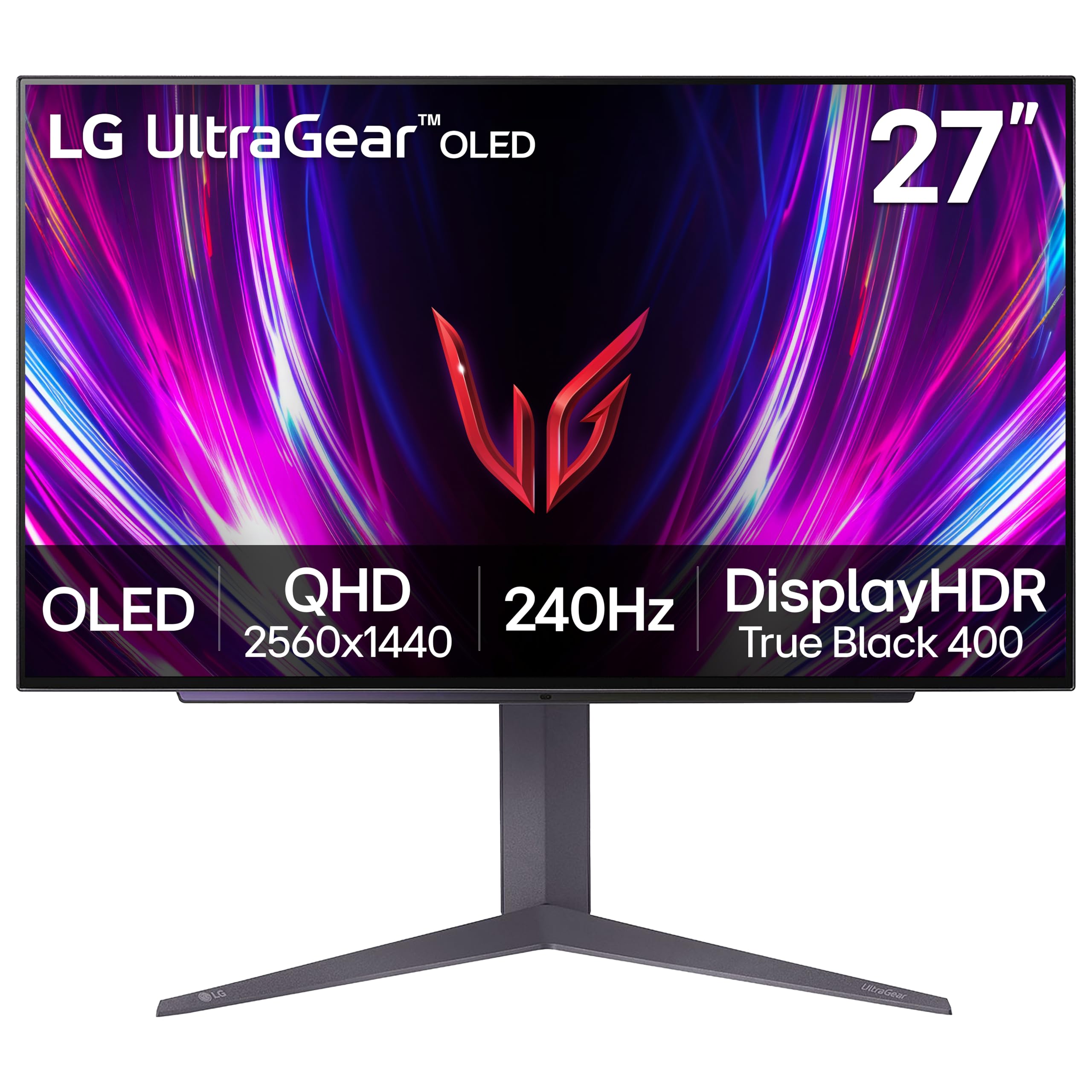
A versatile OLED that pairs perfectly with a PS5 and MacBook, wrapped in a 2-year warranty.
This LG is the pick for gamers who also work from the same desk, and that dual life is exactly where it shines. The 27-inch QHD OLED panel delivers the deep blacks and vibrant color that OLED is known for, with up to 98.5% DCI-P3 coverage. The 240Hz refresh rate and 0.03ms response time keep things perfectly smooth, and it’s validated for both G-Sync and FreeSync Premium Pro.
Owners specifically praise it for a PS5 and MacBook dual setup, noting that a good DisplayPort dock is needed for the best resolution and color. The anti-glare, low-reflection screen keeps you focused in bright rooms, and the virtually borderless, ultra-thin design looks clean on any desk. The included 2-year warranty covering the OLED display panel gives extra confidence.
Reviews point out that to get the best picture, you should read the manual on maintenance, particularly running the pixel cleaning function to prevent any lingering image retention. Some owners find the brightness a bit low for their taste, a common trait among OLED panels, but they overwhelmingly agree the color and contrast make it well worth the money.
What wins people over: the amazing black levels and excellent value for a dual-purpose OLED.
An honest tip: invest in a quality DisplayPort dock if you plan to run it with a MacBook for full resolution and color.
Grab it if: you want one premium OLED that handles console gaming, laptop work, and dark-room movie nights.
Look elsewhere if: you need extreme peak brightness for a very bright, sunlit room.
10. ASUS ROG XG27AQDMG
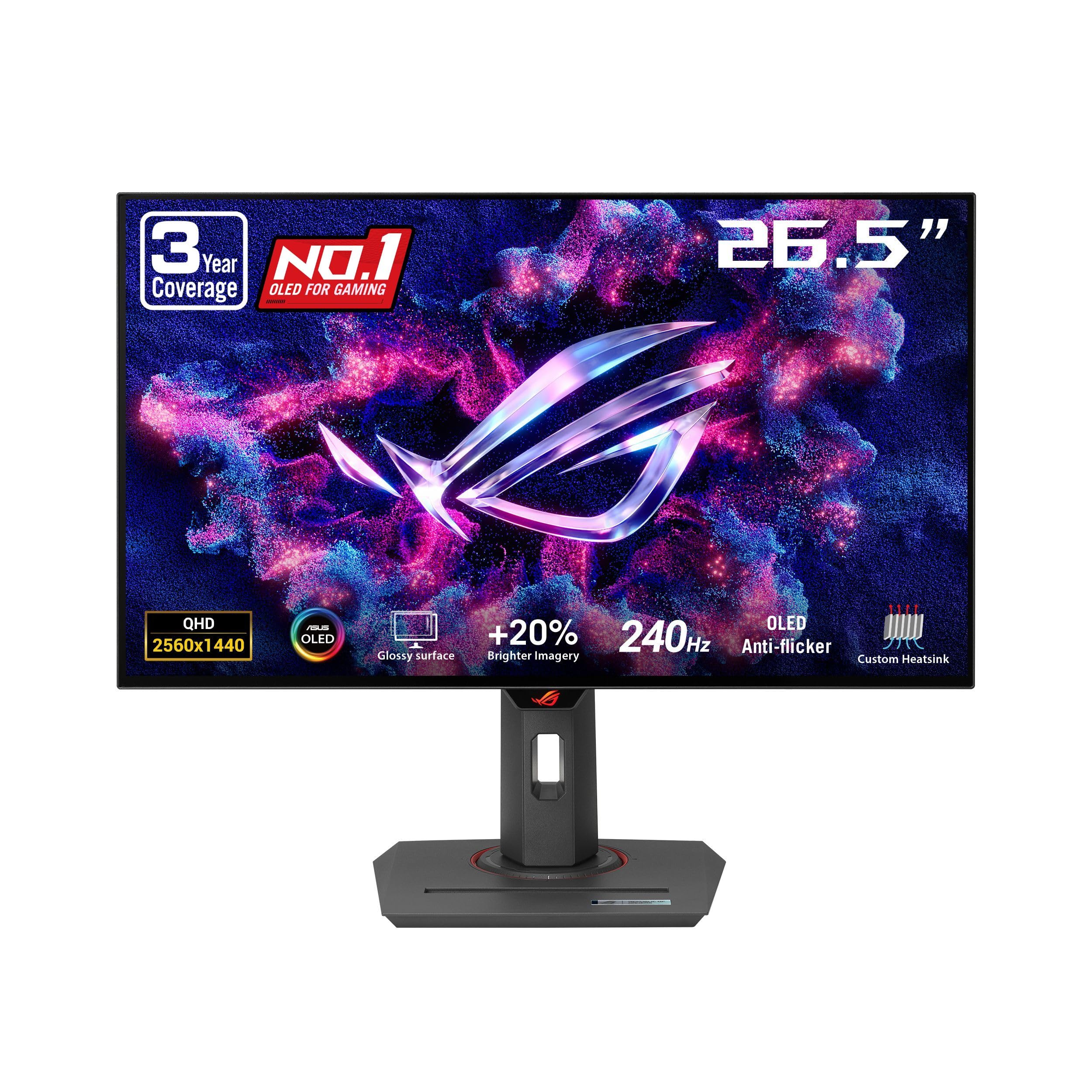
The third-generation WOLED that nails text clarity and motion, backed by the strongest burn-in warranty.
This ASUS ROG is the most refined WOLED option on the list, using third-generation technology that delivers brighter full-screen whites and clearer text than earlier OLEDs. The 26.5-inch QHD (2560×1440) glossy panel hits 240Hz with a 0.03ms response time, and the 99% DCI-P3 color space keeps colors vivid and accurate for gaming or content creation.
ROG-exclusive OLED Anti-flicker technology reduces flicker during refresh-rate fluctuations, a real benefit for sensitive eyes. Owners with months of use report zero burn-in thanks to regular pixel refresh, and the 3-year warranty with burn-in coverage is the best safety net here. The glossy finish delivers “crazy blacks” that owners describe as the closest thing to a CRT.
This monitor is not without its quirks, though. The VESA mount attachment is notoriously hard to install, and you’ll need an HDMI 2.1 cable for the full 4K/120Hz+ experience on consoles. Owners also note that while SDR content is bright, HDR mode runs a bit dimmer. For pure competitive edge, many owners recommend this 1440p OLED over a 4K panel for FPS games.
Pro-level highlights
- Third-gen WOLED panel with better text clarity and brightness
- 3-year warranty that includes burn-in coverage
- Incredible glossy blacks and responsive motion
Setup notes
- VESA mount is very hard to install
- HDR mode is dimmer than SDR
Reach for it if: you want the most advanced WOLED tech with the best warranty and don’t mind a tricky mount.
Pass if: you need a simple, tool-free setup or prefer your HDR to be the brightest mode.
11. MSI MPG 491CQPX

A 49-inch super-ultrawide that wraps around your vision like a cockpit window for total immersion.
If you want the most rich experience possible, this MSI is in a league of its own. The 49-inch QD-OLED panel runs at a 32:9 aspect ratio with a 5120 x 1440 (DQHD) resolution — effectively two 1440p monitors side by side without a bezel in the middle. At 240Hz with a 0.03ms response time, the motion is so smooth it feels almost surreal.
This is the monitor for racing games, flight sims, and productivity power users. The built-in KVM switch lets you control multiple devices with one keyboard, mouse, and monitor, and the console mode provides HDMI 2.1 with a full 48 Gbps bandwidth. MSI OLED Care 2.0 helps reduce the risk of burn-in, and the VESA DisplayHDR True Black 400 certification ensures deep blacks and incredible HDR.
Owners describe games like Cyberpunk in HDR as “revelatory,” with the 1800R curve drawing you into the action. The trade-offs are practical: this massive screen needs a deep desk or a sturdy monitor arm, and the glossy QD-OLED finish loves fingerprints. There are no built-in speakers either, so plan your audio setup.
The headline spec: a 5120 x 1440 super-ultrawide canvas that replaces your entire multi-monitor setup with one smooth curve.
Before you buy: measure your desk depth — owners agree this screen demands serious physical space.
Choose it if: you want the ultimate rich gaming experience and have the desk space and GPU power to feed it.
pass on it if: you prefer a simple single-screen setup for competitive FPS games where a smaller panel is easier to scan.
Understanding the Specs
Refresh Rate (Hz)
This is how many times the screen updates the image per second. A 240Hz monitor shows a new frame every 4.16 milliseconds, which is 1.67x more often than a 144Hz display. This doesn’t just look smoother; it gives you a genuine competitive edge in fast games because you see enemy movements and scene changes sooner.
Response Time (ms)
This measures how fast a pixel can change color. A lower number means less ghosting or blurring behind fast-moving objects. A 1ms (GtG) panel is considered the standard for good 240Hz gaming, while OLED panels like the ones on this list hit an incredible 0.03ms, which is practically instant and makes motion look pin-sharp.
FAQ
Can I tell the difference between 144Hz and 240Hz?
Do I need a specific cable to run a monitor at 240Hz?
Is 1080p or 1440p better for a 240Hz monitor?
What is the difference between IPS and OLED panels?
What is G-Sync and FreeSync?
What does response time (GtG) mean and why does it matter?
Will a 240Hz monitor work with a PS5 or Xbox?
What is HDR and do I need it on a 240Hz monitor?
Does a 240Hz monitor cause more eye strain?
What is burn-in on an OLED monitor and how do I prevent it?
Final Thoughts: The Verdict
For most buyers, the 240hz monitor winner is the Samsung Odyssey G4 because it nails the essentials — a bright 400 cd IPS panel, solid G-Sync and FreeSync compatibility, and a fully adjustable stand — at a price that makes sense. If you want a sharper image, grab the LG 27GR83Q-B for its crisp 1440p resolution. And for the ultimate cinematic immersion, the MSI MPG 491CQPX is the one to reach for.
How We Picked
We do not accept paid placement. Every pick is matched to a real buyer and a real use-case; we do not hands-on test units.
Sources & Methodology
Specifications: manufacturer listings and product documentation. Review insights: verified customer reviews, as of August 2026. Pricing: not shown on this page (it changes often); check the current price via the retailer link.
As an Amazon Associate, Gadgets Feed earns from qualifying purchases. This does not affect which products we feature.