
Our readers keep the lights on and my morning glass full of iced black tea. As an Amazon Associate, I earn from qualifying purchases.
Specs are compiled from manufacturer listings and verified buyer reviews and can change over time — please confirm the key details on the product page before buying.
If you are shopping for a gaming monitor right now, the short answer is: you want OLED, and you want it running at 240Hz. That combination gives you colors that look real and motion so fluid it feels like cheating. The hard part is picking one—there are glossy panels, matte panels, ultrawide curves, and prices that stretch from roughly entry-level premium into serious-investment territory. This guide breaks down the real trade-offs you face with each model, from the near-instant 0.03ms response times to the burn-in prevention features that help protect your purchase.
I’m Min — the founder and writer behind Gadgets Feed. This guide is built by comparing the manufacturers’ published specifications and the patterns across verified customer reviews, so you get each pick’s real strengths and trade-offs instead of marketing spin.
Whether you are upgrading from an older LCD or entering the world of self-lit pixels for the first time, the right 240hz oled monitor hinges on one thing—matching the panel technology and size to the games you play and the room you play in.
Quick Picks
- AOC Q27G4ZD 27″ QD-OLED Gaming Monitor — Best Value Entry
- ASUS ROG Strix XG27AQDMES 27″ QD-OLED Gaming Monitor — Pro Protection
- LG 27GS93QE 27″ Ultragear OLED Gaming Monitor — Bright-Room OLED
- ASUS ROG Strix XG27AQDMGR 27″ OLED Gaming Monitor — Glossy WOLED Star
- Pixio PX277 OLED Max V2 27″ Monitor — Desktop Hub
- Alienware AW3425DW 34″ QD-OLED Curved Gaming Monitor — Ultrawide Immersion
- Deco Gear 49″ QD-OLED Curved Ultrawide Gaming Monitor — The Big Picture
- MSI MPG 321URX QD-OLED 32″ Gaming Monitor — 4K Perfectionist
- INNOCN 49Q1S 49″ OLED Curved Gaming Monitor — Ultrawide Utility
- ASUS ROG Swift PG32UCDM 32″ 4K OLED Gaming Monitor — Top Tier Spec
How To Choose The Best 240Hz OLED Monitor
Three specs define your experience more than anything else: the panel generation, the resolution, and the size. Here is what you need to know to avoid a mismatched purchase.
Panel Type: QD-OLED vs WOLED
The biggest fork in the road is if you want a Quantum Dot OLED (QD-OLED) or a White OLED (WOLED) panel. QD-OLED panels, like those in the ASUS ROG Swift PG32UCDM, deliver extremely high color volume and peak brightness but have a slightly purplish tint in direct bright light. WOLED panels, such as the one in the LG 27GS93QE, offer truer blacks in bright rooms and a more standard matte or semi-gloss finish that is easier to clean. Choose QD-OLED for a dark-room cinema experience; choose WOLED if you game with overhead lights or a window nearby.
Resolution vs Frame Rate
Every monitor here runs at 240Hz, but the pixel count changes drastically. A 1440p (QHD) panel is the balance for competitive gaming—your graphics card can actually push 240 frames per second in most titles. A 4K (UHD) model like the MSI MPG 321URX looks sharper for single-player epics, but you may need to drop to 1440p in-game to hold a steady 240 fps. Ultrawide 1440p (3440×1440 or 5120×1440) splits the difference, offering a wider field of view with a frame-rate cost somewhere between standard 1440p and 4K.
Burn-In Prevention and Warranty
OLED burn-in is real, but the technology has matured. Look for monitors with automatic pixel refresh cycles, proximity sensors (like ASUS’s Neo Proximity Sensor that blanks the screen when you step away), and at least a two-year warranty covering the panel. The LG 27GS93QE includes a 2 Year UltraGear OLED Warranty. Brands like AOC offer a 3-Year Zero-Bright-Dot guarantee. These protections matter more than any single spec—they ensure your investment lasts.
Quick Comparison
| Model | Best For | Resolution | Panel Type | Size | Amazon |
|---|---|---|---|---|---|
| AOC Q27G4ZD | Entry-level OLED speed | 2560 x 1440 | QD-OLED | 27″ | $493.99Amazon |
| ROG Strix XG27AQDMES | Smart burn-in protection | 2560 x 1440 | QD-OLED | 27″ | $529.00Amazon |
| LG 27GS93QE | Bright-room WOLED clarity | 2560 x 1440 | WOLED | 27″ | $559.94$899.99Amazon |
| ASUS ROG Strix XG27AQDMGR | Glossy WOLED vibrancy | 2560 x 1440 | WOLED | 27″ | $549.00$599.00Amazon |
| Pixio PX277 OLED Max V2 | Built-in KVM & USB-C | 2560 x 1440 | WOLED | 27″ | $599.99Amazon |
| Alienware AW3425DW | Ultrawide immersion | 3440 x 1440 | QD-OLED | 34″ | $799.99Amazon |
| Deco Gear 49″ | Massive dual-QHD workspace | 5120 x 1440 | QD-OLED | 49″ | $799.99$949.99Amazon |
| MSI MPG 321URX | 4K gaming excellence | 3840 x 2160 | QD-OLED | 32″ | $859.99Amazon |
| INNOCN 49Q1S | Ultrawide with USB-C | 5120 x 1440 | OLED | 49″ | $1,259.99Amazon |
| ASUS ROG Swift PG32UCDM | High-end 4K HDR | 3840 x 2160 | QD-OLED | 32″ | $1,188.72Amazon |
In‑Depth Reviews
1. AOC Q27G4ZD 27″ QD-OLED Gaming Monitor

The AOC Q27G4ZD brings QD-OLED speed to a price point that makes the upgrade feel almost too easy.
The standout here is the value proposition. This 27-inch 1440p QD-OLED panel hits a 240Hz refresh rate and an extremely fast 0.03ms response time. Buyers report that “240hz refresh rate for an OLED this price is about impossible to beat,” which sums up the appeal neatly. The color gamut covers 110.2% DCI-P3 and 147.6% sRGB, meaning games and movies look vivid right from the start. It also supports HDR10 and G-Sync compatibility, so you get smooth, tear-free gameplay without needing to calibrate much.
The catch is the build. The stand lacks height, tilt, and pivot adjustments—you will likely want a monitor arm for proper ergonomics. Unlike the LG 27GS93QE with its 2-year warranty, the AOC comes with a 3-Year Zero-Bright-Dot guarantee, which is actually better for pixel-defect confidence. A few buyers mention occasional half-second black screens when switching inputs, which may be a cable or driver quirk rather than a panel flaw.
What Makes It a Bargain
- 240Hz and 0.03ms response for under entry-level premium pricing
- Wide color gamut (147.6% sRGB) delivers punchy visuals
- 3-Year Zero-Bright-Dot warranty covers the panel
Where It Falls Short
- Stand has no height or tilt adjustments
- HDMI 2.0 only (limits console to 120Hz max)
- Occasional signal dropout reported by some owners
The smart entry point: Grab this AOC if you want 240Hz OLED gaming on a budget and plan to use a monitor arm anyway—the panel quality punches far above its price tier.
Look elsewhere if: You need a fully adjustable stand from the start or you require HDMI 2.1 for a high-bandwidth console connection.
2. ASUS ROG Strix XG27AQDMES 27″ QD-OLED Gaming Monitor
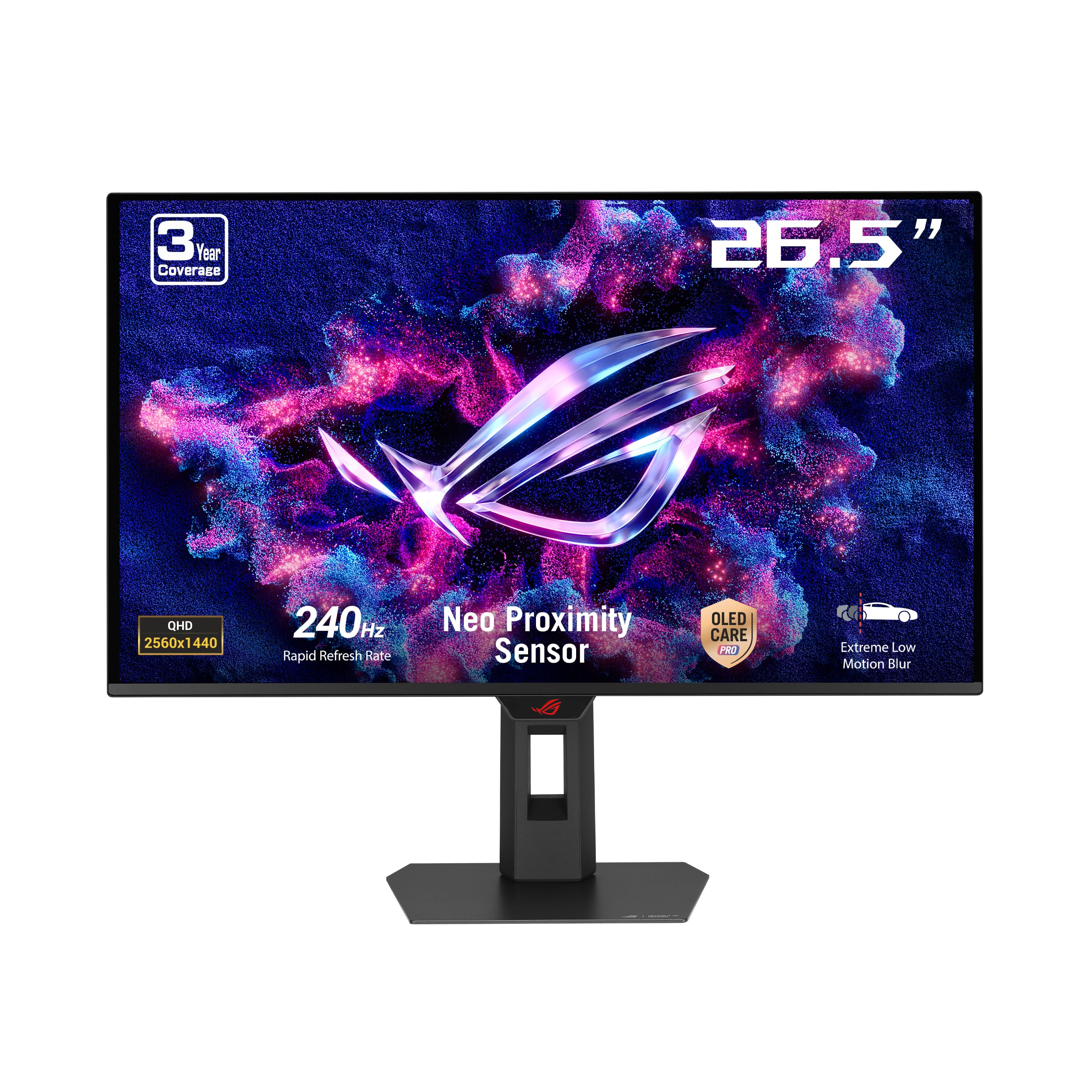
ASUS engineered this QD-OLED to protect itself, with a sensor that knows when you walk away.
The headline feature is the Neo Proximity Sensor, part of ASUS OLED Care Pro. The sensor detects when you leave your desk and automatically switches to a black screen to reduce the risk of burn-in. That is a meaningful difference from the LG 27GS93QE’s manual pixel-clean routine. The panel itself is a 26.5-inch viewable QD-OLED with 240Hz, 0.03ms response, and 99% DCI-P3 coverage. Color accuracy is rated at Delta E < 2, so what you see is what you get in creative work. The ROG Gaming A.I. Technology also offers AI-driven features like crosshair overlay and shadow enhancement.
Buyers who upgraded from a 4K 32″ MSI monitor note the ASUS “made all my games look brand new and spectacular,” specifically praising the pure OLED blacks and HDR. The same reviewer flagged that the OLED Care feature pops up asking for pixel cleaning “far too often” during light use. The monitor lacks a USB hub or KVM, which the Pixio PX277 OLED Max V2 includes, so this is purely a display-first device. Weight is 6.8 kg (about 15 lbs), so a sturdy arm is recommended.
Smart Safeguards
- Neo Proximity Sensor auto-dims the screen when you step away
- 99% DCI-P3 with Delta E < 2 for color-accurate HDR
- ROG Gaming A.I. adds in-game overlays without performance hit
Missing Peripherals
- No built-in USB hub or KVM switch
- OLED Care cleaning prompt can be intrusive during desktop use
- Only one DisplayPort input limits multi-PC setups
Ideal for the cautious upgrader: This ASUS is perfect if you want OLED’s image quality but worry about burn-in—the proximity sensor is a genuine, automatic layer of protection.
Skip if: You need KVM functionality or a USB hub for a clean desk setup, or you dislike software interruptions during regular computer use.
3. LG 27GS93QE 27″ Ultragear OLED Gaming Monitor

LG’s WOLED panel keeps blacks truly black even when the sun pours in through the window.
The LG 27GS93QE uses a WOLED (White OLED) panel, which handles ambient light much better than QD-OLED. Where a QD-OLED can look slightly purple under direct light, this LG’s anti-glare / low reflection coating keeps blacks inky and contrasts strong. The 240Hz refresh rate and 0.03ms response time are identical to the other contenders here, and the VESA DisplayHDR True Black 400 certification guarantees deep shadow detail.
The monitor includes G-Sync Compatible and AMD FreeSync Premium Pro support, plus HDMI 2.1 ports that can push the full 240Hz signal. One reviewer noted the brightness is lower than a typical LCD, recommending a darker room for the best experience. The 2 Year UltraGear OLED Warranty is a solid safety net, especially for a first-time OLED owner. The stand offers full ergonomic adjustments (height, tilt, pivot), which the cheaper AOC Q27G4ZD lacks entirely.
Why WOLED Wins in Light
- Anti-glare coating with true black performance in bright rooms
- 2 Year OLED Warranty covers the panel
- HDMI 2.1 supports full 240Hz from consoles and PCs
Considerations
- Lower peak brightness than high-end QD-OLED panels
- 98.5% DCI-P3 is slightly narrower than some QD-OLED competitors
- No USB-C connectivity for single-cable laptop setups
Perfect for lit rooms: Choose this LG if your gaming space gets natural light or you want a WOLED’s easier maintenance and stable blacks—the 2-year warranty makes it a safe first OLED.
Not for you if: You need the highest possible brightness for HDR or rely on a USB-C connection for a laptop or MacBook.
4. ASUS ROG Strix XG27AQDMGR 27″ OLED Gaming Monitor
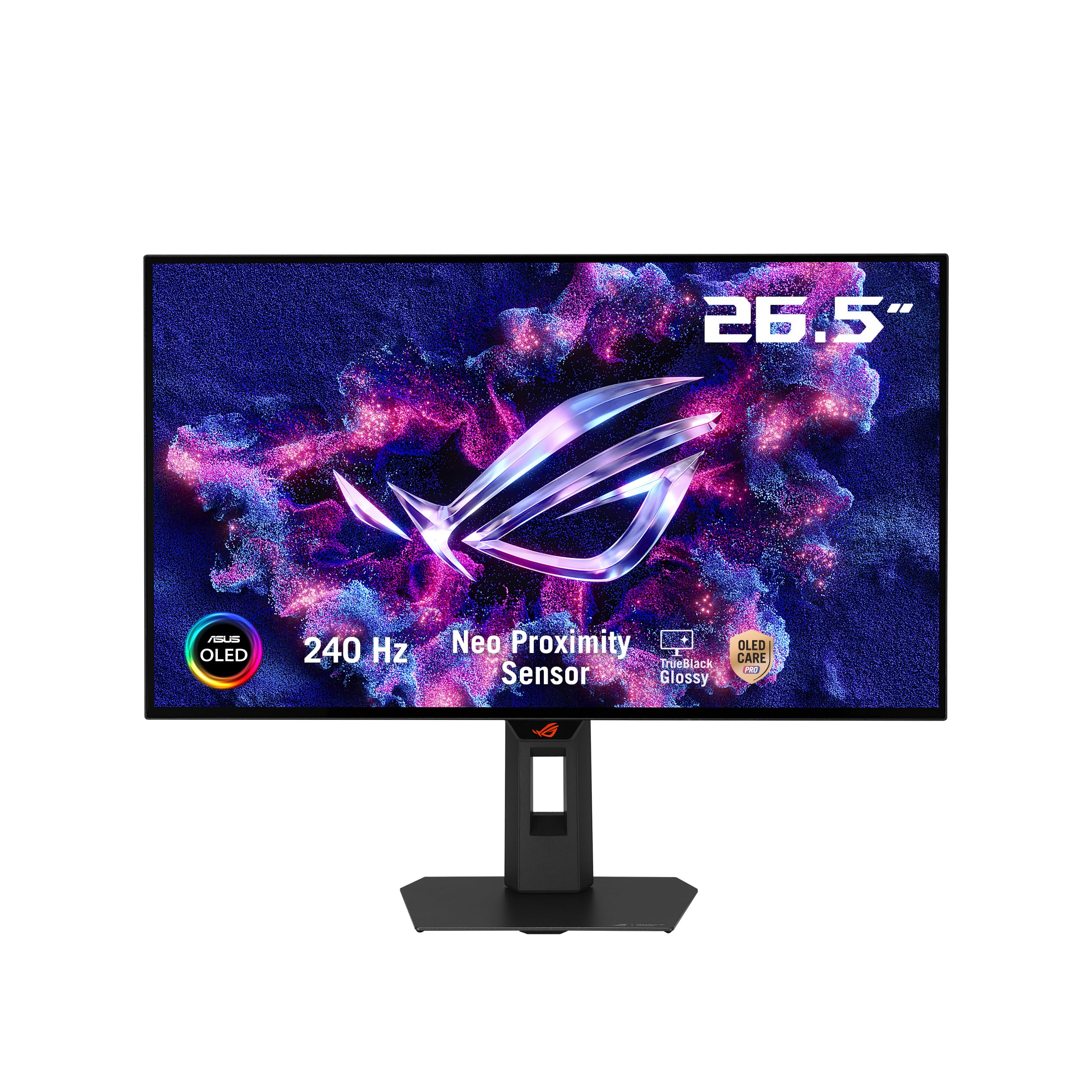
ASUS’s glossy WOLED gives you the vivid black levels of OLED without the text blur that plagues some QD-OLEDs.
This is the “TrueBlack Glossy” version of the ROG Strix line. It uses a WOLED panel with a glossy finish, which means you get deeper black levels and more pop in a dark room than the matte-finished LG 27GS93QE. Brightness hits 1300 Candela per Square Meter peak, which is noticeably higher than the standard 400 nits on most OLEDs, and the contrast ratio is 1,500,000:1. The 240Hz refresh rate and 0.03ms response time are the same as the XG27AQDMES model, but this one includes a 99% DCI-P3 gamut and Delta E < 2 color accuracy for HDR work. A buyer noted HDR “hits 1386 nits peak brightness,” which makes HDR games truly pop.
The Neo Proximity Sensor returns here, and ASUS DisplayWidget Center lets you tweak OLED Care settings with a mouse instead of the on-screen joystick. Some owners mention text fringing is visible on small fonts, though a “Clear Pixel Edge” setting exists to mitigate it. Unlike the 34″ Alienware AW3425DW for ultrawide immersion, this is a pure gaming-focused 27-inch panel with a sturdy stand and a flair of RGB on the back.
Glossy Glory
- 1300 cd/m² peak brightness enables stunning HDR highlights
- Glossy WOLED panel delivers exceptional contrast and deep blacks
- Neo Proximity Sensor and DisplayWidget Center for OLED care
Minor Compromises
- Text fringing on small fonts requires tweaking
- Dimmer than high-end IPS panels for general desktop use
- No built-in speakers or USB-C charging
For the image-quality purist: Get the XG27AQDMGR if you want a glossy panel that delivers reference-level HDR brightness and deep blacks in a dark gaming room—it is the most vibrant 27-inch OLED here.
Look elsewhere if: You work with text-heavy documents all day (the fringing may annoy you) or you need a KVM for sharing peripherals between devices.
5. Pixio PX277 OLED Max V2 27″ Monitor
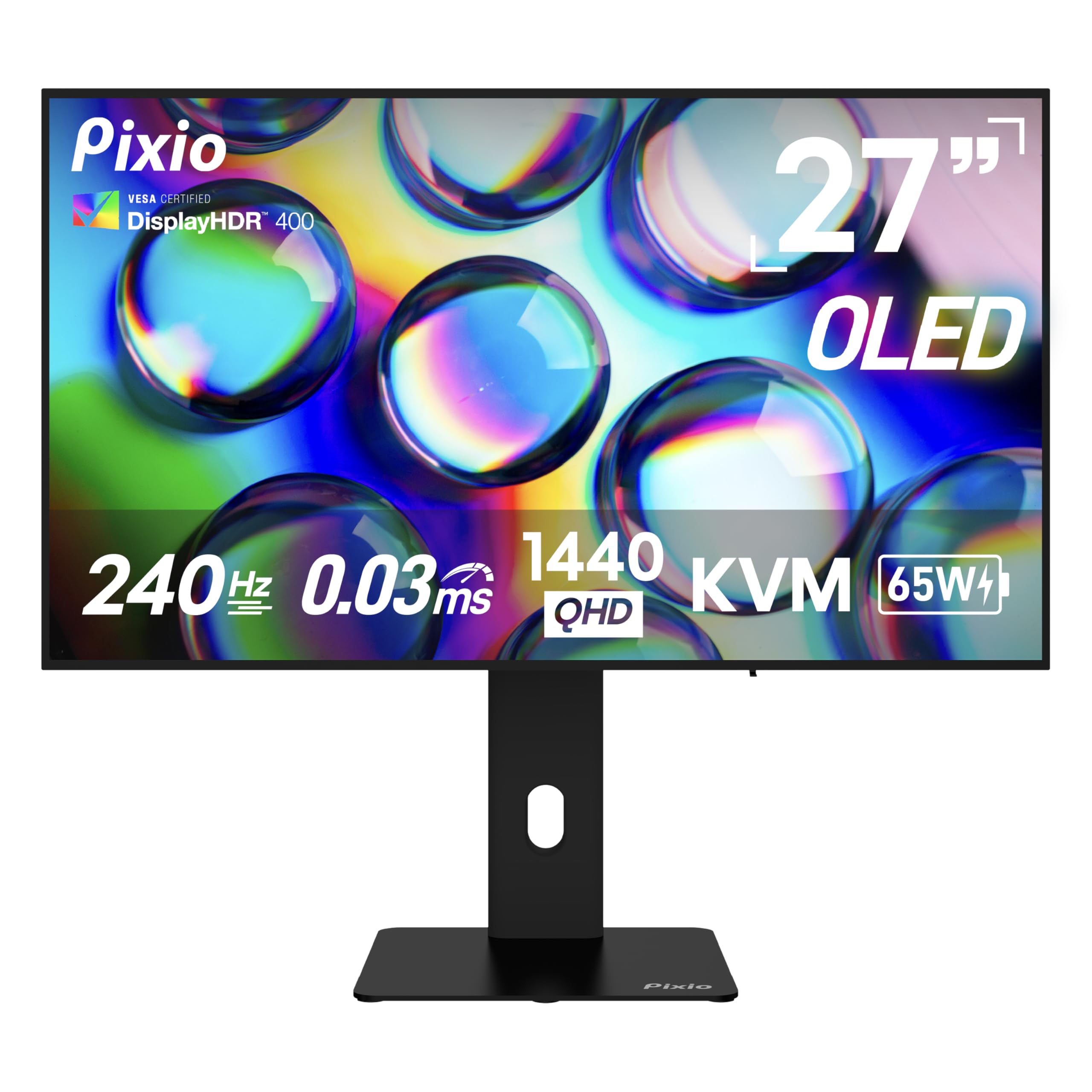
Pixio packs a KVM and 65W USB-C charging into a 240Hz WOLED panel, turning your monitor into a desktop command center.
The Pixio PX277 OLED Max V2 is the only 27-inch 240Hz OLED here that includes a built-in KVM switch and a USB-C port delivering up to 65W of power. That means you can plug in a laptop with a single USB-C cable for video, charging, and peripheral control—a workflow the ASUS ROG Strix XG27AQDMES does not support. The WOLED panel delivers DisplayHDR True Black 400 with a 1,500,000:1 contrast ratio, and the 0.03ms response time keeps motion blur-free. The stand is fully adjustable with height, tilt, swivel, and pivot, matching the LG 27GS93QE’s ergonomic flexibility.
Buyers love the OLED picture quality but note that the pixel refresh prompt can interrupt gaming sessions if you do not dismiss it manually. One buyer mentioned that the built-in speakers are “terrible” with noticeable audio latency, so you will want dedicated speakers or a headset. The included DisplayPort cable is only 1.2, despite the monitor supporting DisplayPort 1.4, so you may need to buy a better cable for full bandwidth. At roughly the same price tier as the AOC Q27G4ZD, this Pixio gives you KVM functionality that the AOC lacks entirely.
Connectivity Champion
- Built-in KVM switches between PC and console with one keyboard/mouse
- USB-C 65W PD charges a laptop while driving the display
- Fully adjustable stand with height, tilt, swivel, and pivot
Annoying Quirks
- Built-in speakers have poor quality and noticeable latency
- Comes with a DP 1.2 cable despite needing DP 1.4 for full bandwidth
- Pixel refresh pop-up cannot be permanently disabled
Perfect for the multi-device user: Choose this Pixio if you switch between a laptop and a gaming PC daily—the KVM and USB-C let you control everything with one set of peripherals.
skip it if: You rely on monitor speakers (they are unusable for gaming) or you want a friction-free experience without periodic pixel-refresh interruptions.
6. Alienware AW3425DW 34″ QD-OLED Curved Gaming Monitor

This 34-inch curved QD-OLED wraps your peripheral vision in color, making flat monitors feel like looking through a window.
The Alienware AW3425DW is a 34.2-inch ultrawide with an 1800R curve and a 21:9 aspect ratio. The QD-OLED panel covers 99.3% DCI-P3 with Delta E<2 color accuracy, and VESA DisplayHDR TrueBlack 400 ensures the deep blacks and bright highlights coexist without blooming. The 240Hz refresh rate applies across the full 3440 x 1440 resolution, and adaptive sync technologies including G-SYNC Compatible, AMD FreeSync Premium Pro, and VESA AdaptiveSync keep the image smooth.
Buyers coming from VA panels describe the upgrade as “on the level of a GPU upgrade,” especially praising the instant response and vibrant colors. A few note that text fringing is minimal after calibration and that HDR gaming can have aggressive pixel dimming in mid-tones, with the workaround being SDR with Nvidia RTX Dynamic Vibrance. At this size and resolution, it bridges the gap between standard 1440p and 4K—you get the wider field of view without demanding as much from your GPU as a 4K display. It is heavier and larger than the 27-inch picks, so ensure your desk can handle the depth.
Field of View Champ
- 34″ ultrawide with 21:9 ratio for rich open-world games
- 99.3% DCI-P3 and DisplayHDR TrueBlack 400 for stunning colors
- Triple adaptive sync support (G-Sync, FreeSync Premium Pro, VESA)
What to Know
- Glossy screen may cause reflections in bright rooms
- HDR pixel dimming can be aggressive in mid-tones
- Text clarity is slightly lower than a 4K panel for productivity
Ideal for the immersion seeker: Grab the Alienware if you play racing, flight sim, or open-world RPGs where peripheral vision matters more than pixel density—the curve and ultrawide ratio genuinely change how you see the game world.
Not for you if: You have limited desk space, you need a flat panel for color-critical design work, or your budget doesn’t stretch into mid-range ultrawide territory.
7. Deco Gear 49″ QD-OLED Curved Ultrawide Gaming Monitor
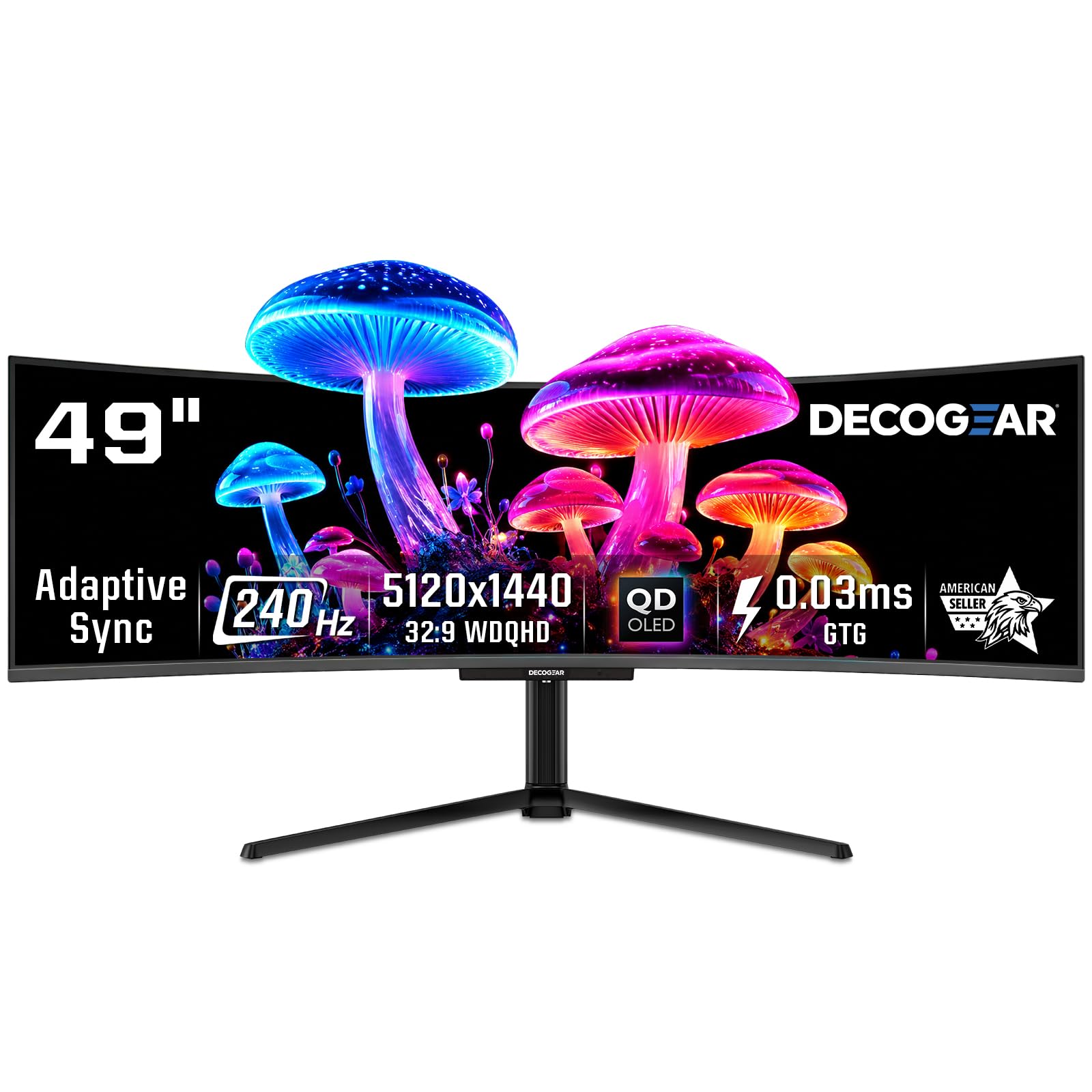
The Deco Gear 49-inch is like having two 27-inch QHD monitors side-by-side with zero bezel and a single 240Hz driver.
This is a 49-inch QD-OLED with a 32:9 aspect ratio and a dual-QHD resolution of 5120 x 1440. That is the same vertical height as a 27-inch 1440p monitor, but twice as wide. The 240Hz refresh rate and 0.03ms response time apply to the full resolution, and the 90W USB-C port can charge a laptop while driving the display. The built-in KVM switch lets you control two PCs with one keyboard and mouse, similar to the Pixio PX277 but on a massive scale.
One owner reported that it is identical to the Innocn 49Q1R (the same Samsung OLED panel) and praised the picture for “vibrant colors, deep blacks, good brightness.” Another reported that the included power cable was “so tightly folded that the internal wire broke,” so you may need a spare cable. The stand base is large, so a monitor arm is a practical upgrade. At this size, you need a desk at least 60 inches wide and a powerful GPU to push 240 fps at 5120 x 1440 in modern titles.
Massive Workspace
- 5120 x 1440 resolution replaces dual monitor setup
- 90W USB-C PD charges a laptop via single cable
- QD-OLED delivers true blacks and 1.07 billion colors
Space and Power Demands
- Requires a very large desk and a powerful GPU
- Some units shipped with defective power cables
- Large stand base; monitor arm strongly recommended
For the desk-space unlimited: Get this Deco Gear if you want a bezel-free dual-QHD experience for both gaming and productivity, and you already have the graphics card to feed it.
Skip if: Your desk is under 60 inches wide or you cannot accommodate a monitor arm—the stock stand eats a lot of surface area.
8. MSI MPG 321URX QD-OLED 32″ Gaming Monitor

32 inches of 4K QD-OLED at 240Hz makes this MSI the monitor you buy when you want no compromises on either sharpness or speed.
The MSI MPG 321URX combines a 31.5-inch UHD (3840 x 2160) QD-OLED panel with a 240Hz refresh rate and a 0.03ms response time. Color coverage is 99% DCI-P3 with Delta E ≤2 accuracy, and it is VESA DisplayHDR True Black 400 certified. MSI’s OLED Care 2.0 includes a pixel refresh system and a protective heatsink to manage heat and reduce burn-in risk. Connectivity includes HDMI 2.1, DP 1.4a, and a USB Type-C port with 90W power delivery, plus a built-in KVM for switching between a PC and a laptop.
Buyers who upgraded from a 27-inch 1440p IPS monitor describe the difference as “life changing,” noting that HDR in games like Crimson Desert created an “insane quality jump” in color vibrancy and contrast. Some Mac users report a dual-monitor issue where both displays would not work simultaneously until DSC was disabled, locking them to 120Hz. The stand is chunky and stable but takes up significant desk space; a monitor arm solves that. If you want a 4K OLED that still runs at 240Hz, this is one of the few options that delivers both without compromise.
Sharp and Fast
- 4K QD-OLED at 240Hz with 0.03ms response
- 90W USB-C, KVM, and HDMI 2.1 for versatile connectivity
- OLED Care 2.0 with heatsink protects against burn-in
Mac and Desk Issues
- Dual-monitor Mac setup requires disabling DSC (limits to 120Hz)
- Large stand eats desk space
- Text clarity on QD-OLED is good but not as sharp as IPS for office work
The uncompromising gamer’s choice: Choose the MSI MPG 321URX if you want 4K clarity for single-player epics and 240Hz speed for competitive shooters, all in one panel—it is the best all-rounder at this resolution.
Look elsewhere if: You run a Mac dual-monitor setup (the DSC workaround limits to 120Hz) or you prefer a smaller footprint for a tighter desk layout.
9. INNOCN 49Q1S 49″ OLED Curved Gaming Monitor

The INNOCN 49Q1S gives you the same Samsung OLED panel as the Deco Gear but with a price that makes the ultrawide leap more practical.
This 49-inch OLED monitor uses the same 5120 x 1440 resolution and 32:9 aspect ratio as the Deco Gear, with a 240Hz refresh rate and an 1800R curvature. The OLED panel delivers a 1,000,000:1 contrast ratio and HDR 400 support. Connectivity is the real differentiator: two DP 1.4 ports, one HDMI 2.1, a USB-C port with 90W Power Delivery, two USB-A ports, a USB-B upstream, an RJ45 Ethernet jack, and a 3.5mm audio jack. The built-in KVM and PiP/PbP split-screen technology let you display two inputs simultaneously.
Buyers love the “clear, crisp image” and the ability to run a dual-screen setup with a single monitor. One customer observed the screen is “too short” vertically, causing excessive scrolling in documents—a common complaint with 32:9 monitors that have the same vertical height as a 27-inch 1440p panel. The built-in speakers are described as “lacking,” which is consistent with the Pixio PX277’s audio. A serious issue: one buyer’s unit smoked after four months of light use, though Amazon support was unhelpful. Ensure you buy new, not refurbished, if you go this route.
Loaded Port Selection
- USB-C 90W PD, DP 1.4, HDMI 2.1, RJ45, and audio jack
- KVM with PiP/PbP for multi-source productivity
- Massive 49-inch rich workspace for gaming and workflows
Vertical and Quality Concerns
- 32:9 aspect ratio means less vertical screen space than you expect
- One report of unit failure after 4 months (buy new, avoid refurb)
- Built-in speakers are weak
The productivity powerhouse: Grab the INNOCN 49Q1S if you do heavy multitasking across multiple sources and want a single-cable laptop setup with KVM—the port selection is the best in this size class.
Not for you if: You do a lot of reading or document editing (vertical height is limiting) or you want a monitor with reliable long-term support from a well-known brand.
10. ASUS ROG Swift PG32UCDM 32″ 4K OLED Gaming Monitor

ASUS threw a custom heatsink and graphene film at the PG32UCDM to keep this 4K 240Hz QD-OLED running cool and safe from burn-in.
The ROG Swift PG32UCDM is a 32-inch, 4K (3840 x 2160) QD-OLED monitor that hits 240Hz with a 0.03ms response time. It covers 99% DCI-P3 with true 10-bit color and Delta E < 2 accuracy for professional-grade HDR work. The unique twist is the thermal management: a custom heatsink, advanced airflow design, and graphene film work together to dissipate heat and reduce burn-in risk. VESA DisplayHDR 400 True Black compliance ensures the deep blacks and bright highlights coexist. The DisplayWidget Center software gives you mouse-controlled access to all OLED Care functions.
Buyers from 1080p and 1440p describe the upgrade as “wearing glasses for the first time again,” with particular praise for the glossy screen’s clarity and color vibrancy. One user highlighted that the “DisplayHDR 400 True Black” mode fixes Windows HDR color issues, making it more usable from the start than some QD-OLED alternatives. The only consistent complaint is the price—this is the most expensive panel in the list by a significant margin. The 3-year warranty and OLED Care features help offset the cost, but it is a serious investment. The MSI MPG 321URX gives you similar specs for less, but the ASUS has slightly better thermal management and a more mature software suite.
Premium Engineering
- Custom heatsink and graphene film for superior burn-in protection
- 4K QD-OLED with 99% DCI-P3, Delta E < 2, and 240Hz
- DisplayWidget Center gives precise OLED Care control
The Investment Factor
- Highest price in this comparison
- No built-in KVM switch (unlike the MSI MPG 321URX)
- Glossy screen may show reflections in bright rooms
For the no-compromise enthusiast: Choose the PG32UCDM if you want the absolute best 4K 240Hz OLED experience with premium thermal management and the deepest HDR performance—this is the flagship for a reason.
pass on it if: You need a built-in KVM for your workflow, or your budget is better served by the MSI MPG 321URX which delivers 90% of the experience for less.
Understanding the Specs
Refresh Rate vs Response Time
Refresh rate (240Hz) means the screen redraws the image 240 times per second. That translates to smoother motion and less eye strain in fast-paced games. Response time (0.03ms) is how fast a pixel can change color—OLEDs are virtually instant, so you see no ghosting or blur behind moving objects. Together, they make competitive shooters and racing games feel dramatically more responsive than on a standard 60Hz or even 144Hz LCD.
DisplayHDR and Color Gamut
VESA DisplayHDR True Black 400 certifies that the monitor can produce bright highlights (at least 400 nits) while maintaining perfect black levels—OLEDs are the only displays that can hit True Black because they turn off individual pixels. DCI-P3 percentage (e.g., 99% DCI-P3) tells you how much of the HDR color space the panel covers. Above 95% is considered excellent for HDR gaming and movies. Delta E < 2 means the colors are accurate enough for photo and video editing, not just gaming.
FAQ
Is a 240Hz OLED monitor worth it for console gaming?
Will a 240Hz OLED monitor work with my MacBook?
What is the risk of burn-in on a 240Hz OLED monitor?
Can I use a 240Hz OLED monitor for office work and text editing?
Why are some 240Hz OLED monitors labeled 26.5 inches instead of 27 inches?
What graphics card do I need to run a 240Hz OLED monitor at full speed?
What is the difference between QD-OLED and WOLED for gaming?
How long do 240Hz OLED monitors typically last?
Do I need to buy an additional cable for my monitor to run at 240Hz?
Final Thoughts: The Verdict
For most people, the 240hz oled monitor winner is the MSI MPG 321URX because it combines 4K sharpness, 240Hz speed, and a rich set of connectivity features (KVM, 90W USB-C) that make it versatile for both gaming and daily productivity. If you want a pure gaming-focused 27-inch OLED with smart burn-in protection, grab the ASUS ROG Strix XG27AQDMES. And for the ultrawide enthusiast who wants to replace dual monitors with one bezel-free, curved QD-OLED, the standout is the Alienware AW3425DW.
How We Picked
We do not accept paid placement. Every pick is matched to a real buyer and a real use-case; we do not hands-on test units.
Sources & Methodology
Specifications: manufacturer listings and product documentation. Review insights: verified customer reviews, as of July 2026. Pricing: not shown on this page (it changes often); check the current price via the retailer link.
As an Amazon Associate, Gadgets Feed earns from qualifying purchases. This does not affect which products we feature.
Product prices and availability are accurate as of the date/time indicated and are subject to change. Any price and availability information displayed on Amazon at the time of purchase will apply to the purchase of this product. As an Amazon Associate I earn from qualifying purchases.
CERTAIN CONTENT THAT APPEARS ON THIS SITE COMES FROM AMAZON. THIS CONTENT IS PROVIDED "AS IS" AND IS SUBJECT TO CHANGE OR REMOVAL AT ANY TIME.
Amazon and the Amazon logo are trademarks of Amazon.com, Inc. or its affiliates.