
Our readers keep the lights on and my morning glass full of iced black tea. As an Amazon Associate, I earn from qualifying purchases.
Specs are compiled from manufacturer listings and verified buyer reviews and can change over time — please confirm the key details on the product page before buying.
A 240W USB-C charger is the one accessory that can replace the entire tangle of bricks under your desk. The real question is whether it can actually hold its promised wattage when you plug in a laptop, a tablet, and two phones at once — and many units quietly fail that test. This guide compares the top contenders by their real port layouts, single-port maximums, and how they behave under sustained load, so you pick the one that genuinely runs your whole setup.
I’m Min — the founder and writer behind Gadgets Feed. This guide is built by comparing the manufacturers’ published specifications and the patterns across verified customer reviews, so you get each pick’s real strengths and trade-offs instead of marketing spin.
You need a 240w usb-c charger that can keep a dual-laptop desk or a power-hungry gaming rig running without drops. The right pick depends on three things: how many ports it has, how much power each port delivers, and how well the brick handles heat when every port is in use.
Our Picks at a Glance
How To Choose The Best 240W USB-C Charger
Before you buy, you need to match the charger’s port layout to the actual devices you own. A 240W total rating means nothing if the one port your laptop needs only gets 60W when other things are plugged in.
Count the ports, then check the split
Most 240W stations offer four to six ports, but the wattage is shared across them. You want at least two high-power USB-C ports (140W and 100W) so two laptops can charge at full speed, plus lower-power ports for phones and earbuds. Look for the exact per-port maximums printed on the base or in the listing before you commit.
Know the standard: PD 3.1
Power Delivery 3.1 (the latest USB charging standard) is what open up 140W single-port output, which is what a 16-inch MacBook Pro needs. Older PD 3.0 tops out lower, so if you own a big modern laptop, PD 3.1 is non-negotiable. Phones and tablets also charge faster when the charger negotiates the right voltage automatically.
Weigh the form factor for your desk or bag
Desktop stations with six ports and a built-in display are heavier and stay on your desk, while compact travel bricks trade ports for portability. If you fly weekly, a slim GaN charger with a foldable plug beats a heavy tower; if you run a workstation, a larger unit with a screen showing real-time wattage is more useful.
Quick Comparison
| Model | Best For | Total Ports | Max Single-Port | USB-A Ports | Amazon |
|---|---|---|---|---|---|
| TOPADRE 240W★ Best Overall | Six-device desks with a readout | 6 | 140W + 100W | 2 | Amazon |
| ThunderGo 240W GaNCompact Value | Travelers wanting one compact brick | 4 (3 USB-C) | 140W | 1 | Amazon |
| USATEKO 240W GaNBest Bundle | Workspace bundles with cables | 6 (4 USB-C) | 140W | 2 | Amazon |
| GEARit 240W | Dual-laptop full-speed charging | 4 | 140W + 100W | 1 | Amazon |
| QQAPL PD3.2 240W | Multi-laptop workstations | 6 (2x140W, 2x100W) | 140W | 2 | Amazon |
| MFish E-Tank 7-in-1 | Desk setups that need AC outlets too | 7 (3 AC + 4 USB-C) | 140W | 0 | Amazon |
| SmallRig 240W 4-Port | Camera battery and gear charging | 4 (all USB-C) | 140W per port | 0 | Amazon |
| SlimQ 240W Gaming | Gaming laptops with a DC barrel jack | 3 (1 DC + 2 USB-C) | 240W DC / 100W USB-C | 0 | Amazon |
| Verbatim 32205 | Palm-sized four-device charging | 4 (3 USB-C) | — | 1 (QC 3.0) | Amazon |
In‑Depth Reviews
1. TOPADRE 240W USB C Charger with Display, 6 Ports Charging Station
Our pick — over 4.5★ from 100+ verified ratings; the strongest balance of quality and price.
The six-port station with a live wattage readout that keeps a full desk honest.
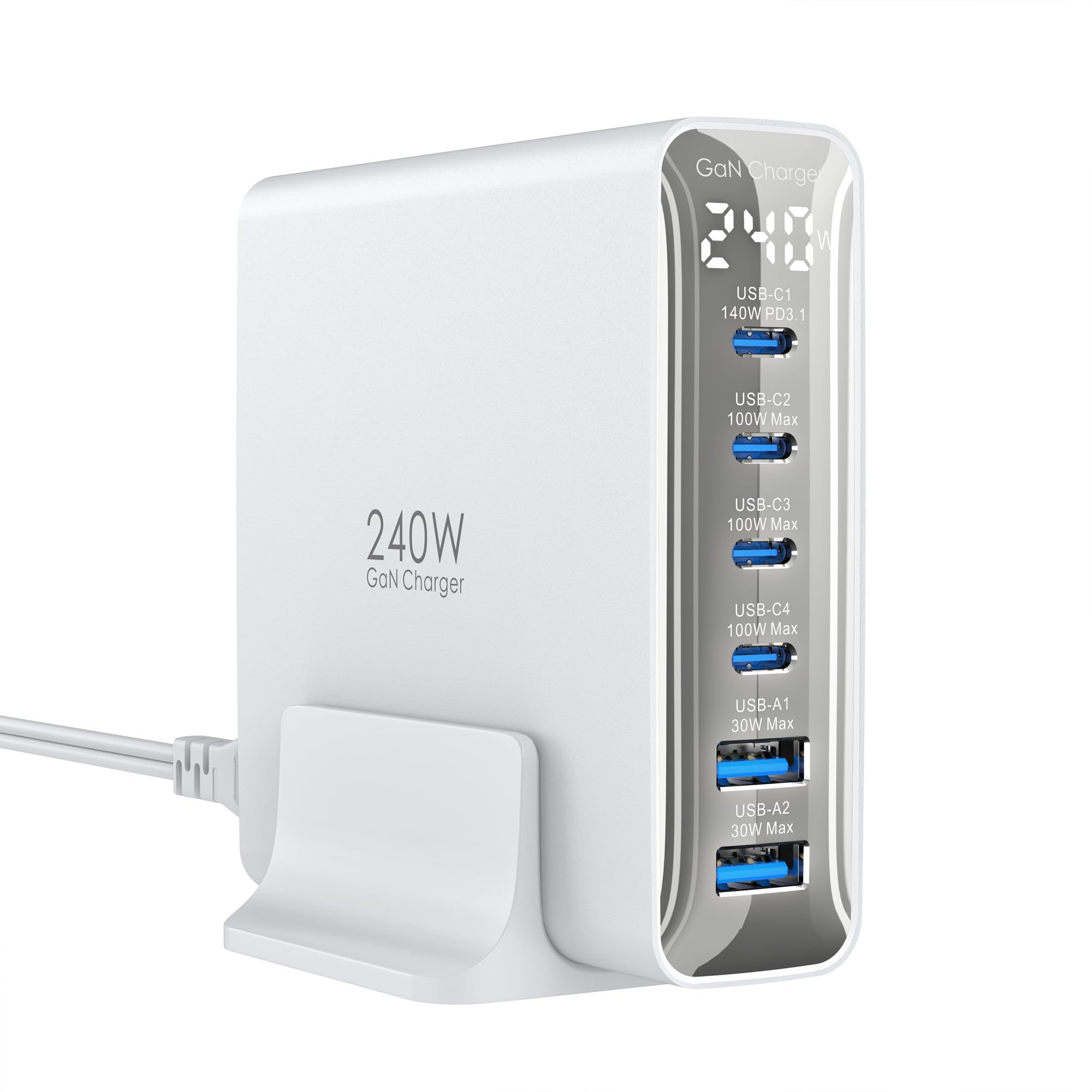
Its built-in digital screen shows real-time power per port, so you always know which port is delivering what. Its built-in digital screen shows real-time power per port, and the charger automatically lowers output once your device passes 70% battery to protect long-term health. Plug a phone and a 14-inch MacBook Pro into the two main USB-C ports and you get up to 140W + 100W simultaneously — enough to push two MacBooks to 50% in about 28 minutes.
Buyers report it powers a surprising spread of gear: two Hota T6 soldering stations at 90W each, a soldering iron, phones, and RC tools all at once, with one owner counting four laptops drawing a combined 231W. The trade-off shows up in reliability chatter — while the brick is built like a tank, some units have arrived defective or flagged low power at boot on a Dell XPS. A proper Thunderbolt or USB4 cable is essential for hitting the top speeds.
Weighing 11.3 oz (320 g) with a 4.02 × 1.22 × 3.94 in frame, it is heavy and thin rather than pocket-sized. The 24-month warranty and included 100W USB-C cable plus desktop holder soften the blow, but the display itself is the real crowd-pleaser here.
What wins people over
- Dual-port 140W + 100W PD 3.1 charges two big laptops at full speed
- Digital display shows exact watts per port so you always know the draw
- Handles 4 laptops at 231W combined without flinching
Honest watch-outs
- Reliability is mixed — an occasional unit arrives defective or quits
- Power output can fluctuate, and some laptops flag low power at boot
- Needs a high-quality Thunderbolt/USB4 cable to reach full speeds
Reach for this if: you run a multi-device desk and want a live readout of every watt flowing to your gear.
Look elsewhere if: you need a tiny travel brick — this one is heavy, and its reliability record is not spotless.
2. ThunderGo 240W GaN Charger, 4-Port USB C Fast Charging Station with 140W Max PD 3.1
The pocket-sized GaN brick that replaces a bulky gaming laptop charger.
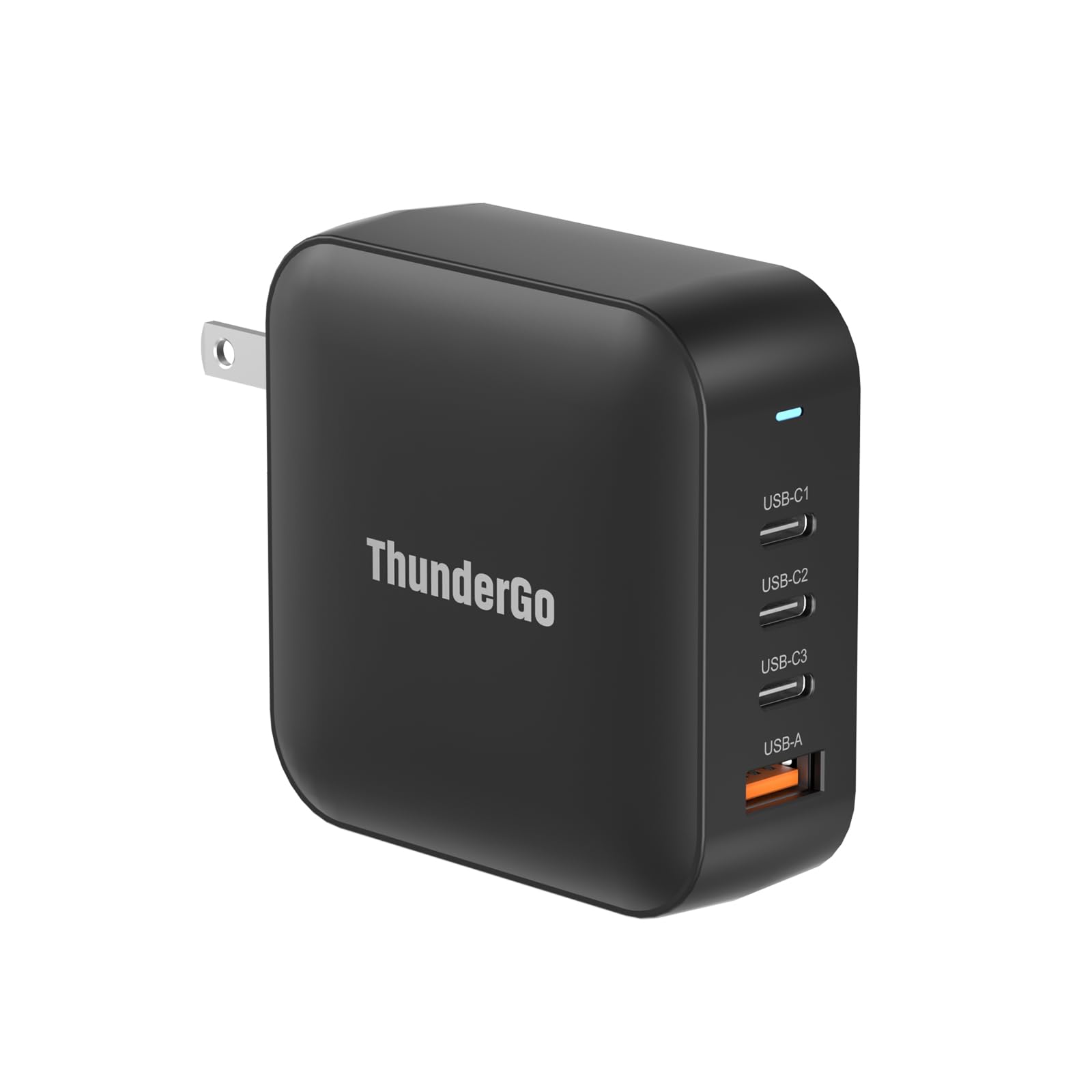
Its primary USB-C1 port delivers up to 140W (28V/5A) — enough to run a MacBook Pro 16″ — while 3 USB-C and 1 USB-A port split a total of 240W across four devices. Its primary USB-C1 port delivers up to 140W (28V/5A) — enough to run a MacBook Pro 16″ — while 3 USB-C and 1 USB-A port split a total of 240W across four devices. In a real-world test, it powered a laptop plus two monitors and delivered a steady 139W, nearly matching the advertised 140W with no overheating.
The Gallium Nitride (GaN) construction is the whole story here: it runs more efficiently and stays dramatically more compact than the silicon charger that shipped with a Lenovo Legion 5i. Owners praise the fast, efficient charging and note it “just barely warms up after extended use,” though a few flag that it does get quite warm when two or more devices charge at once.
You can take it on international trips because it supports 5 A amperage with a 100-240V universal input, so it works with outlets worldwide. But it is not a pocket device — several owners call it rather heavy, and some say it runs warm under multi-device loads, so keep it on a desk rather than jammed in a bag.
Pocket-power verdict: it is the rare compact brick that genuinely hits near-140W on a single port, making it the smartest swap for a gaming laptop’s original charger.
Heat trade-off: expect noticeable warmth when charging two or more devices — it is not a worry, but it is real.
3. USATEKO 240W GaN USB Charging Station, 6-Port Fast USB Charger Block with 4 USB-C PD3.1 and 2 USB-A Ports
A six-port desk station that arrives ready to work with two high-speed cables included.
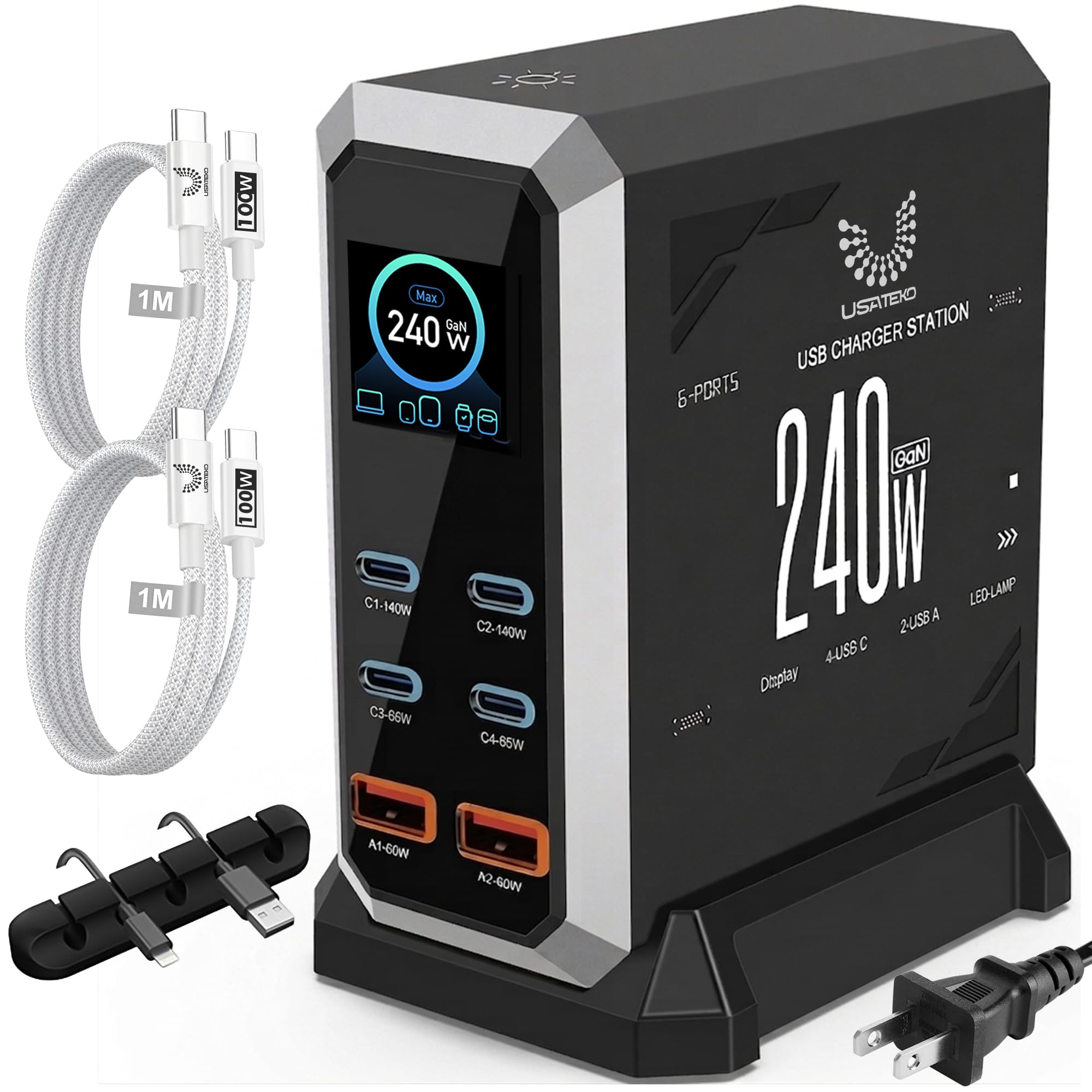
The box includes two braided 100W USB-C cables and a cable organizer, so you can plug in a 16-inch laptop and a phone the moment it lands. The box includes two braided 100W USB-C cables and a cable organizer, so you can plug in a 16-inch laptop and a phone the moment it lands. It packs 4 USB-C ports (two at 140W via PD3.1, two at 65W PPS) plus 2 USB-A ports, all sharing a 240W total across six devices.
Owners mention it fast-charges a 16″ laptop with stable power allocation and no drops. The per-port LCD display is a standout — it shows real-time output for each port and total usage, with a touch button to control it. One review noted it maintained full charge rates on all ports simultaneously, with no slowdown, which is the real test for a multi-device station.
At 11.2 ounces with a plastic enclosure, it is compact for a six-port unit though a touch heavy for pocket carry. The 110–240V input supports international travel, and the safety suite covers over-charging and over-heating. Just know the 240W is shared across all six ports, so the two 140W top ports only run at max when the others are idle.
Right from the start: two 100W cables and an organizer are included, so the full 240W system works immediately — no extra purchases.
Shared-power note: the 240W budget is split across six ports, so plan which devices get the 140W ports first.
4. GEARit 240W USB C Charger Block, GaN 4-Port PD3.1 Fast Dual Laptop Charger
The two-laptop desk charger that splits 140W and 100W across both main ports.
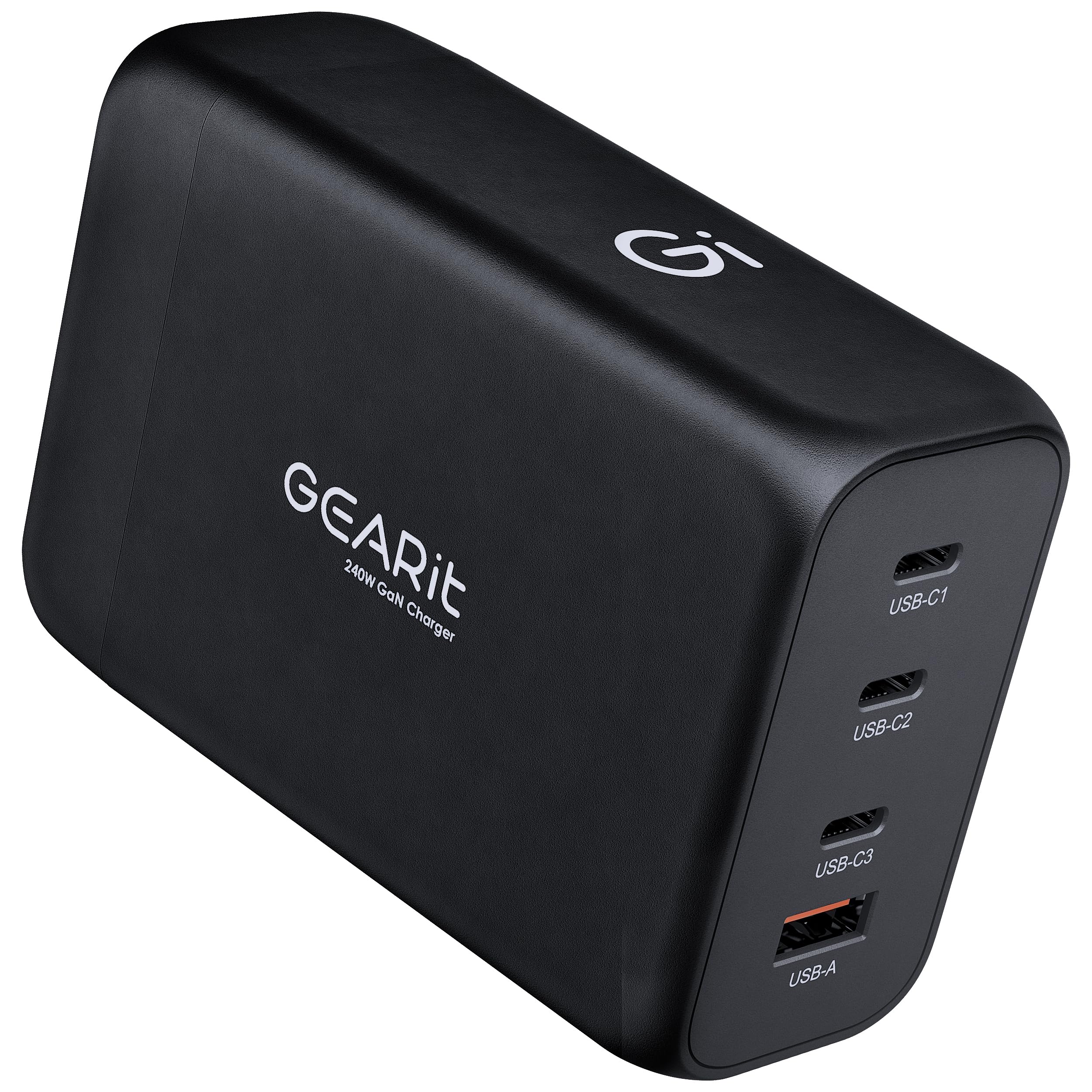
If you run two laptops on one desk, this is the layout you want. The GEARit delivers up to 240W across 4 ports — 140W USB-C1, 100W USB-C2, 30W USB-C3, and 22.5W USB-A — so a 140W MacBook Pro and a second laptop can both run at full speed simultaneously. A 3.3 ft (1m) detachable AC cord unplugs for compact packing, and a printed port-wattage chart on the base removes the guesswork.
Owners confirm it charges a 100W power bank and a 16″ MacBook Pro at maximum power at the same time, and one called it “perhaps the best charger you can buy” for its modern technology and multiple ports. The size and weight are similar to Apple’s own 140W charger, so it is not a featherweight, but it replaces the pile of individual wall chargers on your desk.
The honest limits: it really only supports two ports at full power, and one owner found the USB-C1 port failed to deliver 140W to a MacBook Pro, cycling between charge and no-charge. It is also heavy, lacks an LED charging indicator, and has no charge-complete notification — so if you want visual feedback, this is not it.
Built for the right job
- 140W + 100W on the top two ports runs two laptops at full speed
- Detachable 3.3 ft cord packs flat for travel
- Port-wattage chart printed on the base removes setup guesswork
Know the limits
- Only two ports deliver full power — the other two are 30W and 22.5W
- Heavy, and one owner saw 140W delivery fail on a MacBook Pro
- No LED or charge-complete indicator
Best for: the dual-laptop professional who needs two machines charging at max speed from one brick.
Think twice if: you want a light charger or rely on visual charging feedback.
5. QQAPL PD3.2 USB C Charging Station, 240W GaN 6-Port Desktop Charger
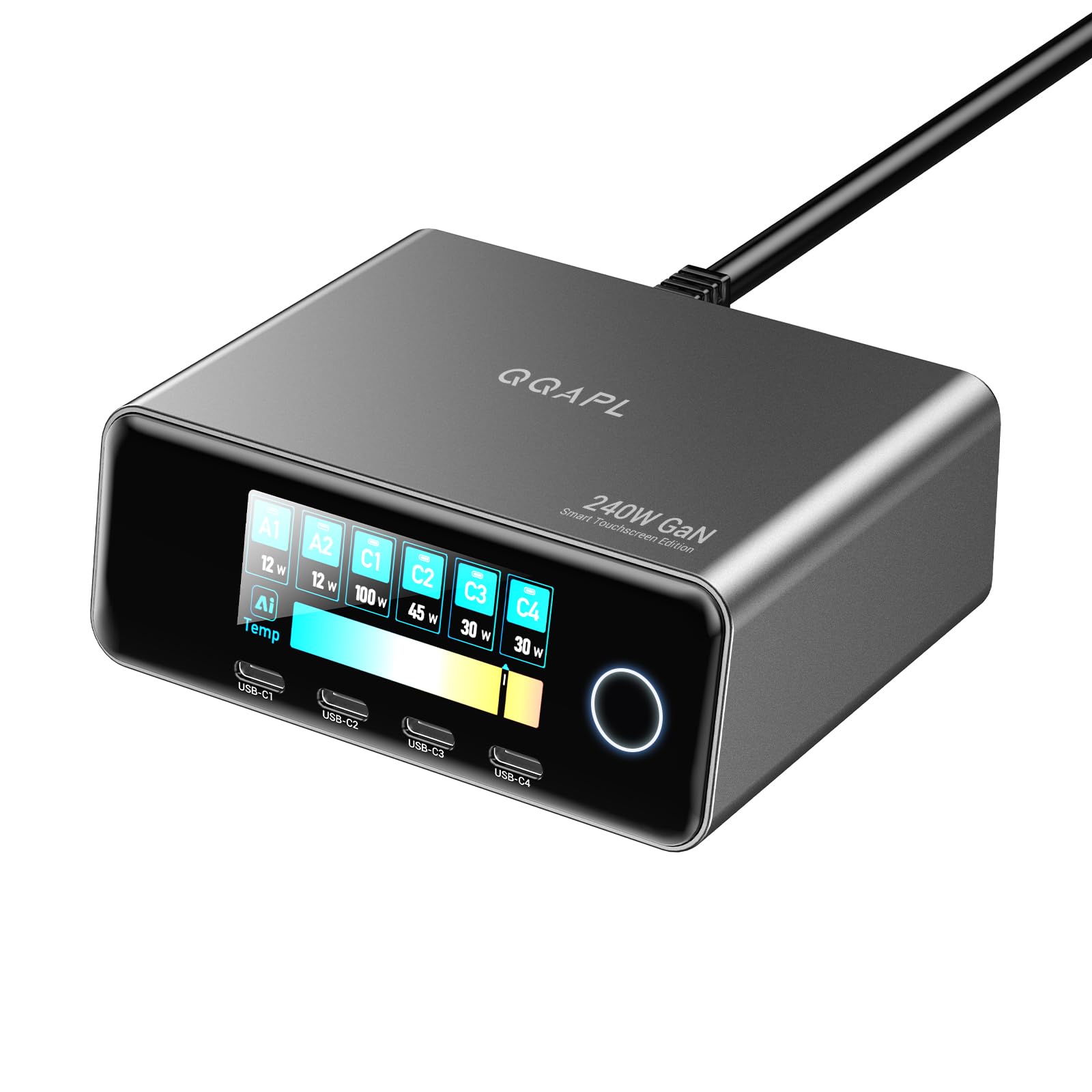
A 240W station that keeps four laptops powered and shows you every watt on a touchscreen.
It offers 6 ports — 2×140W USB-C, 2×100W USB-C, and 2×30W USB-A — for a total of 240W, and it explicitly supports charging four laptops at once. It offers 6 ports — 2×140W USB-C, 2×100W USB-C, and 2×30W USB-A — for a total of 240W, and it explicitly supports charging four laptops at once. The 2.26″ LCD touchscreen tracks total output, per-port power, and temperature status, and owners say the wattage readout is accurate within 1-3W.
You can charge a 16″ 140W MacBook Pro from 0 to 50% in about 25 minutes using the 140W PD 3.2 AVS (Adaptive Voltage Scaling) tech on C1 and C2, which adjusts voltage to match each device. It also intelligently matches optimal power for iPhones, Samsungs, Pixels, and tablets. The safety suite is thorough — over-voltage, over-current, short-circuit protection, and intelligent temperature control, with CE, FCC, ROHS, and UL 62368-1 certifications.
Owners describe it as sleek, compact, and durable, with one calling it “the best charger I’ve encountered” for keeping speeds with multiple devices connected.
Workstation muscle: it is the rare 240W station that can genuinely keep four laptops running from one unit.
Desk-bound: at nearly a pound, this is not a bag charger — it lives on a desk and powers everything around it.
6. MFish E-Tank 7-in-1 Desktop Charging Station, 240W Max GaN USB-C Charger
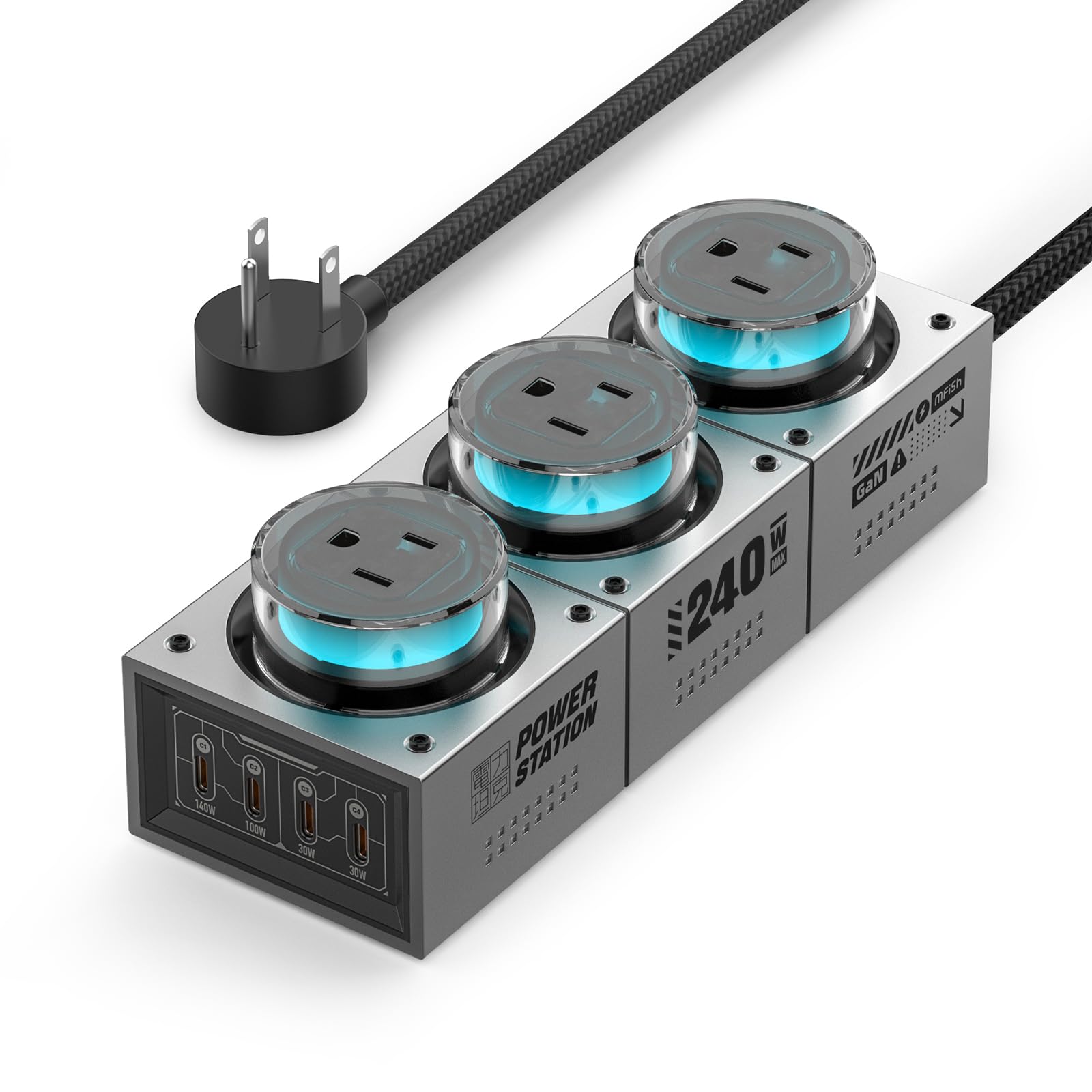
The 7-in-1 desk hub that adds three AC outlets to a 240W USB-C core.
The MFish E-Tank combines 3 AC outlets (shared 1250W max) with 4 USB-C ports for a total of 7 connection points. The MFish E-Tank combines 3 AC outlets (shared 1250W max) with 4 USB-C ports for a total of 7 connection points. The USB-C1 port delivers up to 140W for high-power laptops, USB-C2 supports up to 100W, and C3/C4 each top out at 30W, with up to 240W shared across the USB-C side.
Owners highlight the premium build and the smooth, non-distracting RGB lighting that accents a gaming or creator workspace. It handles high-speed charging and AC power simultaneously, stays cool under load, and one long-term owner confirmed it ran without LED failure for five months. The look is the headline — transparent outlet covers and RGB lights make it feel like a piece of gear, not a power strip.
At 32.13 oz (2.01 lb) and 7.72 × 2.76 × 2.36 inches with a 5 ft power cord, this is explicitly a desktop station, not a travel item. It is pricey, and that is the main hesitation buyers voice — but for a single unit that powers a laptop, monitor, phone, and desk accessories, it replaces several devices at once. The PC 94V-0 fire-proof enclosure and surge protection add confidence for a permanent desk setup.
One hub, everything plugged in
- 3 AC outlets at 1250W max plus 4 USB-C ports in one station
- RGB lighting and transparent covers make it a desk showpiece
- Stays cool and stable under sustained multi-device load
Heavy by design
- 2.01 lb weight makes it strictly desk-bound, not travel-friendly
- Premium price is the biggest hesitation for buyers
- The two 30W USB-C ports are low-power only
Reach for this if: you want one station that handles both USB-C chargers and physical AC plugs for a clean, lit-up desk.
skip it if: you need something to pack for a trip — this stays home.
7. SmallRig 240W USB-C Charger with 4-Port PD3.1 GaN Fast Charge
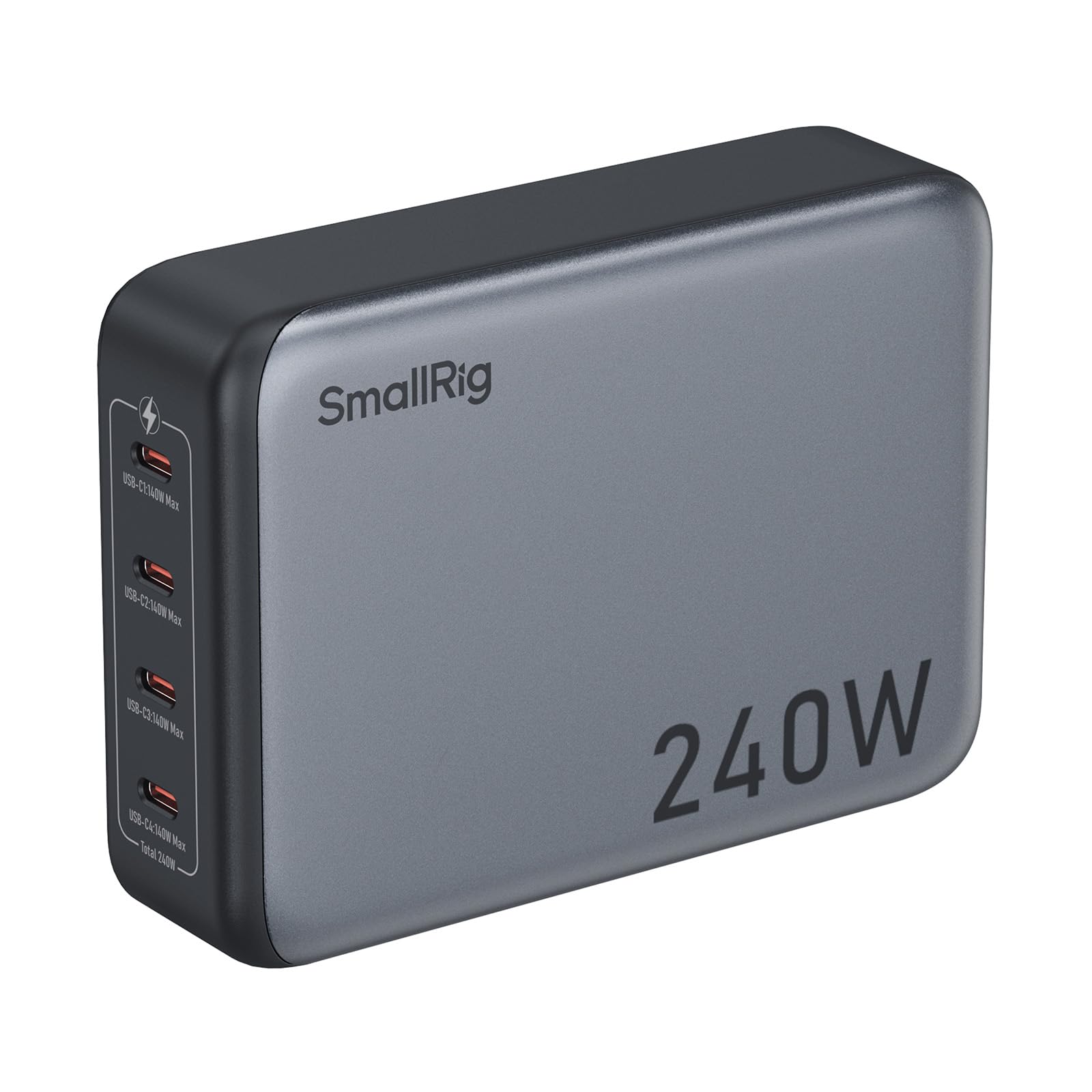
The four-port brick built to charge camera batteries and laptops at full 140W each.
Each of the four USB-C ports supports up to 140W using PD 3.1, so it can charge V-mount batteries, NP-F camera batteries, and laptops all at once. Each of the four USB-C ports supports up to 140W using PD 3.1, so it can charge V-mount batteries, NP-F camera batteries, and laptops all at once — one owner powered 8 NPF camera batteries simultaneously while the unit stayed cool. Hot-swapping a device does not reset the other ports, which is crucial when you are cycling gear on a shoot.
Owners praise the solid build and note the grounded AC plug prevents the tingle some chargers leak. A stress test charging a laptop at 100W, a phone, and a camera found it “did not feel hot to the touch at all,” and it supports Samsung 45W super fast charging for Galaxy devices. The compact, travel-friendly design includes a comfortable handle for easy portability.
At 664 g with dimensions of 1.38″ x 3.46″ x 1.38″, it is a bit bulky for a four-port charger — but it is the only one on this list where every port is a full 140W, which is the defining feature for camera gear. There is no power indicator light, so you will not get visual confirmation of charging status, and it is priced as a premium professional tool.
Creator’s edge: four full 140W ports mean camera batteries and laptops charge at maximum speed, all at once.
Minor gaps: no power indicator light, and the 664 g weight makes it more of a studio brick than a pocket charger.
8. SlimQ 240W Universal Compact Gaming Laptop Charger Plus 2 USB-C Ports

The smaller, lighter gaming-laptop brick with a DC barrel jack and two USB-C ports on the side.
The SlimQ has one DC port with a max 240W plus two USB-C ports with a max 100W each, letting you charge the laptop and two other devices simultaneously. The SlimQ has one DC port with a max 240W plus two USB-C ports with a max 100W each, letting you charge the laptop and two other devices simultaneously. It is compatible with Dell, MSI, Lenovo, HP, Razer, Asus, and Acer gaming laptops, and it is lighter and smaller than the OEM brick it replaces.
Owners confirm it charges as fast as the original 240W adapter — one powers a Zephyrus G16 perfectly with no drawbacks, and another called it a perfect replacement for an Eluktronics Max-17 charger. The two USB-C ports are genuinely useful for a phone and tablet, and the 1.5m DC cable plus 1.5m AC cable and carrying pouch make it a complete travel kit. Compatibility is the most-praised feature, with broad support across laptop brands and phone PPS fast charging.
The catch: the DC adapter tip is not included, so you must buy the right one for your laptop brand separately. Some owners also report the surface gets hot at full load (the company says this is normal), and USB-C ports can cut out during heavy gaming or rendering. At 5 x 2.48 x 1.29 inches and 400g with a one-year warranty, it is a solid desk-and-travel hybrid for gaming rigs.
Made for gaming laptops
- 240W DC port replaces the bulky OEM gaming brick
- Two 100W USB-C ports charge a phone and tablet alongside the laptop
- Lighter and smaller than a traditional gaming charger, with a pouch included
Plan ahead
- DC adapter tip sold separately — order the right one for your laptop
- Gets hot on the surface at full load, per owners
- USB-C ports can drop during heavy gaming or rendering tasks
Best for: gaming laptop owners who want to ditch the heavy OEM brick for one lighter unit with bonus USB-C ports.
Not for: anyone who needs everything in the box — the DC tip is an extra purchase.
9. Verbatim 32205 240W 4-Port GaN Wall Charger, USB-C PD Ports + USB-A QC 3.0
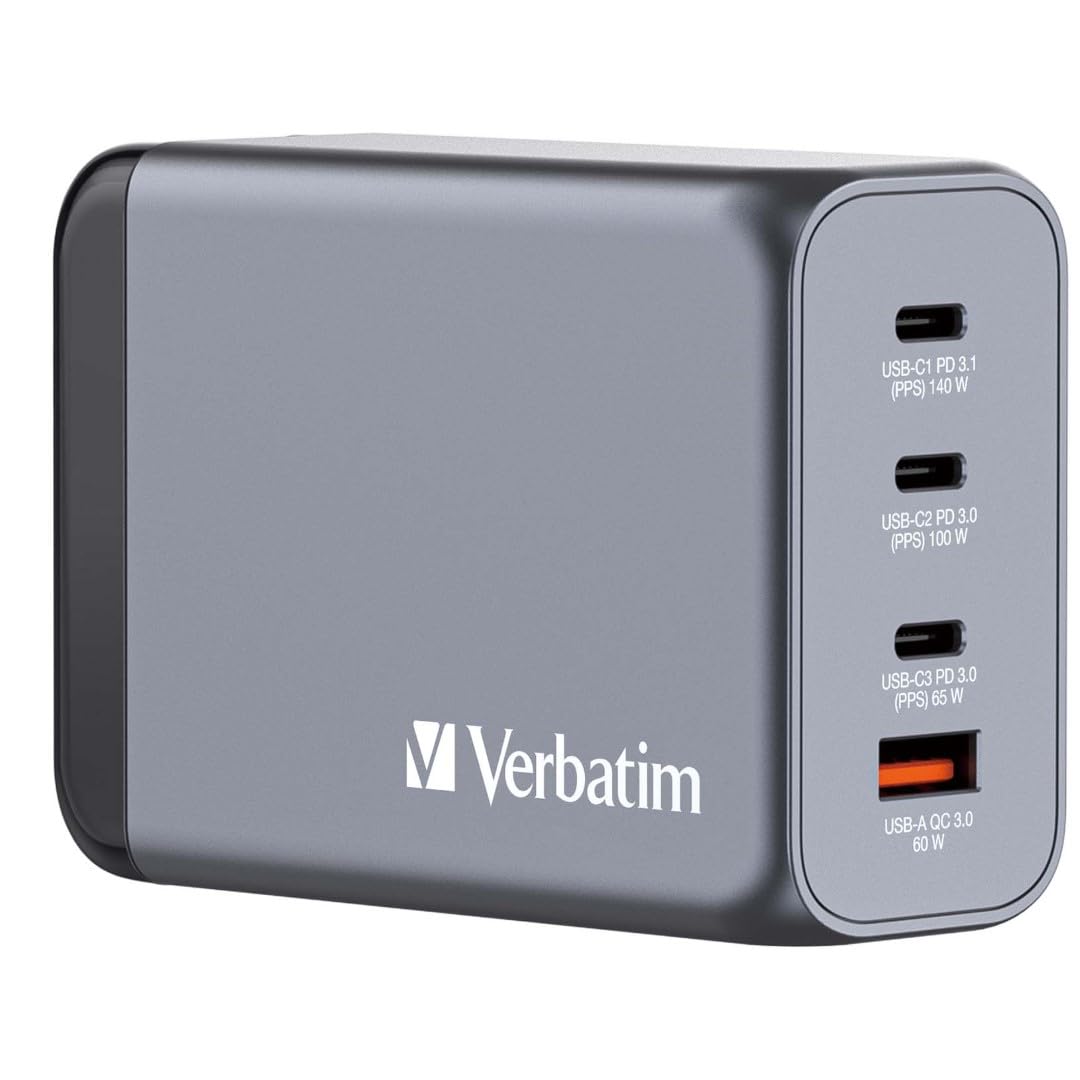
The palm-sized four-port brick that buyers call the most compact 240W charger on the market.
It packs three USB-C PD ports and one USB-A QC 3.0 port in a palm-sized GaN design, with a maximum total output of 240W across four devices. It is built for the person who wants one small brick that handles a notebook, tablet, phone, and earbuds without a display or extra gimmicks.
Customers note it “demonstrably charges” a notebook, tablet, and phone faster to full capacity, and one uses it to quick-charge an Anker Solix c300 power station at about 228W with two cables at once. The compact form factor is the headline — one buyer flatly called it “the most compact 240W USB C charger in the market” — and it supports a wide range of devices from MacBooks and HP Spectre to iPads, Pixel phones, and AirPods Pro.
The honest complaints are about physical behavior, not charging. In Japan, the weight of the unit caused it to fall out of some hotel outlets, requiring a support underneath, and other owners note it gets very hot and emits coil noise (a faint electrical whine) under load. The included EU and UK adapters are handy for travel, but one owner found the US-to-EU adapter broke after a year.
Compact claim holds up: it is genuinely one of the smallest 240W bricks you can buy, and it pushes a power station at 228W.
Physics trade-off: it runs hot, can whine, and heavy units may not stay seated in loose outlets — a desk is a safer home than a hotel wall.
Understanding the Specs
GaN Technology
Gallium Nitride (GaN) is a semiconductor material that lets a charger deliver high wattage in a much smaller body than older silicon chargers. It also runs more efficiently, meaning less heat for the same power — which is why a 240W GaN brick can sit on a desk instead of a shelf.
PD 3.1 and Port Splits
Power Delivery 3.1 (PD 3.1) is the USB standard that enables 140W single-port output for large laptops. The key spec to check is the “port split” — how the total wattage divides when multiple ports are active — because a charger that gives 140W solo may drop to 65W when two devices are plugged in.
Shared Total Output
A “240W total” rating means the sum of all ports together cannot exceed 240W. If you plug in a 140W laptop and a 100W tablet, you are at the ceiling, and a third device will share the remaining headroom. Reading the per-port maxes on the base tells you exactly what to expect.
Heat and Safety
High-power charging generates heat, and how a charger handles it determines both comfort and longevity. Look for over-voltage, over-current, and short-circuit protection, plus temperature control — features that protect your expensive devices from power surges during a full-load charging session.
FAQ
Can a 240W USB-C charger charge a 16-inch MacBook Pro at full speed?
What is the difference between a 4-port and a 6-port 240W charger?
Will a 240W charger work with my gaming laptop that uses a DC barrel connector?
How hot should a 240W charger get during normal use?
Is a digital display on a 240W charger worth it?
Can I use a 240W charger for international travel?
What cables do I need to get the full 140W output?
Why does my laptop sometimes flag a low-power warning with a 240W charger?
How many devices can I charge at once from a 240W station?
Does a higher amperage rating mean faster charging?
Final Thoughts: The Verdict
If you want one dependable pick, the 240w usb-c charger winner is the TOPADRE 240W because it pairs six ports with a live digital display and dual 140W + 100W PD 3.1 output — the rare combination of visibility and raw power. If you want a compact travel brick that still hits near-140W on one port, the ThunderGo is the smart swap. And for gaming laptops with a DC barrel jack, the SlimQ is the one to reach for.
How We Picked
We do not accept paid placement. Every pick is matched to a real buyer and a real use-case; we do not hands-on test units.
Sources & Methodology
Specifications: manufacturer listings and product documentation. Review insights: verified customer reviews, as of September 2026. Pricing: not shown on this page (it changes often); check the current price via the retailer link.
As an Amazon Associate, Gadgets Feed earns from qualifying purchases. This does not affect which products we feature.