
A 250GB external hard drive sits in a sweet spot — large enough to back up a laptop’s system drive or store a substantial game library, yet small enough that the form factor matters. The choice between a spinning platter HDD and a flash-based SSD defines your real-world experience, from transfer speeds to drop survivability.
I’m Min — the co-founder and writer behind Gadgets Feed. I’ve spent countless hours analyzing the technical specs, customer feedback, and real-world performance data across dozens of 250GB portable storage options to separate genuine value from marketing noise.
This guide breaks down the top performers by speed, durability, and compatibility so you can confidently pick the best 250gb external hard drive for your exact workflow.
How To Choose The Best 250GB External Hard Drive
Every 250GB drive on the market fits in a pocket, but the internal architecture — spinning platter HDD vs. NAND flash SSD — determines whether you wait seconds or minutes for file transfers. Three factors matter most: interface speed, shock tolerance, and native OS compatibility.
Interface Generation: USB 3.0 vs USB 3.1 Gen 2 vs USB 3.2 Gen 2
The USB standard stamped on the box directly caps your transfer ceiling. USB 3.0 (5Gbps) is adequate for HDDs that top out around 130MB/s. USB 3.1 Gen 2 and USB 3.2 Gen 2 both run at 10Gbps, unlocking SSDs that push 500MB/s or beyond. If you edit 4K video or move large game installs, a 10Gbps interface isn’t optional — it’s the difference between a 30-second file transfer and a two-minute wait.
NAND Flash vs Mechanical Platters: Speed and Survivability
An HDD uses a spinning magnetic disk and a moving read head — a single drop can cause irreparable bad sectors. An SSD uses NAND flash chips with zero moving parts, surviving falls that would destroy a traditional drive. The trade-off is cost per gigabyte, but at the 250GB capacity point the price gap has narrowed enough that SSDs dominate the value conversation for everyday portable use.
File System and Device Compatibility
Most budget 250GB drives ship pre-formatted as exFAT, which works across Windows and macOS out of the box. Game consoles like the Xbox Series S and PlayStation 4/5 require the drive to be reformatted to their native file system, erasing all stored data. If you plan to swap a drive between a PC and a console, factor in that reformatting wipes the drive each time.
Quick Comparison
On smaller screens, swipe sideways to see the full table.
| Model | Category | Best For | Key Spec | Amazon |
|---|---|---|---|---|
| SSK Portable SSD | SSD | Fastest transfers | 1050 MB/s Read | Amazon |
| Netac Zslim | SSD | Premium build | 500 MB/s Read | Amazon |
| JOIOT Portable SSD | SSD | Rugged durability | 400 MB/s Read | Amazon |
| Vansuny Mini SSD | SSD | Compact value | 430 MB/s Read | Amazon |
| Aiibe External SSD | SSD | Palm-sized SSD | 500 MB/s Read | Amazon |
| HWAYO Portable HDD | HDD | Budget storage | 10 Gbps Interface | Amazon |
| Aiolo Innovation HDD | HDD | Lowest cost per GB | 103 MB/s Write | Amazon |
In‑Depth Reviews
1. SSK Portable SSD 250GB

The SSK drive is the speed king of this roundup, leveraging a PCIe NVMe controller and USB 3.2 Gen 2 interface to hit read speeds of 1050 MB/s — roughly ten times faster than a typical portable HDD. This matters most when you’re copying large video files or running an operating system directly from the external drive. The included 25% SLC caching buffer ensures sustained writes don’t crater after the first few gigabytes, a common bottleneck on cheaper SSDs.
Build quality is solid with an aluminum enclosure that doubles as a heat sink. The package includes both USB-C to C and USB-C to A cables, so it works with modern laptops and older desktops without an adapter. Several reviewers have used it successfully as a boot drive for Linux on legacy hardware, leveraging TRIM support to maintain write performance over months of use.
Capacity shows as roughly 232GB on Windows due to binary gigabyte definitions — this is standard across all SSDs and not a defect. The small footprint (roughly the size of two fingers) makes it easy to stash in a laptop sleeve pocket. For users who need maximum throughput from a 250GB external drive, this is the clear choice.
Why it’s great
- Blazing 1050 MB/s sequential reads
- Dual USB-C and USB-A cables included
- SLC caching prevents write slowdowns
Good to know
- Reformatting to NTFS requires a slow format cycle
- Mid-transfer disconnection can corrupt files
2. Netac Zslim 250GB Portable SSD

The Netac Zslim pairs a USB 3.2 Gen 2 interface with a shock-resistant aluminum housing reinforced by an inner metal frame. Read speeds hit 500 MB/s and writes reach 450 MB/s — enough to handle 4K video transfers and game loading without bottlenecking a USB-C Gen 2 port. The dual-cable set (Type-C to C and Type-C to A) covers modern MacBooks and older PC towers equally well.
Reviewers consistently praise its compact, lightweight build for everyday carry, with one office buyer purchasing units for an entire team after a year of reliable service. The 3-year warranty adds confidence for frequent travelers who need a rugged backup drive that won’t fail on a bumpy commute. It works out of the box with Windows, macOS, and Android devices with no driver installation.
One long-term reviewer reported failure after 14 months when using it as a Time Machine drive for MacBook — the drive became unreadable while the blue activity light flickered. This appears to be an isolated issue, but it’s worth noting for users who depend on a single drive for critical backups. For most users, the Zslim offers a premium-feeling enclosure at a mid-range price point.
Why it’s great
- Durable reinforced aluminum frame
- 3-year warranty included
- Includes both USB-C and USB-A cables
Good to know
- Single long-term failure report for Time Machine use
- Not as fast as NVMe-based competitors
3. JOIOT 250GB Portable SSD

At just 25 grams and measuring 64.5 x 27.9 x 9.9 mm, the JOIOT SSD is one of the smallest and lightest 250GB drives available. The rugged aluminum alloy body provides drop resistance that has survived real-world extremes — one reviewer reported the drive still worked after being chewed by a puppy and submerged in water for days. The USB 3.1 Gen 2 interface delivers 400 MB/s reads and 200 MB/s writes, making it ideal for daily file transfers and on-the-go backups.
Compatibility spans Windows, macOS, Android, and Linux, including the Raspberry Pi 4 where it supports TRIM and garbage collection — a meaningful upgrade over SD cards. The included storage bag and A-to-C adapter cover most connection scenarios. Several users confirmed the drive works with game consoles like the Xbox One and PS4 after reformatting.
The bundled USB cable is a known weak point; reviewers report better speeds with a higher-quality aftermarket cable. The drawstring storage bag is considered nearly useless by most buyers. Despite these accessory quibbles, the core drive hardware delivers reliable performance at a price that undercuts many similarly-sized SSDs.
Why it’s great
- Extremely portable at 25 grams
- Survived water and puppy damage in real use
- TRIM support for Raspberry Pi 4
Good to know
- Included cable limits performance
- 4K sector size can complicate imaging tools
4. Vansuny 250GB Mini SSD

The Vansuny Mini SSD splits the difference between a flash drive and a full-size portable SSD — roughly twice the width of a standard USB flash drive, but much smaller than a 2.5-inch enclosure. The aluminum body dissipates heat efficiently during sustained writes, and read speeds of 430 MB/s (with writes at 350 MB/s) keep file transfers snappy. The USB 3.1 Gen 2 interface is backward compatible with USB 3.0 and USB 2.0 ports.
Real-world use cases include Wii U external storage (confirmed working by a reviewer), photo backup, and general PC file transfer. The package includes a drawstring storage case and both a Type-A to Type-C adapter and cable. The tight fit of the USB-C connector was noted as a sign of good manufacturing tolerances by one reviewer.
The drive is not the fastest option here — the SSK and Aiibe units both outperform it in sequential reads — but it occupies a useful niche for users who want an SSD that’s still small enough to dangle from a keychain loop. For the price, it delivers solid everyday performance without the bulk of traditional external SSDs.
Why it’s great
- Compact size between flash drive and full SSD
- Aluminum body for heat dissipation
- Wii U compatible
Good to know
- Lower sequential speeds than NVMe competitors
- May not register on older generation devices
5. Aiibe 256GB External SSD

The Aiibe external SSD delivers 500 MB/s reads and writes via a USB 3.1 interface, which is competitive at its budget-friendly price point. The palm-sized enclosure uses NAND flash memory with zero moving parts, making it shock-resistant and quiet during operation. Reviewers have successfully used it with PS4 for extended game storage, reporting quick load times and easy plug-and-play setup.
Compatibility extends beyond Windows and Mac to Android smartphones with USB-C ports, a feature that photographers and content creators find useful for offloading footage in the field. The package includes a Type-A to Type-C cable and a Type-A to Type-C adapter for older devices. Multiple reviewers emphasized how small the drive is — genuinely fits in the palm of your hand.
The drive is marketed as 256GB but shows as roughly 250GB usable on Windows, which is normal for SSD capacity reporting. The metal casing feels solid but runs warm under heavy write loads, though within acceptable limits. For gamers or students who need a cheap, reliable SSD that won’t break the bank, the Aiibe punches above its weight class.
Why it’s great
- 500 MB/s reads at a budget SSD price
- Works with PS4 and Android phones
- Truly palm-sized and lightweight
Good to know
- Runs warm during extended writes
- Only one cable type included
6. HWAYO 250GB Portable HDD

The HWAYO is a traditional 2.5-inch mechanical hard drive in an ultra-slim enclosure — the lowest-cost way to add 250GB of storage. The USB 3.1 Gen 1 Type-C interface is rated for speeds up to 10Gbps, but the physical HDD inside will max out well below that (around 100-130 MB/s). It works best for archival storage where speed is secondary to cost-per-gigabyte.
Compatibility is broad: Windows 7 through 11, macOS, Android, Chromebook, Linux, and Xbox consoles all recognize it without drivers. Xbox Series S users report it works for playing Xbox One games and storing X/S titles for faster reinstallation. The drive is quiet in operation and requires no external power — bus-powered over a single USB cable.
The mechanical nature means it’s vulnerable to drops and bumps in ways SSDs are not. Some users noted it takes a few seconds to be recognized when multiple drives are connected via a USB hub. For stationary backup duty or as a game vault for a console, the HWAYO offers the cheapest entry point into 250GB external storage.
Why it’s great
- Lowest price for 250GB capacity
- Works with Xbox Series S/X and One
- Plug-and-play with no software needed
Good to know
- Mechanical HDD — fragile against drops
- Slow recognition over USB hubs
7. Aiolo Innovation 320GB External HDD
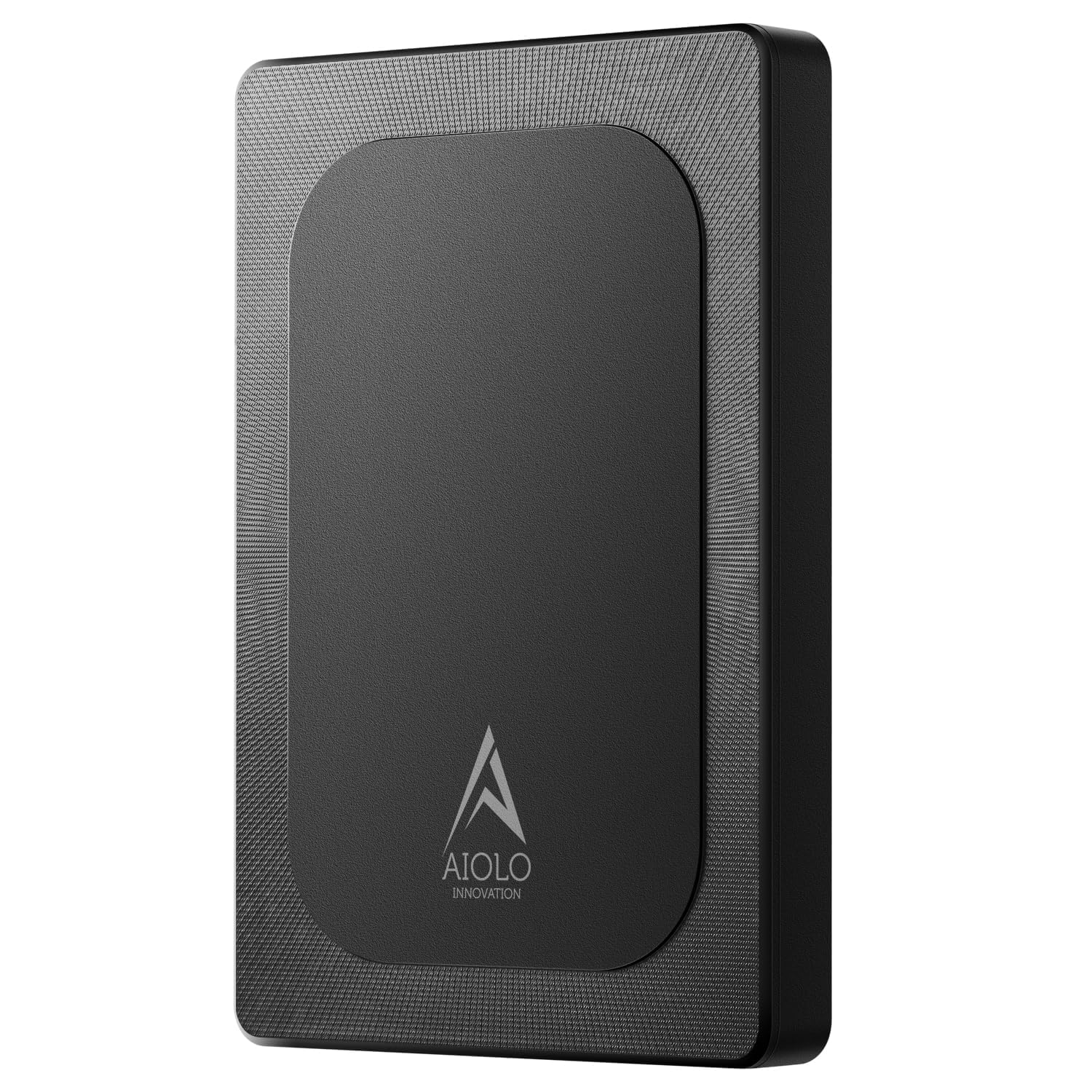
The Aiolo Innovation drive offers 320GB at a price that undercuts most 250GB options — effectively more storage for less money. The USB 3.0 interface delivers real-world write speeds around 103 MB/s and reads up to 133 MB/s, typical for a 2.5-inch mechanical drive. The motherboard uses a noise-free design, keeping the drive near-silent during operation.
Compatibility covers Windows, macOS, Linux, Android, PS4, and Xbox One. The package is generous: the drive, a USB 3.0 cable, a USB-to-Type-C adapter, a user manual, and a three-year manufacturer warranty. Several reviewers noted the compact form factor and good build quality for the price point.
One significant failure mode emerged in reviews: the included USB cable caused write speeds to drop by 90% after the third use for one buyer. Replacing the cable with an old one restored full performance, suggesting the bundled cable is the weakest component — replace it immediately if you experience slowdowns. The plastic or metal enclosure feels adequate but not premium. For pure budget capacity, this drive delivers the highest gigabyte-per-dollar ratio in the roundup.
Why it’s great
- 320GB capacity for less than many 250GB drives
- Three-year warranty included
- USB-to-Type-C adapter in the box
Good to know
- Included USB cable prone to failure
- Mechanical HDD susceptible to bad sectors
FAQ
Can I use a 250GB external SSD as a boot drive for Windows or macOS?
Do 250GB external hard drives work with Xbox Series X/S without extra software?
Why does my 250GB external drive show only 232GB on Windows?
How do I safely eject a 250GB external hard drive to avoid data corruption?
Final Thoughts: The Verdict
For most users, the 250gb external hard drive winner is the SSK Portable SSD because its 1050 MB/s NVMe speeds, dual-cable set, and SLC caching deliver genuine performance at a mid-range price. If you want a rugged, ultra-light drive for travel and don’t need blistering speed, grab the JOIOT Portable SSD. And for the absolute lowest cost per gigabyte when speed isn’t critical, nothing beats the Aiolo Innovation 320GB HDD.