
Our readers keep the lights on and my morning glass full of iced black tea. As an Amazon Associate, I earn from qualifying purchases.
Specs are compiled from manufacturer listings and verified buyer reviews and can change over time — please confirm the key details on the product page before buying.
The worst feeling after buying a 256 GB hard drive is installing it only to find your PC still feels sluggish. That is almost always because you picked the wrong type—a SATA SSD when your motherboard had an M.2 slot that could run five and a half times faster. This guide cuts through the confusion between SATA III and NVMe so you know exactly which 256 GB drive will give your laptop or desktop the speed it really needs.
I’m Min — the founder and writer behind Gadgets Feed. This guide is built by comparing the manufacturers’ published specifications and the patterns across verified customer reviews, so you get each pick’s real strengths and trade-offs instead of marketing spin.
Whether you are reviving an old office PC or speeding up a modern gaming rig, you need a 256 gb hard drive that matches your computer’s port and your actual workload. We have stacked every spec and real owner experience to show you the right fit the first time.
Quick Picks
- fanxiang S500 Pro 256GB NVMe SSD — Top Performer
- Bestoss 256GB 2.5″ SATA III SSD — Best Value
- RAOYI 256GB SATA III SSD — PS3 & Dual-Boot
- JOIOT 256GB 2.5″ SATA III SSD — Mac-Friendly
How To Choose The Best 256 GB Hard Drive
The single most important decision is what connector your computer has inside. A 2.5-inch SATA drive fits almost any desktop or laptop from the last fifteen years, but it tops out around 550 MB/s. An M.2 NVMe drive uses a thin slot directly on the motherboard and can read five times faster, but only works if your board has that M.2 slot and supports the PCIe standard. Check your motherboard manual or open the case before you buy anything.
SATA III vs NVMe: Two Very Different Speeds
A SATA III 2.5-inch drive (like the Bestoss or RAOYI) is the universal compatibility choice. It uses the same power and data cables your old hard drive used. You will see boot times drop from a minute to about twenty seconds, and everyday apps open without that long wait. An NVMe M.2 drive (like the fanxiang S500 Pro) uses the PCIe bus for much higher data transfer rates. The real-world difference that 3000 MB/s versus 550 MB/s makes is obvious when you copy a large video file or load a modern game level. But that extra speed means nothing if your motherboard does not have an M.2 slot.
Real Capacity and TBW Endurance
A 256 GB drive gives you about 238 GB of usable space after the operating system reserves some for its own housekeeping. That is enough for a lean Windows install plus a handful of frequent-use programs, or a dedicated Linux boot drive, or extra storage for game files. For longevity, look at the TBW rating—how many terabytes the drive can write over its life. The fanxiang drive lists 160 TBW, which is solid for a 256 GB NVMe drive. Most SATA drives at this capacity do not publish a TBW number, so you rely on the brand’s warranty length and buyer feedback about reliability.
Quick Comparison
| Model | Best For | Form Factor | Read Speed | Interface | Amazon |
|---|---|---|---|---|---|
| fanxiang S500 Pro 256GB | High-speed boot & gaming | M.2 2280 | 3000 MB/s | NVMe PCIe 3.0 x4 | Amazon |
| Bestoss 256GB 2.5″ SATA III | Budget upgrade for older PCs | 2.5-inch | 550 MB/s | SATA III | Amazon |
| RAOYI 256GB SATA III | PS3 & dual-boot systems | 2.5-inch | 550 MB/s | SATA III | Amazon |
| JOIOT 256GB 2.5″ SATA III | External enclosure & Mac users | 2.5-inch | 550 MB/s | SATA III | Amazon |
In‑Depth Reviews
1. fanxiang S500 Pro 256GB NVMe SSD

The tiny M.2 stick that breathes new life into a dead laptop with NVMe speed.
This drive reads at 3000 MB/s—that is a 5.5x gap compared to the 550 MB/s speed of a standard SATA III drive. It uses the PCIe Gen 3.0 x4 interface and fits into an M.2 2280 slot, so it is the right pick if your motherboard supports NVMe and you want Windows to boot in seconds rather than twenty. The drive uses 3D NAND TLC flash and comes with a heat-dissipation sticker, plus the packaging includes mounting screws and a screwdriver so you do not need to hunt for tools.
Buyers report that three months in, they could not be happier with the performance—one owner used it to replace a failed OEM SSD in a laptop and called it a more than suitable replacement. The drive is rated for 160 TBW (a measure of total data it can write over its life), which is a good endurance figure for a 256 GB NVMe drive. Just watch for the one catch: if your desktop or laptop only has a 2.5-inch bay and no M.2 slot, this drive will not physically fit.
Why it dominates
- 3000 MB/s sequential read—five and a half times faster than the SATA drives here.
- Includes a heat dissipation sticker and a screwdriver in the box.
- 160 TBW endurance rating gives a clear measure of expected lifespan.
The limitation
- Requires a motherboard with an M.2 NVMe slot—no go in older SATA-only systems.
- 256 GB fills quickly if you install a few large modern games.
Reach for this if: your motherboard has an M.2 slot and you want the fastest boot and load times money can buy at this capacity.
Look elsewhere if: your computer only has a 2.5-inch drive bay, or you just need a cheap secondary drive for documents.
2. Bestoss 256GB 2.5″ SATA III SSD
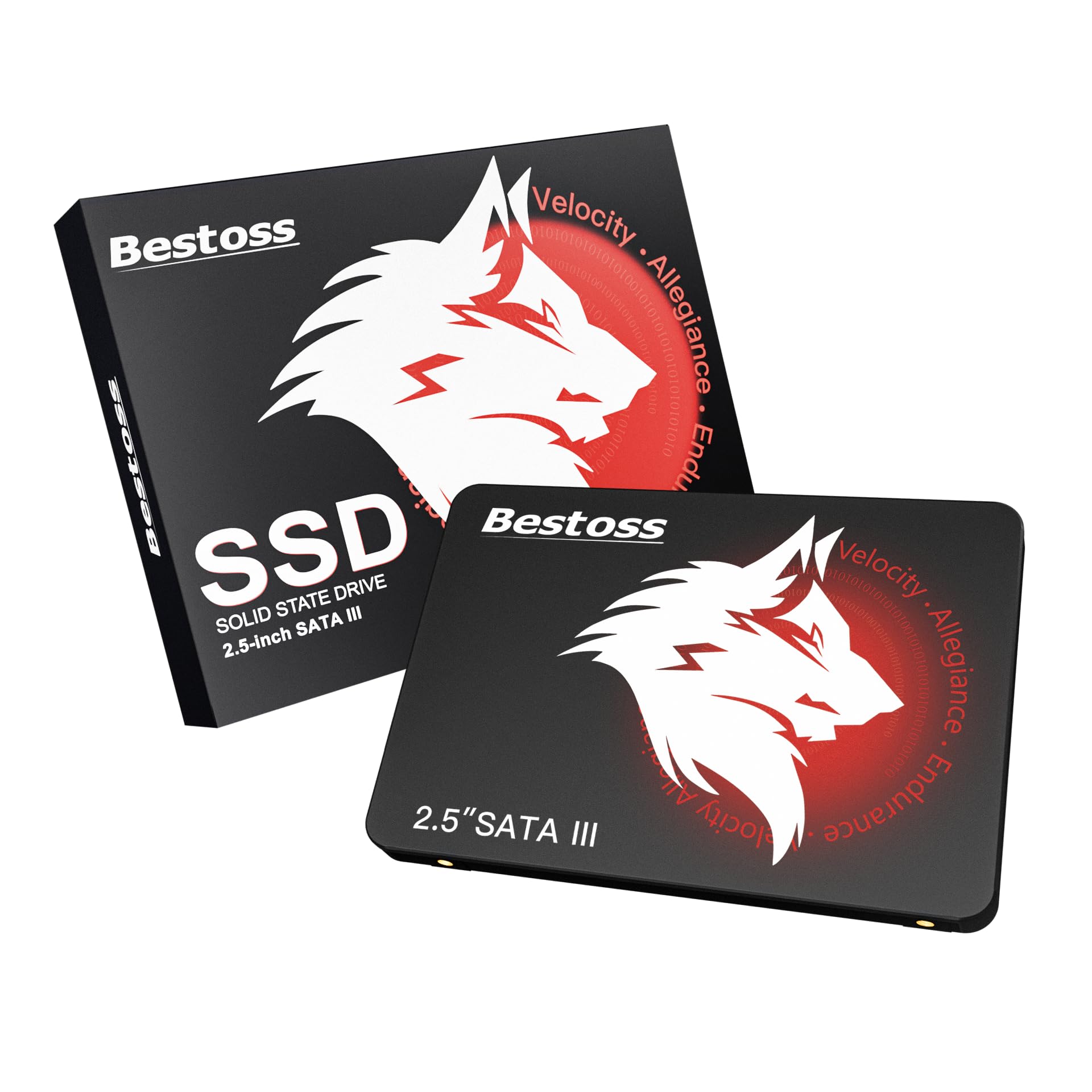
The no-fuss 2.5-inch swap that makes an old desktop feel modern again.
This SATA III drive reads at 550 MB/s and uses TLC flash chips, which generally last longer than the cheaper QLC type. It fits into any standard 2.5-inch bay and is backward compatible with SATA II and SATA I interfaces, so even a ten-year-old laptop can take it. The drive works with Windows, Linux, and NAS systems, and it comes with a 3-year warranty. You simply unscrew the old drive, plug this one in, and install your OS—no cables to hunt for.
Owners mention that the Bestoss works well as a basic storage upgrade, and one owner found installation easy with noticeably faster boot times compared to the old mechanical hard drive. A reviewer also uses it as an external SSD and said they would buy the brand again. The trade-off: at this low price you are not getting the peak NVMe speed, but for office work, web browsing, and light gaming that 550 MB/s is a massive jump over any spinning hard drive.
What stands out
- 550 MB/s read speed is typical for budget SATA drives—enough for daily use without hiccups.
- TLC NAND technology gives better write endurance than cheaper QLC alternatives.
- 3-year warranty plus backward compatibility with SATA II and I.
The trade-off
- Read speed is stuck at 550 MB/s—sharply slower than the fanxiang NVMe drive if your motherboard supports M.2.
- Some buyers noted it is not a premium brand, so long-term reliability is still unproven.
Best suited for: reviving an older laptop or desktop that has only a 2.5-inch bay and needs a reliable speed bump while staying affordable.
skip it if: your computer has an M.2 slot and you want more than 550 MB/s.
3. RAOYI 256GB SATA III SSD

A straightforward SATA SSD that one owner called a genuine upgrade for a PlayStation 3.
The RAOYI drive reads at 550 MB/s and writes at 500 MB/s, which puts it right at the SATA III ceiling. It uses a standard 2.5-inch form factor with a PC+ABS casing for heat dissipation and shock resistance. The drive works with Windows, Linux, and Mac OS, and it is backward compatible with SATA II and SATA I. One real-world scenario: a buyer installed it in a daughter’s PC to dual-boot Linux on a separate drive and reported no problems at all.
Another reviewer bought the larger capacity version for a PS3 and said the storage showed its full 1 TB and worked phenomenally fast—a direct sign that the 256 GB version behaves the same way. The catch is that this brand is not widely known, and a couple of owners mentioned the packaging and included manual are very basic. If you want a cheap, simple drop-in replacement for a console or a secondary boot drive, this drive delivers the exact same 550 MB/s as the other SATA options here.
Why it works
- 550 MB/s read and 500 MB/s write speeds, hitting the practical max of SATA III.
- Compatible with Windows, Mac, and Linux—plus game consoles like PS3 and PS4.
- Shock-resistant ABS casing helps protect data if the computer gets bumped.
What is missing
- No published TBW endurance figure, so long-term durability is harder to predict.
- Relatively unknown brand compared to bigger SSD names if that matters to you.
Best fit for: a dedicated dual-boot setup, a console storage upgrade, or a budget PC that just needs a working SATA SSD.
Consider something else if: you want a brand with a longer track record or you need the higher speed of NVMe.
4. JOIOT 256GB 2.5″ SATA III SSD

The SATA III drive that transferred eight thousand pictures in under four minutes on an Intel Mac.
The JOIOT drive reads at 550 MB/s and writes at 450 MB/s, which is similar to the other 2.5-inch SATA options. It uses a polycarbonate casing and connects through a standard SATA III 6 Gb/s interface. The drive is marketed as shock-resistant, vibration-resistant, and quieter than a traditional hard drive. It works with Windows and Mac systems, and because it is a 2.5-inch drive, you can drop it into a USB external enclosure for portable storage.
Customers note a standout real-world test: one owner used the drive in an external case on an Intel Mac and transferred 8,687 JPEG pictures in less than 4 minutes—a solid demonstration of the 550 MB/s read speed holding up under load. Another owner praised the price and ease of installing it in an external case for an M1 Mac Mini. The notable weak point is customer support—one buyer found no resources for troubleshooting or contacting the provider after purchase, so you are largely on your own if something goes wrong.
Strong points
- 550 MB/s read and 450 MB/s write—handled 8,687 photos in under 4 minutes in one real test.
- Works well in an external USB enclosure with both Intel and M1 Macs.
- Shock- and vibration-resistant design, plus silent operation.
Weak points
- One reviewer noted very slow performance (max 14 MB/s)—a potential quality control issue.
- No accessible customer support or troubleshooting resources after purchase.
Go for this if: you need a cheap SATA SSD to put in an external enclosure for a Mac, and you are comfortable troubleshooting on your own.
pass on it if: you want reliable customer support or a brand with more consistent performance feedback in reviews.
Understanding the Specs
Form Factor: 2.5‑inch vs M.2
A 2.5-inch drive looks like a small rectangular brick and connects with a SATA data cable and a power cable. Almost every desktop and laptop built in the last decade has a bay or slot for one. An M.2 drive is a thin stick that plugs directly into a slot on the motherboard—no cables at all, but your motherboard must have the slot. If you open your case and see a narrow slot about 80 mm long labeled “M.2”, you can use an NVMe drive; otherwise, stick with 2.5-inch SATA.
Sequential Read Speed: What 550 MB/s vs 3000 MB/s Actually Means
Read speed is how fast the drive can pull a file from its memory to your processor. A 550 MB/s SATA drive will boot Windows in roughly 15–20 seconds and open most apps without a perceptible wait. A 3000 MB/s NVMe drive cuts that boot to under 10 seconds and makes copying a 10 GB video file feel instant. The catch is that many everyday tasks—web browsing, email, typing documents—do not benefit from the extra speed because the system waits on the internet or your typing, not the drive.
TBW (Total Bytes Written)
TBW is a warranty rating that tells you how many terabytes of data you can write to the drive before the cells start to wear out. A 256 GB drive with a 160 TBW rating (like the fanxiang) is rated for roughly 160,000 GB of writing. For a typical home user writing 10–20 GB per day, that covers about 20–40 years of use. SATA drives at this price point rarely publish a TBW, so you rely on the brand’s warranty length and community feedback about durability.
Interface: SATA III vs NVMe PCIe
The interface is the connector and language the drive uses to talk to the computer. SATA III is the older standard—it is slower but works with almost any computer. NVMe over PCIe is the modern standard that uses the same lanes as your graphics card for much higher throughput. The interface must match what your motherboard supports: plugging an NVMe drive into a SATA-only port will not work, and plugging a SATA drive into an M.2 slot only works if that slot supports SATA (many M.2 slots are NVMe-only).
FAQ
Will any 256 GB SSD fit my laptop?
Can I use a 256 GB NVMe drive in a SATA-only motherboard?
Is a 256 GB SSD enough for Windows 11?
What does 3000 MB/s read speed feel like compared to 550 MB/s?
Can I put a 2.5-inch SATA SSD in a PlayStation 3 or 4?
Does a 256 GB drive need formatting before first use?
What is the real usable capacity of a 256 GB hard drive?
How long does a 256 GB SSD typically last?
Can I clone my old hard drive to a new 256 GB SSD?
Final Thoughts: The Verdict
For most people, the 256 gb hard drive winner is the fanxiang S500 Pro because it delivers a 3000 MB/s read speed—five and a half times faster than SATA options—and includes a heat dissipation sticker, mounting screws, and a screwdriver right in the box. If your motherboard lacks an M.2 slot, grab the Bestoss 256GB 2.5″ SATA III SSD for a reliable budget-friendly upgrade that fits almost any older system. And for a dedicated dual-boot or console storage drive, the RAOYI 256GB SATA III gives you the same 550 MB/s speed with verified compatibility across Windows, Linux, and PS3.
How We Picked
We do not accept paid placement. Every pick is matched to a real buyer and a real use-case; we do not hands-on test units.
Sources & Methodology
Specifications: manufacturer listings and product documentation. Review insights: verified customer reviews, as of July 2026. Pricing: not shown on this page (it changes often); check the current price via the retailer link.
As an Amazon Associate, Gadgets Feed earns from qualifying purchases. This does not affect which products we feature.