
Our readers keep the lights on and my morning glass full of iced black tea. As an Amazon Associate, I earn from qualifying purchases.
Specs are compiled from manufacturer listings and verified buyer reviews and can change over time — please confirm the key details on the product page before buying.
Swapping a slow spinning hard drive for a 256 GB SSD is the single cheapest way to make an old PC feel new again. The catch is that “256 GB” gets printed on drives that are actually 240 GB, and SATA drives get sold to people whose motherboards only take an M.2 stick. This guide sorts the real 256 GB drives by what they actually fit and how fast they actually move files.
I’m Min — the founder and writer behind Gadgets Feed. This guide is built by comparing the manufacturers’ published specifications and the patterns across verified customer reviews, so you get each pick’s real strengths and trade-offs instead of marketing spin.
Every pick below was checked for exact 256 GB capacity, real form factor, and the speeds the maker actually publishes — so you can shop 256 gb ssd for pc without buying a drive that will not fit your slot.
Our Picks at a Glance


How To Choose The Best 256 GB SSD For PC
Two drives can both say “256 GB” and still not be interchangeable. One slides into a laptop bay with a cable, the other screws flat onto the motherboard like a stick of gum. Get the form factor wrong and the drive is useless to you, no matter how fast it is.
Check the slot before you check the speed
A 2.5-inch SATA drive (the flat rectangular brick) drops into desktops and older laptops that already have a drive bay. It connects with the same SATA cable your old hard drive used. An M.2 2280 drive (a thin stick measuring 22mm wide by 80mm long) plugs directly into a slot on the motherboard and needs no cable at all. If your PC has no M.2 slot, only a 2.5-inch drive will work. If your PC has no 2.5-inch bay, only an M.2 drive will work.
Understand what SATA and NVMe actually change
SATA III caps out around 6 Gb/s of connection bandwidth, which is why SATA drives in this list top out near 530 MB/s. NVMe drives ride a PCIe lane instead and skip that ceiling entirely — the KIOXIA BG4 in this list publishes 3050 MB/s sequential read. For booting Windows and opening apps, both feel dramatically faster than a hard drive. For moving huge files all day, the NVMe drives hold their speed far longer.
Look past the headline capacity number
Real 256 GB drives show roughly 238 GB of usable space in Windows after formatting and the OS reserve. That is normal. What is not normal is a listing advertising 256 GB that actually ships 240 GB — a different drive class entirely. Every pick here is a genuine 256 GB model.
Quick Comparison
| Model | Best For | Form Factor | Interface | Published Speed | Amazon |
|---|---|---|---|---|---|
| Timetec 256GB SSD 3D NAND SATA III★ Best Overall | All-round budget boot drive | 2.5-inch, 7mm | SATA III | 530 MB/s read | Amazon |
| Patriot P210 256GB SATA 3Best Value | Reviving old laptops | 2.5-inch | SATA III | 500 MB/s read | Amazon |
| Yottamaster S25PRO 256GBPremium Pick | Heat-heavy desktops | 2.5-inch, 7mm | SATA III | 560 MB/s read | Amazon |
| KIOXIA BG4 256GB M.2 NVMe | M.2 laptops and PS5 | M.2 2280 | NVMe PCIe Gen3 x4 | 3050 MB/s read | Amazon |
| TEAMGROUP T-Force Vulcan Z 256GB | Gaming rigs on SATA | 2.5-inch | SATA III | 520 MB/s read | Amazon |
| Ediloca EN680E 256GB NVMe | Budget M.2 upgrades | M.2 2280 | NVMe PCIe Gen3 x4 | 1400 MB/s read | Amazon |
| Silicon Power A55 256GB | Ultrabooks and NAS builds | 2.5-inch, 7mm | SATA III | 500 MB/s read | Amazon |
| Ridata E801 256GB NVMe | Thin laptops needing speed | M.2 2280 | NVMe PCIe Gen3 x4 | 2100 MB/s read | Amazon |
| Western Digital PC SN740 256GB | Gen4 desktop builds | M.2 2280 | NVMe PCIe Gen4 x4 | — | Amazon |
In‑Depth Reviews
1. Timetec 256GB SSD 3D NAND SATA III 6Gb/s 2.5 Inch
Our pick — over 4.5★ from 350+ verified ratings; the strongest balance of quality and price.
The 2.5-inch SATA drive that turns a four-year-old laptop into a 10-second boot.
What you get is a 2.5-inch SATA III drive publishing 530 MB/s sequential read and 510 MB/s write — the kind of speed where a 55 GB file copy drops from over an hour on a mechanical drive to a few minutes on this one. Owners upgrading old Lenovo IdeaPads describe boot and shutdown landing in the 10-15 second range after the swap. The crowd favorite here holds 4.8 stars across 300+ ratings, and performance is the thing buyers praise most.
That performance rating is not a fluke. The 3D NAND flash (stacked memory cells that hold more data in the same physical space) paired with SLC cache keeps write speeds high during bursts. Timetec also publishes an industry-leading 1,000,000 hours mean time before failure — a reliability figure that describes how long the drive runs on average before failing. Both matter because a boot drive lives and dies on consistency, not on one fast benchmark run.
Compatibility runs wide: Windows 11 down to XP SP2, MAC OS 10.4 or later, and Linux 2.6.33 or later. It fits any desktop or laptop that accepts a 2.5-inch 7mm SATA bay, and it steps down cleanly to older SATA II and SATA I ports, so even a decade-old machine recognizes it. S.M.A.R.T., TRIM, garbage collection, wear leveling, RAID, and ECC are all supported — the housekeeping features that keep a drive healthy over years of daily use. Three-year limited warranty with free technical support backs it up.
Where It Earns Its Keep
- 530 MB/s read and 510 MB/s write (sequential) — genuinely fast for a SATA drive
- 1,000,000 hours MTBF published, one of the highest endurance claims in this bracket
- Installs in minutes on old laptops and desktops with a standard 2.5-inch bay
- Backwards compatible to SATA II and SATA I
What To Watch
- Cables, screws, and brackets are not in the box — check your machine has them first
- Random write performance trails pricier enthusiast drives, which shows up only in heavy multitasking
Buy it when: your desktop or laptop has a 2.5-inch drive bay and you want the most dependable 256 GB boot drive in this bracket.
Skip the swap if: your machine only has an M.2 slot — you need the KIOXIA or Ridata pick instead.
2. Patriot P210 256GB SATA 3 2.5 Inch SSD
The 2.5-inch SATA drive with the biggest review base here — 6,220 ratings at 4.6 stars.
Where the Timetec leads on raw speed, this Patriot trades a little of it for a bigger paper trail — 6220 ratings at 4.6 stars. Read speed is published at 500 MB/s and write at 400 MB/s. That gap matters: the Yottamaster S25PRO writes at 530 MB/s versus this one’s 400 MB/s, and reads at 560 MB/s versus 500 MB/s, so if you push large files around often you will feel the difference. For normal booting, browsing, and app launching, the gap is invisible.
Compatibly is where this Patriot surprises. It shows up again and again in old Dell Inspiron machines and 2015-era Dells getting a second life. As buyers report: “Laptop booting is happening pretty quickly after changing to this SSD. And applications are also launched pretty quickly compared to earlier HDD.” That is the whole pitch — and it is delivered for a price that is genuinely hard to argue with.
The engineering inside is not stripped down, either. Built-in end-to-end data path protection, SmartECC technology (error correction that catches and fixes corrupted bits before they cause problems), and thermal throttling all come standard. 4K Aligned Random Write — the small-scattered-file performance that matters most for an OS drive — is published up to 30K IOPs. It runs Linux cleanly, handles NAS-style workloads, and Windows installs without drama on most desktop bays.
The honest caveat: customer reviews mention reliability more than any other negative topic, and a handful of buyers hit compatibility blockers on certain PCs and Macs. On a Dell, Lenovo, or HP machine, that risk is low. On an unusual OEM chassis, confirm your board accepts a standard 2.5-inch SATA drive before ordering.
The case for this one: you want proven compatibility on mainstream laptops and your workload is everyday — not heavy file shuffling.
Look elsewhere if: you need the fastest write speed in the SATA bracket, which points you at the Yottamaster.
3. Yottamaster S25PRO 256GB 2.5″ SATA III SSD
The only SATA drive here with an aluminum heatsink shell, and the fastest of the group at 560 MB/s read.
Most SSDs in this bracket ship in a polycarbonate or plastic shell. The Yottamaster casing is solid aluminum alloy, which acts as a heatsink — a lump of metal that pulls internal heat out of the drive and spreads it into the air. That keeps the drive out of thermal throttling (where the chip slows itself down to cool off). It also publishes the fastest SATA numbers in this guide at 560 MB/s read and 530 MB/s write, which puts it ahead of the Patriot P210 at 400 MB/s write.
Endurance is published at 70TBW — total bytes written before the drive is expected to wear out. For an OS and app drive that is years of normal use. Yottamaster backs it with a 5-year limited service, the longest coverage on this list, plus a 256 GB 3D NAND flash layer enhanced with SMART algorithm, NCQ, TRIM, and bad block management. Those features catch data before it lands wrong, and they keep the drive honest during abnormal power events.
Installs on a standard 7mm SATA bay and steps back cleanly to SATA 1.5 Gb/s and 3 Gb/s. Windows, macOS, and Linux are all listed as supported. Owners upgrading 2007 ASUS machines and older Lenovo laptops report it being recognized on first restart with no BIOS fiddling. The included screw and screwdriver in the package round out a strong kit.
What Stands Out
- Fastest SATA drive here — 560 MB/s read and 530 MB/s write published
- Aluminum alloy shell dissipates heat far better than plastic-housed drives
- 70TBW endurance and 5-year limited service, the longest warranty in the group
- Screw and screwdriver included in the box
The Trade-Offs
- A smaller review history than the big-brand alternatives — newer to the shelf
- Still a SATA drive — no match for NVMe sequential speeds like the KIOXIA’s 3050 MB/s
Reach for this if: your desktop lives in a warm case and you want a SATA drive that stays cool and fast under sustained load.
Do not bother if: you want the lowest entry price and speed is not your priority — the Patriot covers that ground.
4. KIOXIA SSD 256GB BG4 M.2 2280 NVMe PCIe Gen3 x4

The M.2 2280 NVMe stick that boots old laptops in seconds at 3050 MB/s read.
Read speed hits 3050 MB/s and write 1550 MB/s sequential. Put that against any SATA drive in this article and the difference is stark — the Timetec tops out at 530 MB/s read, this is nearly six times that on paper. That does not mean Windows loads six times faster, but heavy file work, loading big games, and 4K video editing feel dramatically snappier here than on any SATA drive you can buy.
It rides an M.2 2280 form factor — the 22mm x 80mm stick that plugs directly into a slot on your motherboard or laptop, no cable needed. Owners upgrading older laptops with this drive report boot times dropping sharply compared to the SATA hard drives those machines shipped with. One buyer in this list replaced a bent-on-arrival unit through return and confirmed the replacement ran clean at full 256 GB capacity.
Compatibility covers desktops, laptops, ultrabooks, servers, workstations, and — notably — the Sony PlayStation 5, making this the only drive here with gaming-console support. Windows uses a slice of the 256 GB for the OS, which is normal. Two things to know: the drive does not include a mounting screw, and the first unit in this list’s review history arrived bent before a clean replacement arrived. Order a screw kit at the same time and unbox with care.
Why the numbers hold up: sequential read and write speeds of 3050/1550 MB/s are the published ATTO figures — real-world transfer rates will vary by board, cable, and file type, but this is a genuine NVMe Gen3 x4 drive and behaves like one.
The watch-out: no screw in the box, and one reviewer noted a bent first unit. Neither is a deal-breaker on a drive with this performance profile — just budget for the screw and inspect the package on arrival.
This is your drive if: your machine has an M.2 2280 slot and you want near-desktop Gen3 NVMe speed in a 256 GB capacity.
Not for you if: you are on a 2.5-inch SATA chassis — the KIOXIA will not physically fit.
5. TEAMGROUP T-Force Vulcan Z 256GB SATA III SSD

A gaming-badged 2.5-inch SATA drive at 520/450 MB/s that slows to 60-90 MB/s on sustained mixed copies.
Published speeds run 520 MB/s read and 450 MB/s write. That puts it a hair behind the Yottamaster and well above the Patriot, and comfortably in the middle of the SATA pack here. The 3D NAND TLC flash with SLC cache keeps the drive responsive during game launches and quick level loads, and the shock-resistant build plus a heat-spreader layer help the drive survive desktop turbulence and day-to-day thermals.
Reliability is where this drive shines in the review record — owners mention it working right from the start, running cooler than the hard drives it replaces, and handling PS4 duty along with desktops. It is among the most-reviewed 256 GB drives in this guide and the pattern is consistent: install, recognize, forget about it. Formatting takes seconds. Normal OS installs and game boots feel as fast as the sequential numbers suggest.
The one real asterisk is mixed read/write performance. One buyer documented a 21 GB mixed copy stabilizing at 60-90 MB/s versus 200 MB/s on a Samsung 850 Pro — a fair and specific data point. If your daily work is throwing huge files back and forth all day, you will notice it. If it is booting Windows, opening apps, launching games, and running a background NAS role, this drive eats it up.
Real-world read: for gaming and everyday use, the drive performs exactly as advertised at 520/450 MB/s. The performance dip only shows up in sustained mixed workload tests, not in gaming.
Best fit for: gamers on a SATA-only board who want an affordable drive with real gaming credentials and reliable day-to-day performance.
Consider a different pick if: your workload is 21 GB mixed file copies on the regular — a Gen3 NVMe drive will hold speed much better.
6. Ediloca 256GB NVMe M.2 SSD PCIe Gen 3×4
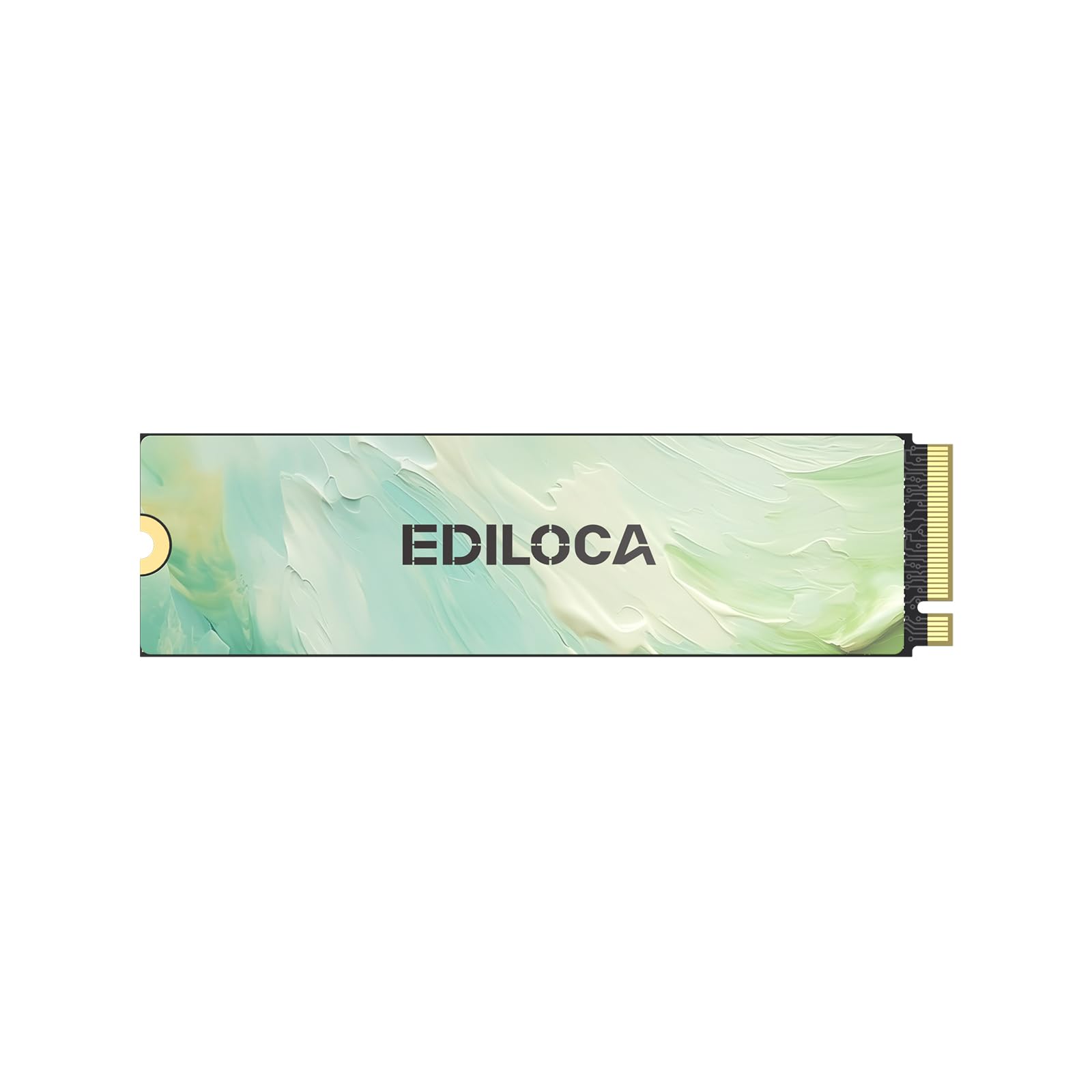
The M.2 drive that keeps an old laptop fast enough to feel new, without the price of a premium stick.
Read speeds hit 1400 MB/s sequential and write 550 MB/s, which puts it cleanly above every SATA drive here and just below the Ridata and KIOXIA. The Ediloca rides NVMe 1.4 with dynamic SLC caching and HMB memory buffering — memory buffering that lets the drive borrow a little system RAM to keep the cache effective without added hardware. The included nano-coated graphene heat layer (a thin heat-dispersing coating) helps the drive hold speed during longer transfers rather than throttling down.
Buyers running this in HP EliteBook units report it as a direct-fit replacement for the stock Samsung NVMe, running cooler with the fan kicking in less often. 100 GB file transfers move quickly with no issues once the drive is recognized. The trick is making sure the machine understands what it is getting — a few buyers ran into setup friction on first install, which is normal for any bare M.2 upgrade. Once Windows sees it, the OS install and app loading are noticeably faster than SATA.
Endurance and reliability hardware inside is serious for the money: 3D NAND flash, auto-adaptive thermal management, mechanical shock resistance, and AES-256 encryption — the encryption standard used to protect a drive against direct physical reads if the machine is lost or stolen. That is an unusually serious feature face for a value-tier M.2. The 3-year limited service covers standard warranty claims, and the box includes an installation toolkit with screws and a screwdriver.
Strong Points
- 1400/550 MB/s sequential speeds — a real step above any SATA drive here
- AES-256 encryption and graphene heat dissipation, uncommon at this tier
- Screws and screwdriver included — no extra part run needed
- Direct fit into many HP EliteBook and similar NVMe-slot laptops
Know Before You Buy
- Not compatible with PS5 due to the Gen3 interface limit — desktop and laptop only
- Setup on older Windows installs sometimes needs a fresh OS install for clean recognition
Best for: laptop owners with an M.2 2280 slot who want Gen3 NVMe speed and useful extras like encryption without paying premium-tier pricing.
Not the one for: PS5 owners or anyone who needs Gen4 throughput.
7. Silicon Power 256GB SSD 3D NAND A55 SATA III 2.5″

The 7mm 2.5-inch SATA drive that fits Ultrabook bays and NAS builds, with 11,000+ ratings at 4.5 stars.
500 MB/s read is the published sequential number. That places it right at the mid-SATA line — behind the Yottamaster and Timetec, ahead of the Patriot by a hair in real-world feel, and enough for booting cold to a Windows welcome screen in the 25-27 second range based on buyer reporting. The 7mm slim profile is the calling card here: it slides into the tight bays of Ultrabooks and ultra-slim laptops where a thicker drive will not fit.
The technical feature set is thorough. TRIM, garbage collection, RAID, and ECC (error correction — the housekeeping that keeps flash healthy over years) all support the drive’s reliability. The advanced SLC Cache Technology keeps the drive fast during burst writes. A free ECHO 3 cloning software key is included on the sticker (a utility for copying your old drive onto the new one without reinstalling Windows). It gets recognized and installed cleanly on both Windows and Linux machines.
With over 11,000 ratings at 4.5 stars, this has clearly run a lot of miles in the field. The one thing to know is that a couple of buyers flagged the bundled SSD management software as suspicious by antivirus — you can skip installing that tool entirely and still run the drive; it just means no first-party dashboard. The drive itself has proven dependable across old laptops, NAS builds, and desktop upgrades.
Why it wins the volume race: the A55 is the known quantity in this bracket — buyers know what they are getting, and what they get is a slim, dependable SATA SSD that fits where thicker drives don’t.
One quirk worth knowing: a couple of buyers reported the bundled drive-management software getting flagged by antivirus. Skip that download; the drive works fine without the utility.
Reach for this if: you are working with an Ultrabook or slim laptop bay that needs the 7mm profile and you want a widely trusted brand with a 3-year warranty.
Skip if: you want to squeeze every last MB/s out of SATA — that is the Yottamaster’s territory.
8. Ridata E801 256GB NVMe M.2 PCIe Gen3x4 2280

A Gen3 x4 M.2 2280 stick at 2100 MB/s read and 1200 MB/s write, praised for plug-in-and-go reliability.
The numbers sit in the balance between the Ediloca’s 1400 MB/s and the KIOXIA’s 3050 MB/s — this Ridata publishes 2100 MB/s read and 1200 MB/s write using ATTO Max Seq. testing, on up to four PCIe lanes. That places it comfortably above any SATA drive here while costing similar to the mainstream SATA options. LDPC coding — a heavy-duty error-correction algorithm that keeps flash data accurate as it ages — is the reliability feature Ridata calls out as the stand-out technical addition.
Form factor is M.2 2280, so it drops into any modern motherboard or laptop with an M.2 NVMe slot. Owners upgrading thin laptops report plug-in-and-go reliability with the drive recognized immediately. It shows up in older ThinkPad T480 machines, which is a useful compatibility note — older but still very common business laptops. Windows XP through Windows 10 and above, plus Linux and Mac OS X, are all listed.
Two practical things. First, the drive ships without a mounting screw — plan a screw kit with your order, because the slot in most machines needs one to hold the stick flat. Second, capacity is a fixed 256 GB in this model; customers note that larger Ridata capacities exist for not much more if you need more room. For a 256 GB system drive, the value math on this one is solid. Made in Taiwan, 3-year limited warranty.
What the numbers say: 2100 MB/s read places this well above any SATA option in this guide — the difference shows up clearly in OS boots and file transfers, not just benchmarks.
Pick this one when: your machine has an M.2 slot and you want Gen3 NVMe speed at pricing that undercuts the more famous brands.
Heads up: the drive does not include a mounting screw, so order one at the same time.
9. OEM Western Digital PC SN740 256GB M.2 PCIe Gen 4×4 NVMe

The only PCIe Gen4 x4 M.2 2280 drive here, rated for up to 5000-7000 MB/s.
PCIe Gen 4×4 — four PCIe lanes on the fourth generation standard — is the top rung of this ladder. That interface supports up to 5000-7000 MB/s based on what WD rates the drive for. Actual real-world speeds depend heavily on your motherboard, and one buyer running it in a 2019 Dell Optiplex i3 saw 1200-1500 MB/s because that board caps out below the drive’s potential. On a modern Gen4 desktop, this thing flies.
The form factor is M.2 2280 with M Key — the standard slot shape on current desktops and laptops. Boot times in the 10-second range have been reported on machines that previously took five minutes to hit a usable desktop. The drive ships in bulk OEM packaging with only the drive itself, no screws, no cables, no adapter — because OEM (original equipment manufacturer) drives are typically the parts that go into pre-built PCs and laptops, not retail kits. Plan accordingly.
The compatibility nuance to know is that the Amazon compatibility list is not a reliable filter for this drive. Verify that your motherboard or laptop supports PCIe Gen4 x4 NVMe in a 2280 M Key slot before buying. The 2-year OEM warranty is shorter than the standard retail Western Digital warranty, which is normal for OEM stock. Some units in the review history arrived pre-owned by accident with an HP Unix installation still present — check the drive contents immediately after installation to confirm it is blank.
Why It Leads
- PCIe Gen 4×4 interface — the fastest drive class in this guide
- Western Digital OEM silicon with a strong track record on real-world boot speed
- Fits standard 2280 M Key slots in most modern desktops and laptops
- Boot times reported dropping to 10 seconds from 5-minute starts on old drives
Practical Notes
- Ships bulk-packaged with just the drive — order screws separately if needed
- 2-year OEM warranty is shorter than retail Western Digital coverage
- Some units in the review history arrived as pre-owned rather than new
The right call for: a modern desktop or laptop with a Gen4 x4 M.2 slot, and you want the fastest class of drive available in this list.
Think twice if: your machine only supports Gen3 — you would be paying for Gen4 headroom your board cannot use.
Understanding the Specs
Sequential Read vs Random Read
Sequential read speed — the big MB/s number on every box — measures how fast the drive pulls one long continuous file. That is the number that matters when you copy a 55 GB video file or install a large game. Random read speed, usually quoted in IOPs (input/output operations per second), measures how fast the drive finds lots of tiny scattered files. That is what actually drives Windows boot time, app launches, and how snappy the system feels. A drive with 530 MB/s sequential read and strong random performance will feel faster day to day than a drive with a flashier headline number and weak random performance. Both Timetec and Yottamaster publish both figures — look for them together, not just the read speed.
Form Factor and Interface Explained
Form factor just describes the physical shape and mounting. A 2.5-inch drive is a flat brick that sits in a bay and uses a SATA cable. An M.2 2280 drive is a thin stick that screws flat onto the motherboard. Interface describes how the drive talks to the computer — SATA III caps out around 6 Gb/s (which is why SATA drives in this guide stop near 530 MB/s), while NVMe rides PCIe lanes directly and can push much higher. A typical rule of thumb: if your machine has a 2.5-inch drive bay, you need a 2.5-inch drive. If it has an M.2 slot, you need an M.2 stick. Buying the wrong type means the drive physically will not fit, no matter how good the spec sheet is.
FAQ
Will a 256 GB SSD work in my laptop?
Is 256 GB enough for Windows and everyday use?
Do I need to reinstall Windows after installing a new SSD?
What is the difference between SATA and NVMe for a 256 GB SSD?
How long does a 256 GB SSD last?
Will a 2.5-inch SSD fit in a desktop PC?
Do I need to buy anything else with an M.2 drive?
Is a 3D NAND SSD better than a QLC SSD?
Can I use a 256 GB SSD as my only drive?
Does a 256 GB SSD run hotter than an M.2 drive?
Final Thoughts: The Verdict
For most people upgrading a desktop or older laptop, the 256 gb ssd for pc winner is the Timetec 256GB SSD 3D NAND SATA III — it publishes 530 MB/s read, backs it with a 1,000,000-hour MTBF rating, and holds the highest score in this guide at 4.8 stars. If you have an M.2 slot and want several times that speed, reach for the KIOXIA BG4, whose 3050 MB/s read is the fastest in the group. And if you are building a NAS or upgrading an Ultrabook where the slim 7mm profile matters more than headline speed, the Silicon Power A55 is the one to grab. One easy rule for anyone still unsure: confirm your slot — 2.5-inch bay or M.2 — before you buy anything, because no spec sheet beats a drive that physically fits.
How We Picked
We do not accept paid placement. Every pick is matched to a real buyer and a real use-case; we do not hands-on test units.
Sources & Methodology
Specifications: manufacturer listings and product documentation. Review insights: verified customer reviews, as of September 2026. Pricing: not shown on this page (it changes often); check the current price via the retailer link.
As an Amazon Associate, Gadgets Feed earns from qualifying purchases. This does not affect which products we feature.