
Pushing a 2560×1440 resolution demands a GPU with real muscle, but pairing it with a monitor that has a sluggish response time or a low refresh rate nullifies that investment entirely. The difference between a mid-range LCD and a premium OLED at this resolution is not subtle — it is the difference between seeing a blurry smear when you flick your mouse and tracking a target with pixel-perfect precision. The right panel eliminates the bottleneck between your hardware and your reflexes.
I’m Min — the co-founder and writer behind Gadgets Feed. I’ve spent hundreds of hours dissecting panel technologies, refresh rate performance, response time measurements, and color accuracy data across the entire 1440p monitor landscape to produce guides that separate genuine performance from marketing noise.
This guide breaks down every critical spec — from fast IPS refresh rates and QD-OLED contrast ratios to adaptive sync compatibility and port bandwidth — so you can confidently choose the best 2560×1440 gaming monitor for your specific build and budget.
How To Choose The Best 2560×1440 Gaming Monitor
Selecting a 1440p gaming monitor requires more than just checking the resolution box. The panel technology, refresh rate ceiling, and connectivity options determine whether your rig actually delivers smooth, tear-free gameplay. Below are the three most impactful factors for this specific category.
Panel Type: IPS vs. OLED vs. VA
Fast IPS panels dominate the mid-range for their combination of wide viewing angles, decent contrast, and sub-1ms response times. QD-OLED panels deliver infinite contrast ratios and true blacks but cost significantly more and require burn-in management. VA panels offer high contrast but suffer from slower transition times, making them less ideal for competitive shooters at 1440p.
Refresh Rate and Response Time
At 1440p, 240Hz is the new standard for smooth motion clarity, while 360Hz and 480Hz OLEDs exist for esports players who can drive those frame rates. Response time specs (0.03ms for OLED, 0.3ms to 1ms for fast IPS) directly impact perceived blur — a slower panel will smear fast-moving objects even at high refresh rates.
Connectivity Bandwidth
DisplayPort 1.4 handles 1440p at up to 240Hz with DSC (Display Stream Compression). For 360Hz or 480Hz, you need DisplayPort 1.4a or DisplayPort 2.1. HDMI 2.1 is essential for console gamers wanting VRR at 1440p/120Hz. Verify your GPU’s output supports the cable standard required to hit the monitor’s max refresh rate.
Quick Comparison
On smaller screens, swipe sideways to see the full table.
| Model | Category | Best For | Key Spec | Amazon |
|---|---|---|---|---|
| LG 27GX790A-B | OLED 480Hz | Ultra-Smooth Competitive Play | 480Hz / 0.03ms / DP 2.1 | Amazon |
| Alienware AW2725DF | OLED 360Hz | Esports & HDR Immersion | 360Hz / 0.03ms / DisplayHDR 400 | Amazon |
| Sony INZONE M10S | OLED 480Hz | Tournament-Level FPS | 480Hz / 0.03ms / 24.5” mode | Amazon |
| MSI MAG 271QP QD-OLED X28 | QD-OLED 280Hz | Rich Colors & Smooth Motion | 280Hz / 0.03ms / DP 1.4a | Amazon |
| AOC Q27GAZDV | QD-OLED 240Hz | Budget OLED Entry | 240Hz / 0.03ms / HDMI 2.1 | Amazon |
| Acer Predator X27U | QD-OLED 240Hz | Value QD-OLED Gaming | 240Hz / 0.03ms / DCI-P3 99% | Amazon |
| ASUS TUF Gaming VG27AQM5A | Fast IPS 300Hz | High-Frame-Rate IPS Clarity | 300Hz / 0.3ms / ELMB Sync | Amazon |
| KTC H27E6 | Fast IPS 300Hz | Bright Room Gaming | 300Hz (OC 320) / 450cd/m² | Amazon |
| LG 27GR83Q-B | IPS 240Hz | Reliable All-Rounder | 240Hz / 1ms / HDR400 | Amazon |
| Samsung Odyssey G5 G50F | Fast IPS 180Hz | 32-Inch Value Panel | 180Hz / 1ms / HDR10 | Amazon |
| SANSUI 27″ 260Hz | Fast IPS 260Hz | Entry-Level High Refresh | 260Hz / 1ms / DCI-P3 98% | Amazon |
In‑Depth Reviews
1. LG 27GX790A-B

The LG 27GX790A-B is a 27-inch W-OLED monitor pushing 480Hz at 1440p, a refresh rate ceiling previously reserved for 1080p panels. Its 0.03ms response time eliminates any perceptible motion blur, making it ideal for competitive titles where frame rates exceed 400 FPS. The DisplayPort 2.1 connection ensures full bandwidth without DSC compression artifacts, future-proofing the interface for next-generation GPUs.
Color performance is excellent with 98.5% DCI-P3 coverage, and the DisplayHDR True Black 400 rating delivers deep inky blacks with bright highlight punch. The anti-glare matte coating reduces reflections in bright rooms, though some users report a slight graininess on static white backgrounds. The stand offers full tilt, swivel, pivot, and height adjustments, plus a subtle RGB backlight for desk aesthetics.
OLED Care features like pixel cleaning and static image detection are built in, covered by a two-year limited warranty including burn-in. Early units showed minor vertical banding that dissipates after use. For anyone with a high-end GPU capable of sustaining 400+ FPS at 1440p, this monitor delivers the lowest latency and smoothest motion available in the 27-inch form factor.
Why it’s great
- 480Hz refresh rate with 0.03ms response obliterates motion blur
- DisplayPort 2.1 enables full bandwidth without compression
- True Black 400 HDR delivers excellent contrast
Good to know
- Matte coating can appear grainy on static bright pages
- Requires a high-end GPU to utilize 480Hz at 1440p
2. Sony INZONE M10S

The Sony INZONE M10S was co-developed with the Fnatic esports team, and its design philosophy centers on tournament usability. It matches the LG with a 480Hz refresh rate and 0.03ms response time, but adds a unique 24.5-inch virtual screen mode that simulates a smaller display for competitive play without changing the physical panel. The FPS Pro and FPS Pro+ picture modes boost contrast specifically for spotting enemies in shadowed corners.
The low-profile stand is only 4mm thick at the base, freeing significant desk space for mouse movements. Connectivity is future-proof with a single DisplayPort 2.1 (UHBR10) port and two HDMI 2.1 inputs. Sony includes a fanless custom heatsink for passive cooling, backed by a three-year limited warranty that covers OLED burn-in — the longest coverage in this comparison.
Build quality is excellent, and the factory calibration report included in the box confirms Delta E accuracy. The anti-glare coating handles ambient light well. Some early units have reported pixelation artifacts that resolve with cable reseating, but overall reliability appears strong. For competitive FPS players who prioritize response consistency and desk space, the M10S is the most purpose-built option.
Why it’s great
- 24.5-inch virtual mode for tournament-standard FOV
- Three-year burn-in warranty provides peace of mind
- Ultra-thin stand base maximizes desk real estate
Good to know
- Premium price point requires serious esports commitment
- Some units may need cable reseating to fix pixel artifacts
3. Alienware AW2725DF

The Alienware AW2725DF uses Samsung’s third-generation QD-OLED panel, delivering a 360Hz refresh rate and 0.03ms response time with a 1.5 million-to-one contrast ratio. Colors are exceptionally vibrant at 99.3% DCI-P3 coverage, and HDR performance is outstanding with both DisplayHDR True Black 400 and a Peak 1000 mode for bright highlights. The 26.7-inch diagonal is slightly smaller than standard 27-inch panels, but this is virtually unnoticeable in use.
The stand supports height, tilt, swivel, and pivot adjustments, and the I/O cover keeps cables tidy. Connectivity includes DisplayPort 1.4, HDMI 2.1, and a USB 3.2 Gen1 hub. The panel is G-Sync Compatible and supports AMD FreeSync Premium Pro. Alienware includes a three-year burn-in warranty, which is critical for OLED longevity. The factory calibration report ensures Delta E < 2 accuracy out of the box.
Some users report a slight purple tint on the anti-glare coating, and the glossy surface is a fingerprint magnet. Periodic pixel refresh prompts appear during use but are non-intrusive. At around 360Hz, this monitor strikes an excellent balance between motion clarity and color fidelity — ideal for players who want both competitive responsiveness and single-player visual immersion.
Why it’s great
- QD-OLED delivers 99.3% DCI-P3 and infinite contrast
- 360Hz refresh with 0.03ms response for elite motion clarity
- Three-year burn-in warranty included
Good to know
- Anti-glare coating has a slight purple hue
- Glossy surface collects fingerprints easily
4. MSI MAG 271QP QD-OLED X28
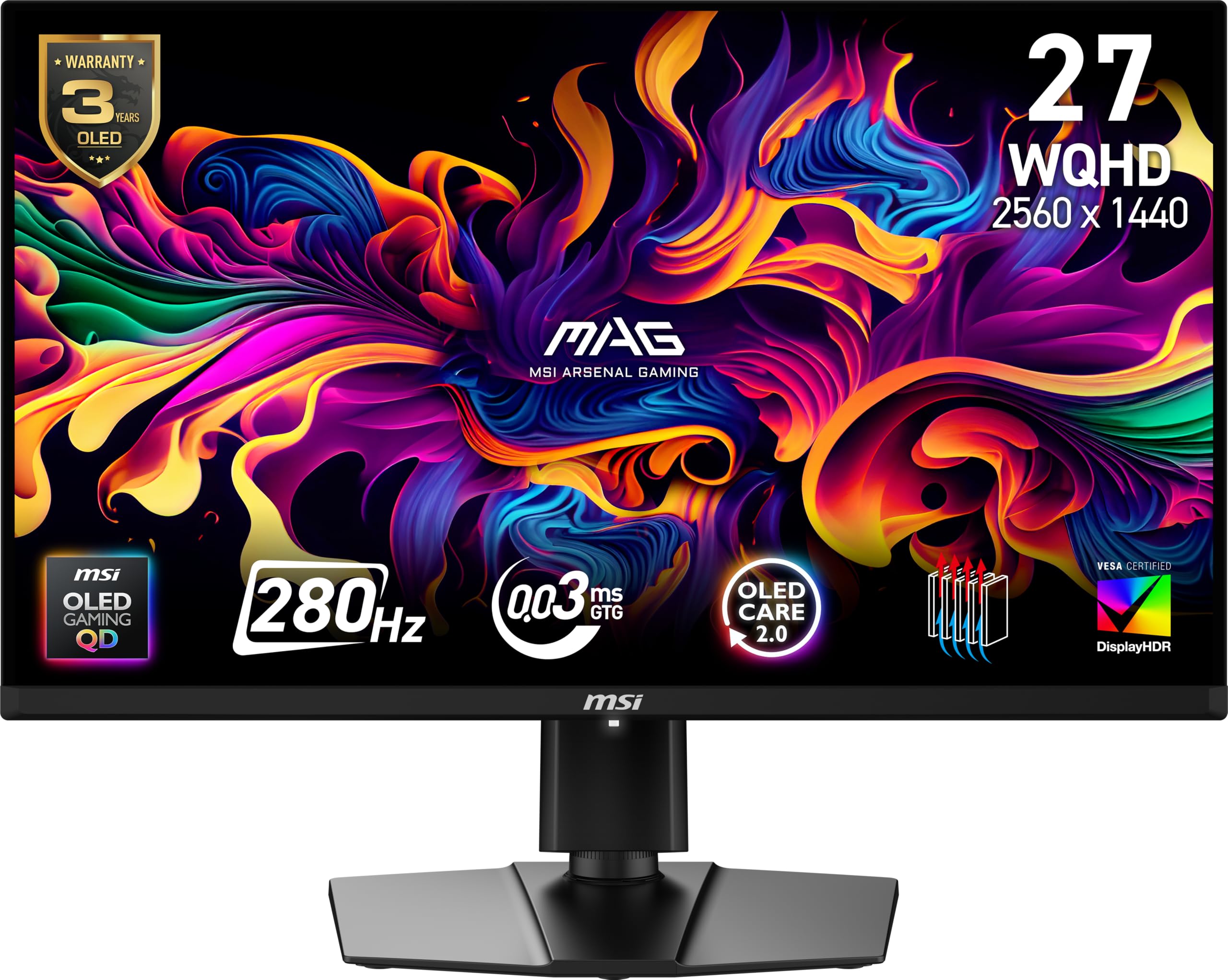
The MSI MAG 271QP QD-OLED X28 offers a 280Hz refresh rate on a 27-inch QD-OLED panel, making it the highest refresh rate per dollar in the OLED segment. The 0.03ms response time and DisplayHDR True Black 400 certification deliver the same inky blacks and vibrant highlights as more expensive OLEDs. The graphene heatsink enables fanless cooling, which reduces noise and improves durability compared to active-cooling designs.
Color accuracy is exceptional with 99% DCI-P3 coverage and Delta E ≤ 2 out of the box. The MSI Gaming Intelligence software provides OLED Care 2.0 features including pixel shift and panel refresh, plus AI-supported Smart Crosshair for in-game aiming. Connectivity includes DisplayPort 1.4a, HDMI 2.1 with CEC support, and USB-C with 15W Power Delivery — enough to charge a mouse or headset dongle.
The four-way adjustable stand is solid, but the OSD joystick on the rear can be slightly awkward to reach. Some users upgrading from older IPS panels note that the glossy QD-OLED coating picks up reflections in bright rooms. For the price, this is the most feature-complete QD-OLED monitor available, offering near-flagship motion performance at a mid-range cost.
Why it’s great
- 280Hz on QD-OLED at a competitive price point
- Fanless graphene heatsink for silent, durable operation
- OLED Care 2.0 with comprehensive burn-in prevention
Good to know
- Glossy coating reflects ambient light
- Rear OSD joystick is not the most ergonomic
5. AOC Q27GAZDV

The AOC Q27GAZDV is the entry point for QD-OLED gaming at 1440p, offering a 240Hz refresh rate and 0.03ms response time at a price that undercuts most OLED competitors by a significant margin. Colors are vivid with 110% DCI-P3 coverage, and the 1.5 million-to-one contrast ratio produces the deep blacks and per-pixel luminance control that OLED is known for. HDR performance is convincing, though peak brightness is limited to around 250 nits in SDR.
The ergonomic stand supports height, tilt, swivel, and pivot adjustments. Connectivity includes two HDMI 2.1 ports, a DisplayPort 1.4, and a USB 3.2 hub with one upstream and two downstream ports. The included cables are certified Ultra High Speed HDMI (48Gbps) and a quality DP cable. G-Sync Compatible certification ensures tear-free gameplay with NVIDIA GPUs.
Out-of-box color calibration leans warm — most users will want to adjust to Gamer 2 mode or a custom preset. The bezels are slightly thicker than premium OLEDs (~0.5 inches on sides), and the pixel refresh feature is disabled by default and must be run manually. For budget-conscious buyers who want OLED-level contrast and response without spending above , the AOC is the clear choice.
Why it’s great
- Most affordable QD-OLED with 240Hz and 0.03ms response
- Full ergonomic stand with pivot adjustment
- HDMI 2.1 ports support console VRR at 1440p
Good to know
- Out-of-box colors require manual calibration
- Pixel refresh must be run manually after initial setup
6. Acer Predator X27U W1bmiipprx

The Acer Predator X27U is a 26.5-inch QD-OLED with a 240Hz refresh rate and 0.03ms response time, sharing the same panel technology as monitors costing significantly more. The true 10-bit color depth and 99% DCI-P3 coverage deliver rich, saturated colors without the color banding typical of 8-bit+FRC panels. HDR10 support adds extra dynamic range, though peak brightness is moderate compared to premium OLEDs.
The ZeroFrame design minimizes bezels for an immersive multi-monitor setup. AMD FreeSync Premium is standard, and G-Sync compatibility works flawlessly according to user reports. The stand offers tilt, height, pivot, and swivel adjustments. Port selection is generous with two DisplayPort 1.4 and two HDMI 2.1 inputs, plus a headphone jack. The included HDMI cable is rated for 48Gbps.
Some users note the OSD menu is overly complex with no dedicated sharpness or overdrive settings. The stand on early units has been reported arriving with minor damage, though the display itself performs well. For buyers wanting QD-OLED image quality with competitive motion handling at 240Hz, the X27U delivers excellent value just below the premium tier.
Why it’s great
- True 10-bit QD-OLED panel with 99% DCI-P3 coverage
- ZeroFrame design for seamless bezel-less viewing
- Includes two HDMI 2.1 ports for multi-console setups
Good to know
- OSD menu is complex and missing sharpness control
- Peak brightness is lower than premium OLEDs
7. ASUS TUF Gaming VG27AQM5A

The ASUS TUF Gaming VG27AQM5A uses a Fast IPS panel with a 300Hz refresh rate and a blistering 0.3ms response time, making it one of the fastest IPS monitors available at 1440p. ASUS’s Extreme Low Motion Blur Sync (ELMB Sync) technology allows backlight strobing and variable refresh rate to operate simultaneously, eliminating both ghosting and screen tearing. This is a rare feature combination that benefits competitive gamers who want zero blur without sacrificing adaptive sync.
Color performance is strong with 95% DCI-P3 coverage and a 1,300:1 static contrast ratio — slightly higher than typical IPS panels. Shadow Boost enhances visibility in dark game environments without overexposing bright areas. The DisplayWidget Center software allows OSD adjustments via mouse, a convenience for multi-monitor setups. Built-in speakers are included, though they are basic 2W units.
Some units have been reported with dead pixels, and the menu system takes time to learn. The 300Hz ceiling requires a powerful GPU to be fully utilized, but the 0.3ms response ensures minimal input lag even at lower frame rates. For IPS loyalists who want the fastest response time possible without switching to OLED, this ASUS model is the top performer.
Why it’s great
- ELMB Sync combines backlight strobing with VRR for zero tear/blur
- 0.3ms response time is among the fastest IPS available
- DisplayWidget Center enables mouse-based OSD control
Good to know
- Occasional dead pixel reports at this price tier
- Built-in speakers are only suitable for basic audio
8. KTC H27E6

The KTC H27E6 is a 27-inch Fast IPS monitor with a 300Hz refresh rate (overclockable to 320Hz) and an unusually high 450 cd/m² brightness rating. This makes it one of the brightest IPS panels at 1440p, suitable for rooms with significant ambient light where standard 300-350 nit monitors appear washed out. The 144% sRGB color gamut coverage ensures vibrant colors, though DCI-P3 coverage is not specified.
The white chassis is a unique aesthetic option in a market dominated by black monitors. Connectivity includes two HDMI ports and one DisplayPort, plus a headphone jack. The monitor supports FreeSync and G-Sync compatibility for tear-free gaming. The stand offers tilt adjustment only — no height or swivel — so users requiring ergonomic flexibility should budget for a VESA arm (100x100mm compatible).
Customer service responsiveness has been mixed according to user reports, with some citing difficulty with warranty returns. The low blue light and flicker-free features reduce eye strain during long sessions. For users who prioritize high brightness, a unique color option, and high refresh rate without spending premium dollars, the KTC H27E6 delivers strong value despite a simpler stand and limited brand support.
Why it’s great
- 450 cd/m² peak brightness handles bright room conditions
- 144% sRGB coverage with fast 300Hz (OC 320Hz) refresh
- Unique white design stands out from black monitors
Good to know
- Stand only offers tilt adjustment — no height/swivel
- Customer support responsiveness is inconsistent
9. LG 27GR83Q-B

The LG 27GR83Q-B is a 27-inch IPS monitor with a 240Hz refresh rate and 1ms response time. It supports both HDMI 2.1 and DisplayPort 1.4, enabling full 240Hz output from both PC and consoles. VESA DisplayHDR 400 certification and 95% DCI-P3 coverage provide decent color volume and highlight detail, though IPS contrast ratio remains at 1000:1. NVIDIA G-Sync Compatible and AMD FreeSync Premium are both supported.
The stand is fully ergonomic with height, tilt, swivel, and pivot adjustments. The 4-pole headphone jack with DTS Headphone:X provides spatial audio over compatible headsets. Dynamic Action Sync reduces input lag in real-time, and the Black Stabilizer enhances shadow visibility. The OnScreen Control software allows adjustments without physical buttons.
Quality control has been inconsistent, with multiple reports of stuck or dead pixels requiring exchanges. The menu system uses a joystick that takes some getting used to. For the price, the 27GR83Q-B offers balanced performance across gaming and productivity use cases, making it a reliable mid-range pick if you get a defect-free unit.
Why it’s great
- Full 240Hz via HDMI 2.1 for console and PC compatibility
- Fully ergonomic stand with height, tilt, swivel, and pivot
- DTS Headphone:X provides spatial audio over 4-pole jack
Good to know
- Inconsistent quality control with pixel defects reported
- IPS contrast ratio limits HDR impact in dark scenes
10. Samsung Odyssey G5 G50F

The Samsung Odyssey G5 G50F is a 32-inch Fast IPS panel at 1440p with a 180Hz refresh rate and 1ms response time. The larger screen size provides more immersion than 27-inch panels, though pixel density drops to ~93 PPI, making text slightly less sharp. The 178-degree viewing angle ensures consistent color from off-axis positions. HDR10 support adds extra highlight detail, though peak brightness is standard at 300 cd/m².
The stand is height-adjustable and supports swivel and tilt. Auto Source Switch+ automatically detects and switches to active inputs, a convenient feature for multi-device users. Black Equalizer improves visibility in shadowed game areas, and Virtual Aim Point adds a crosshair overlay. G-Sync Compatible certification works well with NVIDIA GPUs according to user reports.
Connectivity is limited to one HDMI and one DisplayPort — users with multiple consoles will need to swap cables. The anti-glare coating is minimal, providing a near-glossy appearance that makes colors pop but may reflect ambient light. For the price, the 32-inch G50F offers a compelling large-format IPS experience with adaptive sync and a fully adjustable stand.
Why it’s great
- 32-inch Fast IPS provides immersive screen real estate
- Height-adjustable stand with swivel and tilt included
- Near-glossy coating delivers punchy, vibrant colors
Good to know
- Only one HDMI and one DisplayPort — limited multi-device support
- 93 PPI is less sharp than 27-inch 1440p options
11. SANSUI 27″ 260Hz

The SANSUI 27-inch gaming monitor offers a Fast IPS panel with a 260Hz refresh rate and 1ms MPRT response time at a price that undercuts nearly every other 1440p high-refresh monitor. The 98% DCI-P3 and 130% sRGB coverage provide surprisingly good color volume for the price point. FreeSync Premium support reduces tearing, and the 320-nit brightness is adequate for most indoor environments.
Port selection is generous with two DisplayPort 1.4 inputs (reaching 260Hz) and two HDMI 2.0 inputs (limited to 144Hz). The monitor supports VESA mounting with a 100x100mm pattern. Onboard gaming features include crosshair overlays and preset modes for RACING, RTS, and FPS. The low blue light and anti-flicker technologies reduce eye strain.
Tilt adjustment is limited to -5° to 20°, and the stand has no height adjustment. Some users report the monitor runs warm during extended use. The included DP cable must support 260Hz bandwidth — older cables may limit refresh rate to 144Hz. For buyers on a strict budget who still want a 1440p Fast IPS panel with a refresh rate above 240Hz, the SANSUI delivers remarkable spec value.
Why it’s great
- 260Hz Fast IPS at a budget-friendly price point
- Two DisplayPort 1.4 inputs for PC and console flexibility
- 98% DCI-P3 coverage exceeds expectations at this price
Good to know
- Stand lacks height adjustment — VESA arm recommended
- Monitor runs warm during extended gaming sessions
FAQ
Can my GPU run a 1440p 240Hz monitor?
Is QD-OLED burn-in a real concern for gaming monitors?
What is the difference between HDMI 2.1 and DisplayPort 1.4 for 1440p gaming?
Final Thoughts: The Verdict
For most users, the best 2560×1440 gaming monitor winner is the Alienware AW2725DF because it delivers a near-flawless blend of 360Hz QD-OLED motion clarity, stunning HDR color volume, and comprehensive warranty coverage at a price that justifies the upgrade. If you want the absolute highest refresh rate without compromise, grab the LG 27GX790A-B for its 480Hz W-OLED panel and DisplayPort 2.1 connectivity. And for budget-conscious buyers who still demand OLED-level contrast, nothing beats the AOC Q27GAZDV as the entry point into QD-OLED gaming at 1440p.