
The jump to a 2560×1440 resolution gaming monitor is a non-negotiable upgrade for any serious player. The pixel density at 27 inches delivers a razor-sharp image without the GPU-taxing load of 4K, making it the absolute sweet spot for competitive and immersive gaming alike. You leave behind the blur and pixelation of 1080p for a world where every texture detail and distant enemy is perfectly resolved.
I’m Min — the co-founder and writer behind Gadgets Feed. I’ve spent the last several weeks combing through the latest panel technologies, refresh rate specs, and real user feedback to separate the genuine performers from the marketing claims in this specific 1440p gaming monitor landscape.
After analyzing hundreds of verified reviews and cross-referencing technical specifications across 11 different models, I’ve built this definitive guide to help you find the absolute best 2560×1440 monitor for gaming that fits your specific needs and budget.
How To Choose The Best 2560×1440 Monitor For Gaming
Selecting the perfect 1440p gaming monitor goes beyond just looking at the resolution. You need to balance panel technology, refresh rate, response time, and color performance to match your specific gaming habits and hardware. Here are the critical factors to consider.
Panel Technology: IPS vs. VA vs. QD-OLED
The panel type dictates your entire visual experience. IPS panels offer excellent color accuracy and wide viewing angles, making them great for versatile use. VA panels deliver superior contrast with deeper blacks but can suffer from slower response times in dark transitions. QD-OLED is the current peak, providing perfect blacks, infinite contrast, vibrant colors, and near-instantaneous response times, though they require careful burn-in management.
Refresh Rate and Response Time: The Speed Metrics
For competitive gaming, a 240Hz refresh rate is the new standard, offering incredibly fluid motion. We also see 280Hz and 360Hz panels for that extra edge in esports. Equally important is the response time: look for 1ms GtG on IPS/VA panels, or 0.03ms GtG on OLEDs. This combination eliminates motion blur and ghosting, ensuring every fast movement is rendered with pristine clarity.
Connectivity and Adaptive Sync
To run a 1440p monitor at its full potential, you need the right ports. HDMI 2.1 is crucial for console gamers (PS5/Xbox Series X) to achieve 1440p at 120Hz+, while DisplayPort 1.4 is standard for PC gamers. Adaptive Sync technologies (NVIDIA G-Sync Compatible and AMD FreeSync Premium) are non-negotiable for eliminating screen tearing and stuttering without introducing input lag.
Quick Comparison
On smaller screens, swipe sideways to see the full table.
| Model | Category | Best For | Key Spec | Amazon |
|---|---|---|---|---|
| LG 27GX700A-B | OLED | Brightest OLED Performance | 280Hz / 0.03ms | Amazon |
| Alienware AW2725DF | QD-OLED | Competitive 360Hz Gaming | 360Hz / 0.03ms | Amazon |
| ASUS ROG Strix XG27ACDNG | QD-OLED | Premium Build & Burn-in Coverage | 360Hz / 0.03ms | Amazon |
| LG 27GR83Q-B | IPS | Best Value IPS Performance | 240Hz / 1ms GTG | Amazon |
| Acer Predator X27U | QD-OLED | Budget OLED Entry Point | 240Hz / 0.03ms | Amazon |
| Samsung Odyssey OLED G5 | QD-OLED | Affordable OLED for Media & Gaming | 180Hz / 0.03ms | Amazon |
| MSI MAG 272QP QD-OLED X24 | QD-OLED | Feature-Rich OLED with Care Software | 240Hz / 0.03ms | Amazon |
| AOC Q27GAZDV | QD-OLED | Solid QD-OLED with Ergonomic Stand | 240Hz / 0.03ms | Amazon |
| INNOCN 2780s | QD-OLED | High 280Hz Refresh OLED | 280Hz / 0.03ms | Amazon |
| Samsung Odyssey G65B | VA | Curved Immersion with HDR 600 | 240Hz / 1ms GTG | Amazon |
| CRUA 45″ Curved | VA | Massive Ultrawide DQHD Experience | 240Hz / 5120×1440 | Amazon |
In‑Depth Reviews
1. LG 27GX700A-B

This LG UltraGear is a statement of intent. It packs LG’s 4th Gen OLED panel with Primary RGB Tandem technology, making it the brightest OLED gaming monitor we’ve seen from the brand, hitting up to 1500 nits peak brightness. For a 1440p panel, this is a massive leap over standard OLEDs, which often struggle in bright rooms.
At 280Hz with a 0.03ms response time, the motion clarity is breathtaking. The adaptive sync implementation is robust, supporting both NVIDIA G-SYNC Compatible and AMD FreeSync Premium Pro. Users consistently highlight its balance of brightness for both dark and bright game zones, with minimal blur at the highest refresh rates.
Some reports mention VRR flicker, which is common on OLEDs, and the LG Switch software can be a bit intrusive. However, the inclusion of DTS HP:X audio and a 4-pole headphone jack makes it a complete gaming package. For those seeking the pinnacle of 1440p OLED performance without compromise, this is an exceptional choice.
Why it’s great
- Incredible brightness for an OLED (up to 1500 nits peak)
- Ultra-smooth 280Hz with 0.03ms response
- Full G-Sync and FreeSync Premium Pro support
Good to know
- Some reports of VRR flicker
- OLED Care pixel refresh prompts can interrupt gameplay
2. Alienware AW2725DF

The Alienware AW2725DF is a 360Hz QD-OLED beast, purpose-built for the competitive gamer who demands the absolute best in motion clarity. The 27-inch size hits the sweet spot for field of view, and the QHD resolution ensures you don’t need a supercomputer to push those high frame rates.
With a 0.03ms gray-to-gray response time and VESA DisplayHDR True Black 400, you get the best of both worlds: elite speed for esports and stunning visual fidelity for single-player titles. User reviews rave about the “god-like” image quality and the reassurance of a 3-year burn-in warranty.
Minor text clarity issues are inherent to QD-OLED’s subpixel layout, and the glossy screen can be a fingerprint magnet. But for pure gaming performance at 1440p, this Alienware sets a benchmark that few can match, offering a smooth and vibrant experience that feels like a direct upgrade from any 1080p 360Hz IPS panel.
Why it’s great
- Exceptionally smooth 360Hz refresh rate
- Superb HDR visual quality with perfect blacks
- Comes with a 3-year burn-in warranty
Good to know
- Text clarity can be slightly less sharp than IPS
- Prone to fingerprints on the screen surface
3. ASUS ROG Strix XG27ACDNG

The ASUS ROG Strix XG27ACDNG is a masterclass in QD-OLED engineering. It combines a 360Hz refresh rate with a 0.03ms response time, but what truly sets it apart is its comprehensive anti-burn-in solution, featuring a custom heatsink, advanced airflow, and ASUS OLED Care+.
The color performance is studio-grade, covering 99% DCI-P3 with Delta E < 2 accuracy. The thoughtful physical design includes an ultra-slim bezel and a robust adjustable stand. Users consistently praise its “absolutely amazing” image quality and the peace of mind provided by the 3-year warranty that covers burn-in.
The only minor complaints involve limited height adjustment for some and the pixel cleaning pop-up during gameplay. For a complete, worry-free premium 1440p gaming experience, this ASUS ROG Strix stands as a top-tier recommendation that balances performance, features, and long-term reliability.
Why it’s great
- Excellent 360Hz QD-OLED speed and color accuracy
- Robust OLED Care+ features for burn-in prevention
- Includes a 3-year comprehensive warranty
Good to know
- Pixel cleaning pop-up can be a minor interruption
- Height adjustment could offer more range
4. LG 27GR83Q-B

For gamers who want high performance without jumping into OLED territory, the LG 27GR83Q-B is the gold standard of 1440p IPS gaming monitors. It delivers a 240Hz refresh rate, 1ms GTG response time, and full support for both HDMI 2.1 and DisplayPort 1.4, making it a perfect companion for PC and modern consoles.
The IPS panel offers vibrant colors with 95% DCI-P3 coverage and boasts VESA DisplayHDR 400 certification. Users upgrading from 1080p 144Hz monitors note a “huge upgrade” in clarity and smoothness. The ergonomic stand with tilt, height, and pivot is a welcome feature at this tier.
Quality control is the main caveat here, with some users reporting stuck or dead pixels across multiple units. While the panel performance is fantastic for the price, you may need to play the panel lottery. If you get a good unit, this is arguably the best value 1440p high-refresh IPS monitor available.
Why it’s great
- Excellent price-to-performance ratio for 240Hz IPS
- Full HDMI 2.1 and DP 1.4 connectivity
- Great color accuracy and full ergonomic stand
Good to know
- Some reports of pixel defects and quality control issues
- IPS glow and contrast not as deep as VA or OLED
5. Acer Predator X27U

The Acer Predator X27U is arguably the most compelling budget entry point into the QD-OLED world. It delivers the transformative image quality of an OLED—infinite contrast, rich colors, and perfect blacks—at a price point that undercuts virtually all competitors. The 240Hz refresh rate and 0.03ms response time are standard for the category.
Users describe it as an “absurdly good for the price” monitor, noting that the colors are significantly richer and bolder than any IPS panel they’ve used. The build quality is largely plastic, but the feature set is complete, with support for both DisplayPort 1.4 and HDMI 2.1.
The main trade-offs are a complex on-screen display menu and a maximum brightness that is merely acceptable rather than spectacular. For the user who has been waiting for OLED to become affordable, this Acer Predator is the signal to finally make the upgrade without breaking the bank.
Why it’s great
- Unbeatable value for a 240Hz QD-OLED panel
- Rich, vibrant colors and deep, perfect blacks
- G-Sync and FreeSync Premium compatible
Good to know
- Max brightness is only adequate, not outstanding
- Build quality is mostly plastic
6. Samsung Odyssey OLED G5

The Samsung Odyssey OLED G5 brings QD-OLED technology to a more accessible refresh rate tier, focusing on stunning visual fidelity over raw speed. The 180Hz refresh rate is still excellent for most gaming scenarios, and the 0.03ms response time ensures zero perceptible ghosting.
This monitor features Samsung’s OLED Safeguard with a Thermal Modulation System to prevent burn-in, and a Glare Free screen coating that works brilliantly in well-lit rooms. Users confirm it is a “superb OLED” for media and gaming, with deep blacks and good HDR handling, all at a bargain price compared to 240Hz+ models.
It only has one HDMI and one DisplayPort input, lacks built-in speakers, and has a non-adjustable stand. It is also noted to be too dark for serious competitive FPS gaming. This is the perfect monitor for the player who values cinematic visuals and wants the best picture quality for single-player games and media consumption.
Why it’s great
- Excellent QD-OLED picture quality at a low price
- Effective Glare Free screen for bright rooms
- OLED Safeguard system for burn-in protection
Good to know
- Limited connectivity with only one HDMI and one DP
- Non-adjustable stand and no built-in speakers
7. MSI MAG 272QP QD-OLED X24

The MSI MAG 272QP QD-OLED X24 is a well-rounded 27-inch QD-OLED monitor that combines performance with peace of mind. Its 240Hz refresh rate and 0.03ms response time are complemented by MSI’s Gaming Intelligence software, which includes OLED Care 2.0 for proactive burn-in prevention and an AI-powered Smart Crosshair feature.
The Quantum Dot OLED panel delivers a 1.5 million:1 contrast ratio and VESA ClearMR 13000 rating, ensuring exceptional motion clarity. Users upgrading from IPS panels report they “can’t go back,” praising the perfect blacks and vibrant HDR. The inclusion of a full-motion stand and a 3-year warranty covering burn-in adds massive value.
The out-of-box settings can be very dark and blurry, requiring manual adjustment to max brightness and contrast. The OLED Care pixel refresh can also trigger at inconvenient moments. However, this remains a top-tier choice for those wanting a premium, feature-laden 1440p OLED experience.
Why it’s great
- Excellent QD-OLED picture quality and motion clarity
- Full-motion ergonomic stand included
- Comprehensive OLED Care 2.0 software
Good to know
- Requires manual adjustment to look its best out of the box
- OLED Care pixel refresh can interrupt gameplay
8. AOC Q27GAZDV

The AOC Q27GAZDV is another strong contender in the budget-friendly QD-OLED space, offering the same 240Hz/0.03ms core spec as many pricier models. It differentiates itself with a fully adjustable ergonomic stand (height, tilt, swivel, pivot) and a built-in USB 3.2 hub for peripheral connectivity.
The panel produces stunning “inky” blacks and vibrant colors, and user reviews are overwhelmingly positive, with many calling it a “great deal.” The G-Sync Compatible adaptive sync ensures a tear-free experience. It is a perfect “no-nonsense” OLED for gamers who just want great image quality and solid performance.
The bezels are a bit thicker than the competition, and the out-of-box color balance may have a brown or purple hue that needs adjustment. The pixel refresh feature is off by default and must be run manually. For the price, these are minor compromises on what is otherwise a fantastic QD-OLED monitor.
Why it’s great
- Great QD-OLED image quality and fast 240Hz speed
- Includes a full ergonomic stand with USB hub
- G-Sync Compatible for smooth gameplay
Good to know
- Thicker bezels compared to premium monitors
- Requires manual calibration for best image quality
9. INNOCN 2780s

The INNOCN 2780s stands out by offering a 280Hz refresh rate on a QD-OLED panel, edging out the standard 240Hz competition. The near-instant 0.03ms response time ensures that the extra frames are rendered with pristine clarity, giving a slight edge to competitive gamers who can push that high of a frame rate.
The value proposition is strong, featuring a fully adjustable stand (height, tilt, pivot), built-in speakers, and HDMI 2.1 connectivity. Users upgrading from VA panels rave about the “huge difference” in image quality, finding it to be a great upgrade. It also supports both FreeSync and G-Sync Compatible.
The built-in speakers are not very good, serving only as a basic convenience. Some users also note a lack of granular adjustment for the dark and light picture levels. For the budget-conscious gamer who wants the highest possible refresh on a QD-OLED without paying a premium, the INNOCN 2780s is a compelling and unique option.
Why it’s great
- High 280Hz refresh rate on a QD-OLED panel
- Excellent value with a full ergonomic stand
- Supports HDMI 2.1 for consoles
Good to know
- Built-in speakers are low quality
- Limited picture adjustment options in OSD
10. CRUA 45″ Curved Gaming Monitor
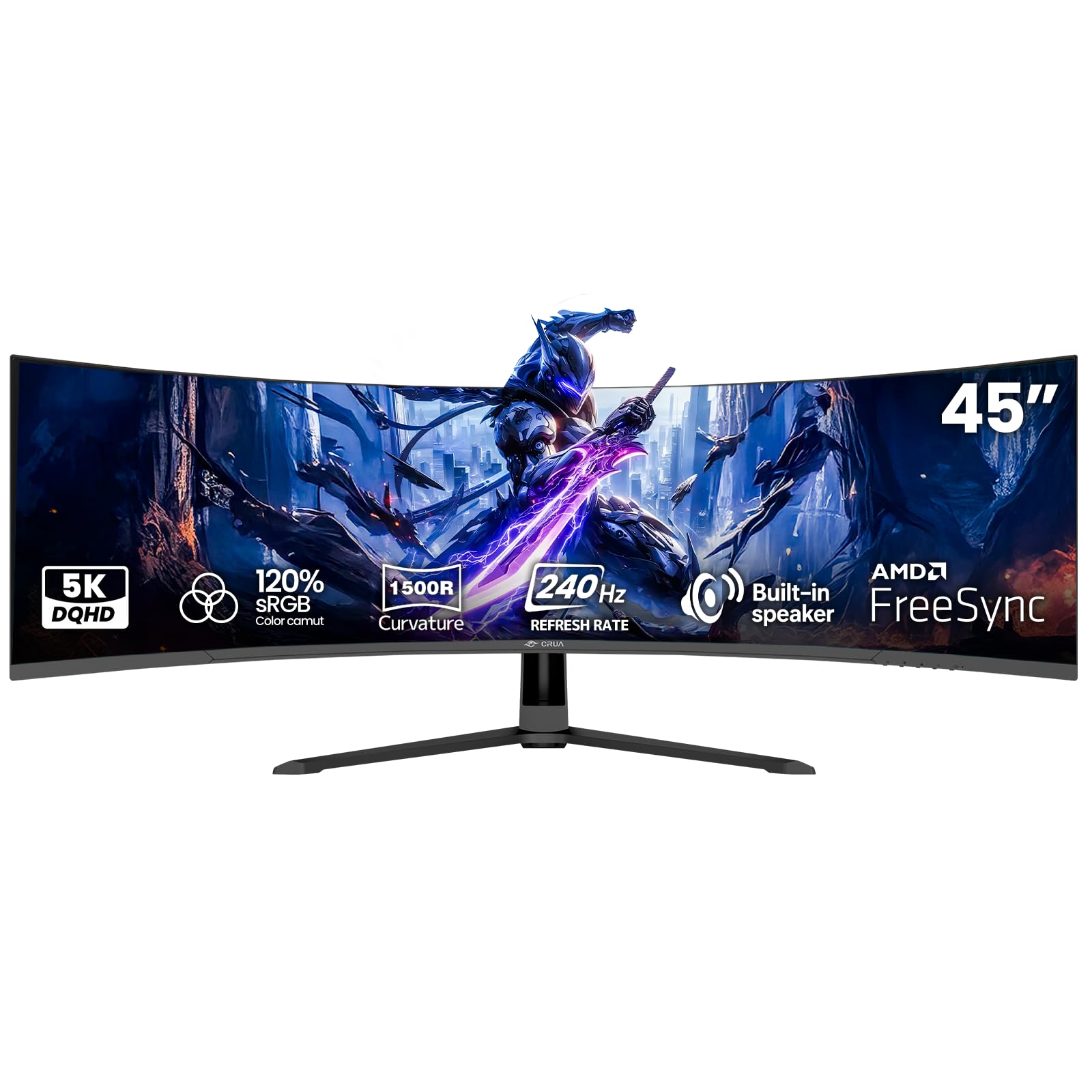
The CRUA 45″ takes the 2560×1440 resolution concept and doubles it horizontally to DQHD (5120×1440), delivering the real-world workspace of two QHD monitors in a single massive ultrawide. This is a VA panel with a 1500R curvature designed for total immersion and productivity, not pixel-level competitive speed.
A 240Hz refresh rate and AMD FreeSync support keep motion smooth, while the 3000:1 contrast ratio provides the deep blacks expected from VA technology. Users praise its value for the massive screen real estate and the comfortable long-term viewing experience the curve provides.
This monitor is not a standard 1440p gaming panel, and the 5120×1440 resolution is much harder to drive in games. Anecdotes about a high-pitched whine from the power adapter and dull colors also raise concerns. This is a niche product for those who prioritize a huge, immersive screen for both work and gaming above all else.
Why it’s great
- Massive 45-inch screen for immersive ultrawide gaming
- High 240Hz refresh rate on VA panel
- Excellent value for the size and resolution
Good to know
- Resolution is significantly harder to drive than standard QHD
- Some reports of power adapter noise and color issues
11. Samsung Odyssey G65B

The Samsung Odyssey G65B is a 32-inch curved VA gaming monitor that delivers excellent contrast and a high 240Hz refresh rate. The 1000R curvature is designed to match the human field of view, creating a highly immersive experience for racing and flight sims. The VESA DisplayHDR 600 certification also hints at better-than-average HDR handling.
Users report “incredibly smooth gameplay” and vibrant colors, noting the minimal eye strain during long sessions. The built-in Gaming Hub is a unique feature that allows cloud streaming without a PC. The combination of the 1000R curve and the faster VA panel makes it a compelling option for gamers who prioritize immersion.
The monitor’s smart features (auto-source switching, update pop-ups) are frequently cited as a major annoyance, with some calling the interface “terrible.” The VA panel will also not match the speed of OLED or high-end IPS in dark transitions. It is a capable and immersive 1440p monitor, but one best bought for its core visual strengths, not its smart features.
Why it’s great
- Immersive 1000R curve and high contrast ratio
- Solid 240Hz refresh rate for smooth VA motion
- DisplayHDR 600 for good HDR impact
Good to know
- Smart interface can be intrusive and annoying
- VA panel has typical dark transition smearing
FAQ
Is a 2560×1440 monitor good for gaming?
What is the best refresh rate for a 1440p gaming monitor?
Do I need HDMI 2.1 for a 1440p gaming monitor?
Final Thoughts: The Verdict
For most users, the best 2560×1440 monitor for gaming winner is the ASUS ROG Strix XG27ACDNG because it delivers a flawless combination of 360Hz speed, stunning QD-OLED visuals, and a comprehensive 3-year warranty that includes burn-in coverage. If you want the brightest OLED panel with 280Hz performance, grab the LG 27GX700A-B. And for an unbeatable entry into the OLED world, nothing beats the value of the Acer Predator X27U.