
Storing 26 terabytes of data is a commitment that goes far beyond picking the cheapest option. At this capacity, you are no longer dealing with casual backups — you are building a serious archive for video libraries, surveillance footage, enterprise databases, or a lifetime of irreplaceable personal files. The sheer density of a 2 or 3-platter 26TB drive means that reliability, sustained transfer speeds, and data recovery options become every bit as critical as the storage space itself.
I’m Min — the co-founder and writer behind Gadgets Feed. My research for this guide involved cross-referencing enterprise workload ratings, warranty terms, customer failure patterns, and real-world transfer benchmarks across every available 26TB and near-26TB external hard drive to separate professional-grade solutions from high-capacity disappointments.
Whether you need a rugged encrypted vault for sensitive files or a 24/7 surveillance workhorse, this guide breaks down the best options to help you find the best 26tb external hard drive for your exact workflow.
How To Choose The Best 26TB External Hard Drive
At 26TB, you are buying a device designed to spin continuously for years. The wrong choice means losing every byte stored on it. Focus on the drive’s internal mechanism, the interface it uses, the warranty it carries, and whether it is built for the specific role you need — from quiet desktop archiving to 24/7 surveillance recording.
CMR vs SMR Recording Technology
Conventional Magnetic Recording (CMR) drives write data without overlapping tracks, maintaining consistent write speeds regardless of how full the drive gets. Shingled Magnetic Recording (SMR) drives overlap tracks to pack more data in, but write speeds can tank dramatically during sustained transfers or RAID rebuilds. At 26TB, always choose CMR — the performance predictability is essential when moving huge files or rebuilding a NAS array.
Interface and Transfer Speeds
A 7200RPM 26TB drive can push around 260-280 MB/s in sequential transfers. A USB 3.2 Gen 2 (10Gbps) connection provides enough headroom for that speed, while Thunderbolt 3 (40Gbps) is overkill for a single HDD but provides future-proofing for professionals who also attach high-speed SSDs. Avoid USB 3.0 (5Gbps) if you regularly move multi-gigabyte files — the interface will bottleneck the drive’s potential.
Warranty and Data Recovery
Standard warranties for high-capacity external drives range from one to five years. Some manufacturers, like Seagate, offer Rescue Data Recovery Services — a crucial safety net when a single drive holds 26TB of data. Enterprise drives often come with a 5-year warranty and a workload rating of 550TB per year, indicating they are built for constant use rather than occasional backup.
Quick Comparison
On smaller screens, swipe sideways to see the full table.
| Model | Category | Best For | Key Spec | Amazon |
|---|---|---|---|---|
| Oyen Digital HDX Pro C 24TB | Mid-Range | Daisy-chain workflow | 270 MB/s via USB-C 10Gbps | Amazon |
| SanDisk Professional 26TB G-Drive Project | Premium | Professional media workflow | 260 MB/s read, Thunderbolt 3 | Amazon |
| Glyph BlackBox Pro 20TB | Premium | Production studio archives | 250 MB/s, rugged aluminum shell | Amazon |
| Seagate Exos X24 24TB (Renewed) | Value | High-capacity NAS builds | 287 MB/s, 7200RPM CMR | Amazon |
| WD 24TB Elements Desktop | Mid-Range | Plug-and-play archiving | USB 3.2 Gen 1, 7200RPM | Amazon |
| WD Purple Pro 26TB | Enterprise | 24/7 surveillance NVR | 512MB cache, 550TB/yr workload | Amazon |
| Seagate Expansion 22TB | Mid-Range | Large backup storage | 460 MB/s read, USB 3.0 | Amazon |
| WD 20TB Elements Desktop | Mid-Range | Reliable desktop backup | USB 3.0, low operating temps | Amazon |
| Water Panther Arsenal 26TB | Budget | Internal DAS installations | 7200RPM, SATA 6Gbps | Amazon |
| iStorage diskAshur DT2 26TB | Premium | Encrypted data transport | FIPS 140-2 Level 3, AES-XTS 256-bit | Amazon |
| SANDISK 8TB Desk Drive SSD | SSD Alternative | Fast active project editing | 1000 MB/s read, compact form | Amazon |
In-Depth Reviews
1. Oyen Digital HDX Pro C 24TB USB-C 7200RPM Enterprise External Hard Drive
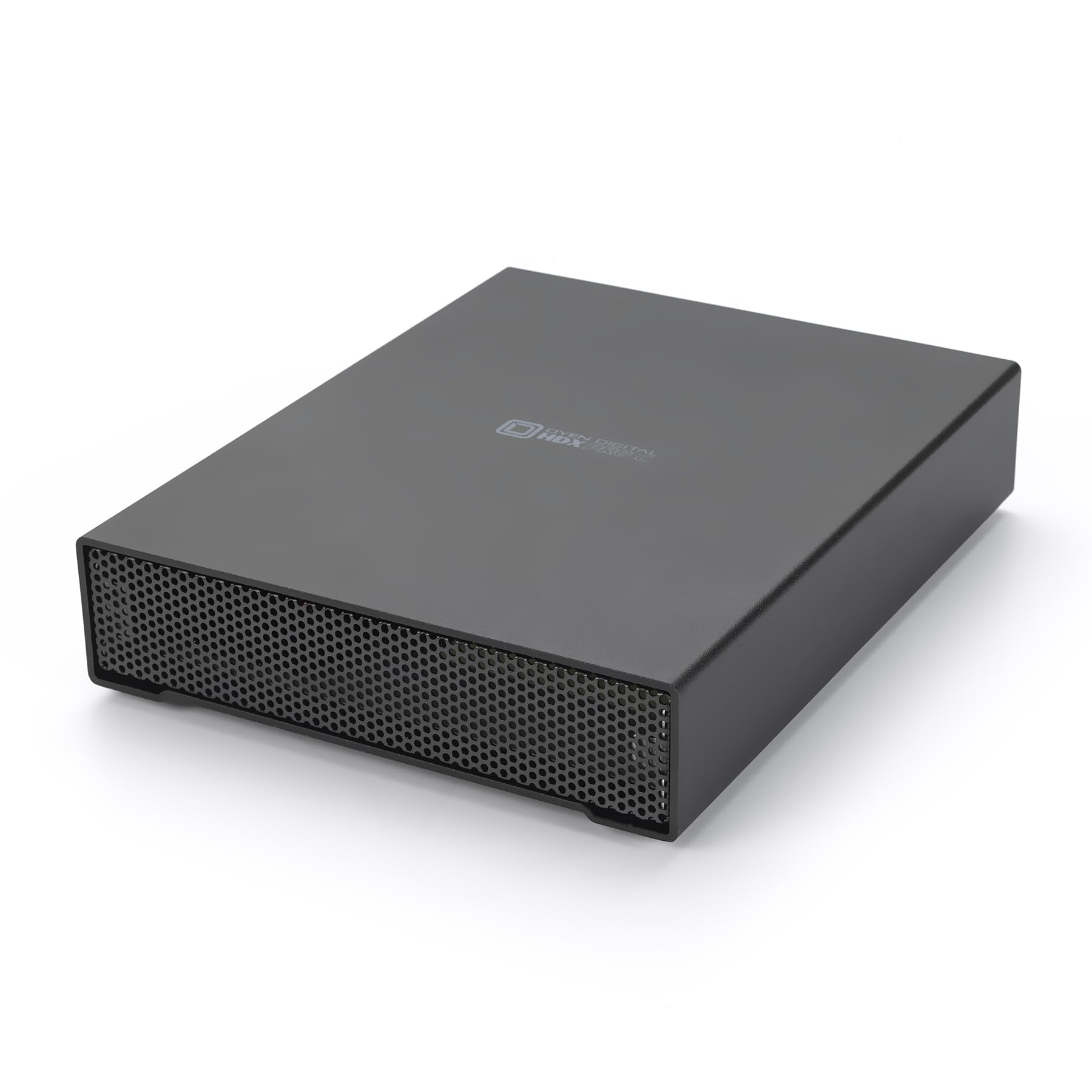
The Oyen Digital HDX Pro C delivers exactly what the 24TB enterprise market demands: a USB-C 10Gbps interface that does not bottleneck the 7200RPM drive inside, documented sequential transfers up to 270 MB/s, and a secondary USB-C port for daisy-chaining additional drives without a separate hub. The all-aluminum enclosure houses an internal fan and power supply, keeping thermals under control during sustained write sessions that can last hours at this capacity.
Real-world testing shows consistent write speeds around 160 MB/s over USB 3.2 Gen 2, while the internal fan runs quietly enough for desktop use. The daisy-chain feature works flawlessly when both devices support 10Gbps, making this an efficient building block for on-set media ingest or multi-drive backup arrays. Users report the build quality is exceptional, with thick casing and a satisfying USB-C connection.
This is not the cheapest 24TB option, but the combination of enterprise-grade components, silent operation, and expandability via daisy-chaining makes it the most balanced high-capacity external drive for professionals who need reliable, fast bulk storage that can grow with their workflow.
Why it’s great
- USB-C 10Gbps with daisy-chain port for multi-drive setups
- All-aluminum enclosure with quiet internal fan and PSU
- Proven enterprise 7200RPM drive delivering ~270 MB/s
Good to know
- Avoid power strip overload — plug each unit into a dedicated outlet
- Higher upfront cost than consumer external drives
2. SanDisk Professional 26TB G-Drive Project
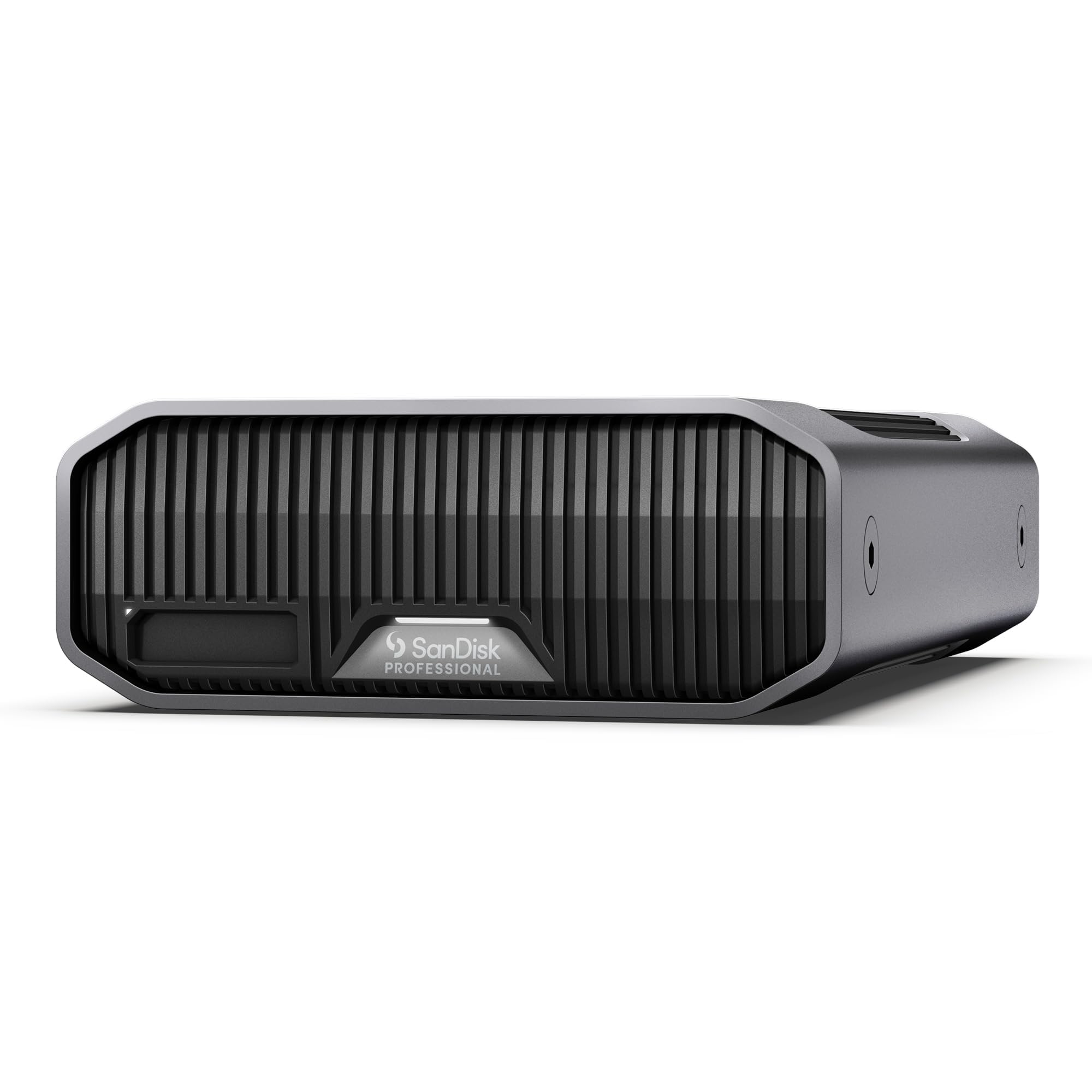
The SanDisk Professional G-Drive Project is a Thunderbolt 3 external HDD that pairs a 7200RPM Ultrastar enterprise drive with a unique PRO-BLADE SSD Mag slot, letting you add NVMe SSD capacity for fast transfers without occupying another port. Read speeds hit 260 MB/s from the HDD, while the SSD slot pushes much higher speeds for active project media. Color-coded cable indicators remove guesswork from connecting the right interface.
Formatted for macOS out of the box, the drive requires reformatting for Windows use — a straightforward process via disk utility or command prompt. The enclosure runs cool and quiet under load, a testament to the Ultrastar drive’s engineering. The included Thunderbolt 3 cable supports 40Gbps bandwidth, which is overkill for the HDD alone but essential for the SSD Mag slot to perform at its full potential.
This is a premium solution for creative professionals who need massive HDD capacity alongside fast SSD access for editing. The dual-interface approach eliminates the need for a separate external SSD, streamlining a video editor’s or photographer’s desk without sacrificing speed or capacity.
Why it’s great
- Thunderbolt 3 at 40Gbps with integrated PRO-BLADE SSD Mag slot
- Ultrastar enterprise drive delivers quiet, reliable 260 MB/s transfer
- Color-coded cables simplify connection to the right interface
Good to know
- Formatted for Mac — requires reformatting for Windows PCs
- Premium price reflects professional-grade components
3. Glyph BlackBox Pro External Hard Drive 20TB

The Glyph BlackBox Pro is built for production studios handling 4K and 8K content archives, featuring a 20TB enterprise-class 7200RPM drive inside a rugged aluminum shell with active fan cooling for 24/7 operation. USB-C 3.2 Gen 2 provides 10Gbps bandwidth, delivering real-world write speeds of 255-260 MB/s that match professional media workflow demands. The drive ships with both USB-C and USB-A cables for seamless cross-platform use.
Glyph backs the BlackBox Pro with a 3-2-1 warranty — three years of full hardware coverage, two years of Level-1 data recovery, and one year of advanced replacement. This is one of the strongest support packages in the external HDD space, offering genuine peace of mind for productions where downtime means lost revenue. Users consistently praise the build quality and transfer consistency.
At 20TB, this drive trades capacity for durability and warranty depth. The active cooling keeps the drive running reliably in warm server rooms or crowded edit bays, but the fan adds a low hum that may be noticeable in silent environments. For professional studio use where uptime matters, the Glyph BlackBox Pro is a compelling choice.
Why it’s great
- Active fan cooling enables 24/7 operation in professional environments
- 3-2-1 warranty with Level-1 data recovery service included
- Consistent ~260 MB/s write speeds for 4K/8K workflows
Good to know
- Heavy for frequent travel — designed for stationary desktop use
- Some users report failure within the first year despite solid warranty
4. Seagate Exos X24 24TB Enterprise Hard Drive (Renewed)
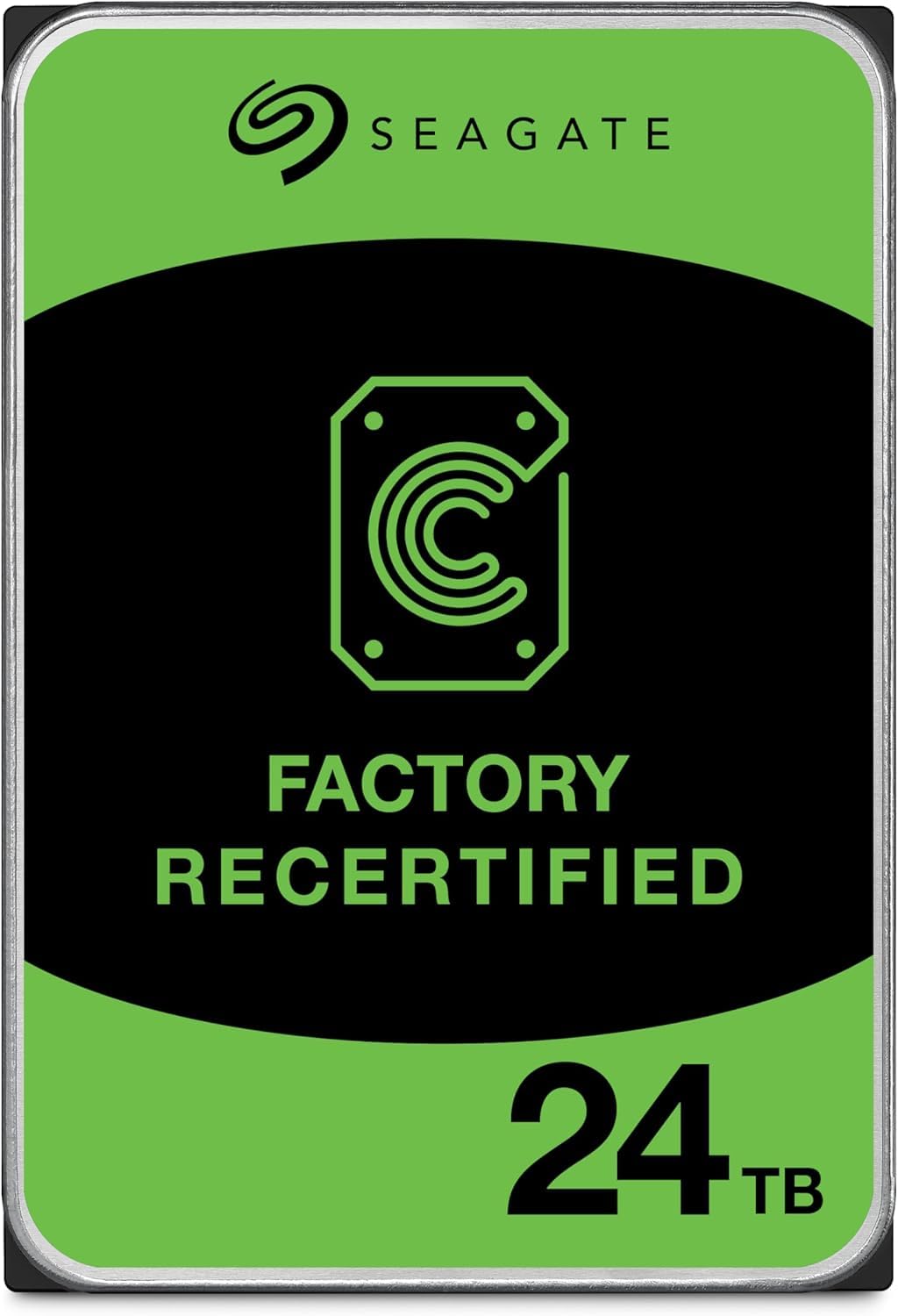
The Seagate Exos X24 is an enterprise-grade, helium-sealed 24TB hard drive using CMR (Conventional Magnetic Recording) technology, delivering sequential read/write speeds of 287 MB/s — one of the fastest figures at this capacity tier. The helium sealing reduces friction and power draw, while the 512MB cache and PowerBalance feature optimize watts per TB for data center efficiency. At 7200RPM, it handles large data transfers with low latency.
This renewed unit ships with a 5-year warranty, which is remarkable for a refurbished enterprise drive. Users report formatted capacity of 22.35 TB and quiet operation. However, some units arrive DOA or with buzzing noises, which is an inherent risk of the refurbished market. The drive is designed primarily for internal use in NAS or server bays, but it can be installed in an external enclosure.
For buyers comfortable with the renewed market, the Exos X24 offers enterprise-grade performance at a fraction of the cost of a new 24TB external drive. The 5-year warranty mitigates much of the risk, but you should test the drive thoroughly within the return window to confirm it is defect-free.
Why it’s great
- Enterprise helium-sealed CMR drive with 287 MB/s transfer speeds
- Surprising 5-year warranty for a renewed enterprise hard drive
- PowerBalance feature optimizes energy efficiency per TB
Good to know
- DOA risk exists — test immediately upon arrival
- Requires an external enclosure for use as an external drive
5. WD Purple Pro 26TB Surveillance Internal Hard Drive
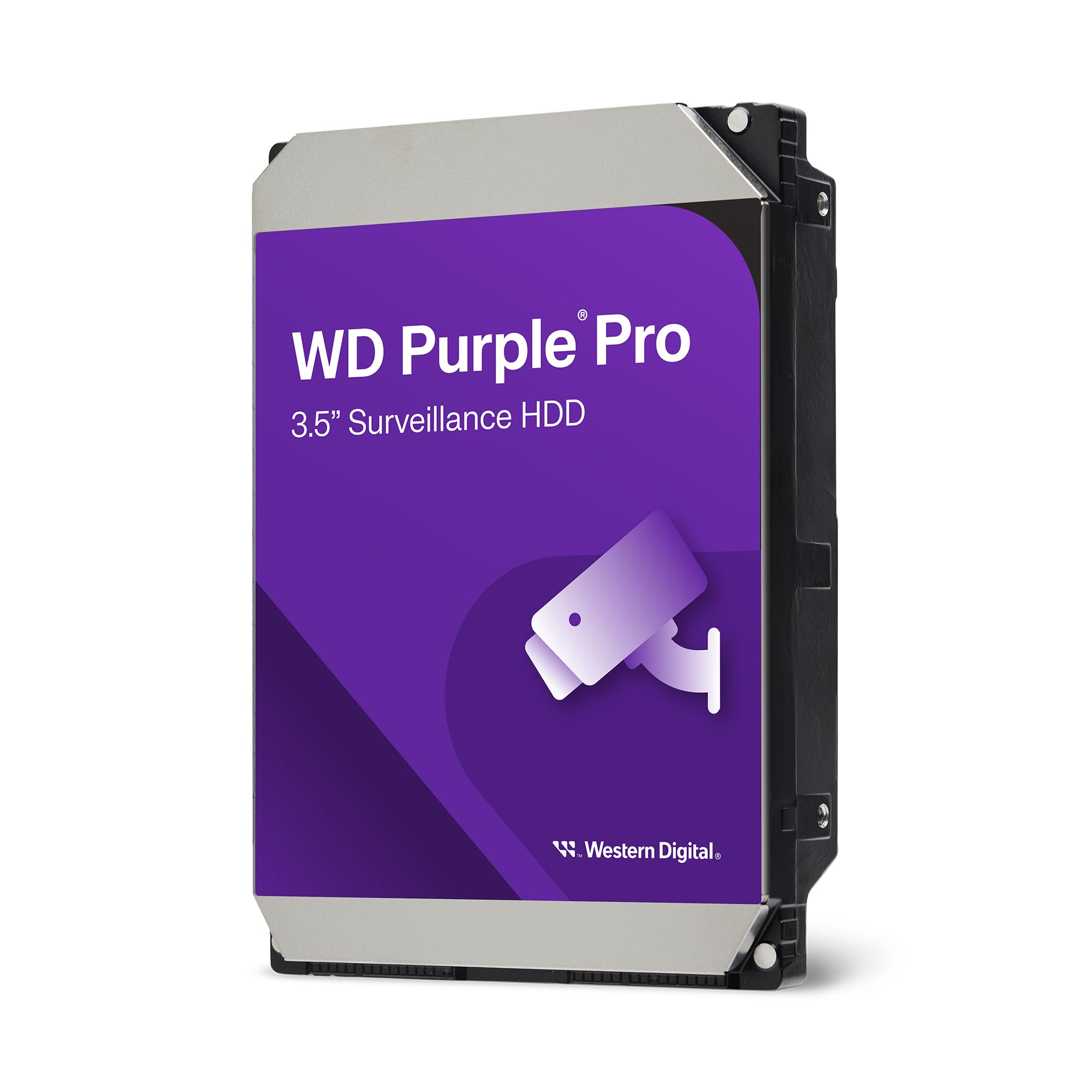
The WD Purple Pro 26TB is an enterprise-class surveillance drive rated for 550TB per year workload and up to 2.5 million hours Mean Time Between Failure. Its 512MB cache and 7200RPM spindle enable smooth playback of multiple 4K camera streams simultaneously, while AllFrame technology reduces frame loss during continuous recording. The SATA 6Gb/s interface ensures compatibility with most NVR and DVR systems.
Real-world deployments show this drive handling 13 cameras writing 24/7 for three years without issues. Users report quiet operation at close range, which matters when the NVR sits in a living space. The 512MB cache is noticeably larger than standard desktop drives, allowing the drive to buffer writes more efficiently during simultaneous multi-stream recording.
This is not a general-purpose desktop drive — it is optimized for sustained sequential writes, not random access. The DOA rate appears higher than average based on user reports, so immediate testing is advised. For dedicated surveillance NVR builds, the Purple Pro 26TB delivers the reliability and write endurance required for around-the-clock operation.
Why it’s great
- 550TB/year workload rating designed for 24/7 surveillance recording
- 512MB cache enables smooth multi-stream 4K playback
- AllFrame technology minimizes frame loss in NVR systems
Good to know
- DOA reports are higher than average — test immediately upon delivery
- Not optimized for desktop file storage or gaming use
6. Seagate Expansion 22TB External Hard Drive
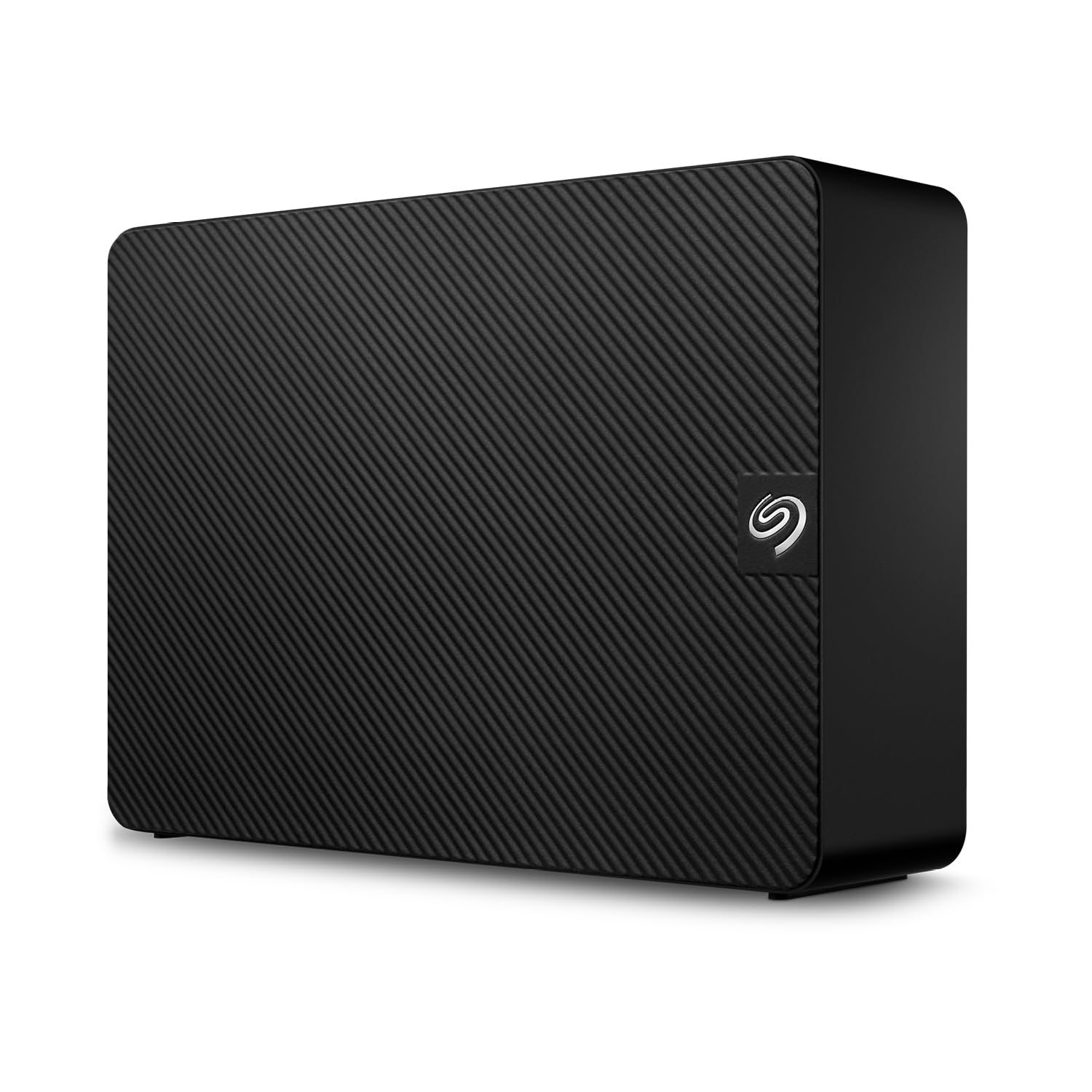
The Seagate Expansion 22TB is a straightforward plug-and-play desktop drive with USB 3.0 connectivity, delivering read speeds around 460 MB/s and write speeds around 390 MB/s in real-world tests. It ships formatted as exFAT, working out of the box with Windows and requiring only a quick reformat for Time Machine on Mac. Drag-and-drop file saving means zero software installation required for basic backup tasks.
Seagate includes Rescue Data Recovery Services with the drive, providing a safety net if the drive fails — a significant value-add at this capacity. However, users report mixed experiences with the warranty process, with some claiming replacement drives were not provided as promised. The included USB cable is a weak point, with several users recommending replacing it for consistent performance.
The drive can be noisy during active file transfers, with audible seek sounds and spin-up vibrations that may be intrusive in quiet rooms. For large-scale backups and media storage where occasional noise is acceptable, the Seagate Expansion 22TB offers a good balance of capacity, speed, and data recovery protection.
Why it’s great
- Fast real-world speeds: ~460 MB/s read and ~390 MB/s write
- Includes Seagate Rescue Data Recovery Services for data protection
- Plug-and-play exFAT format works with Windows and Mac out of the box
Good to know
- Audible seek noise during active transfers may be distracting
- Warranty service quality receives mixed user reviews
7. Western Digital 24TB Elements Desktop External Hard Drive

The Western Digital 24TB Elements Desktop is the highest-capacity entry in WD’s popular Elements line, offering plug-and-play expansion via SuperSpeed USB 3.2 Gen 1 (5Gbps). The 7200RPM drive inside provides smooth transfer rates for large file archives, with users reporting it runs cool and quiet compared to other high-capacity desktop drives. The vertical stand design takes minimal desk space and feels stable.
This drive is compatible with Windows out of the box, and requires reformatting for macOS Time Machine — a minor step. The aluminum enclosure dissipates heat effectively, and user feedback consistently highlights the drive’s reliability over months of use. However, the USB 3.2 Gen 1 interface caps throughput at 5Gbps, which can bottleneck the drive’s raw speed when moving large files.
For users who prioritize capacity, reliability, and a clean desktop footprint over bleeding-edge transfer speeds, the WD 24TB Elements Desktop is a proven choice. WD’s reputation for robust consumer drives adds confidence, though the shorter warranty compared to enterprise drives is worth noting for long-term archival use.
Why it’s great
- Reliable 24TB capacity in a compact, stable vertical stand
- Runs cool and quiet, even during sustained transfers
- Proven WD reliability with strong user satisfaction
Good to know
- USB 3.2 Gen 1 (5Gbps) may bottleneck the drive’s sequential speed
- Requires reformatting for macOS Time Machine compatibility
8. Western Digital 20TB Elements Desktop External Hard Drive

The WD 20TB Elements Desktop delivers a proven balance of capacity, reliability, and price in a compact 3.5-inch enclosure. USB 3.0 connectivity provides fast data transfers for everyday backup tasks, and the drive runs notably cooler than many competitors — a sign of efficient power management and good thermal design. Users consistently describe transfer speeds as smooth and consistent.
WD’s reputation for consumer-grade durability is reinforced by thousands of positive reviews. The drive is plug-and-play on Windows and requires minimal effort to reformat for Mac. The vertical form factor occupies very little desk space and remains stable even on uneven surfaces. Many users report years of trouble-free operation.
The 20TB capacity hits a sweet spot for users who need serious storage but don’t want to pay the premium for the maximum 26TB. The USB 3.0 interface is sufficient for archival workloads, and the low operating temperature contributes to long drive life. For pure storage density at a budget-friendly price point, the WD Elements remains the standard to beat.
Why it’s great
- Proven WD reliability with thousands of positive user reviews
- Compact vertical design saves desk space and stays stable
- Runs cooler than most competing high-capacity desktop drives
Good to know
- USB 3.0 limits transfer speeds below 5Gbps interface potential
- 20TB drives often contain CMR or SMR drives — check individual packaging
9. Water Panther Arsenal 26TB SATA 7200RPM 3.5-Inch DAS Hard Drive
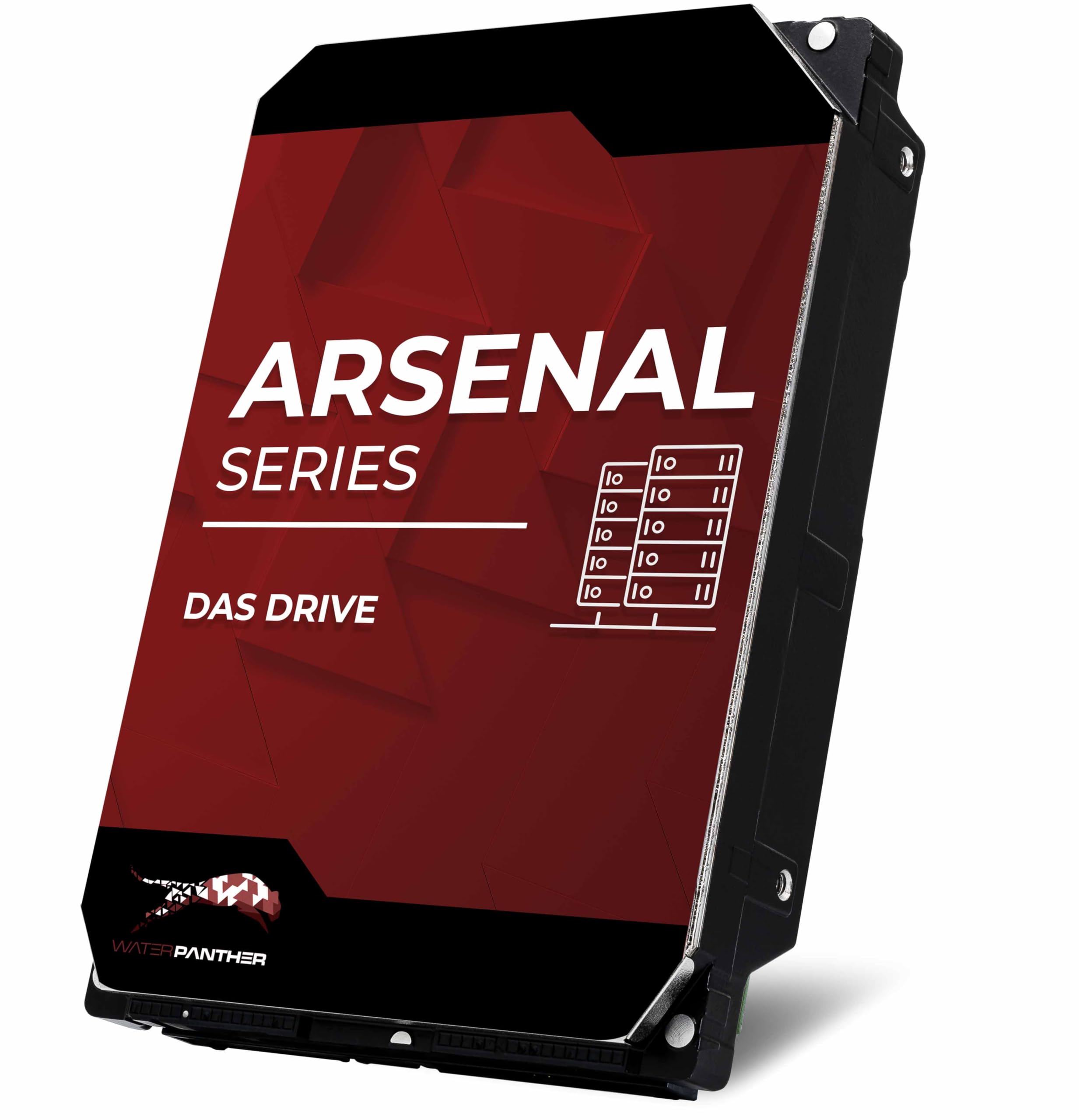
The Water Panther Arsenal 26TB is a SATA 6Gbps internal/external DAS drive designed for direct-attached-storage systems. Many units ship as rebadged Seagate Exos enterprise drives (X14, X16, or X20 series), offering enterprise-grade reliability at a more accessible price point. The 7200RPM spindle and 6Gbps interface deliver fast sequential transfers suitable for NAS arrays or desktop editing.
Users report excellent compatibility with Synology NAS systems and 6Gbps LSI controllers. The drive supports low-level reformatting and encryption features like PSID. Since Water Panther sources drives from various enterprise OEMs, the exact model inside can vary — some users receive near-new Exos drives with minimal power-on hours, while others report new sealed units.
This is a solid option for users who need a 26TB SATA drive for integration into an existing NAS or server infrastructure. The variability in the actual drive model inside means you should verify the drive’s specifics upon arrival. The lack of a dedicated external enclosure limits its appeal for users seeking a simple desktop plug-and-play solution.
Why it’s great
- Often ships as a Seagate Exos enterprise drive at a lower price
- Solid compatibility with Synology NAS and LSI controllers
- Native Command Queuing for efficient multi-user workloads
Good to know
- Drive model varies — you may receive Exos X14, X16, or X20
- Designed for internal/DAS use — no external enclosure included
10. iStorage diskAshur DT2 26TB Secure Encrypted Desktop Hard Drive

The iStorage diskAshur DT2 is a FIPS 140-2 Level 3 certified hardware-encrypted desktop hard drive, meaning the encryption is built into the drive’s controller and cannot be bypassed by connecting the drive to another system. A 7-15 digit PIN is required before the drive unlocks, with real-time AES-XTS 256-bit encryption applied to all data. Read speeds reach 277 MB/s and write speeds hit 271 MB/s via USB 3.2.
This drive works on any OS with a USB port — Windows, macOS, Linux, Chrome, Android, Citrix — without requiring any software installation. The encryption is transparent after authentication, so the drive behaves like a normal external HDD once unlocked. The rugged epoxy resin enclosure with dust and water resistance adds physical protection for transport between secure locations.
However, some users find the PIN entry system finicky: the smooth buttons make combination presses unreliable, and the 30-page manual based on three flashing lights can be confusing. The universal multi-country power supply feels less premium than the rest of the drive. For government, legal, or healthcare users who require certified hardware encryption, the diskAshur DT2 is the clear choice, but it demands patience during setup.
Why it’s great
- FIPS 140-2 Level 3 certified hardware encryption with AES-XTS 256-bit
- No software required — works across Windows, Mac, Linux, and Chrome
- Fast transfer speeds up to 277 MB/s read and 271 MB/s write
Good to know
- PIN entry interface can be confusing and unreliable for some users
- Higher price reflects enterprise security certifications, not capacity alone
11. SANDISK 8TB Desk Drive SSD

The SANDISK 8TB Desk Drive SSD offers a fundamentally different approach to bulk storage — solid-state speed at 1000 MB/s read, roughly four times faster than any 7200RPM HDD. The compact form factor takes minimal desk space, and USB-C 3.2 Gen 2 connectivity ensures full bandwidth utilization. It is formatted exFAT out of the box, compatible with both Windows and Mac.
At 8TB, this drive targets active project storage rather than deep archival. Video editors report excellent performance editing large RAW files from Sony a7R III and Canon R5 cameras directly from the drive via Lightroom and Photoshop. The SSD produces zero noise and minimal vibration, making it ideal for quiet studio environments. The included Acronis True Image software enables automatic backups.
However, the 8TB capacity is a fraction of the 26TB HDDs in this guide, and the price per terabyte is significantly higher. The drive requires its own power adapter — it is not USB bus-powered. Some users report the drive getting hot and disconnecting during sustained writes, leading to data corruption. This is not a substitute for a 26TB archive drive, but a speed-focused companion for active file access.
Why it’s great
- SSD speeds up to 1000 MB/s — 4x faster than any HDD for active editing
- Compact, silent, and vibration-free for quiet studio environments
- Pre-formatted exFAT works with Windows and Mac out of the box
Good to know
- Only 8TB capacity — not a substitute for 26TB archive storage
- Some units overheat and disconnect under sustained write loads
FAQ
Can a 26TB hard drive be used in a NAS system?
What is the difference between a 26TB enterprise drive and a consumer drive?
Is hardware encryption necessary for a 26TB external drive?
Final Thoughts: The Verdict
For most users, the best 26tb external hard drive winner is the Oyen Digital HDX Pro C 24TB because it combines enterprise-grade 7200RPM performance with USB-C 10Gbps daisy-chaining, silent active cooling, and a robust all-aluminum build that fits professional workflows. If you need Thunderbolt 3 connectivity with an integrated SSD slot for fast editing access, grab the SanDisk Professional 26TB G-Drive Project. And for uncompromising hardware encryption certified to government standards, nothing beats the iStorage diskAshur DT2 26TB.