
The jump from a standard 1080p display to a 27-inch 1440p panel running at 144Hz is the single most impactful upgrade you can make for both competitive gaming and daily desktop use. The added pixel density sharpens text and textures dramatically, while the high refresh rate transforms motion into a fluid, almost tactile experience. But the market is now flooded with options spanning IPS, VA, and the new wave of QD-OLED technology, making the choice far more complex than simply picking the cheapest panel with the right resolution.
I’m Min — the co-founder and writer behind Gadgets Feed. I’ve spent countless hours analyzing technical specifications, poring over user reports on panel quality and durability, and comparing real-world performance metrics across every major 27-inch 1440p monitor release to separate genuine upgrades from marketing hype.
This guide cuts through the noise to deliver a meticulously researched ranking of the best options available, ensuring you invest in a monitor that delivers the performance and image quality you expect from your 27 inch 1440p 144hz monitor.
How To Choose The Best 27 Inch 1440P 144Hz Monitor
Choosing the right monitor involves more than just matching numbers on a spec sheet. You need to weigh panel technology against your primary use case, whether that’s competitive esports, single-player immersion, or professional creative work. The following factors are the critical differentiators in this category.
Panel Technology: IPS, VA, or OLED
IPS panels offer the most consistent color reproduction and wide viewing angles, making them the default choice for mixed-use scenarios. VA panels provide deeper native contrast, which enhances dark scenes in movies and games, but suffer from slower pixel response times that can cause visible smearing in fast motion. QD-OLED technology delivers near-instant response times (0.03ms), infinite contrast ratio, and vibrant colors, but carries a risk of permanent burn-in over years of static desktop use and commands a significant price premium. For a 144Hz baseline, a fast IPS panel is the most balanced and safest choice for most buyers.
Refresh Rate and Adaptive Sync
While the target is 144Hz, many displays in this class now offer 240Hz, 360Hz, or even 480Hz panels. A higher refresh rate reduces perceived motion blur and input lag, which is directly beneficial in competitive shooters. Ensure the monitor supports either AMD FreeSync or NVIDIA G-SYNC compatibility to prevent screen tearing across a variable frame rate range. A monitor that is officially certified as G-SYNC Compatible has passed NVIDIA’s validation for consistent performance.
Color Gamut and HDR Certification
For a vivid image, look for a monitor that covers at least 95% of the DCI-P3 color space. A VESA DisplayHDR 400 certification is the entry-level standard, providing acceptable peak brightness for highlights. True HDR performance requires DisplayHDR 600 or higher, or the OLED-specific DisplayHDR True Black 400 standard, which allows for deep blacks and bright specular highlights to coexist in the same scene. Do not confuse simple HDR compatibility with actual high dynamic range performance.
Quick Comparison
On smaller screens, swipe sideways to see the full table.
| Model | Category | Best For | Key Spec | Amazon |
|---|---|---|---|---|
| LG 27GR83Q-B | IPS | Best Overall Value | 240Hz / 1ms GtG | Amazon |
| GIGABYTE M27Q3 | IPS | Ultra-Smooth Motion | 300Hz (OC 320Hz) | Amazon |
| MSI MAG 271QPX QD-OLED | QD-OLED | Best Picture Quality | 240Hz / 0.03ms GtG | Amazon |
| Alienware AW2725DF | QD-OLED | Competitive Gaming | 360Hz / 0.03ms GtG | Amazon |
| ASUS ROG Strix XG27ACDNG | QD-OLED | Premium Esports | 360Hz / 0.03ms GtG | Amazon |
| LG 27GX790A-B | OLED | Top-Tier Speed | 480Hz / 0.03ms GtG | Amazon |
| INNOCN GA27M1Q | QD-OLED | Maximum Refresh Rate | 500Hz / 0.03ms GtG | Amazon |
| Samsung Odyssey G6 (G61SD) | QD-OLED | Stylish HDR | 240Hz / 0.03ms GtG | Amazon |
| Sony INZONE M10S | OLED | Tournament-Ready | 480Hz / 0.03ms GtG | Amazon |
In‑Depth Reviews
1. LG 27GR83Q-B

The LG 27GR83Q-B is a masterclass in balancing high-performance specs with a sensible price point. It features a fast IPS panel with a 2560×1440 resolution and a 240Hz refresh rate—significantly higher than the baseline 144Hz—paired with a 1ms GtG response time. The inclusion of both HDMI 2.1 and DisplayPort 1.4 ensures you can drive the full 240Hz without compression, making it equally suitable for modern consoles and high-end PCs.
Color performance is a strong suit, with the monitor covering up to 95% of the DCI-P3 gamut and carrying VESA DisplayHDR 400 certification. While the HDR experience is entry-level, the color saturation and clarity in SDR content are excellent. The ergonomic stand offers height, tilt, swivel, and pivot adjustments, and the OnScreen Control software makes fine-tuning settings straightforward.
The primary concern reported by users is panel quality control, specifically stuck or dead pixels. While the monitor performs exceptionally well when defect-free, the inconsistency is a notable risk. The excellent 240Hz refresh rate, robust connectivity, and solid build quality make it the most balanced choice for buyers who want premium speed without moving to OLED.
Why it’s great
- 240Hz refresh rate via HDMI 2.1 and DisplayPort 1.4
- Excellent 95% DCI-P3 color gamut coverage
- Fully adjustable ergonomic stand with pivot
Good to know
- Multiple user reports of stuck pixels require careful inspection on arrival
- HDR brightness is limited to VESA DisplayHDR 400 baseline
2. GIGABYTE M27Q3
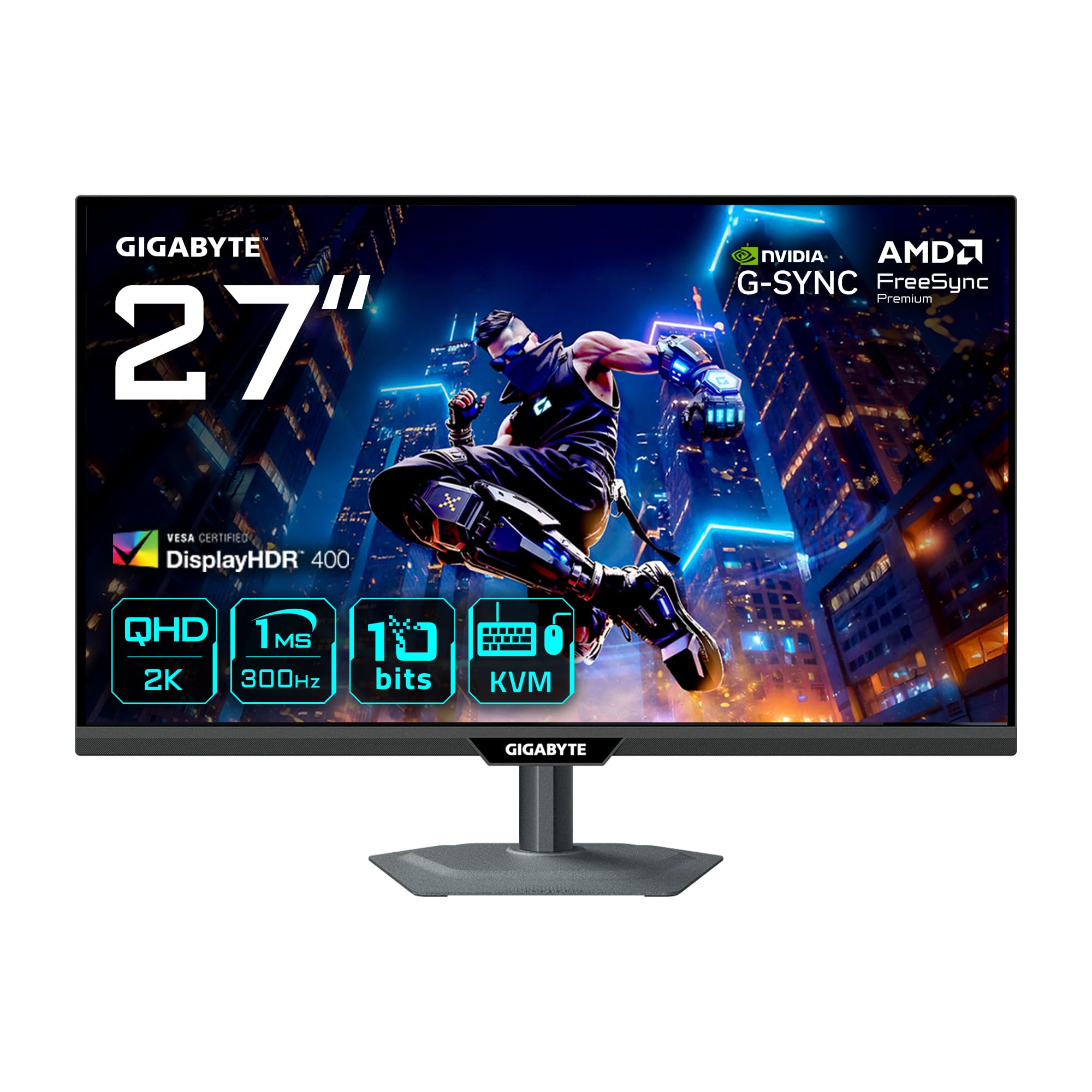
The GIGABYTE M27Q3 pushes the IPS ceiling with a native 300Hz refresh rate that overclocks to 320Hz, making it one of the fastest non-OLED 27-inch 1440p monitors available. This is a SuperSpeed IPS panel with a 1ms response time, delivering motion clarity that rivals many OLEDs in terms of fluidity. It supports both FreeSync Premium and is G-SYNC Compatible, ensuring a tear-free experience across a wide range of frame rates.
The color performance is solid, with a stated 95% DCI-P3 coverage and a typical brightness of 400 cd/m², which meets the DisplayHDR 400 standard. A notable productivity feature is the KVM functionality, allowing you to control two devices with a single mouse and keyboard setup. The ergonomic stand is fully adjustable, providing tilt, swivel, and height changes.
User feedback highlights a significant drawback: poor viewing angles and backlight homogeneity. The edges of the screen can appear darker, and the color shift is noticeable from off-center positions. This makes it a specialized choice for competitive gamers who sit directly in front of the screen, but less ideal for content consumption or shared viewing.
Why it’s great
- Native 300Hz refresh rate with 320Hz overclock capability
- Integrated KVM switch for multi-device workflows
- Strong motion handling with smart overdrive
Good to know
- Poor viewing angles and uneven backlighting on some units
- Default color settings require manual calibration
3. MSI MAG 271QPX QD-OLED E2

The MSI MAG 271QPX QD-OLED E2 is the entry point for buyers who want the transcendent image quality of OLED without paying the highest premium. It offers a 27-inch QHD panel with a 240Hz refresh rate and a 0.03ms GtG response time, delivering the perfect blacks and vibrant colors that QD-OLED is known for. The VESA DisplayHDR True Black 400 certification means HDR content looks spectacular, with inky blacks and bright highlights coexisting without blooming.
MSI includes a robust suite of OLED Care 2.0 features, including pixel shift and a panel refresh utility, to mitigate the risk of burn-in. The monitor also has a custom heatsink for passive cooling, which prevents thermal throttling and extends the panel’s lifespan. The connectivity is modern, with HDMI 2.1 and DisplayPort 1.4 inputs that can handle the full 240Hz signal.
The primary drawback reported by users is the bulky stand, which takes up considerable desk space. Some users also note that the default pixel shift setting can be distracting until adjusted to a slower speed. For a mid-range price, this monitor offers a transformative visual upgrade over any IPS panel, making it the best value proposition in the OLED segment of this guide.
Why it’s great
- Stunning QD-OLED image quality with True Black 400 HDR
- Comprehensive OLED Care 2.0 suite with a 3-year burn-in warranty
- Fanless cooling design with custom heatsink for long life
Good to know
- Stand is large and takes up significant desk real estate
- Default pixel shift frequency can be distracting during desktop use
4. Alienware AW2725DF

The Alienware AW2725DF takes the QD-OLED formula and pushes the refresh rate to 360Hz, creating an incredibly responsive display that excels in fast-paced competitive titles. The 0.03ms response time virtually eliminates ghosting, and the infinite contrast ratio makes every scene look three-dimensional. It is certified for AMD FreeSync Premium Pro and supports VESA AdaptiveSync, guaranteeing smooth, tear-free gameplay.
Color accuracy is exceptional out of the box, with a factory calibration reporting Delta E < 2 and 99.3% DCI-P3 coverage. The HDR performance is superb, thanks to the VESA DisplayHDR True Black 400 certification. The build quality is premium, with a fully adjustable stand that offers height, tilt, swivel, and pivot. Dell backs this monitor with a 3-year burn-in warranty, providing significant peace of mind for a high-investment OLED purchase.
A few users reported minor cosmetic imperfections, such as faint micro-scratches on the bezel or bubbles under the protective film, though these do not affect the display performance. The text clarity is slightly less sharp than a high-PPI IPS panel due to the subpixel layout of QD-OLED, which is a known trait of this technology. It is the definitive choice for gamers who want the best motion clarity available in a 27-inch 1440p format.
Why it’s great
- Ultra-smooth 360Hz refresh rate on a QD-OLED panel
- Factory-calibrated Delta E < 2 color accuracy out of the box
- 3-year burn-in warranty provides excellent long-term coverage
Good to know
- QD-OLED text clarity is softer than high-end IPS monitors
- Minor cosmetic QC issues reported on some units
5. ASUS ROG Strix XG27ACDNG

The ASUS ROG Strix XG27ACDNG is a purpose-built 26.5-inch QD-OLED monitor designed for competitive esports, featuring a 360Hz refresh rate and a 0.03ms response time. It employs a highly efficient custom heatsink and ASUS’s proprietary OLED Care+ functions, including an Anti-Flicker technology that reduces flicker during refresh rate fluctuations. This makes it one of the most stable OLED panels for variable frame rate scenarios.
Image quality is outstanding, with a 99% DCI-P3 gamut coverage and true 10-bit color depth. The monitor supports both FreeSync Premium Pro and G-SYNC Compatibility, ensuring a tear-free experience on both AMD and NVIDIA systems. The DisplayWidget Center software allows you to adjust OLED Care settings and other parameters directly from your mouse, which is a convenience feature not often found on competitors.
User feedback is overwhelmingly positive, particularly regarding the build quality and the absence of dead pixels. The semi-glossy screen coating manages reflections effectively while preserving the deep blacks that QD-OLED is famous for. The limited height adjustment on the stand and the mandatory pixel cleaning pop-up during gameplay are minor annoyances in an otherwise top-tier package. ASUS includes a 3-year warranty with burn-in coverage.
Why it’s great
- Proprietary OLED Anti-Flicker technology for stable VRR performance
- Excellent build quality with zero reported dead pixels in most units
- DisplayWidget Center software for easy OSD control via mouse
Good to know
- Stand height adjustment range is limited
- Automatic pixel cleaning pop-up can briefly interrupt gameplay
6. LG 27GX790A-B

The LG 27GX790A-B is a technological flagship, bringing a 480Hz refresh rate to a 27-inch QHD W-OLED panel. This is the highest refresh rate available on a 1440p OLED monitor, and it is paired with a DisplayPort 2.1 input that provides the bandwidth necessary to drive flawless 480Hz gameplay without compression artifacts. The 0.03ms response time ensures that every frame is rendered with near-instant clarity.
The W-OLED panel delivers excellent 98.5% DCI-P3 coverage and a 1.5M:1 contrast ratio, with VESA DisplayHDR True Black 400 certification for impressive HDR visuals. LG includes a full suite of gaming features, including Dynamic Action Sync for input lag reduction and Black Stabilizer for better visibility in dark scenes. The ergonomic stand offers full adjustability including pivot, and the RGB hexagonal backlighting adds a premium aesthetic.
Some users note that the matte anti-glare coating can introduce a slight grainy texture on solid white pages, which may be noticeable during productivity work. The monitor also relies on pixel cleaning cycles to prevent image retention. For any gamer with hardware capable of delivering 480 fps, this monitor provides a level of fluidity that makes lower refresh rate displays feel sluggish by comparison.
Why it’s great
- Industry-leading 480Hz refresh rate on a W-OLED panel
- DisplayPort 2.1 connectivity for uncompressed high-refresh signals
- Excellent 98.5% DCI-P3 coverage and True Black 400 HDR
Good to know
- Matte coating can produce a grainy appearance on bright white backgrounds
- Requires periodic pixel refresh cycles to maintain image uniformity
7. INNOCN GA27M1Q

The INNOCN GA27M1Q currently holds the crown for the absolute highest refresh rate in the 27-inch 1440p form factor, boasting a massive 500Hz on a QD-OLED panel. This monitor is designed for the extreme competitive gamer who has the hardware to push frame rates beyond 480 fps. The 0.03ms response time is standard for OLED, but the 500Hz refresh rate reduces motion blur to near-zero levels in supported titles.
It delivers 99% DCI-P3 color coverage alongside a 1,500,000:1 contrast ratio, ensuring the visual quality is as impressive as the speed. The monitor includes dual DisplayPort and dual HDMI 2.1 inputs, along with a KVM function for managing multiple devices. The design features a white chassis with LED ambient lighting and a fully adjustable stand that supports pivot.
Users praise the exceptional value for the price, noting the built-in speakers are surprisingly usable. The main caveat is that achieving 500 fps in modern games requires a top-tier system, making this monitor a future-proof investment for most. It also uses a fanless design, relying on passive cooling, which has been reported to keep the monitor silent during operation. For anyone chasing the highest possible frame rate, this is the leader.
Why it’s great
- 500Hz refresh rate is the highest available on a 1440p QD-OLED
- Excellent color coverage with 99% DCI-P3
- Premium build with white chassis and LED ambient lighting
Good to know
- Requires an extremely high-end PC to fully utilize the 500Hz refresh rate
- HDR performance is rated at HDR500, which is good but not best-in-class
8. Samsung Odyssey G6 (G61SD)

The Samsung Odyssey G6 (G61SD) is a sleek QD-OLED monitor that combines the vibrant image quality of Samsung’s OLED panels with a premium silver metal design. It offers a 240Hz refresh rate and a 0.03ms response time, with a glossy-free screen coating that is 54% less reflective than standard anti-reflection films. The monitor supports both FreeSync Premium Pro and is G-SYNC Compatible.
The stand is sturdy and fully adjustable, though it lacks pivot. Samsung’s Dynamic Cooling System uses a pulsating heat pipe for fanless cooling, which is claimed to be five times more effective than graphite sheet methods. The monitor includes a remote control for navigating the OSD and built-in 2W speakers that are adequate for basic audio.
User feedback highlights a major issue with a permanent non-disableable pixel shift feature, which creates noticeable gaps on the screen that can be distracting during desktop use. The auto-brightness feature also has a tendency to dim bright scenes and brighten dark scenes in a jarring way. When configured correctly, the image quality is stunning, making it a great choice for media consumption and gaming, but the software quirks may be frustrating for some users.
Why it’s great
- Excellent QD-OLED image quality with a glare-free screen coating
- Dynamic Cooling System with fanless pulsating heat pipe
- Premium silver metal design and adjustable stand
Good to know
- Non-disableable pixel shift can be distracting and leave visible gaps
- Auto-brightness behavior is aggressive and can be jarring
9. Sony INZONE M10S

The Sony INZONE M10S is a 27-inch OLED monitor co-developed with the Fnatic esports team, focusing on a 480Hz refresh rate and a 0.03ms response time. It features a unique low-profile stand that is only 4mm thick, designed to maximize desk space for low-sensitivity mouse movements. The monitor includes a Tournament Mode that scales the screen down to a 24.5-inch mode for a more focused competitive view.
The custom heatsink allows for fanless passive cooling, helping to prevent burn-in over time. Connectivity is strong with a single DisplayPort 2.1 (UHBR10) and two HDMI 2.1 ports. The monitor supports NVIDIA G-SYNC Compatibility and VRR over HDMI 2.1. Sony includes a 3-year limited warranty with OLED burn-in coverage.
The primary issue reported is day-one hardware defects in some units, including pixelation or snow effects on half the screen that require service. The price is also the highest in this comparison. When functioning correctly, the motion clarity is second to none, making it a top choice for professional esports players who prioritize responsiveness over all else.
Why it’s great
- 480Hz OLED with industry-leading motion clarity and responsiveness
- Low-profile stand design maximizes mouse space for competitive play
- 24.5-inch mode for tournament-standard viewing size
Good to know
- Some users report severe hardware defects on day one
- Significant price premium over other 480Hz OLED monitors
10. ZZA 49″ Curved Gaming Monitor
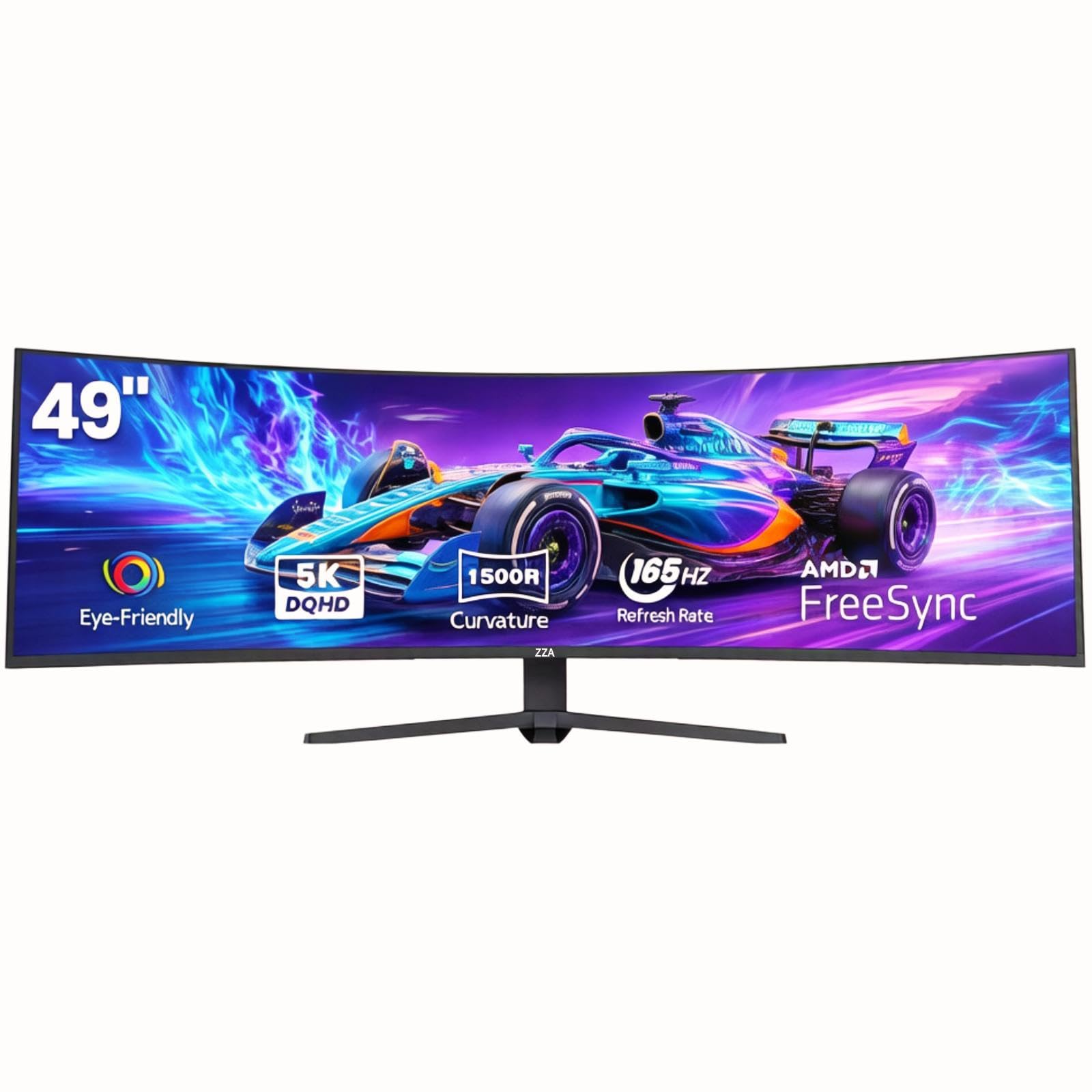
The ZZA 49-inch monitor is a unique inclusion in this guide, offering a DQHD (5120×1440) resolution on a 49-inch 32:9 curved VA panel. While it is physically much larger, it effectively provides the same vertical pixel count as a 1440p display, expanded horizontally to replace a dual-monitor setup. The refresh rate is 144Hz (overclockable to 165Hz), placing it in the target performance bracket.
The VA panel provides a high native contrast ratio of 3000:1, which results in deep blacks suitable for dark room gaming. The 1500R curve is aggressive enough to wrap around your peripheral vision, creating an immersive experience for racing and flight simulators. The monitor supports AMD FreeSync and includes HDMI 2.1 inputs, making it compatible with modern consoles.
Customer support and quality control are the largest concerns. Multiple users report receiving defective units with missing screen real estate or non-functional features, and the brand provides minimal support. The monitor also lacks built-in speakers and HDR performance is limited due to the 330 cd/m² peak brightness. It is a budget option for buyers who prioritize screen real estate over flawless performance.
Why it’s great
- Massive 49-inch 32:9 ultra-wide screen replaces a dual monitor setup
- VA panel delivers a 3000:1 contrast ratio for deep blacks
- Aggressive 1500R curve provides excellent immersion
Good to know
- Significant quality control issues reported across multiple units
- Brand support is nearly non-existent after purchase
11. MSI PRO MAX 271UPXW12G

The MSI PRO MAX 271UPXW12G is a 27-inch 4K UHD (3840×2160) QD-OLED monitor designed primarily for professional productivity and content creation. While it exceeds the 1440p resolution requirement of this guide, it addresses a specific user need for high pixel density combined with OLED quality. The 120Hz refresh rate is lower than the gaming-focused monitors, but it ensures smooth desktop navigation and light gaming.
This monitor is factory calibrated with a Delta E < 2 color accuracy and supports VESA DisplayHDR True Black 400. Its standout feature is the Dual USB-C Hub with 98W power delivery, making it a true one-cable solution for MacBooks and other laptops. The built-in speakers and MSI Mac Optimization Software further cement its role as a productivity workstation.
User feedback notes that the 4K resolution at 27 inches results in very sharp text, but the 120Hz refresh rate may feel limited to hardcore gamers used to higher speeds. The monitor excels in workflow scenarios where color accuracy and desk cleanliness are prioritized over raw gaming frame rates. It is a specialist tool for creative professionals who also want the benefits of an OLED panel.
Why it’s great
- 4K UHD resolution on a QD-OLED panel provides exceptional pixel density and image clarity
- Dual USB-C hub with 98W power delivery for a clean, single-cable laptop setup
- Factory calibrated Delta E < 2 color accuracy ideal for creative work
Good to know
- 120Hz refresh rate is significantly lower than other monitors in this guide
- Requires specific setup configuration for optimal Mac dual-monitor performance
FAQ
Is 1440p worth it over 1080p for a 27-inch monitor?
Can I use a 144Hz monitor with a console like the PS5 or Xbox Series X?
What is the risk of burn-in on QD-OLED monitors?
Final Thoughts: The Verdict
For most users, the 27 inch 1440p 144hz monitor winner is the LG 27GR83Q-B because it delivers a stellar 240Hz IPS experience with excellent color and connectivity at a mid-range price point. If you want the best possible image quality with perfect blacks and vibrant colors, grab the MSI MAG 271QPX QD-OLED E2. And for competitive gamers chasing the highest possible refresh rate, nothing beats the INNOCN GA27M1Q with its 500Hz QD-OLED panel.