
Motion clarity at 240Hz is the dividing line between seeing a blur and reading a nameplate. At 27 inches with QHD resolution, the pixel density is high enough to eliminate the softness of 1080p while keeping GPU demands manageable. The real question is which panel technology—IPS, OLED, or QD-OLED—handles that refresh rate without ghosting, tearing, or compromising color fidelity.
I’m Min — the co-founder and writer behind Gadgets Feed. I’ve spent hundreds of hours analyzing panel specs, refresh rate implementation, and real-user motion clarity data across the current 27-inch 240Hz market to find the monitors that actually deliver on their speed promises without hidden compromises.
Whether you’re upgrading from 144Hz or building a high-frame-rate rig from scratch, this guide breaks down the best 27 inch 240hz monitor options across every panel type and budget tier.
How To Choose The Best 27 Inch 240Hz Monitor
Selecting the right 27-inch 240Hz monitor is not just about the refresh rate number. The panel technology, adaptive sync support, and connectivity all determine whether the monitor delivers smooth gameplay or introduces artifacts. Understanding each factor helps avoid common pitfalls like VRR flicker or insufficient bandwidth for full 240Hz at QHD resolution.
Panel Technology: IPS vs OLED vs QD-OLED
IPS panels at 240Hz offer good color accuracy and wide viewing angles but cannot match the near-instant response times of OLED. OLED and QD-OLED panels achieve 0.03ms gray-to-gray response, virtually eliminating ghosting, but introduce concerns around burn-in and brightness management. QD-OLED adds quantum dot color enhancement for wider gamut coverage, typically hitting 99% DCI-P3, while standard OLED relies on WOLED technology with slightly lower peak brightness in full-screen white scenes.
Adaptive Sync Implementation
G-Sync Compatible certification and FreeSync Premium or Premium Pro are not interchangeable. FreeSync Premium requires at least 120Hz at minimum FHD resolution and low framerate compensation, while FreeSync Premium Pro adds HDR support. G-Sync Compatible validation means NVIDIA has tested the monitor for tear-free performance, but some monitors exhibit VRR flicker during rapid framerate fluctuations. Disabling VRR and locking the refresh rate to 240Hz can eliminate this issue on OLED panels.
Connectivity and Bandwidth Requirements
Running 1440p at 240Hz requires DisplayPort 1.4 with Display Stream Compression or HDMI 2.1. Older HDMI 2.0 ports cap at 144Hz at QHD resolution. USB-C with DisplayPort Alt Mode and 65W power delivery is increasingly common for laptop users, but not all monitors support full 240Hz over USB-C. Always verify the cable included in the box supports the required bandwidth — some monitors ship with underspec cables despite advertising full speed.
OLED Care and Burn-in Mitigation
OLED monitors implement pixel refresh cycles, logo brightness detection, and taskbar dimming to prevent burn-in. These features can interrupt gameplay if they trigger during active sessions. Some monitors allow postponing or scheduling these cycles, while others require manual cancellation. The presence of a graphene heatsink or pulsating heat pipe, as seen in certain MSI and Samsung models, improves heat dissipation and reduces long-term degradation risk.
Quick Comparison
On smaller screens, swipe sideways to see the full table.
| Model | Category | Best For | Key Spec | Amazon |
|---|---|---|---|---|
| LG 27GX700A-B | OLED | Brightest OLED gaming | 280Hz / 0.03ms / 1500 nits | Amazon |
| Samsung Odyssey G6 G61SD | QD-OLED | Premium QD-OLED value | 240Hz / 0.03ms / Glare Free | Amazon |
| ASUS ROG Strix XG27AQDMG | WOLED | Glossy OLED with anti-flicker | 240Hz / 0.03ms / Anti-flicker tech | Amazon |
| AOC AGON PRO AG276QZD2 | QD-OLED | Competitive tournament play | 280Hz v2 / 0.03ms / HDR400 | Amazon |
| INNOCN GA27W1Q | QD-OLED | 4K 240Hz value | 4K 240Hz / 0.03ms / MAC-View | Amazon |
| MSI MAG 272QP QD-OLED X24 | QD-OLED | OLED with burn-in warranty | 240Hz / 0.03ms / Graphene heatsink | Amazon |
| Pixio PX277 OLED Max V2 | WOLED | KVM switch + OLED | 240Hz / 0.03ms / USB-C 65W | Amazon |
| Acer Predator X27U | QD-OLED | Budget OLED entry | 240Hz / 0.03ms / DCI-P3 99% | Amazon |
| Alienware AW2723DF | IPS | Competitive FPS with IPS | 280Hz OC / 1ms / DisplayHDR 600 | Amazon |
| LG 27GR83Q-B | IPS | Best value IPS 240Hz | 240Hz / 1ms / HDMI 2.1 | Amazon |
| Dell S3425DW | VA | Ultrawide productivity + casual | 120Hz / 0.03ms / USB-C 65W | Amazon |
In‑Depth Reviews
1. LG 27GX700A-B

The LG 27GX700A-B is the brightest OLED gaming monitor LG has produced, thanks to the Primary RGB Tandem structure in the 4th Gen OLED panel. Peak brightness reaches up to 1500 nits, significantly reducing the aggressive automatic brightness limiting that plagues earlier OLED generations. The 280Hz refresh rate and 0.03ms response time deliver motion clarity that IPS panels cannot match, with UL-verified Perfect Black and Perfect Color certifications confirming the visual fidelity.
NVIDIA G-Sync Compatible and AMD FreeSync Premium Pro support ensure tear-free gameplay across GPU ecosystems, though some users report minor VRR flicker that can be resolved by disabling adaptive sync and locking the refresh rate at 280Hz. The 27-inch QHD resolution maintains high pixel density without requiring a flagship GPU to drive max frame rates, and the included DisplayPort and HDMI 2.1 cables support full bandwidth out of the box.
The stand offers full ergonomic adjustment including height, tilt, swivel, and pivot, and the virtually borderless design keeps the focus on the image. RGB backlighting adds aesthetic flexibility without being distracting. OLED care cycles run automatically on shutdown, minimizing interruption during active sessions. This is the closest a 27-inch 240Hz monitor gets to a complete package without tradeoffs.
Why it’s great
- Brightest OLED panel reduces ABL issues significantly
- 280Hz native refresh rate with 0.03ms response
- Full ergonomic stand and robust connectivity
Good to know
- VRR flicker present on some units; disabling VRR fixes
- Banding lines reported on static color screens
- MSRP high; wait for sale pricing
2. Samsung Odyssey OLED G6 G61SD

The Samsung Odyssey OLED G6 uses a QD-OLED panel that delivers brighter highlights and wider color gamut than standard WOLED alternatives, hitting 99% DCI-P3 coverage with deep black levels that measure 0 nits at pixel turn-off. The 240Hz refresh rate is paired with a 0.03ms GtG response time, and the Glare Free technology reduces surface reflectivity by 54% compared to conventional anti-reflection coatings, making it viable in brightly lit rooms without washing out dark scenes.
A Pulsating Heat Pipe—first applied in a monitor—dissipates heat five times more effectively than older graphite sheet methods, reducing core temperature and burn-in risk. The Thermal Modulation System predicts surface temperature and adjusts brightness automatically, while Logo and Taskbar Detection dims static elements to prevent image retention. FreeSync Premium Pro and G-Sync compatibility handle variable refresh rates without tearing.
The slim metal design with a silver finish stands apart from the typical all-black gaming aesthetic. The included remote controller simplifies OSD navigation, and the stand includes height, tilt, and swivel adjustment. Some users note that the Pixel Shift anti-burn-in feature creates visible gaps at display edges and cannot be disabled, which may be distracting in productivity use. This monitor excels as a dedicated gaming display where the OLED advantages are most visible.
Why it’s great
- Industry-first Pulsating Heat Pipe for burn-in prevention
- Glare Free coating works well in ambient light
- Excellent color volume and deep blacks
Good to know
- Pixel Shift cannot be disabled, leaving edge gaps
- Flimsy JOG button for OSD control
- Silver bezel reduces immersion for some users
3. ASUS ROG Strix XG27AQDMG

The ASUS ROG Strix XG27AQDMG uses a third-generation WOLED panel with a glossy finish that enhances perceived contrast and color saturation compared to matte OLED alternatives. The glossy surface delivers punchier highlights and deeper blacks in controlled lighting, making it ideal for dedicated gaming spaces. The 240Hz refresh rate and 0.03ms response time are backed by an efficient custom heatsink and advanced airflow design that keeps thermals in check during extended sessions.
ASUS OLED Care functions include pixel cleaning, screen saver, and logo dimming to mitigate burn-in. The ROG-exclusive Anti-flicker technology reduces flicker during refresh rate fluctuations, a common complaint on OLED panels when VRR is active. Optional Uniform Brightness setting prevents luminance dips during scene transitions, useful for competitive shooters where consistent visibility matters. The DisplayWidget Center software allows OSD adjustments without reaching for the monitor.
The stand offers full adjustability with height, tilt, swivel, and pivot, and the 3-year warranty covers burn-in, removing a key hesitation for OLED buyers. Connectivity includes HDMI 2.1, DisplayPort 1.4, and USB 3.2 Gen 1 Type-A ports. Some users note a six-minute pixel cleaning delay after power-off and slight text fringing at standard viewing distances, but the overall image quality and motion performance justify the premium positioning.
Why it’s great
- Glossy WOLED panel with superior contrast
- 3-year burn-in warranty included
- Custom heatsink for thermal management
Good to know
- Six-minute pixel cleaning cycle can be inconvenient
- No built-in speakers
- Auto dimming may need disabling via OSD
4. AOC AGON PRO AG276QZD2

The AOC AGON PRO AG276QZD2 delivers QD-OLED performance at a price point that undercuts most OLED competitors while delivering a native 280Hz refresh rate in the latest revision. The 26.5-inch QHD panel covers 101% DCI-P3 and 136.7% sRGB, producing over 1.07 billion colors with the self-luminous OLED structure that eliminates backlight bleed entirely. HDR10 support with HDR400 True Black certification ensures detail visibility in dark scenes without crushing shadows.
Adaptive sync with G-Sync compatibility and FreeSync Premium support synchronizes with both NVIDIA and AMD GPUs, though the OLED panel’s near-instant response makes ghosting a non-issue even without sync enabled. The AOC G Menu software provides OSD control from the desktop, and the six dedicated game modes (FPS, RTS, racing, etc.) allow quick visual optimization per title. The factory calibration report included in the box confirms color accuracy out of the box.
The stand is functional with tilt, height, and swivel adjustment, though users report it feels wobbly and less premium than the panel quality suggests. Built-in speakers are mediocre and best avoided. The glossy coating on the QD-OLED panel enhances color pop but reflects ambient light more than matte finishes. Despite these minor compromises, the core visual and motion performance represents the best cost-per-frame value in the OLED 240Hz category.
Why it’s great
- 280Hz native refresh on latest revision
- Excellent color gamut coverage and accuracy
- Factory calibration report included
Good to know
- Stand feels wobbly and cheap
- Mediocre built-in speakers
- HDR needs firmware update for optimal performance
5. INNOCN GA27W1Q

The INNOCN GA27W1Q is a 27-inch 4K UHD QD-OLED monitor that achieves 240Hz at 3840×2160 resolution, a combination that typically commands a significant premium from established brands. The QD-OLED panel delivers 99% DCI-P3 coverage, 1,500,000:1 contrast ratio, and 1.07 billion colors with 10-bit depth. HDR400 support with both Normal (HDR1000) and Highlights (True Black 400) modes gives flexibility for different content types.
Connectivity is generous with dual DisplayPort, dual HDMI, and USB-C ports supporting DP Alt Mode for laptop compatibility. The built-in KVM switch allows control of two devices with a single keyboard and mouse, and the MAC-View mode optimizes color matching for macOS users. Adaptive Sync and G-Sync compatibility handle variable refresh rates with low latency, and the LED atmosphere lights on the back add gaming ambiance without being garish.
The white chassis with a three-sided ultra-narrow bezel offers a clean aesthetic that blends into bright setups. The fully adjustable stand with height, tilt, swivel, and pivot provides ergonomic flexibility. Build quality complaints focus on the cheap-feeling menu buttons and external power brick with short cables. The 4K 240Hz combination demands significant GPU horsepower, but for users with the hardware, this represents flagship specs at a fraction of the price from premium monitor brands.
Why it’s great
- 4K 240Hz QD-OLED at disruptive price point
- Dual DP and HDMI with USB-C connectivity
- MAC-View mode for accurate color matching
Good to know
- Build quality feels less premium than competitors
- External power brick with short cables
- No instruction manual for HDR mode selection
6. MSI MAG 272QP QD-OLED X24

The MSI MAG 272QP QD-OLED X24 combines a 26.5-inch Quantum Dot OLED panel with an elite graphene heatsink for fanless thermal management, enhancing panel durability and reducing the risk of burn-in over long-term use. The 240Hz refresh rate and 0.03ms GtG response time achieve VESA ClearMR 13000 certification, the highest motion clarity rating available. The 10-bit panel displays 1.07 billion colors with 99% DCI-P3 coverage and a Delta E ≤2 factory calibration.
MSI Gaming Intelligence software provides OLED Care 2.0 with unobtrusive pixel refresh cycles that can be scheduled or postponed to avoid interrupting gameplay. AI-powered Smart Crosshair automatically adjusts crosshair color for visibility against different backgrounds. The stand offers full four-way adjustment with height, tilt, swivel, and pivot, plus VESA 100mm compatibility for arm mounting. Connectivity includes DisplayPort 1.4a and HDMI 2.1 with CEC support.
The 3-year warranty explicitly covers burn-in, reducing the primary psychological barrier to OLED adoption. Text clarity on the QD-OLED panel shows slight color fringing due to the triangular subpixel layout, though it is barely noticeable at normal viewing distances. The default Eco preset is excessively dark and requires manual adjustment to unlock the panel’s brightness potential. Overall, this monitor offers the most comprehensive burn-in protection suite in its price class.
Why it’s great
- Graphene heatsink for fanless OLED care
- 3-year burn-in warranty coverage
- VESA ClearMR 13000 for motion clarity
Good to know
- Default Eco preset is very dark
- No USB-A to USB-B cable for firmware updates
- Heavy base takes up desk space
7. Pixio PX277 OLED Max V2
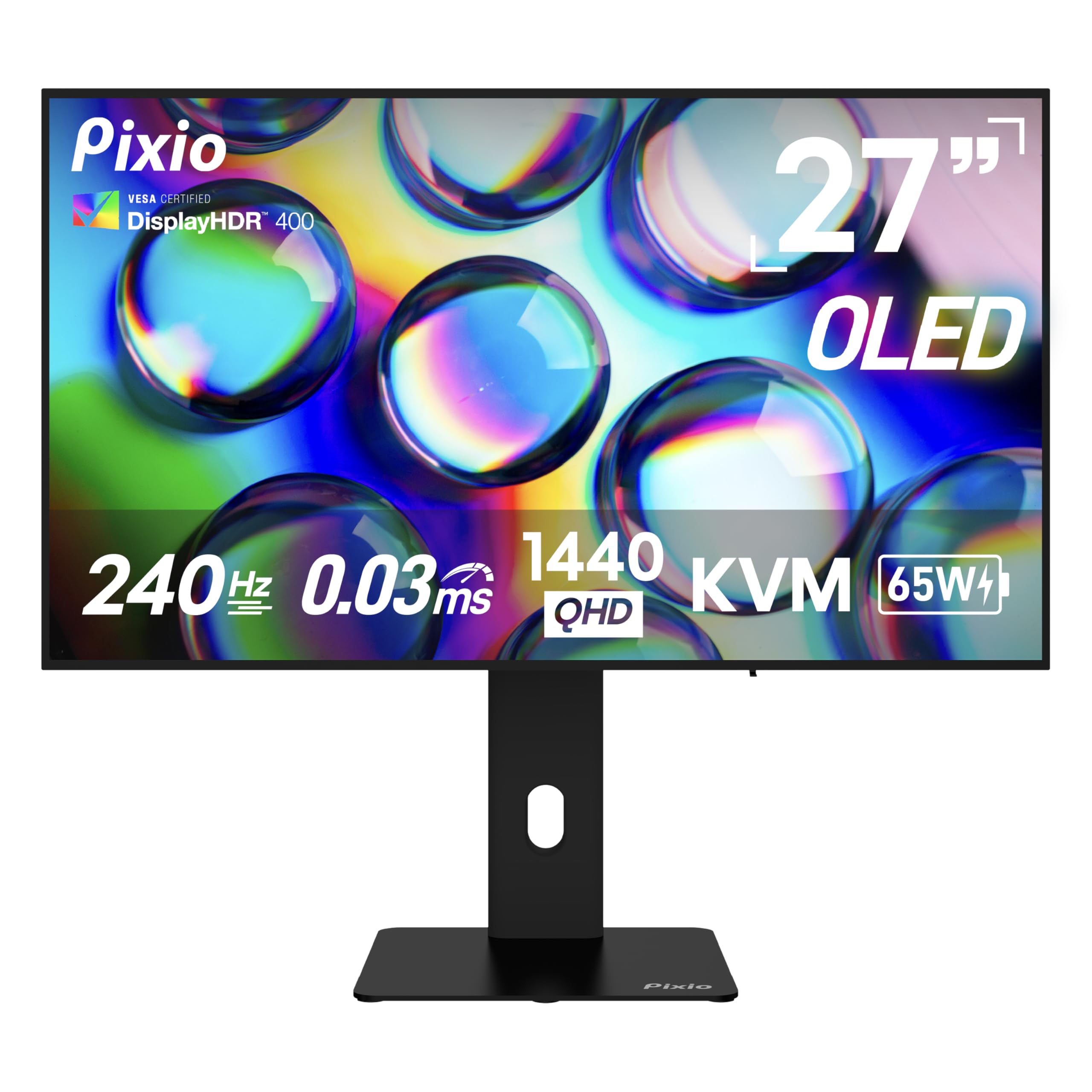
The Pixio PX277 OLED Max V2 uses a 27-inch WOLED panel with 240Hz refresh rate and 0.03ms response time, delivering the deep blacks and vibrant colors expected from OLED technology at an aggressive price point. The 1,500,000:1 contrast ratio ensures that dark scenes in games like Alan Wake 2 or Cyberpunk 2077 retain full detail without the gray haze of IPS panels. DisplayHDR True Black 400 certification confirms the monitor can sustain high dynamic range in content mastered for the format.
The built-in KVM switch is a standout feature at this price tier, allowing seamless switching between a desktop PC and a laptop or console using a single keyboard and mouse. USB-C with 65W power delivery charges a connected laptop while carrying the 1440p 240Hz video signal, reducing cable clutter. Dual HDMI 2.1 ports and a DisplayPort 1.4 port provide broad compatibility for multiple source devices, including PS5 and Xbox Series X at full 1440p 240Hz.
The fully adjustable stand supports height, tilt, swivel, and pivot for flexible ergonomic positioning. The 137.3% sRGB color gamut coverage ensures vibrant color reproduction in SDR content. Some users report that the pixel refresh prompts appear during active sessions and require manual cancellation, and the included cable is a DP 1.2 spec despite the monitor supporting DP 1.4. The overall package delivers impressive OLED performance with productivity features usually reserved for more expensive displays.
Why it’s great
- KVM switch and USB-C 65W charging included
- Dual HDMI 2.1 for console compatibility
- Excellent OLED contrast and color volume
Good to know
- Pixel refresh prompts require manual action
- Included DP cable is only DP 1.2 spec
- External power brick design
8. Acer Predator X27U

The Acer Predator X27U brings QD-OLED technology to a sub- price point, making it the most affordable entry point for 1440p 240Hz OLED gaming. The 26.5-inch WQHD panel with true 10-bit color depth delivers 99% DCI-P3 coverage, Delta E<2 accuracy, and the near-infinite contrast ratio that defines OLED. AMD FreeSync Premium certification ensures smooth gameplay with low framerate compensation down to 48Hz.
The ZeroFrame design minimizes bezel distraction, and the matte QD-OLED coating reduces glare while maintaining the wide color gamut that distinguishes QD-OLED from standard WOLED panels. Connectivity includes dual DisplayPort 1.4 and dual HDMI 2.1 ports, allowing simultaneous connection of a PC, PS5, Xbox, and streaming device without a switch. The stand provides height, tilt, pivot, and swivel adjustment, though users report the plastic build feels less premium than the panel quality suggests.
Brightness is lower than higher-priced OLED competitors, peaking around 250 nits in full-screen white scenes, which may be insufficient for very bright rooms. The OSD menu is complex with no sharpness or overdrive adjustment options. The Image Retention Refresh function runs periodically and is non-intrusive. For buyers who prioritize image quality over peak brightness and build finish, the X27U offers the best price-to-panel ratio in the QD-OLED 240Hz category.
Why it’s great
- Most affordable QD-OLED 240Hz monitor
- Excellent color accuracy with Delta E<2
- Dual DP 1.4 and dual HDMI 2.1 ports
Good to know
- Lower peak brightness than premium OLEDs
- Plastic build with reported stand cracking
- Complex OSD with fewer adjustment options
9. Alienware AW2723DF

The Alienware AW2723DF is a 27-inch Fast IPS panel with a native 240Hz refresh rate that overclocks to 280Hz, paired with a 1ms GtG response time. The IPS Nano Color technology covers 95% DCI-P3 with 100% sRGB, delivering vibrant colors across wide viewing angles without the color shift that plagues TN panels. VESA DisplayHDR 600 certification provides better highlight detail than budget HDR400 monitors, with a 600-nit peak brightness in HDR mode.
NVIDIA G-Sync Compatible certification and VESA Adaptive Sync support eliminate tearing and stutter in supported titles. The Legend 2.0 design in Lunar Light features AlienFX customizable lighting, 360-degree ventilation for passive cooling, and a cable management channel that routes cables through the stand column. The fully adjustable stand provides height, tilt, swivel, and pivot with a compact footprint. Connectivity includes DisplayPort 1.4 and HDMI 2.0, though the lack of HDMI 2.1 limits console users to 1440p at 120Hz.
Users consistently praise the motion clarity and color accuracy, noting no ghosting after months of daily use. Some backlight bleed is present on certain units, a characteristic of IPS technology, but it rarely affects gameplay. The absence of built-in speakers requires external audio. For competitive FPS players who prefer IPS reliability over OLED’s burn-in concerns and want a proven 280Hz overclock, the AW2723DF remains the gold standard in its category.
Why it’s great
- 280Hz overclock with 1ms response
- Excellent color accuracy and IPS Nano Color
- 3-year warranty included
Good to know
- HDMI 2.0 limits console to 120Hz
- Noticeable backlight bleed on some units
- No built-in speakers
10. LG 27GR83Q-B

The LG 27GR83Q-B is one of the few IPS 240Hz monitors under that supports both HDMI 2.1 and DisplayPort 1.4, enabling full 1440p 240Hz from both PC and next-gen consoles. The IPS panel delivers 95% DCI-P3 color gamut with VESA DisplayHDR 400 certification, providing good color accuracy and dynamic contrast for the price. The 1ms GtG response time ensures competitive-level motion performance without the blur or overshoot issues common in cheaper VA panels.
NVIDIA G-Sync Compatible and AMD FreeSync Premium support cover both GPU ecosystems, and the Dynamic Action Sync feature reduces input lag by synchronizing frame delivery with the GPU. The Enhanced Gaming GUI includes FPS Counter, Black Stabilizer for dark scene visibility, and Crosshair overlays. The 4-pole headphone jack with DTS Headphone:X provides 3D spatial audio over headphones, a rare feature at this price point.
The stand includes height, tilt, and pivot adjustment with a small footprint. Build quality is solid for the price, though users report inconsistent quality control with stuck pixels on some units. The 27-inch QHD resolution balances sharpness with GPU demands, making it accessible for mid-range graphics cards. For buyers who cannot justify the OLED premium but still want genuine 240Hz performance with modern console compatibility, this LG model delivers the best feature set in its price tier.
Why it’s great
- HDMI 2.1 for full console 240Hz support
- Competitive price for IPS 240Hz performance
- DTS Headphone:X for spatial audio
Good to know
- Quality control issues with stuck pixels reported
- HDR400 is entry-level HDR
- Stand is functional but basic
11. Dell S3425DW

The Dell S3425DW is a 34-inch ultrawide VA panel with 3440×1440 resolution and a 120Hz refresh rate, offering a wider field of view for immersive gaming and productivity. The 3000:1 contrast ratio delivers deeper blacks than IPS panels, and the 99% sRGB with 95% DCI-P3 coverage provides accurate color reproduction for design work. AMD FreeSync Premium ensures smooth gameplay with low framerate compensation and flicker-free operation.
USB-C connectivity with 65W power delivery allows single-cable connection to laptops, reducing desk clutter. The improved ComfortView Plus reduces blue light emissions to ≤35% without affecting color accuracy, making it suitable for long work sessions. The integrated speakers offer better audio quality than most built-in monitor speakers, with greater output power and deeper frequency response than the previous Dell generation.
The VA panel’s slower pixel response compared to IPS and OLED means some ghosting in fast-paced competitive titles, making this more suitable for strategy games, RPGs, and productivity than esports. The ergonomic stand provides height and tilt adjustment, and the drop-down USB ports on the bottom edge are convenient for charging devices. For users who prioritize screen real estate and ultrawide immersion over maximum refresh rate, the Dell S3425DW offers a compelling balance of size, resolution, and connectivity.
Why it’s great
- 34-inch ultrawide for immersive FOV
- USB-C with 65W laptop charging
- Great built-in speakers for a monitor
Good to know
- 120Hz only; not full 240Hz
- Limited ports (no DisplayPort)
- VESA mount recessed design issue
FAQ
Can I run a 27-inch 240Hz QHD monitor with a mid-range GPU?
Does 240Hz make a noticeable difference from 144Hz?
How much does OLED burn-in affect 27-inch 240Hz monitors?
What cable do I need for 1440p 240Hz?
Final Thoughts: The Verdict
For most users, the 27 inch 240hz monitor winner is the LG 27GX700A-B because it combines the brightest 4th Gen OLED panel with 280Hz speed, full ergonomic adjustment, and minimal ABL issues that plague earlier OLED generations. If you want the best QD-OLED value with comprehensive burn-in protection, grab the MSI MAG 272QP QD-OLED X24. And for competitive FPS players who prefer proven IPS reliability, nothing beats the Alienware AW2723DF with its 280Hz overclock and sub-1ms motion clarity.