
Our readers keep the lights on and my morning glass full of iced black tea. As an Amazon Associate, I earn from qualifying purchases.
Specs are compiled from manufacturer listings and verified buyer reviews and can change over time — please confirm the key details on the product page before buying.
Staring at a monitor that can’t decide if it is showing a black pixel or a dark gray blob gets old fast. When you game at night, watch a movie with shadows, or edit a photo that needs true blacks, that washed-out glow robs the image of depth. A 27 inch 4K OLED monitor solves that by letting each pixel switch off completely to deliver black levels an LCD panel simply cannot reach.
I’m Min — the founder and writer behind Gadgets Feed. This guide is built by comparing the manufacturers’ published specifications and the patterns across verified customer reviews, so you get each pick’s real strengths and trade-offs instead of marketing spin.
This guide breaks down the best options for a 27 inch 4k oled monitor, covering essential specs like refresh rate, color accuracy, and the crucial burn-in prevention features that protect your investment for the long haul.
Our Picks at a Glance


How To Choose The Best 27 Inch 4K OLED Monitor
Picking the right OLED monitor means balancing refresh rate for games, color accuracy for work, and burn-in protection for confidence. Here are the three specs that matter most.
Refresh Rate and Response Time
OLED panels already have the fastest pixel response — typically 0.03ms (the time a pixel takes to change from gray to gray) — so motion blur is almost invisible. The refresh rate (how often the screen updates per second) matters more. At 120Hz you get buttery-smooth desktop scrolling and great console gaming. At 240Hz the doubling delivers a noticeable edge in fast-paced shooters where every frame shows a split-second target shift.
Color Accuracy and HDR Performance
QD-OLED panels cover over 90% of the DCI-P3 color space (a wide color standard used in movie production), so you get vibrant reds, greens, and blues. The VESA DisplayHDR True Black 400 certification means the screen holds dark details in HDR content without washing out shadows. If you edit photos or videos, look for a Delta E ≤ 2 rating, which tells you the colors match the source with barely any visible difference.
Burn-In Prevention Technologies
OLED pixels wear unevenly over time if static elements like a taskbar or HUD stay lit for hours. Good monitors include pixel shifting (moving the image a few pixels periodically), logo detection (dimming bright static logos), and a cooling heatsink. The latest proactive systems, like a proximity sensor that blanks the screen when you step away, add a strong extra layer of protection for confidence.
Quick Comparison
| Model | Best For | Refresh Rate | Color Gamut | Connectivity | Amazon |
|---|---|---|---|---|---|
| MSI PRO MAX 271UPXW12G★ Best Overall | Mac-Friendly Productivity | 120Hz | 97.5% DCI-P3 | HDMI, DP, Dual USB-C 98W | $709.99Amazon |
| ASUS ROG Swift PG27UCDMDisplayPort 2.1a | Top-Tier Gaming & Productivity | 240Hz | 145% DCI-P3 | DP 2.1a, HDMI 2.1, USB-C 90W | Amazon |
| Samsung Odyssey G8 G80SHOLED Safeguard+ | Premium Gaming & Workstation | 240Hz | 99% DCI-P3 | DP 2.1, HDMI 2.1, USB-C 96W | $980.12$1,099.99Amazon |
| Samsung Odyssey G8 G81SF | Glare-Free Gaming | 240Hz | 99% DCI-P3 | DP, HDMI | from $769.22Amazon |
| ASUS ROG Strix XG27UCDMG | Gaming with Burn-In Protection | 240Hz | 145% DCI-P3 | HDMI, USB-C | $799.00$899.00Limited time dealAmazon |
| MSI MPG 272URX | Superior Connectivity | 240Hz | 135% DCI-P3 | DP 2.1a, HDMI 2.1, USB-C 98W | $899.99$1,099.99Amazon |
| GIGABYTE MO27U2 | Value with AI Protection | 240Hz | 99% DCI-P3 | HDMI 2.1, DP, USB-C | $649.99Amazon |
| MSI MAG 272UP QD-OLED X24 | Budget 4K 240Hz OLED | 240Hz | 99% DCI-P3 | DP 1.4a, HDMI 2.1, USB-C 15W | $599.99Amazon |
| INNOCN GA27W1Q | Budget Entry-Level OLED | 240Hz | 99% DCI-P3 | HDMI 2.1, DP, USB-C | $657.48$926.24Ends inAmazon |
In‑Depth Reviews
1. msi PRO MAX 271UPXW12G 27 inch 4K UHD QD-OLED Hub Monitor
Our pick — over 4★ from 700+ verified ratings; the strongest balance of quality and price.
A white 120Hz OLED built around Mac integration, with dual USB-C ports and dedicated color matching software.
This monitor targets productivity and Mac users first, though the QD-OLED panel still delivers a 1,500,000:1 contrast ratio and VESA DisplayHDR True Black 400 certification. The 120Hz refresh rate is half the speed of the 240Hz rivals (a 2.0x gap from the ASUS ROG Strix), but it pairs with FreeSync Premium Pro to cut down tearing and stutter. The real draw here is the dual USB-C hub: one port delivers up to 98W power delivery to a laptop, and the other provides 15W for peripherals, enabling a true single-cable desk.
Customers note a trick for Mac dual-monitor setups: “Turn DSC off, lock to DP input with Auto Scan disabled, run at 120 Hz.” The △E < 2 color accuracy and 97.5% DCI-P3 gamut make it suitable for photo editing, and the 856.5 cd/m² brightness rating is bright enough for most lit rooms. The white chassis and compact stand look clean on a desk, but one owner reported the 32-inch foot is bulky and takes up more space than expected.
Highlights
- Dual USB-C with 98W PD lets you charge a MacBook and connect peripherals through a single cable.
- MSI Mac Optimization software syncs macOS colors and keyboard shortcuts for a smooth Apple workflow.
- △E < 2 accuracy and True Black 400 HDR support creative work alongside the 120Hz smooth desktop.
Caveats
- 120Hz refresh rate is noticeably slower than the 240Hz competition for competitive gaming.
- Stand footprint is bulkier than expected, taking up significant desk space.
Best for Mac users who want a single-cable USB-C hub monitor with good color accuracy for productivity and casual gaming.
Not for you if you prioritize maximum gaming refresh rate at 240Hz or need a more compact stand.
2. ASUS ROG Swift 27” 4K QD-OLED Gaming Monitor (PG27UCDM)
The premium pick that delivers uncompressed 4K at 240Hz with DisplayPort 2.1a bandwidth and a proximity sensor for burn-in safety.
If you plan to pair a monitor with a high-end graphics card, the connectivity here matters most. The PG27UCDM includes a DisplayPort 2.1a UHBR20 port with a full 80 Gbps of bandwidth, which means you can run 4K at 240Hz without needing Display Stream Compression (DSC) at all. You get the same 26.5-inch 4th-gen QD-OLED panel, the same 240Hz refresh rate and 0.03ms response time, plus a USB-C port delivering 90W of power to your laptop.
Buyers report the Dolby Vision support and sharp text clarity for programming, calling it the best monitor they have owned. The Neo Proximity Sensor triggers a blank screen when you step away, reducing burn-in risk. The catch is the price: this is the most expensive entry here, and some buyers mention the triangular subpixel layout blurs Windows fonts slightly unless you adjust ClearType. The lack of built-in speakers is also a miss at this tier.
Verdict: For the gamer or creative who wants uncompressed 4K 240Hz, full DisplayPort 2.1a bandwidth, and top-tier build quality, this is the flagship choice.
Trade-off: The premium cost and the absence of speakers mean you pay for pure display performance and you budget for external audio separately.
Choose this if you need the widest bandwidth connectivity and the highest spec 27-inch OLED without compromises on burn-in protection.
Look elsewhere if you are on a tighter budget or need built-in speakers for a clean desk.
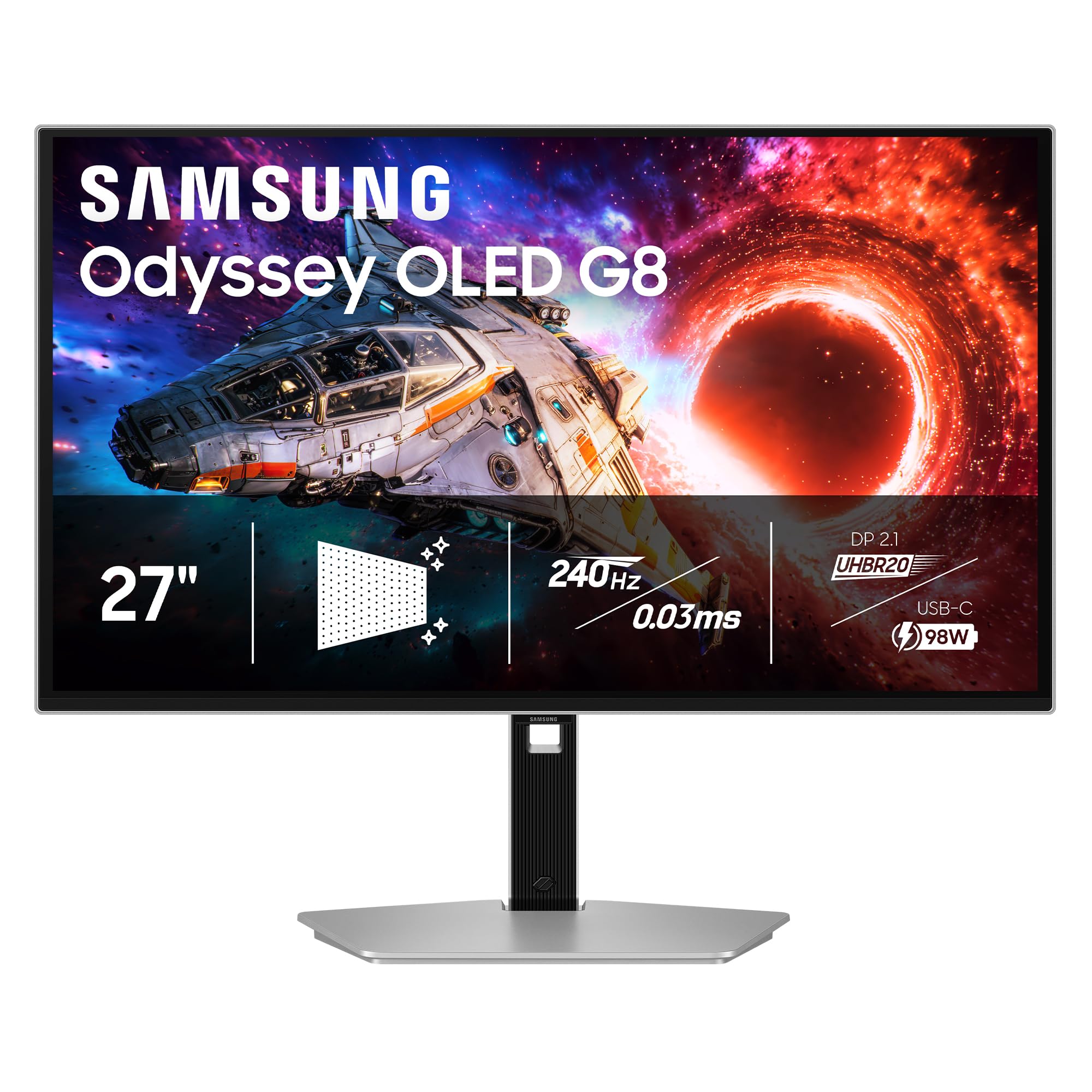
3. Samsung 27″ Odyssey OLED G8 (G80SH)
A fully featured 4K OLED with a 3-year warranty and advanced burn-in prevention for confident daily use.
Samsung wraps a 27-inch QD-OLED panel in a silver chassis that delivers a pixel density of 166 PPI (pixels per inch — how sharp individual details look). The 240Hz refresh rate pairs with an 0.03ms GtG response time for fluid motion, and the VESA DisplayHDR True Black 400 certification ensures deep blacks without light bleed. You can pivot, tilt, swivel, and adjust the height on the ergonomic stand to find a comfortable viewing angle.
The USB-C port delivers up to 96W of power delivery to charge a laptop through a single cable. Samsung’s OLED Safeguard+ technology actively monitors static images and reduces brightness on logos and taskbars to prevent uneven wear. One reviewer flagged a large external power brick and a slight grain from the anti-glare coating, but most agree the picture quality justifies the price. The DP 2.1 connection gives you up to 80 Gbps bandwidth for future-proofed high-refresh performance.
Standout feature: The 3-year warranty and advanced OLED Safeguard+ protection give you long-term confidence that budget-tier OLEDs lack.
Caveat: No built-in speakers and a bulky external power brick require some planning if you want a clean setup.
Ideal for users who want a premium, future-proof 4K OLED with sturdy warranty coverage and full ergonomic adjustments.
Not for you if you need a built-in speaker system or prefer a monitor with a thinner, integrated power supply.
4. SAMSUNG 27-inch Odyssey QD-OLED G8 (G81SF)

The matte-coated OLED that eliminates reflections for bright-room gaming without the usual glare struggle.
This G8 variant uses Samsung’s Glare Free technology, which the maker claims makes the screen 54% less glossy than conventional anti-reflection film. That is a big deal if you place the monitor in a room with windows or overhead lights — the usual mirror-like OLED shine is replaced by a matte finish that keeps blacks black even in sunlight. The core display is the same 27-inch QD-OLED panel with a 240Hz refresh rate and 0.03ms GtG response time.
The VESA DisplayHDR True Black 400 and a 1,000,000:1 contrast ratio help dark game scenes keep their shadow detail without gray washout. Samsung includes a Dynamic Cooling System using a pulsating heat pipe that the company says diffuses heat five times faster than graphite sheets to prevent burn-in. One reviewer warns the matte coating reduces text crispness slightly, and another reported dead pixels after two months, though the 3-year warranty is a safety net.
Best for buyers who game or work in bright rooms where reflections normally ruin the picture.
Worth noting: The matte finish tones down that punchy glossy OLED look that some users love, so check your preference on screen coating.
Reach for this if you game in a bright space and want to minimize reflections without losing the 240Hz gaming speed.
skip it if you prefer the deeper, glossy look of an uncovered OLED panel for a dark room setup.
5. ASUS ROG Strix 27” 4K QD-OLED Gaming Monitor (XG27UCDMG)

A 4th-gen QD-OLED that leads on color gamut coverage and proactive burn-in detection for confidence.
The XG27UCDMG boasts the widest color coverage among the picks here at 145% of the DCI-P3 gamut — a 61% more color space than the GIGABYTE MO27U2 at 90%. That gap translates to more saturated reds and greens that make game environments pop. It runs at 240Hz with a 0.03ms response time, and the 26.5-inch QD-OLED panel carries a VESA DisplayHDR True Black 400 rating with true 10-bit color for smooth gradients.
Owners mention that the new ASUS OLED Care Pro functions include a Neo Proximity Sensor that precisely detects when the user is away, switching to a black screen to reduce the risk of burn-in. The custom heatsink and OLED Anti-Flicker 2.0 technology reduce flicker by 20% compared to previous gen panels. Some customers note the proximity sensor does not always work as advertised, and the glossy coating requires careful cleaning to avoid scratches — but the overall image quality earns consistent praise as a huge upgrade from 1440p OLED.
Strengths
- Wider color coverage than most rivals in this list (145% DCI-P3).
- Neo Proximity Sensor adds a proactive burn-in prevention layer that other monitors lack.
- Anti-Flicker 2.0 technology reduces eye strain during long sessions by reducing flicker.
Limitations
- Proximity sensor performance can be inconsistent as some reviewers point out it does not always trigger.
- Glossy OLED coating demands careful cleaning and shows fingerprints more than matte options.
Best for gamers and creative pros who want the most vibrant colors possible from an OLED and value intelligent burn-in prevention.
Not the pick if you prefer a matte screen finish or need a monitor with built-in speakers for a clutter-free desk.
6. msi MPG 272URX QD-OLED 27 Inch 4K UHD Gaming Monitor

A future-proof OLED with DisplayPort 2.1a, 98W laptop charging, and a 5-layer tandem panel for efficiency.
The MPG 272URX uses a 5-layer tandem OLED panel with EL Gen 3 technology, which the maker says improves efficiency up to 30%. That translates to a 26.5-inch 4K display with a 166 PPI pixel density and a 240Hz refresh rate. The color gamet covers 135% of DCI-P3, giving you vivid colors for gaming and creative work. Connectivity is a standout: DisplayPort 2.1a, HDMI 2.1 CEC ports, and a USB-C port delivering 98W of power to a connected laptop.
Shoppers say it works perfectly with Macs via USB-C and Linux systems via DisplayPort 2.1, with no flickering and crisp text rendering. The KVM 1.0 built-in lets you control two computers with one keyboard and mouse. One owner reported bubbles developing under the screen after a few months and had to pay shipping for the RMA, which is a concern for long-term reliability. The graphene heatsink runs fanless to avoid dust buildup.
Pros
- DP 2.1a and USB-C 98W PD let you charge a laptop and run uncompressed 4K 240Hz through one cable.
- KVM 1.0 support allows smooth switching between two PCs without extra hardware.
- EL Gen 3 tandem OLED improves power efficiency and panel durability over older gen panels.
Cons
- One reviewer noted screen bubbles developing within months, with manufacturer requiring shipping costs for RMA.
- No built-in speakers despite the premium price point.
Reach for this if you want the latest connectivity standard (DP 2.1a) and need a monitor that can charge and switch between a Mac and a PC with the KVM.
Look elsewhere if you prefer a monitor with built-in speakers or want a proven long-term reliability track record from many owner reviews.
7. GIGABYTE – MO27U2-27″ QD-OLED Gaming Monitor
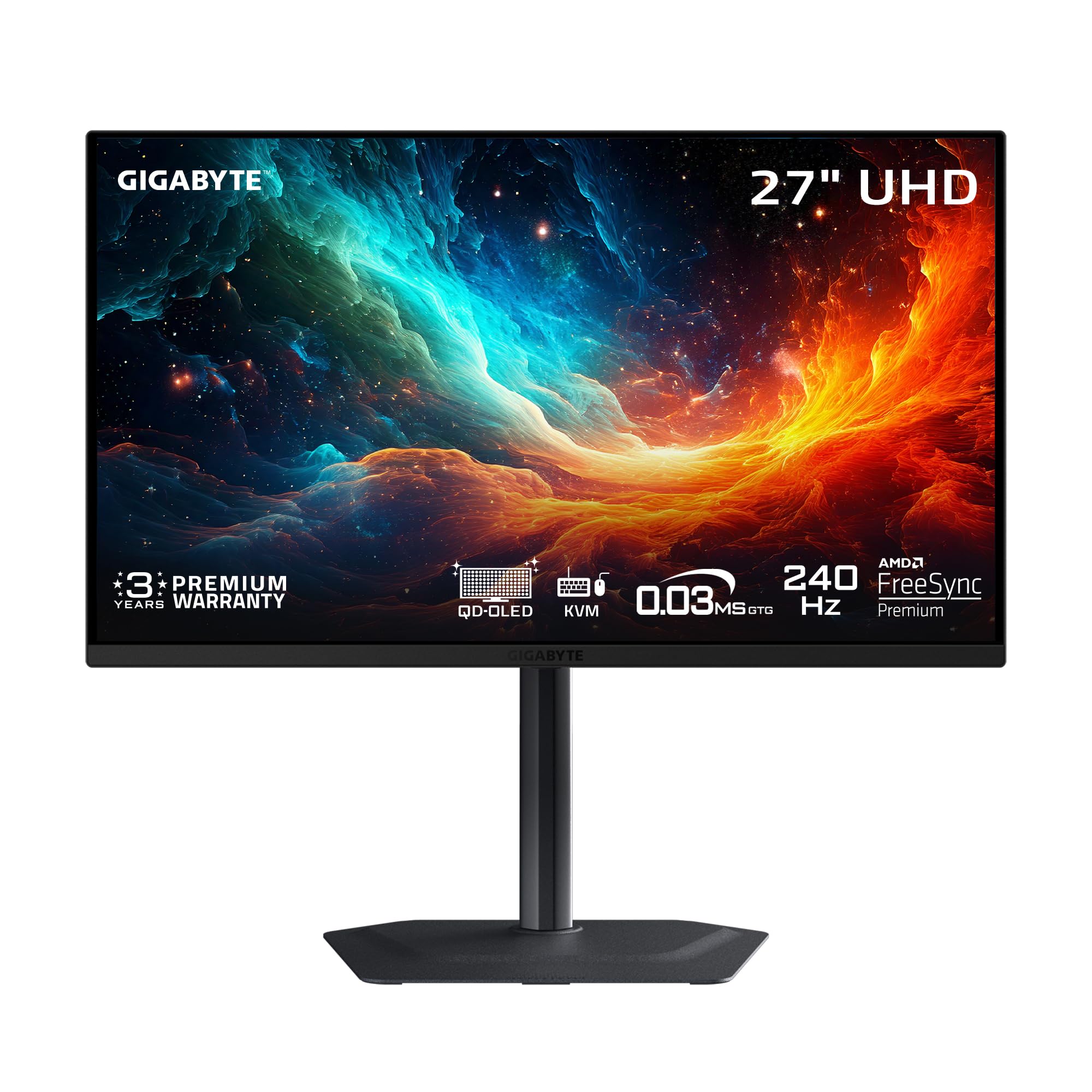
A value-focused 27-inch 4K QD-OLED that matches the premium 240Hz spec at a notably lower entry cost.
The MO27U2 uses a 5-layer tandem QD-OLED panel that delivers 4K resolution with a pixel density of 166 PPI. It runs at 240Hz with a 0.03ms GtG response time, matching the flagship monitors. Buyers report that it offers “great value at less than competitors,” making it the most affordable premium-tier entry for pure gaming speed. The contrast ratio of 1,500,000:1 ensures deep blacks and the 99% DCI-P3 color gamut covers the essentials for vibrant HDR.
GIGABYTE uses an AI-based algorithm inside its OLED Care suite to minimize burn-in risks, plus a graphene thermal film and fanless design for heat management without noise. The monitor includes a KVM switch via USB-C, though the USB-C port does not list a high-wattage power delivery like some rivals. Some users mention the built-in speakers are weak and recommend external ones, but the picture quality and 240Hz smoothness make it a favorite for the price.
Strengths
- Delivers flagship 240Hz speed with 0.03ms response at a price that reviewers call unbeatable value.
- AI-driven OLED protection and graphene thermal film for burn-in management without a noisy fan.
- Two HDMI 2.1 ports make it ideal for both PS5 Pro and a PC setup.
Limitations
- Built-in speakers are weak and best replaced with external audio.
- Lacks DisplayPort 2.1, relying on HDMI 2.1 for high-bandwidth connections.
Ideal for buyers who want true 240Hz 4K OLED performance and are willing to trade DP 2.1 and premium speakers for a lower price.
Not the choice if you need DisplayPort 2.1 bandwidth or want a monitor with decent built-in speakers for casual use.
8. msi MAG 272UP QD-OLED X24 27-Inch 4K UHD Gaming Monitor

The cheapest 4K 240Hz 4th-gen OLED, packing premium panel tech into a wallet-friendly package.
, reviewers call this the “cheapest 4K 240Hz 4th gen OLED” on the market. It uses a 26.5-inch Quantum Dot OLED panel with 10-bit color depth and 99% DCI-P3 coverage. The 240Hz refresh rate and 0.03ms GtG response time match monitors costing hundreds more. It is VESA DisplayHDR True Black 400 certified, with a 1,500,000:1 contrast ratio that delivers the deep blacks you expect from OLED.
The graphene heatsink runs fanless, which helps with durability. MSI OLED Care 2.0 provides burn-in prevention, and the Smart Crosshair AI tool can help in FPS games. One buyer mentioned the monitor falls asleep during use even after turning that setting off and that the settings menu stopped working after two months, which is a notable quality risk. Others say the image quality is so good — deep blacks, crisp 4K, vibrant HDR — that it is the best upgrade they have made for PS5 Pro and PC gaming.
Smart pick if you want 4K 240Hz OLED performance at the lowest available cost and are handy with a return window.
Risky side: Some owners mention reliability issues like sleep mode bugs and settings menu failures, so keep an eye on the warranty.
Reach for this if your budget is tight and you want to experience 4K 240Hz OLED gaming without paying premium-tier prices.
Look elsewhere if you cannot risk potential quality control issues and prefer a more established track record from your purchase.
9. INNOCN 27″ OLED 4K 240Hz Gaming Monitor (GA27W1Q)

A budget 4K OLED that hits the 240Hz mark but asks you to tolerate some rough edges in build quality.
The GA27W1Q uses a QD-OLED panel with a 1,500,000:1 contrast ratio and 99% DCI-P3 color coverage, delivering the same punchy colors and deep blacks as more expensive displays. It runs at 240Hz with a 0.03ms response time and supports both FreeSync and G-Sync compatibility for tear-free frames. The white, ultra-thin design with LED atmosphere lights adds a gaming flair that the rival MSI MAG 272UP lacks at a similar price.
Some buyers warn that the build quality feels cheap despite the premium panel, citing an external power brick with short cables and an inconvenient on-screen menu with confusing presets. One owner called it “not worth ” and recommended spending extra on an LG or Asus instead. Others who moved up from a 1080p screen say the jump in quality is massive and the colors are amazing, making it a gateway OLED for a new generation of gamers who are careful with their return window.
Verdict: This is the most affordable entry point to a 4K 240Hz OLED, but the cost savings come from build compromises that buyers should know about.
Note: The sound quality from the built-in speakers is poor, and the HDR settings are not explained in the manual — one reviewer found Normal corresponds to HDR1000 and Highlights corresponds to True Black 400.
Choose this if you want 4K 240Hz OLED on a tight budget and are willing to accept some build quality and usability trade-offs.
pass on it if you prefer a solid build, clear documentation, and a menu that is easy to navigate without guesswork.
Understanding the Specs
Refresh Rate
Measured in hertz (Hz), this tells you how many times the image updates per second. At 120Hz, you get 120 frames per second, which is smooth for desktop work and console gaming. At 240Hz, the screen updates twice as often, giving you a clearer view of fast motion in competitive shooters and racing games. Every OLED in this list starts at 0.03ms response time, so the bottleneck is always the refresh rate, not the pixel speed.
Color Gamut (DCI-P3)
DCI-P3 is a color standard used in digital cinema. A percentage like 99% DCI-P3 means the monitor covers 99% of those colors, giving you vibrant reds, greens, and blues. Some premium monitors advertise 135% or 145% DCI-P3 — that refers to the wider color volume enabled by the QD-OLED panel, which can produce more saturated colors than the DCI-P3 standard itself. For most creative work, 99% is enough; the extra coverage matters if you work in HDR or want the highest color vibrancy possible.
FAQ
What does DisplayHDR True Black 400 mean for a 27 inch 4K OLED monitor?
Will a 27 inch 4K OLED monitor work with a MacBook Pro?
How long do 27 inch 4K OLED monitors last before burn-in?
Is 120Hz enough for a 4K OLED monitor, or do I need 240Hz?
Can I use a 27 inch 4K OLED monitor for photo and video editing?
What is the difference between QD-OLED and regular OLED in a 4K monitor?
Does a 27 inch 4K OLED monitor need a special graphics card?
Should I be worried about text clarity on a 27 inch 4K QD-OLED monitor?
Final Thoughts: The Verdict
If you want one dependable pick, the 27 inch 4k oled monitor winner is the ASUS ROG Swift PG27UCDM because it combines uncompressed 240Hz performance via DisplayPort 2.1a with the most complete burn-in prevention suite and the widest color coverage in the list. If you want the same premium experience at a lower price, the GIGABYTE MO27U2 delivers 240Hz speed with AI-based protection for hundreds less. And for a workflow-focused OLED, the MSI PRO MAX 271UPXW12G gives Mac users a dual USB-C hub with 98W charging at 120Hz.
How We Picked
We do not accept paid placement. Every pick is matched to a real buyer and a real use-case; we do not hands-on test units.
Sources & Methodology
Specifications: manufacturer listings and product documentation. Review insights: verified customer reviews, as of July 2026. Pricing: not shown on this page (it changes often); check the current price via the retailer link.
As an Amazon Associate, Gadgets Feed earns from qualifying purchases. This does not affect which products we feature.
Related Guides
Product prices and availability are accurate as of the date/time indicated and are subject to change. Any price and availability information displayed on Amazon at the time of purchase will apply to the purchase of this product. As an Amazon Associate I earn from qualifying purchases.
CERTAIN CONTENT THAT APPEARS ON THIS SITE COMES FROM AMAZON. THIS CONTENT IS PROVIDED "AS IS" AND IS SUBJECT TO CHANGE OR REMOVAL AT ANY TIME.
Amazon and the Amazon logo are trademarks of Amazon.com, Inc. or its affiliates.