
The 27-inch 5K monitor delivers a pixel density of 218 PPI — the magic number that makes text look like printed ink and images reveal details you never noticed on a 4K panel. For creative professionals, developers, or anyone who stares at a screen eight hours a day, the jump from 163 PPI (4K at 27 inches) to 218 PPI is not subtle: it’s the difference between squinting at jagged edges and reading tiny code with zero eye fatigue.
I’m Min — the co-founder and writer behind Gadgets Feed. I’ve spent hundreds of hours analyzing the technical specifications, color accuracy metrics, and real-world connectivity performance of every major 5K monitor on the market to separate the flagship panels from the also-rans.
This guide breaks down the top contenders to help you pick the right panel for your workflow, whether you edit video, design assets, or just want the cleanest text possible. Use this to find the perfect 27 inch 5k monitor for your desk and your budget.
How To Choose The Best 27 Inch 5K Monitor
Not all 5K monitors are created equal. The panel type, color gamut coverage, refresh rate, and connectivity options vary widely across the price spectrum. Understanding these differences is key to making a purchase that will serve you for years.
Color Accuracy and Gamut Coverage
For photo and video work, look for monitors that cover at least 99% DCI-P3 and 100% sRGB with a factory-calibrated Delta E of less than 2. These specs ensure that the colors you see on screen match the final output on calibrated displays and print. Monitors aimed at gamers often prioritize speed over color fidelity, but some premium gaming models now include wide gamut coverage as a bonus.
Refresh Rate and Dual-Mode Flexibility
Most 5K monitors ship with a standard 60Hz refresh rate, which is plenty for design and office work. However, a growing number of models now support 120Hz, 165Hz, or even 180Hz at 5K resolution, or offer a dual-mode feature that lets you drop to QHD resolution for much higher refresh rates — ideal for users who want one monitor for both creative work and gaming.
Connectivity and Charging
A single-cable solution is a major convenience. Thunderbolt 4 or USB-C with power delivery (90W or higher) lets you connect a laptop, transmit video, and charge the device with one cable. Check that the monitor also includes DisplayPort 1.4 or HDMI 2.1 if you plan to connect a desktop PC or gaming console.
Quick Comparison
On smaller screens, swipe sideways to see the full table.
| Model | Category | Best For | Key Spec | Amazon |
|---|---|---|---|---|
| KTC H27P3 | Mid-Range | Dual-mode value | 5K@60Hz / 2K@160Hz | Amazon |
| Dell U2725QE | Mid-Range | Office & productivity | 120Hz, Thunderbolt 4 140W | Amazon |
| ASUS ROG XG27JCG | Mid-Range | Gaming & productivity | 180Hz, 0.3ms GTG | Amazon |
| ASUS ProArt PA27JCV | Mid-Range | Color-critical work | ΔE < 2, Calman Verified | Amazon |
| ViewSonic VP2788-5K | Premium | Mac-centric studio | Thunderbolt 4, 100W PD | Amazon |
| Samsung Odyssey G8 G80HF | Premium | Esports & hybrid work | 5K@180Hz / QHD@360Hz | Amazon |
| BenQ PD2730S | Premium | VFX & 3D artists | Thunderbolt 4, 2000:1 contrast | Amazon |
| LG 27GM950B-B | Premium | HDR gaming | Mini-LED, 1250 nits peak | Amazon |
| Apple Studio Display | Premium | Mac ecosystem integration | 600 nits, 6-speaker sound | Amazon |
| LG 27MD5KL-B | Premium | Mac-first 5K standard | Thunderbolt 3, 94W PD | Amazon |
In‑Depth Reviews
1. KTC H27P3 5K Monitor

The KTC H27P3 is the most affordable entry into 5K resolution, offering a dual-mode panel that runs at native 5K@60Hz for vibrant color work and switches to 2560×1440@160Hz for smooth gaming. Its IPS panel covers 99% DCI-P3 and 100% sRGB with a factory-calibrated Delta E of less than 2, which is impressive at this price point. The 500 cd/m² brightness and HDR400 certification provide enough punch for well-lit rooms.
Connectivity includes USB-C with 65W power delivery, DisplayPort 1.4, HDMI 2.0, and two USB-A 3.0 ports — a solid hub for most desks. The included stand supports height, tilt, swivel, and pivot adjustments, making it easy to dial in the perfect ergonomic position. Customers consistently praise the clear picture quality and seamless integration with MacBook Pro via USB-C.
Some users report a minor firmware bug where the settings menu becomes partially unresponsive after the monitor wakes from sleep mode, requiring a manual input switch to clear. The lack of an included HDMI cable is a minor nuisance, but the included DP and USB-C cables get you started. For the price, this is a remarkably capable dual-purpose monitor.
Why it’s great
- Unbeatable price for a 5K panel with high color accuracy
- Dual-mode functionality covers both creative work and gaming
- Full ergonomic stand with height, tilt, swivel, and pivot
Good to know
- Minor sleep/wake menu bug reported by some users
- HDMI 2.0 port limited to 4K@60Hz
- No HDMI cable included in the box
2. Dell UltraSharp U2725QE

The Dell UltraSharp U2725QE uses an IPS Black panel that achieves a 2000:1 contrast ratio — nearly double that of standard IPS displays — resulting in deeper blacks and more pronounced shadow detail. Factory-calibrated to Delta E less than 1.5 with 99% DCI-P3 coverage, this monitor delivers professional-grade color accuracy out of the box. The 120Hz refresh rate and 5ms response time make multitasking feel fluid without the gamer aesthetic.
The standout feature is the Thunderbolt 4 port that delivers up to 140W of power delivery — enough to charge even a 16-inch MacBook Pro at full speed. A built-in KVM switch lets you control two connected computers with a single keyboard and mouse, and the Ambient Light Sensor auto-adjusts brightness to reduce eye strain. The ergonomic stand offers full height, tilt, swivel, and pivot adjustments.
Mac users should be aware of a potential compatibility error message that appears when connecting via Thunderbolt. While many customers report flawless operation, a subset of Mac owners have experienced the issue and recommend the slightly cheaper Dell S2725QC as an alternative. The anti-glare coating is excellent, with no graininess reported, making it a strong choice for bright office environments.
Why it’s great
- IPS Black panel offers 2000:1 contrast for deeper blacks
- 140W USB-C power delivery charges even large laptops
- Built-in KVM switch simplifies multi-computer workflows
Good to know
- Some Mac users report a Thunderbolt compatibility error
- 4K resolution at 27 inches, not true 5K
- Price premium for IPS Black and Thunderbolt 4 hub
3. ASUS ROG Strix XG27JCG
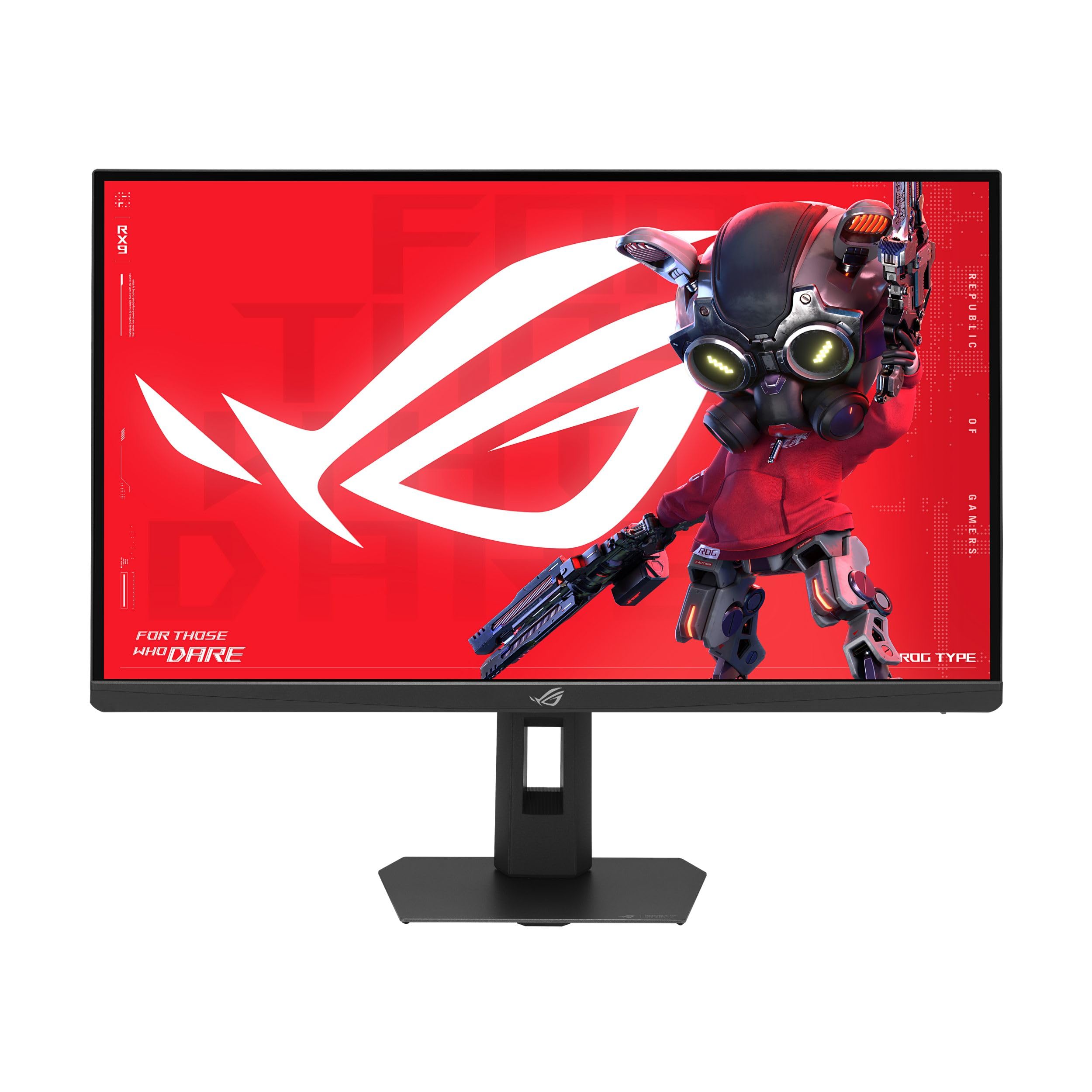
The ASUS ROG Strix XG27JCG pushes the 5K category into true gaming territory with a native 180Hz refresh rate (overclocked) and a blistering 0.3ms GTG response time. This Fast IPS panel covers 97% DCI-P3 and supports VESA DisplayHDR 600 for vibrant HDR highlights. The dual-mode feature lets you hit QHD@330Hz for competitive esports titles, making this one of the most versatile gaming monitors available.
Connectivity includes DisplayPort 1.4 with DSC, two HDMI 2.1 ports, and a USB-C port with 15W power delivery. The ergonomic stand offers full height, tilt, swivel, and pivot adjustments, and ASUS includes ROG Gaming AI Technology for features like Dynamic Shadow Boost and Dynamic Crosshair. The 218 PPI pixel density ensures text is razor-sharp for any productivity tasks.
A common complaint is the aggressive matte anti-glare coating, which some users describe as creating an oil-like haze that is distracting when reading text. The backlight LED lighting and plastic build quality feel less premium than the price suggests. Several customers also note audible coil whine from the monitor when operating in QHD@330Hz mode, so noise-sensitive users may want to stick to the 5K@180Hz setting.
Why it’s great
- 5K@180Hz for fluid creative and gaming workflows
- Dual mode hits QHD@330Hz for competitive esports
- Wide 97% DCI-P3 color gamut with HDR600
Good to know
- Aggressive matte coating creates haze for some users
- Plastic build feels less premium than expected
- Audible coil whine in QHD@330Hz mode
4. ASUS ProArt PA27JCV

The ASUS ProArt PA27JCV is built specifically for color-critical workflows, with a 27-inch 5K IPS panel that covers 99% DCI-P3 and 100% sRGB. It is Calman Verified and factory pre-calibrated to a Delta E of less than 2, ensuring out-of-box accuracy that rivals much more expensive reference monitors. The ambient light sensor and backlight sensor automatically adjust brightness and color temperature to maintain consistency throughout the day.
The USB-C port delivers 96W of power delivery — enough to charge a MacBook Pro at full speed — and the included cables (HDMI, USB-C) get you started immediately. The contrast ratio is rated at 3000:1, which is higher than typical IPS panels and helps with shadow detail. The 3-year warranty and 3-month Adobe Creative Cloud subscription add value for professional users.
Some Mac users report that HiDPI scaling is not handled perfectly, leading to slightly fuzzy text in certain configurations. Others note significant backlight bleed along the top edges, which can be distracting in dark scenes. The built-in KVM switch takes 6-8 seconds to switch between devices, and the port selection is sparse compared to some rivals — there is no Thunderbolt port, only USB-C, HDMI, and DisplayPort.
Why it’s great
- Factory-calibrated Delta E < 2 with Calman Verification
- 96W USB-C power delivery charges most laptops
- Ambient light sensor maintains consistent color
Good to know
- Mac HiDPI scaling can produce slightly fuzzy text
- Noticeable backlight bleed on some units
- No Thunderbolt port; only USB-C, HDMI, and DisplayPort
5. ViewSonic VP2788-5K

The ViewSonic VP2788-5K hits the sweet spot for Mac users: a 27-inch 5K IPS panel with 100% sRGB, 99% DCI-P3, and Pantone Validation for matching the Pantone Matching System colors. Thunderbolt 4 connectivity provides 40 Gbps data transfer speeds, 100W power delivery, and the ability to daisy-chain a second 5K monitor. The 2000:1 contrast ratio delivers noticeably better black levels than standard IPS panels.
The ergonomic stand is excellent, with height, tilt, swivel, and pivot adjustments, and the frameless design makes dual-monitor setups feel seamless. The 500 cd/m² brightness and HDR400 certification handle bright rooms with ease, and customers consistently praise the stunning pixel density and color volume. The included cables (DisplayPort, HDMI, Thunderbolt 4) cover all common connections.
Several users report that the monitor has buggy behavior when waking from sleep with a MacBook: all USB-C devices disconnect and lose power, and the monitor sometimes shows a “device consuming too much power” error even with the included external power brick. The OSD controls are described as confusing, and some units arrive with small dead pixel clusters that fall within manufacturer tolerances but are still noticeable.
Why it’s great
- Pantone Validated for professional color matching
- Thunderbolt 4 daisy chain for dual 5K setups
- 2000:1 contrast ratio for deeper blacks
Good to know
- Sleep/wake bugs cause USB disconnection on Mac
- OSD controls are confusing and unintuitive
- Some units have small dead pixel clusters
6. Samsung Odyssey G8 G80HF
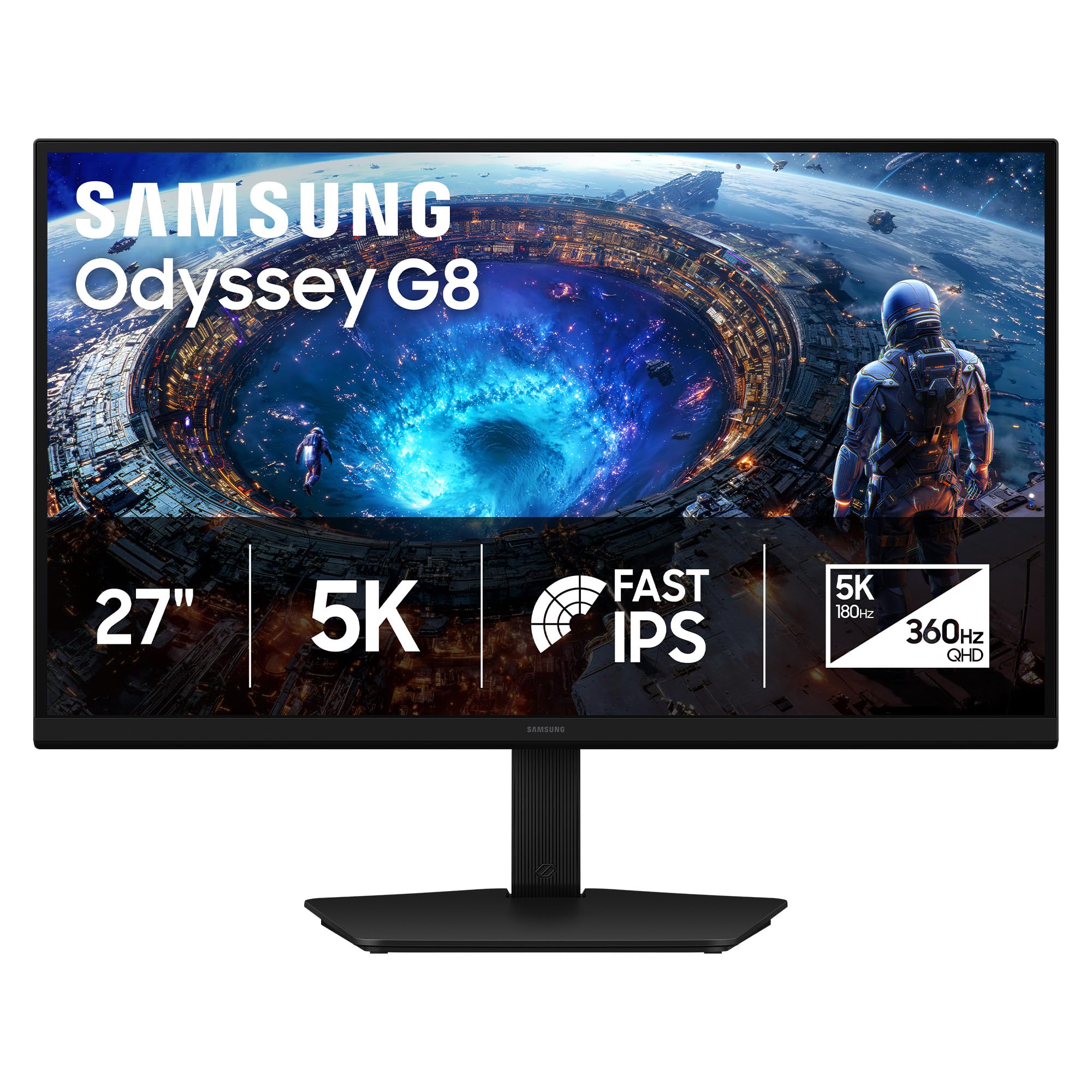
The Samsung Odyssey G8 G80HF is a true hybrid monitor that offers 5K resolution at 180Hz for immersive gaming and productivity, then switches to QHD resolution at 360Hz with a 1ms response time for competitive esports. The Fast IPS panel covers 178° wide viewing angles and supports HDR10+ Gaming for optimized brightness and contrast. The 218 PPI density makes text and UI elements incredibly sharp.
Connectivity is future-proof with DisplayPort 2.1 and HDMI 2.1, plus a USB hub for peripherals. The ergonomic stand offers height, tilt, swivel, and pivot adjustments, and the monitor supports both NVIDIA G-Sync Compatible and AMD FreeSync Premium Pro. Customers highlight the crystal-clear text clarity and the very noticeable improvement in refresh rate compared to standard 60Hz 5K panels.
The main drawback is the relatively low peak brightness of 350 cd/m², which makes the screen harder to see in bright rooms, especially in dark mode content. The monitor also lacks a USB-C port — only DisplayPort and HDMI are available — so MacBook users must use a USB-C to DisplayPort adapter or rely on a third-party dock. The standard IPS contrast ratio of 1000:1 means blacks are grayish compared to VA or OLED panels.
Why it’s great
- 5K@180Hz for fluid gaming and productivity
- Dual mode hits QHD@360Hz for competitive play
- DisplayPort 2.1 for future-proof bandwidth
Good to know
- Peak brightness of 350 nits is low for bright rooms
- No USB-C port; DisplayPort and HDMI only
- Standard IPS contrast ratio of 1000:1
7. BenQ PD2730S

The BenQ PD2730S is designed for VFX artists, 3D animators, and game designers who need retina-like 5K clarity with a 2000:1 contrast ratio for accurate shadow representation. The Nano Matte panel diffuses ambient light to reduce reflections, and it is TÜV certified for eye comfort during long rendering sessions. Color coverage is 98% P3, with an average Delta E of 0.4982 reported by one customer, indicating excellent out-of-box accuracy.
Thunderbolt 4 delivers up to 90W of power delivery and supports 40 Gbps data transfers, with the ability to daisy-chain a second 5K monitor or drive a single 8K display. The built-in KVM switch lets you control two systems with one keyboard and mouse, and the wireless Hotkey Puck makes switching between them effortless. The included stand is solid and sturdy with height, tilt, swivel, and pivot adjustments.
Multiple customers report serious reliability issues, including one unit that developed hundreds of vertical lines after just 20 minutes of use and another with a stuck pixel after two weeks. The monitor is also slightly dimmer than the Apple Studio Display, and the heavy stand takes up significant desk space. While the color quality is praised, the reliability concerns give pause at this price point.
Why it’s great
- 2000:1 contrast ratio with excellent shadow detail
- Nano Matte panel reduces reflections for long sessions
- KVM switch with wireless Hotkey Puck for two systems
Good to know
- Several reports of pixel defects and display failures
- Brightness lower than Apple Studio Display
- Heavy stand takes up significant desk space
8. LG 27GM950B-B UltraGear evo
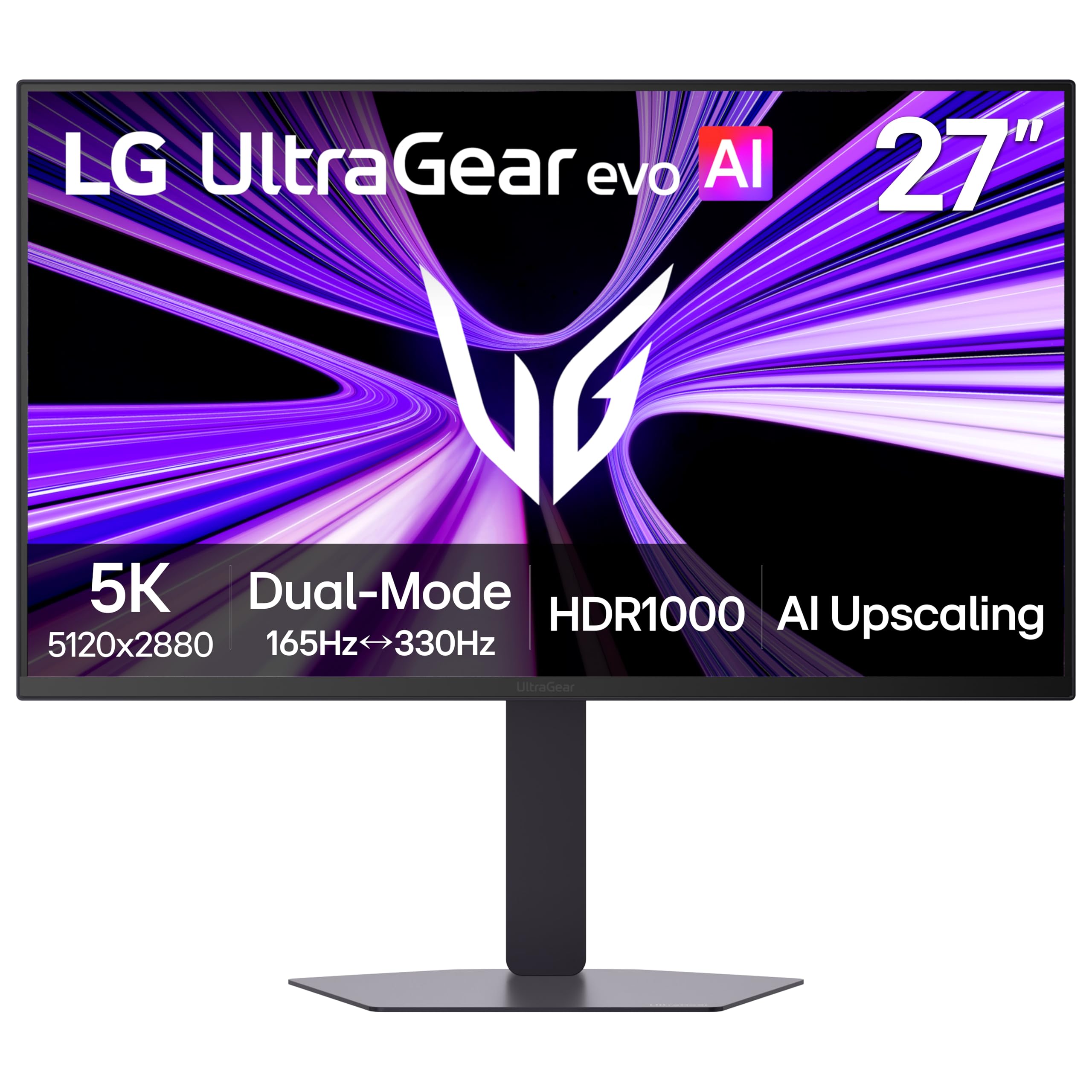
The LG 27GM950B-B is the brightest 5K monitor on the market, using Hyper Mini-LED technology with 9,216 LEDs and 1.5x more local dimming zones than previous generations to reach a peak brightness of 1250 nits. This VESA DisplayHDR 1000 certified panel delivers explosive highlights and deep blacks for a truly cinematic HDR experience. The 5K resolution at 165Hz combined with a 1ms GTG response time makes it a contender for both creative work and high-end gaming.
Connectivity is top-notch with DisplayPort 2.1 (UHBR20), HDMI 2.1, and USB-C with 90W power delivery. The AI Upscaling feature enhances lower-resolution content toward 5K clarity, reducing the need for a powerful GPU in some scenarios. The dual-mode feature lets you switch between 5K@165Hz and QHD@330Hz, and the monitor supports both G-Sync Compatible and FreeSync Premium Pro.
Mac users should exercise caution: multiple reports describe a right-half color glitch and text jaggedness that only appears on macOS. One customer reported overheating that caused a loud fan and automatic shutdown. The matte coating has a shimmering effect that reduces perceived sharpness compared to glossy panels like the Apple Studio Display. This monitor is best suited for Windows gaming rigs, not Mac-centric setups.
Why it’s great
- 1250 nits peak brightness for stunning HDR
- Mini-LED with 9,216 LEDs and deep local dimming
- DisplayPort 2.1 for ultra-high bandwidth
Good to know
- Color and text glitches reported on macOS
- Overheating can cause fan noise and shutdown
- Matte coating reduces sharpness vs. glossy panels
9. Apple Studio Display

The Apple Studio Display is the benchmark against which all other 5K monitors are measured. Its 27-inch 5K Retina display delivers 600 nits of brightness, support for one billion colors, and P3 wide color coverage that matches the color science of MacBook Pros and iMacs. The 12MP Ultra Wide camera with Center Stage keeps you framed during video calls, and the studio-quality three-mic array ensures crystal-clear voice pickup.
The six-speaker sound system with Spatial Audio is unmatched by any other monitor in this category, providing an immersive soundstage for music and video. A single Thunderbolt 3 cable transmits video, data, and delivers 96W of power to charge your Mac notebook. The aluminum unibody build is a work of industrial art that perfectly complements any Mac setup. Customers consistently describe it as the best display they have ever used.
The price is the primary barrier, and the lack of a height-adjustable stand in the base configuration requires an expensive upgrade. The 60Hz refresh rate is perfectly adequate for creative work but feels dated compared to the 120Hz+ panels now available. The glossy glass screen is prone to reflections in bright rooms, though the optional nano-texture glass upgrade solves this at an additional cost.
Why it’s great
- Perfect color matching with MacBook Pro and iMac
- Best-in-class 6-speaker system with Spatial Audio
- 12MP camera with Center Stage and studio mics
Good to know
- Premium price, especially with stand options
- Limited to 60Hz refresh rate
- Glossy screen reflects in bright rooms
10. LG 27MD5KL-B UltraFine

The LG 27MD5KL-B was the original 5K monitor designed in partnership with Apple, and it remains the gold standard for Mac compatibility. It uses the same IPS panel found in the 27-inch iMac 5K, delivering 99% DCI-P3 color gamut and 500 nits of brightness. The Thunderbolt 3 port provides up to 94W of power delivery, and three additional USB-C ports expand connectivity.
The 14ms response time is slow by modern standards, but for photo editing, design, and office work, the panel provides the crisp text and accurate colors that made the iMac 5K legendary. Customers consistently report that text at the native 2560×1440 scaled resolution appears perfectly crisp and clear, unlike the blurry rendering on 4K monitors. The built-in camera and speakers are functional, though not on par with the Apple Studio Display.
The price has increased significantly since launch, making it one of the most expensive options in this guide. The design is dated, with thick bezels and a heavy stand, and there is no HDMI port — only Thunderbolt 3. Daisy-chaining a second monitor is not supported, and there is no headphone jack. For users who simply want the most reliable Mac-compatible 5K experience, this monitor delivers, but the premium cost is hard to justify against newer alternatives.
Why it’s great
- Same 5K panel as the 27-inch iMac for perfect Mac colors
- Crisp 2560×1440 scaled resolution with zero blur
- Built-in camera, speakers, and USB-C hub
Good to know
- Very expensive for a 60Hz monitor with thick bezels
- No HDMI port; Thunderbolt 3 only
- 14ms response time is slow for gaming
FAQ
Can a 27-inch 5K monitor work with a Windows PC?
Is 60Hz enough for a 5K monitor or should I get 120Hz?
Does a 27-inch 5K monitor need a powerful graphics card?
Why do some 5K monitors have matte vs. glossy screens?
Final Thoughts: The Verdict
For most users, the 27 inch 5k monitor winner is the ViewSonic VP2788-5K because it delivers Pantone-validated color, Thunderbolt 4 daisy-chain support, and a solid 2000:1 contrast ratio at a price that undercuts Apple’s offering while maintaining professional-grade specs. If you need the absolute best HDR performance for gaming and video, grab the LG 27GM950B-B. And for the purest Mac ecosystem integration with unmatched audio and camera quality, nothing beats the Apple Studio Display.