
Our readers keep the lights on and my morning glass full of iced black tea. As an Amazon Associate, I earn from qualifying purchases.
Specs are compiled from manufacturer listings and verified buyer reviews and can change over time — please confirm the key details on the product page before buying.
A 27-inch all-in-one computer replaces your tower, your monitor, and half your cable mess with one panel you plug in and forget about. The trick is knowing which panel: a 120Hz screen and 32GB of memory matter far more day-to-day than a badge on the bezel, and the wrong pick leaves you squinting at a dim display or waiting on a slow boot for years. This guide sorts the real differences — screen refresh, memory type, storage speed, and what owners actually run into after the first week.
I’m Min — the founder and writer behind Gadgets Feed. This guide is built by comparing the manufacturers’ published specifications and the patterns across verified customer reviews, so you get each pick’s real strengths and trade-offs instead of marketing spin.
You will see which panels use newer DDR5 memory, which run a faster refresh rate, and where the honest trade-offs sit. Every pick here is a real 27-inch all-in-one, so you can choose the right 27 inch all in one computer for your desk without a tower under it.
Our Picks at a Glance


How To Choose The Best 27 Inch All In One Computer
An all-in-one computer is a desktop where the whole machine lives behind the screen, so you get one power cable instead of a tower, a monitor, and a nest of wires. Because everything is sealed into that one panel, the specs you pick are the specs you live with. Here is what actually decides whether you are happy in year three.
The screen is the part you stare at all day
Resolution tells you how much detail fits on screen — 1920×1080 (often called FHD, or Full HD) is the standard for a 27-inch panel and stays sharp for documents, video, and browsing. Refresh rate is how many times per second the picture redraws; 120Hz draws twice as often as 60Hz, so scrolling looks smoother and fast motion has less blur. If you read and type all day, panel quality and anti-glare coating (a matte finish that cuts reflections) matter more than raw processor numbers.
Memory and storage decide whether it stays fast
RAM is short-term workspace — more of it means more browser tabs, apps, and video windows open at once without the machine stuttering. DDR5 is a newer, faster memory type than DDR4, and you will see both in this list. Storage is the SSD, a chip-based drive with no spinning parts. NVMe and PCIe drives (faster SSD types) boot the machine in seconds, while capacity decides how much photo, video, and software you can keep on board before you reach for an external drive.
Ports, webcam, and the shape of the stand
Count your ports before you buy. A few USB-A ports (the classic rectangular slots) cover a keyboard dongle and a printer, USB-C handles phones and drives, and HDMI-out lets you add a second screen. An HDMI-in port is a bonus — it turns the panel into a monitor for a games console or laptop. A pop-up or covered webcam solves the privacy question, and a tilting stand matters if you are tall or the desk is low.
Quick Comparison
| Model | Best For | Processor | Memory / Storage | Refresh Rate | Amazon |
|---|---|---|---|---|---|
| acer Aspire C27-1700-UA91★ Best Overall | Everyday home all-rounder | Intel Core i5-1235U | 16GB DDR4 / 512GB NVMe SSD | — | Amazon |
| MECHAZER 27 inch Curved All-in-OneCurved Value | Curved-screen home office | Intel Core i7 7700HQ | 16GB DDR3 / 512GB SSD | — | Amazon |
| Lenovo ThinkCentre AIO 27″Office Workhorse | Quiet office workstation | Intel Core i5-13420H | 16GB DDR5 / 512GB SSD | 100Hz | Amazon |
| suevery Prebuilt 27″ AIO | Gaming and creative work | Intel Core i5-13400F | 32GB RAM / 1TB NVMe SSD | 120Hz | Amazon |
| ASUS V470 All-in-One | Touchscreen home office | Intel Core i5-13420H | 16GB DDR5 / 1TB PCIe SSD | — | Amazon |
| acer Aspire C27-2G-UR13 | Smooth-scroll Ryzen pick | AMD Ryzen 7 5700U | 16GB DDR4 / 1TB SSD | 120Hz | Amazon |
| Dell 27″ All-in-One (Core 5 120U) | Home office value | Intel Core 5 120U | 16GB DDR5 / 512GB SSD | — | Amazon |
| Lenovo IdeaCentre AIO 27″ | Fast 10-core everyday power | Intel Core i7-13620H | 16GB DDR5 / 512GB SSD | — | Amazon |
| Dell 27″ All-in-One (Core 7 150U) | Business and productivity | Intel Core 7 150U | 16GB DDR5 / 512GB SSD | — | Amazon |
| HP 27 inch AIO 27-cr0012 | Memory-heavy multitasking | AMD Ryzen 7 7730U | 32GB RAM / 1TB SSD | — | Amazon |
| HP 27″ AIO Touchscreen Copilot PC | Touchscreen Copilot+ work | AMD Ryzen AI 7 350 | 32GB DDR5 / 1TB SSD | — | Amazon |
In‑Depth Reviews
1. acer Aspire C27-1700-UA91 AIO Desktop
Our pick — 4.5★ from 250+ verified ratings; the strongest balance of quality and price.
The 91% screen-to-body ratio panel that turns a desk into a picture window.
This is the pick for someone who wants a clean desk and a screen that fills it. Acer frames the 27-inch Full HD panel (1920×1080 pixels, the standard sharp-for-a-desktop resolution) between narrow bezels, and the result is a 91% screen-to-body ratio — almost all glass, hardly any border. Day to day that means a bigger-looking picture on the same desk footprint, and the tiltable screen swings from -5 to 25 degrees so you can angle it away from window glare. BlueLightShield cuts the panel’s blue light output, which owners find easier on the eyes over a long afternoon.
The engine is a 12th Gen Intel Core i5-1235U, a chip built for exactly the mix most homes throw at a PC: streaming, browsing, email, and light photo or video editing. It is paired with 16GB of DDR4 3200MHz memory and a 512GB NVMe SSD, so the machine is ready to go the moment you press the power button. One owner summed up the payoff: “Love the speed. 16GB of Ram makes a big difference. 512 GB SSD will hold lots of programs and data. Images are perfect.” The i5-1235U also runs quieter and cooler than a heavier desktop chip, and the wired keyboard and mouse come in the box.
Round the back you get one USB-C Gen 2 port, three USB-A ports, HDMI-out for a second screen, and a Gigabit Ethernet jack — so if your Wi-Fi is unreliable, you can run a cable. That HDMI-out is worth noting: unlike the Lenovo ThinkCentre further down the list, this Acer does not have HDMI-in, so you cannot plug a console into the panel itself. What wins people over here is the overall package — fast, tidy, and easy to live with. The honest catch is room to connect things: several owners flag that the running gear is modest on USB, with one locking the point down to “only 2 USB ports.” If your desk has a printer, an external drive, and a headset all fighting for a slot, that gets tight, and a cheap USB hub solves it.
Where It Earns Its Keep
- 27-inch Full HD IPS panel with a 91% screen-to-body ratio and a -5 to 25 degree tilt range
- 12th Gen Core i5-1235U with 16GB DDR4 and a 512GB NVMe SSD for instant boot
- Wi-Fi 6 and Bluetooth 5.2 built in, plus Gigabit Ethernet for a wired connection
- 5.0 MP webcam with a privacy cover and two stereo microphones for video calls
What To Plan Around
- Fewer usable USB ports than most desks want; a hub covers the gap
- No HDMI-in, so you cannot use the panel as a console monitor
- Integrated Intel Iris Xe graphics handle everyday work, not demanding games
Right for: anyone building a first all-in-one for home office, streaming, and general family use.
Think again if: you need to plug in a games console or a stack of USB accessories — the port count is the limiter.
2. MECHAZER 27 inch Curved All-in-One Desktop
A gently curved 27-inch panel that pulls the edges toward you instead of flattening out.
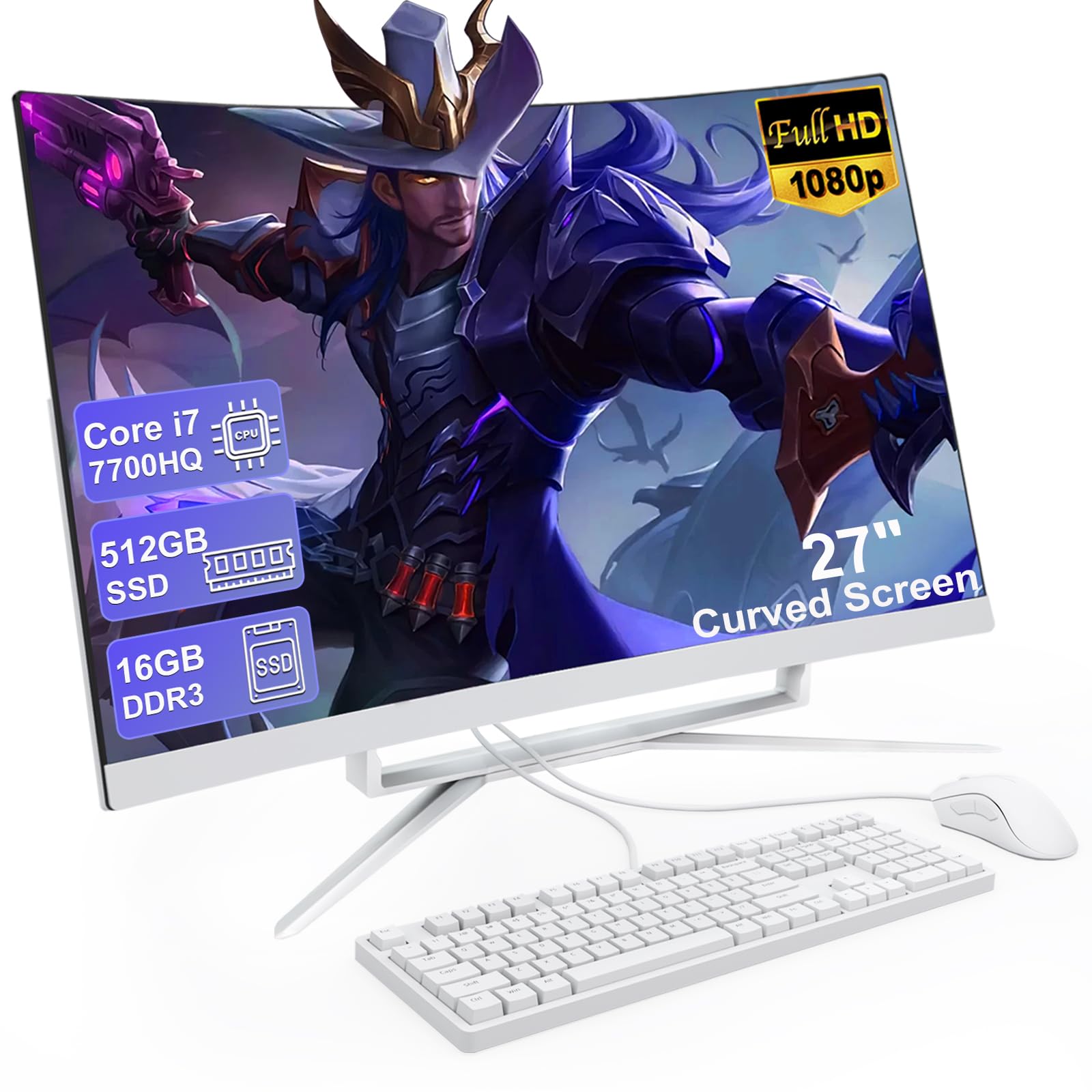
If you like the wrap-around feel of a curved screen, this is the odd one out in the list — a curved 27-inch FHD display with an extremely narrow frame, so the picture curves slightly toward your eyes rather than sitting flat. The panel runs at 1920×1080, and the built-in speakers mean you do not need a separate soundbar cluttering the desk. The processor is the older Core i7 7700HQ, a four-core, eight-thread chip with a 2.8GHz base and a 3.8GHz maximum frequency, backed by 16MB of cache and a 45W power rating. For streaming, office work, and light games it stays responsive; for the newest demanding titles it shows its age.
One thing to know up front: the older chip runs at a listed 3.8GHz maximum, while the Lenovo ThinkCentre elsewhere here posts 4.6GHz — a real speed gap for heavy multitasking, though neither is a gaming rig. The MECHAZER pairs the chip with 16GB of DDR3 memory and a 512GB SSD, so boot and app launches stay quick. Connectivity is generous: six USB ports total (four USB 3.0 and two USB 2.0), one USB-C, plus HDMI, VGA, an RJ-45 LAN jack, and two audio jacks. Bluetooth 5.3 handles wireless peripherals and stable dual-band Wi-Fi keeps the connection steady.
Owners describe the setup as space-saving and snappy, with clear colors and zero lag in everyday tasks. Setup is easy, but the built-in speakers are weak — buyers report the picture is fine while the audio is poor, so plan on a small set of desktop speakers if you lean on sound. The machine ships with a wired keyboard and mouse, and the tilt stand lets you angle the screen. A few buyers also flag that it can sleep after a short idle window with a wired keyboard attached — a minor quirk, not an everyday headache.
What wins people over: the curved screen and space-saving all-in-one shape — no tower, no base, just one panel and a keyboard. Great colors and zero lag keep it smooth for entertainment, office software, and light games, and the six USB ports plus HDMI, VGA, and Ethernet cover most home setups.
The honest trade-off: the audio is the weak link — owners mention the speakers are weak, and the older i7 7700HQ tops out at 3.8GHz, so it is a fit for everyday work rather than the newest demanding software.
The curved-screen shopper: this is the panel for you if the wrap feel matters and you mostly stream, work, and browse.
Look elsewhere if: you rely on built-in sound or you chase the fastest processor — the speakers are weak and the chip is a generation behind.
3. Lenovo ThinkCentre All-in-One, 27″ FHD IPS
The work-desk panel with a 100Hz screen and an HDMI-in for plugging in a second source.
For a screen you stare at for eight hours, Lenovo built this one for comfort first. The 27-inch FHD IPS display runs at 100Hz, so scrolling and cursor movement look noticeably smoother than the standard 60Hz most office monitors draw. It is also anti-glare, hits 99% sRGB color accuracy (a measure of how faithfully it shows the colors photographers and designers work in), 300 nits brightness, and low blue light with a 100Hz refresh rate. The processor is an 8-core Intel Core i5-13420H with a 2.1GHz base and up to 4.6GHz max turbo, paired with 16GB of DDR5 memory — the newer, faster RAM type — and a 512GB SSD.
Where this panel earns a spot on a small business desk is the ports. Alongside two USB-A 2.0 ports, one USB-A 3.2 Gen 2, one USB-C 3.2 Gen 2, HDMI-out 2.1, and an Ethernet jack, it has an HDMI-in — that lets you feed a games console or a second laptop screen straight into the panel. Lenovo also ships a wired keyboard and mouse, and the machine runs Windows 11 Pro, which matters for offices that need the Pro feature set instead of Home.
Setup is easy and the machine handles video and web work without strain; one buyer who weighed an i7 chip and a bigger screen found this model does the job for internet and video. The one recurring gripe from the office crowd is the wired keyboard — a few owners hit dead number-pad keys right from the start, so test it the day it arrives and swap in a spare if you must. Otherwise this is a solid office pick that runs quiet and boots fast.
The standout spec: a 100Hz, 99% sRGB, anti-glare 27-inch FHD IPS panel — smoother and more color-accurate than the standard 60Hz office screen.
Worth knowing: the included wired keyboard is the weak link; a small number of units arrived with unresponsive number-pad keys, so check yours on day one.
Best for: a small office or study that wants a smooth, color-accurate panel and Windows 11 Pro from the start.
Skip if: you want a wireless keyboard/mouse bundle — this ships wired, and you may want to swap in your own set.
4. suevery Prebuilt Desktop 27″ All-in-One
A 120Hz 2K panel with a dedicated graphics card — the creative and light-gaming outlier.
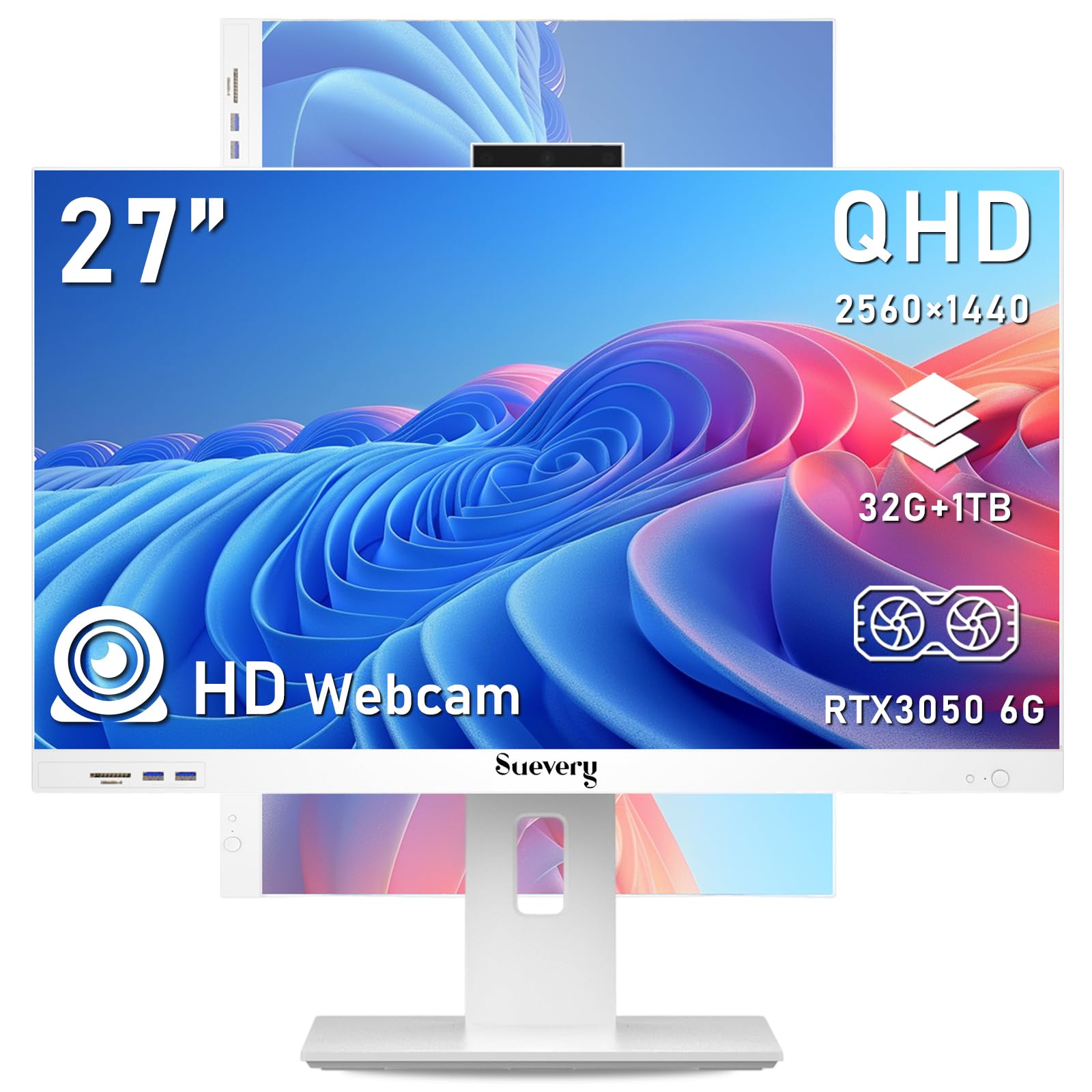
Most all-in-ones in this list lean on built-in graphics. This one does not — it carries a dedicated RTX 3050 6G graphics card, a separate processor for visuals that handles 3D rendering, video editing, and gaming far better than integrated graphics can. The screen is a 2560×1440 resolution panel (also called 2K, sharper than standard Full HD) with a 120Hz refresh rate, so motion stays smooth and the panel tilts from -5 to 25 degrees while rotating 360 degrees. The engine is an Intel 13th Gen Core i5-13400F with 10 cores and 16 threads, running up to 4.6GHz, backed by 32GB of RAM and a 1TB M.2 NVMe SSD.
That storage and memory combo lets you run heavy editing apps, crypto dashboards, or day-trading charts without the machine gasping. A 5-megapixel adjustable camera and dual-band Wi-Fi round out the work-from-home kit, and the ergonomic keyboard, mouse, and Windows 11 Home are all preloaded — it boots ready to use. What owners talk about most is how quickly it is up and running. The setup is easy enough that one buyer who replaced a slow HP all-in-one said it was “fast so far.”
Here is the catch: the speaker system is described as weak from the start by buyers, so if you watch a lot of media, plan on adding external speakers. A few people also ran into setup friction — the seller was slow to answer pre-purchase emails, and one reviewer noted the documentation was thin for a machine this ambitious. Setup itself was smooth, and one buyer called it “very easy” with “a lot less” clutter, so with a little patience the payoff is a genuinely powerful machine.
The Case For It
- RTX 3050 6G dedicated graphics plus 10-core Intel i5-13400F for editing and light gaming
- 32GB of RAM and a 1TB NVMe SSD — lots of room and no waiting on storage
- 2560×1440 120Hz panel that tilts and rotates 360 degrees
- Plug-and-play bundle with keyboard, mouse, and a 5MP adjustable camera already loaded
The Fine Print
- Customers note the built-in speakers are weak; plan on external audio for movies and music
- Seller support can be slow to respond to pre-purchase emails
- The included documentation is thinner than the hardware deserves
Made for: creators, home gamers, and anyone who needs dedicated graphics rather than an everyday work panel.
Not for: buyers who expect rich built-in sound from the start — budget for a speaker upgrade from day one.
5. ASUS V470 All-in-One 27″

A 27-inch touchscreen with a pop-up camera that hides itself when you are done.
If you point and tap rather than push a mouse, this is the pick: it is the touchscreen model in the list, with a 27-inch Full HD anti-glare touch panel that responds to your finger. It runs a 12Mb cache Intel Core i5-13420H at 2.1GHz with up to 4.6GHz and 8 cores, matched with 16GB of DDR5 RAM and a 1TB PCIe SSD — a combination that keeps everyday work snappy and leaves room for a photo and video library. A 1080p Full HD camera with a built-in microphone array tops it off, along with Dolby Atmos speakers and AI Noise-Canceling technology that filters out background chatter on calls.
Connectivity is well thought out for a home office: Wi-Fi 6E (the newer version of Wi-Fi that adds a less crowded band), Bluetooth 5.3, three USB-A ports, a USB-C port, HDMI-out, and a Gigabit Ethernet jack, plus enterprise-grade Firmware TPM 2.0 security for confidence. It runs Windows 11 Home and comes with a wired keyboard and mouse. The most-loved detail in the reviews is the camera — it tucks away when idle, so privacy is one push away.
Owners call the setup easy and the machine quiet, fast, and roomy. A 70+ buyer setting one up for the second time said the display is clear with vibrant colors and excellent sound, and one more piece of praise that stands out is that the wired keyboard and mouse work fine but wireless would be a nicer match. The one honest limitation here is the stand — it does not adjust in height, and a buyer who otherwise called it “good equipment” wished exactly that. If your desk height is fixed and comfortable, it is a non-issue; if you share a bench with a taller partner, that fixed height is worth knowing.
The feature everyone notices: the pop-up camera that slides away when you are not on a call — privacy without a sticker.
One thing to weigh: the height is not adjustable, so pair it with a fixed-height desk and a comfortable chair.
Reach for it if: a touchscreen plus a privacy tuck-away camera is worth more to you than a height-adjustable stand.
Look past it if: you are picky about monitor height and want a screen you can raise or lower with your hand.
6. acer Aspire C27 AIO Desktop (Ryzen 7)

A 120Hz panel that draws its picture twice as often as the standard office screen.
On paper the headline is the screen: a 27-inch Full HD IPS display running at 120Hz — that is refresh rate, how many times per second the panel redraws the picture, and at 120 frames per second scrolling and fast motion look noticeably smoother than a 60Hz screen. Acer also seeds in VisionCare technology with flicker-free backlighting, BluelightShield, and low dimming for comfortable long sessions, plus a 90.71% screen-to-body ratio. The engine is an AMD Ryzen 7 5700U octa-core (eight cores) running up to 4.3GHz with AMD Radeon graphics, joined by 16GB of DDR4 3200MHz memory and a 1TB PCIe NVMe SSD.
The front-facing I/O is a nice touch — the ports sit right on the front edge, so you can plug in a drive or headset without reaching behind the panel. Connectivity includes Wi-Fi 6 at speeds up to 9.6 Gbps with WPA3 encryption, Bluetooth 5.2, DisplayPort out, HDMI, and USB-C, plus a 2.0MP webcam with a privacy cover and a One-Click Copilot key for Windows 11 Home. It ships with a USB keyboard and mouse.
What buyers love is the screen and the speed — one called it “great size, awesome picture, and very quick,” and another said there is “all the power I need.” The trade-off worth knowing is the fan and the stand: some reviewers point out the cooling fan running loudly and often, and the stand does not swivel or articulate, while a few find the bottom-mounted ports awkward to reach.
The bright spot: a 120Hz, flicker-free 27-inch FHD IPS panel — smoother motion and comfortable viewing over long sessions.
What to listen for: a small number of units run their cooling fan loudly and the stand is fixed, so it does not swivel.
Choose this if: a smooth 120Hz screen and a quiet home setup matter, and you value front-accessible ports.
Look past it if: you want a swiveling, articulating stand or a near-silent machine — the fan is the variable to watch.
7. Dell 27″ All-in-One Desktop (Core 5 120U)

A home-office panel with a keyboard tray built into the stand and a 5MP pop-up camera.
This is the Dell to buy for a tidy home desk. The 27-inch FHD IPS display covers 99% sRGB for true-to-life color, and the stand hides a slot that lets you tuck a keyboard underneath so the surface stays clear. Dell ComfortView Plus cuts blue light for long sessions, and the higher-than-previous-generation refresh rate makes scrolling smoother from the start. The engine is an Intel Core 5 120U, a modern everyday chip rated up to 5GHz, matched with 16GB of DDR5 RAM and a 512GB SSD.
The 5MP+IR camera tilts from 0 to 20 degrees and pops down into the chassis to hide when you are not on camera, so you get a sharp picture and one-push privacy. Dual Bluetooth speakers with Dolby Atmos spatial sound keep audio clear without extra wires. You also get one year of onsite service, where Dell comes to you if a hardware fault cannot be fixed remotely, plus six months of Dell Migrate for moving your files over from the old machine. A wired Dell Pro keyboard and mouse come in the box.
What owners consistently praise is how quick it is to get going and how sharp the screen looks — one called it “perfect for my home office” and praised the screen size, another said it “works fast” with a “great picture” that was “larger than I thought would be.” The mildest gripes are small: the initial setup had no clear instructions for some buyers, and one person had trouble with quick access to files before working out a cloud backup hurdle. Nothing that stops the machine from doing its job. If you want a large, crisp, no-fuss panel for paperwork and video calls, this is a strong fit.
Why it ranks here: a 99% sRGB 27-inch FHD IPS screen plus a keyboard-tray stand and a 5MP pop-up camera — a polished home-office package.
Plan for this: the initial setup can be a bit light on guidance, and a few owners hit a cloud-storage step during migration.
Best fit: home-office users who want a clutter-free desk, sharp colors, and a camera that hides itself away.
Consider another model if: you want detailed setup instructions or a wireless-only keyboard/mouse kit — this ships wired.
8. Lenovo IdeaCentre AIO 27″ (Core i7-13620H)
A 10-core i7 that tears through video editing and simultaneous heavy apps without stuttering.
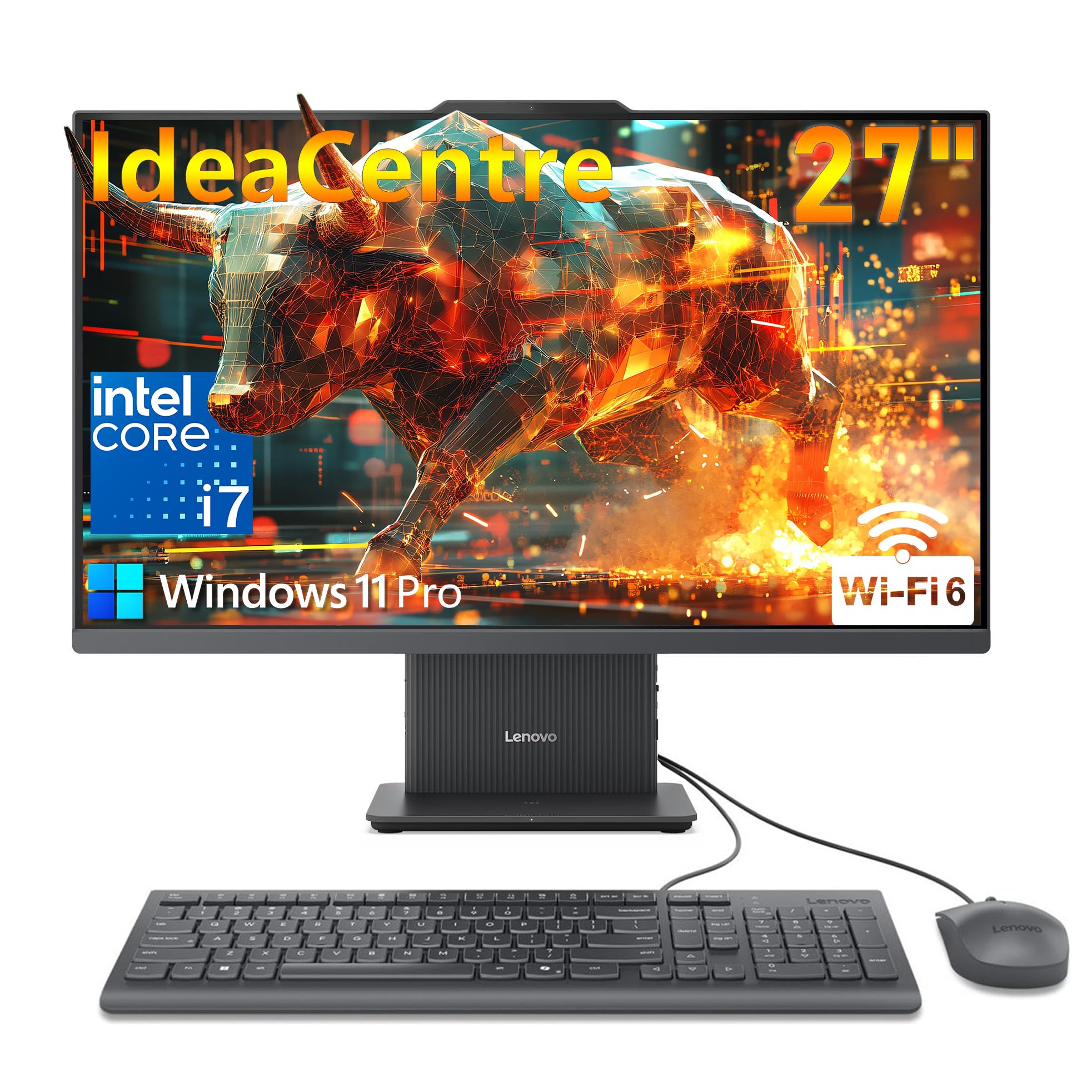
When the everyday all-in-ones feel like they are breathing hard, this Lenovo does not. It runs a 13th Gen Intel Core i7-13620H with 10 cores and turbo speeds up to 4.9GHz — that figure is the fastest listed turbo in the entire roundup, ahead of the ThinkCentre’s 4.6GHz and the MECHAZER’s 3.8GHz. Memory is 16GB of DDR5-5200 paired with a 512GB PCIe 4.0 NVMe SSD, so it boots in seconds and launches apps instantly. The 27-inch Full HD IPS panel covers 99% sRGB with a 300-nit brightness rating and an ultra-slim 3-side borderless bezel.
Around the panel you get USB-C at 10Gbps, dual HDMI (so you can drive a second monitor and still have a port free), Wi-Fi 6, and Bluetooth 5.2, running Windows 11 Pro, which offices and small businesses tend to want. The 5MP webcam with dual microphones handles video calls, and the HARMAN-branded speakers push richer sound than the average all-in-one. A wireless keyboard and mouse keep the desk free of wires.
Owners call the setup simple, the WiFi fast, and the screen colors crisp from the start. If you do heavy photo or video editing, or you live in spreadsheets and browser tabs, this is the machine that keeps pace. The light caveat: one buyer mentioned a few graphics quirks, and the 512GB SSD fills quickly if you work with large media files — an easy fix with an external drive. For the fast, roomy desk experience that just works, the payoff here is the raw speed of that 10-core chip.
What It Brings
- Fastest listed turbo in the roundup — a 10-core Intel Core i7-13620H up to 4.9GHz
- 16GB DDR5-5200 with a 512GB PCIe 4.0 NVMe SSD for near-instant boot
- 99% sRGB, 300-nit, borderless 27-inch FHD IPS panel with low blue light
- USB-C 10Gbps, dual HDMI, Wi-Fi 6, Bluetooth 5.2, and Windows 11 Pro
Keep In Mind
- One buyer hit minor graphics quirks — not typical, but worth noting
- 512GB fills quickly with large video and photo projects; plan an external drive
The power pick: a 10-core i7 and dual HDMI for creators and multi-app workers who want speed, not compromise.
The one catch: heavy editors should budget for external storage — 512GB goes fast when media files pile up.
9. Dell 27″ All-in-One Desktop (Core 7 150U)

The Dell with the fastest single-clocking chip here for snappy everyday office work.
The naming here is quiet about the most useful number: the Intel Core 7 150U processor runs up to 5.4GHz, the highest listed max speed of any chip in this roundup — ahead of the Core 5 120U model above and the IdeaCentre’s 4.9GHz. In real terms that means opening apps and switching windows feels immediate, which is exactly where an office machine earns its keep. It pairs with Windows 11 Home, 16GB of DDR5 RAM, and a 512GB SSD, and shares the same crisp 27-inch FHD panel as the other Dell picks, plus the space-saving stand and the pop-up 5MP camera.
Two extras stand out for a small business: the stand’s built-in slot houses your keyboard when not in use, and you get one year of onsite service, where Dell sends a technician to your home or office if a hardware fault cannot be fixed remotely. There is also six months of Dell Migrate to move your files from the old machine, and a wired Dell Pro keyboard and mouse in the box.
Owners describe the setup as easy and quick — light, compact, and up and running in minutes, with one buyer praising how the machine connected straight to a 5G WiFi modem. What buyers consistently respond to is the quality and reliability for the money. The one caveat: this model has no DVD or CD drive, as one buyer discovered when moving data off old CDs, and the Office suite is a 30-day trial that requires a subscription after. If your old data lives on discs, plan to copy it across another way.
Standout number: a 5.4GHz Intel Core 7 150U — the fastest-clocking chip in this roundup for a business machine.
Check before you buy: no disc drive, and Office is a 30-day trial — factor in a subscription or software plan.
For the office desk: speed and onsite service make it a solid pick for business and daily productivity.
One caution: no CD/DVD drive and no touchscreen — great for spreadsheets, less so for legacy discs or tapping a screen.
10. HP 27 inch All-in-One Desktop PC 27-cr0012

32GB of RAM and a 1TB SSD for threading every tab and document at once.
Load the desk with browser tabs, a spreadheet, and a video call running at the same time and the machine just keeps going — the 32GB of high-capacity RAM here is the standout against the 16GB crowd. It runs an AMD Ryzen 7 7730U processor with 1TB of solid-state storage, backed by a 27-inch FHD display with an ultra-slim three-sided micro-edge bezel and up to a 90% screen-to-body ratio. A tiltable pop-up privacy camera, HP Video Controls, and dual array microphones with advanced noise reduction handle the calling side.
Storage design points wise, The 1TB SSD boots Windows in seconds and opens large files without the wait of a spinning hard drive. The pop-up camera and privacy controls are the highlights owners like. The panel runs Windows 11 Home, and the keyboard and mouse come in the box.
Here is the honest read: reliability reports on this model are more mixed than its siblings, with some buyers hitting early problems that led them to send units back, so read the listing carefully and lean on the return window if you buy. When it runs well, owners praise the fast, smooth setup and clean, modern look that keeps a workspace tidy. If you wantthe maximum headroom for multitasking, the 32GB/1TB combination is the reason this one made the list.
Where It Stands Out
- 32GB of RAM and a 1TB SSD — the most generous everyday memory loadout here
- AMD Ryzen 7 7730U processor with Windows 11 Home preloaded
- Tiltable pop-up privacy camera, dual array mics, and noise reduction for calls
- 27-inch FHD panel with up to a 90% screen-to-body ratio and a slim bezel
What To Watch
- Owner reports on long-term reliability are mixed, so lean on the return window
- No touchscreen and a fixed-height stand on this model
- Integrated Radeon graphics, so demanding 3D games are out of scope
Pick it for: heavy multitasking — you want 32GB of RAM and a 1TB drive so nothing slows you down.
Weigh this first: reliability feedback is mixed, so buy from a seller with an easy return path.
11. HP 27″ All in One Touchscreen Copilot PC
A touchscreen Copilot+ machine with a dedicated AI key and 32GB of DDR5 to spare.
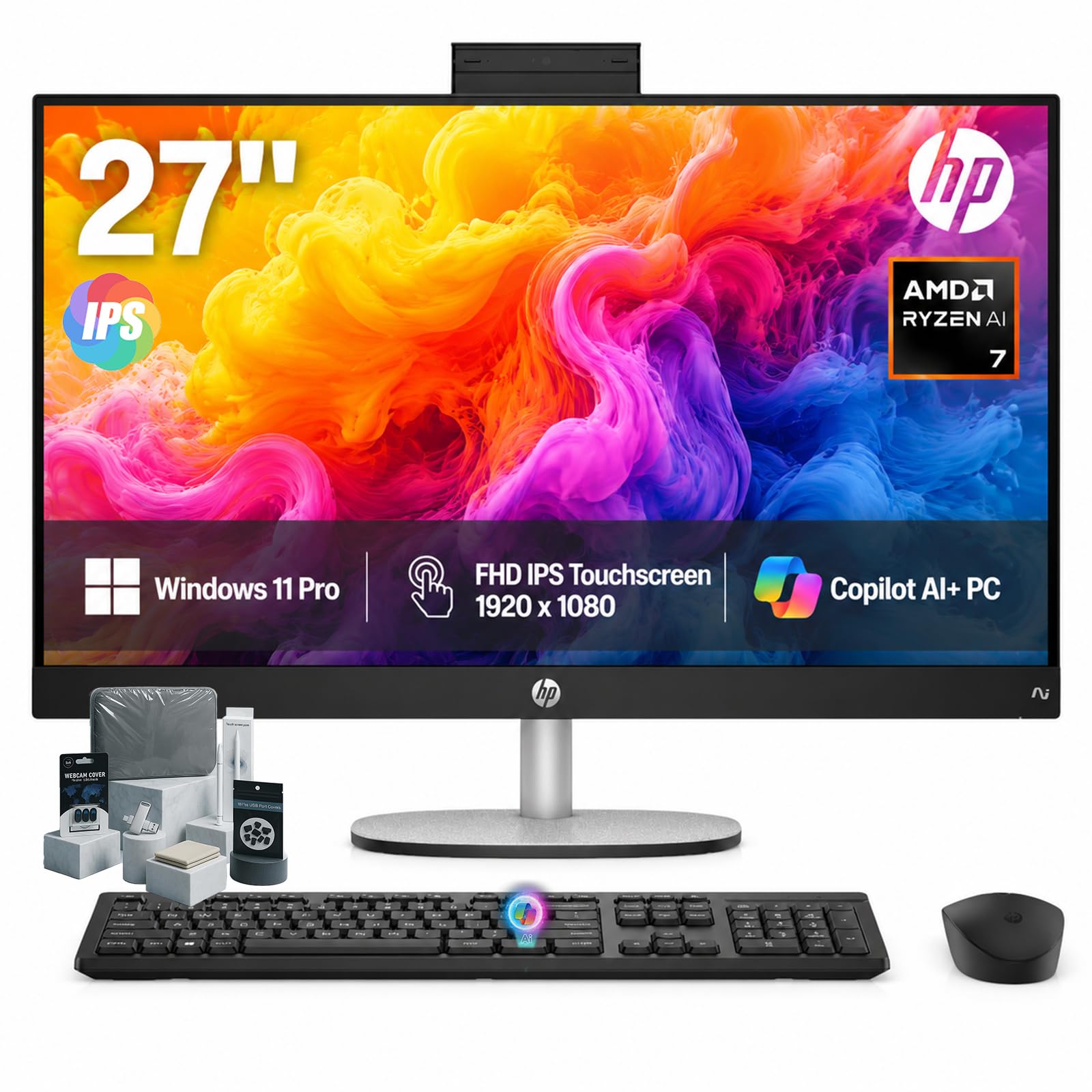
At the top of the range sits a Copilot+ PC built around an AMD Ryzen AI 7 350 processor with a dedicated Microsoft Copilot key, running Windows 11 Pro. The 27-inch FHD (1920×1080) IPS touchscreen supports 178-degree wide viewing angles, an anti-glare panel, and DC Dimming flicker-free technology, mounted on a stand that adjusts from -5 to 20 degrees. With 32GB of DDR5 memory and a 1TB SSD, it handles heavy multitasking, tab overload, and large creative files without slowing.
For calls, the HP True Vision FHD IR camera sharpens low-light video and open up the PC with Windows Hello facial recognition, while AI Noise Reduction filters background chatter. Connectivity covers Wi-Fi 6, Bluetooth 5.4, HDMI, and USB ports, with an HP wireless keyboard and mouse in the box. The bundle also throws in a touchscreen pen, a 128GB USB flash drive, a cleaning cloth, camera protector, and dust plugs — ready to use straight from the start.
What buyers respond to is the simplicity: one buyer wanted a desktop “without a separate tower,” and this design delivers exactly that, with quick setup and an easy Copilot key to reach AI help. That said, this model has the smallest review base of any pick here, and there is at least one credible report of a unit that arrived defective and was returned, so the usual advice applies — test it thoroughly within the return window. If you want touch, the newest AI hardware, and Pro software preinstalled in one purchase, this wraps it all up neatly.
Fresh-out-the-box appeal: 32GB DDR5, a 1TB SSD, an AMD Ryzen AI 7 350, and Windows 11 Pro loaded, plus a touchscreen pen and accessory bundle.
Worth a look first: the review base is small and one unit arrived defective, so check everything early.
Right for: buyers who want touch, AI-assisted features, and 32GB of DDR5 without piecing together a bundle.
Hold off if: you would rather wait for a deeper track record — the review pool here is the thinnest on the list.
Understanding the Specs
Refresh Rate and Why 120Hz Matters
Refresh rate is how many times per second the screen redraws its picture, measured in hertz (Hz). A 60Hz screen — the standard for years — redraws 60 times a second; a 100Hz or 120Hz screen redraws that many times, so scrolling, cursor movement, and fast video look smoother and less blurry. It is most noticeable when you scroll long documents or watch sports, and it is one of the biggest reasons two 27-inch all-in-ones can feel very different to use. Panels here range from the standard rate up to 120Hz, so if smooth motion matters, check this number first.
DDR5 vs DDR4 Memory
RAM is the short-term workspace your apps use while running. DDR4 and DDR5 are two generations of that memory; DDR5 is newer and faster, which helps when you keep many programs and tabs open at once. Capacity matters even more than generation for most people — 16GB keeps a busy home office comfortable, while 32GB gives real headroom for heavy multitasking, editing, or many browser tabs. Here you will see both DDR4 and DDR5 across the list, with 16GB and 32GB capacities, so match the figure to how much you run at once.
FAQ
Is a 27-inch all-in-one computer fast enough for everyday work?
What refresh rate should a 27-inch all-in-one have?
Should I choose DDR5 memory over DDR4?
Can I add a second monitor to a 27-inch all-in-one?
Is 512GB storage enough, or should I get 1TB?
Do all 27-inch all-in-one computers have a touchscreen?
Is a dedicated graphics card worth it in an all-in-one?
How long should a 27-inch all-in-one computer last?
Can I use an all-in-one computer for gaming?
Do these all-in-ones come with a keyboard and mouse?
Final Thoughts: The Verdict
For most homes, the 27 inch all in one computer winner is the acer Aspire C27-1700-UA91 because it balances a bright 27-inch Full HD panel, a 12th Gen Core i5, 16GB of RAM, and a 512GB NVMe SSD in one clean, easy-to-set-up package. If you want a touchscreen and a pop-up privacy camera, reach for the ASUS V470 All-in-One. And for heavy multitasking with 32GB of RAM and a 1TB drive, the HP 27-cr0012 is the one to consider, while the Dell Core 7 150U suits small offices that want fast clock speeds and onsite service. With 275 ratings at 4.5 stars, it is the safest first pick.
How We Picked
We do not accept paid placement. Every pick is matched to a real buyer and a real use-case; we do not hands-on test units.
Sources & Methodology
Specifications: manufacturer listings and product documentation. Review insights: verified customer reviews, as of September 2026. Pricing: not shown on this page (it changes often); check the current price via the retailer link.
As an Amazon Associate, Gadgets Feed earns from qualifying purchases. This does not affect which products we feature.