
The paper calendar on your kitchen wall was a valiant effort, but its sticky notes, crossed-out appointments, and vanishing grocery lists are no match for a modern household. A dedicated 27-inch touchscreen does more than show dates — it syncs everyone’s Google, iCal, or Outlook calendars onto a single wall-mountable display, turning household chaos into a color-coded command center for schedules, chores, meals, and reminders.
I’m Min — the co-founder and writer behind Gadgets Feed. I’ve spent this year analyzing over a dozen digital calendar models across the – range, cross-referencing screen resolution, touch responsiveness, storage capacity, and sync compatibility to find the units that actually deliver on their promises.
This guide breaks down the nine most compelling entrants in the category, comparing display specs, native storage, and calendar sync ecosystems so you can confidently choose the best 27-inch digital calendar for your family’s daily workflow.
How To Choose The Best 27 Inch Digital Calendar
A 27-inch digital calendar is essentially a wall-mounted, always-on smart display built around family scheduling. But not all models handle sync, storage, and touch input equally. Here are the three specifications that separate a helpful hub from a frustrating screen.
Calendar Sync & App Ecosystem
Your digital calendar is only useful if it actually talks to the calendars your family already uses. Look for models that support Google Calendar, iCloud, Outlook, and Yahoo natively — and confirm whether sync is bidirectional (changes made on the device appear on your phone, and vice versa). Some premium units offer a companion app with remote management; others require manual setup each time you switch devices. Watch for hidden subscription fees: a few brands gate advanced features like meal planning or reward systems behind a monthly or annual plan.
Display Quality & Touch Responsiveness
All 27-inch models in this space run at 1920×1080 Full HD resolution, but the panel type matters. Glossy IPS screens deliver vibrant colors and wide viewing angles but reflect overhead lights and windows, making afternoon readability a challenge. Anti-glare matte panels trade a bit of punch for comfortable all-day viewing. Touch responsiveness varies noticeably: capacitive layers on some units register light swipes smoothly, while others require deliberate presses that can lead to missed inputs or double-taps during quick morning use.
Storage, Mounting, and Dual-Purpose Features
If you plan to use the calendar as a rotating photo frame during idle time, internal storage matters. Entry-level models offer 32 GB — enough for several thousand photos — while premium units pack 64 GB or support microSD expansion. Wall-mount flexibility (landscape vs. portrait orientation, leveling guides, and swivel mounts) directly impacts where you can install it. Also consider whether the unit includes a desk stand, how easily the frame swaps, and whether sleep mode can be scheduled so the screen turns off at bedtime without manual intervention.
Quick Comparison
On smaller screens, swipe sideways to see the full table.
| Model | Category | Best For | Key Spec | Amazon |
|---|---|---|---|---|
| Skylight Calendar Max | Premium | Effortless out-of-box sync | 27″ HD touchscreen, portrait/landscape mount, Plus Plan optional | Amazon |
| Apolosign 27-inch | Premium | Smart home hub + calendar | Dual Calendar/Android mode, AI voice assistant, anti-glare | Amazon |
| Hearth Display 27″ | Premium | Minimalist design + gamified routines | Anti-glare smudge-resistant touchscreen, /month membership | Amazon |
| Dragon Touch (TM27, Black) | Premium | Interactive chore charts | 27″ touchscreen, chore chart + rewards system, eCalendar app | Amazon |
| JSUSOU 27 Inch | Premium | All-in-one 8-function family hub | 32 GB storage, 8-in-1 hub (calendar, chores, meal, tasks) | Amazon |
| flyEVfish 27 Inch | Premium | Detailed meal plans + custom lists | 27″ HD touchscreen, smart task chart, 3-day weather forecast | Amazon |
| Dragon Touch (TM27, White) | Mid-Range | Reward system + meal planning | 27″ touchscreen, 32 GB storage, chore chart with rewards | Amazon |
| DASFIWO 27 Inch | Mid-Range | Subscription-free basic sync | 1920×1080 IPS touchscreen, 32 GB, Google/Outlook/iCloud sync | Amazon |
| NexFoto 27 Inch | Mid-Range | Photo-centric family display | 27″ FHD glossy touchscreen, 64 GB internal, Wi-Fi 5GHz | Amazon |
In‑Depth Reviews
1. Skylight Calendar Max
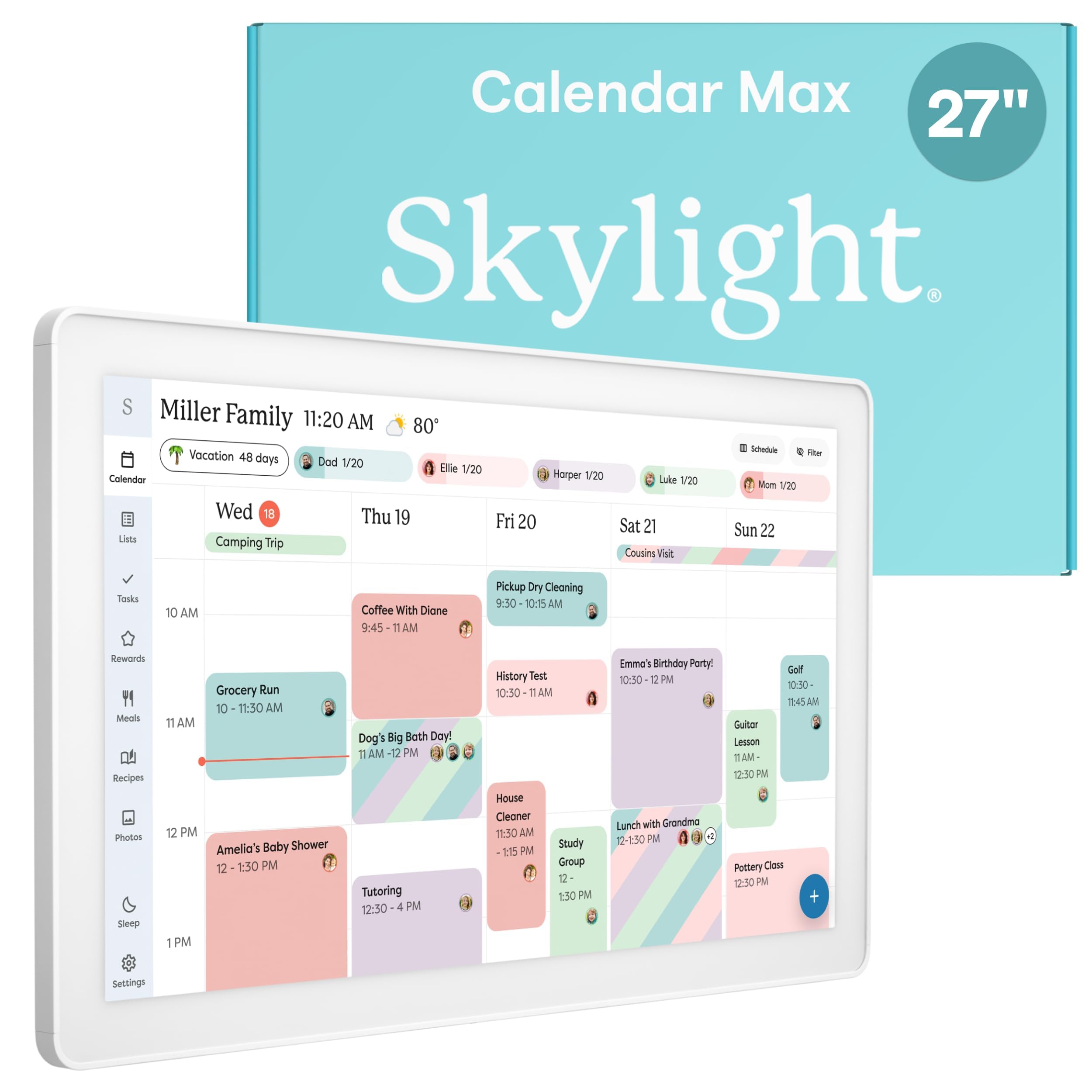
The Skylight Calendar Max is the most polished out-of-box experience in the category. Its 27-inch HD touchscreen auto-adjusts between portrait and landscape orientation, and the included leveling guide makes wall mounting genuinely tool-free. Sync is effortless out of the box — connect to Wi-Fi and it instantly pulls events from Google, Apple, Outlook, Yahoo, and Cozi without manual pairing. The free Skylight mobile app lets you edit the calendar from anywhere, and color-coded events keep each family member’s schedule visually distinct.
The Max doubles as a chore chart with assignable tasks and a daily planner that tracks routines. Its built-in meal planning feature and reward system are locked behind the optional Plus Plan, but the core calendar, tasks, and photo screensaver remain free. The auto-dimming screen and sleep mode preserve wall visibility at night, and the swappable frame lets the unit blend into kitchens or hallways without looking like a piece of hardware.
Customer feedback consistently praises the intuitive UI and the toddler-friendly routine icons that work even for pre-literate children. The 27-inch display is bright enough for a sunlit kitchen, and the responsive capacitive layer registers swipes and taps accurately. The only recurring criticism is the lack of a built-in smart assistant — it sticks strictly to calendar and task management. For families who want a dedicated scheduling hub that works the moment the box opens, this is the gold standard.
Why it’s great
- Instant sync with Google, Apple, Outlook, Yahoo, and Cozi with zero setup friction
- Auto-adjusting portrait/landscape mount with included leveling guide
- Color-coded family profiles and toddler-friendly routine icons
Good to know
- Meal planning and reward system require the optional Plus Plan subscription
- No built-in voice assistant or smart home integration
2. Apolosign 27-inch Digital Calendar
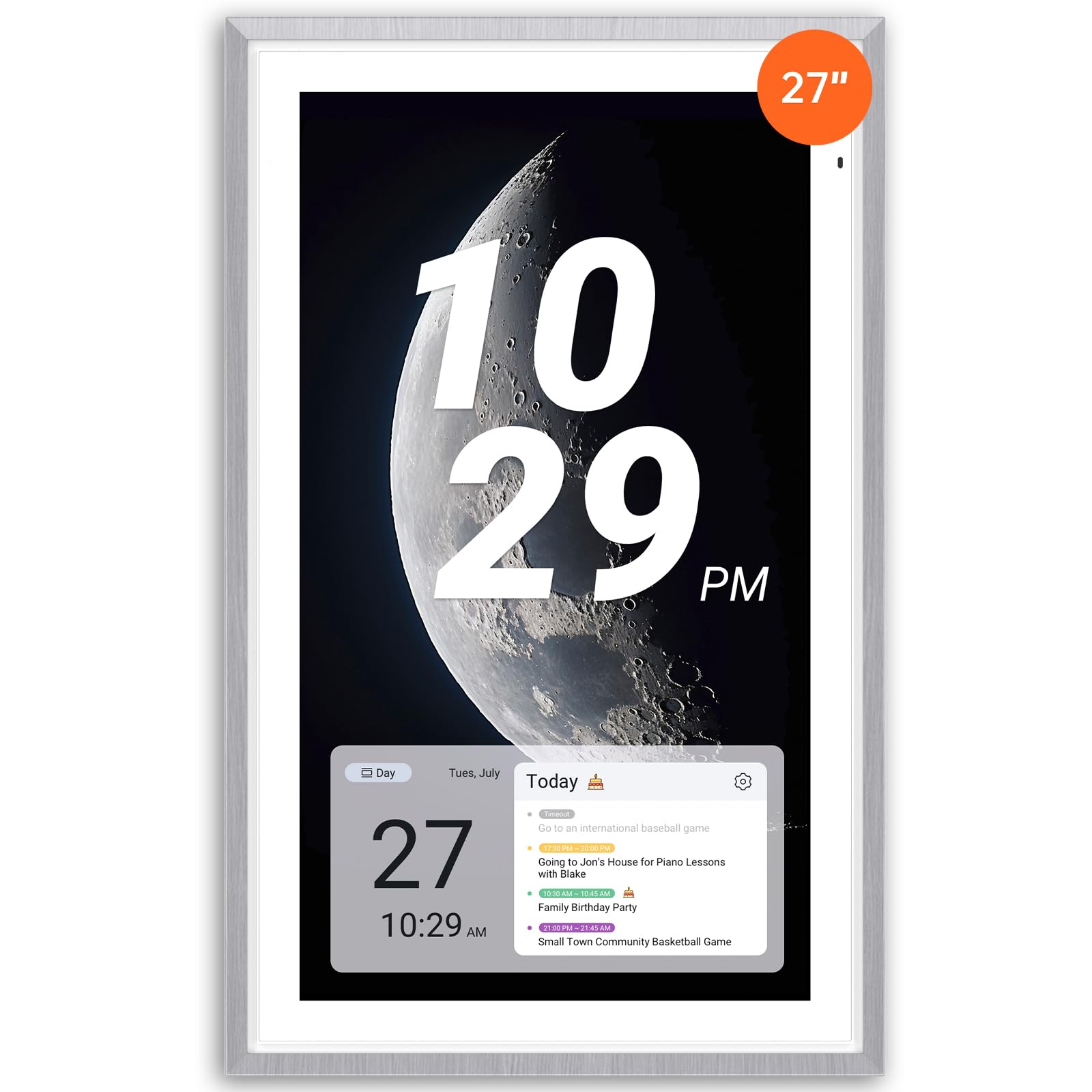
The Apolosign 27-inch is the calendar that does more than show dates — it runs a full Android interface alongside the dedicated calendar mode. This dual-mode design means you can download apps from Google Play for widgets like weather, music, doorbell cameras, and stocks, turning the display into a legitimate smart home control panel. The anti-glare matte glass keeps the screen readable in bright rooms, and the faux wood frame looks far more like decor than a gadget.
The calendar sync engine handles Google, Outlook, and iCloud with color-coded events, and the companion Apolosign app allows remote management. A reward-based chore chart motivates kids to complete daily tasks, while the meal planner with integrated grocery lists eliminates the nightly “What’s for dinner?” question. The unit also ships with Google Gemini preloaded, so you can set alarms, check weather, or dim smart lights hands-free without reaching for the screen.
Owners describe the setup as straightforward, with the dual-mode flexibility being the standout differentiator. The 27-inch display delivers crisp text readable from across the room, and the matte finish eliminates the reflection problems common on glossy competitors. One downside is that the full widget dashboard and third-party app functionality add complexity that less tech-savvy users might not need. If you want a calendar that doubles as a smart home hub, this is the most capable option at this size.
Why it’s great
- Dual Calendar/Android mode allows app downloads from Google Play for widgets and smart home control
- Anti-glare matte glass reduces reflections in bright kitchens
- Preloaded Google Gemini AI voice assistant for hands-free task management
Good to know
- The Android mode adds complexity beyond a pure calendar experience
- App integration is region-limited to the U.S., Canada, and U.K.
3. Hearth Display 27″
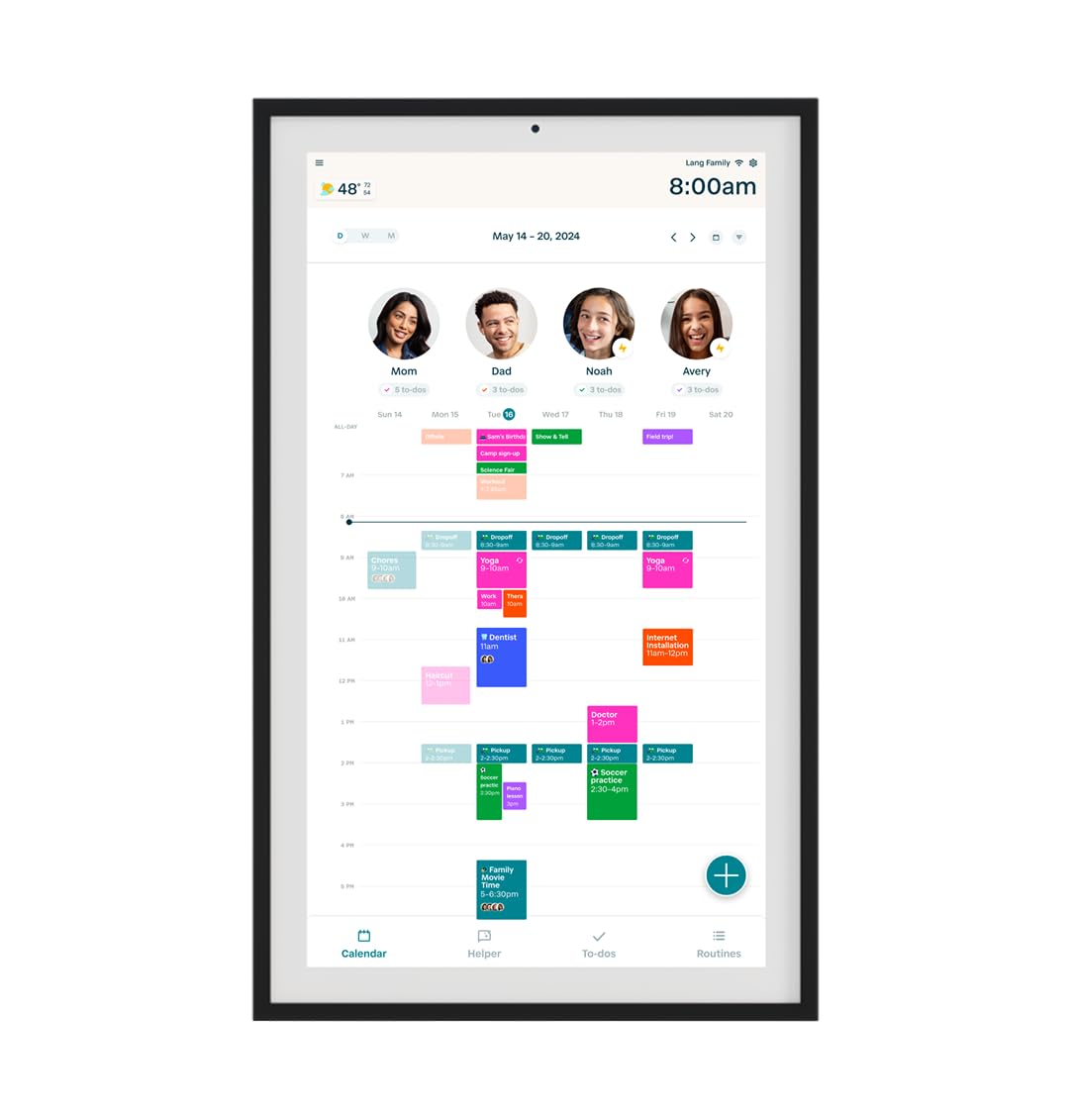
Hearth Display approaches the digital calendar from a design-first perspective. The 27-inch touchscreen uses a smudge-resistant anti-glare panel that stays clean and readable even in a high-traffic kitchen. The frame comes in light wood, black, or white, and at just 1.2 inches deep, the unit sits flush against the wall. Its custom wall mount requires a simple plug-and-mount installation — no visible wires or bulky brackets.
The software centers around personalized profiles for each family member, including kid-friendly icons for pre-literate children. Routines and streaks gamify daily tasks: kids earn points for completing morning chores, brushing teeth, or packing their bag, and parents can track habits over time. The companion iOS/Android app manages profiles, shared calendars, and custom lists remotely. Hearth syncs with Google, iCal, and Outlook, and its scan-to-import feature digitizes handwritten paper schedules in seconds.
Customer reviews highlight the clean interface and the reduction in mental load for working parents. The built-in rotating screensaver was added via a recent firmware update, and the touchscreen is responsive for swipes and taps. The primary drawback is the ongoing cost: after a one-month trial, core features require a /month Hearth Family Membership, and the free basic tier is severely limited. If the monthly fee fits your budget and minimalist aesthetics matter, this is the most visually refined calendar on the market.
Why it’s great
- Smudge-resistant anti-glare touchscreen with a flush, low-profile wall mount
- Gamified routines with streaks and points that motivate kids effectively
- Scan-to-import digitizes handwritten paper schedules instantly
Good to know
- Full features require a /month subscription after the one-month free trial
- Interface can feel laggy during calendar sync according to some early adopters
4. Dragon Touch 27 inch Digital Calendar Chore Chart (Black)
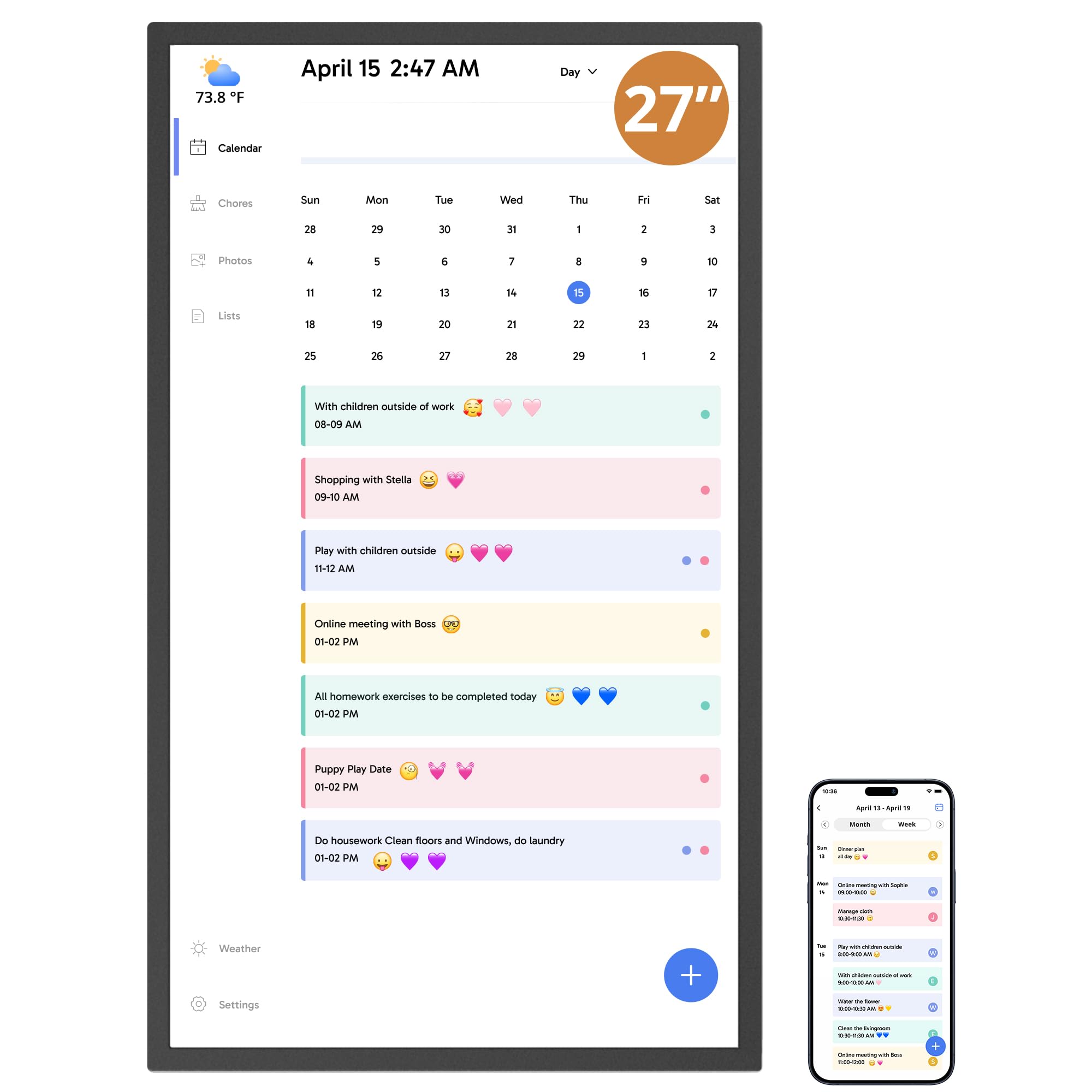
The Dragon Touch 27-inch (model TM27 in black) focuses its entire interface on family accountability. The chore chart assigns color-coded tasks to each person, and the built-in reward system lets parents assign stars that kids can redeem. The interactive dinner planner eliminates the daily “What’s for dinner?” loop, and the grocery list feature keeps shopping aligned with the week’s meal plan. The eCalendar app allows remote management from a phone, so you can update chores while at work.
Setup is straightforward: plug in, connect to Wi-Fi, and sync individual calendars from iOS and Google accounts into one unified view. The 27-inch touchscreen delivers crisp text and photo display, and the unit can function as a digital picture frame when not in calendar mode. Paid features like Magic Import unlock advanced tools for users with specific needs, but the core calendar, chore chart, and meal planner don’t require a subscription.
Reviewers emphasize the chore system’s effectiveness in motivating children and the seamless calendar sync once properly configured. The main drawbacks are a touchscreen that occasionally misreads light touches and noticeable glare on the glossy panel in bright rooms. The instruction manual could also be clearer for multi-user setup. For families where chore tracking is the primary need, this is the most feature-complete option at this price tier.
Why it’s great
- Color-coded chore chart with star-based reward system that genuinely motivates kids
- Seamless sync with iOS and Google calendars into a single unified family view
- Dedicated dinner planner and grocery list integration
Good to know
- Glossy screen reflects overhead lights and windows in bright kitchens
- Touchscreen requires deliberate presses; light swipes may not register
5. JSUSOU 27 Inch Smart Digital Calendar
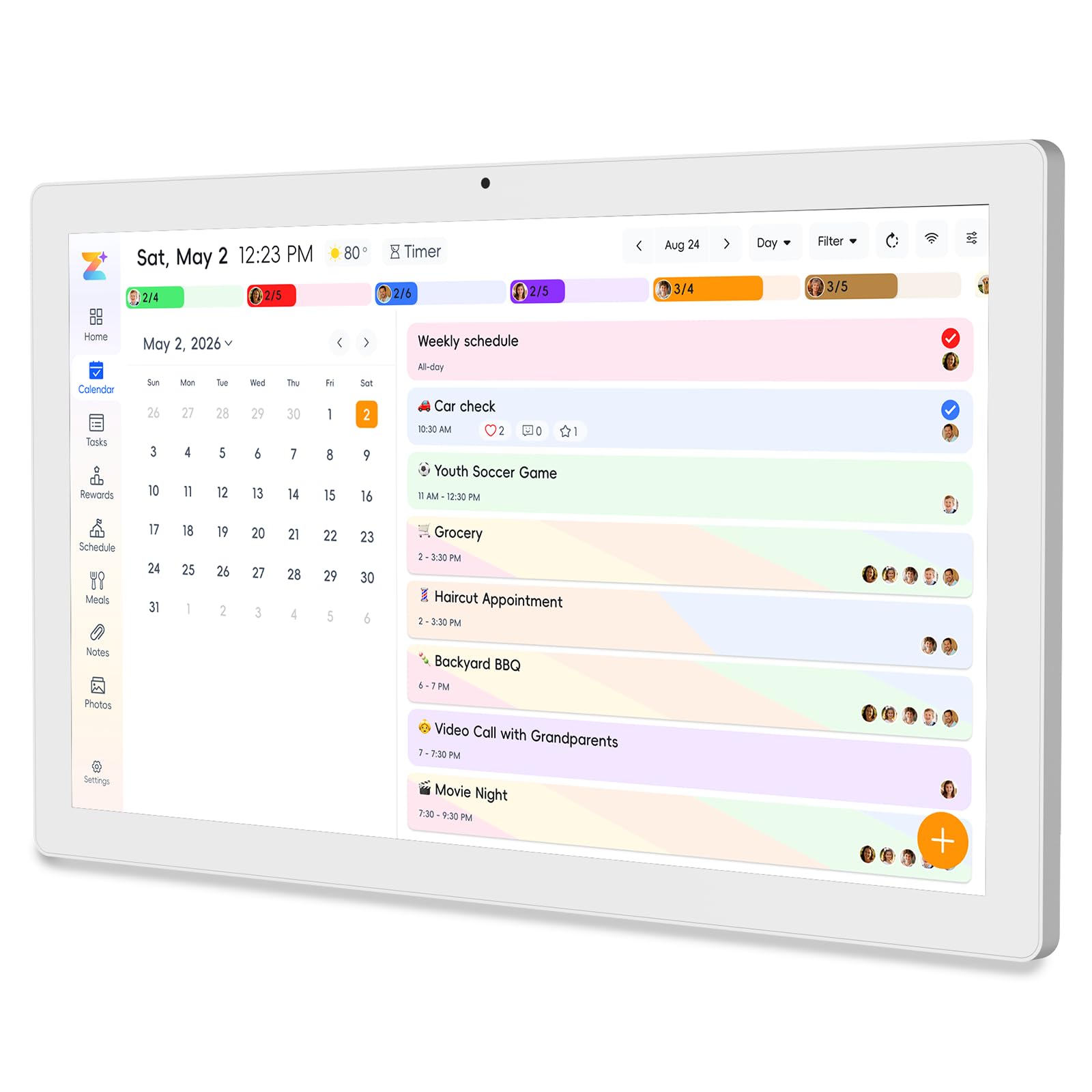
The JSUSOU 27-inch markets itself as an 8-in-1 hub, and it delivers on that promise with calendar sync, chore assignment, meal planning, habit tracking, to-do lists, a digital photo frame, alarms, and smart home control — all in one device. The 27-inch HD touchscreen rotates between portrait and landscape, and the 32 GB of internal storage is ample for thousands of family photos. Sync supports Google, iCloud, and Outlook with one-click setup, and changes made on a phone appear on the display instantly.
The habit tracker is a standout for parents trying to build consistent routines: you can assign color labels and task rewards for daily behaviors like brushing teeth, reading, or practicing an instrument. The meal planner displays weekly menus and auto-generates a shopping list. When the calendar is idle, the screen rotates through synced photos, turning the unit into a living family album. No subscription is required for any of these features — all cloud storage and sync are free.
Customer feedback highlights the ease of setup and the wife-approved aesthetic, with the magnetic fridge mount option being a practical bonus for renters who can’t drill into walls. The biggest frustration reported is the limited direction clarity: the included manual is sparse, and getting a second phone to sync took some users over a week of trial and error. For households comfortable with a bit of setup patience, the JSUSOU offers more built-in features than any other calendar at this price.
Why it’s great
- Eight integrated functions (calendar, chores, meals, habits, lists, photos, alarms, smart home) with zero subscription
- 32 GB internal storage accommodates thousands of family photos for screensaver mode
- Rotates between portrait and landscape for flexible wall positioning
Good to know
- Multi-user sync setup is confusing; the manual lacks clear steps for adding a second phone
- Fridge magnet mounting may slip on textured surfaces without additional 3M strips
6. flyEVfish 27 Inch Smart Digital Calendar
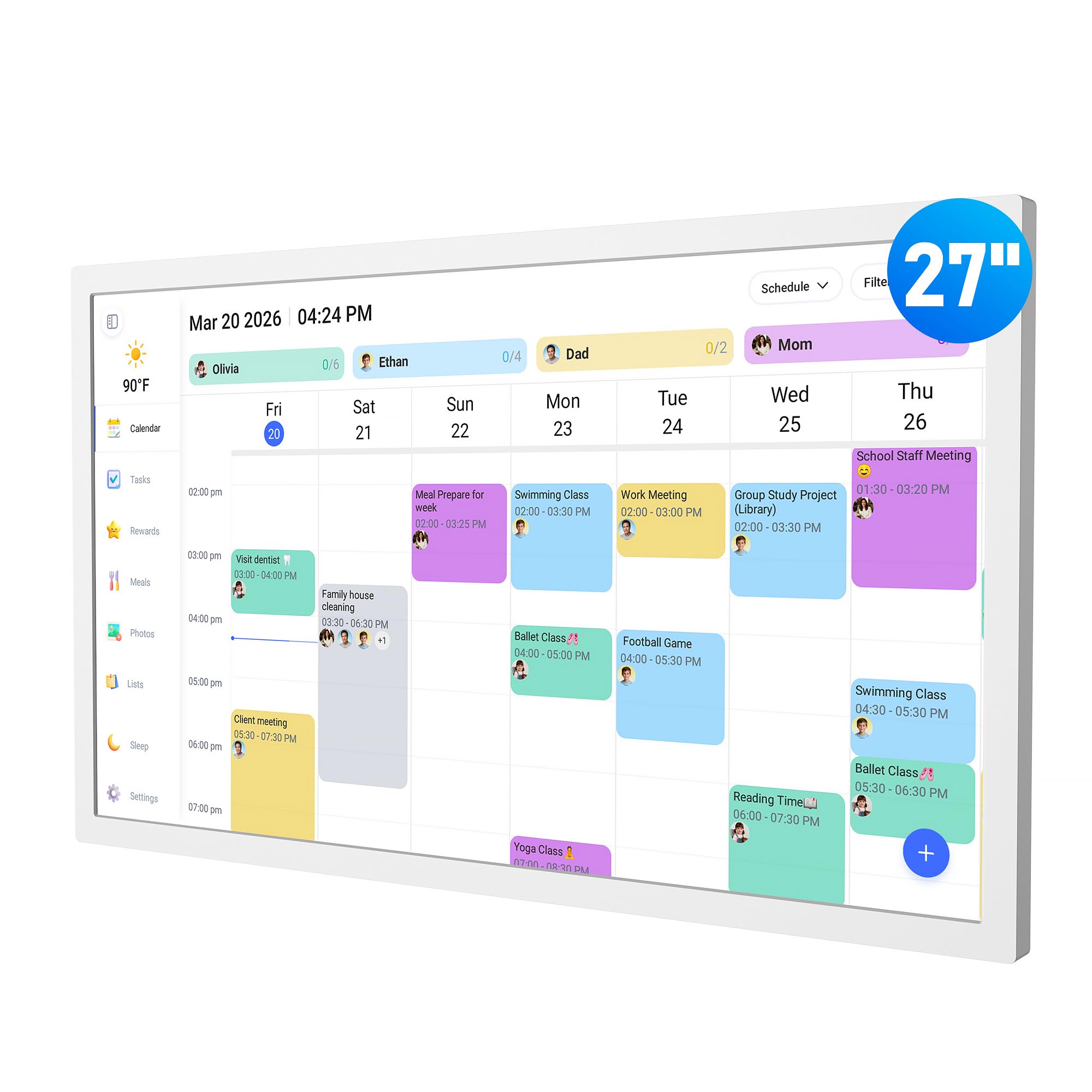
The flyEVfish 27-inch digital calendar prioritizes detailed meal planning and custom list creation over general smart-home features. Its weekly meal display eliminates “What’s for dinner?” by showing each day’s menu at a glance, and the dedicated shopping list auto-populates from recipe ingredients. Beyond meals, the custom list function lets you create packing lists for trips, holiday prep checklists, or school supply inventories — all stored on the device and accessible from the companion app.
The calendar sync engine works with Google, Outlook, iCloud, Cozi, and Yahoo, and the setup is genuinely fast: plug in, connect to Wi-Fi, and sync within minutes. The interactive task chart assigns color-coded chores with a star-based reward system that kids can track independently. The 3-day weather forecast shows local conditions for upcoming events, helping you plan outdoor activities or school drop-offs. The screen also functions as a digital photo frame, organizing albums by theme.
Owners describe the display as vibrant and sharp, with the HD touchscreen being readable from across a large kitchen. The included wall mount and desk stand offer flexibility, and the unit’s 5.18 kg weight feels substantial without being difficult to install. The most common complaint is that calendar sync with Google and iPhone calendars through the eCalendar app can be unreliable, requiring multiple sign-in attempts. For families where meal prep and list-making are the top priorities, this is the most purpose-built option.
Why it’s great
- Dedicated weekly meal planner that auto-populates shopping lists from recipe ingredients
- Custom list feature for packing, holiday prep, and school supplies beyond standard to-dos
- 3-day weather forecast integrated with event scheduling
Good to know
- App sync with Google and iPhone calendars can be unreliable and require repeated sign-ins
- Touchscreen responsiveness is adequate but not as snappy as the Skylight or Hearth panels
7. Dragon Touch 27 inch Digital Calendar (White)
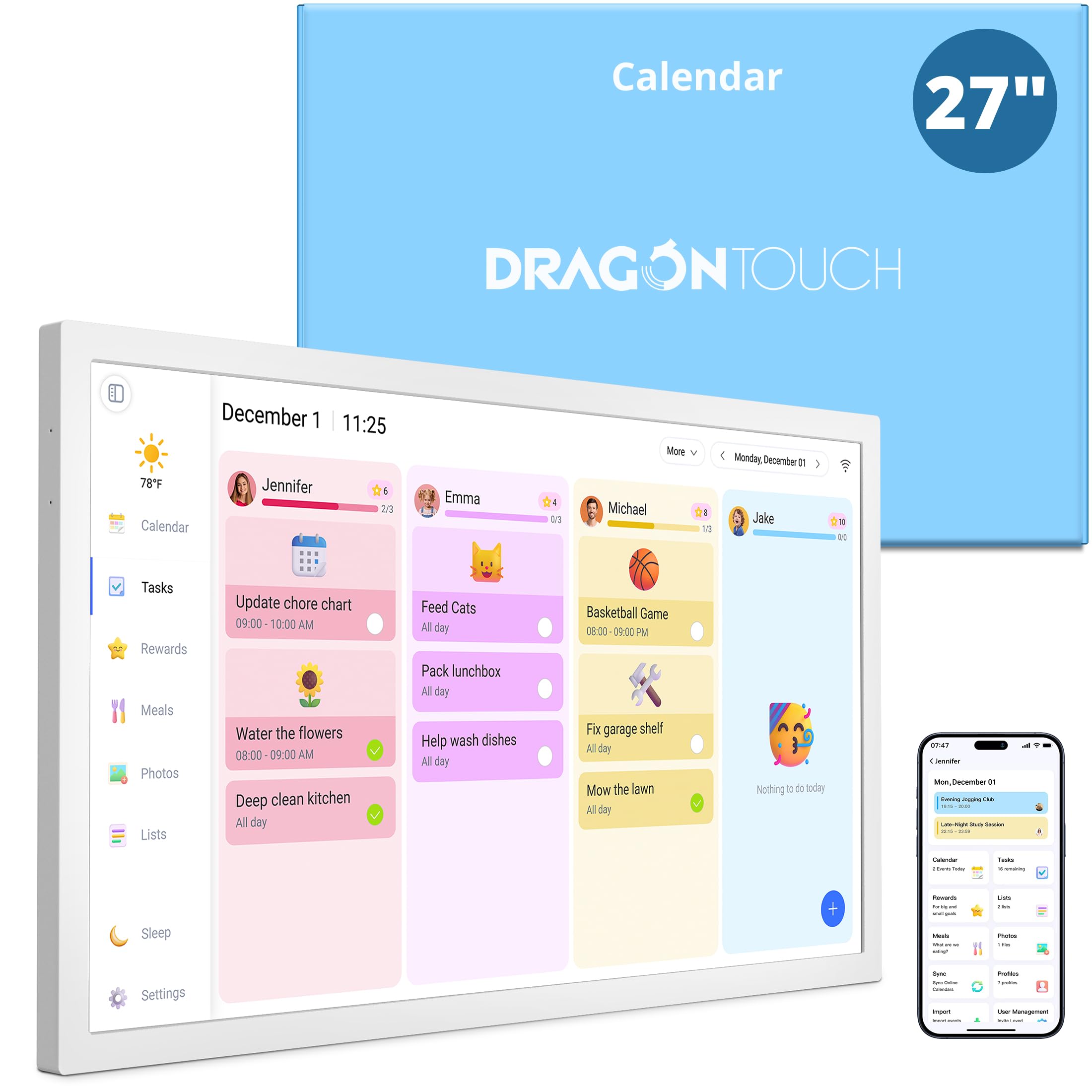
The Dragon Touch TM27 in white delivers the same core feature set as its black counterpart but at a more accessible price point. The 27-inch touchscreen serves as an interactive chore chart with customizable task lists and reward stars that make household responsibilities feel like a team game. Setup is guided by online video tutorials, and the QR-code-based app pairing gets the display synced with Google and Yahoo calendars in under ten minutes.
The meal planning function with auto-generated grocery lists is a highlight for busy households, and the 32 GB of internal storage provides enough space for extensive photo albums when the unit is in screensaver mode. The built-in sleep mode schedules automatic on/off times, preventing screen glare in bedrooms at night. Multiple profiles allow each family member to have a color-coded calendar view, private schedules, and shared events coexisting on the same display without confusion.
Customer reviews highlight the reward system as a genuine motivator: kids check their points daily and compete for digital stars, reducing the need for parental reminders. The plastic build feels sturdy, and the included desk stand allows non-wall-mounted use. The primary limitations are the lack of iCloud sync support (Google and Yahoo only) and the glossy screen that catches reflections in sunlit rooms. For budget-conscious families who still want chore tracking and meal planning, this is the most practical entry point.
Why it’s great
- Comprehensive chore chart with reward stars that kids self-manage daily
- Meal planning with auto-generated grocery lists reduces dinner-time chaos
- QR-code setup is fast and accessible for non-tech-savvy users
Good to know
- Supports Google and Yahoo sync but does not natively sync with iCloud or Outlook calendars
- Glossy display reflects overhead kitchen lights; mounting angle matters
8. DASFIWO 27 Inch Smart Digital Calendar
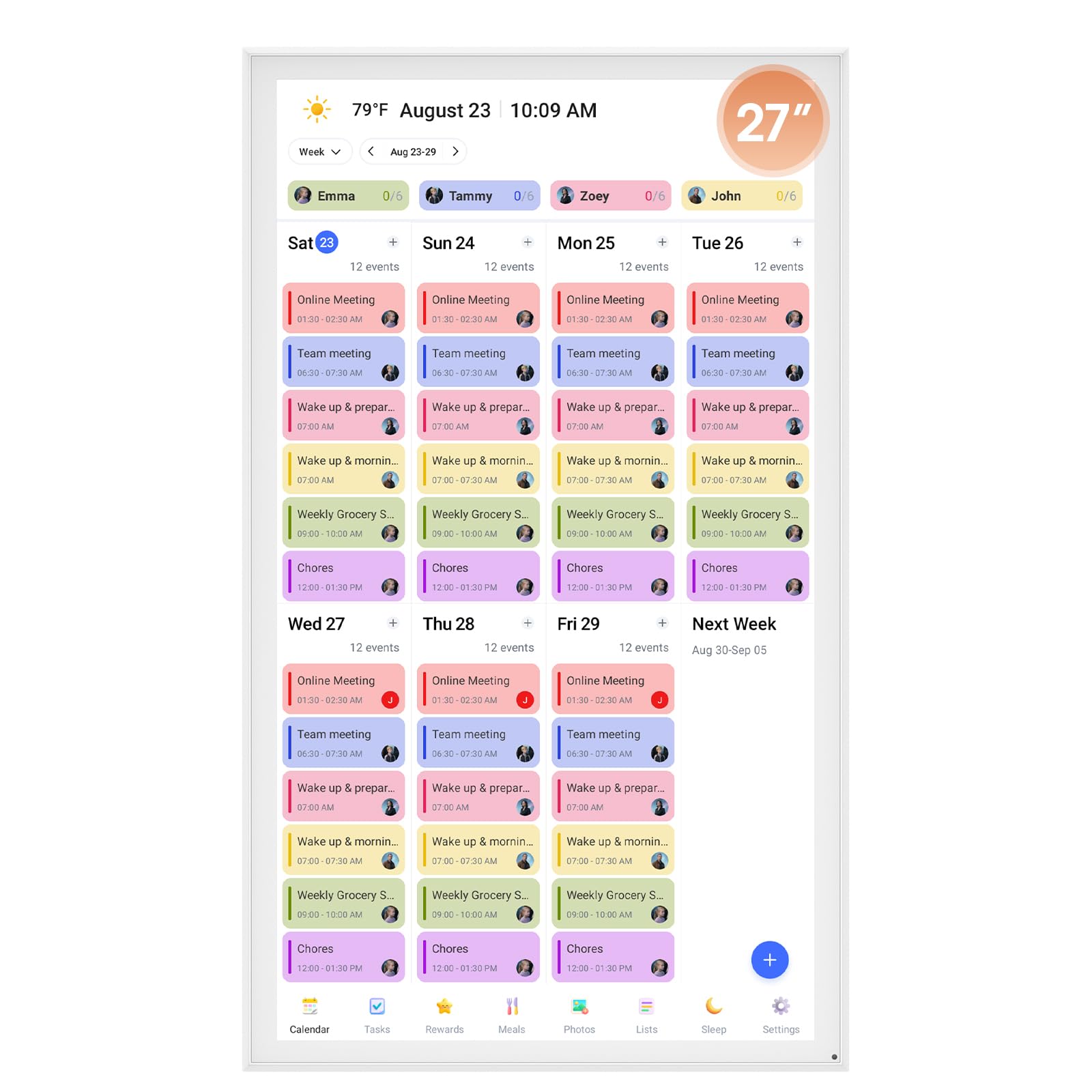
The DASFIWO 27-inch digital calendar strips away unnecessary layers to focus on pure scheduling with zero ongoing fees. Its 1920×1080 IPS touchscreen delivers wide viewing angles and accurate colors, making it equally effective in wall-mounted portrait mode or on a countertop desk stand. The calendar syncs bidirectionally with Google, iCloud, Outlook, Cozi, and Yahoo through the companion mobile app, and changes made on the device appear on synced phones in real time.
The unit doubles as a digital photo frame when the calendar mode is idle: upload photos through the free app and set them as a rotating screensaver. Sleep mode can be scheduled so the screen turns off at night, preventing light pollution in bedrooms. The 32 GB internal storage is sufficient for thousands of high-resolution photos, and the interface is simple enough for grandparents to navigate without a tutorial.
Owners praise the elegant packaging, easy setup, and the bright, clear screen that makes text readable from across a large kitchen. The 1-year warranty plus a 3-year extended warranty provides long-term peace of mind. The primary concern is reliability: a small number of customer reports describe the unit freezing on the language selection screen after a few months, requiring a hard reset that may not resolve the issue. For users who want a subscription-free calendar with broad sync support, the DASFIWO offers dependable basics at a fair price.
Why it’s great
- Bidirectional sync with Google, iCloud, Outlook, Cozi, and Yahoo — no subscription required
- Wide-viewing-angle IPS display stays readable from across the room
- Double-function as digital photo frame with 32 GB storage for family albums
Good to know
- Reliability concerns: isolated reports of the device freezing on the language selection screen after several months
- Customer support responsiveness varies, though the extended warranty covers replacements
9. NexFoto 27 Inch Touchscreen Digital Picture Frame
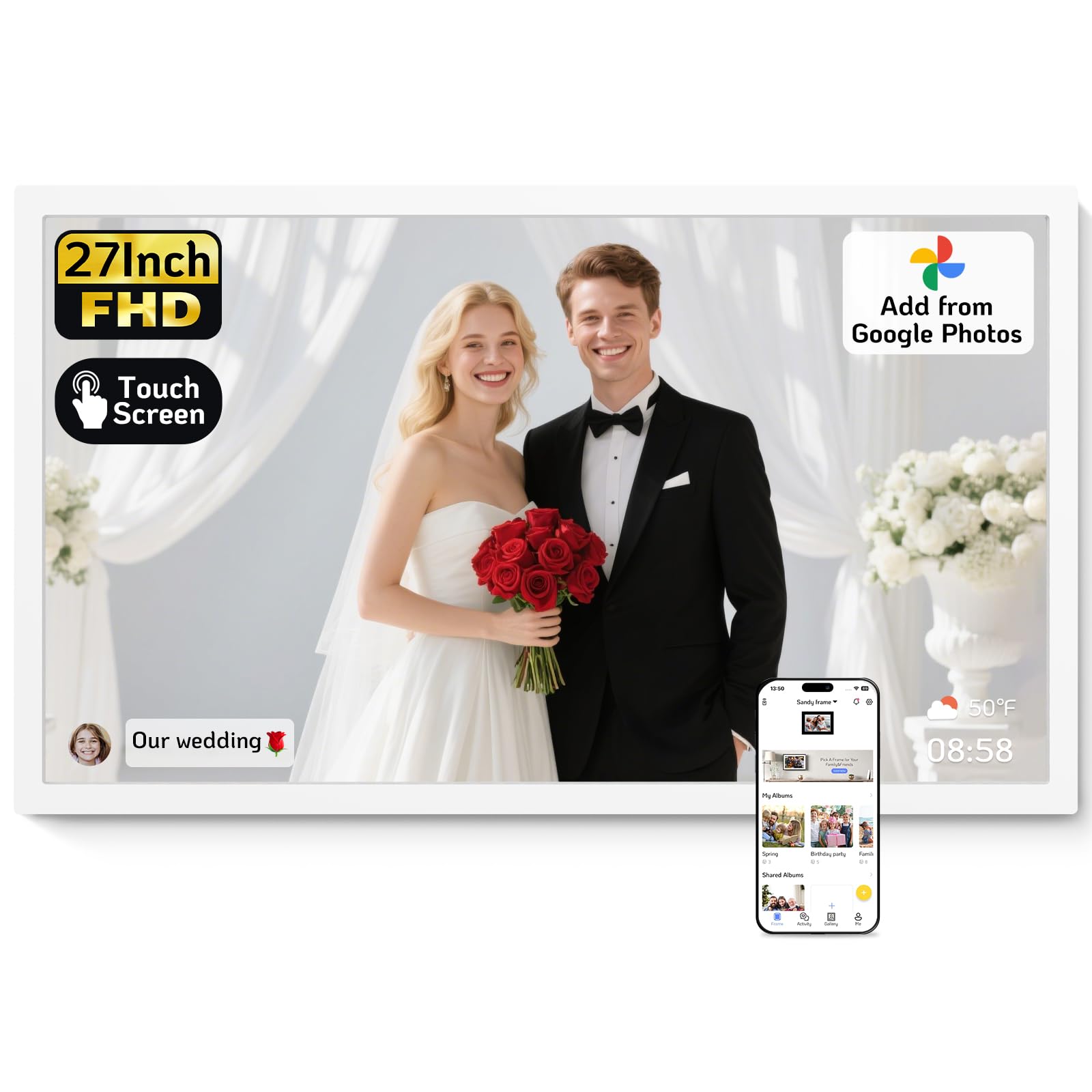
The NexFoto 27-inch sits at the intersection of a digital photo frame and a smart calendar, leaning heavily toward the photo experience. Its 1920×1080 glossy IPS touchscreen delivers vibrant colors and sharp detail for photo display, and the 64 GB internal memory — double that of most competitors — provides ample space for tens of thousands of images without needing a memory card. The Wi-Fi connectivity supports both 2.4GHz and 5GHz bands, ensuring stable uploads from the NexFoto app, Google Photos, or USB flash drive.
Beyond photo display, the touchscreen offers calendar, weather, clock, and sleep mode functions, plus slideshow playlists and caption support. The swivel wall mount allows easy rotation between portrait and landscape orientation, and the minimalist white frame blends into modern decor. For uploading, the app allows batch photo selection, though you cannot dump an entire album in one click — each batch includes a manageable number of images to prevent app overload.
Customer reviews overwhelmingly praise the brilliant screen quality and fast software performance, with the large display being a hit for families wanting a living memory wall. The 64 GB storage and cloud compatibility make it the best choice for photo-heavy households. The main caveats are the glossy screen’s susceptibility to reflections, a touchscreen response that sometimes requires multiple taps due to software delay, and occasional reports of units failing after a few months. For buyers who want a calendar that prioritizes spectacular photo playback over advanced chore tracking, this is the most photo-centric option.
Why it’s great
- Largest internal storage in the category at 64 GB — holds tens of thousands of photos
- Glossy IPS panel delivers vibrant, sharp image quality for photo display
- Supports both 2.4GHz and 5GHz Wi-Fi for fast uploads from app, Google Photos, or USB
Good to know
- Glossy screen reflects ambient light; best in controlled lighting rather than sunny kitchens
- Occasional reports of the unit failing after 50–60 days; support response can be inconsistent
FAQ
Can I use a 27-inch digital calendar without Wi-Fi?
Do all 27-inch digital calendars support vertical and horizontal wall mounting?
How much internal storage do I need for photo screensaver mode?
Will a digital calendar work with a shared family Google Calendar?
Final Thoughts: The Verdict
For most users, the best 27-inch digital calendar winner is the Skylight Calendar Max because it delivers the most polished out-of-box experience with effortless multi-platform sync, a responsive touchscreen, and a clean interface that works for every age group. If you want smart home integration and an AI voice assistant built right into the display, grab the Apolosign 27-inch — its dual Calendar/Android mode is unmatched in this category. And for design-focused households that value a smudge-resistant anti-glare screen and don’t mind a monthly subscription, nothing beats the Hearth Display 27″.