
Our readers keep the lights on and my morning glass full of iced black tea. As an Amazon Associate, I earn from qualifying purchases.
Specs are compiled from manufacturer listings and verified buyer reviews and can change over time — please confirm the key details on the product page before buying.
The best 27-inch smart monitor isn’t just a screen for your computer—it’s a full entertainment hub that streams Netflix, runs apps, and even works without a PC. You get a 4K or Full HD panel for work, plus built-in speakers and streaming apps for movie nights, all in one device. Decide between 4K sharpness for work and Full HD color richness for streaming.
I’m Min — the founder and writer behind Gadgets Feed. This guide is built by comparing the manufacturers’ published specifications and the patterns across verified customer reviews, so you get each pick’s real strengths and trade-offs instead of marketing spin.
We have analyzed the specs and owner experiences to find the 27-inch smart monitor that truly earns a spot on your desk. smart monitors combine a computer display with streaming apps, making a 27 inch smart monitor a versatile pick for work and entertainment.
Our Picks at a Glance
How To Choose The Best 27 Inch Smart Monitor
Balance display quality against the built-in smart platform’s app selection. You need to know what you’ll be doing most—working with text, gaming, or streaming movies—because that determines the resolution and refresh rate you’ll want.
Display Resolution and Panel Type
The panel type determines viewing angles and color accuracy. A 4K (3840 x 2160) screen offers far more detail for work and cinematic viewing, while a Full HD (1920 x 1080) screen is still perfectly fine for everyday tasks and often costs less. IPS panels give you wide 178° viewing angles, so colors stay accurate even when you’re not sitting dead center.
Smart Platform and Connectivity
The “smart” part means the monitor runs an operating system—think WebOS or Google TV—so you can stream directly without a PC. Check for built-in Wi-Fi and Bluetooth for casting, and look for USB-C power delivery to charge your laptop with a single cable. Ports like HDMI and USB make it easy to connect a gaming console or other devices. Jump to the reviews to see these specs in action.
Quick Comparison
| Model | Best For | Resolution | Refresh Rate | Smart Platform | Amazon |
|---|---|---|---|---|---|
| Samsung Odyssey 27″ 4K★ Best Overall | Gaming & sharp visuals | 3840 x 2160 | 144Hz | Samsung Gaming Hub | Amazon |
| LG 27U511SA-WBest Value | Home office & streaming | 1920 x 1080 | 100Hz | LG webOS 24 | Amazon |
| Acer CS272Best Smart Hub | Smart home hub & office | 1920 x 1080 | 60Hz | LG webOS | Amazon |
| Samsung M5 (M50D) | All-in-one workspace | 1920 x 1080 | 60Hz | Samsung Tizen | Amazon |
| ASUS ZenScreen MS27UC | 4K creators & streaming | 3840 x 2160 | 60Hz | Google TV | Amazon |
| LG 27″ UHD Smart | Creative work & movies | 3840 x 2160 | 60Hz | LG webOS 24 | Amazon |
| VLH Rolling TV | Portable touchscreen use | 1920 x 1080 | 60Hz | Android 15 | Amazon |
| Cugima Rolling TV | Versatile room-to-room use | 1920 x 1080 | 60Hz | Android Tablet | Amazon |
| SDYSTVAI H01-J | Interactive & classroom use | 1920 x 1080 | 60Hz | Android 15 | Amazon |
| OFD Gen2 Rolling TV | Flexible tablet-TV hybrid | 1920 x 1080 | 60Hz | Android 15 | Amazon |
| apolosign packgo | Travel & on-the-go demos | 1920 x 1080 | 60Hz | Android | Amazon |
In‑Depth Reviews
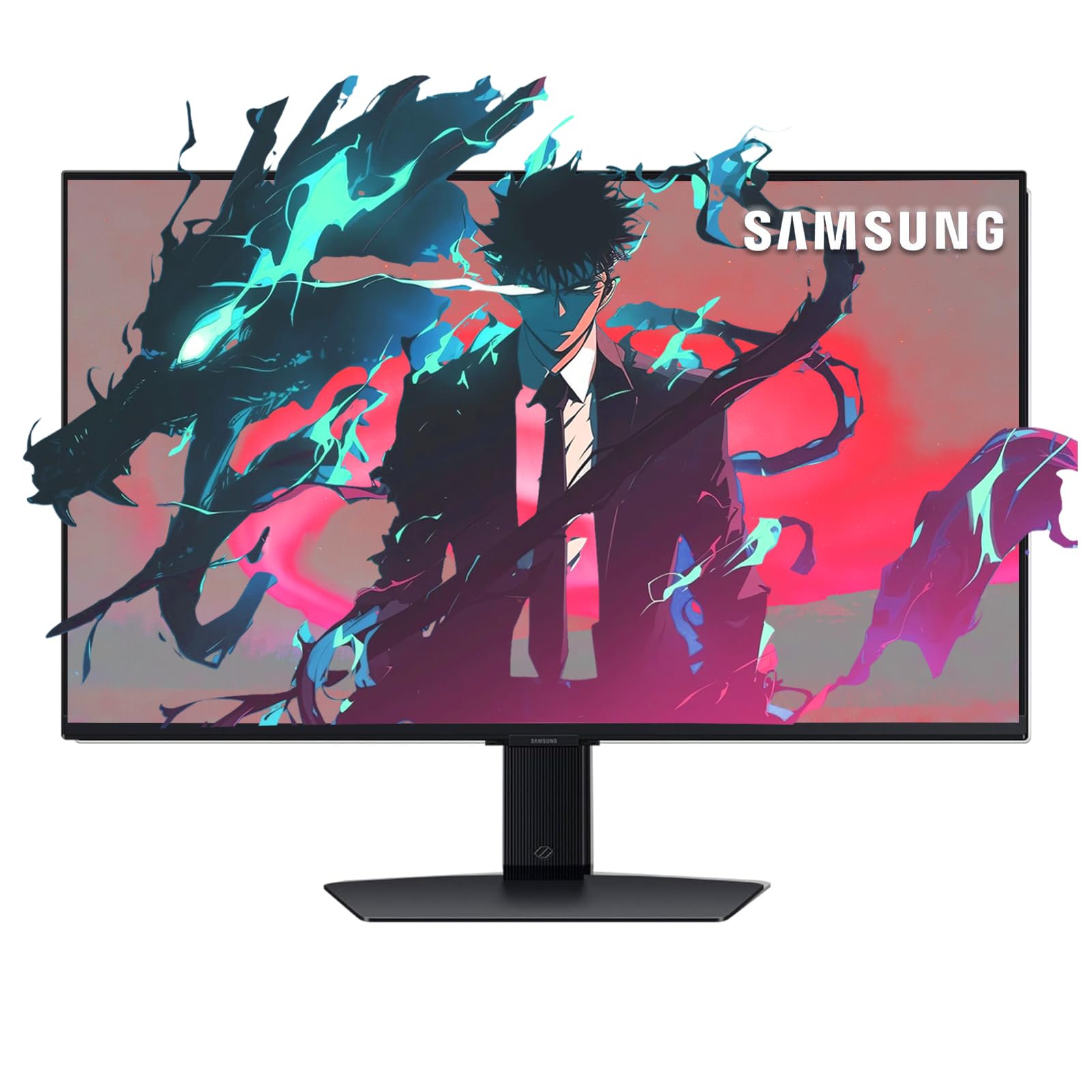
1. Samsung Odyssey 27″ 4K Gaming Monitor
Our pick — over 4.5★ from 150+ verified ratings; the strongest balance of quality and price.
The only pick here that pairs crisp 4K pixels with a blazing 144Hz refresh rate.
You get a 3840 x 2160 IPS display that shows vibrant colors from wide 178° viewing angles, so the picture stays beautiful whether you’re editing photos or sprawled out on the couch streaming a movie. The 1ms response time and support for both NVIDIA G-Sync and AMD FreeSync Premium mean fast-paced games stay tear-free and sharp. Unlike most smart monitors that cap out at 60Hz, this one refreshes 144 times a second—a 2.4x smoother experience than the 60Hz you get on the Acer CS272.
What makes it “smart” is the Samsung Gaming Hub, which gives you instant access to cloud gaming and console games without any downloads. The adjustable stand lets you set a comfortable viewing height, and the included remote control means you can navigate apps from across the room. Built-in speakers and a DisplayPort cable round out a very complete package.
The trade-off is contrast: at a 1000:1 ratio, it doesn’t hit the deeper blacks you’ll see on the LG 27U511SA-W, which offers 1300:1. Buyers report that units have held up for years, with owners noting “still working great” after about three years of daily use. Owners praise the screen’s clarity and consider the price fair for the 144Hz 4K feature set.
What Makes It Shine
- High 144Hz refresh rate for buttery-smooth gaming
- Crisp 4K resolution with excellent color vibrancy
- Built-in Gaming Hub for instant cloud game streaming
Consider This Trade-Off
- Contrast ratio is lower than some Full HD rivals
- Text can blur slightly when zoomed past 120%
Pick this if: you want one screen that handles competitive gaming and cinematic 4K streaming with zero compromises.
Look elsewhere if: your main focus is document work where deep blacks matter more than speed.
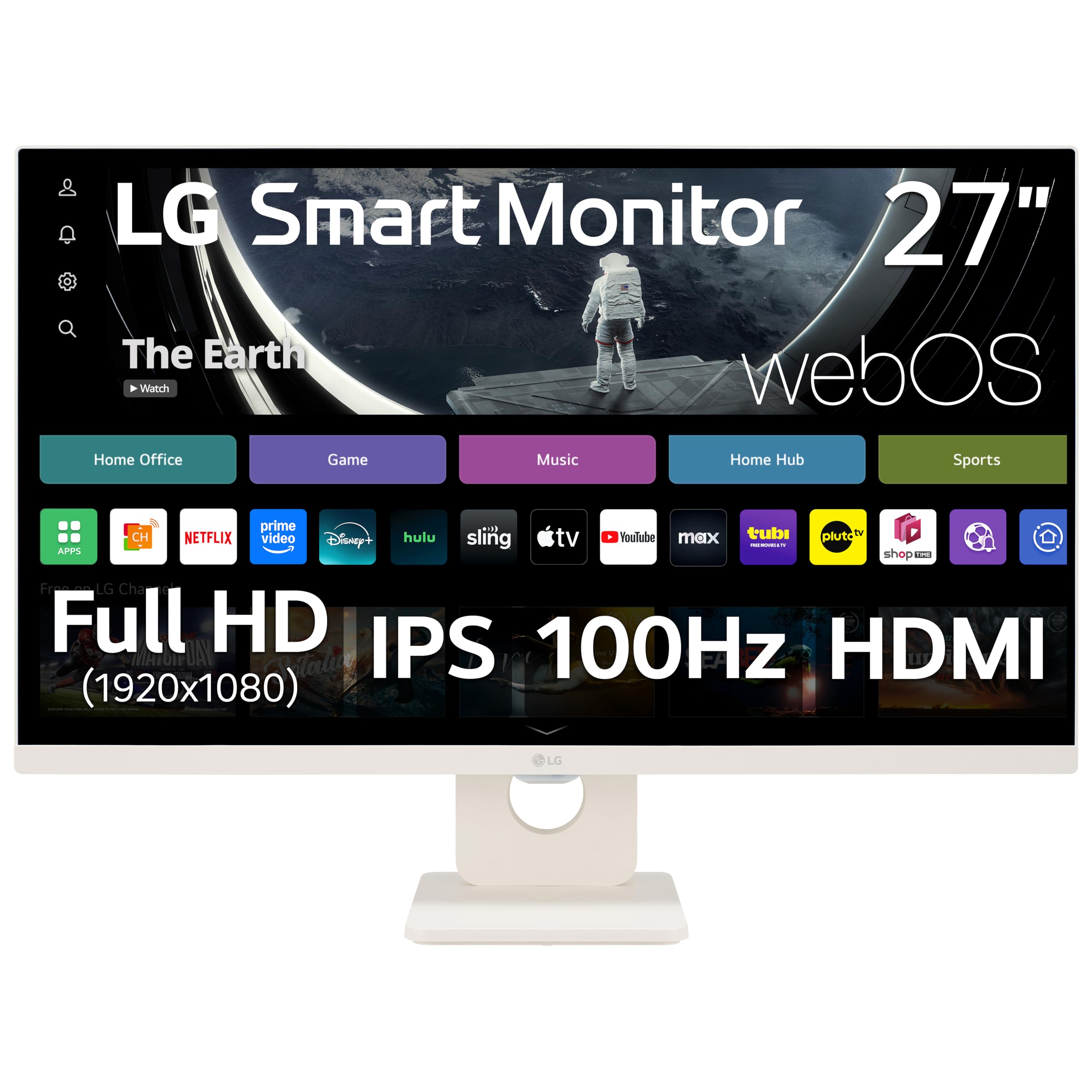
2. LG 27U511SA-W Smart Monitor
The desk-friendly centerpiece that easily transforms between a work monitor and a streaming TV.
You get smooth scrolling and casual gaming thanks to the 100Hz refresh rate (the screen redraws 100 times per second). Its standout trick is switching roles: work in Microsoft 365 from the cloud, then jump to Netflix or Disney+ using the built-in webOS 24 (LG’s smart TV operating system).
For Apple users, AirPlay 2 and HomeKit compatibility let you wirelessly cast and mirror content from your iPhone, iPad, or Mac without any extra hardware. The 3-side frameless design with a slim flat stand looks sharp on a desk, and the tilt adjustment lets you find a comfortable angle. Two HDMI ports and two USB ports give you solid connection options.
Owners highlight how quick it is to get going, describing a setup that takes less than 10 minutes, and many say they use it as a TV 99% of the time. The sound quality gets special praise, with one buyer noting they can clearly understand a live webinar speaker—a first for them. The magic remote isn’t included, but the standard remote does the job well.
Smart buy for: the home office user who wants one sleek device for cloud work, video calls, and evening streaming.
A fair caveat: at Full HD resolution, text won’t be as tack-sharp as a 4K panel for heavy spreadsheet work.
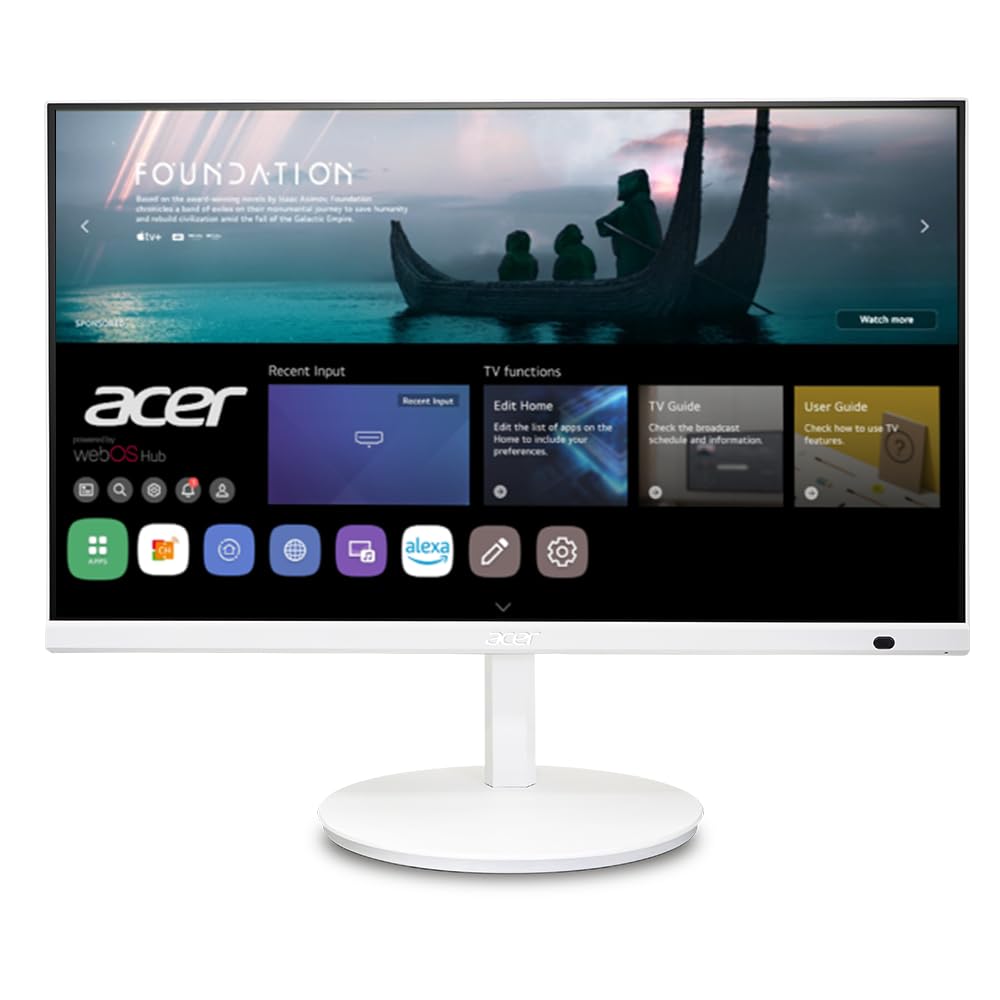
3. Acer CS272 Smart Monitor
A workhorse display that also acts as a smart home control center and a remote PC.
The Acer CS272 is a 27″ Full HD (1920 x 1080) IPS monitor that runs webOS, giving you native streaming from Netflix and YouTube. Its a neat extra is functioning as an IoT device, letting you manage other smart home gadgets from a centralized hub. Wireless projection works with Apple devices via AirPlay and Android via Miracast, making it easy to share your phone screen.
Productivity is a real focus here. The remote PC function lets you work from home without your laptop, and you can plug in a supported USB webcam (like the Logitech C920) for video conferencing right on the monitor. The ErgoStand offers -5° to 35° tilt, +/-178° swivel, and +/-90° pivot, plus a 6.5″ height adjustment, so you can find the perfect position. At 10.63″D x 24.19″W x 17.75″H, it’s a bit deeper than the Samsung Odyssey‘s 9.6″D footprint.
Reviewers praise the picture quality and call the “Bluetooth capability a huge plus” for work and play. The 14ms response time (time for a pixel to change color) and 60Hz refresh rate mean it’s not for competitive gaming, and buyers give mixed notes on how well the IoT (internet-connected device) features work. For a smart home enthusiast who also needs a solid daily monitor, it’s a compelling blend.
Acer’s angle: a versatile desk monitor that reaches into your smart home and your office cloud, all in one standing.
Who passes on it: gamers looking for high refresh rates and anyone who wants 4K sharpness.
4. Samsung 27-Inch M5 Smart Monitor

A single screen that manages your work, entertainment, smart home, and even your fitness tracking.
The Samsung M5 is a jack-of-all-trades. It gives you access to OTT streaming and free live TV via Samsung TV Plus, so you can cut the cord and still have endless content. With a 3,000:1 contrast ratio on its 1080p LED panel, it delivers noticeably deeper blacks than the 1000:1 you get on the Samsung Odyssey. For gamers, Samsung Gaming Hub lets you stream top titles without a PC or console.
What really makes it a smart monitor is the ecosystem. You can control your smart home devices through a 3D Map View, track energy usage by device, and even pair your Galaxy Watch to see real-time health data while streaming workout content. For work, embedded apps like Microsoft 365 let you bypass the PC entirely, and you can control multiple devices with one mouse and keyboard, dragging content between them.
Owners rate the Full HD picture as a solid value for mixed work and entertainment use. Setup gets mixed feedback—some find it easy, others find it a bit of a pain to configure. It’s a rare white model, which makes it the most complete option on Amazon for that aesthetic.
A true all-rounder: the M5 shines if you want a second TV, a work monitor, and a smart home dashboard in one device.
The compromise: it’s Full HD, not 4K, so it won’t serve as a high-end creative display.
5. ASUS ZenScreen MS27UC

A 4K Google TV powerhouse with audiophile-grade speakers and a game-changing USB-C port.
The ASUS ZenScreen MS27UC pairs a 27-inch UHD (3840 x 2160) IPS panel with a 99% sRGB color gamut, so you get accurate, vibrant colors for creative work. The defining feature here is the USB-C port with 90W Power Delivery—plug in one cable to charge your laptop and transfer data simultaneously. It’s joined by HDMI and DisplayPort, plus a USB hub for all your peripherals.
As a smart device, it’s powered by Google TV, offering over 10,000 apps and personalized recommendations. The two 5-watt front speakers are certified by Harman Kardon, and buyers consistently say they’re surprisingly great, with one person noting they’re “great monitor and speakers!” Miracast and Chromecast support means easy wireless streaming from your devices. It also comes with a 3-year warranty with advanced replacement.
The main drawbacks are around the Google TV interface. Some users find switching inputs annoying—you have to go through the source menu every time you want to use it as a computer monitor. There are also isolated reports of backlight bleed in dark scenes, which is a risk with any IPS panel. It also has just a single HDMI port and no Ethernet, which some may find limiting.
Headline Features
- USB-C 90W powers and charges a laptop via one cable
- High-end Harman Kardon 5W x 2 speakers
- Sharp 4K resolution with 99% sRGB color accuracy
Trade-Offs to Weigh
- Switching from smart TV to PC input requires a few extra steps
- Some units may show IPS glow in dark scenes
Choose this for: a premium 4K panel that doubles as a high-quality smart TV, especially if you have a USB-C laptop.
skip it if: you want a no-fuss pure monitor—the Google TV interface adds steps to every input change.
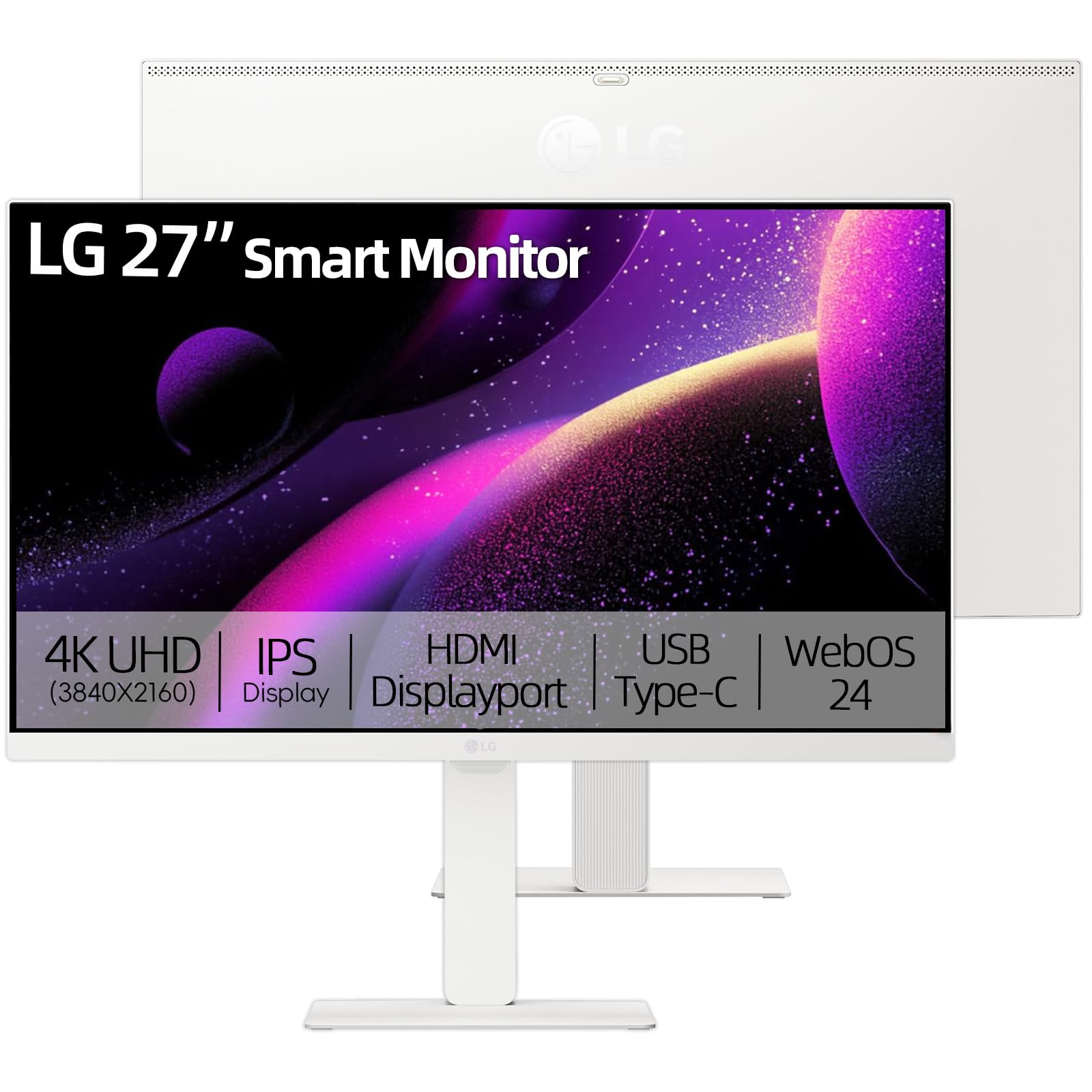
6. LG 27″ UHD Smart Monitor
A stunning 4K IPS display with AI-powered picture tuning for the best cinematic experience.
This LG monitor is built for those who want a beautiful 4K display without the gaming-speed sacrifice. The 3840 x 2160 IPS panel covers 90% of the DCI-P3 color gamut and offers wide 178° viewing angles, making it ideal for creative work where color accuracy matters. HDR10 support brings out the details in bright and dark scenes, and the 350 candela brightness keeps things vibrant.
The “smart” here is LG’s webOS 24, which gives you access to Netflix, Prime Video, Disney+, and over 300 free LG channels. It also features an AI-driven Dynamic Tone Mapping system that automatically tune brightness and contrast for games and movies. For productivity, the built-in USB-C port supports 65W Power Delivery, letting you charge your laptop and transfer data with a single cable—a workstation without a PC.
Owners describe it as an “awesome monitor” that’s great for both work and play, praising the sturdy stand and intuitive menu. While some mention that 1080p is noticeable at 27″, that’s not an issue here since this model is true 4K. The 100Hz refresh rate makes motion feel smooth, and the anti-glare coating keeps reflections down. The design is sleek with slim bezels.
Standout spec: the 90% DCI-P3 color gamut makes it a budget-friendly choice for photo and video editing.
Think twice if: you’re a hardcore gamer—it’s a 60Hz panel, not built for competitive play.
7. VLH 27 Inch Smart Portable TV

A cordless 27-inch tablet on wheels with a massive battery for true room-to-room freedom.
The VLH completely redefines what a smart monitor can be. Its built-in 27000mAh rechargeable battery means you can roll it from the kitchen to the bedroom to the patio without ever looking for an outlet. It runs on Android 15 with 6GB of RAM and 128GB of storage, and the EDLA certification gives you access to Google Play, so you can download apps like Netflix, Hulu, and Prime Video securely.
The 27″ FHD 1080P IPS display is a 10-point touchscreen, so you can tap, swipe, and control it like a large tablet. It also features a built-in 4K camera with a hidden design, perfect for video calls or content creation without the privacy worry. With full swivel rotation and silent universal wheels, adjusting your viewing angle is a breeze. Connectivity includes Wi-Fi, Bluetooth, HDMI, USB, and USB-C.
Buyers find the screen crisp and the setup easy, though battery life estimates vary in real use. One owner reported getting about 5 hours of use, which is still plenty for a movie marathon. The sound is described as adequate for the price, though it could be louder. It’s heavier than you might expect, but that’s the trade-off for a battery-powered, wheeled device.
Perfect for: anyone who wants to watch movies in the bath, follow recipes in the kitchen, or take a screen outdoors without extension cords.
The catch: the 27000mAh battery is powerful, but real-world runtime sits around 3-5 hours, less than the spec sheet implies.
8. Cugima 27″ FHD Smart Portable TV
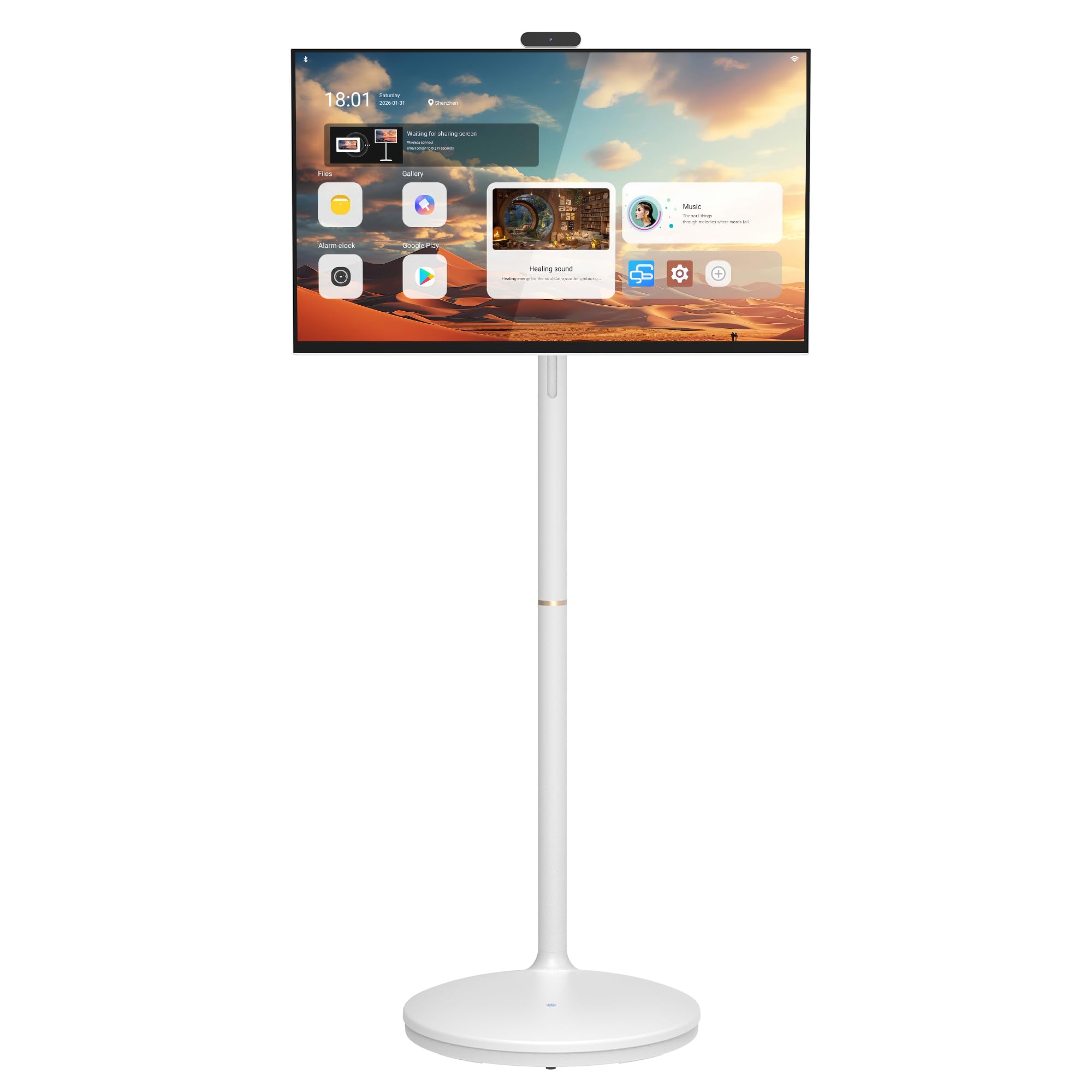
An Android tablet on a rolling stand that balances smooth performance with a heavy, stable base.
The Cugima is another take on the mobile screen concept, running the full Google Play Store on an octa-core processor with 8GB of RAM and 128GB of storage. This makes it feel quick and fluid whether you’re streaming Netflix, browsing, or video calling. It has a 10,000mAh battery built into the base, giving you about 4 hours of use away from a wall plug.
The anti-glare FHD touchscreen is easy on the eyes, and the built-in 20W speakers (10W x 2) are designed to sound good outdoors. A magnetic detachable 13MP camera adds flexibility for calls and content. The stand allows for height, tilt, and multi-angle swivel adjustments. Ports include HDMI, USB, Type-C, and Ethernet, so you’re never locked into one setup.
Owners describe it as a “really cool tv” that rolls easily, even on carpet, and swivels for floor or mirror use. The main criticisms are that the software is locked down—no customization, fixed military time, and a distracting floating button—and that the remote only controls volume, so you’ll use the touchscreen for navigation. Assembly takes about 20-30 minutes and some find the screws tiny.
Best for someone who: wants a responsive, all-in-one Android screen and doesn’t mind using touch controls instead of a remote.
Heads-up: it’s heavier than it looks, and the software restrictions mean you won’t be customizing this Android experience.
9. SDYSTVAI H01-J Portable Touch Screen TV
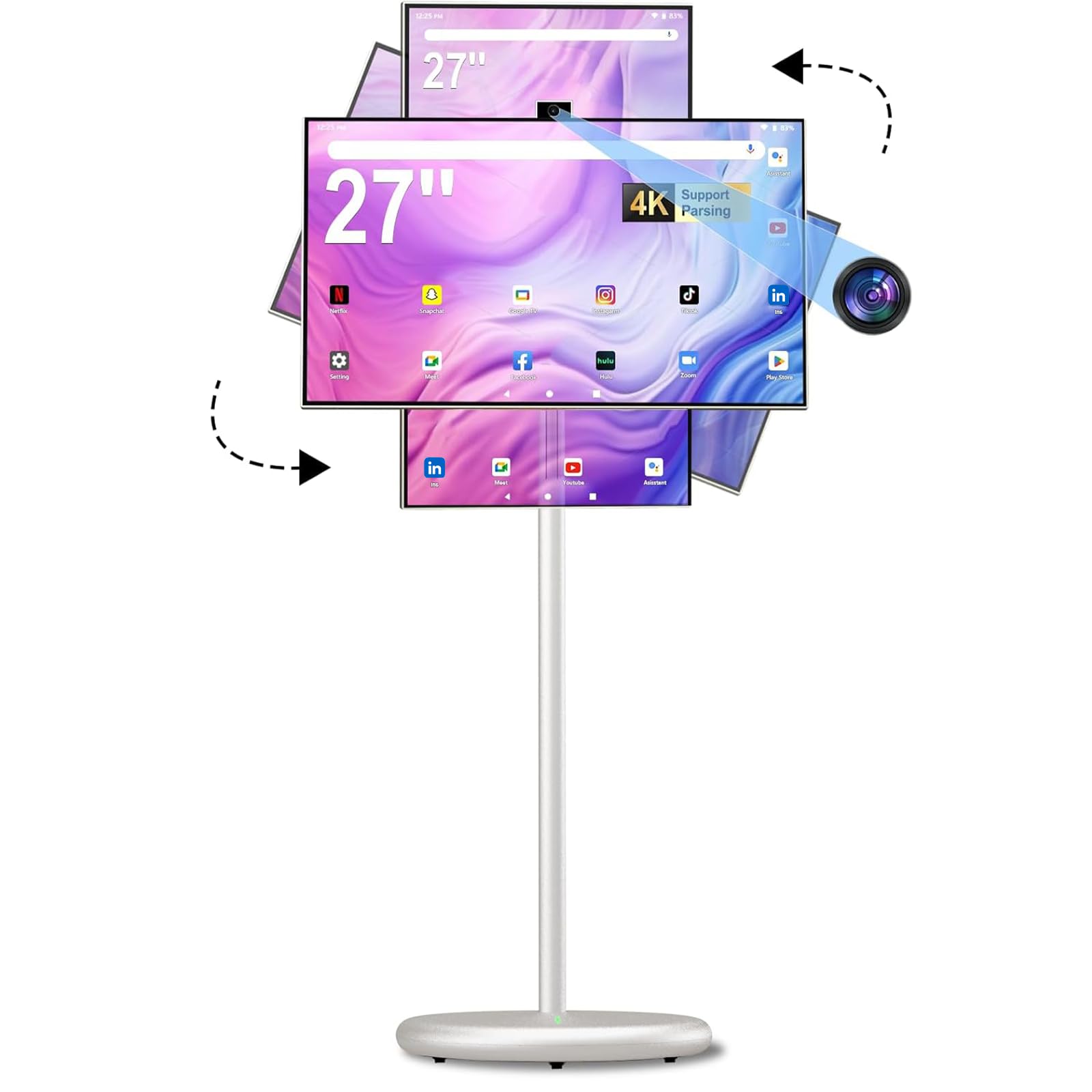
A fully adjustable touchscreen that bridges the gap between tablet and TV for classrooms and kitchens.
The SDYSTVAI H01-J packs a 1920×1080 IPS display with 100% sRGB coverage and 8-bit color depth into a wheeled stand. Its defining feature is the flexibility: the screen height adjusts ±7.90 inches, it rotates ±90°, and tilts ±40°, letting you position it for any scenario. The 10-point touchscreen responds intuitively like a giant tablet.
Under the hood, an MT8786 octa-core processor powers Android 15 with 6GB of RAM and 128GB of storage. It’s fully Google EDLA certified, so you can access the Play Store and confidently install Netflix, YouTube, and Prime Video. The retractable 13MP pop-up camera supports 4K video recording, and the voice remote enables hands-free control. The built-in battery provides 6-8 hours of use, and the five silent universal casters make it easy to move between rooms.
One happy owner says, “It is so cool that I can roll it into the bathroom with me while I take a bubble bath and enjoy a movie.” Reviews praise picture clarity and ease of use, but Disney+ and Hulu reportedly won’t download due to compatibility issues. A few owners also note the lack of an instruction manual.
Great for: interactive home entertainment, classroom lessons, or any space where you want a movable, touch-friendly screen.
Watch out: not every streaming app is compatible, and the manual is thin, so expect a bit of trial and error.
10. OFD 27″ Portable TV on Wheels
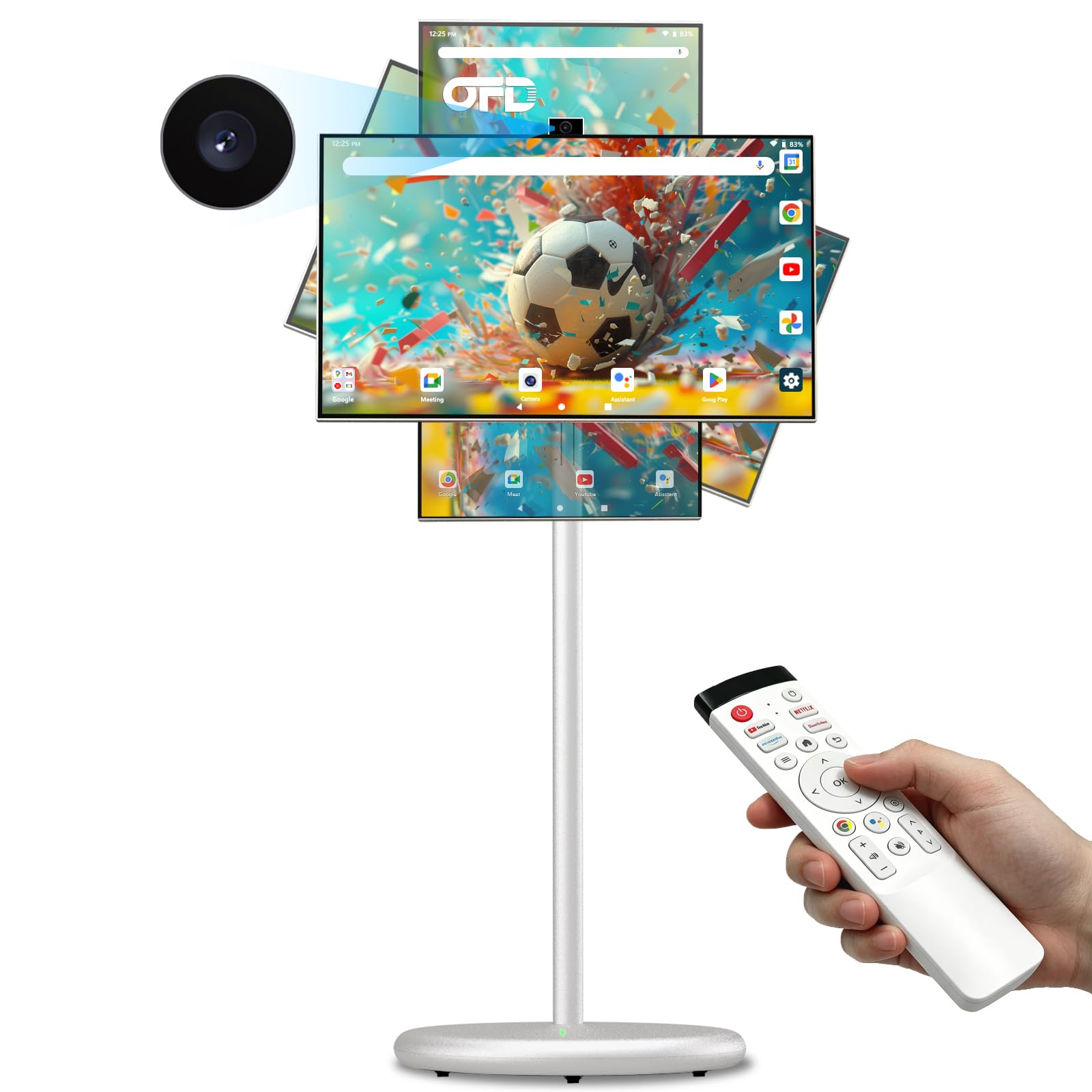
A large Android tablet on wheels that’s perfect for business demos and sheet music.
The OFD Gen 2 delivers a 27-inch LCD screen with IPS technology for accurate colors at wide angles. It runs on Android 15 with a MTK 8786 octa-core processor, 6GB of RAM, and 128GB of storage. The key highlight is the screen’s adjustability: it can be raised or lowered by ±20cm and rotates ±90°, making it a versatile companion for different tasks.
The built-in battery offers 99.8WH of power (9000mAh) for up to 5 hours of use, and it takes about 3 hours to fully charge. The physically lifting 13MP 4K camera slides up when you need it and hides behind the screen when you don’t. For connectivity, you get Wi-Fi 2.4G/5G, Bluetooth 5.0, HDMI, USB-A, and USB-C ports. The voice remote supports Google Assistant.
The screen size impresses many right away, with one musician noting they love seeing two pages of sheet music when the screen is oriented vertically. Owners like the smooth-rolling wheels and clear picture for easy room-to-room use. The harshest criticism is reliability and software compatibility—some find the setup instructions confusing, and certain streaming services can be finicky. It’s a great media player if the apps you need work well.
Perfect for: office presentations, digital signage, or musicians who need a large, portable screen to flip through scores.
Tread carefully if: you rely on a specific streaming service—double-check compatibility before committing.
11. apolosign packgo 27-Inch Portable Entertainment System

A briefcase that opens into a 27-inch Android smart screen, engineered for travel and parties.
The apolosign packgo is the most unique entry here—a compact suitcase that unfolds to reveal a 1920×1080 smart screen with 90° of adjustment. This design makes it perfect for tailgates, karaoke gigs, and on-the-go demos where a traditional monitor would never fit. Inside, an RK3588 CPU powers 8GB of RAM and 128GB of storage for smooth performance.
It’s not just a screen, though. The packgo has multiple modes: a speaker mode to play music from your phone via Bluetooth, a game mode to plug in a Switch or PS5 via HDMI, and a screen mirroring mode for conferencing. The 6800 mAh battery provides up to 3 hours of continuous use, and it can even serve as a power bank to charge your phone. The gray, sleek design looks professional.
Owners praise the durable build and sound quality for live gigs. It’s heavier than expected, which is the main drawback, but that’s the trade-off for the integrated battery and durable case. The built-in battery lasts about 3 hours by spec, though some owners mention more like 8 hours in practical use. The 90° adjustable screen is a standout feature for tailoring your view.
Why It’s Unique
- Integrated suitcase design protects the screen during travel
- Multiple usage modes: speaker, game, TV, and screen mirroring
- High-quality Bluetooth 3D speakers
Consider This
- Quite heavy to carry around
- Battery is rated for just 3 hours of use
Get this if: you travel frequently for work, perform karaoke, or want a sturdy entertainment system for parties and picnics.
Give it a pass if: you need a high-resolution screen with a discrete, desk-based design.
Understanding the Specs
Refresh Rate and Response Time
Refresh rate, measured in Hertz (Hz), tells you how many times the screen updates its image each second. A standard 60Hz monitor is fine for office work and watching videos—your eyes process films at around 24 frames per second. For gaming, you’ll want a higher number like 144Hz, which makes motion appear much smoother and reduces eye strain during fast-moving action. Response time (in milliseconds) measures how quickly a pixel can change color. A 1ms response time is excellent for gaming to avoid ghosting, while casual users can easily live with a 14ms rating.
Smart Platform and Built-in Apps
The “smart” in a smart monitor comes from the operating system it runs. Platforms like LG’s webOS, Samsung’s Tizen, or Google TV are common. These give you direct access to streaming apps like Netflix, YouTube, and Prime Video without needing a separate computer or streaming stick. Consider which platform has the apps you use most. Samsung’s Gaming Hub is great for cloud gaming, while Google TV tends to have a broad app library.
FAQ
Do I need a computer for a smart monitor to work?
What is the difference between a Full HD and 4K smart monitor?
Can I use a smart monitor as a regular TV?
How does a 144Hz refresh rate benefit me?
What does an IPS panel mean for a smart monitor?
Can I connect a gaming console to a smart monitor?
Is a smart monitor good for working from home?
How accurate is the battery life on portable smart TVs?
Final Thoughts: The Verdict
For most buyers, the 27 inch smart monitor winner is the Samsung Odyssey 27″ 4K because it’s the only one that successfully blends a blazing 144Hz gaming refresh rate with a crisp 4K resolution and full smart TV features. If you want a stunning 4K display tuned for creative work and movies, the LG 27″ UHD Smart is a phenomenal choice with its wide color gamut and USB-C charging. And for those who crave freedom from the desk, the VLH Rolling TV brings a big touchscreen and a long-lasting battery wherever you go.
How We Picked
We do not accept paid placement. Every pick is matched to a real buyer and a real use-case; we do not hands-on test units.
Sources & Methodology
Specifications: manufacturer listings and product documentation. Review insights: verified customer reviews, as of July 2026. Pricing: not shown on this page (it changes often); check the current price via the retailer link.
As an Amazon Associate, Gadgets Feed earns from qualifying purchases. This does not affect which products we feature.