
Our readers keep the lights on and my morning glass full of iced black tea. As an Amazon Associate, I earn from qualifying purchases.
Specs are compiled from manufacturer listings and verified buyer reviews and can change over time — please confirm the key details on the product page before buying.
When your photo library, video edits, and backups start stacking up to 24 TB and beyond, a standard portable drive stops being a storage device and turns into a gamble. At this size, you are not just buying space — you are deciding where a decade of irreplaceable files gets to live. This guide cuts through the marketing to show you the three 28 TB external hard drives actually worth your money, why raw capacity alone isn’t the smartest metric, and which one fits a backup-first workflow versus a speed-first workflow.
I’m Min — the founder and writer behind Gadgets Feed. This guide is built by comparing the manufacturers’ published specifications and the patterns across verified customer reviews, so you get each pick’s real strengths and trade-offs instead of marketing spin.
For owners who trust their entire digital life to one box, the crowd favorite is the WD My Book Duo — 4.1 stars of the 28 TB External Hard Drive verdicts.
Our Picks at a Glance
How To Choose The Best 28 TB External Hard Drive
Buying a 28 TB external drive is a big-ticket purchase that you expect to run for years, so the first filter is always honest capacity. Verify the digital storage capacity in the specs — a drive listed at 24 TB holds 24 TB, 4 TB less than true 28 TB, no matter how good the price per terabyte looks.
RAID-0 versus RAID-1: Speed or safety?
Desktop dual-bay drives like these let you choose how the two internal disks work together. RAID-0 joins them into one giant volume for maximum size and speed, but if one disk dies, everything goes with it. RAID-1 mirrors the data so one disk can fail without losing a file, at the cost of halving your usable space. For a 28 TB backup drive, the safety of RAID-1 usually matters more than raw capacity.
The throughput reality check
Even with USB connections, mechanical hard drives transfer data far slower than SSDs. Expect sustained speeds in the hundreds of megabytes per second for large files, but don’t expect instant loading of small scattered files. If your workflow is archiving huge video files, that is fine. If you plan to edit 4K footage directly off the drive, you may feel the limits of the platters.
Quick Comparison
| Model | Best For | Capacity | Interface | Security | Amazon |
|---|---|---|---|---|---|
| Seagate Expansion 24TB★ Best Overall | Plug-and-play backups | 24 TB | USB 3.0 | — | Amazon |
| WD 28TB My Book Duo RAID | Speed-ready big storage | 28 TB | USB 3.1 Gen 1 | 256-bit AES | Amazon |
| Western Digital 28 TB My Book Duo | Flexible RAID workflows | 28 TB | USB 3.2 Gen 1 | 256-bit AES | Amazon |
In‑Depth Reviews
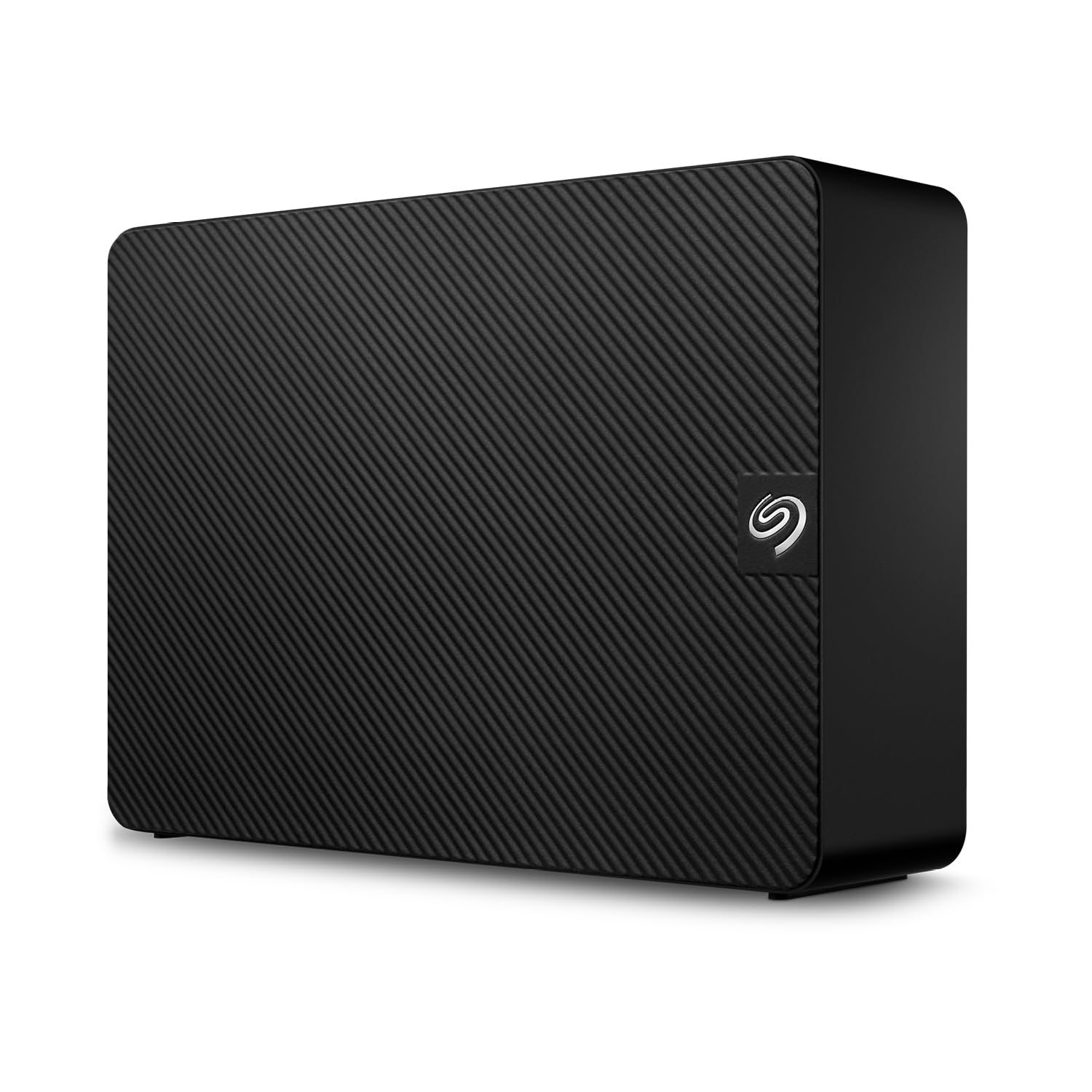
1. Seagate Expansion 24TB External Hard Drive HDD
Our pick — over 4★ from 7,500+ verified ratings; the strongest balance of quality and price.
Plug-and-play simplicity at 24 TB, the entry-level stop before true 28 TB.
Here is the honest reality: this Seagate holds 24 TB, not 28 TB — a 17% smaller capacity than the WD units above. If your data genuinely needs the full 28 TB, this is not the drive. But if you want a no-fuss desktop backup box with easier plug-and-play setup on both Windows and Mac, it delivers that experience for less money.
The appeal is pure simplicity — drag-and-drop saving works from the start, with automatic recognition of both Windows and Mac computers. Transfers run over USB 3.0 at 5 gigabits_per_second, and the included Rescue Data Recovery Services gives you a path to get files back if the drive ever fails. The 3.5-inch enclosure spins at 7200 RPM, which keeps big writes moving at a respectable pace for a mechanical drive.
What wins people over is the build quality and the storage capacity — owners consistently single out both. The value per terabyte earns strong praise, and it ships quiet enough for a desk or shelf. Buyers report it works immediately on Mac, feels faster than older drives, and handles both original data and backups without complaint.
The honest warning lives in the reliability column. Owners mention 24TB units failing within a year, with symptoms like read-only mode, clicking, and refusal to spin up. Seagate’s customer service replaced those drives through RMA, and the included recovery service softens the blow, but the pattern is real. Treat this as a budget-tier workhorse with good support rather than a set-and-forget vault.
The verdict: the cheapest door into multi-terabyte backup, backed by recovery services when the worst happens.
Best for: buying lots of storage for the fewest dollars and caring more about setup ease than peak speed.
The catch: 24 TB is 4 TB less than true 28 TB, and reliability reviews are a genuine mixed bag.
2. WD 28TB My Book Duo Desktop RAID External Hard Drive

True 28 TB straight from the start, tuned for fast edits over the USB-C cable.
The headline here is genuine 28 TB of capacity that arrives RAID-0 ready — the two bays already joined for maximum speed and space. WD rates the data transfer at 360 megabytes_per_second over its USB 3.1 Gen 1 port, moving archived video and huge photo folders noticeably quicker than a basic USB 3.0 box. In everyday terms, this is the difference between waiting a minute for a large folder versus waiting through a coffee break.
What wins people over is the performance — owners describe it as a reliable, fast USB 3 video editing drive that handles demanding workloads without complaint. The ease of setup earns its own praise, with quick start times under five minutes. There is real longevity in the design too: one owner’s unit ran for 6 years, 7 months, and 8 days before failing, and that track record was enough to make them immediately order another one.
The security suite is the quiet hero. Built-in 256-bit AES hardware encryption with password protection means your files stay scrambled even if the drive is stolen, and WD’s software handles auto backup. Setup is Windows-friendly from the start since it ships formatted for NTFS, though you will need to reformat for other operating systems.
Owners Love
- Genuine 28 TB capacity with 360 MB/s transfer speeds
- Hardware encryption protects data with a password
- Dual USB 3.0 hub ports for extra accessories
Fair Caveats
- RAID-0 needs no backup strategy on top of it
- WD support gets called out often when things go wrong
- Ships formatted for Windows only
Reach for it when: you need the full 28 TB and want faster transfers for video editing and large archives.
Think twice if: your priority is a safety net against drive failure — you will want to reconfigure to RAID-1 and lose half the space.
3. Western Digital 28 TB My Book Duo Desktop RAID USB 3.1 External Hard Drive

A dual-bay box that lets you pick RAID-0, RAID-1, or JBOD with software.
Like the WD above, this is a true 28 TB (28,000 GB) dual-bay desktop drive, but it brings a wider menu of configurations. With the included WD Discovery software you can switch between RAID-0 for max speed and capacity, RAID-1 for mirrored data safety, or JBOD to run the two drives as independent volumes. That flexibility makes it the smarter pick if you are still deciding how much redundancy you actually need.
The transfer rate is listed at 140 megabits_per_second, slower than the other WD’s 360 megabytes_per_second. But the USB-C port keeps things modern and universally compatible, supporting USB 3.2 Gen 1, USB 3.0, and USB 2.0 with both Type-C and Type-A cables included in the box. Two additional USB Type-A hub ports on the back let it double as a mini docking station for a card reader, keyboard, or phone cable.
The 256-bit AES hardware encryption and password protection mirror the flagship WD security setup. An occasional unit arrives with electrical casing issues or refuses to power back on after a reconnect — rare, but worth knowing the enclosure is the weak point on some units.
Setup is quick and the drive is quiet in operation, which matters when it sits on your desk running daily. The recurring negative in the reviews is that WD’s own software can cause disconnects on macOS Big Sur; uninstalling the software immediately fixed it for affected owners.
The real trade-off: you get total control over RAID modes and hardware encryption, but the rated 140 Mb/s speed is modest for the price tier.
Choose it for: the ability to rebuild the array as your needs change — mirror, stripe, or separate.
Look elsewhere if: you want the fastest possible sustained throughput at this capacity.
Understanding the Specs
Digital Storage Capacity
This is the number that decides whether you bought the right box. True 28 TB means the drive advertises 28 TB or 28,000 GB of storage. A 24 TB drive is a different, smaller product — useful if your files fit, but never a substitute when your archive needs the full 28 TB. Always check this spec against the model name before you buy.
RAID 0 vs RAID 1
Dual-bay desktop drives can combine their disks. RAID-0 joins both into one big fast volume — you see the full 28 TB, but one failed disk destroys everything. RAID-1 writes every file twice, so one disk can die without any data loss, but your usable space drops. For a backup drive, RAID-1’s safety usually beats RAID-0’s speed.
FAQ
Is a 28 TB external hard drive actually 28 TB of usable space?
What is the difference between RAID-0 and RAID-1 for backups?
Will a 28 TB My Book Duo work with my Mac?
How fast can a 28 TB external hard drive transfer data?
Does hardware encryption slow down a 28 TB drive?
How long does a 28 TB external hard drive last?
Is a 24 TB Seagate Expansion a good substitute for a 28 TB drive?
What is Rescue Data Recovery Services on the Seagate drive?
Final Thoughts: The Verdict
Across the board, the true 28 tb external hard drive winner is the WD 28TB My Book Duo RAID because it combines the full 28 TB capacity with the fastest rated transfer speed and strong hardware encryption. If you want flexible RAID modes and don’t mind a slower rated throughput, the Western Digital 28 TB My Book Duo is the versatile pick. And for budget-conscious buyers who can live with 24 TB, the Seagate Expansion 24TB is the cheapest entry into multi-terabyte backup.
How We Picked
We do not accept paid placement. Every pick is matched to a real buyer and a real use-case; we do not hands-on test units.
Sources & Methodology
Specifications: manufacturer listings and product documentation. Review insights: verified customer reviews, as of August 2026. Pricing: not shown on this page (it changes often); check the current price via the retailer link.
As an Amazon Associate, Gadgets Feed earns from qualifying purchases. This does not affect which products we feature.