
Our readers keep the lights on and my morning glass full of iced black tea. As an Amazon Associate, I earn from qualifying purchases.
A 280mm AIO occupies the sweet spot in CPU cooling—its dual 140mm fans move more air at lower noise than most 240mm units, while its radiator fits cases that reject the bulky 360mm standard. That balance makes it the preferred choice for builders targeting high-performance CPUs without sacrificing case compatibility or acoustic peace.
I’m Min — the co-founder and writer behind Gadgets Feed. I’ve spent countless hours analyzing thermal performance data, pump acoustics, and mounting compatibility across the current 280mm AIO market to separate genuine cooling champions from overpriced RGB distractions.
This guide ranks the top 280mm AIO coolers by real-world thermal capacity, noise levels, and build quality to help you find the best 280mm aio for your specific CPU and case constraints.
How To Choose The Best 280mm AIO
Selecting a 280mm AIO involves more than matching a socket name. You need to balance radiator thickness against your case’s top or front clearance, choose between pump-mounted or radiator-mounted pump designs, and decide whether VRM cooling fans or RGB lighting justify the extra cost. Here’s what separates an effective buy from a compatibility headache.
Radiator Thickness and Fan Static Pressure
Most 280mm AIOs use a 27mm-thick radiator, but models like the ARCTIC Liquid Freezer III Pro push that to 38mm. Thicker radiators hold more fluid and dissipate heat faster, but they require wider clearance inside the case—typically 60–65mm total with fans attached. If your case only supports slim radiators, stick with standard-thickness units and prioritize fans with high static pressure ratings (above 2.5 mmH₂O) to force air through dense fin stacks.
Pump Placement and Noise Signature
Traditional AIOs place the pump on the CPU block, while others like the MSI MAG CoreLiquid 280R relocate the pump to the radiator. Radiator-mounted pumps reduce noise at the CPU block and improve pump lifespan by keeping it away from the CPU’s heat, but they can introduce a low hum near the case top. Listen for PWM pump control—models without it run at full speed constantly, producing a subtle but persistent whine at idle.
Cold Plate Offset and Socket Support
Modern high-end CPUs concentrate heat toward the chip’s south side. An offset cold plate (found on the ARCTIC Liquid Freezer III Pro and be quiet! Pure Loop 3) shifts the cooling center directly over that hotspot. This design alone can drop temperatures by 3–5°C on Ryzen 7800X3D and Intel 13th/14th-gen CPUs. Verify that the offset mounting works with your socket before purchase—some offsets are optimized exclusively for AMD or Intel.
Quick Comparison
On smaller screens, swipe sideways to see the full table.
| Model | Category | Best For | Key Spec | Amazon |
|---|---|---|---|---|
| be quiet! Pure Loop 3 | Mid-Range | Silent SFF builds | 36.6 dB(A) / 1800 RPM fans | $94.90Amazon |
| ARCTIC Liquid Freezer III Pro 280 | Mid-Range | High TDP CPUs | 38mm rad / 2500 RPM fans | from $76.49Amazon |
| ARCTIC Liquid Freezer II 280 A-RGB | Mid-Range | Value RGB performance | 68.9 CFM / 1900 RPM fans | $302.32Amazon |
| Thermaltake TH280 V2 ARGB | Mid-Range | RGB synchronization | 34.7 dB(A) / 1800 RPM fans | $113.99Amazon |
| MSI MAG CoreLiquid 280R | Premium | Radiator-mounted pump | 16.7 dB(A) / 4200 RPM pump | $139.99Amazon |
| SilverStone IceMyst 280 | Premium | Expandable modular system | 12.1 dB(A) / 1750 RPM fans | $139.99Amazon |
| NZXT Kraken Elite 280 RGB 2024 | Premium | Large IPS LCD display | 2.72″ 640×640 screen | $159.99Amazon |
In‑Depth Reviews
1. ARCTIC Liquid Freezer III Pro 280

The ARCTIC Liquid Freezer III Pro 280 delivers unmatched thermal headroom for its price bracket thanks to its 38mm-thick radiator—11mm thicker than the industry standard. That extra fin volume lets it handle sustained loads on a Ryzen 9 9900X or Intel Core i9-14900K at temperatures 10–15°C lower than many 240mm coolers. The integrated VRM fan actively cools motherboard voltage regulators, preventing throttling during all-core workloads.
The native offset cold plate targets the hotspot on AMD Ryzen X3D processors and Intel’s 13th/14th-gen dies, dropping peak temps by an additional 3–4°C without any user adjustment. Its PWM pump operates nearly inaudibly at low speeds, while the P14 Pro fans push 110 CFM of airflow at a maximum of 2500 RPM. Installation requires careful case measurement—the 38mm radiator plus 25mm fans needs about 65mm of clearance, making it a snug fit in compact mid-towers like the Corsair 4000D.
Build quality feels dense and purposeful, with a copper cold plate and aluminum radiator core. The integrated cable management routes all fan wires through the hose sheathing, leaving only a single cable to the motherboard. Some users report stiff hoses that resist tight bends, so plan your routing path before mounting. For anyone pushing a high-TDP CPU in a case with adequate front or top clearance, this is the performance benchmark in the 280mm category.
Why it’s great
- Thickest 38mm radiator in its class for superior heat dissipation
- VRM fan keeps motherboard power delivery cool under load
- Offset cold plate optimizes contact with modern CPU hotspots
Good to know
- Requires 65mm+ clearance; check case compatibility before buying
- AMD mounting bracket installation demands firm pressure and patience
- Hoses are stiff and limit tight-routing options in small cases
2. be quiet! Pure Loop 3 280mm
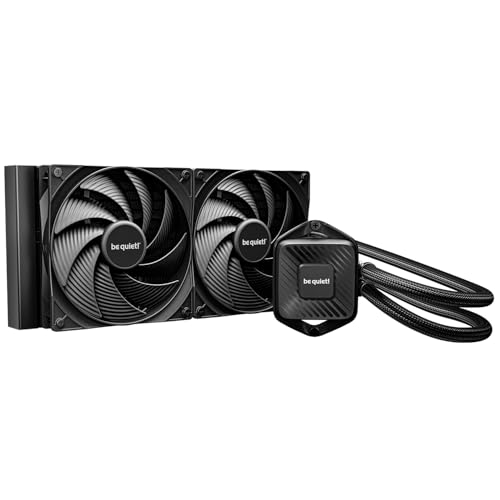
The be quiet! Pure Loop 3 proves that a 280mm AIO can deliver premium cooling without proprietary software or RGB distractions. Its 6-pole, 3-phase PWM pump motor runs whisper-quiet across its entire speed range, while the two Pure Wings 3 140mm fans peak at just 36.6 dB(A)—quiet enough to disappear inside a well-damped case. The daisy-chain fan design means you only plug one PWM header into the motherboard, reducing cable clutter in small-form-factor builds.
A standout feature is the refill port on the radiator, which allows you to top off coolant over the AIO’s lifespan instead of replacing the entire unit when liquid gradually permeates through the tubes. The pump and cold plate are compact enough to clear tall VRM heatsinks on AM5 boards, and the offset mounting position (position 8) aligns perfectly with the Ryzen 9800X3D hotspot. Users report 4–6°C improvements over previous-generation 280mm AIOs when paired with high-end Ryzen chips.
At maximum fan speed the audible hum becomes noticeable—though still quieter than most competing units at their peak. The aluminum radiator measures a standard 27mm thickness, so it fits in cases that reject the thicker ARCTIC model. No RGB lighting means fewer cables and no software overhead. For silent-build enthusiasts who value long-term serviceability and low noise over flashy aesthetics, this is the definitive pick.
Why it’s great
- Refill port extends AIO service life beyond typical sealed units
- 36.6 dB(A) noise floor at max speed is among the quietest in class
- No proprietary cables, USB headers, or RGB software required
Good to know
- Pump emits a slight hum when running at 100% PWM duty cycle
- Fans become audible at maximum 1800 RPM during heavy loads
- Offset position 8 orientation requires specific block rotation for AMD
3. ARCTIC Liquid Freezer II 280 A-RGB
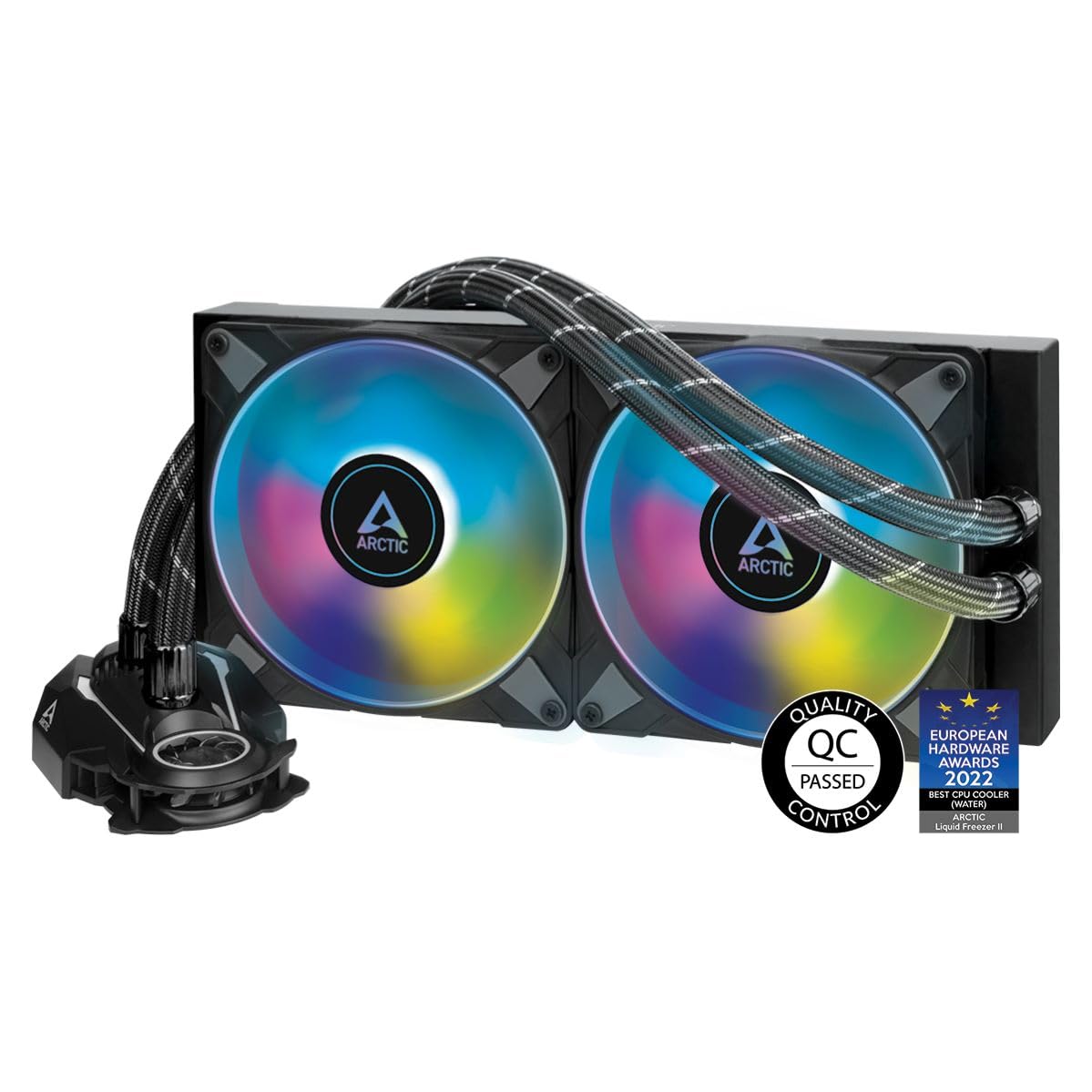
The ARCTIC Liquid Freezer II 280 A-RGB builds on the legendary performance of its non-RGB predecessor by adding 24 digital A-RGB LEDs per fan hub, delivering even illumination through the transparent rotor design. Its 27mm radiator may be thinner than the III Pro, but the high static pressure fans—optimized specifically for radiator fin stacks—allow it to outperform many 360mm AIOs on CPUs like the Ryzen 9 7900X and Intel Core i9-12900K. The pump and fan cables integrate into the hose sheathing, leaving only two wires visible at the motherboard.
The included MX-5 thermal compound and LGA1700 hardware make out-of-box installation straightforward for modern Intel builds. Users upgrading from air coolers like the Noctua NH-D15 report 6–8°C temperature drops when overclocking high-core-count CPUs, with the pump remaining silent at normal operating speeds. The integrated VRM fan on the pump housing provides active airflow to motherboard voltage regulators, a feature absent from most competing AIOs at this price tier.
One caveat is the radiator’s thickness compared to standard 280mm units—at 27.17 inches wide including the fan shroud, it may overhang on narrow case top mounts, requiring front-mount orientation. The RGB lighting uses a standard 3-pin 5V ARGB header and integrates with ASUS Aura Sync, MSI Mystic Light, and Gigabyte RGB Fusion without proprietary adapters. For builders who want ARGB aesthetics with class-leading thermal performance, this remains the value champion.
Why it’s great
- Outperforms many 360mm AIOs despite using a 280mm radiator
- Integrated VRM fan cools motherboard voltage regulators
- MX-5 thermal compound included with LGA1700 hardware
Good to know
- Wide radiator shroud may interfere with RAM clearance in top-mount configs
- RGB not compatible with ASRock Polychrome or older Mystic Light versions
- Thicker design requires careful case measurement for front mount
4. Thermaltake TH280 V2 ARGB
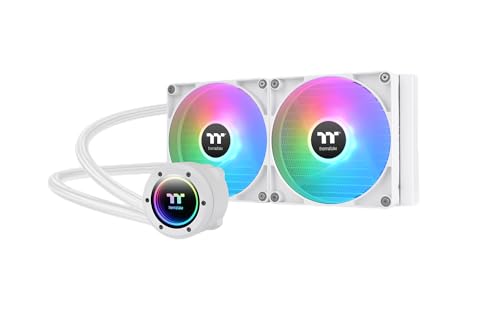
The Thermaltake TH280 V2 ARGB refreshes the original TH280 with an industrial design aesthetic and an Infinity Mirror lighting cap on the water block. The pump housing rotates 360 degrees, allowing you to orient the ARGB logo upright regardless of mounting position. The dual 140mm fans spin at 500–1800 RPM via PWM control, producing a maximum noise output of just 34.7 dB(A)—quiet enough for daytime use without audible intrusion.
The copper cold plate base accelerates heat transfer from the CPU IHS, while the reliable pump maintains consistent water circulation even under sustained all-core loads. Users report idle temperatures around 33°C on Ryzen 9 chips and peak loads staying below 68°C with proper fan curves. The motherboard synchronization via ASUS Aura Sync, Gigabyte RGB Fusion, MSI Mystic Light, and ASRock Polychrome works without additional software, and the white version of this cooler matches all-white build themes.
The installation manual provides minimal guidance, and the wiring harness leaves several unused connectors that can complicate cable management in tight cases. Some users note that the 4-pin fan header did not respond correctly to CPU PWM control on certain motherboards and required a chassis header instead. Build quality feels adequate for the price point but not as dense as the ARCTIC or be quiet! alternatives. For RGB-focused builders who prioritize aesthetic cohesion and low noise, the TH280 V2 delivers solid mid-tier performance.
Why it’s great
- Infinity Mirror block design with full ARGB motherboard sync
- Low noise output at 34.7 dB(A) even at maximum fan speed
- Available in white for all-white PC builds
Good to know
- Installation instructions are sparse with confusing wiring diagrams
- Fan PWM control may not function correctly on CPU headers
- Overall build quality feels less robust than competing mid-range AIOs
5. MSI MAG CoreLiquid 280R
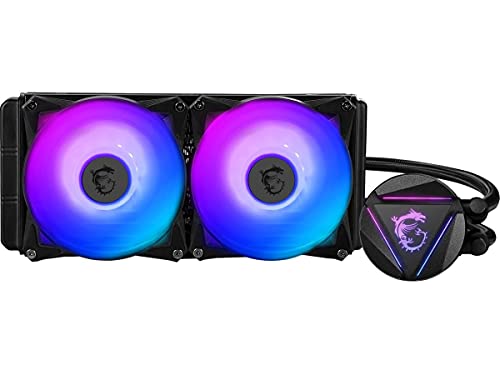
The MSI MAG CoreLiquid 280R takes a unique approach by relocating the pump from the CPU block into the radiator itself. This design isolates the pump’s noise from the immediate CPU area—its three-phase motor generates only 16.7 dB(A) of audible output—and keeps the pump away from the CPU’s heat, theoretically extending its lifespan. The 280mm radiator supports dual 140mm aRGB PWM fans that deliver custom lighting synchronization through MSI Center software.
The rotatable block cap turns up to 270 degrees, letting you keep the MSI logo upright regardless of hose orientation—a small touch that makes a meaningful difference in visual alignment. The included fans push sufficient airflow for most high-end CPUs, and users with Ryzen 7 5800X and similar TDP chips report stable gaming temperatures around 65°C with quiet fan curves. The pre-applied thermal paste eliminates an extra purchase step for first-time AIO buyers.
Several reliability concerns surface in long-term reviews. Some units develop gunk accumulation on the cold plate after 7–10 months, causing idle temperatures to climb above 70°C until the block is disassembled and cleaned. The included fans push air through the face of the fan frame rather than the sides, making replacement difficult since standard 140mm fans don’t match the proprietary design. For users willing to accept the potential maintenance trade-off, the pump-noise reduction is genuinely impressive.
Why it’s great
- Radiator-mounted pump is extremely quiet at just 16.7 dB(A)
- Rotatable block cap keeps logo upright in any mounting orientation
- Pre-applied thermal paste simplifies out-of-box setup
Good to know
- Some units experience cold plate clogging after 7–10 months
- Proprietary fan design makes finding exact replacements difficult
- Fans push air through face rather than sides, reducing static pressure
6. SilverStone IceMyst 280

The SilverStone IceMyst 280 introduces modular expandability to the AIO category—a rare feature that lets you add additional cooling components to the loop later if you choose. The water block uses a three-phase, six-pole motor design that keeps pump noise down to 12.1 dB(A), effectively silent in most environments. The 360-degree rotatable top cover and modular cabling system simplify both installation and future modifications, making this a unique option for tinkerers.
The included ARGB controller offers 10 lighting modes with adjustable brightness and color speed, bypassing the need for motherboard RGB software compatibility. The radiator-optimized fans deliver strong static pressure figures despite a maximum speed of 1750 RPM, striking a good balance between airflow and noise. Users running the Intel Core i9-14900K report that exhaust air stays warm but never hot, indicating efficient heat transfer from the cold plate to the radiator matrix.
The mounting mechanism for AMD sockets relies on clip-style retention that feels less secure than the Intel backplate system, and the pump body’s plastic construction can feel hollow compared to the all-metal blocks from ARCTIC and NZXT. The modular expansion feature adds future flexibility but also introduces a potential leak path if not properly sealed during custom modifications. For builders who want the option to expand their liquid cooling loop later, the IceMyst provides a foundation that standard AIOs cannot match.
Why it’s great
- Modular design allows future expansion of the cooling loop
- Three-phase six-pole motor produces only 12.1 dB(A) noise
- ARGB controller includes 10 lighting modes without motherboard software
Good to know
- AMD mounting uses clips instead of a backplate, feeling less secure
- Pump housing uses plastic material rather than full metal construction
- Modular expansion adds potential leak risk if not properly maintained
7. NZXT Kraken Elite 280 RGB 2024
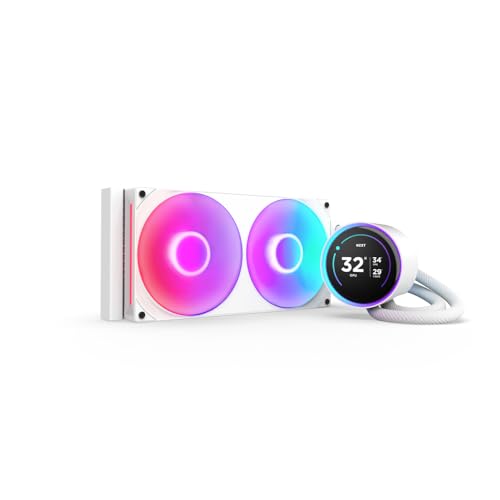
The NZXT Kraken Elite 280 RGB 2024 sets the premium benchmark for 280mm AIOs with its 2.72-inch IPS LCD display—a 640×640 resolution panel running at a smooth 60 Hz with 690 cd/m² brightness and 24-bit color depth. The display shows system performance metrics, GIF images, and Google Photos integration, with an RGB LED ring that synchronizes with on-screen content for a cohesive visual experience. The NZXT Turbine pump delivers a 10% performance improvement over the previous generation while reducing pump noise.
The pre-applied thermal paste and tool-free mounting brackets support both AMD AM5/AM4 and Intel LGA 1851/1700/1200/115X sockets out of the box, reducing installation to under 15 minutes for most builders. The single breakout cable connects all fan and pump functions to the motherboard with minimal wire management. Users report that the F280 RGB Core fans provide excellent airflow even at lower RPM ranges, keeping a Ryzen 7800X3D at idle temperatures in the high 30s under standard ambient conditions.
The hose length can present routing challenges in wider cases—some users find the tubes too short to reach the front-mounted radiator in full-tower chassis, limiting placement to top-mount configurations only. The NZXT CAM software, while polished, requires an internet connection for full functionality and can be resource-heavy on background system resources. For builders who prioritize the largest, sharpest LCD display and seamless software integration over raw cooling value, the Kraken Elite delivers an unmatched visual and thermal experience.
Why it’s great
- 2.72-inch 640×640 IPS LCD with 60 Hz refresh and 690 cd/m² brightness
- Google Photos and Spotify integration on the pump display
- Tool-free mounting and pre-applied paste for fast installation
Good to know
- Hose length may be insufficient for front-mount in full-tower cases
- NZXT CAM software requires internet and uses background system resources
- Premium price bracket with no performance advantage over mid-range thermal leaders
FAQ
Will a 280mm AIO fit in my standard mid-tower case?
Why does a 280mm AIO sometimes outperform a 360mm AIO?
How do I know if my CPU benefits from an offset cold plate?
Is an RGB 280mm AIO worth the extra cost over a non-RGB model?
Final Thoughts: The Verdict
For most users, the best 280mm aio winner is the ARCTIC Liquid Freezer III Pro 280 because its 38mm radiator and offset cold plate deliver class-leading thermal performance for high-TDP CPUs at a mid-range price. If you want near-silent operation with serviceable long-term use, grab the be quiet! Pure Loop 3 280mm. And for a premium display experience that transforms your pump into a system monitoring hub, nothing beats the NZXT Kraken Elite 280 RGB 2024.
Product prices and availability are accurate as of the date/time indicated and are subject to change. Any price and availability information displayed on Amazon at the time of purchase will apply to the purchase of this product. As an Amazon Associate I earn from qualifying purchases.
CERTAIN CONTENT THAT APPEARS ON THIS SITE COMES FROM AMAZON. THIS CONTENT IS PROVIDED "AS IS" AND IS SUBJECT TO CHANGE OR REMOVAL AT ANY TIME.
Amazon and the Amazon logo are trademarks of Amazon.com, Inc. or its affiliates.