
The jump from a standard 144Hz IPS to a 240Hz OLED at 1440p is the single most transformative upgrade a competitive gamer can make. Motion clarity reaches a level where ghosting becomes a forgotten concept, and the pixel response time of 0.03ms means each frame is rendered with absolute precision before the next one even begins.
I’m Min — the co-founder and writer behind Gadgets Feed. I spend countless hours analyzing panel specifications, comparing color gamut coverage, and sifting through real user data to isolate which monitors truly deliver on their promised refresh rates and response times without hidden compromises.
This guide cuts through the marketing noise to deliver a side-by-side breakdown of the top contenders for the best 2k 240hz monitor, weighing real-world performance against panel type, connectivity, and long-term durability.
How To Choose The Best 2K 240Hz Monitor
The market for high-refresh 1440p monitors has exploded, but not all 240Hz panels are created equal. The panel technology — whether it is IPS, QD-OLED, or WOLED — fundamentally dictates motion handling, contrast, and color vibrancy. A premium OLED panel eliminates backlight bleed and delivers true blacks, but requires careful management of burn-in risks through features like pixel refresh cycles and heatsinks.
Panel Type: IPS vs. QD-OLED vs. WOLED
IPS panels remain a viable entry point, offering high brightness and wide viewing angles without burn-in concerns, but they suffer from mediocre contrast and visible backlight bleed in dark scenes. QD-OLED panels from Samsung and MSI deliver exceptional color volume with a 99% DCI-P3 coverage, while WOLED panels from LG and ASUS excel in text clarity and anti-reflective coatings. The decision hinges on whether you prioritize absolute contrast and color vibrancy over long-term static image retention risks.
Connectivity: DisplayPort vs. HDMI 2.1
To drive a native 2560×1440 resolution at 240Hz without compression, you need DisplayPort 1.4 with DSC enabled or HDMI 2.1. Many monitors in the mid-range tier only offer HDMI 2.0, which caps at 144Hz, forcing you to use DisplayPort for the full refresh rate. If you plan to connect a PlayStation 5 or Xbox Series X, HDMI 2.1 is non-negotiable for achieving 240Hz at QHD with variable refresh rate support.
Burn-In Mitigation & Longevity
OLED monitors require active care. Look for technologies like MSI OLED Care 2.0, ASUS OLED Anti-flicker with custom heatsinks, and LG’s automatic pixel cleaning cycles that run during standby. Models with graphene heatsinks or four-sided ventilation dissipate heat more efficiently, reducing the likelihood of image retention over years of use. A three-year warranty with burn-in coverage is a strong indicator of manufacturer confidence.
Quick Comparison
On smaller screens, swipe sideways to see the full table.
| Model | Category | Best For | Key Spec | Amazon |
|---|---|---|---|---|
| LG 27GX704A-B | WOLED | Balanced Gaming & Media | 1300 nits peak brightness | Amazon |
| ASUS ROG Strix XG27AQDMG | WOLED | Premium Glossy Clarity | Custom heatsink + Anti-flicker | Amazon |
| Samsung Odyssey OLED G6 G61SH | QD-OLED | Glare-Free Bright Room | Pantone Validated + OLED Safeguard | Amazon |
| AOC Q27GAZD | QD-OLED | Budget OLED Entry | 0.03ms GtG response time | Amazon |
| Acer Predator X27U W1 | QD-OLED | Ergonomic Adjustability | DCI-P3 99% + Delta E<2 | Amazon |
| Alienware AW2723DF | IPS | Competitive FPS Esports | 280Hz overclocked refresh rate | Amazon |
| MSI MPG 271QRX | QD-OLED | Ultra-Fast 360Hz Gaming | 360Hz refresh rate + KVM | Amazon |
| GIGABYTE MO27U2 | QD-OLED | 4K 240Hz with AI Care | 166 PPI pixel density | Amazon |
| MSI MAG 321UPX | QD-OLED | Large 32″ 4K Immersion | 15W USB-C charging | Amazon |
| MSI MPG 272URX | QD-OLED | Future-Proof Connectivity | DP 2.1a + 98W USB-C PD | Amazon |
| Samsung Odyssey Neo G9 G95NC | Mini-LED | Ultra-Wide Productivity & Sim | 7680 x 2160 Dual 4K | Amazon |
In‑Depth Reviews
1. LG 27GX704A-B 27-inch Ultragear

The LG 27GX704A-B strikes a near-perfect balance between price and performance for a glossy WOLED panel. It delivers a standard 275 nits of sustained brightness but can peak at an impressive 1300 nits for HDR highlights, making explosions and bright skies pop without washing out deep blacks. The 1.5M:1 contrast ratio is inherent to the OLED design, and the triple UL certification for anti-glare, flicker-free, and low blue light makes it comfortable for marathon sessions.
Connectivity is a strong suit here, with dual HDMI 2.1 ports that support full 240Hz at QHD without compression, plus DisplayPort 1.4 and a USB hub. The OLED Care features run automatically during standby, mitigating image retention without interrupting gameplay. The virtually borderless four-side design and hexagonal lighting give it a clean, gamer-oriented aesthetic that doesn’t feel overbearing.
User feedback highlights the excellent color accuracy out of the box, with many noting that adjusting the Black Level and Black Stabilizer settings improves detail visibility in shadow-heavy games. The glossy finish handles ambient reflections well in moderately lit rooms, though direct sunlight can cause glare. The stand offers full height, swivel, tilt, and pivot adjustments, which adds ergonomic flexibility for long gaming hours.
Why it’s great
- 1300 nits peak HDR brightness with deep OLED blacks
- Dual HDMI 2.1 ports for console compatibility at 240Hz
- Comprehensive ergonomic stand with pivot and swivel
Good to know
- Glossy panel can reflect in very bright rooms
- Low-quality source material appears noticeably worse on OLED
2. ASUS ROG Strix XG27AQDMG

The ASUS ROG Strix XG27AQDMG uses a third-generation WOLED panel with a custom heatsink and advanced airflow design, which significantly reduces the risk of burn-in while maintaining a fanless, silent operation. The glossy WOLED finish provides richer black levels than matte alternatives, and the ROG-exclusive Anti-flicker technology smooths out refresh rate fluctuations that can cause distracting shimmer in dark scenes.
Color performance is exemplary, with 99% DCI-P3 coverage and a high contrast ratio that makes SDR content look vibrant without oversaturation. The optional uniform brightness setting ensures consistent luminance across the entire screen, which is particularly useful for productivity work. The 240Hz refresh rate and 0.03ms response time deliver motion clarity that feels instantaneous, especially in fast-paced shooters like Valorant or Overwatch.
Reviews consistently mention the need to disable VRR to eliminate occasional flickering, though newer firmware updates have mitigated this for most users. The crosshair overlay and customizable settings with two save slots add practical utility for competitive gaming. The three-year warranty with burn-in coverage provides peace of mind, and the VESA mount compatibility makes it easy to integrate into existing setups.
Why it’s great
- Custom heatsink reduces burn-in risk without a fan
- Uniform brightness setting for consistent luminance
- ROG Anti-flicker technology smooths VRR fluctuations
Good to know
- No built-in speakers included
- Some users report VRR flicker requiring manual adjustment
3. Samsung Odyssey OLED G6 G61SH

Samsung’s Odyssey OLED G6 distinguishes itself with a glare-free QD-OLED panel that effectively diffuses ambient light, making it a top choice for brightly lit rooms where glossy panels would otherwise create distracting reflections. The Pantone Validated certification covers over 2100 colors and 110 skin tone shades, ensuring accurate color reproduction for both gaming and content creation. The 99% DCI-P3 color gamut and DCI-P3 99% coverage deliver vibrant, lifelike visuals across the entire spectrum.
The 240Hz refresh rate and 0.03ms response time are standard for the category, but the OLED Safeguard technology uses a thermal modulation system to actively prevent burn-in by managing heat distribution. This is a distinct advantage over passive pixel refresh cycles, as it operates in the background without interfering with gameplay. The height-adjustable stand with pivot, tilt, and swivel allows precise positioning, and the 1,000,000:1 contrast ratio ensures that dark scenes retain incredible depth.
Customer feedback emphasizes the substantial upgrade from traditional IPS panels, with users noting that the QD-OLED coating makes text clarity slightly less sharp than LCD but far better than early OLED generations. The G-Sync and FreeSync Premium compatibility ensures tear-free gameplay across NVIDIA and AMD GPUs. Some users experienced minor power state issues when monitors entered deep sleep for pixel cleaning, but a simple power strip solution resolves the annoyance.
Why it’s great
- Glare-free QD-OLED works well in bright rooms
- Pantone Validated for accurate color reproduction
- OLED Safeguard thermal modulation prevents burn-in
Good to know
- Text clarity slightly softer than IPS panels
- Dual monitor wake-from-sleep issues reported
4. AOC Q27GAZD QD OLED

The AOC Q27GAZD brings QD-OLED technology to a price point that undercuts most competitors without sacrificing core performance. The 27-inch QHD panel covers 147.6% sRGB and 110.2% DCI-P3 color gamut, producing vivid colors that rival monitors costing significantly more. The HDR400 True Black certification ensures that blacks remain deep and highlights retain detail, even if peak brightness doesn’t match the higher-tier LG or ASUS offerings.
Adaptive-Sync compatibility eliminates screen tearing, and the 0.03ms GtG response time makes motion blur virtually nonexistent. However, the HDMI port is limited to 165Hz, so achieving the full 240Hz requires a DisplayPort connection — a common trade-off at this price tier. The stand is basic and has minimal adjustment, making a VESA arm almost a necessity for proper ergonomic positioning.
Users consistently praise the color quality and responsiveness, often comparing it favorably against premium monitors. The glossy QD-OLED coating can show reflections in bright or dark scenes, which is something to consider if your gaming setup faces a window. The bezels are thicker than premium models, and the upper panel is thin enough that mounting with an arm requires care to avoid flexing.
Why it’s great
- Exceptional color gamut coverage at a low price
- Ultra-fast 0.03ms response time eliminates ghosting
- Adaptive-Sync for tear-free gameplay
Good to know
- HDMI limited to 165Hz; need DisplayPort for 240Hz
- Basic stand with limited adjustability
5. Acer Predator X27U W1bmiipprx

The Acer Predator X27U stands out with its fully featured ergonomic stand that includes height, tilt, pivot, and swivel adjustments — a rarity at this price point where many monitors offer only tilt. The 26.5-inch QD-OLED panel with a true 10-bit color depth delivers a cinematic experience, and the ZeroFrame design minimizes bezel distraction. The DCI-P3 99% coverage and Delta E<2 rating ensure that colors are both vibrant and accurate straight from the factory.
AMD FreeSync Premium technology synchronizes the frame rate with compatible GPUs, eliminating stuttering and tearing. The inclusion of two DisplayPort 1.4 ports and two HDMI 2.1 ports provides flexibility for multi-device setups, including PS5 and Xbox Series X at full 240Hz. The Image Retention Refresh function automatically runs pixel cleaning cycles to prevent burn-in, operating during standby without user intervention.
User reviews note that the brightness, while adequate for most indoor settings, is dimmer than premium LCD panels, and the peak brightness is not class-leading. The monitor menu is dense with options but lacks sharpness or overdrive adjustments, which some power users may find limiting. The glossy QD-OLED coating has a slight purple tint under direct light, though it rarely appears in normal use. Overall, it delivers excellent image quality and ergonomic flexibility for a fair price.
Why it’s great
- Full ergonomic stand with height, pivot, tilt, swivel
- Two HDMI 2.1 ports for console 240Hz support
- Delta E<2 color accuracy out of the box
Good to know
- Peak brightness is lower than premium competitors
- Menu lacks dedicated sharpness or overdrive settings
6. Alienware AW2723DF

For competitive gamers who prioritize maximum refresh rate over contrast ratio, the Alienware AW2723DF offers a native 240Hz that can be overclocked to 280Hz, paired with a lightning-fast 1ms GtG IPS panel. The IPS Nano Color technology delivers 95% DCI-P3 coverage, providing vibrant colors that stand out even in fast-paced esports titles where every millisecond counts. The VESA DisplayHDR 600 certification ensures consistent brightness for HDR content, though the 1000:1 contrast ratio is typical of IPS limitations.
NVIDIA G-Sync Compatible certification guarantees tear-free, low-latency gaming with NVIDIA GPUs, and the VESA Adaptive Sync certification extends compatibility to AMD systems. The Legend 2.0 design in Lunar Light includes AlienFX lighting signatures and 360-degree ventilation for effective heat dissipation. The stand offers full height, swivel, pivot, and tilt adjustments, and the cable management system keeps the desk clean.
Reviews consistently praise the zero ghosting performance and sturdy build quality, but note that backlight bleed is noticeable on dark screens — a common IPS trait. The lack of HDMI 2.1 means HDMI connections are capped at lower refresh rates, and there are no built-in speakers. The OSD menu feels limited compared to competitors, but for raw competitive performance, this remains a solid choice before moving to OLED.
Why it’s great
- Overclockable to 280Hz for esports edge
- Excellent motion handling with zero ghosting
- Full ergonomic stand with premium build quality
Good to know
- Noticeable backlight bleed on dark screens
- No HDMI 2.1 support for console 240Hz
7. MSI MPG 271QRX QD-OLED

The MSI MPG 271QRX pushes beyond the standard 240Hz barrier with a 360Hz refresh rate on its third-generation QD-OLED panel, making it the ultimate choice for competitive gamers who demand the absolute smoothest motion. The 0.03ms GtG response time means that even at 360 frames per second, there is no perceptible ghosting. The QD Premium Color standard ensures Delta E≤2 accuracy, and the VESA DisplayHDR True Black 400 certification maintains deep blacks with specular highlights.
Connectivity includes HDMI 2.1 with full 48 Gbps bandwidth for console gaming, and a KVM function allows control of multiple devices with a single keyboard and mouse. The MSI Gaming Intelligence app provides on-the-fly profile switching and AI-supported features like Smart Crosshair. OLED Care 2.0 uses pixel shift and panel refresh cycles to mitigate burn-in, and the adjustable stand includes tilt and height adjustments.
User feedback highlights the breathtaking HDR performance and vibrant colors, with many calling it a massive upgrade from IPS or VA panels. The glossy screen finish enhances contrast but may show reflections. The stand base is quite deep and consumes desk space, and some users noted the high price as a barrier. The 360Hz refresh rate is most beneficial in esports titles where frame rates can consistently hit that ceiling.
Why it’s great
- 360Hz refresh rate for unmatched motion clarity
- HDMI 2.1 with full 48 Gbps for consoles
- KVM switch for multi-device control
Good to know
- Requires high frame rates to fully utilize 360Hz
- Stand base takes up significant desk space
8. GIGABYTE MO27U2 QD-OLED
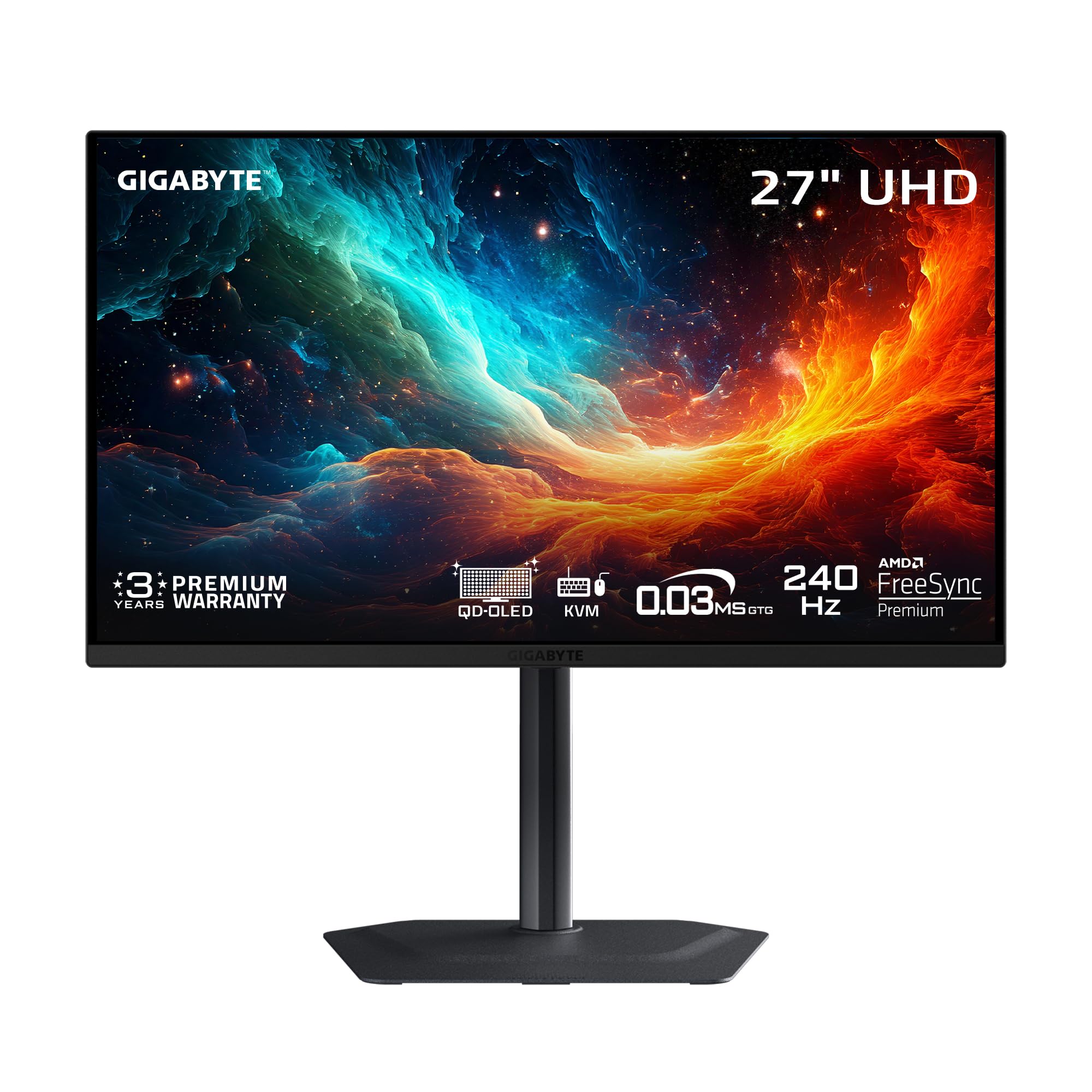
The GIGABYTE MO27U2 brings true 4K UHD resolution to a 27-inch form factor with a 240Hz refresh rate, resulting in an ultra-sharp 166 PPI pixel density that makes text and HUD elements incredibly crisp. The next-gen 5-layer Tandem OLED panel delivers higher brightness and improved durability compared to earlier OLED generations, with a peak brightness of 1000 nits for HDR content. The 1.5M:1 contrast ratio and 99% DCI-P3 color gamut ensure that the image quality is breathtaking across both gaming and productivity tasks.
GIGABYTE’s exclusive AI-based OLED Care runs in the background, using an algorithm to minimize burn-in risks with minimal interference. The graphene thermal film and four-sided ventilation provide fanless heat dissipation, keeping the monitor silent during operation. Connectivity is robust with DisplayPort, HDMI 2.1, and USB-C with KVM support, allowing seamless switching between a gaming PC and a work laptop. The stand offers tilt and height adjustment, though it lacks swivel and pivot.
Users upgrading from older IPS panels describe the visual upgrade as transformative, with the “looking through a window” effect being a common sentiment. The built-in speakers are functional but not exceptional, serving well for casual use. The monitor is priced competitively, often coming in significantly lower than other 27-inch 4K OLED options with the same panel, making it a strong value proposition for those who want 4K clarity at 240Hz.
Why it’s great
- 4K UHD at 27-inch yields 166 PPI sharpness
- AI-based OLED Care with graphene thermal film
- Excellent value compared to similar 4K OLED monitors
Good to know
- Stand lacks swivel and pivot adjustments
- Built-in speakers are basic in quality
9. MSI MAG 321UPX QD-OLED

The MSI MAG 321UPX offers a spacious 32-inch 4K UHD QD-OLED display with a 240Hz refresh rate and 0.03ms response time, catering to gamers who want immersive single-player visuals without sacrificing competitive responsiveness. The third-generation QD-OLED panel delivers a 1,500,000:1 dynamic contrast ratio and VESA DisplayHDR True Black 400 certification, ensuring that deep blacks and bright highlights coexist without blooming. The QD Premium Color standard guarantees Delta E≤2 accuracy, making this monitor suitable for content consumption and light color work.
MSI OLED Care 2.0 provides comprehensive burn-in prevention through pixel shift and panel refresh cycles that operate during standby or shutdown. The console mode supports HDMI 2.1 with full 48 Gbps bandwidth for 4K at 240Hz on compatible consoles. The 15W USB-C port can charge a laptop or phone while connected, and the adjustable stand offers tilt and height adjustments for comfortable viewing.
Customer reviews consistently praise the stunning color vibrancy and contrast, with many noting that HDR content looks “breathtakingly beautiful.” The glossy screen has good anti-glare properties, though direct light sources should be avoided. Some users reported being forced into OLED Care maintenance cycles that briefly interrupt gaming, though this is common across OLED monitors. The lower peak brightness compared to premium LCDs is a trade-off for the perfect black levels.
Why it’s great
- 32-inch 4K QD-OLED provides immersive visuals
- HDMI 2.1 with 48 Gbps for full 4K 240Hz
- Excellent color accuracy with Delta E≤2
Good to know
- OLED Care maintenance cycles can interrupt sessions
- Peak brightness is lower than high-end LCDs
10. MSI MPG 272URX QD-OLED

The MSI MPG 272URX is a future-proof powerhouse, combining a 27-inch 4K UHD QD-OLED panel with DisplayPort 2.1a connectivity, enabling full 4K at 240Hz without the need for Display Stream Compression (DSC). The EL Gen 3 technology improves panel efficiency by up to 30%, and the five-layer tandem OLED structure delivers a peak brightness of 1000 nits with a 166 PPI density for razor-sharp text. The 99% DCI-P3 coverage and 10-bit color depth ensure one billion colors with extreme accuracy.
Connectivity is unmatched in its class: DP 2.1a, HDMI 2.1 with CEC support, and a USB-C port with 98W Power Delivery that can charge a high-end laptop while transmitting video. The KVM 1.0 function with Picture-in-Picture and Picture-by-Picture support simplifies multi-device workflows. The fanless graphene heatsink enhances panel durability without introducing noise, and MSI OLED Care 2.0 provides comprehensive burn-in protection.
Users highlight the superior colors and contrast compared to mini-LED alternatives, and the clear text rendering eliminates the fringing issues seen on earlier OLED generations. Compatibility with macOS and Linux is excellent, with proper HDR and keyboard brightness control support. A small number of units have reported developing bubbles under the screen, though RMA coverage is available. The price is the highest in the 27-inch category, but the combination of DP 2.1a and 98W PD makes it a long-term investment.
Why it’s great
- DisplayPort 2.1a for uncompressed 4K 240Hz
- 98W USB-C Power Delivery for laptop charging
- Excellent text clarity with no fringing on OLED
Good to know
- Premium pricing relative to other 27-inch 4K OLEDs
- Minor reports of display bubbles under the screen
11. Samsung 57″ Odyssey Neo G9 G95NC

The Samsung 57″ Odyssey Neo G9 is a category of its own: a Dual 4K UHD (7680 x 2160) super-ultrawide monitor with a 1000R curvature that wraps around your peripheral vision. It uses Quantum Mini-LED technology with 2,392 local dimming zones, delivering VESA DisplayHDR 1000 certification with 1,000 nit peak brightness and a 1,000,000:1 contrast ratio. The 240Hz refresh rate and 1ms GtG response time make it viable for competitive gaming despite its massive size.
DisplayPort 2.1 input is essential to drive this monitor at full 7680×2160@240Hz without compression, and the AMD FreeSync Premium Pro ensures smooth frame synchronization. The built-in CoreSync lighting projects screen colors into the room, enhancing immersion. The ergonomic stand provides swivel, tilt, and height adjustment, though the monitor’s 40-pound weight requires a sturdy desk or a heavy-duty monitor arm. Picture-by-Picture mode allows using two separate inputs simultaneously at native resolution.
Users note that the monitor effectively replaces a three-monitor setup for productivity, particularly for day trading or flight simulation, where the immersive curve makes a significant difference. The Mini-LED backlight minimizes blooming compared to traditional VA panels, though some haloing is still visible in high-contrast scenes. The 57-inch width requires deep desk space — at least 30 inches of depth is recommended. Firmware updates have improved wake-from-sleep behavior, but some quirks remain with Auto Source Switch.
Why it’s great
- Dual 4K resolution replaces three traditional monitors
- 240Hz with 1ms response for ultra-wide gaming
- 2,392 Mini-LED zones provide excellent contrast control
Good to know
- Requires deep desk space of at least 30 inches
- Firmware issues with wake-from-sleep and source switching
FAQ
Can a 2K 240Hz monitor be driven by an HDMI 2.0 port?
Is burn-in a serious concern for QD-OLED monitors in 2025?
What is the practical difference between a 240Hz and 360Hz OLED monitor?
Final Thoughts: The Verdict
For most users, the best 2k 240hz monitor winner is the LG 27GX704A-B because it balances a brilliant glossy WOLED panel, dual HDMI 2.1, a 1300-nit peak brightness, and a fully adjustable stand at a reasonable price. If you want maximum competitive speed with a 360Hz refresh rate, grab the MSI MPG 271QRX. And for immersive single-player gaming on a larger canvas, nothing beats the MSI MAG 321UPX.