
Scouring listings for a used monitor often means wading through blurry photos, missing specs, and unknown wear. The real gamble isn’t the price you pay — it’s the panel lottery you enter when the seller can’t tell you the refresh rate, the response time, or whether the backlight has already dimmed.
I’m Min — the co-founder and writer behind Gadgets Feed. I’ve spent countless hours digging through technical datasheets and cross-referencing real-world buyer feedback to separate the few monitors worth your cash from the many that aren’t, all while keeping the hidden costs of used hardware firmly in mind.
The truth is that a smartly chosen new display can outperform a beaten-up used one for less than you expect, which is why this guide focuses entirely on the best 2nd hand monitor alternatives — monitors that deliver genuine value without the risk of someone else’s wear and tear.
How To Choose The Best 2nd Hand Monitor
Buying a used monitor means trading uncertainty for lower cost. The key is knowing which specifications remain relevant over time and which ones degrade. Connectors don’t wear out, but backlights do. Resolution is permanent, but color accuracy can drift. Focus on the specs that define the monitor’s long-term utility: panel type, resolution, refresh rate, and connection ports.
Panel Type and Color Performance
IPS panels dominate the modern market for good reason — they maintain color accuracy and brightness across wide viewing angles, unlike TN panels that shift when you lean left or right. Look for a monitor that advertises at least 99% sRGB coverage, as this directly affects how accurate photographs, design work, and video content appear. VA panels offer higher contrast ratios (often 3000:1) for deeper blacks, but they can exhibit ghosting in fast-moving scenes.
Refresh Rate and Adaptive Sync
A 100Hz or 120Hz panel transforms the desktop experience — mouse movement becomes fluid, scrolling feels instant, and the whole system responds faster. Monitors with Adaptive Sync (FreeSync or G-Sync Compatible) eliminate screen tearing in games, a feature that remains valuable even on a second-hand unit. If you plan to use the monitor with a modern console, confirm the HDMI port supports at least 120Hz input at 1080p.
Ergonomics and Physical Condition
Height-adjustable stands are rare on entry-level monitors but invaluable for long work sessions. Check for VESA mount compatibility (100x100mm is standard) so you can upgrade to an arm later. When inspecting a second-hand unit, look for backlight bleed in dark scenes, dead pixels on solid-color tests, and scratches on the polarizer layer — these are permanent defects that no discount makes worthwhile.
Quick Comparison
On smaller screens, swipe sideways to see the full table.
| Model | Category | Best For | Key Spec | Amazon |
|---|---|---|---|---|
| Alienware AW2725DM | Premium Gaming | High FPS gaming | 2560×1440, 180Hz, 1ms | Amazon |
| HP 327se | Premium Office | All-day productivity | 27-inch, 100Hz, 1300:1 contrast | Amazon |
| Dell SE2725HM | Mid-Range Value | Multi-monitor work | 27-inch, 100Hz, IPS, 1000:1 | Amazon |
| LG 24U411A-B | Mid-Range | Casual gaming & study | 24-inch, 120Hz, 1ms MBR | Amazon |
| ViewSonic VS2447M | Mid-Range | Home office | 24-inch, 100Hz, VRR, 3000:1 | Amazon |
| Sceptre E248W-FW100T | Entry-Level | Budget gaming | 24-inch, 100Hz, 1ms, FreeSync | Amazon |
| AOC 24B35H3 | Entry-Level | Budget hybrid work/play | 24-inch, 120Hz, IPS, HDR Ready | Amazon |
In‑Depth Reviews
1. Alienware AW2725DM

This 27-inch QHD IPS panel hits a resolution sweet spot that most second-hand monitors can’t touch — 2560×1440 delivers 77% more pixels than 1080p, making text sharper and game worlds more detailed. The 180Hz refresh rate combined with a 1ms gray-to-gray response time ensures that fast motion stays perfectly crisp, whether you’re tracking enemies or scrolling through spreadsheets.
Color accuracy is the star here: DCI-P3 95% coverage and VESA DisplayHDR 400 certification produce vibrant, punchy visuals that truly pop, while the hardware-based low blue light filter reduces eye strain without washing out colors. The stand offers full height, swivel, pivot, and tilt adjustments, a feature set that typically costs extra on higher-priced monitors.
Connectivity includes DisplayPort 1.4 (needed for the full 180Hz), an HDMI port (limited to 144Hz), and a USB-B upstream port plus four USB-A downstream ports for a clean desk setup. This monitor lacks built-in speakers and a headphone jack, but for pure visual performance at a competitive price, it sets a new benchmark for what a used monitor alternative should be.
Why it’s great
- QHD resolution with 180Hz refresh rate
- Excellent DCI-P3 95% color coverage
- Full ergonomic stand with height adjustment
Good to know
- No built-in speakers or headphone jack
- HDMI limited to 144Hz; DisplayPort required for full 180Hz
2. HP 327se

The HP 327se offers a 27-inch IPS panel with an enhanced 1300:1 contrast ratio that delivers noticeably deeper blacks than the typical 1000:1 panels found in many second-hand monitors. With 250 nits of brightness and 100Hz refresh rate, this display handles long workdays without fatigue thanks to HP Eye Ease technology that maintains true-color accuracy while filtering blue light.
What sets this model apart from most used alternatives is the inclusion of dual 2W built-in speakers and a full ergonomic stand with height, tilt, swivel, and pivot adjustments. The 3-sided micro-edge bezel design makes it ideal for dual-monitor setups where seamless alignment matters, and the VGA, HDMI 1.4, and DisplayPort 1.2 connections ensure compatibility with older laptops and desktops alike.
The monitor enclosure uses at least 90% post-consumer recycled plastics, which is rare in this price tier. While the speakers are only adequate for voice calls and light media, their presence eliminates the need for external desktop speakers. For users seeking a versatile office monitor that doesn’t compromise on ergonomic comfort, this is a compelling new alternative to a second-hand unit.
Why it’s great
- 1300:1 contrast ratio for deeper blacks
- Full ergonomic stand with height adjustment
- Built-in dual 2W speakers
Good to know
- Speakers adequate only for voice and light media
- Brightness limited to 250 nits
3. Dell SE2725HM

Dell’s reputation for consistent panel quality across production runs is a major advantage when you’re trying to match two monitors on a desk. The SE2725HM delivers a 27-inch Full HD IPS panel with a 100Hz refresh rate and 1000:1 contrast ratio, but the real headline is ComfortView Plus — Dell’s always-on hardware-level blue light filter that reduces harmful blue light without the yellow tint that software filters cause.
The built-in power supply and cable holder keep the desk tidy, and the small-footprint stand supports tilt adjustment with VESA 100x100mm compatibility for arm mounting. The anti-glare matte coating effectively cuts reflections, making this a strong choice for brightly lit rooms or window-facing desks where second-hand monitors often show their screen wear most clearly.
It offers one HDMI and one VGA port, which is limited compared to rivals with DisplayPort or USB-C, but the core experience — stable, accurate, low-blue-light viewing — is where this monitor excels. The lack of built-in speakers and USB ports keeps the price down, but for pure display quality at 27 inches, this is a safer bet than an unknown used unit with questionable backlight health.
Why it’s great
- Always-on ComfortView Plus blue light filter
- Built-in power supply with cable management
- Consistent Dell panel quality
Good to know
- No built-in speakers
- No USB ports or DisplayPort input
4. LG 24U411A-B

At 24 inches with Full HD resolution, the LG 24U411A-B strikes a practical balance between screen real estate and pixel density. The 120Hz refresh rate with 1ms Motion Blur Reduction (MBR) creates fluid motion that feels years ahead of the standard 60Hz panels commonly found on the second-hand market, making everyday scrolling and casual gaming noticeably smoother.
This LG IPS panel covers up to 99% sRGB with HDR10 support, delivering vibrant, consistent colors across the 178-degree viewing angle. The Dynamic Action Sync feature minimizes input lag for competitive gaming, while the Black Stabilizer brightens dark scenes to reveal hidden details — features that gaming-focused second-hand monitors rarely offer at this size.
The stand supports tilt adjustment from -5 to 20 degrees, and the VESA 100x100mm mount allows for flexible positioning. Some users report a green-tinted color profile out of the box, but the six-axis color adjustment menu corrects this quickly. The one HDMI and one VGA input are adequate, but the lack of a DisplayPort port limits some gaming console setups.
Why it’s great
- 120Hz refresh rate with 1ms MBR
- 99% sRGB color coverage
- Dynamic Action Sync for low input lag
Good to know
- No DisplayPort input
- No built-in speakers
5. ViewSonic VS2447M

The ViewSonic VS2447M uses a VA panel that delivers a 3000:1 contrast ratio — three times deeper black levels than typical IPS monitors. This makes a visible difference when watching movies or working in dim lighting, as dark scenes retain detail without the milky-gray glow that plagues many entry-level IPS panels found on the second-hand market.
With a 100Hz refresh rate and Variable Refresh Rate (VRR) support, this monitor eliminates screen tearing in compatible games while keeping motion smooth. The Flicker-Free technology and Blue Light Filter reduce eye strain during extended sessions, making it suitable for both office work and evening entertainment. The thin bezel design keeps the layout clean in multi-monitor configurations.
Connectivity includes HDMI and VGA ports plus audio in and out, which supports external speakers. The stand lacks height adjustment, but VESA 100x100mm mounting provides a path for third-party arms. Some users note that VA panel ghosting can occur in very fast-paced game transitions, but for general productivity and media consumption, the deep contrast makes this a strong alternative to a second-hand office monitor.
Why it’s great
- 3000:1 contrast ratio for deep blacks
- VRR support for tear-free gaming
- Flicker-Free and Blue Light Filter
Good to know
- VA panel ghosting in fast-paced games
- No height adjustment on stand
6. Sceptre E248W-FW100T

The Sceptre E248W-FW100T proves that a 100Hz refresh rate and 1ms response time are no longer luxury features reserved for premium monitors. This 24-inch Full HD LED display includes AMD FreeSync support for tear-free gaming, and the 100% sRGB color gamut delivers surprisingly vibrant images for the budget tier. The Blue Light Shift feature reduces eye strain during long sessions.
Built-in speakers save desk space and provide adequate audio for casual use, while the DisplayPort and dual HDMI 2.0 ports offer flexible connectivity that many second-hand monitors lack — especially those from a few years ago that only had VGA and DVI. FPS and RTS game modes optimize the display settings for different genres, making this a functional entry point for budget-conscious gamers.
The frameless edge design looks more modern than its price suggests, and VESA wall mount compatibility allows for clean installation. Some users report the power supply occasionally fails to wake from sleep, requiring a quick unplug and reconnect, but the overall reliability is strong for the cost. The stand lacks height adjustment, but at this price point, that’s a reasonable trade-off.
Why it’s great
- 100Hz refresh rate with 1ms response time
- 100% sRGB color coverage
- Built-in speakers and FreeSync support
Good to know
- Occasional wake-from-sleep issues reported
- No height adjustment on stand
7. AOC 24B35H3
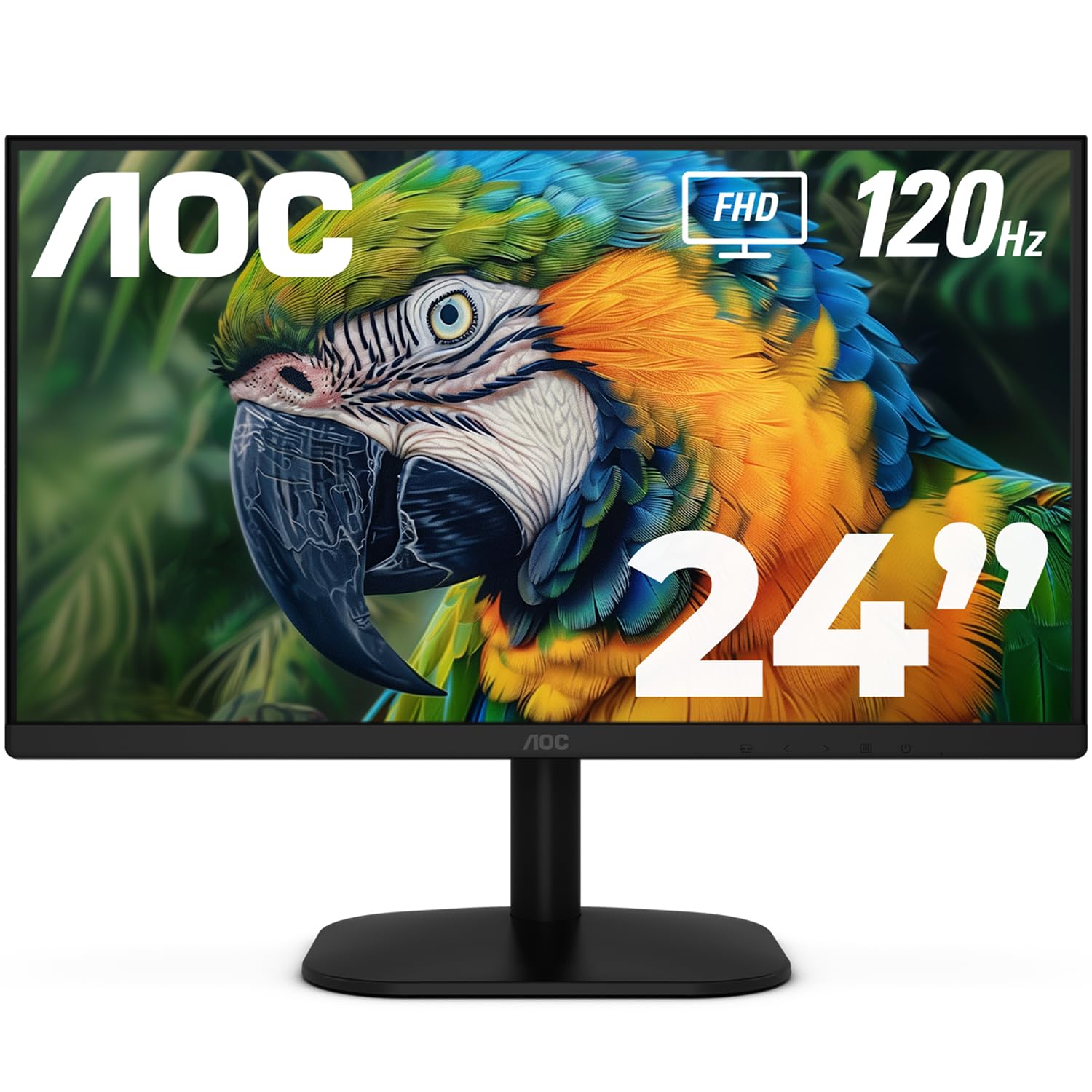
The AOC 24B35H3 delivers a 120Hz refresh rate on an IPS panel, which is rare in the entry-level segment and virtually impossible to find on older second-hand monitors without paying for a premium model. The Full HD resolution with 100% sRGB and 84% NTSC color gamut coverage produces accurate, vibrant colors that hold up well against side-by-side comparisons with more expensive displays.
Adaptive Sync technology works with both FreeSync and G-Sync Compatible graphics cards to eliminate stuttering and tearing in games. The Flicker-Free and Low Blue Light modes make this suitable for long work sessions, and the VGA plus HDMI ports ensure broad compatibility with older systems that might otherwise require an adapter on newer monitors.
The tilt-adjustable stand and VESA mount compatibility offer flexible setup options, and the energy-efficient design reduces power consumption without sacrificing performance. Some users note the included HDMI cable can be fragile, but the monitor itself proves reliable. For anyone seeking a genuine upgrade from a 60Hz used monitor, the jump to 120Hz at this price is transformative.
Why it’s great
- 120Hz refresh rate on budget IPS panel
- 100% sRGB with 84% NTSC coverage
- Adaptive Sync with FreeSync and G-Sync
Good to know
- Only VGA and HDMI ports; no DisplayPort
- No built-in speakers
FAQ
Is a 60Hz monitor still usable in 2025 or should I skip it?
What should I look for when physically inspecting a used monitor?
Does VESA mount compatibility matter when buying used?
Final Thoughts: The Verdict
For most users, the best 2nd hand monitor winner is the Alienware AW2725DM because its QHD resolution, 180Hz refresh rate, and full ergonomic stand deliver performance that would cost significantly more on the used market. If you want a value-oriented 27-inch display with built-in blue light protection, grab the Dell SE2725HM. And for budget-conscious buyers who need a 120Hz upgrade on the smallest budget, nothing beats the AOC 24B35H3.