
That sinking feeling when your handheld tells you the game library is full—or worse, a AAA title stutters mid-battle because the internal drive can’t keep up. The 2TB 2230 SSD solves both problems in a package smaller than a stick of gum, but picking the wrong one means trading one bottleneck for another. Thermal throttling, real-world write speeds, and controller quality separate the drives that transform your device from the ones that frustrate it.
I’m Min — the co-founder and writer behind Gadgets Feed. I’ve spent countless hours cross-referencing controller architectures, NAND flash types, thermal performance data, and real user reports to find the drives that actually deliver on their promised specs in tight, unventilated 2230 bays.
Whether you’re upgrading a Steam Deck, ROG Ally, or Surface Pro, finding the right 2tb 2230 ssd requires understanding the trade-offs between Gen4 speed tiers, DRAM-less designs, and thermal solutions that fit the cramped slot.
How To Choose The Best 2TB 2230 SSD
Every 2230 drive fits the same physical slot, but the internal controller, NAND type, and thermal design determine whether your handheld runs cool or throttles during extended sessions. The three factors below separate the drives that feel like an upgrade from those that feel like a compromise.
Controller and DRAM Architecture
The Phison E21T and similar DRAM-less controllers use Host Memory Buffer (HMB) to borrow system RAM for the flash translation layer. This keeps power draw low and cost down—fine for game loading—but sustained writes over several minutes (like installing a 100GB game) can bottleneck. Drives with dedicated DRAM cache are rare at 2230 size, so HMB quality and SLC cache implementation matter most.
NAND Type: TLC vs QLC
TLC (Triple-Level Cell) stores three bits per cell, offering better write endurance and sustained performance at a higher cost per gigabyte. QLC (Quad-Level Cell) stores four bits, enabling cheaper 2TB drives but with lower write speeds and shorter lifespans under heavy use. For gaming consoles where reads dominate, QLC is acceptable; for laptops with frequent file transfers, TLC is safer.
Thermal Management in the 2230 Slot
The 2230 form factor offers no space for active cooling. Drives rely on graphene labels, copper heatsinks, or direct contact with the device’s shield. A drive that runs at 70°C under load will throttle its controller, dropping speeds below that of a slower but cooler-running drive. Look for factory-fitted heatsinks or graphene layers, and check user reports for sustained temperature readings in your specific device.
Quick Comparison
On smaller screens, swipe sideways to see the full table.
| Model | Category | Best For | Key Spec | Amazon |
|---|---|---|---|---|
| Crucial P310 | Premium | Max speed & power efficiency | 7,100 MB/s read | Amazon |
| Kingston NV3 | Mid-Range | High-speed laptop upgrades | 6,000 MB/s read | Amazon |
| WD_Black SN770M | Premium | Trusted brand for handhelds | 5,150 MB/s read | Amazon |
| Silicon Power UD90 | Mid-Range | Best value 2TB for Steam Deck | 5,000 MB/s read | Amazon |
| Addlink S91 | Mid-Range | Reliable dual-boot storage | 5,000 MB/s read | Amazon |
| SABRENT Rocket Q4 | Premium | QLC capacity for handheld gamers | 5,000 MB/s read | Amazon |
| TeamGroup MP44S | Premium | High write speed & graphene cooling | 5,000 MB/s read | Amazon |
| DATO ARS430 | Mid-Range | Budget-friendly with heatsink | 5,000 MB/s read | Amazon |
| KingSpec | Mid-Range | Copper heatsink for thermal safety | 5,000 MB/s read | Amazon |
In‑Depth Reviews
1. Crucial P310 2TB

The Crucial P310 is the only drive in this lineup that breaks past the 5,000 MB/s ceiling, hitting a sequential read of 7,100 MB/s and write of 6,000 MB/s, thanks to Micron’s G8 NAND and a power-efficient controller that sips battery. In handhelds where the PCIe lane limits max out at Gen4 x4, the P310 still delivers the fastest real-world game loads and multitasking responsiveness of any 2230 drive available.
Users report notably lower power draw compared to drives like the WD_Black SN770M—one reviewer measured a 50-minute battery life improvement on a Steam Deck OLED after swapping. The single-sided design fits snugly in tight slots, and the 400 TBW endurance rating gives confidence for years of heavy use. Installation is straightforward with included cloning software from Acronis.
Thermal management is adequate but not exceptional; the P310 relies on the device’s built-in heat spreader rather than a factory-fitted heatsink. Under sustained writes in a Surface Pro 8, users recorded temps around 65°C, which is within spec but worth noting for high-ambient environments. The premium cost is justified by the speed and efficiency crown.
Why it’s great
- Fastest sequential read/write of any 2230 drive tested (7,100/6,000 MB/s)
- Significantly lower power draw extends handheld battery life by up to 50 minutes
Good to know
- No factory-fitted heatsink; relies on device thermal transfer
- Premium price tier compared to 5,000 MB/s alternatives
2. Kingston NV3 2TB

The Kingston NV3 hits a strong 6,000 MB/s sequential read, placing it firmly between the speed leaders and the 5,000 MB/s pack. It’s built for laptops and small-form-factor PCs where thermal overhead is modest—the controller runs cool enough to avoid throttling in unventilated chassis. The single-sided 2230 PCB slides into ultrabooks and Surfaces without clearance issues.
Reviewers praise its price-to-performance ratio, particularly for external NVMe enclosures running at 10 Gbps, where the drive saturates the USB bus completely. In a Windows 11 laptop install, one user described boot times as “instantaneous” and file transfers as “effortless.” The 2TB capacity gives enough room for a full OS install plus a growing game library.
Compatibility quirks arise with older hardware—the NV3 showed poor behavior on Raspberry Pi 5, but that’s a niche edge case. The warranty is solid at five years, though Kingston doesn’t specify TBW in the retail packaging. For laptop users who need a fast, cool, and reliable 2230 upgrade, the NV3 hits the sweet spot without stretching into premium pricing.
Why it’s great
- High 6,000 MB/s read speed that saturates 10 Gbps external enclosures
- Runs cool enough for thin laptops without active airflow
Good to know
- No TBW rating printed on packaging; long-term endurance unverified
- Incompatible with Raspberry Pi 5 and similar SBCs
3. WD_Black SN770M 2TB
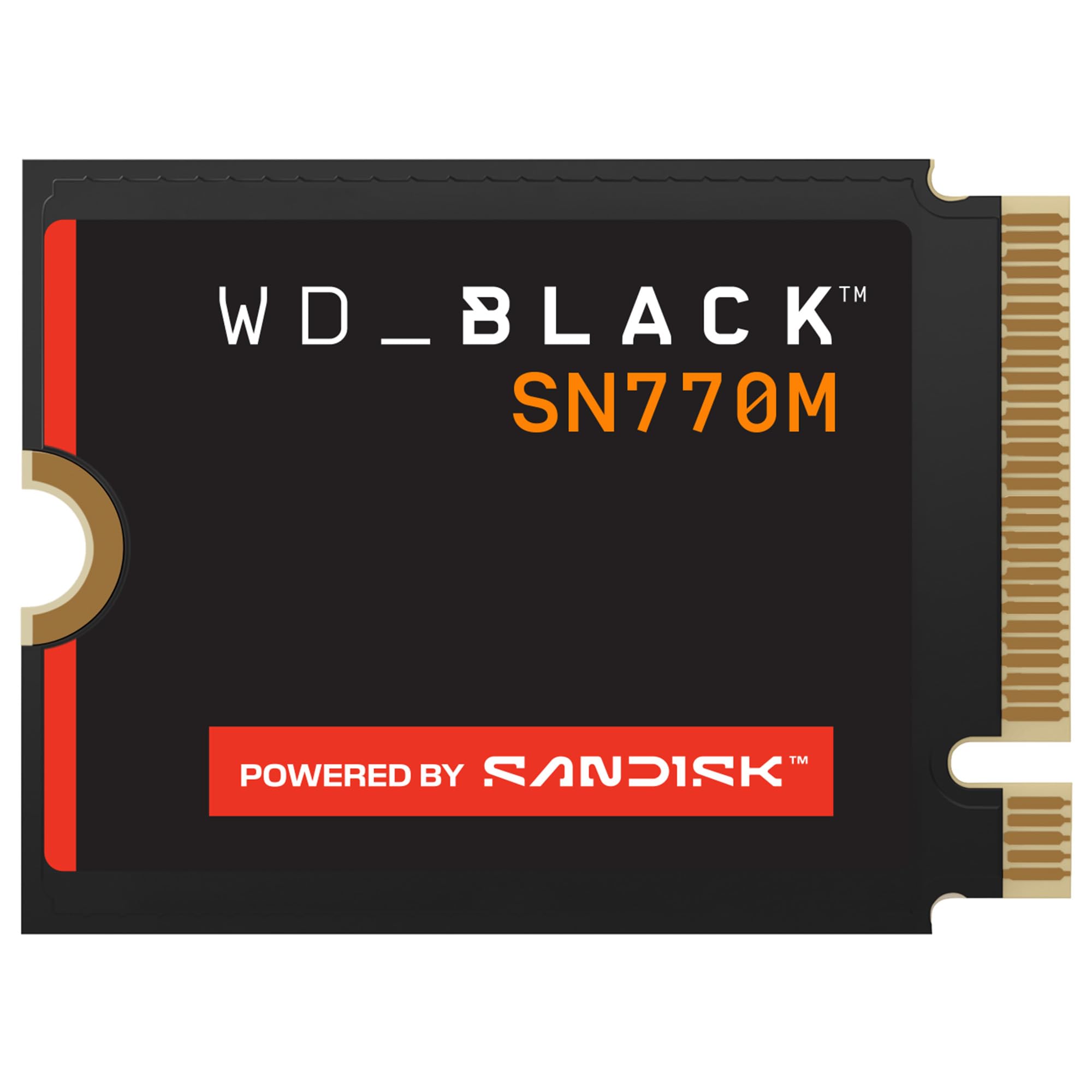
The WD_Black SN770M is the first 2230 drive from a brand that gamers trust, and it shows in the details. Built with SanDisk TLC 3D NAND and nCache 4.0 technology, it delivers sequential reads up to 5,150 MB/s and writes up to 4,900 MB/s. In Steam Deck and ROG Ally installations, users report dramatically faster game loading and smoother multitasking, with one reviewer noting “0% health degradation even after constant laptop usage.”
The drive includes Microsoft DirectStorage support, which means supported games can stream assets directly from the SSD without CPU intervention—a forward-looking feature for future titles. Advanced thermal management keeps the controller cool even during extended sessions; users recorded idle temps around 40°C and load temps in the 60-70°C range in Lenovo Legion Go installs with a 1mm thermal pad.
The premium price is the highest in this roundup, but you’re paying for the most established brand reliability and the peace of mind of SanDisk’s manufacturing pedigree. The drive is single-sided and fits all major handhelds. If budget is a secondary concern and long-term trust is primary, the SN770M is the safe bet.
Why it’s great
- Brand trust from SanDisk/WD with proven TLC NAND reliability
- DirectStorage support for next-gen game asset streaming
Good to know
- Highest price point in the 2TB 2230 category
- Theoretical speeds lower than Crucial P310’s 7,100 MB/s
4. Silicon Power UD90 2TB

The Silicon Power UD90 delivers exactly what the 2230 market needs: capable Gen4 speeds (5,000/3,200 MB/s read/write) at a price that undercuts most competitors by a noticeable margin. With a rated 1,200 TBW—higher than many premium drives—the UD90 doesn’t sacrifice durability for cost savings. Users consistently report flawless performance in Steam Deck and ROG Ally installations, with no crashes, no lag, and seamless game switching.
One reviewer noted the drive has been running “over a year of use” in a Steam Deck without any degradation, and another highlighted the “instant file transfers and reduced boot times” even when handling 4K video files. The 2.38mm thickness slides into tight slots without forcing, and the 5-year warranty adds confidence. The DRAM-less design with HMB is well-tuned—random reads feel snappy for game loads.
The only trade-off is the write speed, which at 3,200 MB/s is lower than TeamGroup’s 3,500 MB/s or Crucial’s 6,000 MB/s. For most gamers, this difference is invisible during normal use—game loading is read-bound, not write-bound. The UD90 is the smart buy for anyone prioritizing capacity and reliability over chasing spec-sheet numbers.
Why it’s great
- Highest TBW rating (1,200) in this 2TB roundup ensures long lifespan
- Excellent price-to-performance ratio for handheld upgrades
Good to know
- Write speed (3,200 MB/s) lags behind premium competitors
- No factory heatsink or graphene label for thermal management
5. Addlink S91 2TB

The Addlink S91 is a workhorse 2230 drive that prioritizes stability over flashy specs. With sequential reads at 5,000 MB/s and writes at 3,200 MB/s, it’s right in the middle of the pack for speed, but the S91 shines in its reliability for dual-boot setups. Multiple users report successfully partitioning the drive for SteamOS and Windows on their Steam Decks, with no file corruption or partition table issues over months of use.
The drive supports SLC caching and HMB, which maintains responsive performance during mixed workloads. The 2.15mm height is among the thinnest in this roundup, fitting into the tightest 2230 slots without any pressure on the motherboard. Backward compatibility with Gen3 interfaces means it works in older laptops without issue, though speeds will drop to ~3,500 MB/s in those scenarios.
Some users experienced initial cloning failures—one reviewer noted restoration of SteamOS from a backup instead. This isn’t a drive flaw; it’s a cloning tool compatibility issue that’s common with NVMe drives. The 5-year warranty is standard, but Addlink’s customer support has mixed reviews for response times. For budget-conscious users who want a solid second drive for OS separation, the S91 delivers.
Why it’s great
- Stable performance for dual-boot SteamOS/Windows configurations
- Thin 2.15mm profile fits the tightest 2230 slots
Good to know
- Cloning tools may fail; manual OS restore recommended
- Write speed (3,200 MB/s) is average for the category
6. SABRENT Rocket Q4 2TB

The SABRENT Rocket Q4 takes a different approach, using QLC NAND with the Phison E21T controller to deliver 5,000 MB/s reads and 800K IOPS at a cost that undercuts TLC-based premium drives. In gaming handhelds like the ROG Ally and Steam Deck, where the workload is almost entirely read-intensive, QLC is perfectly adequate—users report “drastically reduced stuttering and pop-in” in games like Red Dead Redemption 2.
The single-sided design and 2230 form factor fit the Lenovo Legion Go with a 2242 adapter, and Sabrent includes cloning software for seamless migration. Reviewers praise the “huge space and super fast speeds” that allow storing a full library of AAA titles without needing microSD cards. The 800K IOPS random read figure ensures snappy file access and quick level loads.
The catch is write endurance—QLC drives have lower TBW ratings than TLC drives, though Sabrent doesn’t publish a TBW number for the Q4. For heavy content creators who write dozens of gigabytes daily, a TLC drive would be more appropriate. For pure gaming and light productivity, the Rocket Q4 offers excellent value and responsive performance without the premium price tag.
Why it’s great
- Competitive price for 2TB QLC storage in gaming handhelds
- High 800K IOPS for snappy random reads and game loads
Good to know
- QLC NAND has lower write endurance than TLC alternatives
- No TBW rating published for endurance planning
7. TeamGroup MP44S 2TB

The TeamGroup MP44S stands out with the highest sequential write speed in the 5,000 MB/s read tier: 3,500 MB/s. This is 300 MB/s faster than most competitors at the same price, making it the best choice for users who frequently install large games or transfer big media files. The graphene label on top aids heat dissipation, keeping the drive stable during sustained writes—users report temps around 46-55°C in Steam Deck OLED installs without extra heatsinks.
Compatibility across devices is excellent. The MP44S works in Valve Steam Deck (LCD and OLED), ASUS ROG Ally, and Mini PCs. One reviewer swapped the stock 512GB from their Steam Deck OLED and noted “better read and write speeds and more space is always better.” The drive is single-sided and 22x30mm, fitting perfectly in all 2230 slots with no clearance issues.
A notable quirk: some users reported the drive disappearing from BIOS randomly on ROG Ally Extremes, typically after Windows updates. This appears to be a Phison controller interaction with the Ally’s firmware rather than a drive defect—updating all drivers and BIOS resolved the issue for most. For gamers who prioritize fast game installation speeds, the MP44S is the write-speed king in its class.
Why it’s great
- Highest sequential write speed (3,500 MB/s) among 5,000 MB/s-read 2230 drives
- Graphene label provides effective passive cooling without extra thickness
Good to know
- Potential BIOS detection issues on ROG Ally after Windows updates
- Steam Deck PCIe Gen3 slot limits drive to ~3,500 MB/s read
8. DATO ARS430 2TB

The DATO ARS430 brings two compelling features to the budget tier: an aluminum heatsink factory-fitted and a price that undercuts most competition. In the MSI Claw 7 Ai+, one user reported a maximum temperature of only 54°C under load—well below the throttling threshold. The aluminum heatsink is more effective than the graphene labels found on other drives, providing consistent thermal performance without adding bulk.
Read speeds hit the 5,000 MB/s mark, and the 3D NAND flash with PCIe 4.0 NVMe 1.4 protocol ensures low latency. The drive is single-sided, fitting all 2230 devices including Steam Deck, ROG Ally, Surface Pro, and Mini PCs. One Steam Deck user noted the drive “quality is great and can play all of my games without speed or lagging issues.” The 5-year warranty is generous for a budget drive.
The caveat is brand trust—DATO isn’t a household name like Western Digital or Kingston, and some users express concerns about long-term reliability and RMA support. In external enclosures, the drive is limited to ~831 MB/s due to the USB bridge, but that’s an interface limitation, not a drive issue. For budget-first buyers who want a cool-running 2TB upgrade, the ARS430 delivers impressive thermal performance.
Why it’s great
- Factory aluminum heatsink keeps temps below 55°C under load
- Budget-friendly pricing with 5-year warranty
Good to know
- Less established brand with unknown long-term support quality
- Write speed (3,200 MB/s) is average for the category
9. KingSpec 2TB 2230 SSD
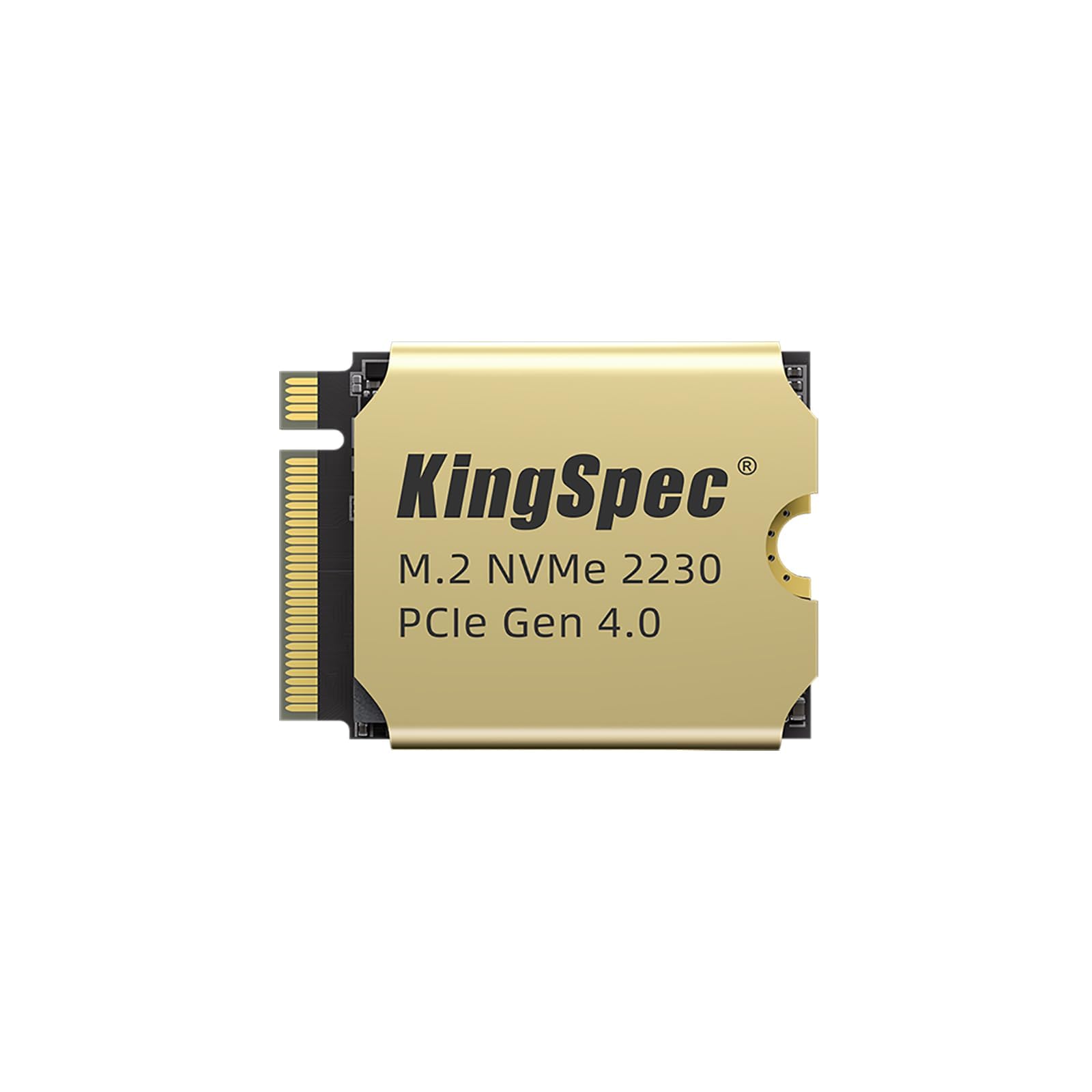
The KingSpec 2TB 2230 SSD offers a distinctive thermal solution: a 1mm copper heatsink factory-fitted to the controller. Copper conducts heat approximately 40% better than aluminum, and KingSpec claims a 15% cooling efficiency improvement over standard thermal paste solutions. In Steam Deck and Surface Pro 8 installs, users report stable temperatures with no throttling during extended gaming sessions.
Speeds reach 5,000 MB/s sequential read, matching the mainstream tier, and the drive works with Windows 7/10/11 and Linux distros. The 3D NAND flash includes LDPC error correction for data integrity. One Surface Pro 8 user upgraded from a 512GB drive and noted “plenty of memory” after successfully migrating data. The 3-year warranty is shorter than the 5-year industry standard, which is the main compromise for the lower price.
The KingSpec is also compatible with the MSI Claw 8 Ai+ based on user reports. The copper heatsink adds minimal thickness (the drive remains single-sided), so it fits all standard 2230 slots. For buyers prioritizing thermal safety and budget savings over extended warranty length, the KingSpec provides excellent value with a cooling solution that punches above its price class.
Why it’s great
- Factory copper heatsink offers superior thermal conductivity over aluminum/graphene
- Competitive price for a 2TB 2230 drive with active thermal management
Good to know
- 3-year warranty is shorter than the 5-year standard in this category
- Write speed not specified; likely around 3,200 MB/s based on typical 5,000 MB/s controllers
FAQ
Will a Gen4 2230 SSD run at full speed in my Steam Deck?
Do I need a heatsink for a 2230 SSD in my handheld?
What is TBW and why does it matter for a 2TB 2230 SSD?
Can I clone my existing drive to a new 2TB 2230 SSD?
Final Thoughts: The Verdict
For most users, the 2tb 2230 ssd winner is the Crucial P310 because it delivers the fastest sequential speeds (7,100 MB/s) and the best power efficiency for handheld gaming, justifying its premium position. If you want a more budget-friendly option with exceptional thermal performance, grab the DATO ARS430 for its aluminum heatsink and cool-running reliability. And for the highest write speeds in the mainstream tier, nothing beats the TeamGroup MP44S with its 3,500 MB/s write performance and graphene label cooling.