
Our readers keep the lights on and my morning glass full of iced black tea. As an Amazon Associate, I earn from qualifying purchases.
Specs are compiled from manufacturer listings and verified buyer reviews and can change over time — please confirm the key details on the product page before buying.
When you are building or upgrading a PC, the 2X16GB DDR5 RAM kit is the new balance for gaming, content creation, and everyday multitasking. But the specs are a blur of numbers like 6000MHz, CL30, and EXPO — the real question is which kit actually makes your system feel faster and stay stable for years, without paying for marketing hype.
I’m Min — the founder and writer behind Gadgets Feed. This guide is built by comparing the manufacturers’ published specifications and the patterns across verified customer reviews, so you get each pick’s real strengths and trade-offs instead of marketing spin.
After poring over the data, one thing is clear: the best 2x16gb ddr5 ram for most builders is the one that balances tight latency, rock-solid stability, and the right speed for your CPU — and that champion is the CORSAIR Vengeance 6000MHz CL30 kit.
Our Picks at a Glance


How To Choose The Best 2X16GB DDR5 RAM
Choosing the right DDR5 RAM for your desktop has become about more than just showing off. You need it to match your CPU’s balance, fit under your cooler, and stay stable under load without requiring hours of BIOS tinkering. Ignore the flashy marketing and focus on these three things — they decide whether your new build hums or huffs.
Speed (MHz) and CAS Latency (CL) — The Real Combo
A 6000MHz stick sounds fast, but if its CL is 38, it might feel slower in a game than a 5600MHz stick with a CL of 30. The CAS latency (CL) number tells you how many clock cycles the RAM needs to start delivering data. Lower CL means snappier response. For DDR5, 6000MHz CL30 is the widely regarded “the just-right” zone — it gives you the bandwidth for modern CPUs without the instability that creeps in at higher frequencies like 6400MHz or 7000MHz. The massive gap here is between a CL38 kit and a CL30 kit — that directly impacts how quickly your processor gets the data it asks for.
Compatibility with Motherboards and Coolers
RAM sticks are getting taller, and many large air coolers overhang the memory slots. If you are building with a dual-tower air cooler like the Noctua NH-D15, you need a “low-profile” kit — typically under 35mm in height. Tall RGB heatsinks look great, but they can block your cooler fan from sitting in its proper place. Always check your motherboard’s QVL list (Qualified Vendors List) for the exact model number before buying. Also, DDR5 memory training takes longer than DDR4 — your first boot might sit at a black screen for several minutes as the motherboard tests the modules. This is normal behavior, not a hardware fault.
EXPO vs XMP — Which Overclock Profile?
AMD EXPO works almost like Intel XMP: it is a single-click memory overclock profile in your BIOS that pushes the RAM past its default JEDEC speed to the rated speed printed on the box. An AMD EXPO kit will work on an Intel motherboard and vice versa, but to hit the rated 6000MHz you need the correct platform. For AM5 builds (Ryzen 7000/9000 series), 6000MHz CL30 with EXPO is the most stable combination because the memory controller is designed around that speed. For Intel builds, you can often push higher clocks, but 6000MHz CL30 still delivers excellent frame rates without heat issues.
Quick Comparison
| Model | Best For | Speed | CAS Latency | Voltage | Amazon |
|---|---|---|---|---|---|
| CORSAIR Vengeance (6000MHz)★ Best Overall | Best Overall — AMD EXPO stability | 6000 MHz | CL30 (30-36-36-76) | 1.4V | Amazon |
| KLEVV FIT VPremium Value | Premium value — SK Hynix A-Die | 6000 MHz | CL30 | 1.35V | Amazon |
| TEAMGROUP T-Force VulcanBudget Champion | Budget reliability — plug-and-play | 6000 MHz | CL38 | — | Amazon |
| CORSAIR Vengeance (6400MHz) | High-speed Intel builds | 6400 MHz | CL36 (36-48-48-104) | 1.35V | Amazon |
| G.SKILL Trident Z5 Neo RGB | RGB showpiece for AMD gaming | 6000 MT/s | CL36 (36-36-36-96) | 1.35V | Amazon |
| TEAMGROUP T-Create Expert | Content creation — low latency | 6000 MHz | CL30 | — | Amazon |
| A-Tech 32GB (2x16GB) | Dell office/workstation upgrades | 5600 MHz | CL46 | 1.1V | Amazon |
| Crucial 32GB Kit | Office reliability — Micron quality | 5600 MHz | CL46 | — | Amazon |
| G.SKILL Flare X5 | Best for pure AMD EXPO builds | 6000 MT/s | CL30 (30-38-38-96) | 1.35V | Amazon |
In‑Depth Reviews
1. CORSAIR Vengeance DDR5 6000MHz CL30
Our pick — over 4.5★ from 2,500+ verified ratings; the strongest balance of quality and price.
The crowd-pleaser that runs 6000MHz CL30 without a hiccup on AMD builds.
This is the kit that keeps winning over builders for a simple reason: it delivers the 6000MHz CL30 speed that AM5 processors love, and it does it with remarkable stability. With a CAS latency of 30-36-36-76 at 1.4V versus the TEAMGROUP T-Force Vulcan’s CL38 — meaning your CPU spends less time waiting for data and more time rendering frames. Buyers report it as “100% stable” once you enable the AMD EXPO profile in BIOS.
Installation is straightforward, and the low-profile grey heatsink clears most large air coolers without issue. There is no RGB, which some call a con and others call a blessing for a stealthy look. The voltage regulation is onboard, giving you finer control through CORSAIR iCUE software. If you run an AMD Ryzen 7000 or 9000-series CPU on a 600-series board, this is the combination that the community converges on.
Owners consistently call out performance as the top reason to buy, with speed and value for money close behind. The recurring gripe is the lack of RGB — but if you want lights, you pay more. The build is durable, the timings are tight, and the kit earns its 4.8 stars across thousands of owners for a reason.
What Owners Love
- Exceptional stability with AMD EXPO — among the most reliable kits for AM5.
- CL30 timing is among the tightest in its class, delivering snappy response.
- Clean, low-profile design fits under bulky air coolers without interference.
The Trade-Off
- No RGB lighting at all — a deal-breaker if you want a glowing window build.
- Speed is capped at 6000MHz; the 6400MHz version (Product 4) requires higher voltage and looser timings.
Reach for this if: You are building an AMD AM5 gaming or productivity PC and want a proven, stable speed with tight latency from the start.
Look elsewhere if: You need RGB or plan to push beyond 6000MHz on an Intel platform.
2. KLEVV FIT V DDR5 6000MHz CL30
The sleeper hit built with SK Hynix A-Die chips, running cooler at 1.35V.
KLEVV is the house brand of Essencore, which sources its memory ICs directly from SK Hynix. That matters because SK Hynix A-Die is widely considered the most overclockable DDR5 die on the market. This kit runs at 6000MHz CL30 with a voltage of just 1.35V — compared to the CORSAIR Vengeance’s 1.4V — which means it runs cooler and puts less stress on your motherboard’s memory controller.
The heatsink is a minimalist aluminum design that stands only 33.2 mm tall. That is low enough to slide under virtually any air cooler, solving the clearance headache that plagues taller RGB sticks. It supports both Intel XMP 3.0 and AMD EXPO from the start, and is QVL-tested on major motherboard brands. Owners mention it offers “great value for high-performance DDR5 memory” and call the SK Hynix A-Die chips a stability bonus for tuning. The catch is a smaller review pool compared to the big brands, but the feedback is universally positive — no reports of instability or DOA modules.
The top positive aspect here is performance, with memory quality a close second. If you value open headroom for manual overclocking or just want a cooler-running kit with the same tight CL30 timings, this is a smart pick.
Why It Stands Out
- SK Hynix A-Die chips — the gold standard for DDR5 overclocking stability.
- Runs at 1.35V, lower voltage than most CL30 kits, keeping temps down.
- Ultra-low 33.2mm height fits under bulky air coolers without issue.
Note Before Buying
- Relatively new on the market — fewer community support threads than Corsair or G.Skill.
- No RGB option if you want lighting in your case.
Grab it for: A cool, overclockable CL30 kit that leaves more power headroom and fits under massive coolers.
skip it if: You want an instantly recognizable brand name or need RGB lighting integrated.
3. TEAMGROUP T-Force Vulcan DDR5 6000MHz CL38
The budget-friendly workhorse that runs reliably at advertised speeds.
If your budget is strict but you still want a 32GB 6000MHz kit, the T-Force Vulcan is where value meets reliability. The trade-off is right in the spec: a CL38 column address strobe latency, compared to the CL30 on the CORSAIR Vengeance above. In real gaming terms, you might lose a frame or two in CPU-bound titles, but for most everyday use and GPU-bound gaming, you will never notice the difference.
What you get instead is rock-solid dependability. Buyers highlight reliability most — with 65 mentions as the top positive aspect. The memory quality is praised, and the price has been called “a steal before prices rocketed.” The stick includes a reinforced structure with a built-in PMIC (power management IC) for stable, efficient power delivery. Owners note improved FPS in games like Fortnite (from 150 to 180) after the upgrade, and the installation is genuinely plug-and-play. The heatsink is effective and keeps the modules cool under sustained load. Just know that for competitive DDR5 performance, CL38 is the entry-level timing — you are paying less and getting slightly slower response than the premium kits above.
What Makes It Smart
- Most reliable kit in its price tier — 65 positive mentions for stability and dependability.
- Includes a built-in PMIC for stable power delivery, reducing voltage fluctuations.
- Plug-and-play installation with XMP 3.0 support for Intel 600/700 series chipsets.
Where It Compromises
- CL38 is a loose timing — expect less responsiveness in CPU-heavy workloads compared to CL30 kits.
- No AMD EXPO profile; primarily designed for Intel XMP (though it works on AM5 at default JEDEC speeds).
Best for: Intel builders on a budget who need a reliable 6000MHz kit without paying for tight timings they will not use.
Think twice if: You are on an AMD AM5 system where 6000MHz CL30 provides a measurable stability and performance advantage.
4. CORSAIR Vengeance DDR5 6400MHz CL36
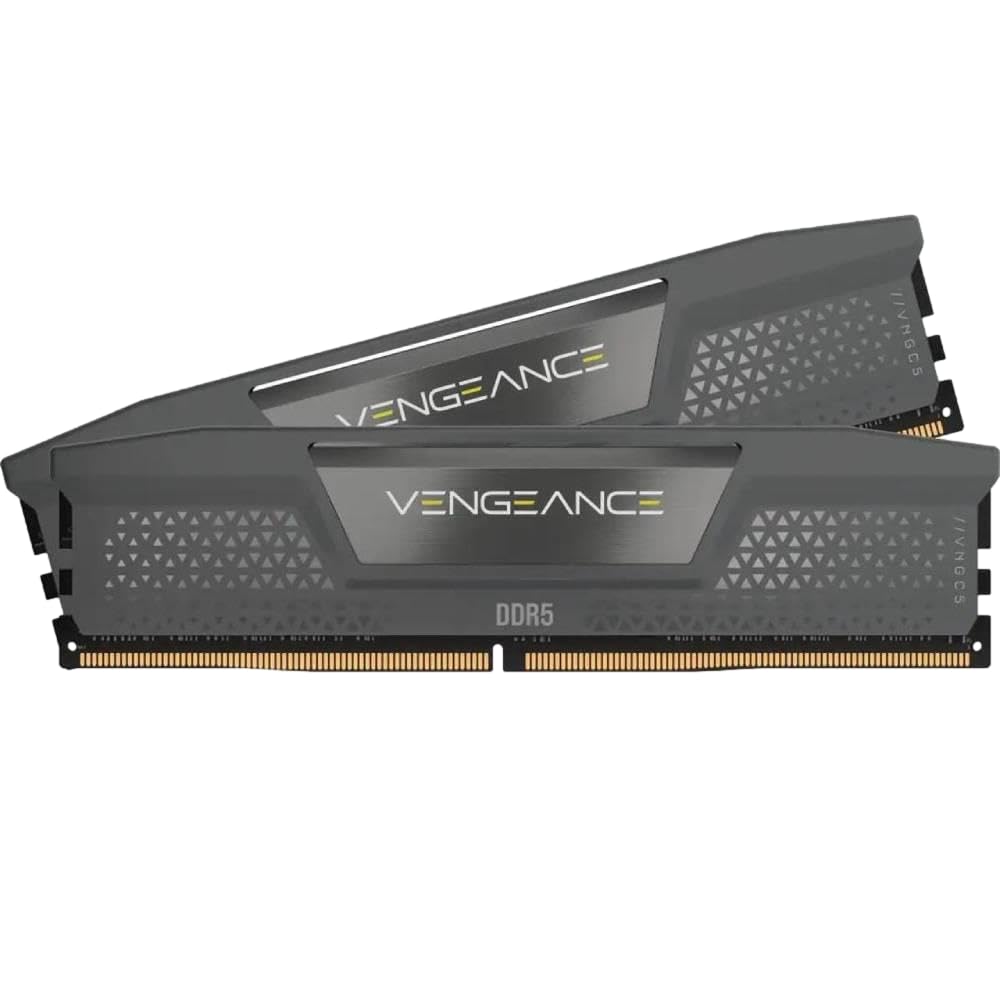
6400MHz speed for Intel rigs, backed by mature CORSAIR iCUE control.
This is the higher-frequency sibling of the 6000MHz kit, pushed to 6400MHz with slightly looser timings of CL36-48-48-104 at 1.35V. For Intel 13th and 14th-gen builds, the extra 400MHz can translate to a measurable gain in memory-sensitive tasks like compression, rendering, and high-FPS gaming. The voltage is lower at 1.35V compared to the 6000MHz kit’s 1.4V, which is a nice bonus for thermal headroom.
CORSAIR iCUE software adds real-time frequency monitoring and onboard voltage regulation. Owners call it “extremely fast” and note that the sticks pop into the motherboard easily. One buyer reports rock-solid stability over three months with EXPO 1 on an ASUS Crosshair X870E Hero with a Ryzen 9950X3D. But 6400MHz is the edge of what most AM5 CPUs can handle — if you are on AMD, the 6000MHz CL30 kit above is generally more stable. On Intel, this kit shines brightly. Builders consistently praise its reliability and performance, with 13 and 8 mentions respectively as top aspects.
The Upside
- 6400MHz provides a measurable speed bump for Intel-based workstations and gaming PCs.
- Full CORSAIR iCUE integration for detailed performance tuning and monitoring.
- Lower voltage (1.35V) than the 6000MHz version, helping keep thermals in check.
Heads Up
- 6400MHz can be unstable on many AMD AM5 motherboards — best matched with Intel.
- CL36 timings are looser than the CL30 available on the 6000MHz kit.
Your best bet if: You run an Intel 13th/14th-gen CPU and want every bit of bandwidth for rendering or high-FPS gaming.
Not for you if: Your priority is tight, low-latency response for day-to-day loading and snappiness.
5. G.SKILL Trident Z5 Neo RGB DDR5 6000MT/s CL36

Bright, customizable RGB on a 6000MT/s kit that supports both AMD EXPO and Intel XMP.
G.SKILL’s Trident Z5 Neo is the go-to for gamers who want their rig to look as fast as it runs. The RGB lighting is described as “really bright and completely customizable” via motherboard control center or G.SKILL’s own software. Under the flashy exterior, it runs at 6000MT/s with CL36-36-36-96 timings at 1.35V — slightly looser than the CL30 kits above, but still well within the range for smooth gaming and multitasking.
Customers note it works right from the start with both AMD EXPO and Intel XMP 3.0 profiles. One buyer notes a “noticeable boost to gaming performance” in CPU-bound titles like Escape from Tarkov. The heatsink is taller than low-profile sticks, so double-check clearance if you use a large dual-tower air cooler. The most-praised aspect is performance, with 41 mentions, followed by memory quality at 30 mentions. The only honest hiccup: initial boot with EXPO may involve memory retraining (your system sits at a black screen for a few minutes), which is normal DDR5 behavior but can be unnerving at first.
Why It Turns Heads
- Bright, customizable RGB that syncs with motherboard software — no extra controller needed.
- Supports both AMD EXPO and Intel XMP 3.0, giving you flexibility for future platform swaps.
- Backed by G.SKILL’s solid reputation for quality and binning.
One Real Thing
- Taller heat spreader may block some large air coolers — check clearance before buying.
- CL36 is a step behind CL30 for pure responsiveness; the premium is mostly for RGB.
Grab it for: A windowed build where RGB aesthetics are a priority and you want dual-platform flexibility.
pass on it if: You are on a clearance-restricted build with a massive air cooler, or you need the absolute lowest latency.
6. TEAMGROUP T-Create Expert CL30 DDR5 6000MHz

CL30 timings without RGB, designed for workstations and creators who value substance.
If you are building a quiet, professional-looking workstation for video editing, digital art, or data science, the T-Create Expert is a purpose-built tool rather than a gaming flash piece. It delivers 6000MHz with a tight CL30 timing, matching the CORSAIR Vengeance’s low latency but in a completely unadorned, matte black heatsink that is only 1mm taller than a bare stick. That clearance means it fits under even the most restrictive air coolers without a thought.
The kit is listed as both Intel XMP 3.0 and AMD EXPO compatible, though some owners note instability at advertised EXPO settings depending on motherboard revision. If you run a B650M Aorus Elite with a 9800X3D, it has been confirmed stable. The standout spec is the CAS latency of 30 — among the tightest you can get at this speed without jumping to a premium brand. Reviewers who run MemTest86 report zero errors over 17-hour passes. The most-praised aspects are performance (62 mentions) and memory capacity (37 mentions). Just be ready to spend a moment dialing in EXPO if your board is picky.
The Edge
- CL30 timing with 6000MHz — top-tier responsiveness for CPU-heavy creative workloads.
- Extremely low-profile design (barely taller than the PCB) clears all air coolers.
- Internal temperature monitoring allows you to track heat under sustained rendering.
Watch For
- Some reviewers point out needing to manually select EXPO II or tweak FCLK for stability.
- No RGB and a plain matte finish — not a looker for windowed cases.
Ideal for: Creators building a performance workstation who want low latency and massive cooler clearance over flashy looks.
Not ideal for: Anyone who wants plug-and-play EXPO without potentially fine-tuning their BIOS settings.
7. A-Tech 32GB DDR5 5600MHz CL46

A no-frills 5600MHz kit that plugs into Dell Precision towers without drama.
Not every DDR5 buyer is building a gaming rig. If you need to upgrade a Dell Precision 3680 or a similar office workstation, this A-Tech kit is designed for compatibility over speed. It runs at 5600MHz with a CL46 latency — the loosest timing in this roundup — and operates at just 1.1V, keeping power draw and heat to a minimum. That is the JEDEC standard voltage, meaning no overclocking profile is required.
Shoppers say plug-and-play success with finicky Dell systems, including the EBT2250. The install takes about 5 minutes. That said, reliability is where the feedback splits: some sticks fail after a few months, but the customer support team replaces them quickly, often within 5 minutes of a request. It is a solid choice for a workstation or office PC that just needs more memory without BIOS tweaking. A Limited Lifetime Warranty sweetens the deal.
Where It Works
- Plug-and-play compatibility with Dell workstations and standard DDR5 desktop motherboards.
- Very low power draw at 1.1V, ideal for office PCs with weak cooling.
- Backed by a Limited Lifetime Warranty and responsive customer support.
Know Before You Buy
- CL46 is the slowest latency here — noticeable only in RAM-heavy tasks like large spreadsheet crunching.
- Some units have arrived defective, though replacements are handled quickly.
Works best for: Upgrading a Dell Precision or standard office PC where compatibility and low power matter more than raw speed.
Pass on it if: You need high bandwidth for gaming or content creation — the latency is too loose.
8. Crucial 32GB DDR5 5600MHz CL46
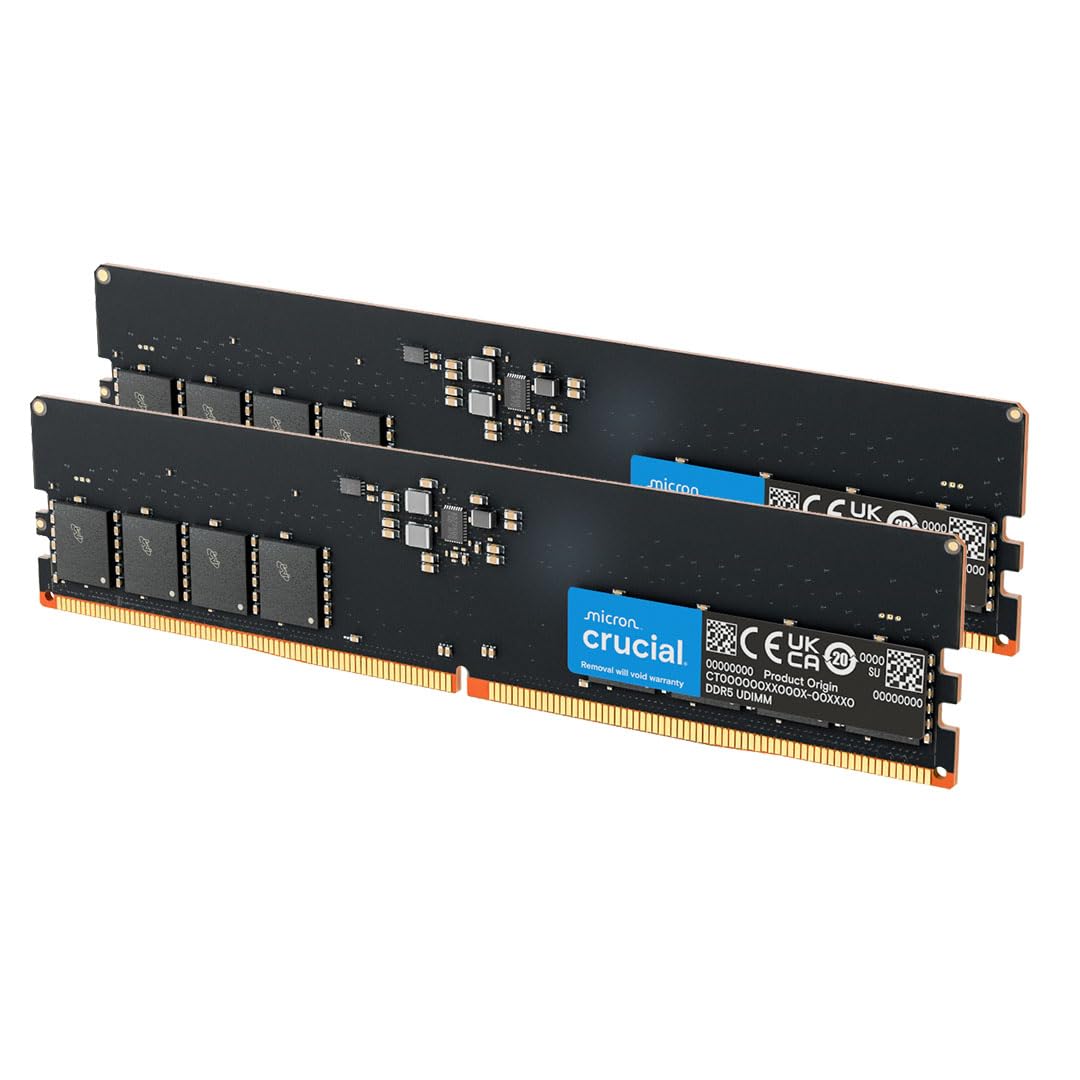
40+ years of Micron engineering in a reliable, low-voltage office upgrade.
Crucial is the consumer-facing brand of Micron, one of the world’s largest memory manufacturers. This kit uses Micron’s own tested components and carries the same CL46 latency and 1.1V voltage as the A-Tech above, but with an even stronger track record for out-of-the-box reliability. It is designed for 13th-gen Intel Core and AMD Ryzen 7000 series processors, with support for both XMP 3.0 and EXPO.
Owners consistently praise the reliability, calling it “top quality” and noting it works flawlessly in Alienware Aurora R systems. The first boot with DDR5 may involve memory training that takes 5-6 minutes — that is normal, not a defect. The kit runs at either 5600MHz or 5200MHz depending on your motherboard’s default, and the 1.1V power consumption makes it a great drop-in upgrade for prebuilt office PCs. It is not fast by enthusiast standards, but it is stable, tested, and backed by decades of manufacturing experience.
Why It Endures
- Backed by Micron’s 42-year memory manufacturing legacy — among the most vetted names.
- Stable 5600MHz performance with low 1.1V power draw, ideal for prebuilt upgrades.
- Rigorous component and module-level testing for reliability.
Fair Warning
- 5600MHz CL46 is not suited for high-performance gaming or content creation workloads.
- No RGB and a basic green PCB design — purely functional.
Best for: Users who want a no-headache upgrade for a prebuilt system from Dell, HP, or Alienware with a trusted name.
Not for: Enthusiasts looking for tight timings or high overclocking headroom.
9. G.SKILL Flare X5 DDR5 6000MT/s CL30

Designed from the ground up for AMD EXPO — the 7800X3D’s best friend.
The Flare X5 is G.SKILL’s purpose-built AMD EXPO kit, designed specifically for AM5 platforms (X870, X670, B850, B650, A620). It runs at 6000MT/s with CL30-38-38-96 timings at 1.35V. It is low-profile with no RGB, making it a strong competitor to the CORSAIR Vengeance for AMD builds that prioritize clearance. Owners running Ryzen 7800X3D processors call it “excellent RAM” and praise its one-click overclocking — just enable EXPO in BIOS and it runs at the rated speed.
Performance is the most-praised aspect by a huge margin (75 mentions), with memory quality (43 mentions) trailing behind. Stability scores 12 positive mentions, meaning most users find it rock-solid. However, compatibility is marked as mixed by Amazon’s aspect analysis — a small number of users report needing a BIOS update or adjusting FCLK frequency to 2000MHz to get it stable. If you have a compatible AMD board and CPU, this is a proven performer that fits with large air coolers.
The Strong Suit
- Performance is the overwhelming reason to buy — 75 owners single it out as excellent.
- Low-profile design fits with large air coolers, avoiding clearance issues.
- EXPO support is native and tested on the latest AMD chipsets.
One Caution
- Compatibility is mixed — some AM5 motherboards need a BIOS update and FCLK tweak.
- No RGB if you want visual flair; its look is purely functional matte black.
Reach for it if: You own a Ryzen 7800X3D or 9000-series CPU and want a low-profile, high-performance kit with native EXPO support.
Think twice if: Your motherboard is an older BIOS revision or you need Intel XMP compatibility.
Understanding the Specs
CAS Latency (CL)
This is the number that tells you how fast your RAM starts working after the CPU asks for data. A lower CL means less delay. For a 6000MHz kit, going from CL38 to CL30 — which translates to snappier load times in games and faster response in video editing. Think of MHz as the highway’s speed limit and CL as the number of on-ramp stop signs you have to wait through. A high speed limit with too many stop signs (CL38) can be slower than a moderate speed limit with no stop signs (CL30).
Voltage (V) and Heat Management
Standard DDR5 runs at 1.1V (JEDEC). Overclocked kits run at 1.35V or 1.4V. Higher voltage allows higher speeds but generates more heat. A kit like the KLEVV FIT V runs 6000MHz CL30 at just 1.35V, which means it stays cooler and puts less stress on your motherboard’s memory controller than a 1.4V kit. If your case has poor airflow, lower-voltage RAM is a safer bet for long-term stability.
FAQ
Will 6000MHz CL30 work with my Intel CPU?
Do I need to enable EXPO or XMP to get the advertised speed?
Why is my PC black-screening for a few minutes on first boot with new DDR5?
Is there a big difference between CL30 and CL36 in real-world gaming?
Can I mix a 2x16GB kit with another 2x16GB kit for 64GB total?
Will my large air cooler fit over these RAM sticks?
What does “1.1V” on the A-Tech and Crucial kits mean?
Which kit should I buy for a Ryzen 7800X3D build?
Is DDR5 worth the upgrade over DDR4 in 2025?
What does “PC5-44800” mean in the product name?
Final Thoughts: The Verdict
If you want one dependable pick, the 2x16gb ddr5 ram winner is the CORSAIR Vengeance 6000MHz CL30 because it combines the tightest low-latency timings with proven EXPO stability on AM5, backed by thousands of satisfied owners and consistent positive reviews. If you want the same clock speed and latency but prefer a cooler-running kit with SK Hynix A-Die chips for overclocking headroom, grab the KLEVV FIT V. And for a budget Intel build that just needs reliable 6000MHz without the premium for tight timings, the TEAMGROUP T-Force Vulcan CL38 is the one to reach for. Across every pick in this list, the unified lesson is clear: value the CAS latency as much as the MHz, match yourchipset to the memory profile, and trust that a stable 6000MHz CL30 kit will serve you better than a flaky 6400MHz kit with loose timings.
How We Picked
We do not accept paid placement. Every pick is matched to a real buyer and a real use-case; we do not hands-on test units.
Sources & Methodology
Specifications: manufacturer listings and product documentation. Review insights: verified customer reviews, as of July 2026. Pricing: not shown on this page (it changes often); check the current price via the retailer link.
As an Amazon Associate, Gadgets Feed earns from qualifying purchases. This does not affect which products we feature.