
Our readers keep the lights on and my morning glass full of iced black tea. As an Amazon Associate, I earn from qualifying purchases.
Specs are compiled from manufacturer listings and verified buyer reviews and can change over time — please confirm the key details on the product page before buying.
You pick a USB 3.0 flash drive for speed, but the number on the box often lies about real-world performance. This guide shows you which drives actually move your files quickly, which ones survive daily keychain abuse, and which ones earn their cost for backups, boot drives, or freeing up laptop space.
I’m Min — the founder and writer behind Gadgets Feed. This guide is built by comparing the manufacturers’ published specifications and the patterns across verified customer reviews, so you get each pick’s real strengths and trade-offs instead of marketing spin.
Every drive here uses the USB 3.0 interface (or the compatible 3.1 standard), which is what serious buyers check first. The best 3.0 flash drive balances real-world write speed, rugged build quality, and enough capacity for your photos, videos, and backups.
Our Picks at a Glance

How To Choose The Best 3.0 Flash Drive
Choosing a USB 3.0 drive means matching capacity, speed, and build to your daily routine—pocket carry, phone transfers, or long-term photo backups.
Read Speed vs. Write Speed
Manufacturers love to advertise the read speed — how fast you pull files off the drive. The write speed is how fast you put files on, and that is often much slower. A drive might read at 400 MB/s but write at 80 MB/s, which is the number you actually feel when dragging a movie onto it.
Build Quality and Heat
Flash drives get hot during big transfers. A metal casing acts like a heatsink, pulling heat away from the memory chips so they run cooler and stay reliable over time. Plastic bodies trap that heat, which is why the rugged metal picks in this list tend to hold up better under heavy use.
Design: Retractable vs. Capless vs. Cap
Retractable slides the connector in and out, protecting it without a loose cap to lose. Capless designs use a slider or collar for the same idea. Traditional caps protect the port best but are easy to misplace. Think about whether the drive lives on a keychain or in a drawer.
Quick Comparison
| Model | Best For | Capacity | Read Speed | Design | Amazon |
|---|---|---|---|---|---|
| Samsung BAR Plus★ Best Overall | Rugged durability | 128GB | 400 MB/s | Metal Casing | Amazon |
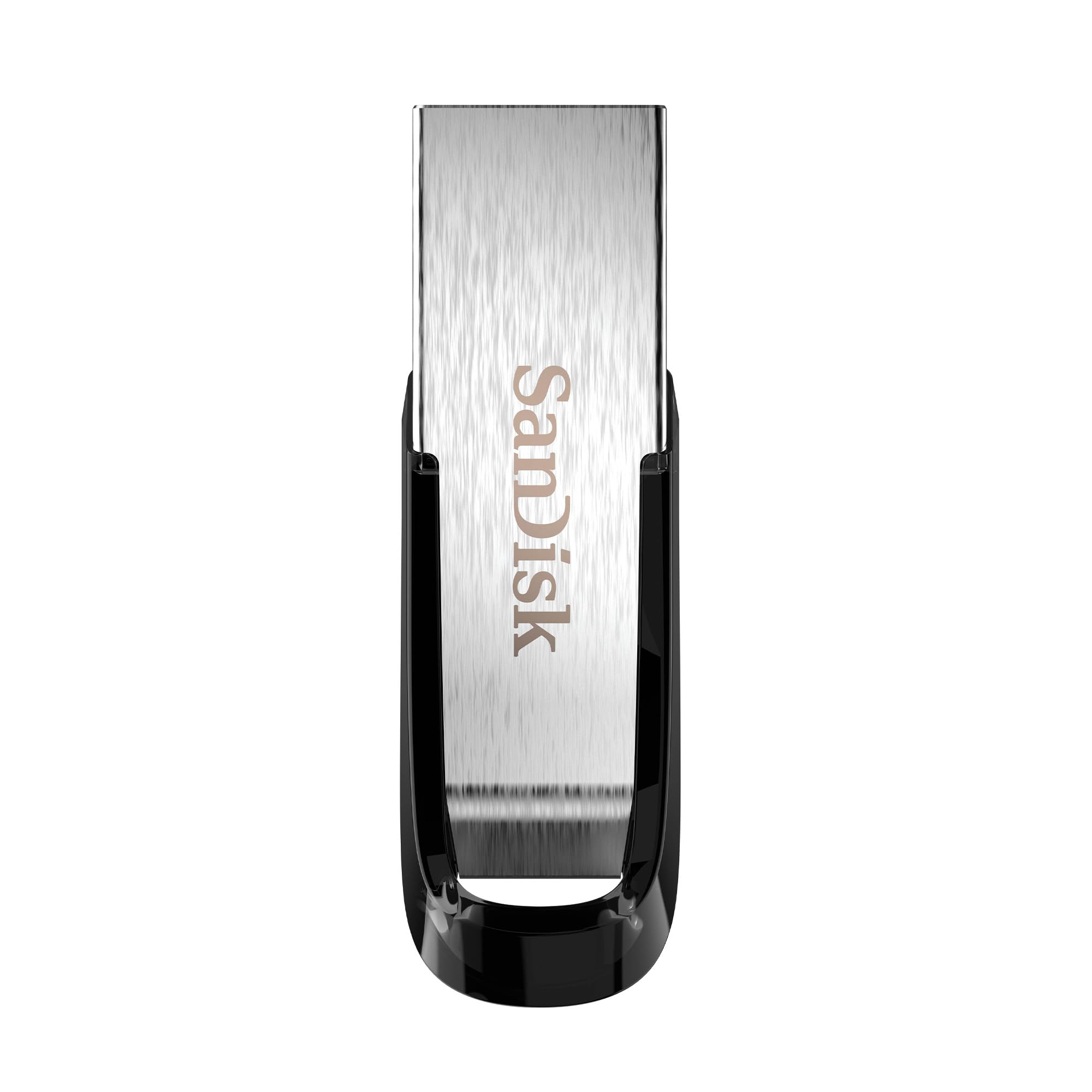
| SanDisk Ultra FlairAlso Great | Everyday reliability | 32GB | 150 MB/s | Metal Casing | Amazon |
| PNY Turbo Attaché 3 | Massive capacity | 256GB | — | Sliding Collar | Amazon |
| Amazon Basics 128GB | Large budget storage | 128GB | 130 MB/s | Retractable | Amazon |
| Emtec Click Easy B110 | Satisfying click design | 32GB | — | Slider (Capless) | Amazon |
| KOOTION 32GB Dual | Phone & laptop use | 32GB | 90 MB/s | Dual USB-A/C | Amazon |
| KOOTION 64GB Retractable | Budget boot drive | 64GB | 60 MB/s | Retractable | Amazon |
In‑Depth Reviews
1. Samsung BAR Plus 128GB
Our pick — over 4.5★ from 23,000+ verified ratings; the strongest balance of quality and price.
The armored metal drive that shrugs off keychains, drops, and heavy transfers.
This is the drive you trust with a year of photos and videos. The sturdy metal body is waterproof, shock-proof, temperature-proof, magnet-proof, and X-ray-proof, so your data survives the daily abuse of pocket and bag life. It also has an integrated keyring that stops you from misplacing it.
On speed, Samsung quotes read speeds up to 400 MB/s with the USB 3.1 standard — that is 6.7x faster than the KOOTION 64GB’s 60 MB/s read speed, and it makes moving a 3GB file take just seconds. The real-world write speed is what buyers report as the honest number, landing around 60 to 80 MB/s, which still beats budget drives by a wide margin. The metal housing pulls heat away during long writes, which keeps performance steady.
Its metal casing is solid, sleek, and compact enough for keychain life. The trade-off is that it runs noticeably hot after writing 50GB or more in one session, though owners mention no performance loss from the heat.
Why Owners Love It
- Rugged metal casing survives being crushed by luggage wheels
- Fast 400 MB/s read speed for snappy file access
- Compact size with integrated keyring
What to Know
- Runs hot during heavy sustained writes
- Write speed is much lower than the advertised read speed
Reach for this if: you want a rugged, fast drive for travel and backups that you can trust on a keychain.
Look elsewhere if: you only transfer small files occasionally and don’t need the metal armor or capacity.
2. SanDisk Ultra Flair 32GB
The crowd favorite that feels premium, transfers fast, and just works.
This is the drive with the highest trust level of the group — a massive owner base keeping it honest. The sleek metal casing feels tough and premium, not like flimsy plastic, and it stays cool enough for everyday use. It is small enough to fit in a camera bag or any pocket you carry.
SanDisk rates the read speed up to 150 MB/s, which makes moving a full-length movie take less than 30 seconds. It writes up to 15 times faster than standard USB 2.0 drives, so backing up files feels quick. A built-in password protection feature uses 128-bit AES encryption to lock private files, which is a rare extra at this level.
The literal crowd favorite — 4.6 stars across 210,000+ ratings — the thing that wins people over is the combination of solid build and reliable speed. The main caution is that a small minority report the drive failing after about six months of heavy use, so it is best treated as a daily workhorse, not an archival vault.
What Wins People Over
- Fast 150 MB/s read speed for movies and large files
- Durable metal casing that feels premium
- Easy password protection for private files
The Trade-off
- Small size means it’s easy to lose without a keyring
- A few units have died after months of heavy use
Grab this if: you want a fast, dependable everyday drive from a trusted brand.
skip it if: you need more than 32GB or plan to use it as a rugged travel drive.
3. PNY Turbo Attaché 3 256GB

Enough space for your entire music library, with a sliding collar that protects the port.
If you need room, this is the drive. The 256GB capacity holds roughly 47,349 songs, which is a 4x jump over the 64GB KOOTION. It uses USB 3.0 technology that moves files about 10 times faster than standard PNY USB 2.0 drives, and it is backwards compatible with older USB 2.0 ports.
The sliding collar, capless design means you never lose a cap — you slide the connector out when you need it and tuck it away when you don’t. An integrated loop makes it easy to attach to keychains or backpacks. It is compatible with most PC and Mac laptops and desktops.
Its huge 256GB capacity at a sensible price wins buyers over. Owners use it for storing 130GB of photos, bootable Linux drives, and even 128K PDF backups. The honest note is that reliability gets mixed feedback, with a small number of drives failing after a few months, so treat it as a spacious workhorse rather than your only copy of irreplaceable data.
The capacity play: this is the drive for anyone who needs lots of room for media files, not the fastest absolute speed.
The honest catch: reliability is mixed, so keep backups of anything irreplaceable.
Choose this if: you need maximum storage for music, photos, and videos on a budget.
Think twice if: you want the fastest write speeds or a rugged metal build.
4. Amazon Basics 128GB USB 3.1

A no-frills 128GB workhorse with a protective retractable design.
You get the most storage for your money here. The 128GB capacity stores roughly 32,000 12MP photos or 488 minutes of 1080P video. It reads up to 130 MB/s (megabytes per second) and writes up to 30 MB/s, making it 15x faster than USB 2.0 drives—so daily backups finish in minutes, not hours.
The retractable, telescopic design slides the connector in and out, protecting it when not in use, and there is a key hole for attaching it to a lanyard. It comes formatted as FAT32, which works with both Windows and Mac from the start — just remember to reformat to exFAT or NTFS if you transfer files larger than 4GB.
Owners praise the value and simplicity — plug it in, drag files over, done. It is not rugged, so it is best kept off a keychain, and a few customers note the real-world write speed feels slower than the headline number. For basic storage and clearing laptop space, it delivers exactly what it promises.
The value pick: huge capacity for the money with a simple, protective design.
The limitation: not built for rough handling, and write speed is modest.
Best for: budget-conscious buyers who want lots of storage without frills.
Avoid if: you need a rugged keychain drive or the fastest write speeds.
5. Emtec Click Easy B110 32GB

The satisfying click of the slider makes this small drive oddly fun to use.
The defining feature here is the exclusive capless design — a mechanical slider with a spring system that clicks satisfyingly open and shut. It is shockproof, so it survives the bumps of daily carry, and it is small enough to disappear into a pocket.
It runs on USB 3.0 (also listed as 3.2) and reviewers point out it acts like a miniature hard drive for fast reads and writes. One notable use case: it runs a portable Minecraft launcher smoothly, and another owner’s 64GB version survived an hour of use as a boot drive. It is a simple, well-made daily driver.
The quality and reliability get consistent praise, with owners calling it a repeat purchase. The honest fit note is that value for money draws mixed opinions — some find it a steal, others expected more for the price. It is a charming, reliable little drive rather than a speed demon.
What Makes It Fun
- Satisfying spring-loaded click mechanism
- Shockproof and compact design
- Reliable for boot drives and portable apps
Consider This
- Value for money is a mixed opinion
- Modest 32GB capacity for the price
Pick this if: you appreciate a well-built, tactile drive for everyday use.
Pass if: you need maximum capacity or the fastest speeds.
6. KOOTION 32GB USB-C Dual Drive
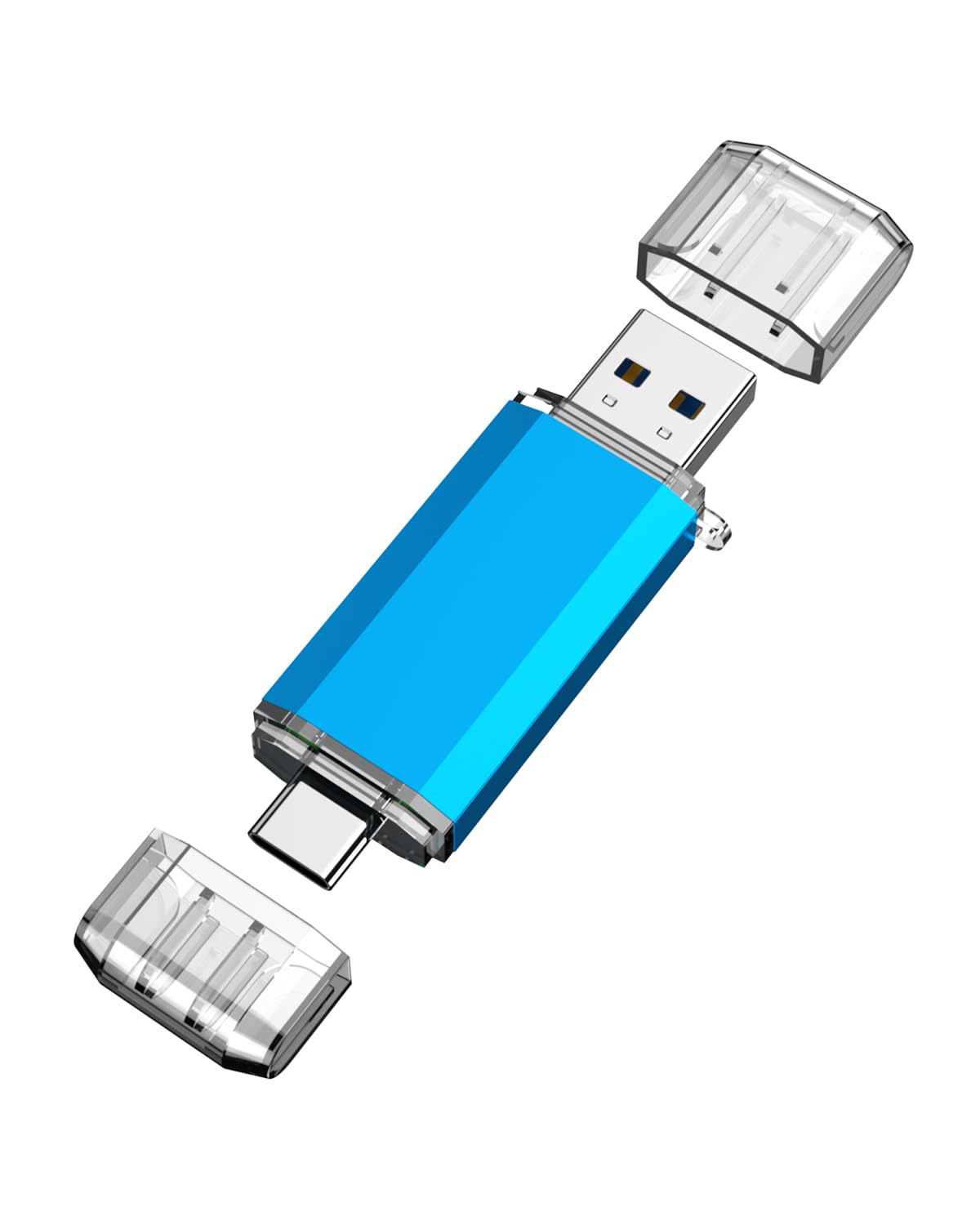
The bridge between your phone and laptop with both USB-C and USB-A ports.
This dual drive has a USB-C port on one end and a USB 3.0 port on the other, making it perfect for moving photos between an Android phone and a computer. It reads up to 90 MB/s and writes up to 30 MB/s, which is faster than USB 2.0 and plenty for sharing media. It weighs just 10g, making it barely noticeable in a pocket.
Owners use it with Samsung Galaxy phones and tablets, finding it quick and easy once they figure out the save sequence. It works with PCs, tablets, and phones, and the versatility is the main draw. Just make sure your smartphone has OTG function enabled in Settings before you plug it in.
The main physical catch is the USB-C connector shape — it won’t seat fully if you have a thick phone case on, so you may need to remove the case to plug it in. It is otherwise a perfectly nice, functional stick that shines for phone-to-computer transfers.
The versatility play: one stick for your phone and your laptop beats carrying two.
The fit note: thick phone cases can block the USB-C port from seating fully.
Ideal for: Android phone owners who want to offload photos without cables or cloud.
Not for: iPhone users, as the USB-C port isn’t recognized as a drive.
7. KOOTION 64GB Retractable

A cheap, cheerful 64GB stick that’s perfect for bootable Linux installs.
This budget drive does the basics well. It uses USB 3.0 with a minimum read speed of 60 MB/s and write speed of 15 MB/s, which is 10x faster than USB 2.0 thumb drives. The retractable slide design protects the connector and the integrated lanyard hole lets you attach it to a keychain.
It is plug-and-play with no driver needed, works on Windows, Mac, and Linux, and comes formatted as exFAT ready to use. Owners have installed Ubuntu on it and used it as a reliable weekly workhorse. At just 9.07g, it is lighter than the KOOTION dual drive, so it vanishes in a pocket.
It’s a great budget option for its price. The honest note is that it is not fast, so expect transfers around 30 MB/s in real use. Think of it as a cheap, disposable boot drive or file shuttle rather than a speed demon.
The Strengths
- Great value for a 64GB drive
- Retractable design with lanyard hole
- Works with Windows, Mac, and Linux
The Limits
- Slow write speeds around 15-30 MB/s
- Reliability gets mixed feedback over time
Buy it if: you need a cheap drive for bootable OS installs or basic file shuffling.
pass on it if: you transfer large files regularly and want speed.
Understanding the Specs
Read Speed vs. Write Speed
Read speed is how fast you pull files off the drive; write speed is how fast you put them on. Manufacturers advertise the read speed because it is the bigger number. Your real-world experience is tied to write speed, which is often a fraction of the read spec — so a 400 MB/s read drive might only write at 80 MB/s.
USB 3.0 vs. USB 3.1
USB 3.0, 3.1 Gen 1, and 3.2 Gen 1 are all the same 5 Gbps interface, just renamed over the years. A drive labeled USB 3.1 works in any USB 3.0 port at the same speed. The physical connector is USB Type-A, the standard rectangular port on most laptops and desktops.
FAQ
What is the real difference between USB 3.0 and USB 3.1 flash drives?
Will the KOOTION dual drive work with my iPhone?
How much storage do I actually need in a flash drive?
Why does my flash drive get so hot during transfers?
What does the advertised read speed of 400 MB/s actually mean for me?
Can I use these drives as bootable installation media?
Is a retractable design better than a capped one?
Why does my 128GB drive show less space than expected?
Final Thoughts: The Verdict
For most people, the 3.0 flash drive winner is the SanDisk Ultra Flair because it pairs a premium metal build with fast 150 MB/s speeds and a stellar reputation across a huge owner base. If you want rugged durability for travel and keychain life, grab the Samsung BAR Plus. And for maximum storage on a budget, the PNY Turbo Attaché 3 is the one to reach for.
How We Picked
We do not accept paid placement. Every pick is matched to a real buyer and a real use-case; we do not hands-on test units.
Sources & Methodology
Specifications: manufacturer listings and product documentation. Review insights: verified customer reviews, as of August 2026. Pricing: not shown on this page (it changes often); check the current price via the retailer link.
As an Amazon Associate, Gadgets Feed earns from qualifying purchases. This does not affect which products we feature.