
You’ve found the box. Inside are floppy disks from the 90s — school projects, family photos, saved game files. The problem is that modern laptops and desktops left floppy drives behind over a decade ago. Without an external 3.5-inch reader, those disks are just plastic bricks.
I’m Min — the co-founder and writer behind Gadgets Feed. I’ve spent hundreds of hours researching the niche accessory market, analyzing specific chipset compatibility, USB voltage requirements, and OS-level driver behavior to separate the readers that reliably recover data from the ones that corrupt or ignore old media.
This guide helps you find a reliable 3.5 diskette reader that actually mounts under Windows 11 and reads 30-year-old magnetic media without drama.
How To Choose The Best 3.5 Diskette Reader
Every external 3.5-inch floppy drive on the market uses the same underlying Panasonic or TEAC mechanism. The differences come down to USB interface type, cable quality, case construction, and the specific chipset that translates floppy signals to USB packets. Getting these details wrong means spending an afternoon fighting drivers or corrupting a disk header.
USB Interface: Type-A, Type-C, or Both
Most modern laptops ship USB-C only, while desktop PCs still offer Type-A. A reader that includes both connectors saves you from carrying an adapter. The USB 2.0 standard is more than sufficient — a floppy drive tops out at around 62 KB/s real-world transfer, so USB 3.0 offers zero speed benefit. What matters is that the port delivers 500 mA of steady current; underpowered USB hubs cause erratic spin-ups and failed sector reads.
Chipset and Windows Compatibility
Drives using the standard USB floppy bridge chip (Texas Instruments or JMicron) are automatically detected by Windows 10 and 11 without any driver installation. Avoid no-name chipsets that require Windows 7-era drivers — they often fail to mount under 64-bit systems. If the listing says “Win 11 supported,” verify in customer photos that it uses one of the known bridge chips, not a generic USB-to-PATA adapter from a defunct manufacturer.
Condition of the Floppy Media
No external reader can fix a floppy disk that has physical mold, oxide shedding, or a stuck head-loading mechanism. Before blaming the drive, visually inspect the disk shutter — if the metal slide is bent or the magnetic media surface shows brown spots, the disk is unrecoverable regardless of the reader. The drive’s job is to read intact media, not restore rotting plastic.
Quick Comparison
On smaller screens, swipe sideways to see the full table.
| Model | Category | Best For | Key Spec | Amazon |
|---|---|---|---|---|
| Xspeedonline External Floppy | Premium | Broad OS support including Mac | USB 2.0, 1.5 MB/s transfer | Amazon |
| Wintale 3.5 Floppy Drive | Premium | Durable build for frequent use | USB-A + Type-C, hard plastic shell | Amazon |
| GoTEK SFR1M44-U100 | Premium | Industrial/retro PC emulation | USB SSD emulator, 34-pin interface | Amazon |
| Wbacon Floppy Disk Reader | Mid-Range | USB 3.0 backward compatibility | USB 3.0, 10 MB/s interface | Amazon |
| MthsTec USB Floppy Drive | Mid-Range | USB-A + Type-C dual connectivity | 48 Mb/s, 7200 RPM internal mechanism | Amazon |
| Chuanganzhuo USB Floppy Drive | Budget-Friendly | Frosted texture, ultra-slim profile | USB-A + Type-C, 0.67 in thick | Amazon |
| Bytecc BT-144 Slim Black | Budget-Friendly | Lightest carry, under 280 grams | USB 2.0, 5 MB/s, 278g weight | Amazon |
In‑Depth Reviews
1. Xspeedonline Read/Write 1.44 MB 3.5-inch USB 2.0 External Floppy Disk

This Xspeedonline drive earns the top spot because it explicitly supports macOS alongside the full Windows lineup from ME through 11 — a rarity in a category where most readers flatly reject Macs. The hard plastic enclosure is standard but the cable management is better than most, keeping the permanently attached USB cord from tangling during travel.
Data transfer runs at 1.5 MB/s, which is typical for USB 2.0 floppy controllers and easily handles sequential 1.44 MB reads in under two seconds. Customer reports confirm reliable read and write functionality on Windows 10 and 11 after a few seconds of initial detection.
The main caveat is that Mac compatibility appears limited to Intel-based machines running macOS directly; M1/M2 users may need a Rosetta workaround or a separate driver layer. If you are purely on Windows, this is the most universally compatible plug-and-play option available.
Why it’s great
- Officially supports Mac in addition to full Windows compatibility
- Solid 1.5 MB/s sustained read speed for typical floppy images
- Plug-and-play with no driver installation on modern OS versions
Good to know
- Mac compatibility may not work natively on Apple Silicon
- Some users report slower directory listing due to disk age, not the drive
2. Wintale 3.5 Floppy Drive USB External
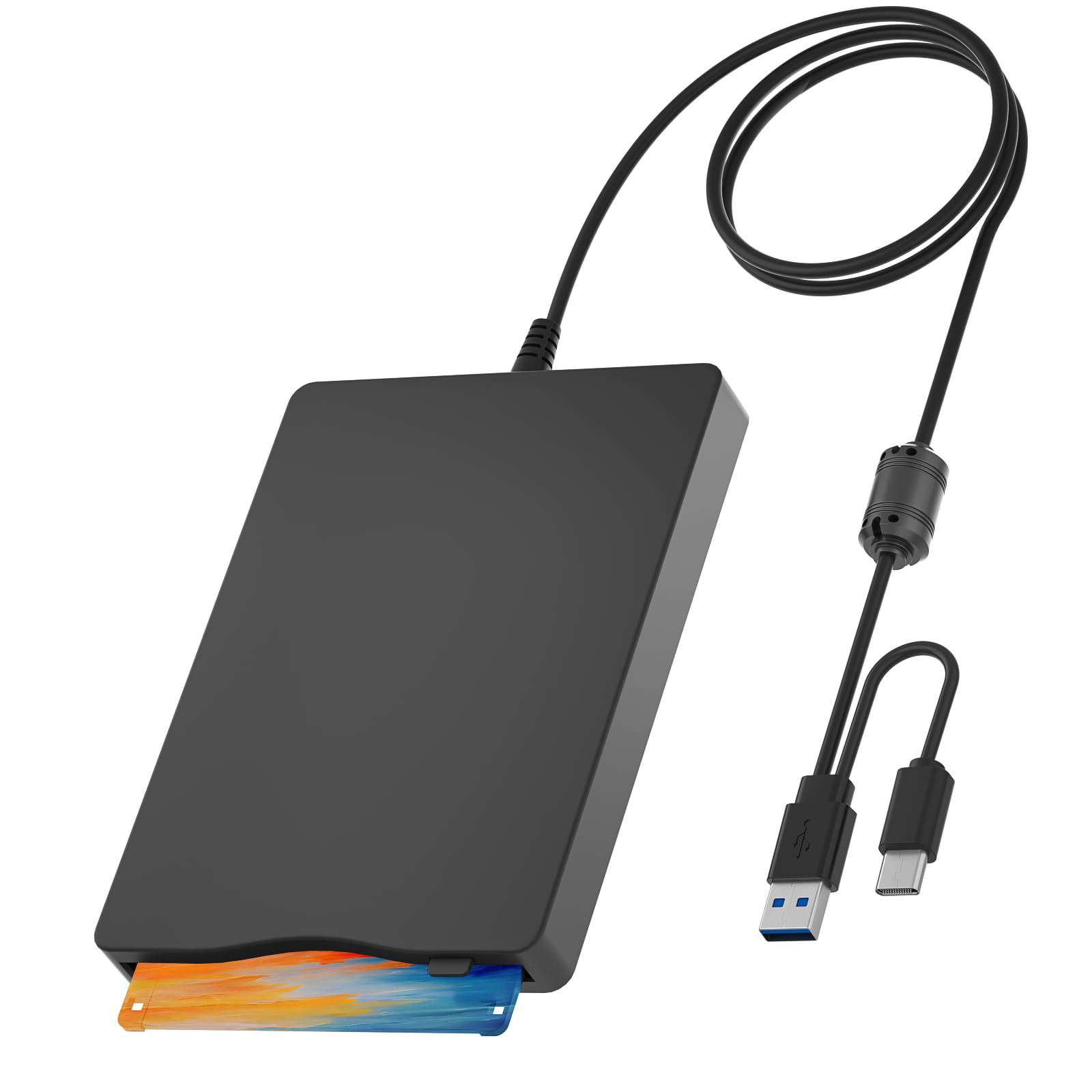
Wintale’s reader stands out for its rugged hard plastic shell and the inclusion of both USB-A and USB-C connectors on a single device — a dual-cable design that eliminates the need for an adapter when switching between an ultrabook and a desktop PC. The dimensions (8.07 x 5.7 x 1.06 inches) and 0.74-pound weight make it slightly larger than the ultra-slim alternatives but the trade-off is noticeably better build feel.
The underlying chipset uses the industry-standard bridge that Windows 10 and 11 recognize instantly without manual driver hunting. Customers report consistent read performance across Windows 2000 through 11, and the drive includes a user manual with clear troubleshooting steps for BIOS-level floppy detection issues.
One user reported a failure after 15 successful disk reads, suggesting the cable strain relief point may be a weak spot over time. For occasional archival use — the most common scenario — this is unlikely to be a problem, but daily industrial use should consider the GoTEK alternative below.
Why it’s great
- Dual USB-A and USB-C connectors for laptop and desktop compatibility
- Heavy-duty plastic casing survives bag transport without flexing
- Broad OS support including Windows 2000 through 11 with zero drivers
Good to know
- Cable strain relief may be a failure point after heavy repeated use
- Larger than ultra-slim models; less pocket-friendly
3. GoTEK SFR1M44-U100 3.5 Inch USB SSD Floppy Drive Emulator

The GoTEK SFR1M44-U100 is not a traditional floppy disk reader — it is a floppy drive emulator that replaces a physical floppy mechanism in industrial embroidery machines, CNC equipment, or retro PCs (Tandy 1000, Amiga) using a USB flash drive as the storage medium. The internal hardware uses an AT32F415 Cortex-M4 chipset and a 34-pin IBM/PC interface, not a USB-to-floppy bridge.
For modern data recovery, this is the wrong tool. For anyone who needs to keep an old machine running without hunting for pristine floppy disks, the GoTEK supports up to 1000 partitions on a single USB flash drive and, after flashing the open-source FlashFloppy firmware, gains support for Amiga GCR formats, higher-speed disk detection, and optional OLED display upgrades.
Installation requires a USB-A to USB-A cable (not included), minor soldering for jumper pins, and familiarity with DFU flashing tools. This is a hobbyist upgrade, not a casual accessory — but for retro computing enthusiasts, it is transformative.
Why it’s great
- Replaces physical floppy drives in industrial and retro computer hardware
- Supports 1000 disk images per USB drive for massive library access
- FlashFloppy firmware unlocks Amiga support and faster detection
Good to know
- Not a USB floppy reader; requires a 34-pin internal connection and 5V power
- Default firmware is Windows-only and slow without FlashFloppy update
4. Wbacon Floppy Disk Reader 3.5 inch External with USB Type-C

The Wbacon reader is one of the few models advertising USB 3.0 connectivity — though in practice, floppy drives cannot saturate USB 2.0 bandwidth. The real benefit is that the USB 3.0 port on most laptops delivers more consistent 5V/900mA power compared to USB 2.0’s 500mA limit, which can stabilize read operations on finicky 30-year-old media.
The drive is impressively slim at 0.59 inches thick and 0.6 pounds, making it the easiest to slip into a laptop sleeve. Customer reports confirm it reads disks from 2001 without errors on Windows 11, though the A: drive may not appear in the left Explorer sidebar and must be accessed via Devices and Printers or command-line “dir a:”.
Some users found that the included documentation is sparse — expect to spend a few minutes discovering the folder navigation path on Windows 11. The polycarbonate shell feels solid but the device may be detected as a TEACV0.0 device in the system tray rather than showing a user-friendly name.
Why it’s great
- USB 3.0 provides higher consistent power delivery for stable reads
- Ultra-slim 0.59-inch profile is the most portable form factor tested
- Successfully reads floppy disks from the early 2000s on Win 11
Good to know
- A: drive may be hidden in Windows 11 sidebar; access via Devices and Printers
- Minimal documentation; requires some trial and error for file browsing
5. MthsTec USB Floppy Drive 3.5″ External USB & Type-C Floppy Disc Reader
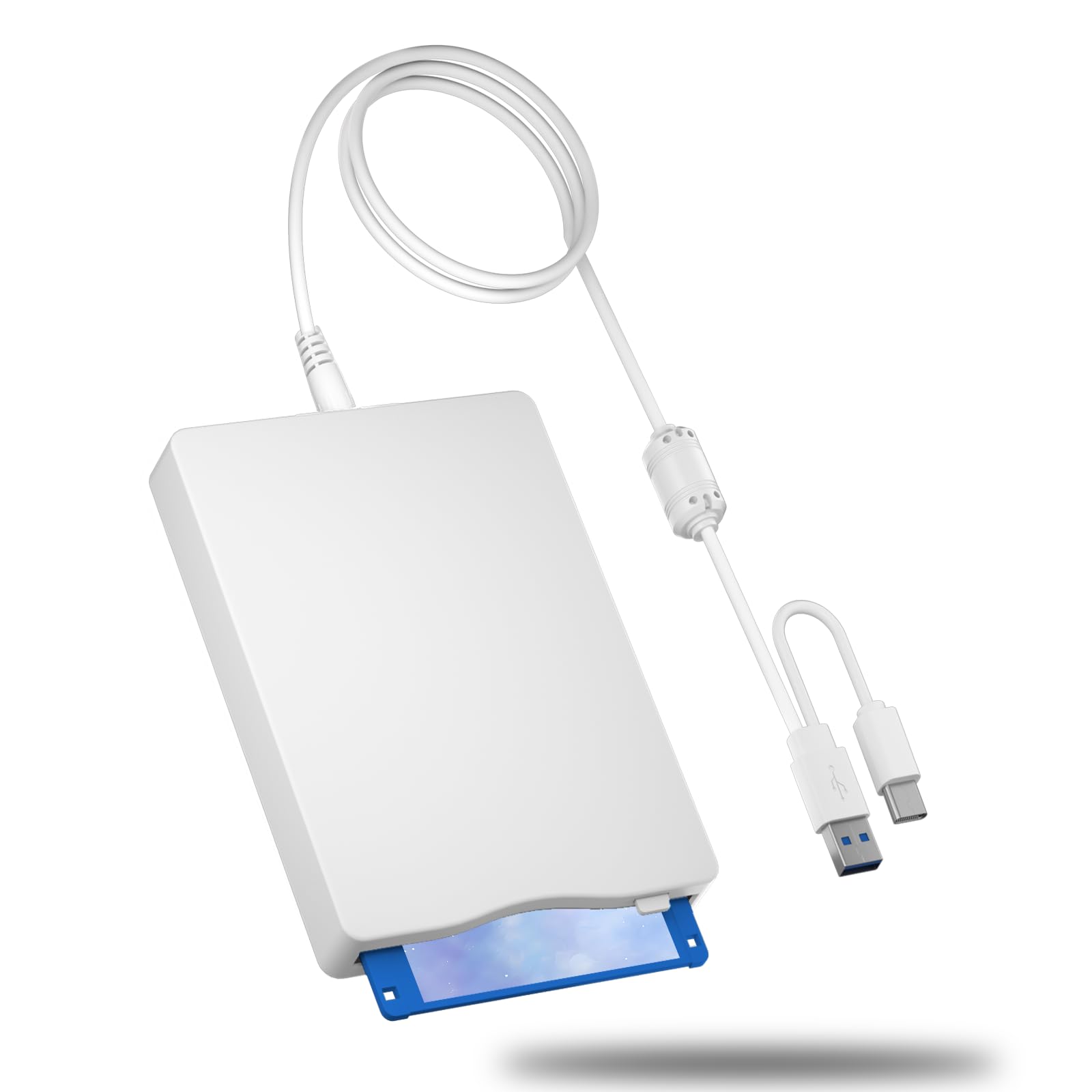
The MthsTec drive offers both USB-A and USB-C ports on the device itself — not a permanently attached cable — which means you can choose your own cable gauge and length up to the USB spec limit. This is a significant advantage if the short fixed cables on other models (often just 24 inches) force you to contort your laptop position.
With a rated 48 Mb/s data transfer rate (roughly 6 MB/s), the interface speed is more than adequate for 1.44 MB disks. Multiple customers verified it read over two dozen old disks without any errors on Windows 10 and 11, with no need to unplug between disk swaps — the drive icon refreshes the directory automatically.
The concern is quality control: at least one customer received a unit that appeared to be a recycled e-waste drive in a new shell, with scratches and inconsistent performance. The 1-year warranty mitigates this risk, but the inconsistency means the MthsTec is best for buyers comfortable with a potential exchange.
Why it’s great
- Separate USB-A and USB-C ports let you use custom-length cables
- Automatic directory refresh between disk swaps on Windows 11
- Rated 48 Mb/s interface speed easily handles full disk reads
Good to know
- QC inconsistency — some units may be refurbished e-waste in new shells
- Best suited for users comfortable with Amazon return process if needed
6. Chuanganzhuo USB Floppy Disk Reader 3.5 inch with Frosted Texture

The Chuanganzhuo reader differentiates itself with a frosted polycarbonate shell that resists fingerprints and adds a subtle texture that feels higher quality than the glossy black plastic of budget competitors. At just 0.67 inches thick and 0.61 pounds, it slides easily into a bag pocket without adding noticeable bulk.
The drive supports both USB-A and USB-C, with a permanently attached cable that eliminates the risk of losing the connection cord. Windows 11 compatibility is officially listed, though the drive may not appear immediately in File Explorer — the included documentation walks you through accessing it via Devices and Printers and selecting “Browse Files” on the TEACV0.0 icon.
As the manufacturer honestly notes in the listing, many floppy disks from the 1980s and 1990s may be unreadable due to physical deterioration, mold, or dust — that is not a drive defect. The drive correctly reports media errors rather than crashing, which is the best behavior you can expect from any reader when encountering rotting media.
Why it’s great
- Frosted polycarbonate shell resists scratches and fingerprints
- Permanently attached cable prevents losing the connection cord
- Honest documentation about disk age limitations from the manufacturer
Good to know
- File Explorer on Win 11 may hide the A: drive; known workaround required
- 720KB double-density disks are not supported by this model
7. Bytecc BT-144 Slim Black USB External Floppy Disk Drive

The Bytecc BT-144 is the longest-running model on this list, a testament to its reliable USB 2.0 bridge chip that Windows 7 through 11 recognize without a second thought. At 278 grams, it is the lightest drive tested here, and the ultra-slim profile (approximately 0.5 inch thick) means it disappears into a laptop bag.
Customer reports confirm it works with Windows 7, Vista 64-bit, XP, and Windows 10 with automatic driver installation. The drive only reads 2HD 1.44 MB disks — it will not accept 720KB double-density floppies. The permanently attached USB cable is short at about two feet, which can be annoying on a desktop PC with a floor-standing tower.
The main risk is unit variance: while many customers report years of reliable operation, a small number received dead-on-arrival units that no computer recognizes. The slim plastic shell and minimalist design mean there is no external power LED to confirm the drive is receiving USB power, making DOA troubleshooting more difficult.
Why it’s great
- Lightest option at 278g; ideal for ultra-portable data recovery
- Longtrack record of reliable Windows 7 through 11 compatibility
- Minimalist design with no unnecessary buttons or indicator lights
Good to know
- Short permanent 2-foot cable limits desktop placement options
- Some DOA units reported; no power LED to diagnose connection issues
FAQ
Why is my 3.5 diskette reader not showing the A: drive in Windows 11 File Explorer?
Can a 3.5 diskette reader recover data from a disk that has mold or dirt?
What is the difference between a USB floppy reader and a floppy drive emulator like the GoTEK?
My floppy disk reader makes a clicking sound and fails to read — what does that mean?
Final Thoughts: The Verdict
For most users, the 3.5 diskette reader winner is the Xspeedonline External Floppy Disk because it uniquely supports both Windows and macOS platforms with zero driver installation. If you need dual USB-A/USB-C connectivity out of the box, grab the Wintale 3.5 Floppy Drive. And for retro computing enthusiasts replacing a dead internal drive, nothing beats the GoTEK SFR1M44-U100 emulator with FlashFloppy firmware.