
Choosing the right 3.5-inch internal hard drive means balancing rotational speed, cache size, and reliability — not just picking the biggest number on the box. A 7200 RPM drive delivers faster read and write cycles than its 5400 RPM counterpart, making it essential for gaming libraries, media servers, and workstation storage. The cache buffer, measured in megabytes, governs how quickly frequently accessed data gets served, and the platter density determines whether you get 150 MB/s or 200 MB/s sequential transfers.
I’m Min — the co-founder and writer behind Gadgets Feed. I’ve spent countless hours analyzing benchmarks, reading real user feedback, and comparing specifications to determine which drives actually hold up under sustained workloads in 2025.
Whether you are building a new desktop, expanding a home server, or upgrading a console, the right best 3.5 hard drive will keep your data safe and your workflow fast without breaking your budget.
How To Choose The Best 3.5 Hard Drive
Not all 3.5-inch hard drives are built the same. You need to match the drive to your workload — a media archive has different requirements than a gaming library or an active project drive.
Rotational Speed: 7200 RPM vs 5400 RPM
7200 RPM drives spin the platters faster, reducing latency and improving sequential read and write speeds by roughly 30 percent over 5400 RPM models. For a desktop boot drive or game library, 7200 RPM is the minimum. If you are storing cold files or backups, 5400 RPM saves power and runs cooler.
Cache Size and Recording Technology
Cache buffers of 64MB, 128MB, and 256MB store frequently requested data so the drive doesn’t have to physically seek the platter often. Larger caches help with repeated file access. CMR (Conventional Magnetic Recording) maintains consistent write speeds across the whole platter, whereas SMR (Shingled Magnetic Recording) can cripple sustained write performance. For a primary storage drive, always pick CMR.
Quick Comparison
On smaller screens, swipe sideways to see the full table.
| Model | Category | Best For | Key Spec | Amazon |
|---|---|---|---|---|
| Toshiba X300 5TB | Gaming/Performance | Large game libraries, workstation storage | 7200 RPM, 128MB cache | Amazon |
| WD Black 4TB | Premium Performance | Reliability, sustained workloads | 7200 RPM, dual-core processor | Amazon |
| Seagate BarraCuda 2TB | Mainstream | Daily desktop storage, backups | 7200 RPM, 256MB cache | Amazon |
| WD Blue 1TB | Value/Everyday | Reliable mass storage, HTPC builds | 7200 RPM, 64MB cache | Amazon |
| Seagate BarraCuda 1TB | Entry-level | Basic storage, secondary drives | 7200 RPM, 64MB cache | Amazon |
| WD Blue 500GB | Budget/Compact | Light storage, older system upgrades | 7200 RPM, 32MB cache | Amazon |
| WD Blue 4TB | High-Capacity | Media servers, quiet bulk storage | 5400 RPM, 256MB cache | Amazon |
In‑Depth Reviews
1. Toshiba X300 5TB Performance & Gaming Internal Hard Drive

The Toshiba X300 5TB uses 7200 RPM platters combined with a 128MB cache buffer and CMR recording to deliver consistent sequential performance. Real-world benchmarks show burst reads exceeding 240 MB/s, placing it ahead of many consumer-grade 7200 RPM drives. The integrated ramp loading and drive stabilization technologies keep the actuator head steady during high-vibration scenarios, such as inside a gaming tower with multiple fans.
Users have deployed this drive in unRAID parity arrays, PS4 console mods, and heavy VMware workstation hosts without encountering the write degradation that plagues SMR-based models. The 5TB capacity accommodates an extensive game library or several virtual machine disk images. All reported failures occurred only after years of continuous use, suggesting strong reliability for a mechanical drive in this class.
Noise output is higher than a WD Blue or Seagate BarraCuda — roughly equivalent to an early-2000s desktop drive under load — but the performance gain justifies the acoustic trade-off for power users. The Toshiba 2-year warranty is shorter than WD Black’s 5-year term, but the real-world durability record remains solid across user forums.
Why it’s great
- True CMR recording prevents write speed collapse under sustained load
- 7200 RPM with 128MB cache offers class-leading read speeds for a mechanical drive
- 5TB capacity fits massive game and media libraries without needing multiple drives
Good to know
- Audible seek noise under load is higher than most Blue or BarraCuda drives
- 2-year warranty is shorter than the 5-year term on the WD Black series
2. WD Black 4TB Performance Desktop Hard Drive

The WD Black 4TB is engineered with a dual-core processor and StableTrac technology, which secures the spindle motor to reduce vibration-induced tracking errors. This translates to sustained transfer rates around 200 MB/s during large file writes and near-instantaneous read response for frequently accessed game assets. The 64MB cache may seem modest compared to today’s 256MB buffers, but the dual-core controller compensates by predicting and pre-loading data more efficiently.
User reports consistently highlight that the WD Black series outlasts standard Blue drives in high-duty-cycle environments. The 5-year warranty is the longest among the drives reviewed here, reflecting Western Digital’s confidence in this series. Several buyers repurpose these for game installations where SSD-level speed is unnecessary but 7200 RPM reliability is crucial.
Acoustic output is noticeably higher than the 5400 RPM WD Blue 4TB. Some users describe seek noise as “fireworks” or “loud” during heavy read/write operations, so it is less suitable for silent HTPC builds. The drive does not include mounting screws or SATA cables — you must source those separately.
Why it’s great
- Dual-core processor and StableTrac deliver consistent sustained performance under vibration
- 5-year limited warranty provides long-term coverage unmatched by most competitors
- Proven reliability record across thousands of builds and years of use
Good to know
- Noticeably louder seek noise during load — not ideal for quiet media servers
- No mounting hardware, screws, or cables included in the package
3. Seagate BarraCuda 2TB Internal Hard Drive

The Seagate BarraCuda 2TB packs a 256MB cache — the largest buffer in this lineup — which accelerates repetitive file access and makes the drive feel snappier in typical desktop use than its 64MB-cache predecessors. The 7200 RPM platters deliver sequential read speeds around 190 MB/s, adequate for storing active projects, game installs, and daily backups. The included DiscWizard software simplifies cloning from an older drive without third-party tools.
User reports confirm reliable operation over multi-year periods in both internal desktop roles and external USB enclosures. The 2TB capacity hits the sweet spot between cost and volume: large enough to store a substantial game library or media collection, yet priced low enough to pair multiple units in a RAID array. The CMR recording on this specific model (ST2000DM008) avoids the write degradation problems seen on some higher-capacity SMR BarraCuda drives.
One limitation to note: the data transfer rate is rated for 220 Megabits per second in the official specs, which is a misprint. Real-world SATA 6Gb/s performance matches other 7200 RPM drives in the same tier. Packaging quality has been inconsistent, with some buyers reporting drives sliding inside minimally padded boxes.
Why it’s great
- 256MB cache improves repeated-access performance versus 64MB and 128MB competitors
- CMR recording ensures consistent write speeds without SMR slowdowns
- Complimentary DiscWizard cloning software for easy drive migration
Good to know
- Packaging has been inconsistent, with risk of damage during shipping
- Official data transfer rate specification contains a misprint — real performance matches peers
4. WD Blue 1TB Desktop Hard Drive (WD10EZEX)

The WD10EZEX is arguably the most widely used 3.5-inch drive of the last decade, with millions of units in active service. Its single 1TB platter design means low power draw and quiet operation, while the 7200 RPM spindle delivers sequential reads between 150 MB/s and 178 MB/s. Random access latency averages around 15.7 milliseconds, which is competitive for a mechanical drive and sufficient for a general-purpose desktop or backup target.
Long-term user feedback spanning 10+ years reveals minimal failure rates, with the primary complaint being inadequate packaging from third-party sellers rather than drive defects. The Acronis True Image WD Edition software included with the drive streamlines OS migration and disk cloning. Many buyers repurpose this drive in external enclosures, HTPC builds, and original Xbox console mods due to its reliable CMR recording.
A few caveats: the 64MB cache is small by modern standards, so repeated small-file access is slower than on a 256MB-cache drive. Amazon’s return policy for 1TB internal drives has been flagged as restrictive, with some buyers unable to process returns on this specific capacity. Always verify the return window before purchase.
Why it’s great
- Single-platter design keeps power consumption low and noise minimal
- Proven reliability record with decades of user feedback and millions of units sold
- Acronis True Image WD Edition includes free cloning and migration tools
Good to know
- 64MB cache limits performance on highly repetitive small-file workloads
- Return restrictions on 1TB capacity drives have been reported by multiple buyers
5. Seagate BarraCuda 1TB Internal Hard Drive
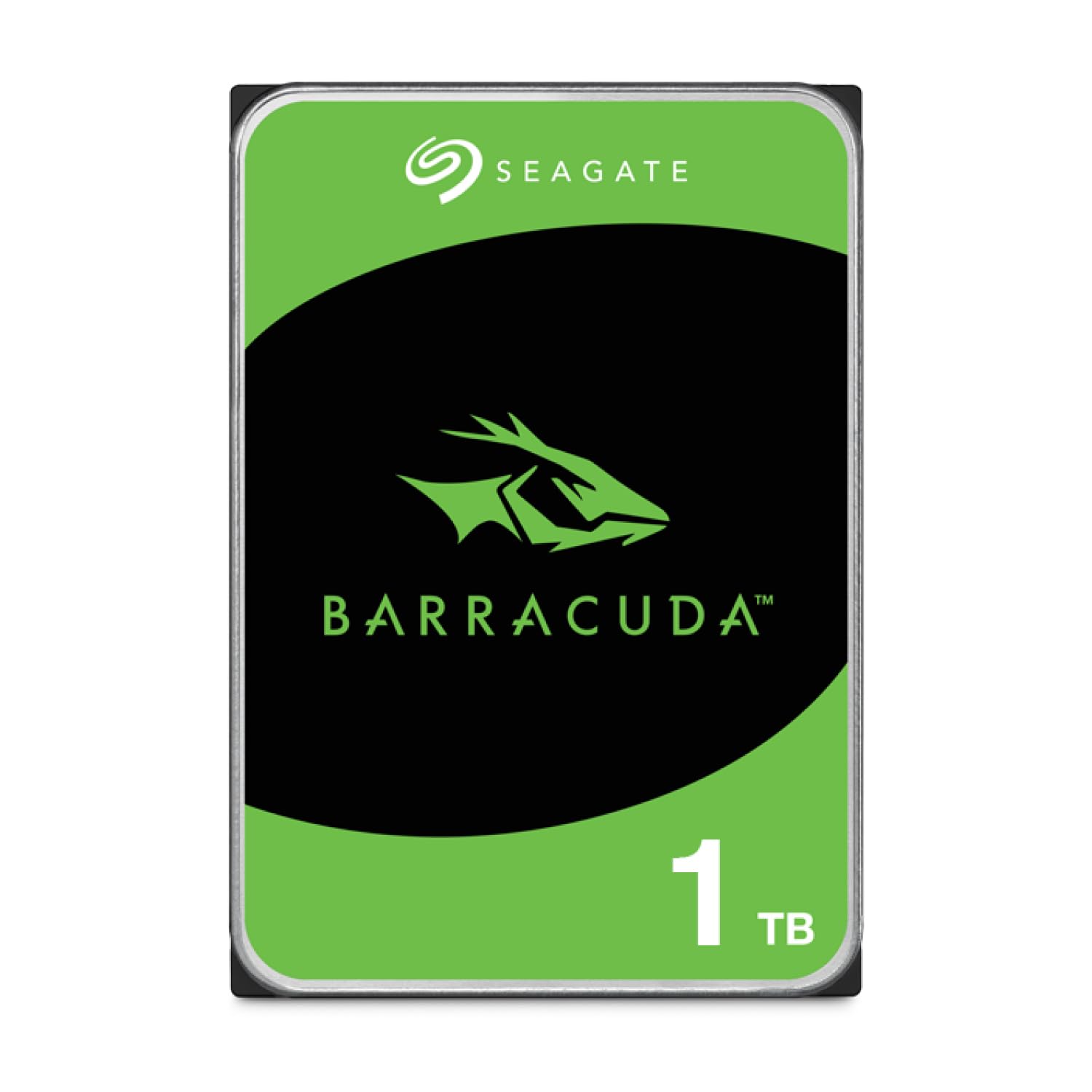
The Seagate BarraCuda 1TB (ST1000DMZ10) is a straightforward mechanical drive built around a 7200 RPM spindle and 64MB cache buffer. Sequential read speeds land around 180 MB/s, slightly behind the WD Blue 1TB in some benchmarks, but still adequate for secondary storage, OS installation on budget builds, or NAS use in a mirrored array. The frustration-free packaging eliminates the excess box material common to other drives.
Users consistently report the drive surviving five to ten years of continuous operation in Synology NAS units and desktop PCs. One reviewer documented over a decade of 24/7 use before developing bad sectors — far exceeding the expected lifespan for a consumer HDD. The drive runs cool and quiet, with audible seek noise only during heavy loading that dissipates after the first week of use.
The main trade-off is capacity: 1TB fills quickly for game libraries or media archives. The 64MB cache is also entry-level, making the drive less responsive under repeated access compared to a 256MB-cache model. For a low-cost secondary drive or a system drive in a non-performance-critical build, the BarraCuda 1TB delivers dependable operation.
Why it’s great
- Excellent longevity record in NAS and desktop roles, often exceeding 5 years
- Frustration-free packaging reduces waste and potential shipping damage
- Cool and quiet operation after initial break-in period
Good to know
- 1TB capacity limits use for large game libraries or media collections
- 64MB cache is entry-level, impacting small-file repeat read speeds
6. WD Blue 500GB Desktop Hard Drive (WD5000AZLX)

The WD5000AZLX is a 500GB, 7200 RPM drive with a 32MB cache and a SATA 6Gb/s interface. It is the smallest capacity drive in this review, but its single-platter construction keeps weight low and operating noise almost imperceptible. Sequential read speeds hover around 130 MB/s, which is slower than any 1TB+ drive in this list but still adequate for light desktop use, dedicated backup targets, or legacy system upgrades.
Buyers have reported reliable operation across several years, using the drive for OS installation in older machines, external USB enclosures, and secondary storage in HTPCs. The 32MB cache is noticeably restrictive — repeated file access feels sluggish compared to drives with 64MB or larger buffers. The aluminum enclosure dissipates heat well, and the drive runs cool even under sustained load.
One concern: some units have shown UltraDMA CRC Errors within weeks of arrival, indicating potential cable connection issues or early drive defects. Running a full surface scan and checking S.M.A.R.T. data immediately after installation is recommended. For the price, this is a functional entry-level drive, but the low capacity and small cache limit its versatility.
Why it’s great
- Low-profile single-platter design runs cool and nearly silent
- WD Blue reliability at a minimal capacity tier for light workloads
- Suitable for legacy system upgrades or dedicated backup drives
Good to know
- 32MB cache is the smallest in this lineup, limiting small-file performance
- Some units have shipped with UltraDMA CRC errors — verify S.M.A.R.T. data on arrival
7. WD Blue 4TB Desktop Hard Drive (WD40EZAX)

The WD40EZAX runs at 5400 RPM, which makes it the slowest spindle speed in this review, but the massive 256MB cache compensates for many everyday workloads. Sequential reads land around 150 MB/s — close to entry-level 7200 RPM drives — because the high-density platters and large cache buffer mask the lower rotational speed. This drive is engineered for quiet mass storage rather than raw speed.
User feedback highlights near-silent operation even in media servers running five of these drives simultaneously. The 4TB capacity provides ample room for movie archives, music libraries, and backup images without filling up quickly. Several buyers use multiple WD40EZAX units in unRAID and Synology systems without heat issues or vibration complaints.
Reliability reports are mixed: two customers reported a 50 percent failure rate across four drives within a week due to head-click symptoms, while the majority report zero issues over months of operation. The 5400 RPM speed means longer latency for active workloads — this is not suitable as a boot or game drive. The 2-year warranty is standard for the Blue line.
Why it’s great
- Near-silent operation with 256MB cache compensating for lower RPM
- 4TB capacity fits large media libraries without needing multiple drives
- Runs cool even in multi-drive NAS environments
Good to know
- Mixed reliability reports — some units fail early with head-click defects
- 5400 RPM spindle not suitable for OS or performance-sensitive game installations
FAQ
Should I buy a 5400 RPM or 7200 RPM 3.5-inch hard drive for gaming?
How much cache do I need on a desktop 3.5 hard drive?
Can I use a 3.5-inch internal HDD in an external enclosure?
Final Thoughts: The Verdict
For most users, the best 3.5 hard drive winner is the Toshiba X300 5TB because it combines a 7200 RPM spindle, a 128MB cache, true CMR recording, and massive capacity at a reasonable price point. If you want the longest warranty and proven reliability for high-duty-cycle workloads, grab the WD Black 4TB. And for quiet bulk storage in a media server where speed is secondary, nothing beats the WD Blue 4TB.