
Juggling three external monitors from a single laptop USB-C port is the holy grail of desk productivity, but not every docking station can deliver stable 4K across all three screens without glitches, frame drops, or driver headaches. The difference between a seamless multi-monitor workflow and a frustrating mess of flickering displays often comes down to the chipset, power delivery wattage, and port arrangement hidden inside that unassuming aluminum box.
I’m Min — the co-founder and writer behind Gadgets Feed. For this guide, I’ve analyzed the technical specifications, real-world user experiences, and compatibility matrices of nine distinct 3-display docking stations across a wide price spectrum to identify which hardware truly earns a spot on your desk.
Whether you’re running a Windows powerhouse or an M-series MacBook that officially supports only one external display, finding the right 3 display docking station determines whether your triple-monitor ambition becomes a productivity superpower or a troubleshooting nightmare.
How To Choose The Best 3 Display Docking Station
Selecting the right triple-monitor dock is not just about counting HDMI ports. The interplay between your laptop’s USB-C capabilities, the operating system you run, and the chipset inside the dock determines whether you get three independent extended displays or two mirrored screens and a headache.
DisplayLink vs. Native MST: The OS Decider
If you use a Windows laptop with a USB-C port that supports DisplayPort Alt Mode (most modern Dell, Lenovo, and HP business machines), a native MST hub can drive three monitors without additional drivers. For Mac users — especially those with Apple Silicon M1 through M4 chips — the dock must use a DisplayLink chipset to override Apple’s single-external-display limitation. The trade-off: DisplayLink requires driver installation and introduces a tiny CPU overhead, but it’s the only way to get triple displays on a Mac.
Power Delivery: Matching Wattage to Your Workload
A dock’s PD rating must match or exceed your laptop’s power adapter. Ultralight ultrabooks need only 60W, but 15-inch workstations often demand 100W or more. The dock’s total input wattage matters too — a 130W power adapter can simultaneously deliver 100W to the laptop and 30W to peripherals, while a 60W adapter may force the laptop to trickle-charge under heavy load.
Port Priority and Data Throughput
Not all USB ports on a dock are equal. Look for USB 3.2 Gen 2 ports (10 Gbps) for external SSDs and high-speed flash drives. The Ethernet port speed (Gigabit vs. 2.5 Gbps) matters if you transfer large files over a wired network. For photographers, integrated SD 4.0 card readers with UHS-II support can save minutes during file ingestion.
Quick Comparison
On smaller screens, swipe sideways to see the full table.
| Model | Category | Best For | Key Spec | Amazon |
|---|---|---|---|---|
| TobenONE DisplayLink Dock | Premium | Mac triple-display power users | 18 ports, 3x HDMI + 3x DP | Amazon |
| Anker Prime DL7400 | Premium | Windows pros who want smart monitoring | 140W upstream, built-in fan, smart display | Amazon |
| Plugable UD-6950PDZ | Premium | Users who value support and compatibility | 3x HDMI + 3x DP, 100W PD | Amazon |
| WAVLINK RC-UG39PD8 | Premium | Quad-monitor setups and 5K ultrawide | 4x HDMI + 4x DP, 2.5 Gbps LAN | Amazon |
| Anker Nano 13-in-1 | Premium | Modular desk-and-travel workflow | Detachable 6-in-1 hub, 10Gbps USB-C | Amazon |
| WAVLINK DisplayLink WL-UG63PD13 | Mid-Range | Mac/Windows dual-platform users | 3x HDMI + 2x DP, 15 ports total | Amazon |
| 4URPC Triple Display Dock | Mid-Range | MacBook users wanting an all-in-one bundle | 3x HDMI, 120W included adapter | Amazon |
| WAVLINK UMD01M Pro | Mid-Range | Windows users needing 4K@144Hz on one display | 2x DP + 1x HDMI, 130W adapter | Amazon |
| Baseus Spacemate 11-in-1 | Mid-Range | Value-focused Windows users who want upright design | 2x HDMI + 2x DP, 10Gbps ports | Amazon |
In-Depth Reviews
1. TobenONE DisplayLink Docking Station

The TobenONE is a DisplayLink dock that treats triple 4K@60Hz as a baseline, offering three HDMI and three DisplayPort outputs for maximum monitor-flexibility. On Windows, it can drive up to four displays if the host USB-C port supports video output; on macOS, three extended displays are fully supported via the DisplayLink driver. The 120W included power adapter delivers up to 100W to the laptop, enough to keep a 16-inch MacBook Pro charged under full load.
Reviewers consistently praise the build quality and the sheer volume of ports — 4 USB 3.1 Type-A, 2 USB-C, SD/TF slots, and gigabit Ethernet. The dock runs cool thanks to passive heat dissipation, and the metal chassis feels dense and premium. One caveat: DRM-protected streaming services like Netflix will not display video through the DisplayLink video outputs due to HDCP restrictions, a limitation shared by all DisplayLink docks.
A handful of users reported an intermittent issue where HDMI 3 loses signal after months of use, though the responsive customer support team typically offers a quick replacement. For any professional who needs three 4K displays from a MacBook without spending on a Thunderbolt dock, the TobenONE represents the highest port count in its price tier.
Why it’s great
- Unmatched 18-port variety with both HDMI and DP outputs
- 120W adapter included; 100W PD keeps large laptops charged
- Excellent customer support reputation for quick replacements
Good to know
- DisplayLink driver installation required for Mac triple display
- HDMI 3 port reliability has been inconsistent on some units
2. Anker Prime Docking Station (DL7400)
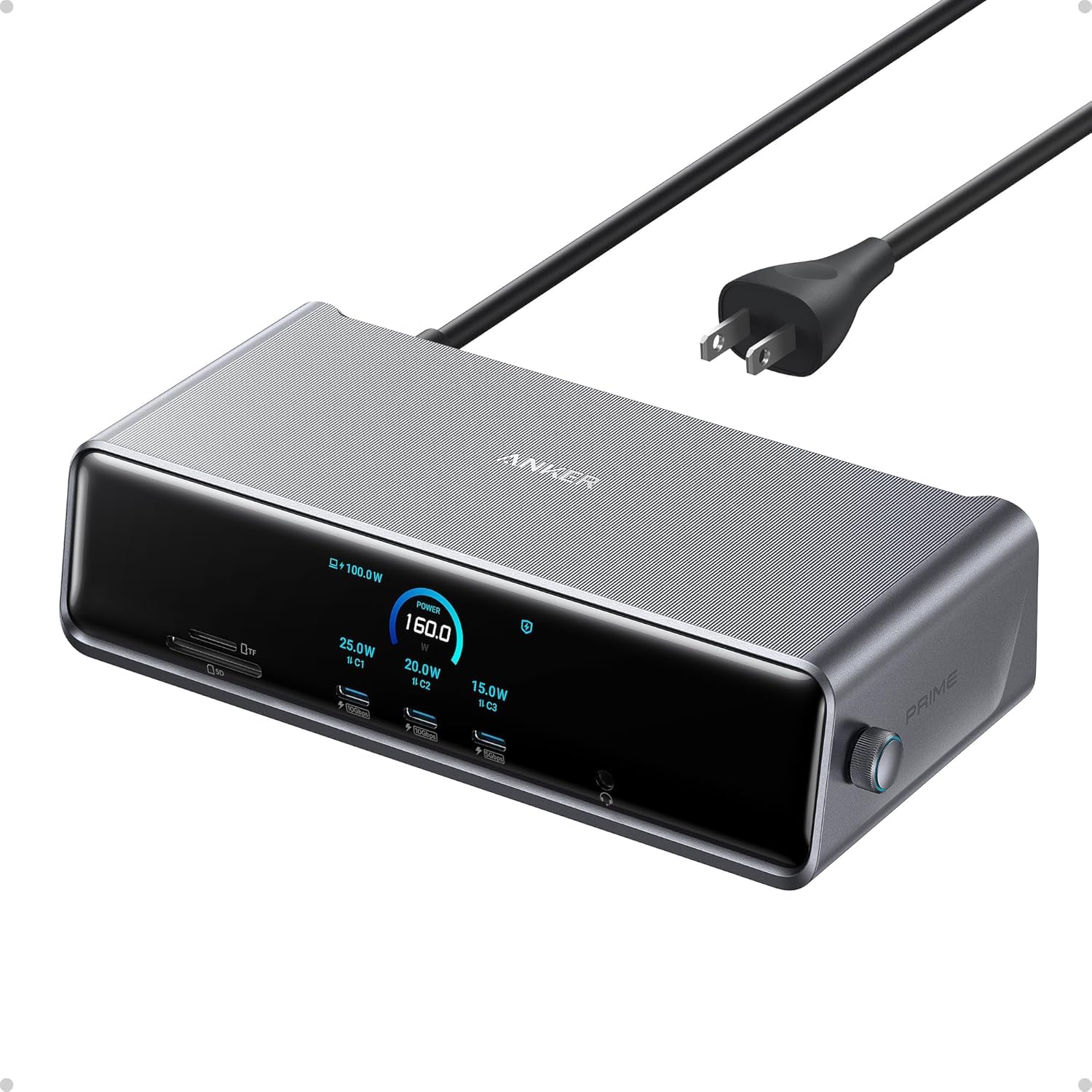
The Anker Prime DL7400 is the only dock in this roundup with a built-in smart display that shows real-time charging power, fan speed, and connection status. Its 140W upstream USB-C port can deliver up to 140W to a compatible laptop, while the two front USB-C ports each pump out 100W for fast-charging phones or tablets. The included ActiveShield 3.0 thermal management uses a quiet fan to keep the dock stable during marathon work sessions.
Triple 4K@60Hz on Windows is handled via a combination of two HDMI and one DisplayPort output, powered by the DisplayLink chipset. Anker explicitly notes that the latest DisplayLink driver must be installed for triple display support, and that DRM-protected streaming video will show a black screen — a fixable issue by disabling hardware acceleration in the browser. The 2.5 Gbps Ethernet port is a step up from standard gigabit, making large network transfers noticeably faster.
Some users found the initial setup finicky, with the dock requiring about 20 minutes of driver and settings configuration before everything clicked. Once dialed in, the experience is rock solid, with no flickering or disconnections reported by the majority of buyers. The all-metal Phantom Gray finish looks professional, and the compact footprint saves desk space compared to larger hubs.
Why it’s great
- Innovative smart display for at-a-glance performance monitoring
- 140W upstream PD is the highest in this lineup
- Built-in fan with ActiveShield 3.0 prevents thermal throttling
Good to know
- Setup requires patience for driver and display configuration
- DRM streaming is blocked through DisplayLink outputs
3. Plugable 12-in-1 USB C Triple Monitor Dock

Plugable has built a reputation for offering docks that simply work, and the UD-6950PDZ continues that tradition with six video ports — three HDMI and three DisplayPort — giving Windows users the freedom to choose their preferred cable type without adapters. The dock delivers up to 100W PD to the laptop and includes six USB 3.0 ports for peripherals, making it a true one-cable desktop solution.
On the software side, DisplayLink drivers are required for macOS triple display support, and Plugable provides clear setup walkthroughs including a video guide. The dock is compatible with Thunderbolt 3/4, USB4, and standard USB-C systems, covering everything from M1 MacBook Airs to Dell Precision workstations. The Ethernet port is standard gigabit, adequate for most users but not as fast as the 2.5 Gbps options found on premium competitors.
A few early reviews noted that the Ethernet port stopped working after a macOS update, but Plugable acknowledged the issue and offered a replacement model to affected customers. The North American-based support team is frequently praised for being responsive and knowledgeable. At its price, the Plugable offers the most flexible video output arrangement among premium-tier DisplayLink docks.
Why it’s great
- Six video outputs provide unmatched cable-type flexibility
- Lifetime support from a responsive North American team
- Stable triple 4K@60Hz performance across Windows and Mac
Good to know
- Some users experienced Ethernet port issues after macOS updates
- Standard gigabit Ethernet, not 2.5 Gbps
4. WAVLINK DisplayLink Quad Monitor Dock (RC-UG39PD8)

The WAVLINK RC-UG39PD8 pushes beyond triple displays to offer quad 4K@60Hz support, and if you need fewer monitors, it can drive a single 5K ultrawide at 5120x1440p60. With four HDMI and four DisplayPort outputs, this dock is the most video-port-rich option in the roundup. The included 180W power adapter delivers 100W to the host laptop, leaving 80W for peripherals — enough to charge multiple devices simultaneously.
An SD 4.0 card reader with UHS-II compatibility and a 2.5 Gbps Ethernet port make this dock particularly appealing for photographers and video editors who deal with large file transfers daily. The dock is compatible with Thunderbolt 3/4/5, USB-C Windows and Mac devices, including the latest M4 and Neo Macs. The CD-shaped driver download card is a thoughtful touch for users who prefer offline driver installation.
Long-term reliability has been mixed — several users reported screen flickering, charging issues, and Ethernet drops after months of use, suggesting the dock may be better suited for light or short-term setups. The cable arrangement is also awkward, with ports on the back requiring the dock to be placed sideways for easy access. For users who need quad monitor output on a budget, the features are compelling, but be aware of the potential longevity concerns.
Why it’s great
- Quad 4K or single 5K ultrawide support from one USB-C cable
- SD 4.0 reader and 2.5 Gbps Ethernet for fast file workflows
- 180W power supply provides ample headroom for all ports
Good to know
- Some units develop screen flickering and Ethernet drops over time
- Rear port placement makes cable management awkward
5. Anker Nano 13-in-1 Docking Station
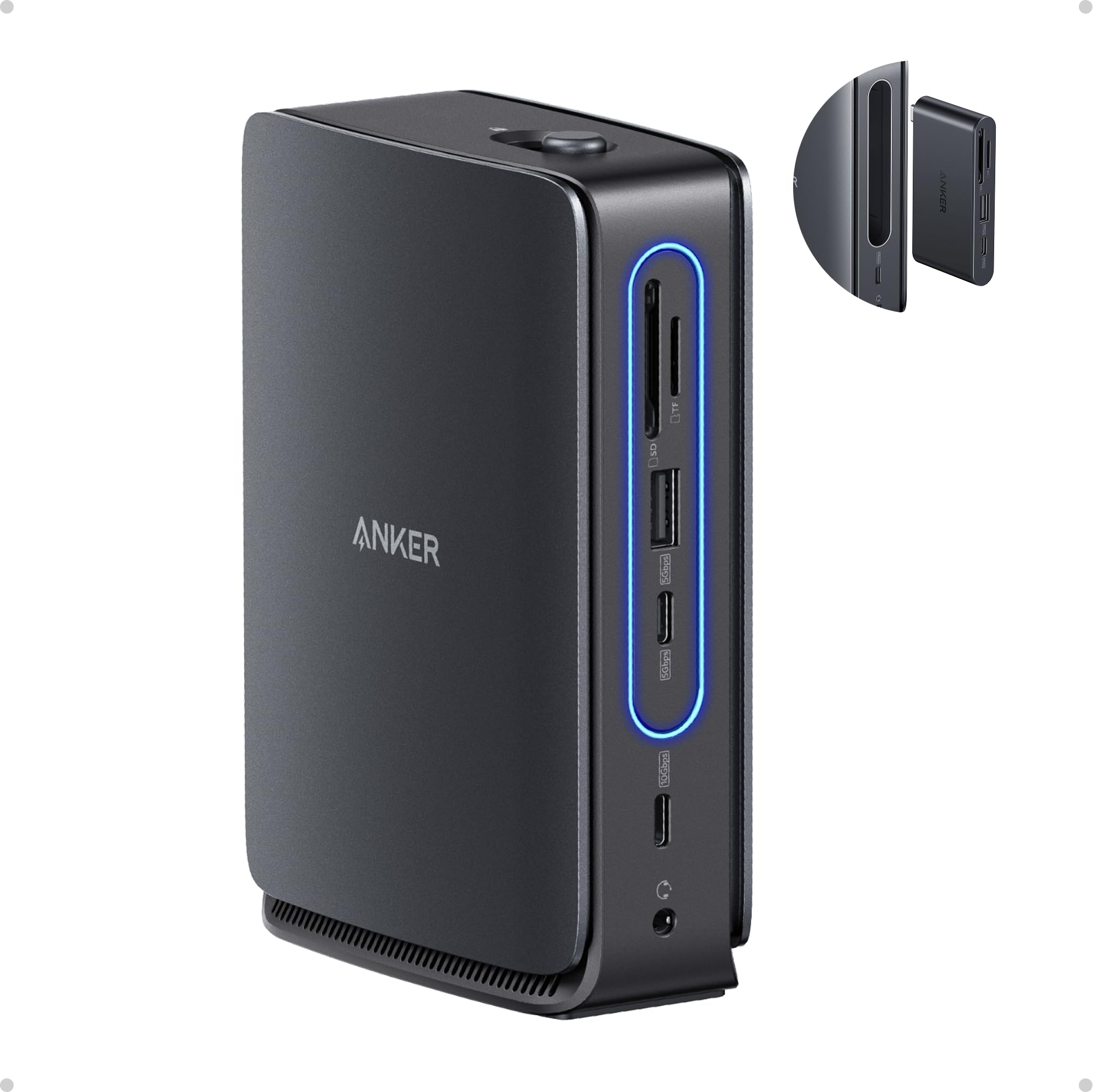
The Anker Nano’s defining feature is its detachable 6-in-1 hub that clips off the main dock, letting you grab essential ports — HDMI, USB-C, USB-A, and SD card — and walk to a meeting room without unplugging everything. The main dock provides two HDMI and one DisplayPort output for triple 4K on Windows, while the detachable hub handles a single display for away-from-desk productivity.
The included 140W power adapter feeds the dock with ample power, and the upstream USB-C port delivers up to 100W to the laptop. Data transfer hits 10 Gbps on the USB-C ports, and the 3.3-foot upstream cable is detachable, a thoughtful detail that earlier Anker docks lacked. The build is all-plastic, which some users felt felt less premium than metal competitors, but the trade-off is a lighter overall weight for a dock that’s designed to be partially portable.
On macOS, all external monitors mirror the same content — a known limitation of this dock’s chipset — so Mac users looking for extended triple displays should look elsewhere. On Windows, the triple display setup is nearly plug-and-play, with MST handling the video extension natively. The detachable hub concept is genuinely useful for hybrid workers who split time between a desk and conference rooms.
Why it’s great
- Innovative detachable hub eliminates cable chaos when moving
- 140W power adapter included; 100W PD to laptop
- 10 Gbps USB-C ports for fast external SSD transfers
Good to know
- macOS only supports mirrored displays, not extended triple
- All-plastic build feels less robust than metal alternatives
6. WAVLINK DisplayLink Docking Station (WL-UG63PD13)

The WAVLINK WL-UG63PD13 uses the DisplayLink DL-6350 chipset to enable triple displays on both Windows and macOS, including M-series MacBooks that natively cap at one external monitor. The video port configuration is generous: three HDMI ports and two DisplayPort outputs, though only one of the HDMI/DP pairs can be active at a time on the Mac side. A single HDMI port supports 4K@60Hz via Alt Mode for the best visual fidelity, while the other two displays run at 2K@60Hz via DisplayLink.
With 15 total ports including two USB-C 10 Gbps, three USB-A 5 Gbps, SD/TF card slots, and gigabit Ethernet, this dock covers nearly every peripheral need. The 130W power adapter delivers 100W to the laptop, sufficient for most ultrabooks and MacBook Air models. Setup requires the DisplayLink driver download, which takes about two minutes — no plug-and-play option here.
User feedback highlights the dock’s compact footprint and cool operation, with no significant flickering or disconnection issues reported. The all-metal housing feels solid, and the front-facing ports make hot-swapping USB drives convenient. For dual-platform users who switch between a Windows work laptop and a MacBook personal machine, this dock handles both gracefully without needing to swap cables.
Why it’s great
- Smooth triple display on both Windows and Apple Silicon Macs
- Affordable DisplayLink solution with 15 versatile ports
- Compact metal build stays cool during extended use
Good to know
- DisplayLink driver required; no plug-and-play
- Only one HDMI port supports native 4K@60Hz; others are 2K
7. 4URPC USB C Docking Station Triple Display
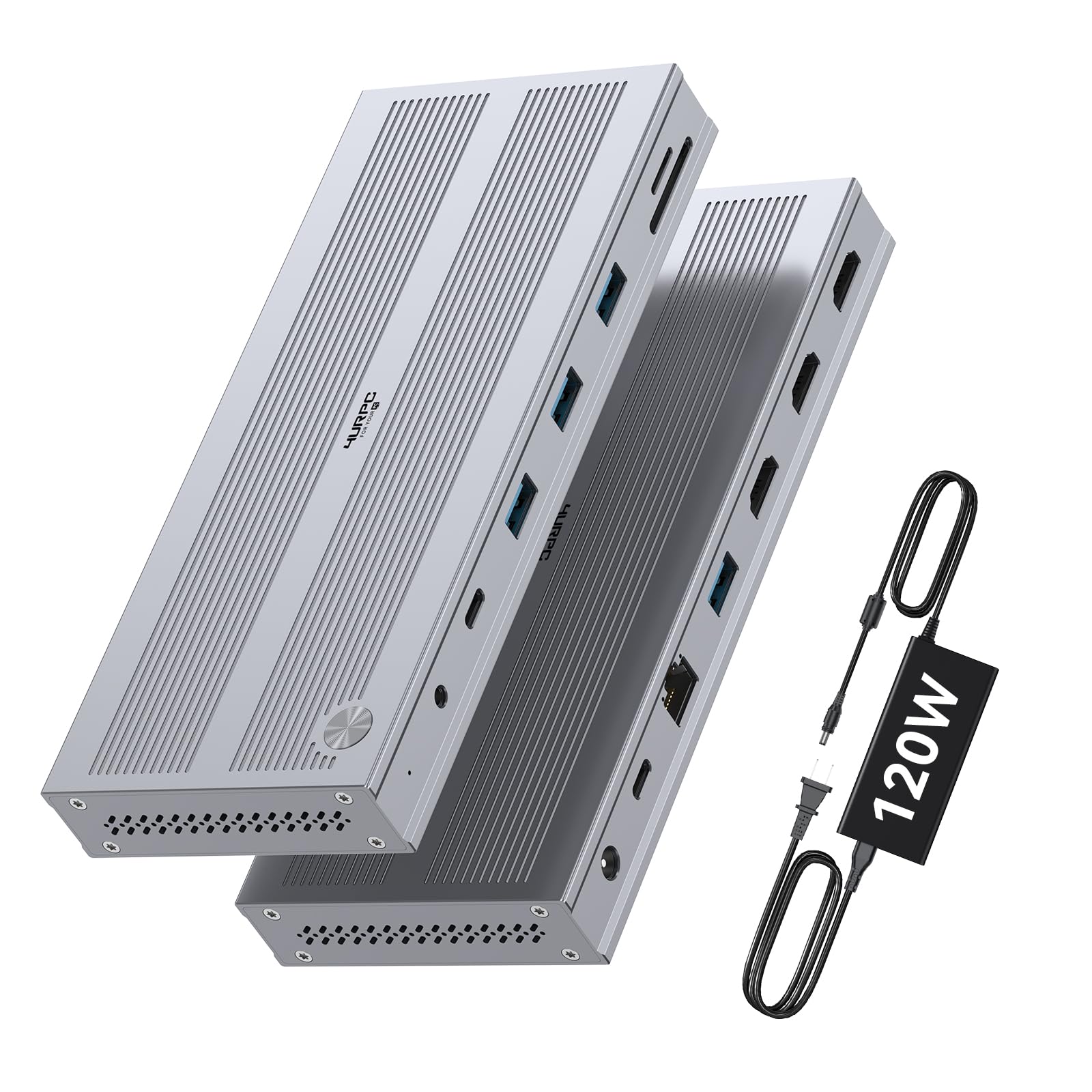
The 4URPC dock is built around a DisplayLink chipset that explicitly supports Apple’s M1 through M4 chips for triple displays, which is rare at this price tier. It offers three HDMI ports — one capable of 4K@60Hz and two running at 2560×1440@60Hz — along with five USB-A ports (5 Gbps), gigabit Ethernet, SD/microSD slots, and a 3.5mm audio jack. The included 120W dedicated power adapter is a welcome addition, preventing the power-starvation issues that plague some budget docks.
Setup involves downloading the DisplayLink driver, after which the dock is essentially plug-and-play. Users on both Mac and Windows praised the sturdy metallic build, with multiple reviews noting that the dock sits low-profile on the desk and doesn’t slide around. The Ethernet port delivered speeds over 600 Mbps in one user’s test, and file transfers via USB were quick and consistent.
One caveat: HDCP is not supported, which may affect some video playback scenarios. The power brick is somewhat bulky, and the USB-C port on the dock is USB 3.0 (5 Gbps) rather than the faster 10 Gbps USB 3.2 Gen 2 found on pricier docks. For MacBook Air or Pro users who need triple displays without spending over , this bundle offers excellent value.
Why it’s great
- Works with M1-M4 MacBooks for triple 4K/2K displays
- Includes a dedicated 120W power adapter in the box
- Low-profile metal build that doesn’t take up desk space
Good to know
- HDCP not supported; may affect some video apps
- USB-C port is limited to 5 Gbps rather than 10 Gbps
8. WAVLINK Laptop Docking Station (UMD01M Pro)
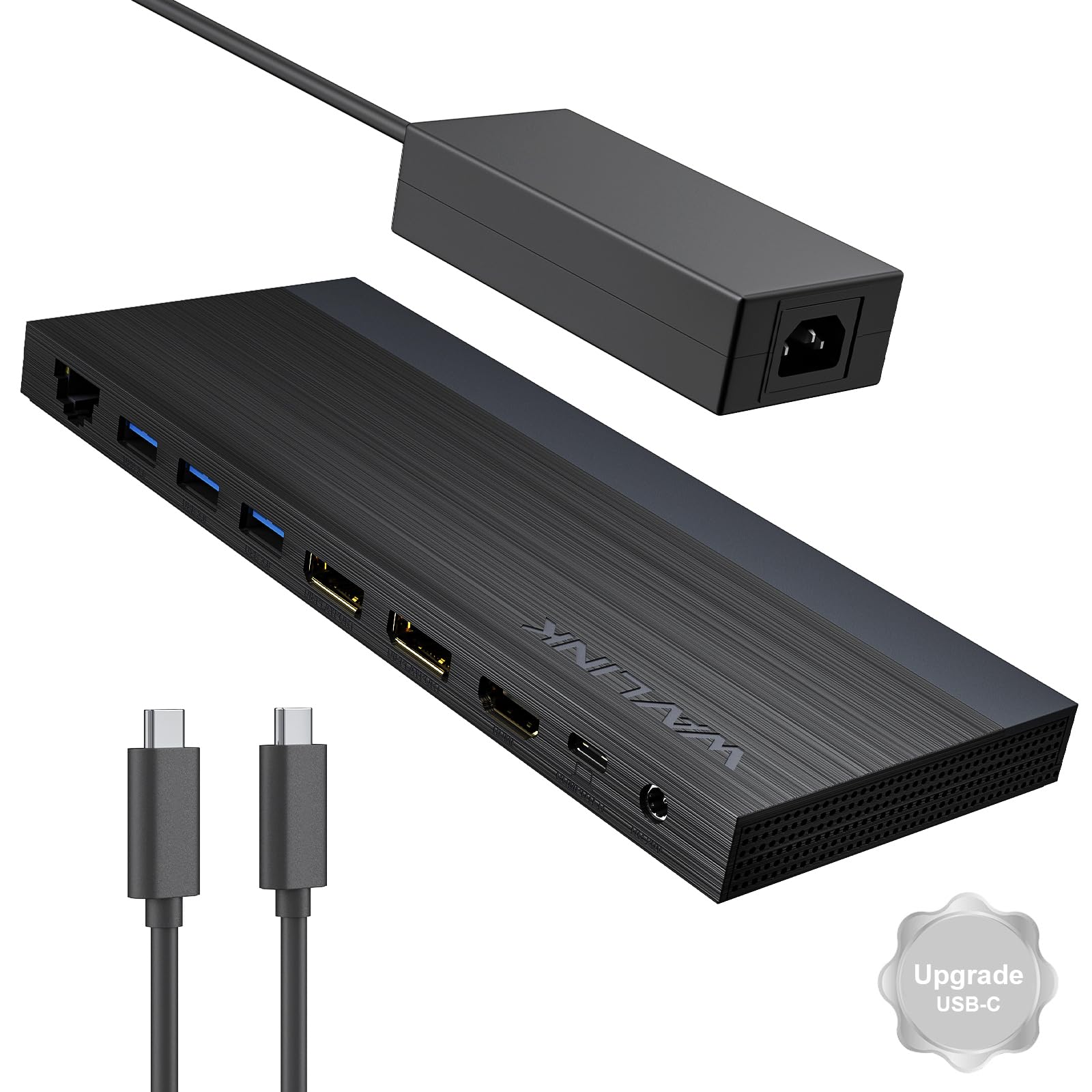
The WAVLINK UMD01M Pro stands apart from every other dock in this roundup because it uses native MST (Multi-Stream Transport) rather than DisplayLink, making it exclusively for Windows. The benefit: plug-and-play operation with zero driver installation, and the ability to drive a single DisplayPort output at 4K@144Hz when using a DP 1.4 source with DSC 1.2. When running two monitors simultaneously, the resolution caps at 4K@60Hz across both.
The port selection includes dual DP and one HDMI for video, two USB-C 10 Gbps ports, one USB-A 10 Gbps, three USB-A 5 Gbps, gigabit Ethernet, and a 3.5mm audio jack. The included 130W power adapter provides 100W PD to the laptop. The slim, low-profile design — just 0.3 inches thick — makes it one of the most space-efficient docks in the lineup, easily mounting under a desk riser.
Because this is an MST dock, it requires the host laptop’s USB-C port to support video output and DP 1.4 with DSC 1.2 for the high-refresh-rate modes. Mac users are completely out of luck — this dock is not compatible with any macOS system. A small number of Windows users reported defective units that arrived used or refurbished, so inspect the packaging carefully upon arrival.
Why it’s great
- Native MST means true plug-and-play on Windows with zero drivers
- Single DP output supports 4K@144Hz for smooth motion
- Ultra-slim 0.3-inch profile fits under desk risers
Good to know
- Not compatible with any macOS system
- Requires laptop USB-C port to support video output and DP 1.4
9. Baseus Spacemate Docking Station 11-in-1
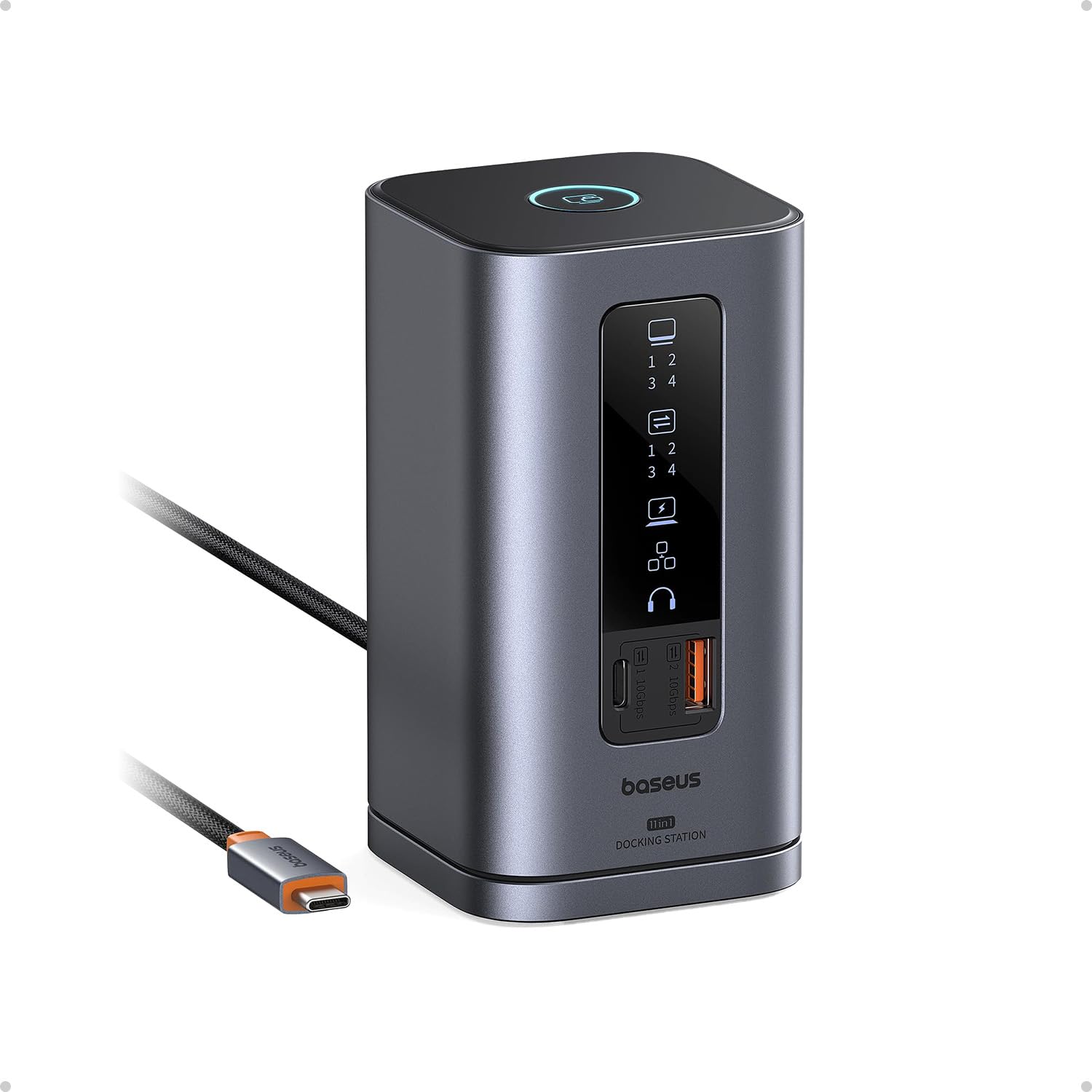
The Baseus Spacemate takes a different physical approach with its vertical upright design and magnetic base, freeing up desk surface area compared to flat-laying docks. The 11-in-1 port configuration includes two HDMI and two DisplayPort outputs for triple 4K on Windows, three USB-A ports (two at 10 Gbps, one at 480 Mbps), a USB-C 10 Gbps port, gigabit Ethernet, 3.5mm audio, and a 100W PD upstream port. An LED digital screen on the front shows the connection status of each port — a unique visual feedback feature.
Data transfer speeds are a strong point here: the USB 3.2 Gen 2 ports achieve up to 10 Gbps, letting you transfer a 20GB file in roughly 20 seconds. The built-in screen-lock button adds a layer of physical security, instantly locking your display when you step away. The 80cm USB-C cable is non-removable, which is a durability concern if the cable ever frays, and the power adapter is not included in the box — you must supply your own 65W-100W USB-C charger.
On macOS, triple display is not supported; the dock can only extend to one external monitor. Windows users have reported stable triple display performance, with a recent firmware update addressing early adopter issues. The Baseus has earned mentions from Forbes, ZDNet, and Tom’s Guide, reflecting strong media reception. For Windows users who prioritize desk organization, the vertical form factor is a genuine differentiator.
Why it’s great
- Vertical upright design saves significant desk space
- 10 Gbps USB ports for fast file transfers
- LED status screen and screen-lock button add convenience
Good to know
- Power adapter not included; must supply your own
- macOS only extends to one display, not three
FAQ
Can a 3 Display Docking Station drive three 4K monitors at 60 Hz on a MacBook Air M3?
Why does my dock show a black screen when I try to watch Netflix on my extended monitor?
Final Thoughts: The Verdict
For most users, the 3 display docking station winner is the TobenONE DisplayLink Dock because it offers the most video ports and highest total port count for both Windows and Mac at a competitive price. If you prefer real-time power monitoring and the highest 140W PD charging, grab the Anker Prime DL7400. And for the best value that still supports triple displays on Apple Silicon Macs, nothing beats the 4URPC Triple Display Dock with its included 120W adapter.