
Our readers keep the lights on and my morning glass full of iced black tea. As an Amazon Associate, I earn from qualifying purchases.
Specs are compiled from manufacturer listings and verified buyer reviews and can change over time — please confirm the key details on the product page before buying.
Three monitors can turn a cluttered desk into a command center, but only if the mount holding them actually keeps them steady. A weak arm means sagging screens, constant re-aligning, and a wobble every time you type. The real question isn’t just which mount holds three screens — it’s which one holds *your* three screens without droop or drift.
I’m Min — the founder and writer behind Gadgets Feed. This guide is built by comparing the manufacturers’ published specifications and the patterns across verified customer reviews, so you get each pick’s real strengths and trade-offs instead of marketing spin.
From weight limits to desk-clamp reach, these are the factors that decide if a 3 Display Mount survives daily use or ends up as a frustrating return.
Our Picks at a Glance


How To Choose The Best 3 Display Mount
Choosing a triple monitor mount starts with your monitors, not the mount. You need to know the weight of each screen, the size, and the VESA hole pattern on the back before you can pick the right arm.
Check Each Monitor’s Weight First
Every mount lists a maximum weight per arm, and that number is the hard limit. If your monitor is heavier than the arm rating, the screen will slowly droop no matter how tight you turn the bolts. Weigh your screens or check the manufacturer spec sheet before buying.
Match the VESA Pattern
Look at the back of your monitor for four screw holes in a square. The distance between them is the VESA pattern, usually 75x75mm or 100x100mm. Almost every triple mount supports both, but confirming this one detail saves you from a mount that won’t attach at all.
Know Your Desk Thickness
Most mounts clamp to the desk edge, and each clamp only handles a range of desk thickness. A C-clamp grips the edge, while a grommet mount drops through a hole in the desk. Measure your desk before you choose, and remember that glass desks often need extra care or reinforcement.
Quick Comparison
| Model | Best For | Max Screen Size | Weight per Arm | Tilt Range | Amazon |
|---|---|---|---|---|---|
| BONTEC Triple Mount★ Best Overall | Overall value & versatility | 32 inches (center) | 22 lbs | ±90° side arms | Amazon |
| MOUNTUP MU3005Extra Tall | Extra-tall center pole setups | 32 inches | 17.6 lbs | ±90° | Amazon |
| WALI Adjustable Triple MountCrowd Favorite | Crowd-proven stability | 27 inches | 22 lbs | ±90° | Amazon |
| ErGear Triple Mount | Work desks & presentations | 27 inches | 17.6 lbs | ±45° | Amazon |
| MOUNT PRO Triple Mount | Curved and 32-inch screens | 32 inches | 19.8 lbs | ±90° | Amazon |
| MOUNTUP MU8004 | Gas-spring smoothness | 32 inches | 19.8 lbs | ±90° | Amazon |
| HUANUO Triple Mount | Gaming rigs up to 27 inches | 27 inches | 19.8 lbs | ±45° | Amazon |
| PUTORSEN Triple Mount | Ultrawide center monitors | 32 inches | 22 lbs | 35° | Amazon |
In‑Depth Reviews
1. BONTEC Triple Monitor Desk Mount
Our pick — over 4.5★ from 650+ verified ratings; the strongest balance of quality and price.
The rare triple mount that nails weight capacity, adjustability, and price all at once.
What wins people over is the build quality — the metal arms and base feel substantial, and the strongest praise is that there’s no hint of sag even with three screens mounted. The spec sheet backs up the reputation: each arm holds up to 22 lbs, and the center pole stretches to handle a 32-inch screen while the side arms take 13 to 27 inches.
You get real freedom in positioning here. The top monitor rotates a full 360°, and the side arms tilt and swivel through ±90° each, so flipping a screen into portrait mode is a genuine option. Assembly is straightforward with the included tools, and the built-in cable clips plus an Allen key storage slot keep the workspace tidy.
Buyers report the mount holds two 27-inch monitors easily and frees up desk space, though they note it’s not meant for glass desks. The C-clamp and grommet options fit desks from 0.39″ to 3.35″ thick, giving you flexibility for most standard workstations.
Why It’s A Winner
- 22 lbs per arm handles heavy monitors with zero sag
- Center pole supports bigger 32-inch screens
- Full 360° rotation for portrait setups
Consider This
- Not for glass desks
- Some find the included spacers too long, needing a cut in half
Reach for it if: you want the best blend of strength, motion, and price for a standard triple setup.
Look elsewhere if: your desk is glass or you need the tallest center pole on the market.
2. MOUNTUP Triple Monitor Stand (MU3005)
An extra-tall pole lets you set eye height exactly where your neck wants it.
Standing desks and tall users often struggle with mounts that sit too low. This one reaches 31.7″ up the center pole — noticeably higher than a typical stand — so you can line the screens up with your eyes whether you’re sitting or standing. Owners mention it supports three 27-inch monitors at 15 lbs each with no wobble.
The full motion range is generous: ±90° tilt, ±90° swivel, and 360° rotation to flip between landscape and portrait. Cable clips keep wires organized, and the mount comes with both a C-clamp and a grommet base. The manufacturer backs it with a 3-year warranty.
Functionality and assembly are the two things buyers praise most here — clear instructions and an easy build make it approachable for a first-time triple-mount owner. The trade-off shows up in the mobility column: the mount tends to lean forward when you’re constantly repositioning, so it favors a set-it-once workflow over frequent adjustments.
It handles up to 17.6 lbs per arm and fits 13 to 32-inch screens, which puts it slightly behind the BONTEC on raw per-arm strength but ahead on vertical reach.
The High Points
- 31.7-inch pole suits standing desks and tall users
- 3-year warranty shows maker confidence
- Zero wobble with three 27-inch monitors
The Caveat
- Tends to lean forward with frequent repositioning
- 17.6 lbs per arm is lower than some rivals
Pick this if: you run a standing desk and need screens that rise to eye level.
skip it if: you constantly yank arms around all day — it prefers a steady position.
3. WALI Adjustable Triple Monitor Mount
Tens of thousands of owners have made this the most trusted name in triple mounting.
The sheer volume of happy owners here is the story — this is the mount people recommend in forums, and the feedback is remarkably consistent. Quality and ease of setup are the two things buyers praise most, and the value-for-money praise is close behind. At 22 lbs per arm, it’s tied for the strongest weight rating in this lineup.
You can trust this mount to hold your screens steady: customers note it supports four 27-inch monitors at 15.2 lbs each without sag or flex. That is overkill for a triple setup, but it shows the safety margin is real. The arms extend and retract, tilt to change your reading angle, and rotate from landscape to portrait. Assembly is easy, with tool-free VESA plates (the standard mounting brackets) that make attaching monitors quick.
The trade-offs are worth knowing. Stability gets mixed feedback — owners note it’s not completely wobble-proof, and the C-clamp can mark a desk, so a few recommend adding anti-slip silicone pads. A smaller number find perfectly aligning two side monitors a bit finicky. The US-based support team answers seven days a week if you get stuck.
Reviewers point out it holds four 27-inch monitors at 15.2 lbs each without sag or flex, which is overkill for a triple setup but tells you the safety margin is real. The arms extend and retract, tilt to change reading angles, and rotate from landscape to portrait. Assembly is easy, with tool-free VESA plates that make attaching monitors quick.
Solid, proven, popular: the WALI is the safe recommendation for anyone who wants a mount with a massive track record of satisfied owners.
Best for: buyers who want a heavily-reviewed, dependable mount and don’t need screens larger than 27 inches.
Think twice if: you demand zero wobble or you’re mounting onto a desk finish you don’t want scratched.
4. ErGear Triple Monitor Mount

Built from alloy steel and tested through 20,000 cycles so your screens stay put.
Easy installation is the single thing buyers praise most here — the labeled hardware and clear instructions turn what’s usually a frustrating build into a quick one. The build quality earns strong marks too, with buyers reporting it holds three screens without wobble or shake even under heavy loads.
The motion range is a bit different from the others. You get ±45° tilt to cut glare, ±90° swivel on the arms, and 360° rotation for portrait mode. That slightly smaller tilt range is a deliberate trade — it’s less about dramatic angles and more about steady, repeatable positioning, which suits office work and daily presentations.
One owner runs three 27-inch MSI curved monitors on it and reports it works perfectly, which is a strong signal for curved-screen fans. The high-strength metal construction passes 20,000 test cycles., and the C-clamp or grommet options fit desks from 0.39″ to 3.15″ thick. Integrated cable management keeps the back tidy.
Steady and simple: the ErGear favors buyers who want a clean, adjustable setup without wrestling with complex assembly or extreme tilt angles.
Who it’s for: office workers and presenters who move screens a few times a day and want tool-free ease.
Who it’s not for: gamers needing aggressive ±90° tilt or monitors heavier than 17.6 lbs.
5. MOUNT PRO Triple Monitor Mount

Gas-spring arms that glide into place — the smoothest way to reposition three big screens.
Two of the three arms here run on gas springs, which means you nudge a 32-inch monitor into place and it floats there instead of needing brute force. Compatibility is the top praise from buyers — it handles most 13 to 32-inch flat or curved screens, and one owner successfully runs three curved 27-inch monitors, though it took some careful manipulation to keep the curve radius.
The aluminum construction resists corrosion far better than plain iron, and the arms give you 360° rotation, 180° swivel to share your display, and 90° up or down tilt. Shoppers say it’s been reliable for two years with three 27-inch monitors and stays solid, with only a slight wobble when the desk gets bumped.
Assembly is the honest weak point. Compatibility and assembly are the most-praised aspects, but stability carries the highest raw count and it’s mixed — some report monitors slipping, and the tension adjustments take time to dial in. Buyers also note the setup is time-consuming and needs a second person for curved screens.
It holds 4.4 to 19.8 lbs per arm, and the maker recommends a reinforcement plate if your desk is thin or your monitors are heavy.
Why It Shines
- Gas springs make height and angle changes easy
- Aluminum build resists rust
- Handles curved 32-inch screens
The Catch
- Time-consuming assembly with tension tuning
- Some report monitors slipping until adjusted right
Choose it if: you want gas-spring smoothness and regularly adjust your screens.
Avoid it if: you want the fastest possible install or hate fiddling with tension settings.
6. MOUNTUP Triple Monitor Mount (MU8004)

An articulating design with a smooth gas spring that makes three-stand setups obsolete.
Buyers love ditching three individual monitor stands for this single pole. The functionality is the top praise — it handles three 27-inch monitors perfectly, and those who drill through the desk surface report it’s extremely stable. The gas spring gives smooth height changes, and the tension is easy to adjust to match your monitor weight.
The heavy-gauge steel construction survives over 20,000 exercise tests., and MOUNTUP backs it with a 3-year warranty. It fits flat or curved screens up to 32 inches and handles 4.4 to 19.8 lbs per arm. The detachable VESA plates make attaching monitors easier, and the maker claims you can go from box to use in under 20 minutes.
The honest trade-offs: installation gets mixed feedback because aligning everything perfectly takes time, and stability can be a concern depending on mounting. One buyer found the tilt jerky — loose and it slumps, tight and it over-tilts — and the cable routing channels are small with finicky covers. The maker suggests a reinforcement plate for thin desks.
Buyers report it costs less than comparable rivals, making it a strong premium-value choice.
Premium feel, fair price: the MU8004 delivers gas-spring smoothness and heavy-gauge steel at a price that undercuts pricier rivals.
Buy it for: a smooth, full-motion triple mount with a serious warranty and a clean look.
Be aware: the tilt tension takes patience, and perfect alignment isn’t a five-minute job.
7. HUANUO Triple Monitor Mount
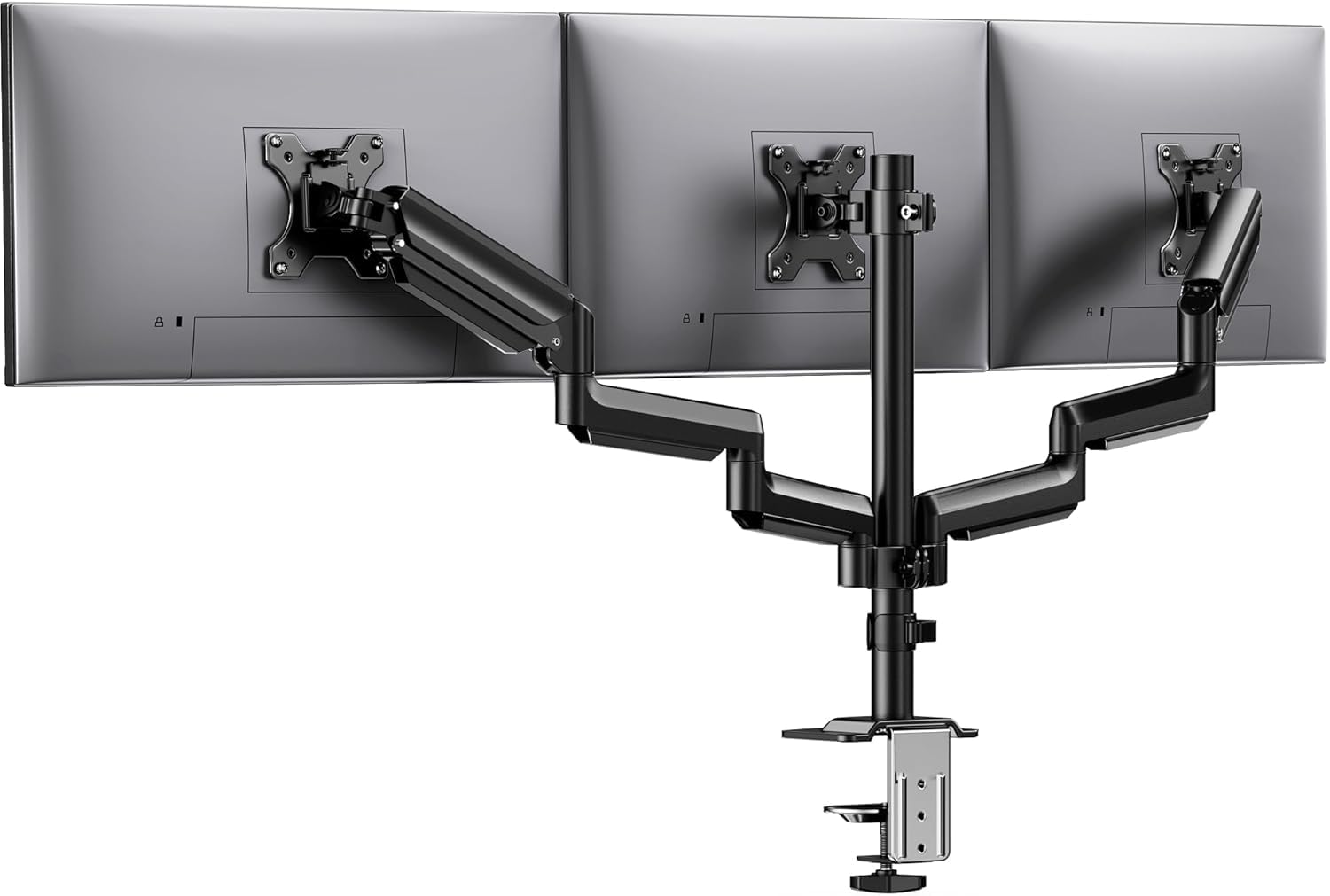
Built for rich gaming rigs, this mount uses aerospace-grade aluminum (a strong, lightweight metal alloy) and offers a 12.2-inch height range so you can position screens exactly where your eyes need them.
Quality is the single most-praised aspect here — buyers describe it as sturdy, built to last, and easy to line up perfectly, which matters when you have OCD about your monitors sitting flush. The setup process is the second most-praised feature, with clear steps for the clamp, pole, and plates that make one-person assembly genuinely doable.
The headline spec is the 12.2-inch height adjustment, which gives you room to find the perfect eye level. Each arm holds up to 19.8 lbs and has been tested through 20,000 lift cycles.. You get 360° rotation, ±90° swivel, and ±45° tilt, plus a tilt-lock bolt so your screens don’t drift once you’ve set the angle.
The mixed feedback lands on stability — most find it amazingly stable, but a few report wobble if you use too much force while adjusting. The middle monitor can be harder to adjust frequently, which matters if you’re on a standing desk. It fits 13 to 27-inch monitors and desks from 0.39″ to 3.15″ thick, and the cable clips keep things neat.
Built for the enthusiast: the HUANUO rewards gamers and detail-obsessed users who want premium feel and precise alignment.
Grab it if: you want aerospace-grade materials and a big height range for a 27-inch gaming setup.
Pass if: you need to support screens larger than 27 inches or reposition the center monitor all day.
8. PUTORSEN Triple Monitor Mount
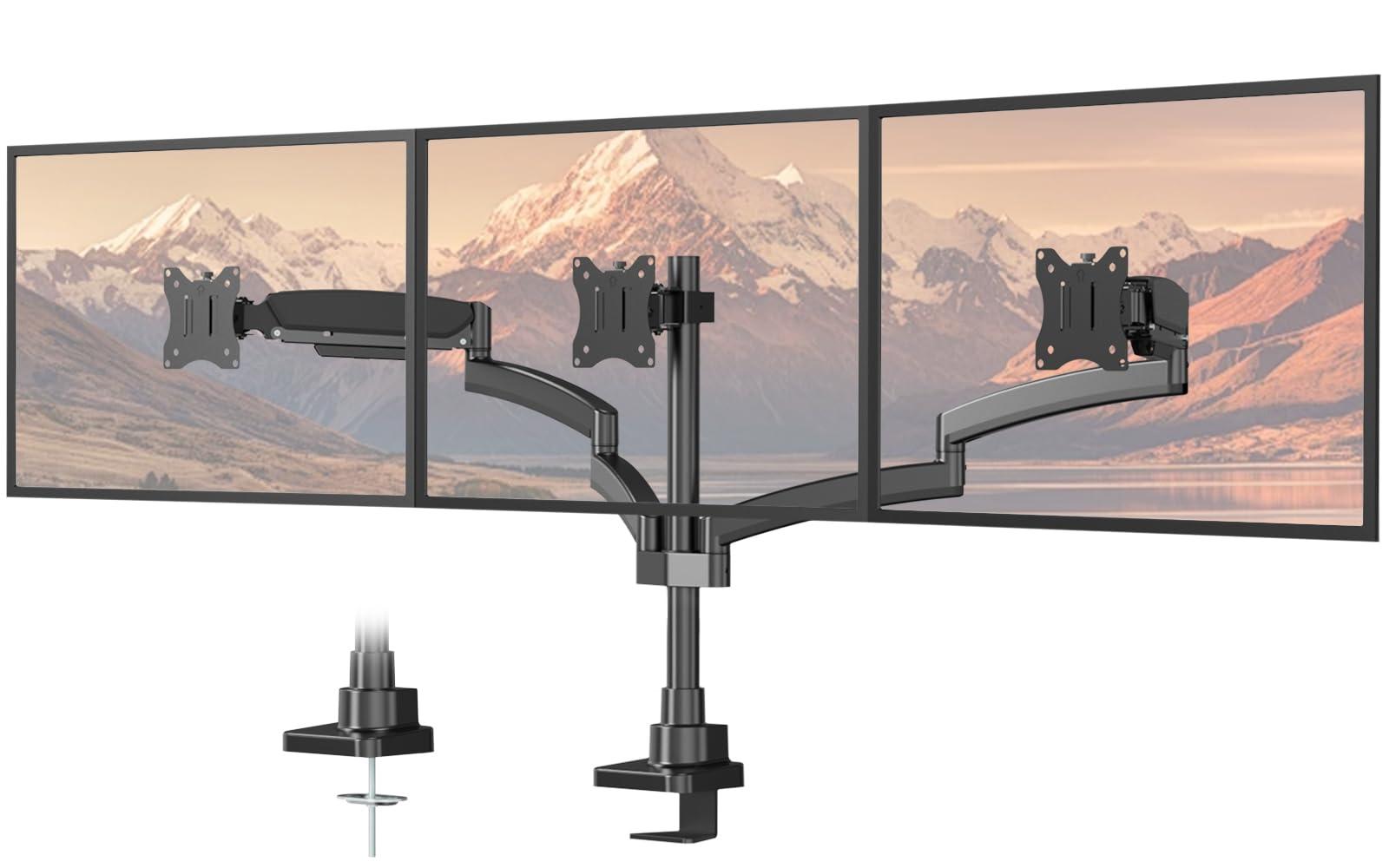
A 55.4-inch reach that finally makes three big side-by-side screens feel like one wall.
Stability is the thing buyers praise most here — this is the mount for traders, streamers, and stock watchers who leave screens on all day and need them rock-solid. The industrial-grade steel and durable gas springs mean no sagging, and owners mention it holds three monitors securely with screens that stay perfectly aligned.
The defining spec is the adjustable total span up to 55.4 inches. That wide reach is what lets you run a continuous horizontal spread of three large screens, which smaller mounts simply can’t do. Each arm holds an impressive 22 lbs — tied for the strongest in this list — and fits 17 to 32-inch monitors.
Customers note it can even handle an ultrawide center with two standard screens flanking it, calling it exceptional value versus pricier rivals. The honest limitations: the tilt range is a modest 35° maximum, and reviewers point out that a 34-inch center only allows 27-inch side screens in vertical orientation because the arms don’t extend far enough for landscape sides.
You can attach it with either a C-clamp (a clamp that grips the desk edge) or a grommet (a bolt through a hole in the desk), and both fit desks 0.39″ to 1.77″ thick. The 2-year warranty adds confidence if anything goes wrong.
Wide and wobbly-free: the PUTORSEN is the choice when your three screens need serious horizontal reach and absolute steadiness.
Best for: traders and streamers with big monitors who value a rock-steady, wide-span setup.
Not ideal if: you need deep tilt angles or plan a 34-inch center with landscape side screens.
Understanding the Specs
Weight Capacity Per Arm
This is the single most important number on a triple mount. It’s the maximum weight one arm can hold before the screen starts to droop. Weigh your actual monitors and make sure each one sits comfortably below the rating — 22 lbs per arm gives you more safety margin than 17.6 lbs, which matters for heavier 32-inch panels.
VESA Pattern and Gas Springs
The VESA pattern (the square of screw holes on the back of your monitor) comes in two common sizes: 75x75mm and 100x100mm. All the mounts here support both. Gas springs are the other differentiator — arms with gas springs glide smoothly when you reposition, while fixed-tilt arms hold position but need more force to move. If you adjust screens daily, spring arms are worth the extra cost.
FAQ
How do I know if my monitor is too heavy for a triple mount?
What does a VESA 75×75 or 100×100 mount pattern mean?
Will a triple mount work on a glass desk?
What is the difference between a C-clamp and a grommet mount?
Can a triple mount hold three curved monitors?
How long does it take to install a triple monitor mount?
Can I use a 32-inch monitor in the center with smaller screens on the sides?
What is the benefit of a gas-spring arm over a fixed arm?
Final Thoughts: The Verdict
If you want one dependable pick, the 3 display mount winner is the BONTEC Triple Monitor Desk Mount because it pairs a 22 lbs per arm capacity with a 32-inch center reach and full motion — all at a price that feels like a steal. If you need extra height for a standing desk, the MOUNTUP MU3005 reaches 31.7 inches up its pole. And for wide, rock-steady spreads across three big screens, the PUTORSEN with its 55.4-inch span is the one to reach for. Every mount here earned its place through real owner experience — the crowd favorite WALI has thousands of happy users backing its reliability, making it the safe bet if you want a heavily proven design.
How We Picked
We do not accept paid placement. Every pick is matched to a real buyer and a real use-case; we do not hands-on test units.
Sources & Methodology
Specifications: manufacturer listings and product documentation. Review insights: verified customer reviews, as of September 2026. Pricing: not shown on this page (it changes often); check the current price via the retailer link.
As an Amazon Associate, Gadgets Feed earns from qualifying purchases. This does not affect which products we feature.