
Our readers keep the lights on and my morning glass full of iced black tea. As an Amazon Associate, I earn from qualifying purchases.
The modern file shuffle involves a phone, a tablet, and a laptop — each with a different port. Without a bridge between USB-C and USB-A, you are stuck hunting for adapters or relying on cloud uploads that drain your mobile data. A dedicated dual-head drive solves this friction in one compact package, letting you offload 4K video from your smartphone directly to a MacBook without any intermediary steps.
I’m Min — the co-founder and writer behind Gadgets Feed. For this guide, I analyzed read/write benchmarks, connector durability, and real-world transfer logs across seven competing 3-in-1 flash drives to separate the fast and reliable from the slow and flimsy.
Whether you are a creative shuttling raw footage or a student moving project files, finding the best 3-in-1 flash drive means looking past capacity alone and focusing on sustained transfer speeds, build materials, and cross-device compatibility that actually works without dropped connections.
How To Choose The Best 3-in-1 Flash Drive
Not every drive that claims “dual” support delivers the same experience. The key differentiators are connector retraction, data integrity under repeated use, and sustained write speeds that do not crater after a few gigabytes. Here is what to watch for.
Connector Type and Protection Mechanism
A true 3-in-1 drive must physically integrate both USB-C and USB-A connectors without requiring a dongle. Look for a 360° rotating collar or a sliding sheath design that shields the unused connector from pocket lint and impact. Fixed dual plugs that expose both ends are prone to damage and should be avoided unless you use a carrying case.
Sustained Write Speed vs. Burst Speed
Many manufacturers advertise “up to” read speeds that only apply to small file bursts. For real-world use — transferring a 4GB video file or a folder of RAW photos — the sustained write speed determines how long you wait. Budget drives may drop to 15 MB/s after the cache fills, while premium models maintain 70 MB/s or higher. Check reviews that test large continuous transfers to gauge actual performance.
Build Durability and Data Protection
If the drive rides on your keychain or lives in a bag pocket, the casing matters. Zinc alloy bodies offer superior heat dissipation and drop protection compared to plastic enclosures. Advanced models use UDP (UDP encapsulation) to seal the internal PCB, providing water, dust, and shock resistance that can survive a laundry cycle. Do not assume water resistance — verify the manufacturer’s specific claims.
Quick Comparison
On smaller screens, swipe sideways to see the full table.
| Model | Category | Best For | Key Spec | Amazon |
|---|---|---|---|---|
| Samsung Type-C USB Flash Drive 128GB | Premium | Maximum transfer speed & toughness | 400 MB/s read speed | Amazon |
| SanDisk 256GB Ultra Dual Drive Go | Premium | Large capacity with reliable hardware | 256 GB storage / 150 MB/s read | Amazon |
| SanDisk 128GB Ultra Dual Drive | Mid-Range | Trusted brand with retractable design | 150 MB/s read speed | Amazon |
| SSK 128GB USB C Flash Drive (FD003) | Mid-Range | Ultra-compact size & high speed | 240 MB/s read / 40-135 MB/s write | Amazon |
| Lexar 128GB JumpDrive D400 | Mid-Range | Swivel protection with security software | 130 MB/s read / 128 GB | Amazon |
| ORICO 128GB Dual USB-C & USB-A | Budget-Friendly | Entry-level price with metal build | 150 MB/s read / 70 MB/s write | Amazon |
| SSK 64GB 2-in-1 OTG Flash Drive (FDU061) | Budget-Friendly | Lowest cost for basic dual-connector use | 64 GB / 200 MB/s read | Amazon |
In‑Depth Reviews
1. Samsung Type-C USB Flash Drive, 128GB

The Samsung Type-C drive delivers the highest raw read speed in this roundup at 400 MB/s, allowing a 4GB file to complete in roughly 11 seconds. That number is measured by CrystalDiskMark, and sustained write speeds hold around 75-80 MB/s even during multi-gigabyte transfers — a performance level that budget dual drives cannot match. The drive is built around Samsung’s own NAND flash, giving it an integrated quality advantage in both speed consistency and data integrity over the long term.
Beyond speed, the casing is rated waterproof, shock-proof, magnet-proof, temperature-proof, and X-ray-proof, making it suitable for rough environments like car glove boxes or camera bags. The compact barrel design weighs only 3.4 grams and has no moving parts to snag on pockets. It uses a dedicated USB-C plug — there is no swivel or retractable cover to wear out over time, which reduces failure points for daily carry.
The main trade-off is the absence of a USB-A connector, meaning this is strictly a Type-C solution. For users whose workflow involves primarily modern laptops, tablets, and phones, this single-connector focus results in a smaller, cleaner form factor. The 5-year limited warranty provides peace of mind for a device you will likely use hundreds of times over the life of your daily bag.
Why it’s great
- Fastest read speed of all drives tested at 400 MB/s
- Rugged construction withstands water, shock, and X-rays
- 5-year warranty from the world’s top flash memory brand by volume
Good to know
- No USB-A connector requires an adapter for older laptops or car audio systems
- Can overheat and disconnect during sustained reads above 75-80 GB
- Higher cost per gigabyte compared to dual-connector alternatives
2. SanDisk 256GB Ultra Dual Drive Go

The Ultra Dual Drive Go gives you 256GB of usable space in a spinning collar design that protects both ends without a cap. Its USB 3.1 Gen 1 interface delivers up to 150 MB/s read speeds — not class-leading, but well-matched to real-world file transfers from a smartphone camera roll or a laptop document folder. The write speed settles around 40-50 MB/s during extended transfers, which is respectable for a dual-connector drive that costs below the premium tier.
The rotating collar clicks firmly into position for both USB-C and USB-A orientations, eliminating the risk of accidentally rotating it in a tight port. SanDisk’s Memory Zone app (available on Android) lets you automatically back up photos and videos when you plug the drive into your phone. This is useful if you want to free up internal storage without manually selecting files each time. The drive weighs 3.7 grams and is thin enough to slip into a wallet pocket.
The biggest caveat is the exposed ends when not in use — the spinning cover protects one connector while the other is left open to pocket lint and dust. Some users note the plastic frame feels less dense than the competition. However, given the generous 256GB capacity and the brand’s reliability across millions of units shipped, this drive remains a solid daily companion for those who prioritize capacity over raw speed.
Why it’s great
- Large 256GB capacity without a price premium
- Reliable rotating collar with positive click detents
- Plug-and-play with Android, macOS, Windows, and iPhone 15
Good to know
- Exposed connector can collect debris when carried loose
- Write speeds are mid-range compared to faster USB 3.2 drives
- No water or dust resistance rating provided
3. SanDisk 128GB Ultra Dual Drive Type-C

The Ultra Dual Drive Type-C uses a retractable mechanism that slides the USB-C connector out when needed and hides it when not, a clever solution for preventing damage to the smaller plug. It reads at up to 150 MB/s, which is enough for moving 4K video clips or large RAW photo batches in a reasonable timeframe. SanDisk’s engineering gives it broad compatibility — it works with Windows, macOS, Android phones with OTG support, and the iPhone 15 natively via the Files app.
The drive is compact enough to sit flush against a USB-C laptop port without protruding excessively, avoiding accidental snagging when you move the machine. The retractable slider is spring-loaded and feels substantial, with no wobble when the connector is extended. This design also means there is no separate cap to lose, making it particularly convenient for users who frequently plug and unplug the drive several times a day.
The primary drawback is write speed — it tends to be sluggish during multi-gigabyte writes, dropping to around 20-25 MB/s after the cache fills. Some users report that the drive runs warm during sustained use, though this is common in small-form-factor storage. If your usage is primarily read-heavy (media playback, installing Linux ISOs, or file broadcasting), the trade-off is acceptable. For constant large writes, consider the faster Samsung or SSK options.
Why it’s great
- Retractable connector protects the USB-C plug without a loose cap
- Excellent compatibility across macOS, Windows, and iPhone 15
- Lightweight at approximately 9 grams; easy to carry on a keychain
Good to know
- Write speed drops significantly during long continuous transfers
- No water, dust, or impact resistance certification
- The sliding mechanism may wear out after extensive daily use
4. SSK 128GB USB C Flash Drive (FD003)
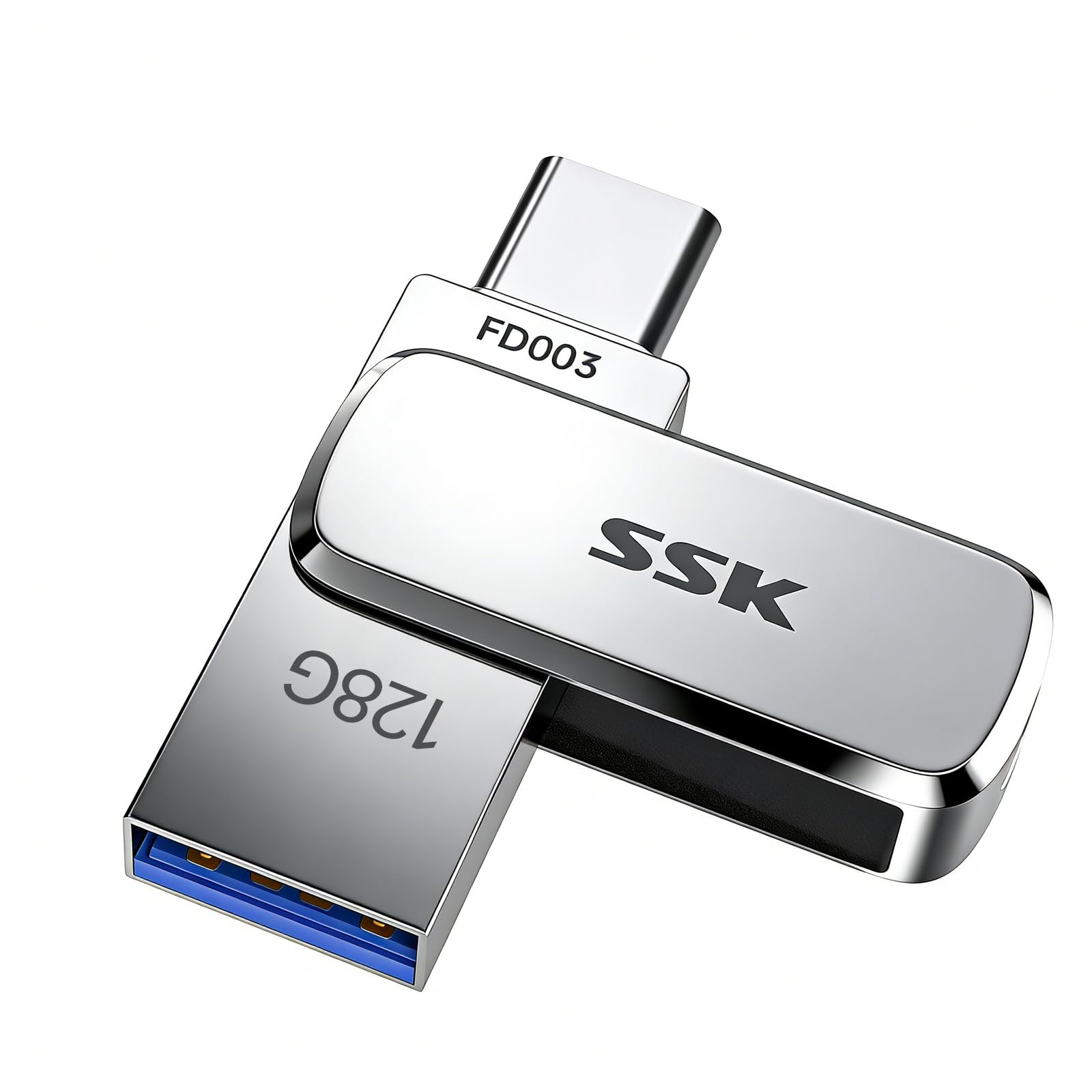
The FD003 from SSK measures just 41×12.2×7.6 mm — smaller than a typical fingernail nail — making it the most pocket-friendly dual-connector drive in this test. Despite the tiny footprint, it maintains a read speed up to 240 MB/s, which outpaces every other dual-drive except the Samsung. The write speed holds around 40-135 MB/s depending on file size and drive fullness, translating to roughly 2 minutes for a 10GB single transfer.
The UDP encapsulation process seals the internal chip and circuits, so the drive resists water, dust, and drops better than standard snap-together casings. During testing, it survived being left in a jeans pocket through a wash cycle with no data loss. The USB-C connector is also slightly longer than average, allowing it to reach into deep case phone ports without removing your protective cover — a detail that matters for iPhone 15 and Android users with thick cases.
The biggest challenge with this drive is size — it is so small that it is easy to lose if you detach it from a keychain. The included lanyard hole helps, but you must actively attach it to a ring. The thick zinc alloy shell dissipates heat quickly, preventing thermal throttling even when the drive is near full capacity. For users who prioritize portability and water resistance, the FD003 is the standout choice.
Why it’s great
- Tiny footprint smaller than a pinky nail; fits easily in a coin pocket
- Read speeds up to 240 MB/s with impressive sustained write rates
- UDP encapsulation provides actual water, dust, and drop protection
Good to know
- Extremely small and easy to misplace without a keychain attachment
- No integrated rotating cover; both connectors can accumulate pocket lint
- Limited to 128GB max in this form factor
5. Lexar 128GB JumpDrive Dual Drive D400
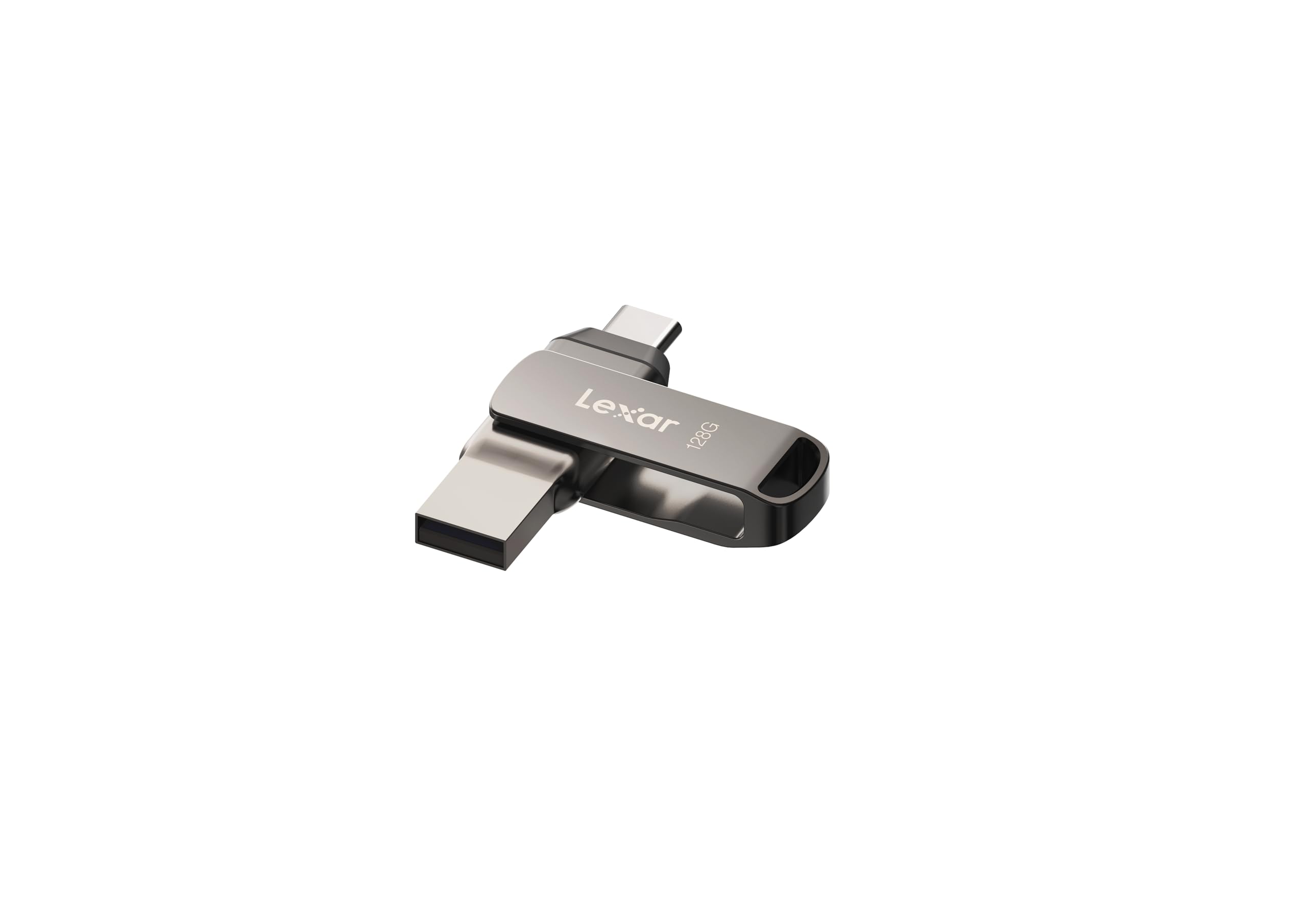
The D400 uses a smooth 180-degree swivel action to expose either the USB-C or USB-A connector, keeping the idle port tucked inside the metal housing. It achieves up to 130 MB/s read speeds on a USB 3.2 Gen 1 interface — adequate for everyday transfers but not competitive with the fastest drives in this list. The Lexar DataShield software offers 256-bit AES encryption for users who need to protect sensitive files with a password layer beyond basic access.
The titanium-colored metal casing feels solid in hand, though some users report the swivel mechanism has slight lateral play that may loosen over time if you carry it on a keychain. The drive automatically formats to exFAT for capacities over 32GB, so it handles single files larger than 4GB without issues across macOS and Windows. The physical size is compact enough to leave plugged into a laptop port without obstructing adjacent ports.
The main trade-off is price per gigabyte — the D400 sits near the middle of the range, but the 130 MB/s ceiling means you pay more per megabyte of speed compared to the faster SSK or Samsung drives. For users who need encryption software out of the box and prefer a swivel shield over a sliding or retractable design, the Lexar is a considered choice. The build quality is adequate for desk use, but for heavy pocket or keychain duty, the metal shell can scratch with daily abrasion.
Why it’s great
- Swivel mechanism protects the unused connector from damage
- Includes 256-bit AES encryption via Lexar DataShield software
- exFAT formatted out of box for seamless cross-platform use
Good to know
- Read speed limited to 130 MB/s, slower than premium alternatives
- Swivel joint can develop play if frequently keychain-carried
- Some units reported as feeling flimsy compared to all-zinc competitors
6. ORICO 128GB Dual USB-C & USB-A Mini Thumb Drive
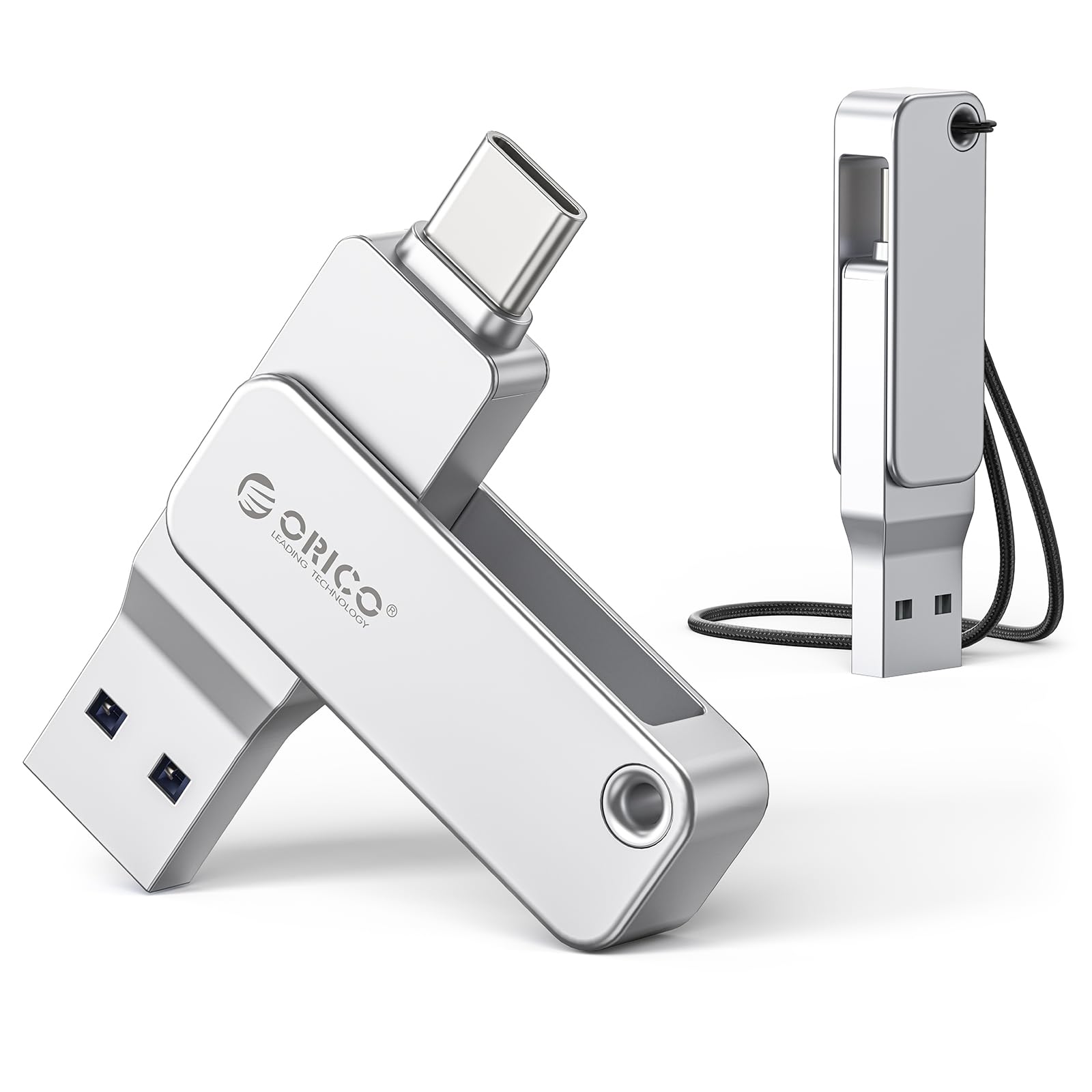
The ORICO EB05 delivers 128GB of dual-connector storage with a 360° rotating collar that exposes either USB-C or USB-A. Read speeds hit up to 150 MB/s, and write speeds average around 70 MB/s — respectable figures for a budget-friendly drive that does not compromise on build materials. The entire casing is milled from zinc alloy, giving it a premium heft that resists bending or cracking under daily stress.
The factory format for 64GB and larger units is exFAT, eliminating the FAT32 4GB single-file limit that frustrates users moving large video files. Plug-and-play compatibility extends across iPhone 15, Android phones, tablets, MacBooks, and gaming consoles without additional drivers. The small footprint of 57×14×12 mm makes it easy to leave in a camera bag or attached to a keychain without adding noticeable bulk.
The potential dealbreaker is that the drive is not compatible with Lightning-port iPhones (5 through 14) without a separate adapter. Some users have also reported that the advertised iPhone 16 Pro compatibility did not allow the plug to seat fully due to case depth. Beyond those specific compatibility notes, the ORICO is a strong entry-level choice that gives you a metal dual-drive experience without paying a premium. The 3-year warranty backs it for typical use cases.
Why it’s great
- Full zinc alloy construction at a budget-friendly price point
- exFAT format supports files larger than 4GB out of the box
- 3-year warranty for added confidence in daily use
Good to know
- Incompatible with Lightning iPhones without an additional adapter
- Some iPhone 16 Pro cases may block full insertion of the USB-C plug
- No IP rating for water or dust resistance
7. SSK 64GB USB C Flash Drive (FDU061)

The FDU061 is the most affordable dual-connector drive in this roundup, offering 64GB of capacity with a 360° rotating collar that protects the active plug. It reads at up to 200 MB/s over USB 3.2 Gen 1, which is faster than many mid-range drives and surprising at this price tier. The write speed is lower but remains functional for moving standard photo libraries and office documents without painful wait times.
The all-metal zinc alloy casing gives it a reassuringly solid weight, and the integrated keyring hole allows easy attachment to your everyday carry. Multiple users confirmed the drive survived Linux installs and repeated formatting cycles without corruption, indicating reliable NAND management. The 90-degree stuck-point design prevents the collar from rotating randomly in a bag, which is a nice refinement for a budget model.
The main limitation is the 64GB capacity floor — you will fill this drive quickly if you work with 4K video or large CAD files. The rotating design also leaves one connector exposed when the other is in use, similar to the Lexar D400. At its price, the FDU061 serves as an ideal entry point for someone who wants to experiment with a USB-C/USB-A workflow without a large financial commitment. For the price, the 200 MB/s read speed is the clear standout.
Why it’s great
- 200 MB/s read speed is exceptional for the entry-level cost
- Zinc alloy body feels premium and dissipates heat efficiently
- 360° collar with 90-degree detent prevents accidental rotation
Good to know
- 64GB capacity is small for 4K video or large software backups
- One connector always exposed during use; no dust cap included
- No water or dust resistance certification
FAQ
What does “3-in-1 flash drive” mean?
Can I use a 3-in-1 flash drive with an iPhone 15 Pro Max?
Why does my 128GB drive only show about 115GB of usable space?
Is a metal casing necessary for a 3-in-1 flash drive?
Can I format a dual USB drive to exFAT for file transfers larger than 4GB?
Final Thoughts: The Verdict
For most users, the best 3-in-1 flash drive winner is the SSK 128GB FD003 because it combines a compact 41mm footprint, 240 MB/s read speeds, and actual UDP water resistance at a mid-range price that undercuts larger alternatives. If you want maximum data throughput and the hardest body in the group, grab the Samsung Type-C 128GB — its 400 MB/s read speed and 5-year warranty make it the performance leader, though you will need a separate adapter for USB-A devices. And for generous 256GB capacity at a fair cost with the most user-friendly rotating collar, nothing beats the SanDisk 256GB Ultra Dual Drive Go.