
Our readers keep the lights on and my morning glass full of iced black tea. As an Amazon Associate, I earn from qualifying purchases.
Specs are compiled from manufacturer listings and verified buyer reviews and can change over time — please confirm the key details on the product page before buying.
Buying a convertible laptop means betting on the hinge. It’s the part that lets you fold the screen flat into tablet mode, prop it like a tent for movies, or stand it up to share a screen across a desk — and it’s where cheap designs fail. This guide is built around the machines that get that folding mechanism right while still delivering a keyboard you’ll want to type on all day.
I’m Min — the founder and writer behind Gadgets Feed. This guide is built by comparing the manufacturers’ published specifications and the patterns across verified customer reviews, so you get each pick’s real strengths and trade-offs instead of marketing spin.
You want a 3-in-1 laptop that folds into a tent for movies, stands up for recipes, and lies flat as a tablet—without dying by lunch. The best ones pair a smooth 360-degree hinge (a hinge that rotates the screen all the way around) with a responsive touchscreen and battery life that lasts a full day.
Our Picks at a Glance


How To Choose The Best 3-in-1 Laptop
Start with the hinge, since that’s what separates a true convertible from a laptop with a touchscreen. Then weigh the processor, memory, battery, and screen against how you’ll actually use the device each day.
Match the Processor to Your Day
An Intel Core i5 or i7 handles heavy multitasking, large spreadsheets, and video calls without breaking a sweat — but it costs more. A lighter Intel Celeron or Core i3 chip is fine for browsing, email, and streaming, and it sips battery power. Be honest about your workload before you pay for speed you won’t use.
Memory and Storage Are the Real Bottlenecks
8GB of RAM is the comfortable minimum for keeping several browser tabs and apps open at once; 16GB gives you serious headroom. For storage, an SSD (solid state drive) makes everything boot and load far faster than older hard drives, and the capacity you need depends on whether you store photos and files locally or in the cloud.
Screen Size vs. Portability
A 14-inch screen is a popular middle ground — big enough to work on, light enough to carry. Smaller 10-11 inch models are true travel companions but make split-screen work cramped. Larger 15-16 inch screens are gorgeous for media but get heavy in tablet mode, so think about how often you’ll actually hold it.
Quick Comparison
| Model | Best For | Display | Processor | Memory / Storage | Amazon |
|---|---|---|---|---|---|
| HP Pavilion X360 (i3)★ Best Overall | Budget-friendly reliability | 14″ HD Touch | Core i3-1005G1 | 8GB / 128GB SSD | Amazon |
| ASUS Chromebook Flip CX1Best Value | Student & cloud work | 14″ FHD Touch | Celeron N4500 | 8GB / 128GB eMMC | Amazon |
| CHUWI 2-in-1 MiniCompact Pick | Ultra-portable travel | 10.51″ FHD+ Touch | Intel N150 | 16GB / 512GB SSD | Amazon |
| HP Pavilion x360 (i5) | Full HD power multitasking | 14″ FHD IPS | Core i5-1035G1 | 8GB / 256GB SSD | Amazon |
| Dell Latitude 5320 | Business & productivity | 13.3″ FHD Touch | Core i7-1185G7 | 32GB / 512GB SSD | Amazon |
| Acer Aspire 3 Spin 14 | Versatile student value | 14″ WUXGA Touch | Core i3-N305 | 8GB / 128GB SSD | Amazon |
| Samsung Galaxy Book5 360 | All-day battery & AI | 15.6″ FHD AMOLED Touch | Core Ultra (Series 2) | 16GB / 512GB | Amazon |
| Microsoft Surface Pro | Tablet-first portability | 12″ Touchscreen | Snapdragon X Plus | 16GB / 512GB | Amazon |
| Lenovo Yoga 7i | Large-screen productivity | 16″ 2K Touch | Core Ultra 7 155U | 16GB / 2TB SSD | Amazon |
| Samsung Galaxy Book5 Pro 360 | Premium creative power | 16″ 3K AMOLED Touch | Core Ultra 7 258V | 32GB / 1TB | Amazon |
| Lenovo ThinkPad X1 2-in-1 | Premium business durability | 14″ WUXGA Touch | Core Ultra 7 255U | 16GB / 1TB SSD | Amazon |
In-Depth Reviews
1. HP 2020 Pavilion X360 2-in-1 Convertible 14″ HD Touch-Screen Laptop
Our pick — 4.5★ from 750+ verified ratings; the strongest balance of quality and price.
The dependable all-rounder that folds flat and keeps working all day.
This Pavilion X360 is the top pick because it folds into tent mode for a movie, props up as a stand for a recipe, or lies flat as a tablet—and still handles a dozen browser tabs. Its 360° hinge (a hinge that rotates the screen all the way around) pairs with a 10th Gen Intel Core i3-1005G1 CPU (a mid-range processor) that boosts up to 3.4GHz, so everyday multitasking stays smooth.
It comes with 8GB of RAM for smooth multitasking and a 128GB solid state drive that makes boot-up quick. Buyers report it handles genuinely heavy workloads — running Salesforce, MLS, and large Excel files side by side on a dual-screen setup with an Android phone, mouse, and earbuds all connected at once, via HDMI out and Bluetooth. The general consensus is that it’s reliable and fast, with the main trade-off being a screen that some owners find washes out colors after months of use.
At this level of performance, the machine is a proven workhorse that has earned its reputation for dependable daily use.
What owners lean on
- Handles heavy multitasking and dual-screen setups without complaint
- Fast boot-up thanks to the solid state drive
- Reliable for business tools like Salesforce and Excel
What to weigh
- Screen performance is the most mixed feature — some units show washed-out colors
- Value is a personal call; some owners feel it exceeds expectations, others don’t
Reach for this if: you need a dependable, budget-friendly convertible that won’t choke on a real workday, including heavy spreadsheets and video calls.
Look elsewhere if: color-critical photo editing is your focus — the 1366 x 768 HD panel is fine for work, not for creative accuracy.
2. ASUS Chromebook Flip CX1 Convertible Laptop, 14″ FHD NanoEdge 360-degree Touchscreen
The sturdy student sidekick with a hinge that feels built to last.
This ASUS Flip is the one buyers consistently praise for its build quality, and the standout detail is the flip mechanism itself — described as strong and dependable. The 14-inch FHD 1920×1080 NanoEdge touchscreen folds through four modes (laptop, tent, stand, tablet), so a teacher can switch from typing lesson plans to showing a touchscreen slideshow without missing a beat.
Under the hood sits an Intel Celeron N4500 processor with 8GB of RAM and 128GB eMMC storage. That’s enough for Google Classroom, browsing, and Android apps from the Play Store. The battery is rated up to 11 hours, which comfortably covers a full school or workday, and at 3.59 lbs it’s light enough to carry between classes. The 45W USB-C charger tops it off fast.
The honest catch is that it runs ChromeOS, not Windows. If you live in Google’s ecosystem, that’s a feature; if you need specific Windows-only software, it’s a limitation. The screen has vivid color and the touchscreen is solid, but performance gets mixed feedback — some find it slower than expected for demanding tasks.
Where it shines
- Strong, durable flip mechanism that feels quality-built
- Up to 11 hours of battery for all-day use
- Light at 3.59 lbs with solid touchscreen
Know before buying
- Performance is mixed — fine for cloud work, not for heavy tasks
- Runs ChromeOS, so Windows-only software won’t work
Best for: students, teachers, and anyone who works in Google’s apps and wants a reliable, budget-friendly convertible.
skip it if: you need native Windows applications — this one lives in the cloud.
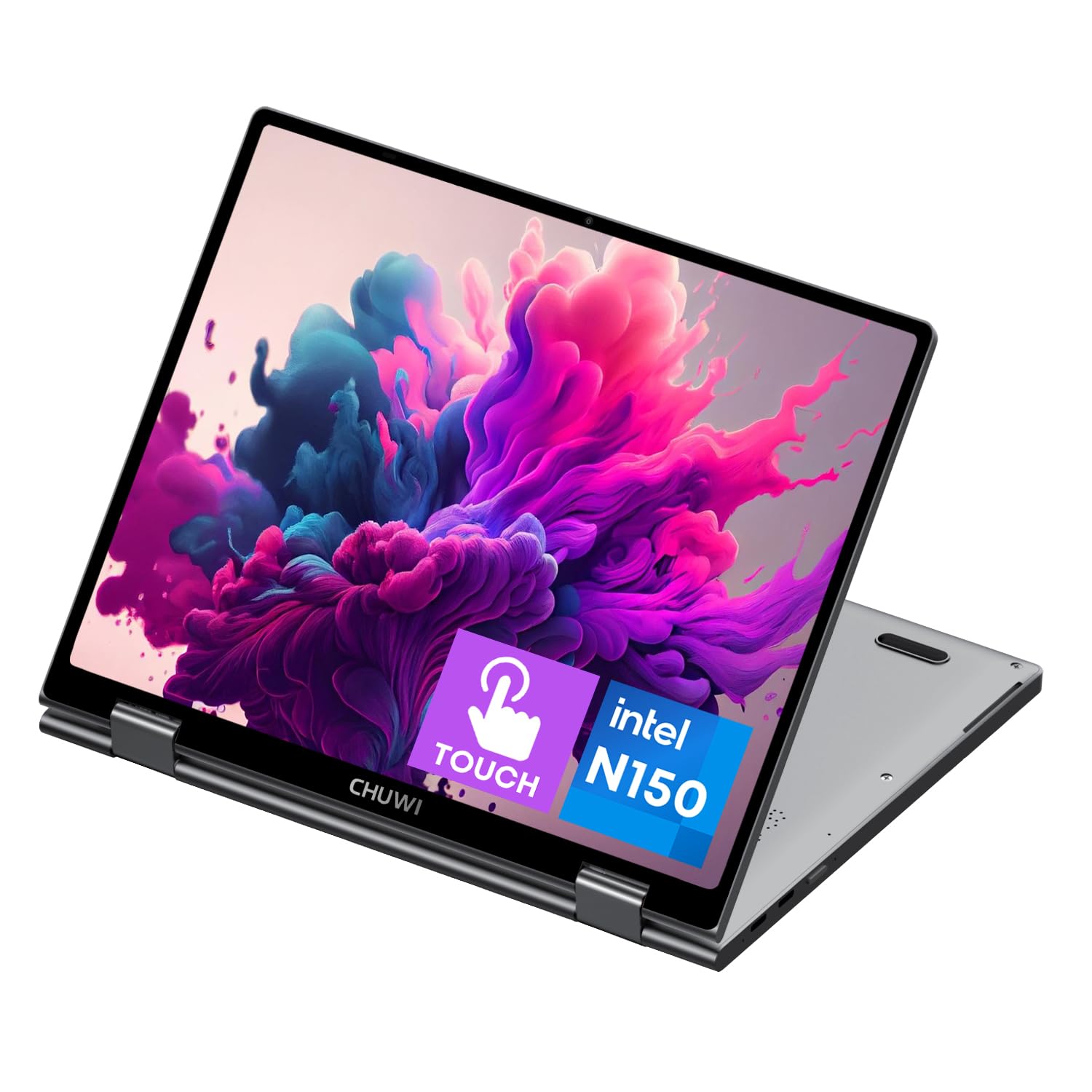
3. CHUWI 2-in-1 Touchscreen Laptop 10.51″, 16GB RAM 512GB SSD, Intel N150
A featherlight 10.51-inch traveler that folds away in any bag.
At just 0.899kg with a 360° flip-and-fold design, this CHUWI is the definition of a travel companion. The 10.51-inch FHD+ touchscreen packs a sharp 1920×1200 resolution with a 16:10 aspect ratio, so you get more vertical space for documents than a typical widescreen. Full sRGB coverage keeps colors vivid for streaming and light creative tasks.
What surprises owners is the spec sheet for the size: 16GB of LPDDR5 RAM and a 512GB SSD (expandable via an M.2 2280 slot up to 1TB) driven by an Intel N150 processor reaching 3.6GHz. That’s double the RAM and four times the storage of the entry HP X360. Owners mention it runs Linux distributions like Debian and Ubuntu flawlessly, calling the battery life great and the keyboard excellent for a machine this small.
The trade-off is battery discipline — several customers note around 3-4 hours of real use, and the screen runs at a native 50Hz portrait default. It also runs a bit hot under load. But for someone who wants a small, capable second machine for browsing, streaming, and light work, this is a strong pick.
Grab it for: frequent travelers and Linux fans who want a genuinely tiny, powerful convertible that slips into a daypack.
Think twice if: you need all-day battery (expect 3-4 hours) or a large screen for split-screen productivity.
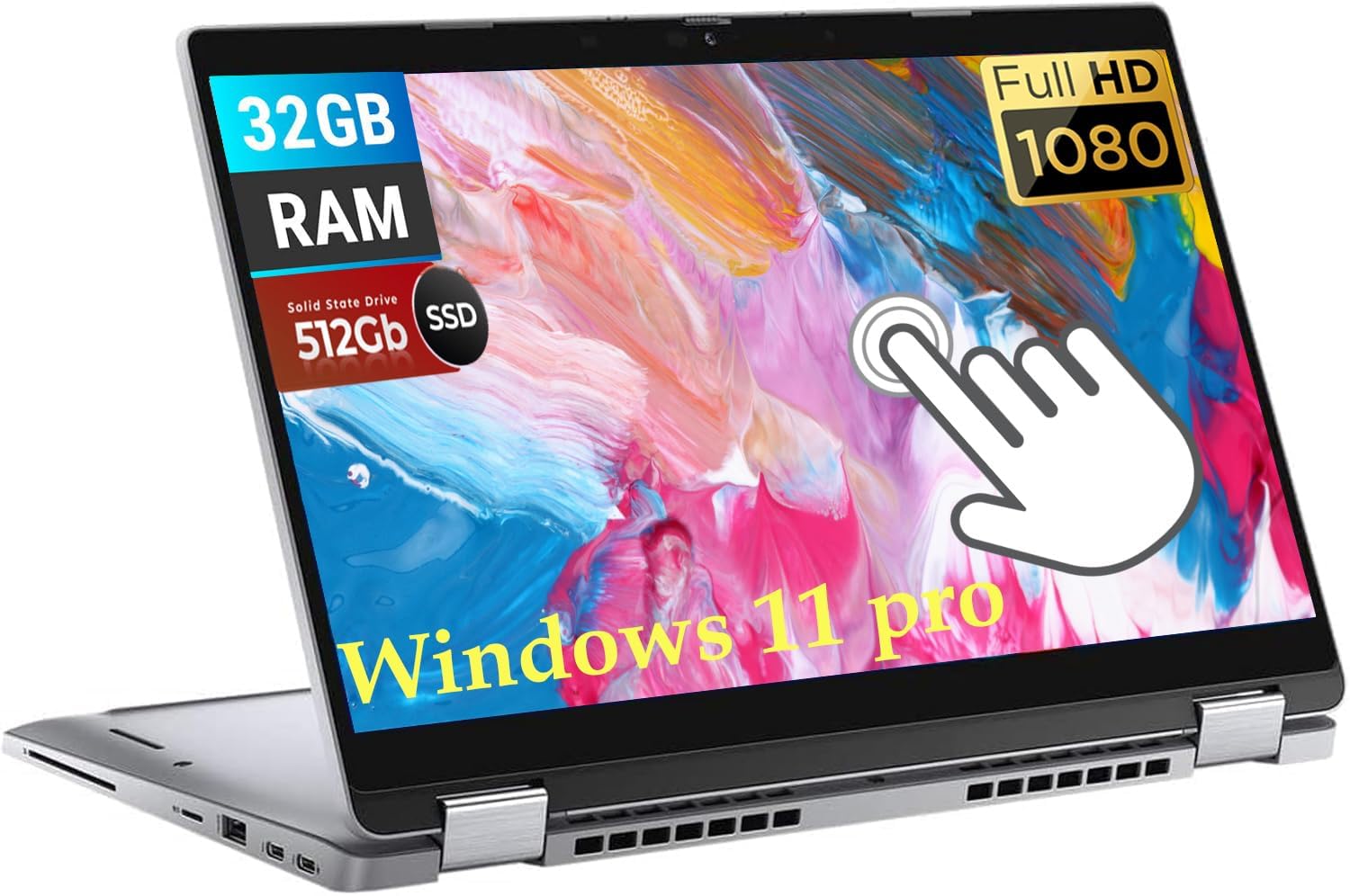
4. Dell Latitude 5320 13.3-Inch 2-in-1 Laptop (Renewed)
The business-grade workhorse that means serious multitasking.
This Latitude is aimed squarely at professionals. At its heart sits a powerful Intel i7-1185G7 processor (4 cores, 8 threads, with a base frequency of 3.0 GHz boosting up to 4.8 GHz). That’s the kind of headroom you want if you run heavy applications, multiple programs, and dozens of browser tabs without slowdown.
It ships with up to 32GB of RAM and a 512GB SSD, so boot-up is quick and there’s room for a large file library. The 13.3-inch FHD (1920×1080) touchscreen is revamped for clear video conferencing and streaming. Windows 11 Pro includes group policy management, making it easy for IT to control centrally — a feature businesses actually care about.
Because this is a renewed (refurbished) unit, quality varies by the specific unit you receive. Most reviewers point out it arrives like new and works great for school, work, and business. A few note the fan kicks on immediately at startup, which raises questions about long-term longevity — the inherent gamble with any used laptop.
Solid for work: the i7-1185G7 and 32GB RAM make this a genuine multitasking machine for business use.
The honest caveat: as a renewed unit, condition varies unit-to-unit; the fan running at startup is a noted concern from some owners.
5. Acer Aspire 3 Spin 14 Convertible Laptop | 14″ 1920 x 1200 IPS Touch Display

The note-taking natural with a pen-ready touchscreen for class.
If you take notes by hand, the Acer Spin 14 lets you sketch, annotate, and share work directly on its 14-inch WUXGA (1920 x 1200) IPS touchscreen (a high-resolution display with wide viewing angles). It supports WACOM AES pens (a standard for precise stylus input), though the pen is sold separately. Acer’s BlueLightShield filter cuts blue light to ease eye strain during long study sessions.
Performance comes from an Intel Core i3-N305 processor with 8GB of LPDDR5 RAM and a 128GB NVMe SSD. At 3.4 lbs and 18.9 mm thin, it’s easy to carry between classes. Shoppers say it handles 4K YouTube playback flawlessly, with a vibrant screen and fluid touch response. The 16:10 aspect ratio gives extra vertical space for documents and web pages.
Notable trade-offs: the keyboard is not backlit, which surprises some buyers, and tablet mode feels a bit stiff. Battery life is genuinely mixed — some call it fantastic, others find it doesn’t last long. Storage at 128GB is tight if you store files locally, though the full USB Type-C port helps with external drives.
What’s winning
- Vibrant, responsive 14-inch IPS touchscreen with pen support
- Fluid performance — 4K YouTube plays flawlessly
- Light and slim at 3.4 lbs for campus carry
What to know
- Battery life is the most mixed feature — varies by use
- Non-backlit keyboard and 128GB storage are limitations
Choose this for: students who want a pen-ready touchscreen, a crisp 1920 x 1200 display, and a solid keyboard for note-taking.
Pass if: you need backlit keys or all-day battery — this one is about screen quality, not endurance.
6. HP 2020 Pavilion x360 14″ FHD WLED Touchscreen 2-in-1 Convertible Laptop, Intel Core i5-1035G1

A crisp Full HD touchscreen that folds into a fast all-rounder.
Stepping up from the entry X360, this Pavilion brings a 10th Gen Intel Core i5-1035G1 processor (quad-core, up to 3.6GHz) and a beautiful 14-inch Full HD (1920 x 1080) multitouch IPS screen. The IPS panel delivers wide viewing angles and impressive color, so the screen is genuinely enjoyable to look at — a real upgrade over the HD panel on the cheaper model.
It pairs 8GB of DDR4 memory with a 256GB PCIe SSD plus a 16GB Optane solid state drive, which the maker claims delivers up to 15x faster performance than a traditional hard drive. Buyers report it’s “amazingly fast” with a responsive touchscreen, a sleek design, and a backlit keyboard with three levels of brightness. It runs Windows 11 without issue, boots quickly, and the fingerprint reader adds a convenient security layer.
The recurring, honest gripe is battery life — it’s the single most common negative mentioned, with owners reporting roughly 3-4 hours of real use. One buyer returned it due to weight and bottom heat despite praising its power. If you’re near an outlet most of the day, this is a standout; if you need all-day battery, it will disappoint.
Where it leads
- Crisp 1920 x 1080 IPS touchscreen with wide viewing angles
- Fast i5 performance with quick boot-up
- Backlit keyboard and fingerprint reader for convenience
The catch
- Battery life is the top complaint — expect about 3-4 hours
- Runs warm on the bottom under load
Best for: buyers who want Full HD clarity and i5 speed for online meetings and multitasking — as long as a power outlet is nearby.
Reconsider if: all-day battery is non-negotiable; this machine asks you to keep the charger close.
7. Samsung 15.6″ Galaxy Book5 360 Copilot AI Laptop, FHD AMOLED Touchscreen

The stamina king with a stunning AMOLED display and built-in AI smarts.
The headline number here is battery: up to 31 hours of power on a single charge. That’s the kind of endurance that lets you leave the charger at home for multiple days of classes or travel. Pair that with a 15.6-inch FHD AMOLED touchscreen and you have a display that owners describe as having great picture quality — deep blacks and vivid colors that make streaming look fantastic.
Inside is the latest Intel Core Ultra processor (Series 2), a chip designed for AI tasks, making this a next-gen AI PC. It comes with 16GB of RAM (memory for running apps) and 512GB of storage (space for files). The AI features are genuinely useful: AI Select lets you trace anything on screen with your finger or cursor to get instant search results, and Live Captions auto-translates speech in meetings and videos into English captions in real time. Phone Link mirrors your Galaxy phone’s notifications on the laptop.
Owners love how quickly it boots and how easily it connects to other Samsung devices via Quick Share. It’s thin, light, and ready for a backpack. The main caveat is that a few owners hit setup issues — one couldn’t get past initial configuration and returned it — but the vast majority report long battery life and a smooth experience.
Built for endurance: the 31-hour rated battery and AMOLED screen make this the pick for all-day, media-rich work.
Who it suits: Samsung ecosystem users who want smooth phone-to-laptop file sharing and AI-assisted productivity.
8. Microsoft Surface Pro 2-in-1 Laptop/Tablet (2025), Windows 11 Copilot+ PC, 12″ Touchscreen Display

A true tablet-first convertible that’s light, compact, and genuinely portable.
The Surface Pro flips the convertible formula: it’s a tablet first, a laptop second, with a built-in kickstand to prop it up and a Surface Pro Keyboard (sold separately) to attach when you need to type. The 12-inch PixelSense touchscreen delivers crisp detail and vibrant color at a 2196 x 1464 resolution with a 60Hz refresh rate, in a compact size that buyers call ideal for travel.
Power comes from a Snapdragon X Plus processor with an AI engine that delivers up to 45 trillion operations per second, paired with 16GB of RAM and 512GB of storage. Battery is rated up to 16 hours. Owners consistently praise it as lightweight, well-built, and smooth for Excel, Word, web browsing, and streaming — with battery that outlasts a full workday. The Slim Pen (sold separately) is reported to be accurate for note-taking.
The honest trade-offs: you need the separate keyboard for true laptop mode, and performance is not for heavy creative work like Lightroom Raw Denoise, which runs slowly. It’s also fanless, so sustained heavy loads will throttle. For general tasks, light travel, and a device that genuinely works as a tablet, it’s exceptional.
What wins people over
- Compact 12-inch size that’s genuinely portable for travel
- Rated up to 16 hours of battery — outlasts a workday
- Sharp 2196 x 1464 touchscreen with smooth Windows 11
What to plan for
- Keyboard and pen sold separately — budget for them
- Not built for heavy creative workloads like photo editing
Best for: travelers and commuters who want a featherlight device that works as a real tablet and a real laptop.
Skip if: you need Windows software that demands an Intel processor or heavy sustained performance — this one is about portability.
9. Lenovo Yoga 7i 2-in-1 Laptop, 16″ 2K Touchscreen Display, Core Ultra 7 155U

A huge, crisp 16-inch screen with desktop-class storage and speed.
The Yoga 7i is for people who want a large, high-resolution canvas. The 16-inch 1920 x 1200 IPS touchscreen is described by owners as clear and crisp, with the 2K resolution providing vivid color and wide viewing angles. It flips through four modes — laptop, tablet, tent, and stand — with Lenovo Transition automatically adjusting apps to full screen as you change modes.
Inside is a smart 12-core Core Ultra 7 155U processor (up to 4.80 GHz) with 16GB of DDR5 RAM and a massive 2TB PCIe 4.0 SSD. That’s storage for decades of photos, videos, and projects without an external drive. Connectivity includes the latest Wi-Fi 6E for lower latency, a Gigabit LAN port for wired reliability, Thunderbolt 4, and a fingerprint reader. Owners mention it runs Microsoft Access fast and works flawlessly with docks and external monitors.
At this size, it’s undeniably heavy in tablet mode — owners note it feels big and heavy compared to a dedicated tablet like an iPad. The speakers are also weak despite Dolby Atmos branding. But for desktop-replacement productivity, the value is exceptional.
The big wins
- Massive 2TB SSD — no external drive needed for most users
- Crisp 1920 x 1200 touchscreen with wide viewing angles
- Fast Core Ultra 7 with 16GB DDR5 RAM
The trade-offs
- Feels heavy in tablet mode vs. a dedicated tablet
- Speakers are weak despite Dolby Atmos
Reach for this if: you want a desktop-replacement convertible with a huge screen, serious storage, and fast performance for business or creative work.
Consider alternatives if: you’ll mostly hold it as a tablet — at 16 inches, it’s a lap machine, not a hand-held one.
10. Samsung 16″ Galaxy Book5 Pro 360 Copilot+ PC, Intel Core Ultra 7 258V, 3K AMOLED Touchscreen

A stunning 3K AMOLED canvas with AI power and premium build.
The Galaxy Book5 Pro 360 is Samsung’s flagship convertible, and the display is the star: a 16-inch 3K (2880×1800) AMOLED touchscreen with anti-reflective Corning Gorilla Glass and Vision Booster adaptive brightness. Owners describe the clarity as amazing and the screen as gorgeous — the kind of panel that makes photo editing and streaming feel premium. The 120Hz refresh rate makes scrolling and pen strokes feel fluid.
Under the hood is an Intel Core Ultra 7 258V processor with a neural processing unit (NPU) reaching as high as 47 TOPS to power Copilot+ AI features, paired with 32GB of RAM and 1TB of storage. The included S Pen offers multi-touch gestures and enhanced tilt sensitivity for natural writing and drawing. At 12.7mm thick and 3.72 lbs, it’s the lightest in the Galaxy Book5 Series despite the power.
The caveats are real. Battery life is the most mixed feature — some call it incredible, but others report it lasts only 3 hours or less under demanding use. More concerning, screen stability is flagged as a negative, with multiple owners reporting the AMOLED panel cracking within months of ownership. Samsung’s warranty response to that issue drew sharp criticism from affected buyers.
A display-first flagship: the 3K AMOLED at 120Hz, 32GB RAM, and included S Pen make this a joy for creative and media work.
The serious caveat: a noted screen-stability concern and polarizing battery life mean this is a love-it-or-risk-it premium buy.
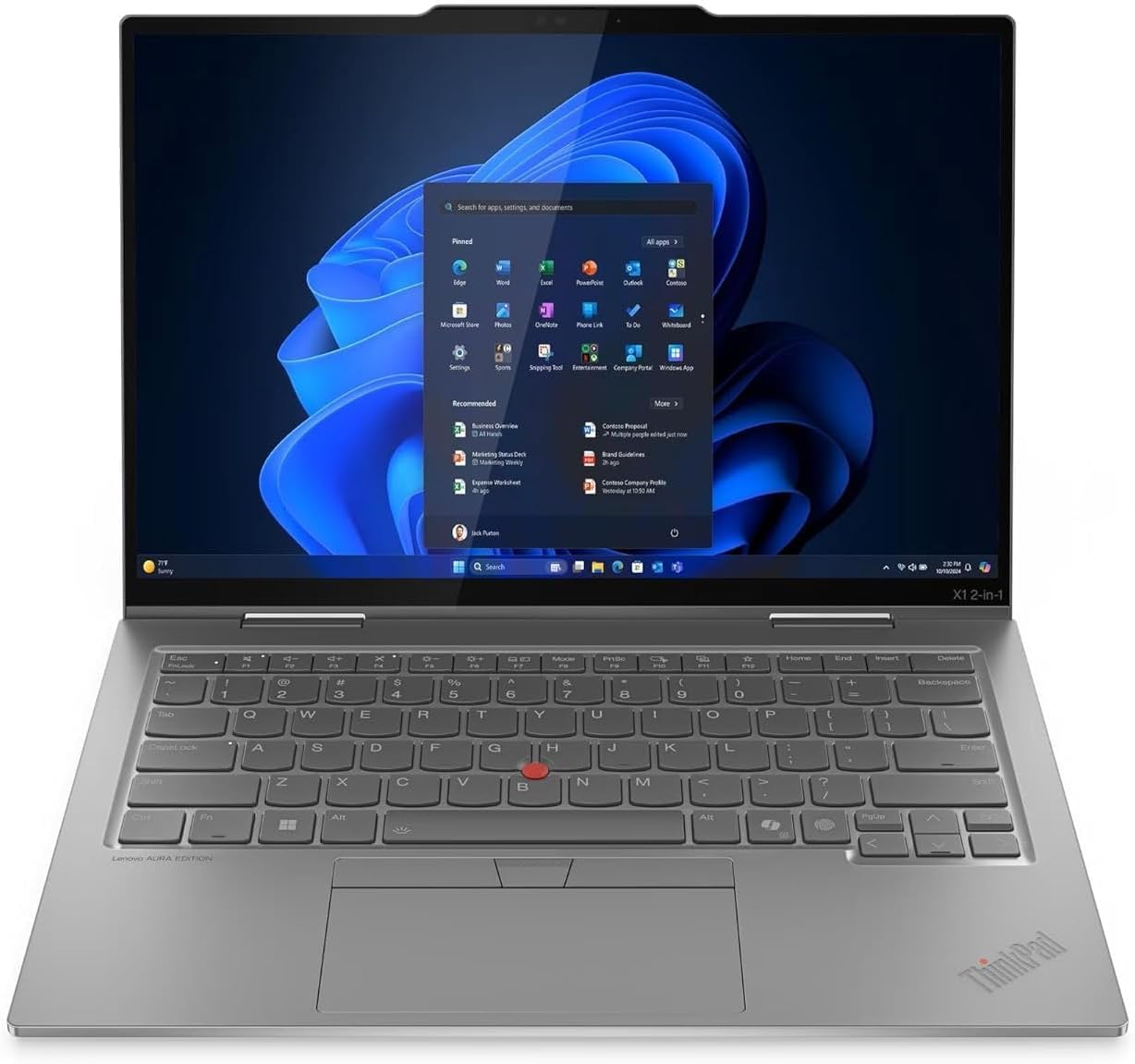
11. Lenovo ThinkPad X1 2-in-1 Gen 10 Aura Edition Laptop, Intel Core Ultra 7 255U
The ultra-light business legend with a keyboard built for marathon typing.
The ThinkPad X1 is the convertible for professionals who live on their keyboard. It’s driven by an Intel Core Ultra 7 255U processor reaching 5.2 GHz — the highest boost clock on this list — with 16GB of LPDDR5X-8400MT/s memory and a 1TB Gen 4 SSD. The 14-inch WUXGA touchscreen folds 360 degrees for easy screen sharing, and owners consistently describe the display as crisp.
What sets the X1 apart is its build. It’s one of the lightest laptops many owners have experienced, with a comfortable keyboard that’s “not too clicky.” Connectivity is comprehensive: 2x USB-A, 2x USB-C with Thunderbolt 4 / USB4 40Gbps (a fast data transfer standard) with DisplayPort 2.1, and HDMI 2.1 up to 4K/60Hz (so you can connect a 4K monitor at 60 frames per second). The bundled GaN charger delivers rapid charging, claimed to be up to four times faster than standard adapters. One owner’s prior X1 Carbon lasted 12 years, underscoring ThinkPad durability.
The trade-off is value. At the premium price point, opinions split on whether it’s worth it — most say yes for the build and speed, but a few note it’s not the least expensive option. A small minority report persistent technical issues including driver failures and motherboard problems, with mixed experiences on Lenovo support. For most, though, this is a laptop built for the long haul.
The elite strengths
- Lightweight build with a top-tier typing keyboard
- Fast 5.2 GHz Core Ultra 7 with 1TB SSD
- Full Thunderbolt 4 and HDMI 2.1 connectivity
Weigh these
- Premium price — value is a personal call
- A small minority report driver and reliability issues; support experience varies
Best for: business travelers who want an ultra-light, durable convertible with a superb keyboard and fast charging.
Look elsewhere if: budget is the primary concern — this is a long-term investment, not a bargain.
Understanding the Specs
The 360° Hinge
This is the mechanical heart of any convertible. A well-built 360-degree hinge lets you rotate the screen all the way around to fold flat into tablet mode, stand like a tent, or prop like an easel — thousands of times without loosening. The best hinges feel firm but smooth, holding the screen at any angle without wobbling. Cheap hinges get floppy fast, so this is the spec to scrutinize most.
Touchscreen Panel & Resolution
The touch layer turns a laptop into a tablet, and the resolution determines how sharp text and images look. A 1920×1080 (Full HD) panel is the modern baseline for crisp text. Higher resolutions like 1920×1200 or 3K AMOLED add vertical space or stunning color depth, which matters for note-taking, photo editing, and media. An IPS panel keeps colors accurate from wide viewing angles, while AMOLED delivers deeper blacks and richer contrast.
FAQ
What is the difference between a 2-in-1 and a 3-in-1 laptop?
Will a convertible laptop scratch its screen in tablet mode?
How much RAM do I really need in a convertible laptop?
Can I use a pen or stylus on these touchscreens?
Is a Chromebook convertible enough for college?
How long does a convertible laptop battery typically last?
Is it better to buy a renewed (refurbished) convertible laptop?
What does the 360-degree hinge let me do that a regular laptop can’t?
Should I worry about screen fragility on an AMOLED convertible?
How much storage do I need for a convertible laptop?
Final Thoughts: The Verdict
For the majority of shoppers, the 3-in-1 laptop winner is the HP Pavilion X360 (i3) because it delivers dependable multitasking performance, a proven 360° fold design, and a trusted brand at a budget-friendly price. If you want the crispest screen and fastest day-to-day feel for a similar form factor, the HP Pavilion x360 (i5) upgrades you to a beautiful Full HD IPS display with more power. And for serious creatives and media lovers who want a stunning display and all-day endurance, the Samsung Galaxy Book5 360 is the one to reach for.
How We Picked
We do not accept paid placement. Every pick is matched to a real buyer and a real use-case; we do not hands-on test units.
Sources & Methodology
Specifications: manufacturer listings and product documentation. Review insights: verified customer reviews, as of August 2026. Pricing: not shown on this page (it changes often); check the current price via the retailer link.
As an Amazon Associate, Gadgets Feed earns from qualifying purchases. This does not affect which products we feature.