
Our readers keep the lights on and my morning glass full of iced black tea. As an Amazon Associate, I earn from qualifying purchases.
Specs are compiled from manufacturer listings and verified buyer reviews and can change over time — please confirm the key details on the product page before buying.
If you want the short answer: for a home office that mostly prints text and forms, buy a black-and-white laser all-in-one. For a household that prints the occasional school photo and color flyer, buy an inkjet. That split decides most of your purchase: a 3-in-1 printer that prints, scans and copies is only as good as the job you hand it every week.
I’m Min — the founder and writer behind Gadgets Feed. This guide is built by comparing the manufacturers’ published specifications and the patterns across verified customer reviews, so you get each pick’s real strengths and trade-offs instead of marketing spin.
Below you get nine machines split by what they actually do well, from budget inkjet units to a business-grade color laser. Every pick was checked for real print, scan and copy hardware, and each one is here for a different kind of owner — the cheat sheet for a smart call on a 3-in-1 printer.
Our Picks at a Glance


How To Choose The Best 3-in-1 Printer
A 3-in-1 printer has to do three jobs — put ink or toner on paper, read a page back in, and duplicate one onto the other. Most buyers shop on the print spec alone and ignore the scanner and copier they will use just as often. Here is what actually separates these machines.
Laser or inkjet: match the machine to what you print
Laser models use toner powder and print sharp black text at high speed, which is why the black-and-white units here run from 35 to 36 pages per minute. An inkjet uses liquid ink and handles color photos and graphics far better. If nine out of ten pages you print are text documents, a laser saves you real time. If half are photos and color graphics, an inkjet is the honest answer.
Speed is measured two ways, and both count
Pages per minute (ppm — how many sheets the machine completes in sixty seconds) tells you about long jobs. First-page-out time (how long the machine takes to warm up and hand you sheet one) tells you about quick jobs. Both matter: a machine that finishes a 30-page report fast still feels sluggish if you are standing there waiting for a single page.
The scanner is the half everyone forgets
A flatbed glass lets you scan a book page or a passport. An auto document feeder sits on top and pulls a stack through on its own — that is what turns a 15-page contract from a chore into a job you can start and walk away from. If you copy multi-page paperwork, weigh the feeder as heavily as the print spec.
Work out your cost per page before you commit
Cartridge machines are cheap to buy. Ink tank and toner models cost more up front but stretch further between refills. Look at what comes in the box — the included cartridge or bottle set is part of what you are paying for, and it tells you how long before the first replacement.
Quick Comparison
| Model | Best For | Print Speed (B&W) | Duplex | Paper Tray | Amazon |
|---|---|---|---|---|---|
| Brother HL-L2480DW★ Best Overall | Small offices printing documents | 36 ppm | Automatic | 250-sheet | Amazon |
| Canon PIXMA TR7120Budget Champion | Budget home color printing | 14 ppm | Automatic | — | Amazon |
| Epson Workforce WF-2830Fax-Ready Pick | Light-duty color with fax | 10.3 ppm | Automatic | 100-sheet | Amazon |
| HP OfficeJet Pro 8125 | Home office color documents | 20 ppm | Automatic | 225-sheet | Amazon |
| Epson EcoTank ET-2800 | High-volume families | 10 ppm | Simplex | — | Amazon |
| Canon MegaTank G3270 | Refillable cartridge-free printing | 11 ppm | Simplex | — | Amazon |
| Xerox B235DNI | Small business black-and-white work | 36 ppm | Automatic | — | Amazon |
| HP LaserJet Pro 3101sdw | Small teams in an office | 35 ppm | Automatic | 250-sheet | Amazon |
| Brother MFC-L8930CDW | Business color with security needs | — | Automatic | — | Amazon |
In‑Depth Reviews
1. Brother HL-L2480DW Wireless Compact Monochrome Multi-Function Laser Printer
Our pick — 4.5+★ from 600+ verified ratings; the strongest balance of quality and price.
The document workhorse that finishes a stack before you have refilled your coffee.
Here is the number that decides it: this machine pushes out black-and-white pages at 36 pages per minute — that is sheets completed in sixty seconds. The Canon PIXMA TR7120 manages 14 pages per minute on the same job, so on a thirty-page report you are waiting through a long gap. For a home office where documents are the daily currency, that speed is the whole purchase.
It also hands you the first page in 8.5 seconds, so a single-page form does not leave you hovering. Paper handling is generous too: the main tray holds 250 sheets, against the Epson Workforce WF-2830’s 100-sheet tray, so you reload far less often. A flatbed scan glass handles a book page or a signed form, and a manual feed slot takes envelopes and specialty paper. The 2.7-inch touchscreen (a color display you tap like a phone) lets you print straight to cloud folders — Google Drive, Dropbox, OneNote and more — without opening a laptop at all.
What wins people over is the print quality, which is the thing buyers talk about most, followed closely by how painless setup is. One connection quirk shows up often enough to plan around: the wireless link is the single most mixed area in the feedback, so if your router sits far away, run the Ethernet cable it accepts. The honest catch is color — this is a monochrome machine, so photos and color logos are simply off the table. Brother also nudges you toward its Refresh toner subscription, and you can ignore that and buy standard toner like anyone else.
Where it pulls ahead
- 36 pages per minute in black and white — the fastest single-function split in this lineup
- 250-sheet tray means fewer reload interruptions
- Automatic duplex (two-sided printing) is standard, so long reports use half the paper
- Flatbed glass plus a manual feed slot for envelopes and card stock
- 2.7″ touchscreen with direct print-to-cloud from the panel
What to weigh first
- Black and white only — no color printing at all
- Wireless setup is the most inconsistent part of the owner experience
- Toner subscription pitch is baked into the onboarding
Buy it if: your week is contracts, invoices, forms and school letters, and you want them out fast without babysitting the tray.
Think twice if: you need a single color school photo off it — this machine cannot give you one.
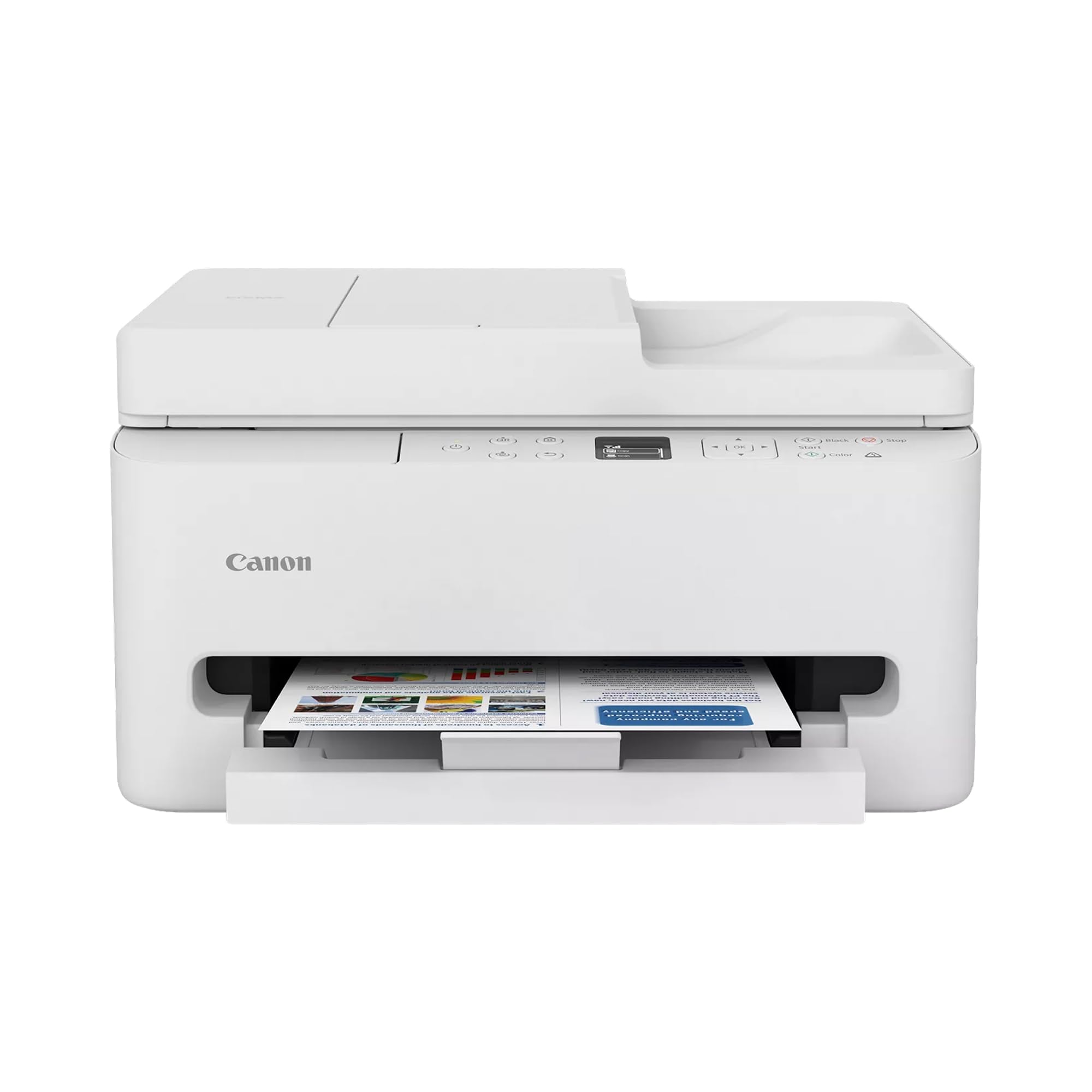
2. Canon PIXMA TR7120 Wireless Color Inkjet Printer
The entry-level color unit that still packs a document feeder on top.
Most budget inkjets strip the scanner down to bare glass. This one keeps the auto document feeder — the tray that pulls a stack of pages through on its own — so a 20-page contract copies without you standing over it flipping pages. That single feature is what separates it from the cheapest tier of color printers, and it is why hybrid workers keep coming back to it.
You get both black and color ink in the box, spread across cyan, magenta, yellow and black cartridges, so pictures and text print on day one without an extra errand. The 1.42-inch monochrome OLED screen (a small readout panel that is not touch-sensitive) lets you check ink levels and status at a glance rather than through an app. Automatic two-sided printing also means long documents eat half the paper.
The trade-off is tempo. This machine prints black-and-white at 14 pages per minute, so it is a genuine step down from the laser picks above — the Brother HL-L2480DW runs at 36. At 9 pages per minute in color, a photo-heavy job takes patience. The economics are the mixed part: the hardware is inexpensive, but two-cartridge ink is where the money goes over time, and wireless stability is the other recurring note. Voice control through Amazon Alexa rounds it out if you like talking to your devices.
The real-world read: crisp text and vivid photos from a compact footprint — this is what a first printer should feel like, and the setup takes minutes on a phone or laptop.
Plan around this: budget inkjet refills shrink the initial savings over a couple of years, so buy this for light-to-moderate printing rather than a busy home office running daily batches.
Right call for: renters, students and hybrid workers who print a mix of color and documents and want an ADF without spending on a laser.
Not for you if: you print more than a few dozen pages a week — the per-page ink cost will outrun the money you saved on the machine.
3. Epson Workforce WF-2830 Wireless Color Inkjet All-in-One Printer
Four functions where most rivals offer three — fax included for the offices that still need it.
If you handle rental paperwork, medical forms or anything a fax number still touches, this is the one pick that adds faxing to the print, scan and copy trio. It carries a 30-page auto document feeder for copying and scanning, plus automatic two-sided printing so double-sided forms come out correctly the first time.
Under the hood it prints black at 10.3 pages per minute and color at 4.5, and the 1.4-inch color LCD (a small screen for menus and status) keeps navigation simple. Wi-Fi Direct lets a phone or tablet join the printer’s own network when your home Wi-Fi is flaky — handy for guests or a rented space where you cannot touch the router. Pigment black Claria ink is the spec behind sharp text on proposals and reports.
Be honest about the paper: the tray holds 100 sheets, which is on the small side compared with the 250-sheet Brother HL-L2480DW above, so plan on reloading regularly. The bigger caution is durability — power faults are the dominant theme in the feedback, and this is a light-duty machine rather than a department workhorse. A small, honest pool of buyers means fewer voices to reassure you, so treat it as a good fit for occasional use.
What earns it a place: fax capability and a 30-page feeder on a compact wireless color inkjet — a combination the cheaper color picks do not offer.
Where it runs short: light-duty build and a small tray; fine for the home desk, thin for a busy office counter.
Who it clicks with: anyone who still genuinely needs to send or receive a fax and wants scanning and copying in the same box.
Where to look elsewhere: high-volume offices should trade up to a laser with a bigger tray and sturdier duty cycle.
4. HP OfficeJet Pro 8125 Wireless All-in-One Color Inkjet Printer
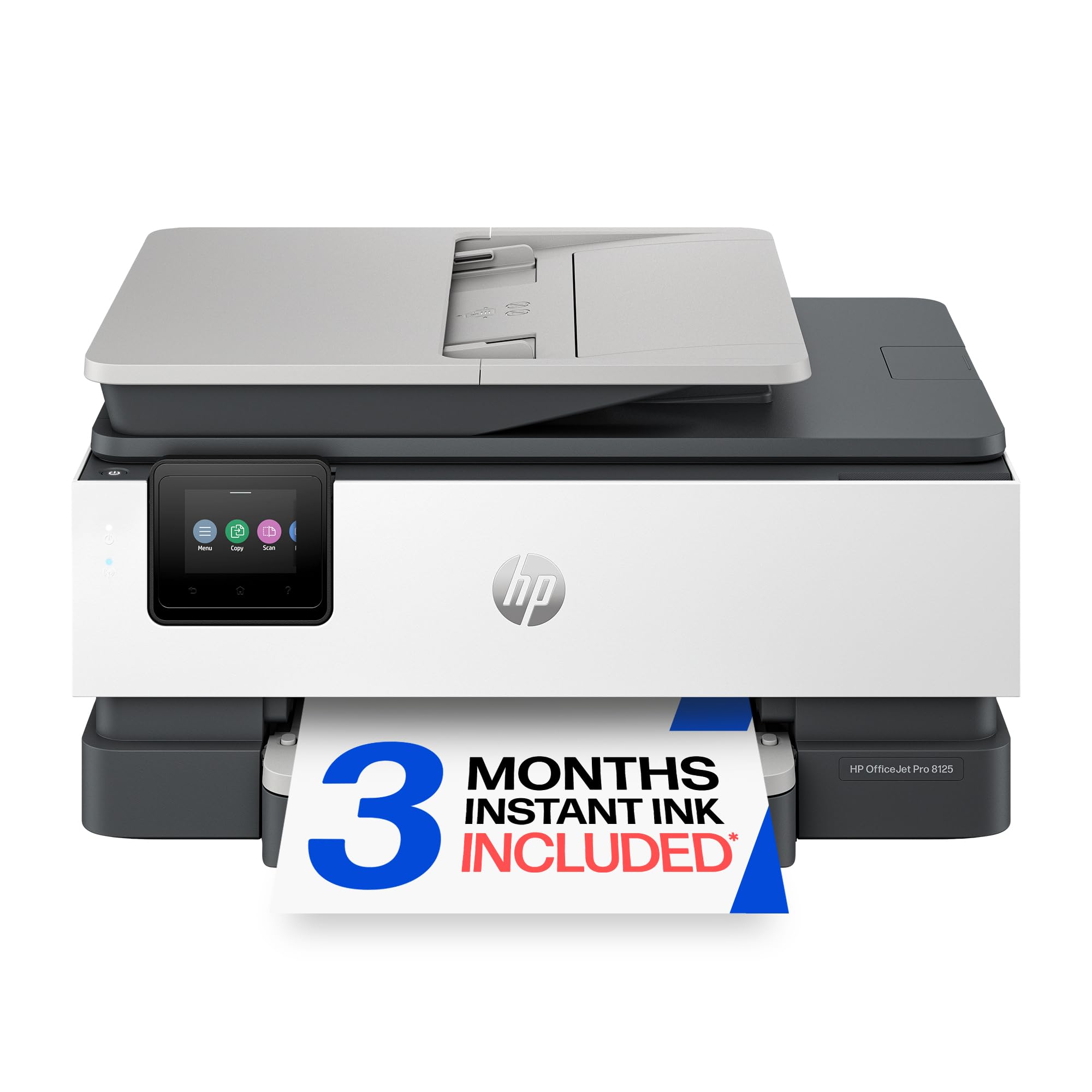
Color documents at office pace, from a machine that ships with three ink cartridges loaded.
Twenty pages per minute in black and 10 in color — that is the headline for anyone printing branded reports, proposals and flyers rather than plain text. Compare it with the Canon PIXMA TR7120’s 9 pages per minute in color and the gap is obvious on a batch of client handouts. The 225-sheet input tray and 50-page auto document feeder mean you can stack a job and walk away, and automatic duplex covers both sides without you flipping paper.
A 2.7-inch color touchscreen with a phone-style interface drives the menus, and the HP app handles print, scan, copy and fax from your phone. HP’s AI formatting (a feature that cleans up web pages and emails before printing) trims the wasted pages that usually trail a shopping confirmation or a long email thread. HP Wolf Essential Security is included to watch the network side, and the chassis is made with more than 45% recycled plastic content. The box includes setup cartridges across black, cyan, magenta and yellow.
The honest catch is consistency. Setup, connectivity and print speed all come back mixed in owner feedback — some find the connection instant, others fight it. The recurring note is cartridge quality: this machine is locked to genuine HP chips and will refuse third-party cartridges, and firmware updates keep it that way. That is a running-cost decision, so price genuine HP 923 cartridges before you commit. Ink delivery through the Instant Ink trial is optional after the included period.
The buying case: a color home-office machine with a 225-sheet tray, a 50-page feeder and automatic duplex — the everyday paper handling of a much bigger office printer.
The honest caveat: locked to HP cartridges, so your running cost is set by HP rather than by whoever sells the cheapest compatible ink.
Worth it for: small offices that print color reports and flyers daily and want the machine to hold a full ream without reloading.
Look past it if: you want to buy third-party ink — this one simply will not run on it.
5. Epson EcoTank ET-2800 Wireless Color All-in-One Supertank Printer
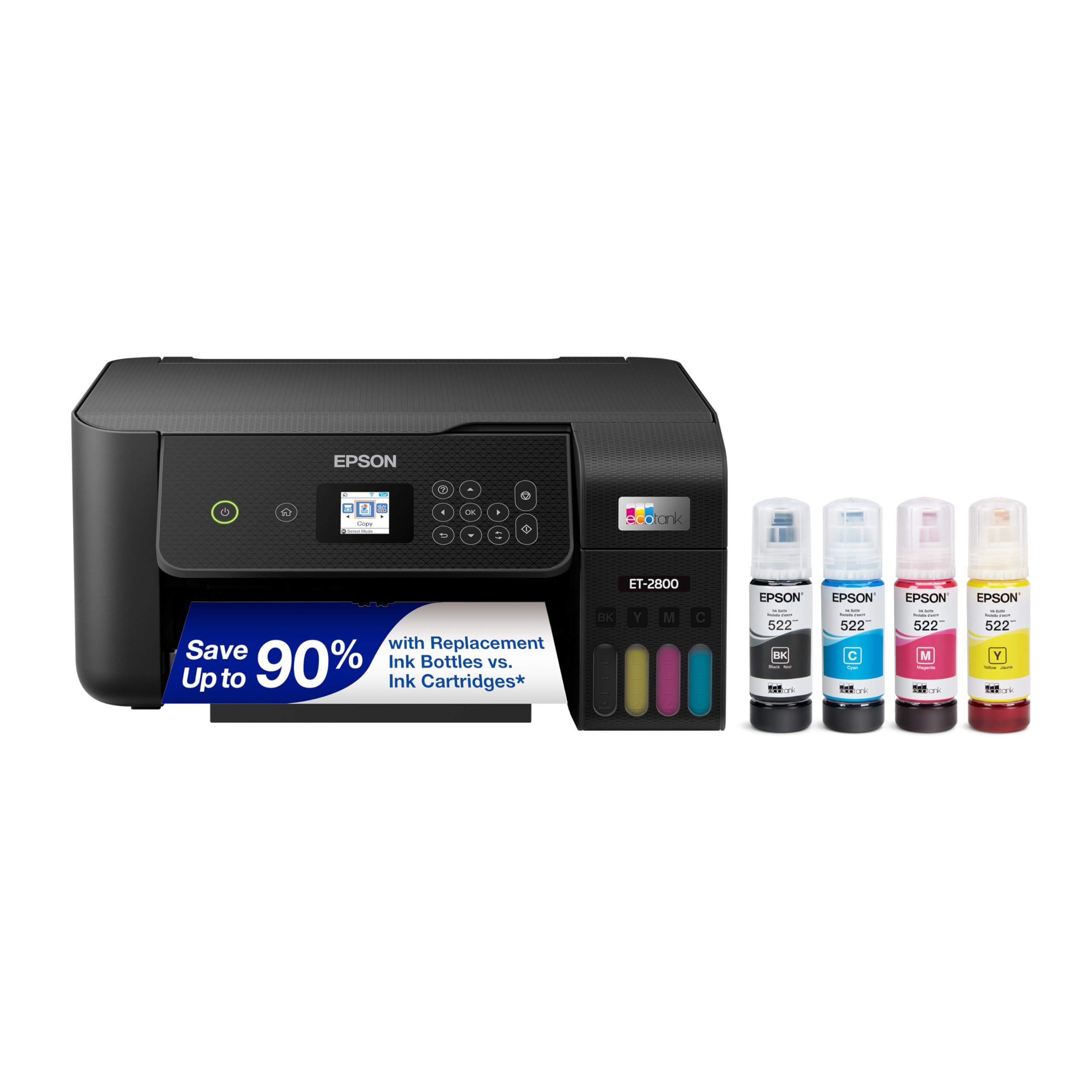
No cartridges to swap — you pour ink into a tank and forget about it for months.
The spec that matters here is the one printed on the ink bottles: up to 4,500 black pages and 7,500 color pages from a single bottle set. That figure is the entire reason this printer exists. Instead of counting cartridge swaps, you top up a reservoir with Epson bottles and keep printing — which is why the ink life conversation around this machine is so mixed, because the tank lasts so long that some owners never reach the refill stage before something else goes wrong instead.
Print, scan and copy are all handled, with a flatbed glass for book pages and single sheets, and Wi-Fi lets phones, tablets and laptops across the house share it. Micro Piezo Heat-Free technology is Epson’s print-head approach, and the box includes up to two years of ink. Setup is the most-praised part of owning it by a wide margin, and it is genuinely a ten-minute job on a phone.
Two limits to accept up front. There is no automatic duplex — double-sided printing means flipping the stack by hand — so if you print two-sided reports daily, pay the extra for a duplex model. And while setup shines, the durability and print-quality feedback is more divided: some buyers report clear output for years, others run into trouble early. That spread is the reality of a high-volume, low-cost-per-page machine; buy it for everyday household printing and it delivers.
Straight talk on value: refillable tanks plus a 4,500-black-page bottle set make this the cheapest running inkjet on this list for a family that prints constantly.
The catch that bites: no auto duplex and no ADF — multi-page copies and double-sided jobs are manual, every time.
Made for: households printing homework, recipes and color pages every day, where low ink cost beats fast output.
Avoid if: you copy stacks of multi-page documents — the missing feeder and duplex turn that into a hands-on chore.
6. Canon MegaTank G3270 All-in-One Wireless Inkjet Printer

A two-year ink supply in the box, wrapped around a scanner you can actually rely on.
Read the box spec before anything else: a single set of GI-21 ink bottles covers up to 6,000 black-and-white pages and 7,700 color pages, and Canon includes up to two years of ink with the machine. That is the pitch, and it lands — the driver here is not speed, it is the fact that you will barely think about ink for the first year or two of ownership.
It prints at 11 pages per minute in black and 6 in color, so compare it with the 10 pages per minute of the Epson EcoTank ET-2800 above and it edges ahead slightly, though neither is fast. The 1.35-inch square LCD handles status and ink levels, and the app drives print, scan and copy from a phone. What wins people over is outright reliability and print quality — both pictures and documents come out clean, and setup takes minutes.
Now the honest part. There is no automatic duplex and no document feeder, so double-sided and multi-page copying stay manual — a real limit if paperwork stacks up on your desk. Color accuracy is fine for casual photos, thin for anything you would frame. The cost verdict is the mixed part: some owners call it excellent value and a few feel the savings never quite arrive. Buy it for the tank, not for the speed.
Pick this one when: ink anxiety is your main gripe and you want a scanner that handles photos and text without fuss.
Skip when: your week includes two-sided copying and long stacks — this one will have you at the tray constantly.
7. Xerox B235DNI Wireless Black and White Laser All-in-One Printer
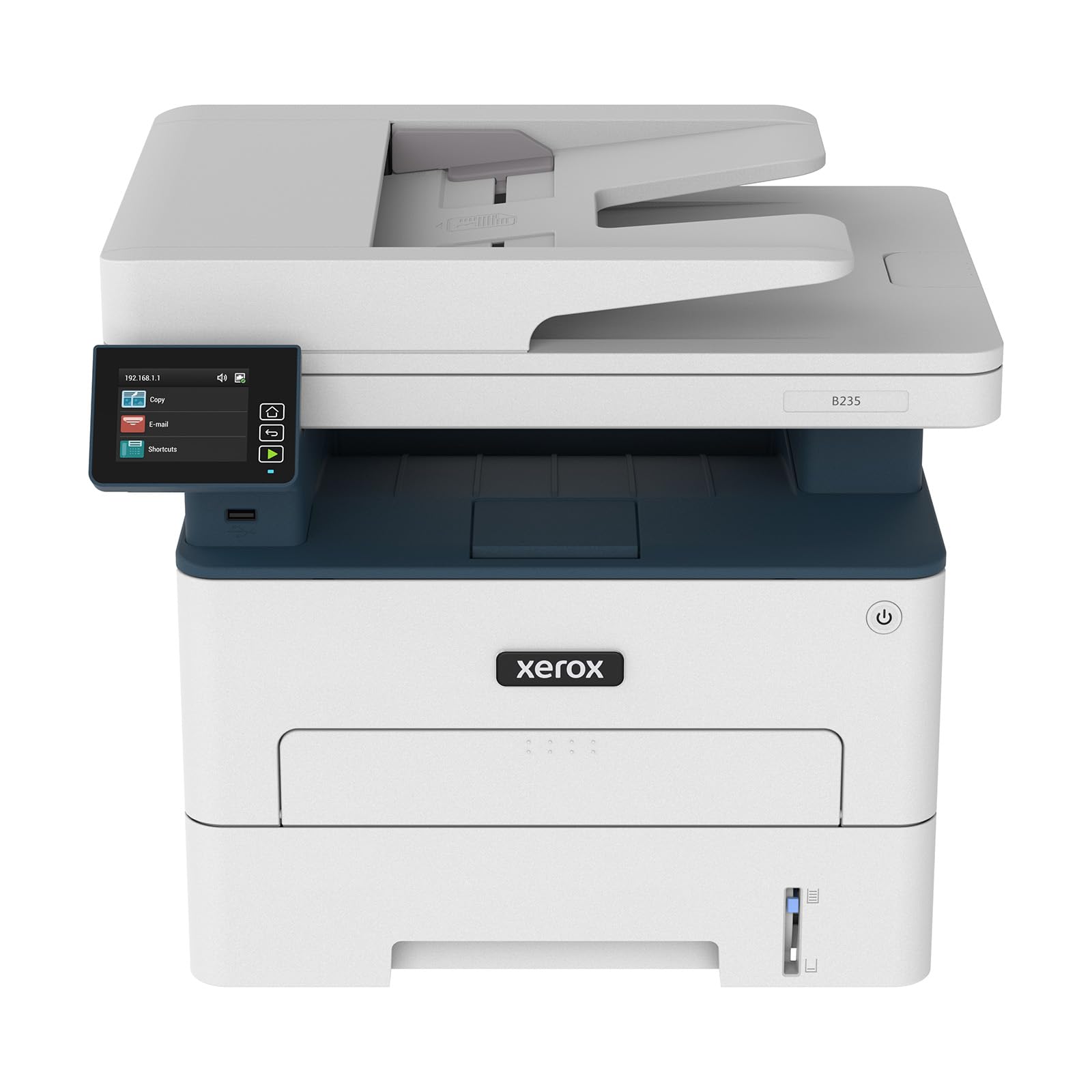
Business-grade black-and-white laser speed aimed squarely at the small-office desk.
Thirty-six pages per minute, matching the Brother HL-L2480DW above as the joint-fastest unit here — that is the reason a small business would look at this one. Xerox states it is built for offices printing up to 2,500 pages per month, and high-yield toner options mean longer stretches between refills. Scanning and copying are included, and automatic duplex keeps both-sided documents moving without manual intervention.
Wireless is handled through Wi-Fi, Apple AirPrint and Mopria, so an iPhone, iPad or Android tablet on the same network can print straight across without a driver install. The Xerox Easy Assist app is the setup path, and it is designed to remove the manual-driver slog. Sharp black text and clear graphics are the target, and the 700-page starter cartridge means you are printing right away.
Now the caution that belongs at the top for some buyers: the iPad compatibility problem is real and specific — Apple tablets are the one device type owners flag as not working. General functionality draws evenly split feedback, so budget some patience through the first setup session. This is a deliberate trade: you get laser speed and low running cost, but the polish is less consistent than the pricier HP LaserJet Pro below.
The numbers that sell it: 36 pages per minute in black and white, a 700-page starter cartridge, and high-yield toner for a lower running cost over time.
The thing to know before you buy: iPad printing is the weak spot — for an all-Apple household, pick a different model.
Good match for: a small business or hybrid office churning out black-and-white documents on a tight budget.
Wrong pick for: an iPad-first home — this one is not the printer you want for that setup.
8. HP LaserJet Pro 3101sdw Monochrome Laser All-in-One Printer

The steady one — 35 pages a minute and a feeder that swallows a fifty-page stack.
First page out in 7 seconds is the quiet killer spec here. That is the warm-up before you get sheet one, and it decides how a printer feels when you only ever print one page at a time. Thirty-five pages per minute covers the batch jobs, and the 250-sheet input tray plus a 50-sheet auto document feeder mean scanning a signed contract stack does not need you at the machine. Automatic duplex handles the reverse side.
Reliability is what owners come back to talk about, and the output quality is the second thing they point at: crisp, high-contrast copies rather than gray, fuzzy text. Wireless connectivity is actively managed by HP to hunt for the strongest connection, and setup is described simply — a few minutes of following prompts. There is also the running-cost angle: toner on a laser beats replacing ink cassettes over a year of office printing.
The honest trade: this machine is monochrome, so color logos, photos and slide handouts in color are out. It is also locked to HP chip cartridges, which sets your running cost to HP’s prices. The included toner is an introductory cartridge yielding roughly 1,000 pages, so plan your first genuine refill before you start heavy printing.
Strengths that show up fast
- 7-second first-page warm-up — the snappiest here for single-sheet jobs
- 35 pages per minute and a 250-sheet tray
- 50-sheet auto document feeder for scanning stacks
Limits to plan around
- Black and white only
- Locked to HP chip cartridges for ongoing ink spend
- Introductory toner cartridge is a starter, not a full tank
Best fit: a small team that prints documents all day and wants a machine that answers quickly and holds a ream.
Not the one: for anyone needing color or third-party toner.
9. Brother MFC-L8930CDW Business Color Laser All-in-One Printer
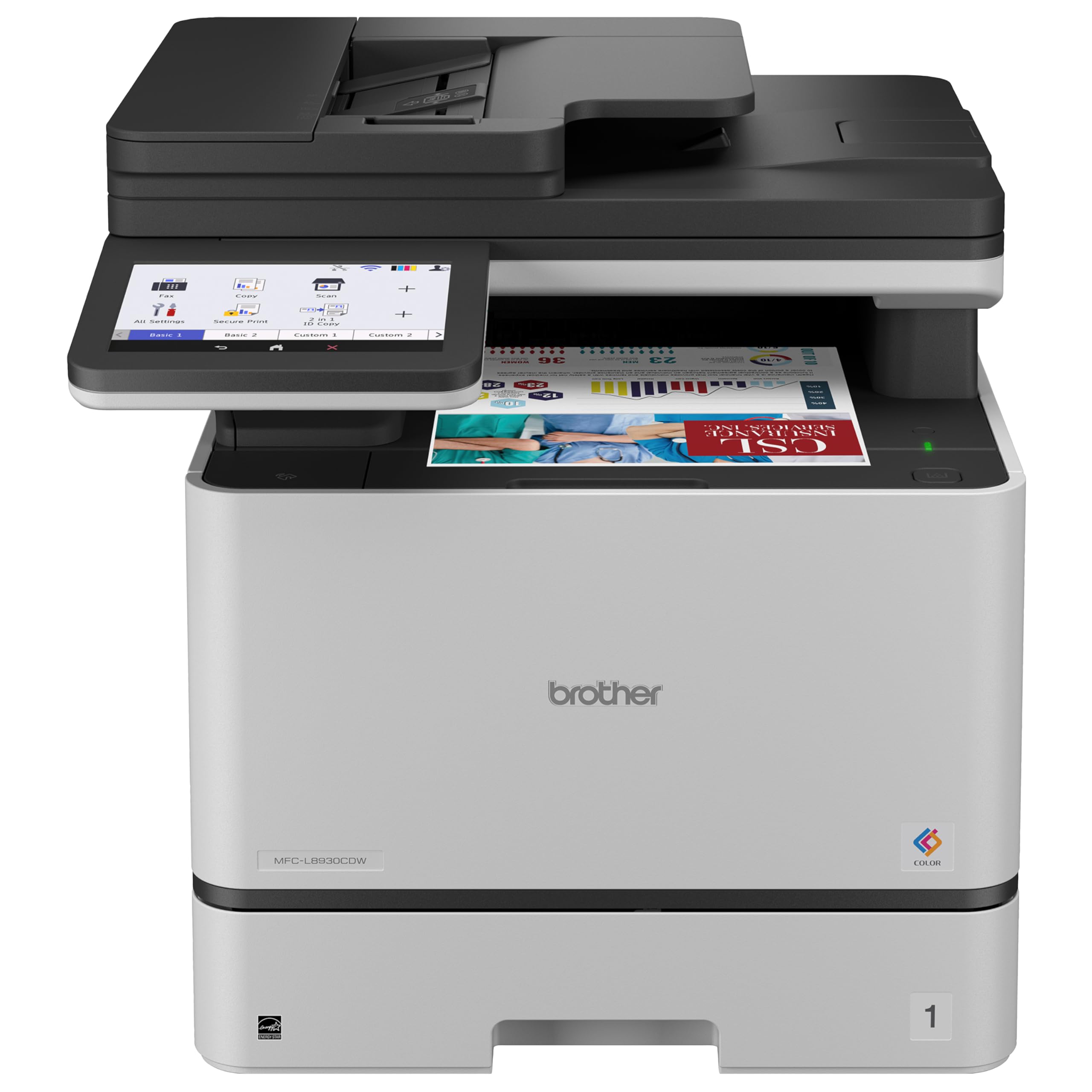
A color laser with a real office inside it — badge reader, 80-page feeder and all.
Print and copy speeds up to 33 pages per minute in color is the spec that makes this the serious machine on the list. It ships with Brother genuine toner cartridges rated for 3,000 black pages and 1,800 color pages, and the TN635XXL replacement option goes to 7,500 black and 6,500 color — a running-cost story the cartridges tell better than any marketing line.
Scanning is where it earns the business badge: two-sided scanning up to 104 ipm (images per minute — pages the scanner reads in sixty seconds) through an 80-page auto document feeder and a legal-size glass, with scans going straight to cloud, email or SharePoint from the touchscreen. Searchable, editable Microsoft Office documents are supported too. The 7-inch color touchscreen holds up to 64 customized shortcuts, dual-band wireless and Gigabit Ethernet cover the network side, and an integrated NFC card reader means badge authentication to print.
Triple-layer security and EPEAT Gold with ENERGY STAR certification point it at anyone handling sensitive paperwork. Print quality is what owners praise most, with ease of use close behind. Two things keep it in check: it is a large, heavy machine at 71.2 pounds, so plan where it lands before delivery; and reliability plus network connectivity draw mixed feedback, so run it on wired Ethernet where you can.
Why an office would choose it
- 33 pages per minute in color with duplex printing standard
- Two-sided scanning up to 104 ipm through an 80-page feeder
- Badge authentication via NFC plus triple-layer security
- 7″ touchscreen with up to 64 shortcuts
Before you commit
- 71.2 pounds — a two-person setup, not a desk shuffle
- Reliability and network feedback run mixed
- Initial toner set is standard yield, not the super high yield
Built for: a business that prints color, scans confidential paperwork and wants badge-controlled printing in one box.
Overkill for: a home user who prints a few pages a week — the size and the color toner cost make no sense there.
Understanding the Specs
Pages Per Minute (ppm) vs First-Page Time
Ppm counts how many finished sheets the machine hands you in sixty seconds, so it matters on batch jobs. First-page time is the warm-up before sheet one drops, so it matters on single-page jobs. A printer can be fast on one and slow on the other — the HP LaserJet Pro 3101sdw keeps a 7-second warm-up, while the Brother HL-L2480DW hits 36 ppm on long runs. Weigh whichever number matches your typical week.
Duplex vs Simplex
Duplex means the machine flips the page and prints both sides automatically. Simplex means one side at a time and you turn the stack over yourself. For reports and contracts, duplex saves paper and time; for a family printing homework, it may never matter. Note that the Epson EcoTank ET-2800 and Canon MegaTank G3270 both run simplex, while the laser picks here all handle duplex automatically.
Auto Document Feeder (ADF)
An ADF is a tray that pulls a stack of pages through the scanner by itself, so you copy or scan the whole bundle without babysitting it. The Brother MFC-L8930CDW takes an 80-page stack and scans both sides at speed; the Epson Workforce WF-2830 handles 30 pages. If multi-page paperwork is a regular thing, treat the feeder as a core feature, not an extra.
Ink Cartridges vs Refillable Tanks
Cartridge machines come cheaper up front and cost more per page. Tank models — the Epson EcoTank ET-2800 and Canon MegaTank G3270 — arrive filled, stretched across thousands of pages from a single bottle set. Count the pages you actually print a month: a household running daily color pages and one printing a form a week want opposite answers.
FAQ
Can a 3-in-1 printer print, scan and copy at the same time?
Do I need a document feeder if I mostly print single pages?
Is a laser printer better than an inkjet for text documents?
How long does a filled ink tank last compared with a cartridge?
Can I use third-party ink or toner cartridges in these printers?
Will these printers work with an iPhone or iPad?
Do I need to connect a 3-in-1 printer to Wi-Fi if I only use one computer?
How much space does a business color laser take up?
Is automatic duplex worth paying more for?
What happens if the wireless connection drops mid-print?
Final Thoughts: The Verdict
For most households and small offices, the 3-in-1 printer to pick is the Brother HL-L2480DW — 36 pages per minute, a 250-sheet tray and an 8.5-second first page make documents feel instant. If color is non-negotiable and you want the cheapest running cost, the Epson EcoTank ET-2800 stretches a bottle set across thousands of pages at the cost of auto duplex. And if you are running a real office with badge-controlled secure printing, the Brother MFC-L8930CDW is the one worth the desk space.
Match the machine to your paperwork. Buy laser for text volume, tank ink for color volume, and skip features you will never use.
How We Picked
We do not accept paid placement. Every pick is matched to a real buyer and a real use-case; we do not hands-on test units.
Sources & Methodology
Specifications: manufacturer listings and product documentation. Review insights: verified customer reviews, as of November 2026. Pricing: not shown on this page (it changes often); check the current price via the retailer link.
As an Amazon Associate, Gadgets Feed earns from qualifying purchases. This does not affect which products we feature.