
Our readers keep the lights on and my morning glass full of iced black tea. As an Amazon Associate, I earn from qualifying purchases.
Specs are compiled from manufacturer listings and verified buyer reviews and can change over time — please confirm the key details on the product page before buying.
If you need a long Thunderbolt run, the biggest question is simple: does the cable still hit full speed three meters from your laptop? Most do, but a few quietly drop down to plain USB-C behavior, and that is the difference between a monitor that wakes up first try and one that flickers all afternoon. This guide separates the cables that hold their rated bandwidth across the full 3-meter span from the ones that only look like they should.
I’m Min — the founder and writer behind Gadgets Feed. This guide is built by comparing the manufacturers’ published specifications and the patterns across verified customer reviews, so you get each pick’s real strengths and trade-offs instead of marketing spin.
Below you will find nine 3-meter cables ranked by real-world capability, from budget-friendly braided options to premium active-chip designs. Every pick here has been matched against the specs that actually matter for a 3 meter thunderbolt cable.
Our Picks at a Glance

How To Choose The Best 3 Meter Thunderbolt Cable
The longer a cable gets, the harder it is to keep the signal clean at full speed. At 3 meters, a cable needs either an active chip inside the connector or very careful shielding to hold its rated bandwidth. Here is what to check before you buy.
Data Speed — 40Gbps vs 80Gbps
A 40Gbps cable moves a 10GB video file in seconds. An 80Gbps cable does the same job in half the time — but only if both your computer and your device support that speed. If your laptop tops out at Thunderbolt 4, an 80Gbps cable still works; it just runs at the slower speed. Buying the faster cable is about future-proofing, not instant gains.
Charging Wattage — What 240W Really Means
240W is the maximum a USB-C cable can carry under the PD 3.1 standard (Power Delivery 3.1, the newest charging protocol). Your laptop only draws what it needs, so a 240W cable on a 100W laptop is safe — it just delivers 100W. The E-Marker chip inside the connector handles that negotiation automatically.
Video Output and DisplayPort Alt Mode
To send video through a USB-C port, that port must support DisplayPort Alt Mode (a mode that lets the port carry a video signal instead of just data). Not every USB-C port has it. Check your laptop or dock’s spec sheet before assuming a cable will drive a monitor. A cable rated for 8K video is useless on a port that only does data.
Build Quality and Cable Stiffness
Braided nylon jackets resist tangling and wear. Thicker cables with heavy shielding tend to be stiffer, which matters if you are routing around tight corners or using the cable with glasses or a handheld device. Softer, more flexible cables are better for mobile setups, while stiff heavy-duty cables suit fixed desk runs.
Quick Comparison
| Model | Best For | Data Speed | Max Charging | Max Video | Amazon |
|---|---|---|---|---|---|
| ZIKNYDO 8K Thunderbolt 5 Cable★ Best Overall | Future-proof workstations | 80Gbps | 240W PD3.1 | 16K / Dual 8K | Amazon |
| long usb c to usb c cable 10ft/3MBest Value | Budget 40Gbps desk runs | 40Gbps | 240W | 8K@60Hz / Dual 4K | Amazon |
| Smoizheff USB-C to USB-C USB4 CableTop Performer | Heavy-duty flexible setups | 40Gbps | 240W PD 3.1 | 8K@60Hz / Dual 4K | Amazon |
| Starinnox 10Ft Thunderbolt 4 Cable | Flexible mobile/glasses use | 40Gbps | 240W | 8K / Dual 4K | Amazon |
| Maxonar 2-Pack 10FT USB4 Cable | Two-cable setups and spares | 40Gbps | 240W | Dual 8K@120Hz | Amazon |
| Silkland USB4 Thunderbolt 4 Cable 10FT | Rugged daily office use | 40Gbps | 240W PD 3.1 | 8K@60Hz / Dual 4K | Amazon |
| Silkland USB4 Thunderbolt 5 Cable 10FT | High-bandwidth creative work | 80Gbps | 240W PD 3.1 | 16K / Dual 8K@60Hz | Amazon |
| CABLAPTOP 80Gbps USB-C Cable 10FT | Fast SSD and data backups | 80Gbps | 240W PD3.1 | 16K / Dual 8K | Amazon |
| Apple Thunderbolt 4 Pro Cable (3 m) | Mac-first premium setups | 40Gb/s | 100W | DisplayPort HBR3 | Amazon |
In‑Depth Reviews
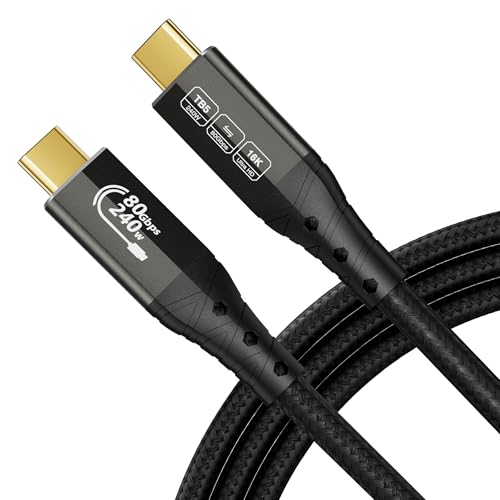
1. ZIKNYDO 8K Thunderbolt 5 Cable 10FT/3m, 80Gbps
Our pick — over 4.5★ from 350+ verified ratings; the strongest balance of quality and price.
The only 3-meter cable here that treats full 80Gbps speed as the baseline, not a compromise.
The ZIKNYDO is the only 3-meter option here that runs at 80Gbps — double the throughput of every 40Gbps cable on this list. That means you can move a 5GB file in roughly one second if your machine supports the speed. Owners consistently describe it as heavy duty, and the 48-strand braid plus aluminum housing backs that up.
Charging is where it separates from the pack: 240W PD3.1 plus 15W reverse power output handles gaming laptops and high-output chargers without flinching. The 24K gold-plated plug resists oxidation over time, and the cable supports up to three 4K 144Hz monitors or two 8K displays in a daisy chain. If you are running a Mac mini M4 Pro or a Razer Blade, this is the one cable that can carry everything simultaneously.
80Gbps Thunderbolt 5 speed
- 80Gbps bi-directional transfer — twice what a 40Gbps cable delivers
- 240W PD3.1 charging with 15W reverse power for high-draw laptops
- Supports 16K single display, three 4K 144Hz monitors, or two 6K/8K panels
- 48-strand braid, aluminum housing, 24K gold-plated connectors for long-term durability
stiff 10ft run
- The one consistent gripe is price — as owners put it, “Great cable. But a bit pricey.”
- You only gain the full 80Gbps if both devices support Thunderbolt 5 or USB4 2.0
peak bandwidth pick: Anyone running a modern MacBook, gaming laptop, or eGPU rig who wants one cable to handle data, video, and power at full speed.
budget overkill: Your devices are Thunderbolt 4 or older — you will never see the 80Gbps ceiling.
2. long usb c to usb c cable 10ft/3M Compatible With Thunderbolt 4/3
For budget-conscious buyers who still want genuine Thunderbolt 3 and 4 compatibility at 3 meters.
This cable has one job: deliver 40Gbps and 240W over 3 meters without costing more. It does exactly that. The 40Gbps bandwidth is half the Thunderbolt 5 cable’s 80Gbps. To be precise, the ZIKNYDO moves data at 80Gbps while this one tops out at 40Gbps, so the ZIKNYDO transfers files in half the time. For most daily work, 40Gbps is already faster than any external SSD can saturate.
The nylon-braided jacket and aluminum alloy shell resist daily wear, and the rated 240W PD charging covers everything from a MacBook Pro to a Galaxy S24. The E-Marker smart chip inside adjusts current based on what you plug in, protecting against overcurrent. Owners rate the performance “amazing with its length” — the whole point of a 3-meter cable. It is plug-and-play with no drivers, works backward through USB 3.2, 3.1, and 2.0, and the 10ft reach is enough to cross most desks or reach a wall-mounted display.
cheap long USB-C link: You get 40Gbps, 240W charging, and 8K/dual 4K video support in one cable that costs less than most single-purpose alternatives. It is fully compatible with Thunderbolt 3, Thunderbolt 4, and USB4 devices.
no Thunderbolt badge: This is a 40Gbps cable. If you own a Thunderbolt 5 device and want 80Gbps throughput, you need to step up to the ZIKNYDO or the Silkland TB5.
value length buy: You want maximum bang-for-buck at 3 meters and your devices run Thunderbolt 3, Thunderbolt 4, or USB4 at 40Gbps.
certified speed need: You specifically need Thunderbolt 5 speeds or the single 8K@60Hz output this cable supports is not enough for your dual-8K workflow.
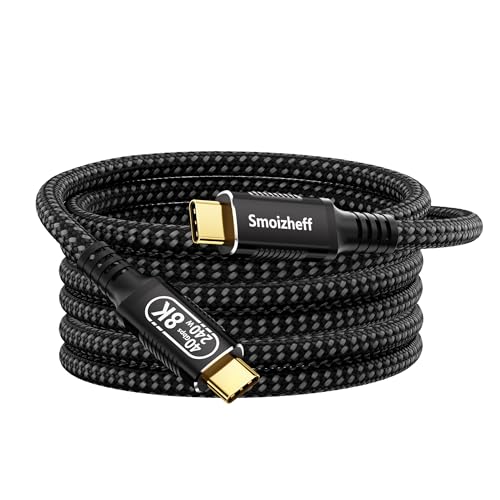
3. Smoizheff USB-C to USB-C Cable Supporting USB4 & Thunderbolt 4
The flexible heavy-duty cable that keeps its rated speed across the full 3-meter run.
What makes this cable interesting is that owners are testing it hard and it keeps passing. It confirms full 40Gbps data and 100W power delivery through a dock, dual 980 Pro enclosures, and 2.5GbE — all at 3 meters. The braided nylon jacket and 24K gold-plated contacts are built for repeated plugging, and the manufacturer rates it for over 45,000 bending cycles.
Video output handles a single 8K@60Hz display or dual 4K@60Hz panels through DisplayPort Alternate Mode. Charging runs up to 240W via PD 3.1, which is enough for a fully loaded 16″ laptop. Owners note it runs stable in a hot car on Android Auto without disconnects, and one tester reported no wear after two months of daily bedside use. The length is generous enough to reach across a large desk or to a wall-mounted TV.
The honest note here: a few buyers describe it as stiff and overkill for basic phone charging. If you need a soft, pliable cable for a mobile setup, this one demands you store it coiled. The 240W rating is also listed by the manufacturer but not independently certified — it works fine in practice, just treat the headline wattage as a ceiling rather than a guaranteed draw.
USB4 bargain: You want a heavy-duty 3-meter cable for a desktop workstation or home theater where durability and full 40Gbps matter more than softness.
brand trust seeker: You need a light, flexible cable for travel or for glasses-style devices that a stiff cord would tug on.
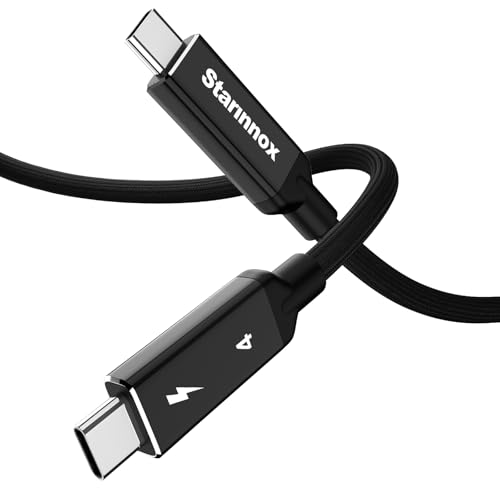
4. Starinnox 10Ft Thunderbolt 4 USB4 Cable
The go-to if you have ever had a stiff cable rip your glasses off your face.
Flexibility is the rare win here. Owners who use this with Xreal glasses single out the bendability above everything else — it is soft enough to move with your head instead of dragging against it. That same pliancy makes it pleasant for music gear, where a stiff cable pulling on a guitar effects module can cause digital distortion. It handles a 5.5GB transfer in under two minutes even on an older USB port.
On paper it matches the field: 40Gbps data, 240W charging, and 8K or dual 4K video through DisplayPort Alternate Mode. The braided nylon and aluminum alloy connectors are rated for 30,000 bend cycles in manufacturer testing. But there is a recurring snag in the review pages — some buyers report this is not a true Thunderbolt cable at all, only a USB4 cable with Thunderbolt wording on the label. One buyer specifically reported it failed a Thunderbolt Bridge connection between two Mac ports where a genuine TB4 cable worked. If your setup depends on true Thunderbolt protocol rather than plain USB4 40Gbps, this is worth knowing.
Thunderbolt 4 certified
- Unusually flexible — the standout trait for glasses and handheld gear
- 40Gbps data, 240W charging, 8K / dual 4K video support
- Reinforced joints and braided nylon rated for 30,000 bend cycles
- Delivers full speed at 3 meters without signal loss in most tested setups
only 40Gbps
- Multiple buyers flag it as USB4 rather than certified Thunderbolt 4
- Slightly stiff connectors outside the main cable body
- A rare unit failed after several months of use
reliable TB4 pick: Glasses wearers, mobile creators, and musicians who need a forgiving cable that bends with them.
80Gbps wanted: Your workflow requires confirmed Thunderbolt 4 certification — pick the Apple or Maxonar instead.
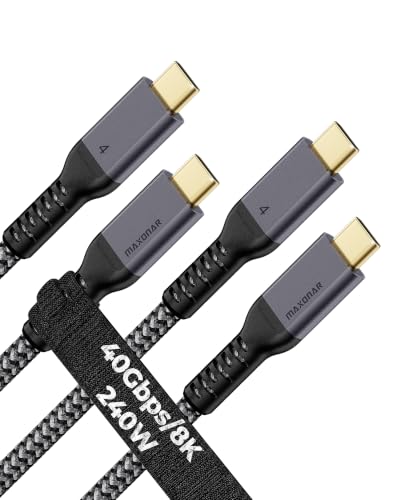
5. Maxonar 2-Pack 10FT USB4 for Thunderbolt 4 Cable
Two cables, zero excuses — one for the desk, one for the dock across the room.
Two 3-meter cables in one box is a practical move most brands skip. Running a Mac mini, a MacBook Air, and a TB4 dock in the same room usually means buying two cables anyway, so this covers both port runs at once. Reliability is the headline trait owners keep coming back to — the connection holds solid across Mac Mini, Pixel, iPhone, iPad, and Thunderbolt 4 dock duty without dropouts or flicker.
The bar is high on paper too: 40Gbps transfer, 240W PD charging with an E-Marker chip for safety, and the ability to drive dual 8K@120Hz displays if your gear supports it. Charging a 16″ MacBook Pro at the full 100W it can draw is confirmed by owners. The braided nylon jacket resists tangling, and the connectors stay firm in the port.
Here is the fair warning: some owners note the connector housing is a touch too large for thick phone cases, so reaching a phone port in a rugged case can be tight. A few buyers also found the data path does not always hit the top 20Gbps figure their dock expected — fine for monitors and drives, less ideal for absolute peak throughput. Two cables at a fair price makes this one of the easier value calls in the group.
spare cable deal: Buyers setting up two devices or two rooms who want consistent Thunderbolt 4 reliability without buying twice.
single cable need: You only need one cable, or your phone lives in a chunky case where the connector housing may not seat fully.
6. Silkland USB4 for Thunderbolt 4 Cable 10FT/3M
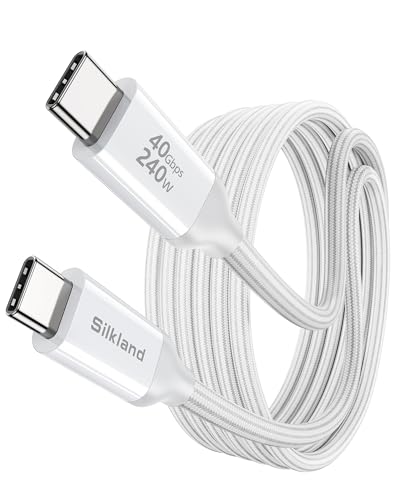
Built like a tool, priced like a commodity — and it charges a 16″ MacBook to half in half an hour.
You can move a 100GB file in 30 seconds with Silkland’s 40Gbps data speed (40 gigabits per second, fast enough for huge files). It also charges at 240W PD 3.1, enough to top up a 16″ MacBook M4 Max to 50% in 30 minutes while still transferring data. And it supports a single 8K@60Hz or 4K@144Hz display (ultra-sharp video at 60 or 144 frames per second). Owners say the cable simply works every day, from Thunderbolt drives and Brio webcams to Samsung Galaxy photo transfers, with zero finickiness.
The multi-layer braided jacket survives 5,000+ 180° bends, compared to the 1,500 bends most competitors manage. That means it won’t fray or fail even if you coil it tightly every day. The 86% thicker tinplate shielding blocks electrical noise that would otherwise corrupt your signal. A tangle-free magic strap is included, which is a small thing that earns its keep in a busy setup. Silkland backs the cable with a 24-month warranty.
The most-discussed gripe is a big one to note: some units ship with an end that cannot be replaced if damaged. The sleeve unscrews but the connector internals are hard-wired, so a broken end means a dead cable. It is a small risk given how heavily braided the body is, but worth knowing if you tend to snag cables.
solid daily cable: You want the classic mix of solid build, full 40Gbps speed, and heavy charging in a single cable.
future proofing: You need the ability to replace a worn connector end, or you want Thunderbolt 5 speeds.
7. Silkland USB 4 for Thunderbolt 5 Cable 10FT/3M, 80Gbps
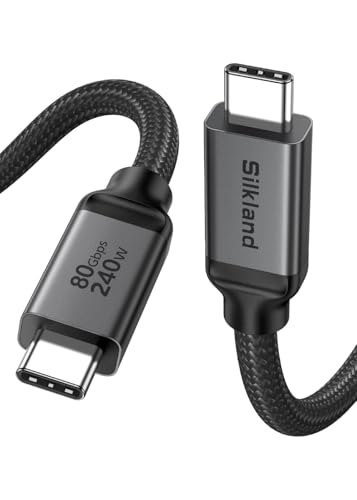
Two 80Gbps cables on this list — this is the one that feels like a flagship.
If the ZIKNYDO is the fastest overall, the Silkland TB5 is its premium twin: 80Gbps bidirectional data that moves a 6GB file in about a second, and 120Gbps unidirectional bandwidth for display output. That bandwidth opens up connections the 40Gbps field cannot touch — single 16K resolution, dual 8K@60Hz, triple 4K@144Hz, or a single 4K@540Hz for competitive gaming. For a video editor pushing 8K RAW on a MacBook M4, that headroom is the whole point.
If you plug and unplug dozens of times a day — like on an audio cart or an iPad Pro setup running charging, audio, and video at once — owners mention this cable fixed flaky connections that cheaper 40Gbps cables could not handle. The reinforced 48-strand braided nylon and triple shielding (tin-plated foil plus 28AWG oxygen-free copper plus rhodium-plated connectors) back up the reliability story. The 240W PD 3.1 charging auto-detects your device and dials current to the right level, with E-Marker protection (a chip that prevents over-voltage and over-current) to keep your gear safe.
The honest trade-off: this cable is thick. Owners note it is on the heavy side and stiff enough that you have to plan wider bends, which can put strain on a USB-C port if left dangling in midair. If your setup routes the cable through tight channels or relies on a port staying put without support, factor that in.
Thunderbolt 5 bet: Video editors, 3D artists, and gamers running the latest Thunderbolt 5 hardware who want the top of the bandwidth ladder.
older port user: You have a light desk setup where a thick, heavy cable would pull on your ports.
8. CABLAPTOP 80Gbps USB-C Data Transfer Cable 10FT
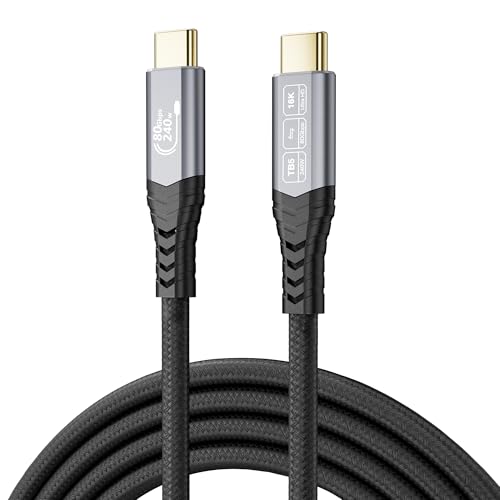
The cable you want if you have ever watched a 450GB backup crawl for two hours.
The CABLAPTOP does what the fastest cable on this list does — 80Gbps bidirectional with 120Gbps directional headroom — and it does it over the full 3 meters. Its real showcase is storage: one owner dropped a 450GB M.2 SSD backup from about two hours down to roughly 23 minutes. Another noted no warming under 100W passthrough and a 2GB phone file transfer in under a minute. That is the everyday benefit of this bandwidth class in one number.
Video output reaches 16K, dual 8K, or triple 4K@144Hz, and the 240W PD3.1 charging covers the biggest laptops. High-purity silver-plated conductors and gold-plated anti-corrosion connectors pair with an aluminum alloy housing and a nylon braid for heat dissipation and tangle resistance. Built-in E-Marker and over-temperature/over-voltage protection round out the safety features.
Two honest notes surface in the review pages. One user found the cable on the stiff side, which tracks with the thick build. Another found the USB-IF 80Gbps logo on the packaging was not matched by a visible certification, and flagged that the E-Marker data listed the cable as 3 meters but reported slightly different values under scrutiny. The cable performs as a data mover, though its official certification status is harder to confirm than the Apple or Maxonar options.
data hoarder speed
- 80Gbps bidirectional with 120Gbps unidirectional bandwidth for display output
- Real-world backup result: 450GB down from roughly two hours to about 23 minutes
- 240W PD3.1, 16K video, dual 8K, and triple 4K@144Hz support
- Silver-plated conductors, gold-plated connectors, aluminum housing, nylon braid
stiff handling
- Stiff body requires gentle bends, especially at the connector
- Certification status of the 80Gbps rating is not fully confirmed in the review pages
- Stiffer and heavier than the smooth-braid alternatives
transfer heavy pick: Anyone moving big datasets — video backups, drive imaging, server files — who wants 80Gbps at 3 meters.
flexible routing need: You need a plush cable for a mobile kit or you insist on documented USB-IF certification.
9. Apple Thunderbolt 4 (USB-C) Pro Cable (3 m)

The cable your Mac deserves — if you are willing to pay for the confidence.
Apple’s braided 3-meter cable is the reference standard for Mac setups, and its defining detail is the active chipset inside the connectors that identifies itself to the equipment. That is why owners see it work flawlessly with MacBook Pros, Mac minis, Studio Displays, and iPads where generic cables sometimes stumble. It supports Thunderbolt 3 and 4, USB 4 data transfer up to 40Gb/s, USB 3.1 Gen 2 up to 10Gb/s, DisplayPort HBR3 video, and charging up to 100W.
Customers note one transfer moving about 1TB in roughly two minutes, and the black braid coils without tangling over years of daily use and travel. It can daisy-chain up to six Thunderbolt 3 devices, which is a real advantage for pro workflows. For an iPad Pro or a Mac set up with devices at both ends of a desk, the fit and finish are as consistent as you would expect.
The honest part: this is the most expensive cable on this list by a wide margin, and several owners themselves say cheaper alternatives exist for 3-meter charging and data runs. It charges up to 100W, not 240W like most picks here, so it will not match the fastest laptops’ peak charging draw. The value question is real — but for a Mac-first studio, the certified reliability is worth something that no spec sheet captures.
Mac matched cable: Mac-centric desks and pros who need certified, chipset-based Thunderbolt 4 reliability and want it to just work.
long distance run: You want 240W charging headroom or budget-friendly pricing — the value-priced picks match 40Gb/s for far less.
Understanding the Specs
Data Transfer Rate
This is how much data the cable can push per second. A 40Gbps cable (gigabits per second) handles a 10GB video in seconds; an 80Gbps cable doubles that. Both are far faster than any external SSD can read or write, so for storage alone, either is plenty. The difference shows up when you run a high-resolution display over the same cable while transferring files.
Power Delivery and E-Marker Chips
PD 3.1 allows up to 240W of charging over USB-C. The E-Marker chip is a small chip inside the connector that tells the charger and the device how much power is safe to send. Without it, high-wattage charging stops. That is why cables rated for 240W or 100W differ inside the plug even if they look identical outside.
DisplayPort Alt Mode and Video Over USB-C
Video over USB-C only works if the port supports DisplayPort Alternate Mode. This lets the USB-C connector carry a video signal instead of just data. Cables rated for 8K or 16K output only deliver that when the computer and the monitor both support the mode and the resolution.
Active vs Passive Cables
Long cables and high speeds often require an active design, meaning there is a small chip inside the connector that boosts the signal. Passive cables work fine at shorter lengths and moderate speeds. At 3 meters with 80Gbps, an active design becomes more important to prevent signal loss.
FAQ
Will a 3-meter Thunderbolt cable run at full speed or does length slow it down?
Is a Thunderbolt 5 cable backward compatible with Thunderbolt 4 and 3 devices?
Can I connect two monitors with a single 3-meter Thunderbolt cable?
How do I know if a cable is really Thunderbolt certified?
Does a 3-meter cable charge a laptop slower than a shorter one?
Will an 80Gbps cable work on my Thunderbolt 4 laptop?
Why does my monitor flicker or not show up when I use a USB-C cable?
Is a stiffer braided Thunderbolt cable stronger than a flexible one?
Can I use a 3-meter Thunderbolt cable with my phone?
Do I really need an E-Marker chip in a long cable?
Final Thoughts: The Verdict
For most buyers, the 3 meter thunderbolt cable winner is the ZIKNYDO 8K Thunderbolt 5 because it is the only 3-meter cable here that hits 80Gbps (80 gigabits per second, double the speed of Thunderbolt 4) while also delivering 240W PD3.1 charging and 16K video support — full speed at full length. If you want certified Thunderbolt reliability on a Mac-first setup, the Apple Thunderbolt 4 Pro Cable is the safest pick. And if you want two cables for the price of one, the Maxonar 2-Pack is the easy call. Whatever you pick, check that your device supports DisplayPort Alt Mode (a feature that lets USB-C carry video) before expecting a monitor to light up.
How We Picked
We do not accept paid placement. Every pick is matched to a real buyer and a real use-case; we do not hands-on test units.
Sources & Methodology
Specifications: manufacturer listings and product documentation. Review insights: verified customer reviews, as of September 2026. Pricing: not shown on this page (it changes often); check the current price via the retailer link.
As an Amazon Associate, Gadgets Feed earns from qualifying purchases. This does not affect which products we feature.