
Our readers keep the lights on and my morning glass full of iced black tea. As an Amazon Associate, I earn from qualifying purchases.
Specs are compiled from manufacturer listings and verified buyer reviews and can change over time — please confirm the key details on the product page before buying.
If your TV has one free HDMI port and you own a console, a streaming stick, and a soundbar, you have a decision to make every time you want to watch something. A 3 port HDMI switch lets you plug three devices into one TV port and flip between them with a button, a remote, or automatically. The real question is which one handles your specific devices without dropping the signal or degrading the picture.
I’m Min — the founder and writer behind Gadgets Feed. This guide is built by comparing the manufacturers’ published specifications and the patterns across verified customer reviews, so you get each pick’s real strengths and trade-offs instead of marketing spin.
Your TV’s resolution and if you want auto-switching decide which 3 port hdmi switch fits you—from 8K 48Gbps models to budget 4K picks.
Our Picks at a Glance
How To Choose The Best 3 Port HDMI Switch
Choosing a switch starts with what your TV and devices can actually output. If you have a standard 4K TV, a 4K@60Hz switch is plenty. If you have a high-end gaming TV, you want an 8K switch with the bandwidth to avoid bottlenecks.
Match the Bandwidth to Your Setup
Bandwidth is the data pipe between your console and TV, measured in Gbps. A 4K@60Hz switch typically needs 18Gbps, while an 8K@60Hz switch needs 48Gbps. If your switch has too little bandwidth for your TV, you may see flicker, black screens, or a capped resolution.
Auto vs. Manual Switching
Auto-switching detects which device is turned on and routes to it automatically. It is convenient, but it can misbehave when multiple devices stay in standby. Manual switching via a button or remote gives you full control and is more predictable.
Power Source Matters More Than You Think
Many switches are USB-powered and need a constant power source to keep the signal stable. Some pull power from the HDMI port itself, which only works when the connected device is on. If you want zero flicker, look for a switch with a dedicated power input and keep it plugged in.
Quick Comparison
| Model | Best For | Resolution | Bandwidth | Auto-Switch | Amazon |
|---|---|---|---|---|---|
| OREI 8K HDMI 2.1★ Best Overall | Next-Gen Gaming | 8K@60Hz | 48Gbps | Yes | Amazon |
| UGREEN 8K HDMI 2.1PC Gaming Pick | High Refresh Rate PC | 8K@60Hz | 40Gbps | No | Amazon |
| Closs 8K HDMI 2.1Premium Build | Aluminum Build Quality | 8K@60Hz | 48Gbps | Yes | Amazon |
| Fosmon 8K HDMI 2.1 | 8K on a Budget | 8K@60Hz | 48Gbps | Yes | Amazon |
| UGREEN 4K with Remote | Reliable 4K Value | 4K@60Hz | 18Gbps | No | Amazon |
| VWRHar 4K UHD | High Volume Value | 4K@60Hz | 3.4Gbps | Yes | Amazon |
| NEWCARE 4K | Port-Powered Simplicity | 4K@60Hz | 18Gbps | Yes | Amazon |
| Anber-Tech 4K | Basic Budget Setup | 4K@60Hz | — | Yes | Amazon |
| Fosmon 4K HDMI 2.0 | Simple Button Switching | 4K@60Hz | 18Gbps | Yes | Amazon |
In‑Depth Reviews
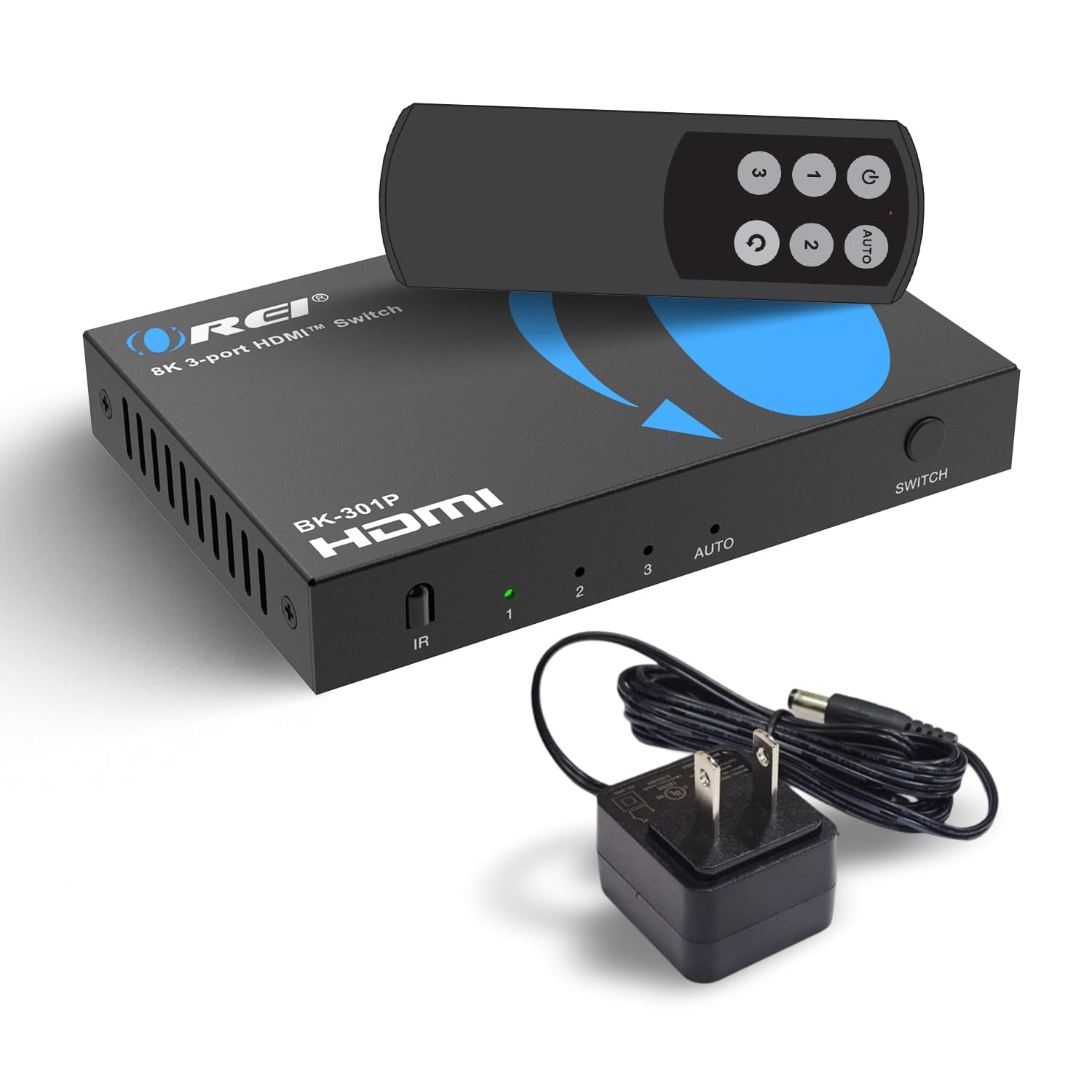
1. OREI 8K 3-Port HDMI 2.1 Switch
Our pick — 4.5★ from 350+ verified ratings; the strongest balance of quality and price.
The 48Gbps bandwidth beast that future-proofs your gaming setup.
This is the switch to buy if you want maximum headroom for next-gen consoles. It pushes 8K@60Hz, 4K@120Hz, and even 1080p@240Hz — the last one matters if you play competitive shooters on a high-refresh monitor. Because it carries 48Gbps of bandwidth, it is 14.1x the pipe of a basic 3.4Gbps switcher, which is why it handles heavy signals without choking.
It is built for gaming, with VRR (Variable Refresh Rate), ALLM (Auto Low Latency Mode), and QFT (Quick Frame Transport) — features that keep motion smooth and reduce input lag on compatible TVs. It also passes through Dolby Vision and Atmos, so you keep the full cinematic experience between your player and TV. Buyers report: “I get pass through Dolby Vision and Atmos in between my player and TV.”
The auto-switch feature works when the device you turn on is the only one active, and you can disable it if it gets confused. It comes with a remote, a power adapter, and a 1-year warranty, so you are not hunting for extras.
What Makes It the Top Pick
- 8K@60Hz and 4K@120Hz for future-proof gaming
- Cinema-grade audio: Dolby TrueHD, DTS-HD Master Audio
- Includes remote and power adapter in the box
Keep in Mind
- Auto-switching is mixed in reviews — use manual if it misbehaves
- Overkill if you only have a 4K@60Hz TV
Reach for this if: you own a PS5 or Xbox Series X and want every frame of 4K@120Hz gaming.
Consider a cheaper pick: if your TV caps out at standard 4K@60Hz, the extra bandwidth does you no good.
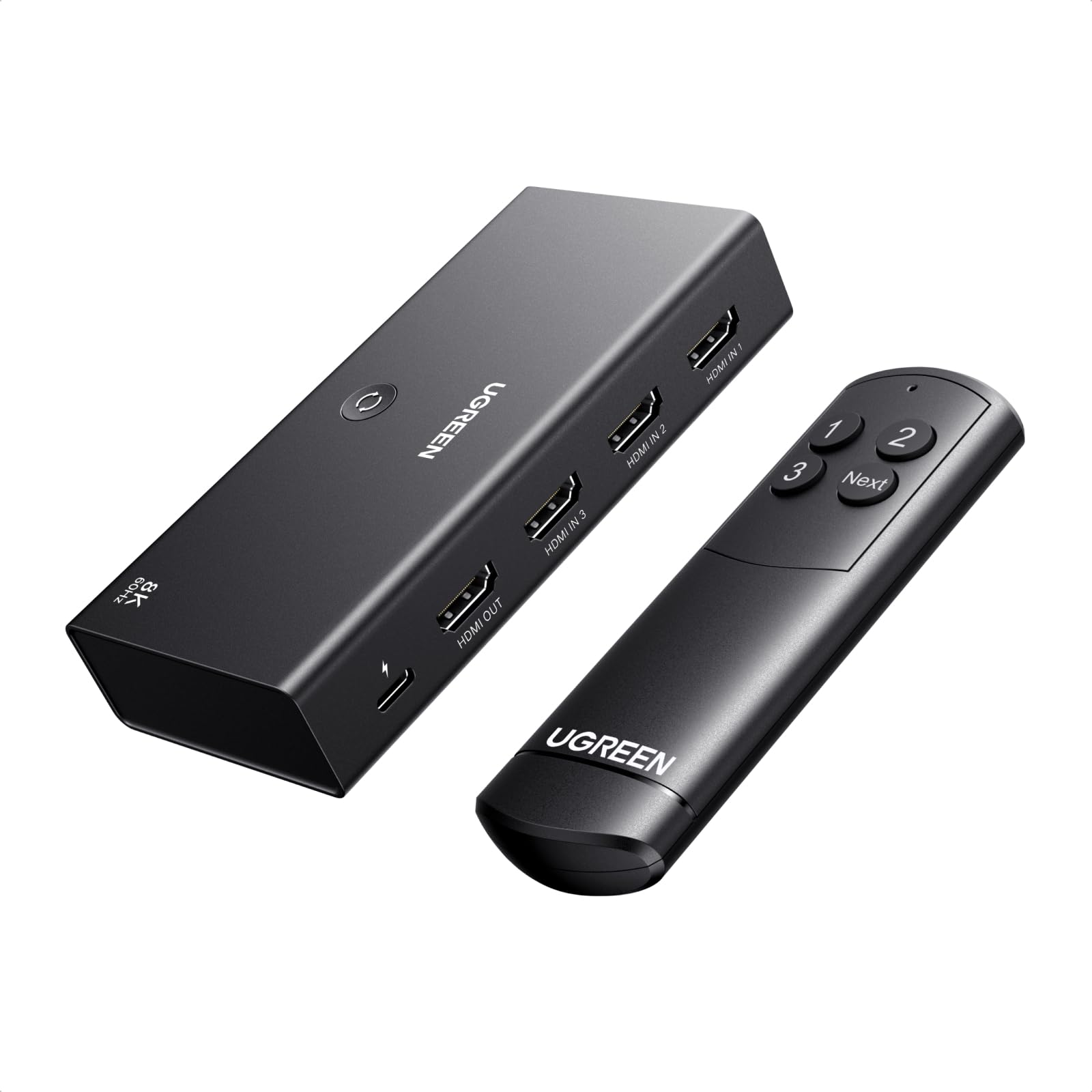
2. UGREEN 8K@60Hz HDMI 2.1 Switch
A 40Gbps switch that syncs your refresh rate for tear-free PC gaming.
This UGREEN switch targets the PC gamer who cares about refresh rates. It supports VRR, G-Sync, and FreeSync, which keep your display’s refresh rate in sync with your GPU to eliminate screen tearing. It also pushes up to 4K@240Hz and 8K@60Hz, making it one of the few switches that won’t cap your high-end monitor.
Owners note the CEC (Consumer Electronics Control) actually works — that is the feature that lets one remote control multiple devices, and it is notoriously hit-or-miss on cheaper switches. The remote and manual button both work instantly, and the 40Gbps bandwidth keeps video quality flawless with no lag or flicker. Just note the 5V/1A power cable is included, but the power adapter is not.
Unlike the OREI, this one does NOT support automatic switching, so you will use the remote or the button on the box to change inputs. For a pure gaming focus, that predictability is often worth it.
Teardown-free gaming: G-Sync and FreeSync support mean no screen tearing on compatible monitors, a feature rare in this price tier.
One honest catch: no power adapter in the box — budget for a spare USB-C charger.
Best for PC and console players who want high refresh rates and VRR support without paying a premium.
skip it if you want a true plug-and-play auto-switch experience.
3. Closs 8K HDMI 2.1 Switch
An aluminum-alloy switch that skips unused ports for fast, reliable selection.
This Closs switch stands out for its build and its smart auto-switch behavior. It supports 8K@60Hz and 4K@120Hz with 48Gbps bandwidth, matching the OREI on raw specs. What makes it different is that it skips unused ports when switching, so you do not have to press the button five times to cycle past empty inputs.
The premium aluminum shell provides good heat dissipation — meaning it stays cool during long gaming sessions, which helps signal stability. Owners describe it as “a traffic controller for your entertainment setup,” praising its reliable switching with Xbox, PlayStation, and cable boxes. The front-panel button and included IR remote both respond cleanly, and the compact 0.25 lb design fits into tight spaces behind your TV.
One note from owners: the auto-switch can be inconvenient if you have multiple devices running in the background. When that happens, you can use the manual button for quick control.
Smart cycling: skips empty ports automatically — a small quality-of-life win you don’t get elsewhere.
Fit note: if your devices stay on in standby, auto-switch may jump around; the physical button fixes it.
Grab it for: a sturdy, heat-resistant switch that looks and feels premium on your shelf.
Look elsewhere if: you need built-in CEC control, which this one does not emphasize.
4. Fosmon 3 in 1 Out 8K HDMI 2.1 Switch
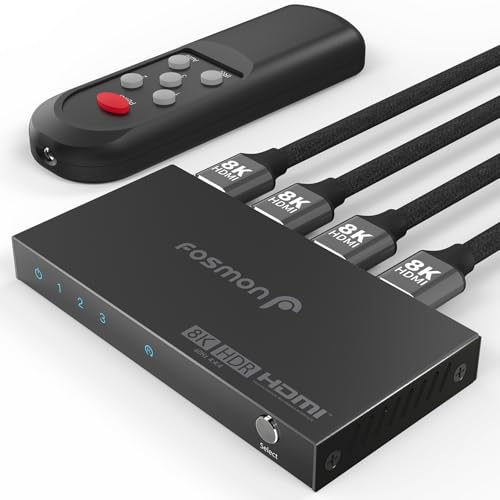
A lifetime-warranty 8K switcher that auto-switches to your newest device.
Fosmon brings 8K@60Hz and 4K@120Hz at 48Gbps into a more accessible price bracket. The auto-switch function is the standout feature — it routes to the most recently active device, which owners find works well with a PC and Xbox combo using just a push of a button. It also supports VRR and ALLM for smoother next-gen console play.
Owners mention the remote operation works reliably and the compact design with rear ports keeps your setup tidy. The trade-off: the USB-C cable included is short and there is no power adapter in the box, so plan to supply your own charger. One owner using it for 4K@60Hz praised it for ending constant blackouts that plagued their old switch.
If you are a G-Sync user on PC, note that one owner reported G-Sync does not work with this switch at 144Hz — it works without it, but the feature is not supported here. For console gamers on PS5 and Switch, it is a solid, well-priced entry into 8K.
Auto-switch win: detects and routes to your newest active device without pressing anything.
Caveat for PC players: G-Sync at 144Hz may not work — consoles are the safer use case.
Who this fits: console owners who want 8K-readiness and auto-switching without paying top dollar.
Who should pass: PC gamers running G-Sync monitors at high refresh rates.
5. UGREEN HDMI Switch 3 in 1 Out 4K with Remote

A 4K@60Hz remote-control switch with a premium-feel aluminum body.
For most living rooms, this UGREEN hits the balance. It streams 4K at 60Hz smoothly—no stutter or drops—thanks to an 18Gbps data rate, which is 5.3x the bandwidth of a basic 3.4Gbps switch. It supports HDR10+, 3D, and Dolby Atmos, and it works with older devices down to 1080p@240Hz.
Buyers praise the solid aluminum case and the responsive IR remote that works up to 33FT away. They report setup takes under five minutes and delivers “excellent 4K@60Hz, no lag/flicker/drops; instant remote switching.” If your TV has only one free HDMI port, this lets you plug in a soundbar, console, and streaming stick at once. CEC and input memory work, so your TV remote controls connected devices.
There is a subtle but important catch: this switch does NOT have auto-switching. You will use the remote or the manual button. That is worth knowing if you wanted a “set and forget” experience.
What Wins People Over
- Crisp 4K@60Hz with HDR10+ and Dolby Atmos passthrough
- Premium aluminum housing that resists fingerprints
- Remote works reliably from across the room
What to Expect
- No auto-switch — you press a button or use the remote
- Power cable included, but not the adapter
Choose this for: a dependable 4K switch with a premium feel and a remote that just works.
Skip if: you insist on auto-switching to save button presses.
6. VWRHar 3 in 1 Out 4K UHD HDMI Switch

An auto-switching metal box with the biggest owner base in the budget tier.
This VWRHar switch is a top budget pick because it is simple and works from the start—adding three HDMI inputs to a TV that only has two. It supports 4K@60Hz with HDCP 2.2 (a copy-protection standard) and handles 3D and 1080p content crisply. Its 3.4Gbps bandwidth is a fraction of premium picks, but it is fine for standard 1080p streaming and 4K at 30Hz.
The auto-sensing feature is the main draw. It automatically switches to whichever device is powered on, which owners find handy when juggling a Nintendo Switch and Roku. The IR remote lets you switch from the couch, and the LED indicator shows which port is active. Since it is USB-powered (cable included), plug it into any spare USB port or charger.
The honest caveat: this switch draws mixed feedback on long-term reliability and its cheap, tiny remote. If you want a zero-maintenance daily driver, spend a little more. But if you need a cheap, functional way to add ports, this delivers.
Best for quick setups: plug in three devices and let auto-switch do the work.
Who it’s not for: anyone who wants premium build quality or a high-bandwidth 4K pipe.
Perfect if: you want the cheapest way to add HDMI ports without a fuss.
Think twice if: reliability over months matters more than saving a few dollars.
7. NEWCARE HDMI Switch 3 in 1 Out 4K
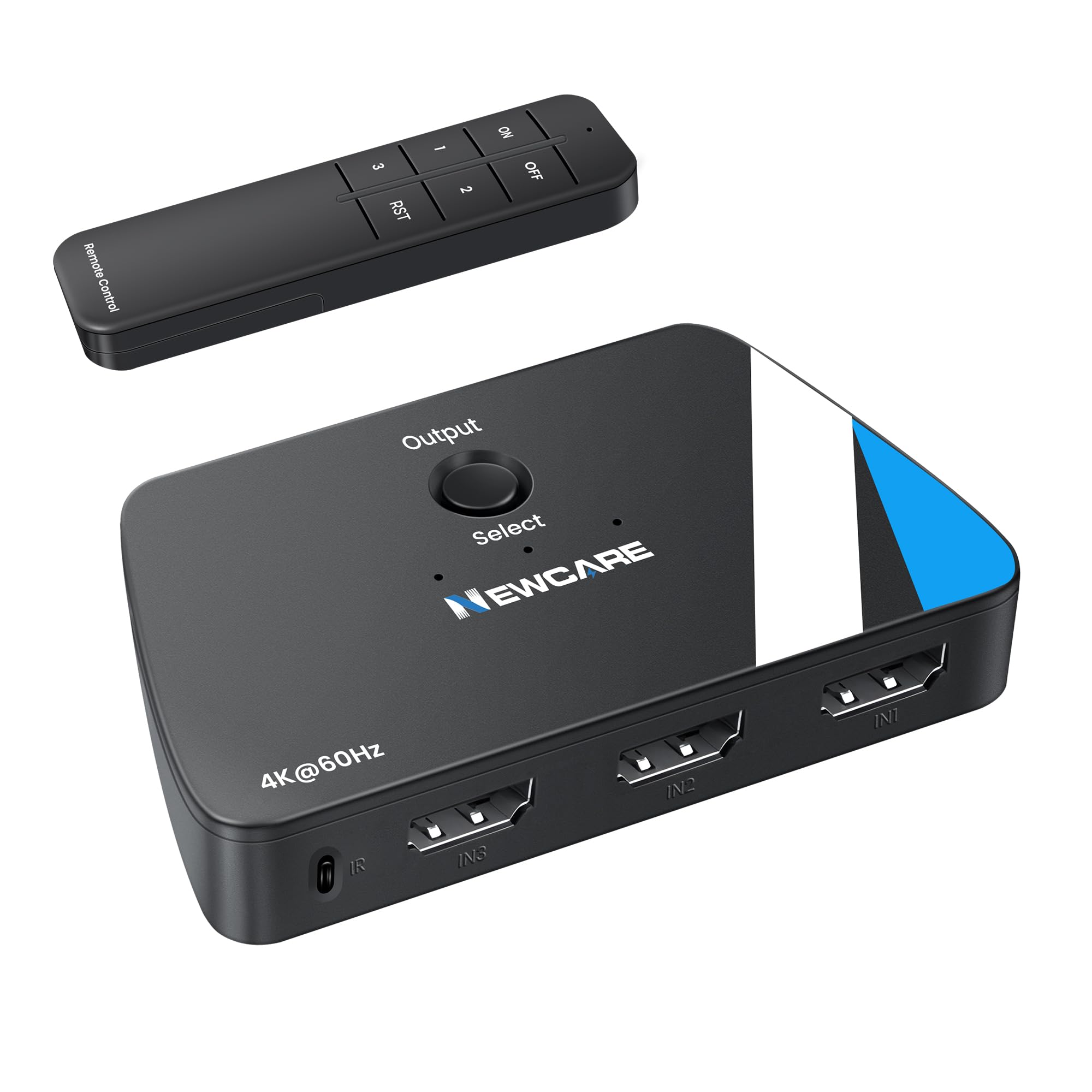
A 4K switch that pulls power from the HDMI port itself — no wall wart needed.
This NEWCARE switch takes a different approach to power. Instead of a USB cable and wall adapter, it draws power through the HDMI port from the connected input device. That means no extra cables cluttering your setup — just plug in your Roku or PS4 and it works. It supports 4K@60Hz with up to 18Gbps bandwidth and 2K@120Hz for smoother gaming on compatible displays.
Owners use it to add extra ports for Fire Stick, Chromecast, and Roku on TVs with limited inputs, and the manual button switching is simple and effective. It also supports auto-switching, which routes to the last active source — handy when you turn on a console and want the TV to follow automatically. The remote control works within a 10-meter range in a straight line from the infrared receiver.
The trade-off is real: since it has no power port, the LED only lights up when the connected device supplies enough power. If you have older, low-power devices, the switch may not power on reliably. Buyers also note the cable placement can be awkward, so test your device compatibility first.
Clutter-free setup: no power cable means fewer wires behind the TV stand.
Compatibility check: needs a powered input device to function — poor fit for unpowered older gear.
Great for: a tidy, cable-free desk or TV setup with modern powered devices.
Not for: anyone who wants a guaranteed always-on switch with an external power source.
8. Anber-Tech 4K@60Hz HDMI Switch 3 in 1 Out
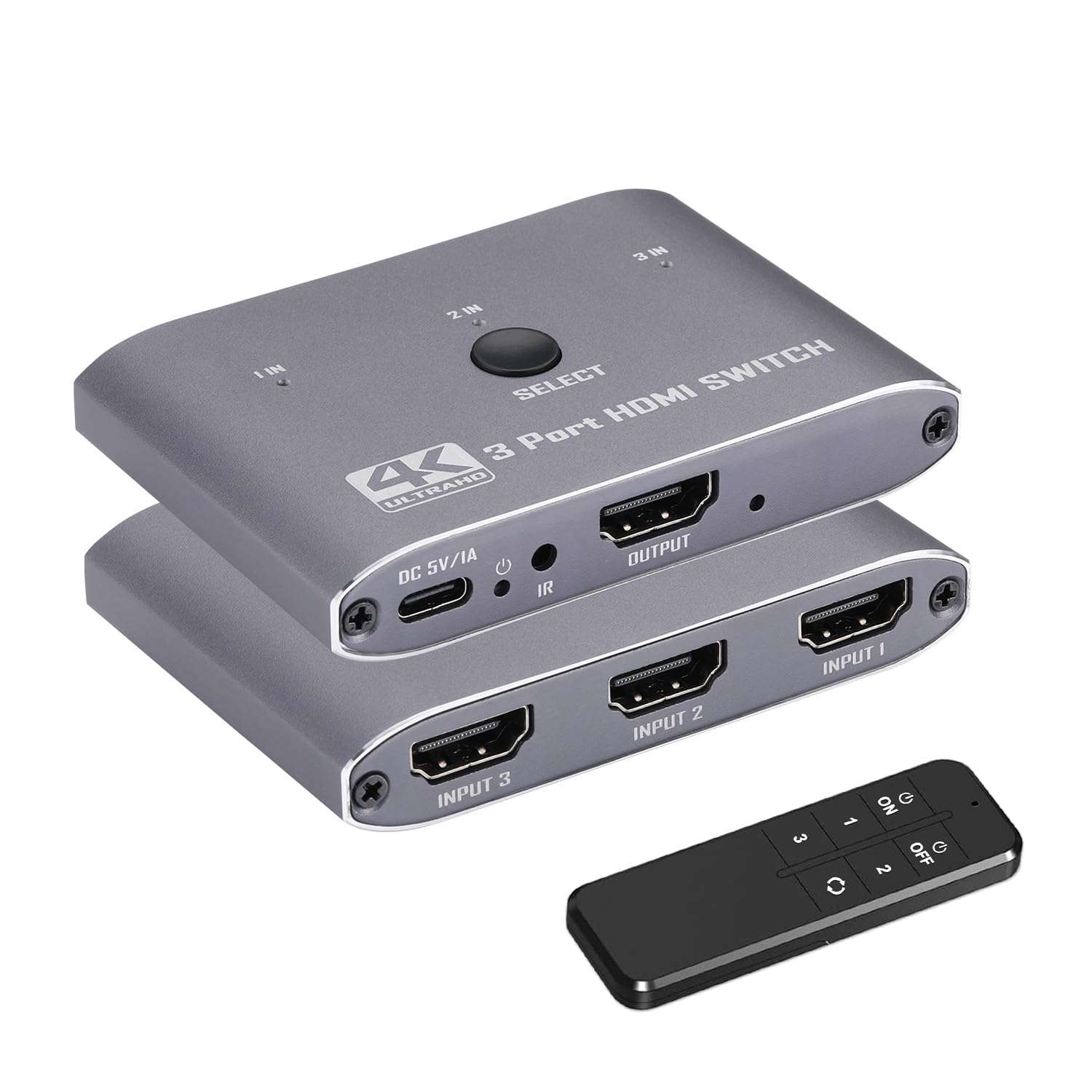
A budget 4K switch with three switching modes and an LED display.
This Anber-Tech switch offers the full range of control options — IR remote, manual button, and auto-switch — at an entry-level price. It supports up to 4K@60Hz with 12-bit Deep Color, HDMI 2.0, HDCP 2.2, HDR10/HDR10+, and Dolby Atmos passthrough. The IR remote works up to 26 feet away from any angle, which is useful if your TV is mounted high.
It is USB-powered with a Type-C cable included, and the plug-and-play setup means no drivers or software. Buyers find it easy to set up and good value for the money, using it to connect Roku, consoles, and streaming boxes without cable swapping.
However, this is a budget unit with a split reputation. While some customers note flawless 4K@60Hz performance, others report the remote is unreliable or the switch stops working entirely. The 1-year warranty and responsive seller help, but if you need a dependable daily driver, the more established brands above are safer.
Great price-to-feature ratio: remote, button, and auto-switch all at a budget price.
Fit note: reliability is inconsistent — a gamble that pays off for some and not others.
Reach for it if: you need a cheap switch for a secondary TV or spare room.
Look elsewhere if: this is the only switch for your main entertainment setup.
9. Fosmon 3 in 1 Out 4K HDMI 2.0 Switch
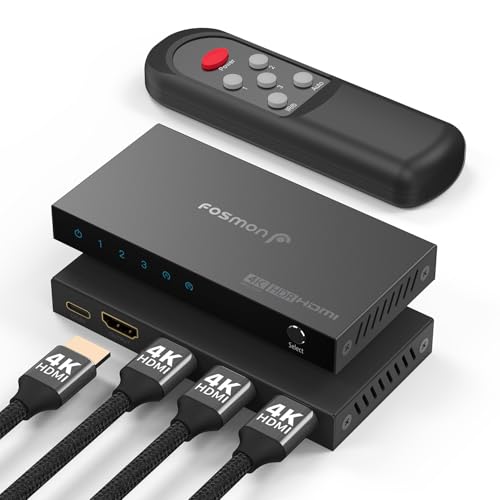
A compact 4K@60Hz switcher with a limited lifetime warranty.
This Fosmon switch is a compact, no-frills 4K solution backed by a limited lifetime warranty — a rarity at this price. It runs 4K@60Hz over 18Gbps and supports HDR, HDCP 2.2, and auto/manual switching modes. The premium aluminum alloy housing keeps it durable and cool during extended use.
Its standout trick: reviewers point out using it to switch between the onboard and discrete GPU outputs on the same PC. That lets you boot at a low resolution, then switch to a high-resolution gaming signal without swapping cables. The auto-switch feature earns praise for convenience, and the remote has clear, easy-to-read labels.
The minor complaint is legibility — the writing on the switch case itself is hard to read, as is the tiny instruction pamphlet. For a clean, simple 4K switch that will not die on you, it is a solid choice. Keep HDMI cables under 16 feet for reliable 4K@60Hz signal.
Smart dual-GPU trick: owners use it to toggle between integrated and dedicated graphics on one PC.
Small gripe: case labeling is hard to read — memorize the ports before you set it up.
Choose it for: a dependable, warrantied 4K switch with a genuinely useful auto feature.
Pass if: you need 4K@120Hz or 8K support — this caps at 60Hz.
Understanding the Specs
Bandwidth (Gbps)
This is the size of the data pipe between your devices and TV. Standard 4K@60Hz needs 18Gbps. High-end 8K@60Hz needs 48Gbps. A switch with too little bandwidth will cap your resolution or cause flicker, so match it to your TV.
Auto-Switch vs. Remote
Auto-switch detects which device is on and routes to it automatically — great when only one device is active. Remote control gives you manual override from the couch. Many owners prefer manual control because auto-switch can jump around when devices sit in standby.
FAQ
Will a 3 port HDMI switch support 4K@120Hz gaming?
Does a 3 port HDMI switch need external power?
What is the difference between auto-switch and manual switch modes?
Will an 8K switch work with my 4K TV?
Does an HDMI switch degrade video quality?
Why does my HDMI switch keep black-screening or flickering?
Can I use a 3 port HDMI switch with my PS5 and Xbox Series X together?
Is an 8K switch worth it if I only watch streaming?
Final Thoughts: The Verdict
For most people, the 3 port hdmi switch winner is the OREI 8K because it future-proofs your setup with 8K and 4K@120Hz support. If you want a reliable 4K switch with a premium feel, grab the UGREEN 4K. And for the ultimate PC gaming rig, the UGREEN 8K with G-Sync and FreeSync support is the one to reach for.
How We Picked
We do not accept paid placement. Every pick is matched to a real buyer and a real use-case; we do not hands-on test units.
Sources & Methodology
Specifications: manufacturer listings and product documentation. Review insights: verified customer reviews, as of August 2026. Pricing: not shown on this page (it changes often); check the current price via the retailer link.
As an Amazon Associate, Gadgets Feed earns from qualifying purchases. This does not affect which products we feature.