
Our readers keep the lights on and my morning glass full of iced black tea. As an Amazon Associate, I earn from qualifying purchases.
Specs are compiled from manufacturer listings and verified buyer reviews and can change over time — please confirm the key details on the product page before buying.
You need more screen space when working from a coffee shop, a hotel room, or an airport lounge—but hauling a separate monitor feels like carrying a second laptop. A 3 screen laptop extender folds two extra displays into a single package that sits behind your laptop, turning your single-screen setup into a triple-screen desk without taking up space like three separate monitors.
I’m Min — the founder and writer behind Gadgets Feed. This guide is built by comparing the manufacturers’ published specifications and the patterns across verified customer reviews, so you get each pick’s real strengths and trade-offs instead of marketing spin.
Whether you are a trader monitoring multiple charts, a developer juggling code and documentation, or a remote worker running a video meeting while taking notes, the right 3 screen laptop extender can turn your portable setup into a true workstation—but knowing which one actually delivers on brightness, weight, and ease of connection is where this guide comes in.
Quick Picks
- SMISEACOW Triple Laptop Screen Extender 15.6″ — Best Overall
- Vixtan 14″ Triple Laptop Screen Extender — Best Value Lightweight
- 15.6″ Laptop Screen Extender New Upgraded Ultra-Thin & Light (Screnex P7) — Ultra-Thin Premium
- Leudaich One Cable Laptop Screen Extender 15.6″ — One-Cable Clean Setup
- One Cable Laptop Screen Extender, 15.6″ (Rizpak P7 Pro) — Premium One-Cable
- Blackview Laptop Screen Extender 14″ (DCM5) — Rugged Travel
- Synnov 15.6″ Laptop Screen Extender — Desk-Clutter Free
How To Choose The Best 3 Screen Laptop Extender
A triple-screen extender trades cash and bag space for a productivity boost.
Brightness Matters More Than You Think
Most portable extenders deliver 300 nits (a measure of screen brightness), which is usable indoors, but it is noticeably dimmer than many modern laptop screens (often 400 to 500 nits). If you work near a window or in a brightly lit café, look for an extender with higher brightness or an anti-glare coating to keep the image readable.
Weight and Thickness Dictate Portability
Extenders range from about 3.0 to 4.0 pounds, and thickness varies from 0.16 to 0.3 inches (about the width of two credit cards stacked). Every ounce and millimeter matters when you are stuffing this into a backpack alongside your laptop, charger, and notebook. A lighter, thinner unit is easier to travel with daily, while a heavier one may offer a more sturdy stand or larger screens.
Connection Type: One Cable, Two Cables, or Driver Required
Some extenders work with a single USB-C cable after a one-time driver install (a small piece of software that tells the computer how to use the extender), while others require two USB-C cables or one USB-C plus an HDMI cable. The two-cable route works immediately with no drivers, but it uses up two ports on your laptop. The one-cable option keeps your desk cleaner but needs a driver the first time you set it up. Check your laptop’s port situation before choosing.
Free-Standing vs. Clip-On Design
A free-standing extender sits behind your laptop on its own stand, putting zero stress on your laptop’s hinge or screen. A clip-on design attaches to the lid of your laptop, which saves desk space but can leave marks or pressure points over time. Free-standing models also work with a wider range of laptop sizes—including thicker gaming laptops—without a fight.
Quick Comparison
| Model | Best For | Screen Size | Weight | Connection | Amazon |
|---|---|---|---|---|---|
| SMISEACOW 15.6″ | Ultra-Slim Travel | 15.6″ | 3.9 lbs | 2x USB-C / USB-C+HDMI | $179.98$239.99Limited time dealAmazon |
| Vixtan 14″ | Best Value Lightweight | 14″ | 3.0 lbs | 2x USB-C / USB-C+HDMI | $199.98Amazon |
| Screnex P7 15.6″ | Premium Ultra-Thin Design | 15.6″ | 3.9 lbs | 2x USB-C | $209.99$299.99PrimeAmazon |
| Leudaich P7 Pro 15.6″ | One-Cable Simplicity | 15.6″ | 4.0 lbs | 1x USB-C/A (driver) | $199.99$299.99PrimeAmazon |
| Rizpak P7 Pro 15.6″ | One-Cable Premium Build | 15.6″ | 4.0 lbs | 1x USB-C/A (driver) | from $84.99Amazon |
| Blackview DCM5 14″ | Rugged Travel Durability | 14″ | 3.0 lbs | USB-C / HDMI | $247.99$409.99PrimeAmazon |
| Synnov 15.6″ | Largest Screen Area | 15.6″ | 4.0 lbs | 2x USB-C / USB-C+HDMI | $279.99Amazon |
In‑Depth Reviews
1. SMISEACOW Triple Laptop Screen Extender 15.6″
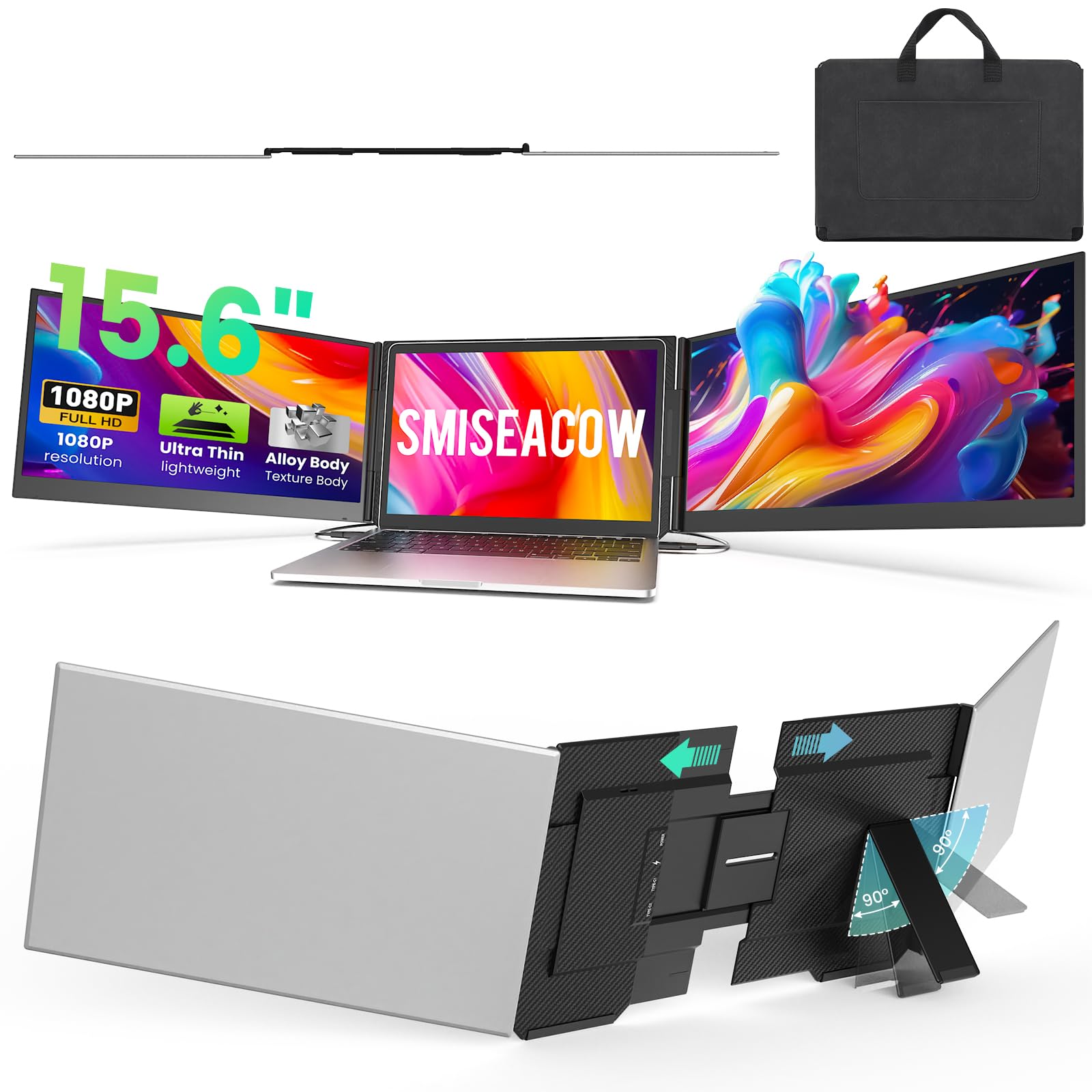
A near-weightless 15.6-inch triple screen that travels like a tablet.
The SMISEACOW is designed to avoid becoming dead weight in your bag. At just 0.18 inches thick (about the thickness of two stacked smartphone screens) and 3.9 lbs, it is remarkably slim for a 15.6-inch triple-screen setup. Unlike the Vixtan 14″ below, which uses a smaller 14-inch panel to hit 3.0 lbs, this one gives you the larger 15.6-inch screens without turning into a brick. Buyers report it is an “ultra-thin, lightweight S8 Pro Max triple monitor for 15″ MacBook Air,” and they mention the bright screens fold neatly for travel.
The free-standing bracket design (no clips touch your laptop lid) means there is zero hinge stress, and it fits laptops from 13.3 to 17.3 inches without worrying about marks. The aluminum alloy body also helps with heat dissipation during long sessions. Setup is simple plug-and-play using two USB-C cables (or one USB-C plus HDMI), and it works with everything from Windows and macOS to PS5 and Nintendo Switch—though note that M1-M4 MacBooks may need a separate H5 cable (available from the seller). You get a complete kit including a soft leather carry bag and all necessary cables.
The catch is that the side-mounted attachment does not lock onto the laptop, so a few owners mention the extender can slide off the laptop when you move the whole setup around. It is not a deal-breaker for desk work, but if you frequently shift positions in transit, you will want to nudge it back into place. Still, for someone who wants the biggest portable screens in the slimmest possible package, this is the one to beat.
Why it wins: The slimmest 15.6-inch triple extender on this list, with a free-standing design that protects your laptop’s hinge and a plug-and-play setup that works across almost every device.
The main trade-off: The side-only attachment base means it can shift when you move your laptop, so it is best kept on a stable desk or table rather than your lap during active use.
Reach for it if: you want the largest (15.6-inch) triple-screen extender that packs down to a travel-friendly 0.18-inch thickness and pairs with a wide variety of laptops and consoles.
Look elsewhere if: you plan to move around frequently with the extender attached—a more secure clip-on design might suit a mobile workflow better.
2. Vixtan 14″ Triple Laptop Screen Extender
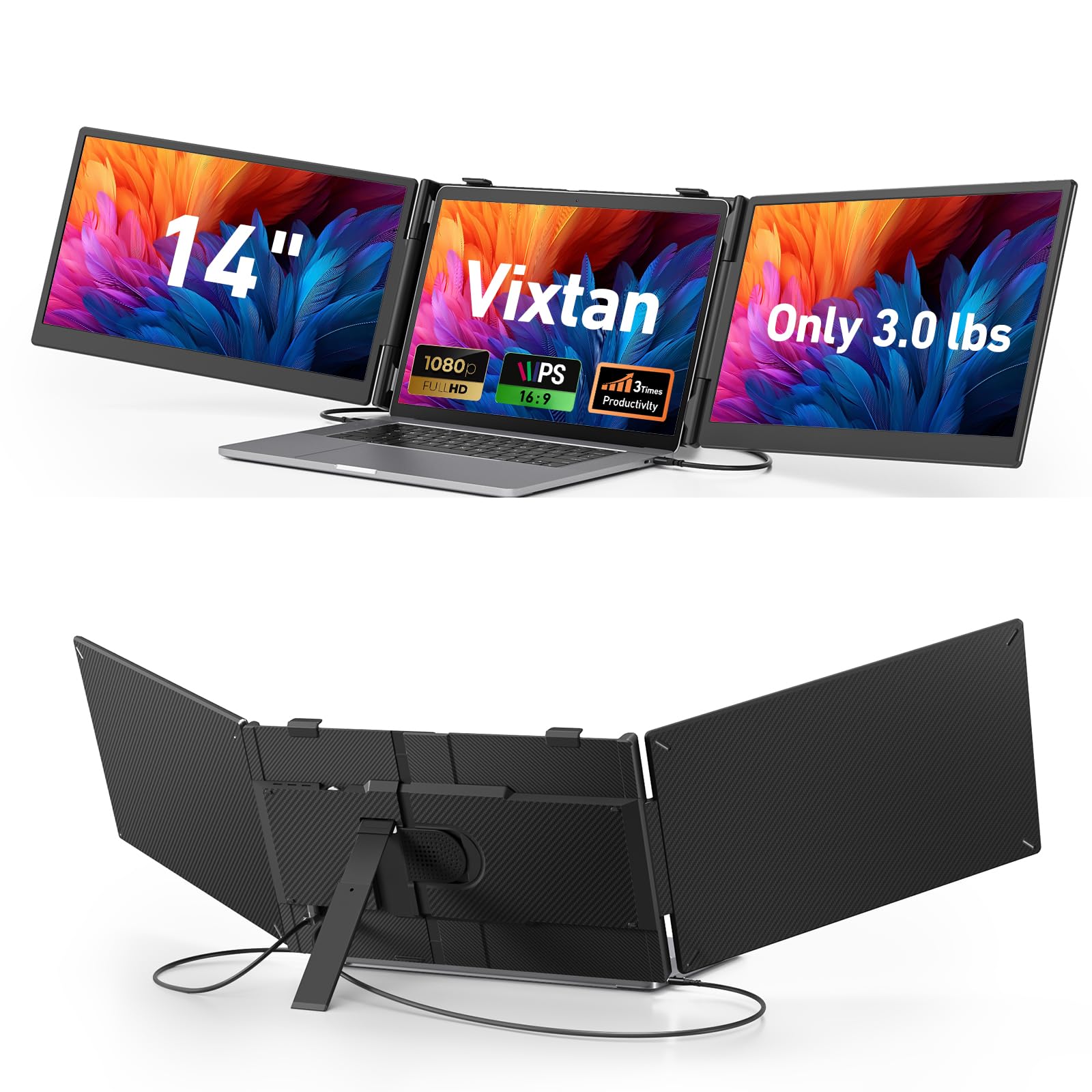
The featherweight traveler that keeps your bag light.
The Vixtan 14″ is the obvious starting point if every ounce in your backpack matters. At just 3.0 lbs and 0.3 inches thick, it is a full 0.9 lbs lighter than the 3.9-lb SMISEACOW 15.6″ above—a meaningful difference when you are already hauling a laptop, charger, and notebooks. The smaller 14-inch IPS (In-Plane Switching, a screen type that gives wide viewing angles from the sides) panel still delivers 1920×1080 Full HD resolution with 100% sRGB (a color standard for accurate, vibrant hues) and an anti-glare coating, so colors remain accurate even in a bright café. Buyers call it “lightweight and easy setup,” and note that it packs easily for travel and pairs well with HP and Dell laptops.
The reinforced plastic stand offers multi-level height adjustment and smooth 180° horizontal rotation. Reinforced springs, non-slip pads, and a rear stand keep laptops from 13 to 17.3 inches locked in with zero wobble. Like the SMISEACOW, this is a free-standing design that does not hang on your laptop lid, so your hinge stays safe. Connection is plug-and-play: two USB-C cables (or one USB-C plus HDMI) with no driver installation (no extra software needed). It is compatible with Windows, macOS, ChromeOS, Android, Linux, and even gaming consoles.
The honest limitation here is brightness. At 300 nits, the Vixtan matches most other portable extenders, but one reviewer who was otherwise impressed called it “best among 300-nit tri-screen extenders” yet still “too dim for bright environments (Macbook 500 NITS).” They returned the unit for that reason. If you work primarily in dim to moderately lit indoor spaces, the screen looks great—but if your base is a brightly lit room or near a sunny window, you may feel the same frustration. For anyone who values portability above all and can control their lighting, this is a strong, budget-friendly choice.
What makes it a great travel companion
- At 3.0 lbs, it is the lightest triple extender here—0.9 lbs less than the SMISEACOW 15.6″
- Anti-glare coating and 100% sRGB color gamut keep visuals accurate in moderate light
- Free-standing, no-clip design with multi-level height adjustment fits 13-17.3″ laptops securely
Where it stumbles
- 300 nits brightness is noticeably dimmer than high-end laptop screens (typically 400-500 nits)
- Uses 14-inch panels instead of 15.6-inch—11% less diagonal screen space than the 15.6-inch models
- MacBook M1/M2/M3 models support single-screen only; dual-screen requires a separate DisplayLink adapter
Who should pack this: Digital nomads and students who need triple screens on the go without adding significant weight to a backpack—ideal for coffee shops, libraries, and hotel rooms with controllable lighting.
Who should pass: Anyone working in a bright office or near a sunny window, because the 300-nit screen will look washed out compared to a high-nit laptop display.
3. 15.6″ Laptop Screen Extender New Upgraded Ultra-Thin & Light (Screnex P7)
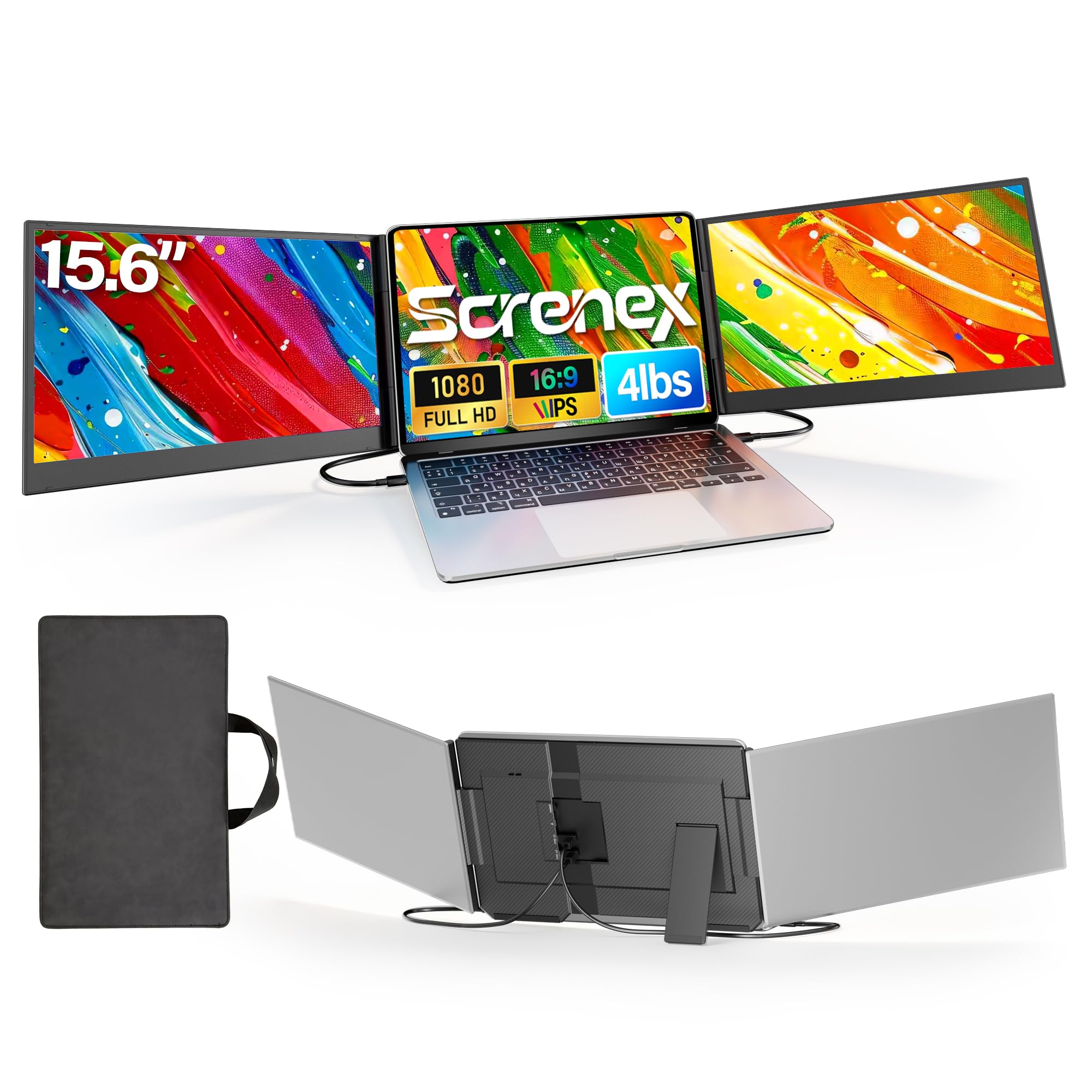
A 0.16-inch thickness that redefines what “portable triple monitor” means.
At 0.16 inches thick, the Screnex P7 is a shocking 87% slimmer than the Vixtan 14″ (0.3 inches). That difference is palpable the moment you slide it into a laptop bag—it barely registers as extra bulk. The unit still delivers 15.6-inch FHD 1080P (Full High Definition, 1920×1080 pixels) IPS screens on each side, offering the same large display area as the SMISEACOW but in a noticeably thinner package. Buyers consistently praise it as “clear, bright screen, comfortable for long hours,” and note the easy plug-and-play setup and quick reconnection. The free-standing design sits behind your laptop on a widened stand with non-slip pads, so your laptop hinge and screen never bear any weight.
Build quality uses premium aluminum for a sleek professional look, and the unit pairs well with a variety of laptops from 13 to 17.3 inches. Setup requires just two USB-C to USB-C cables (for laptops with two full-function Type-C ports), and no dock or driver is needed. The 178° ultra-wide viewing angle (the screen stays clear and colorful even when you look from the side) means you and a colleague can both read the screen from the sides without color shifting. The included carry case makes it easy to toss in a bag for cafés, hotels, or home offices.
One limitation to be aware of: like many free-standing extenders, the Screnex P7 does not attach directly to your laptop. This protects the laptop but means it takes up desk depth behind your computer. On a cramped train table or small café shelf, the extra footprint can feel tight. Also, if your laptop lacks two full-function USB-C ports, you may need to use one USB-C and one HDMI connection, which involves an extra cable. For someone who wants the absolute thinnest and lightest 15.6-inch triple extender with a premium aluminum build, this is the standout.
what separates it: At 0.16 inches, it is the thinnest triple-screen extender on this list—87% slimmer than the Vixtan 14″ (0.3 inches)—and is built with premium aluminum for a durable, professional feel.
The one catch: The free-standing design takes up desk space behind the laptop, so it is less suited to very tight surfaces like airplane tray tables or cramped café counters.
Pick this for: the 0.16-inch ultra-slim profile that slides into a bag with no noticeable bulge, plus the 15.6-inch FHD IPS screens that look great in standard indoor lighting.
skip it if: you frequently work on very small surfaces—the free-standing base needs several inches of desk depth behind your laptop.
4. Leudaich One Cable Laptop Screen Extender 15.6″
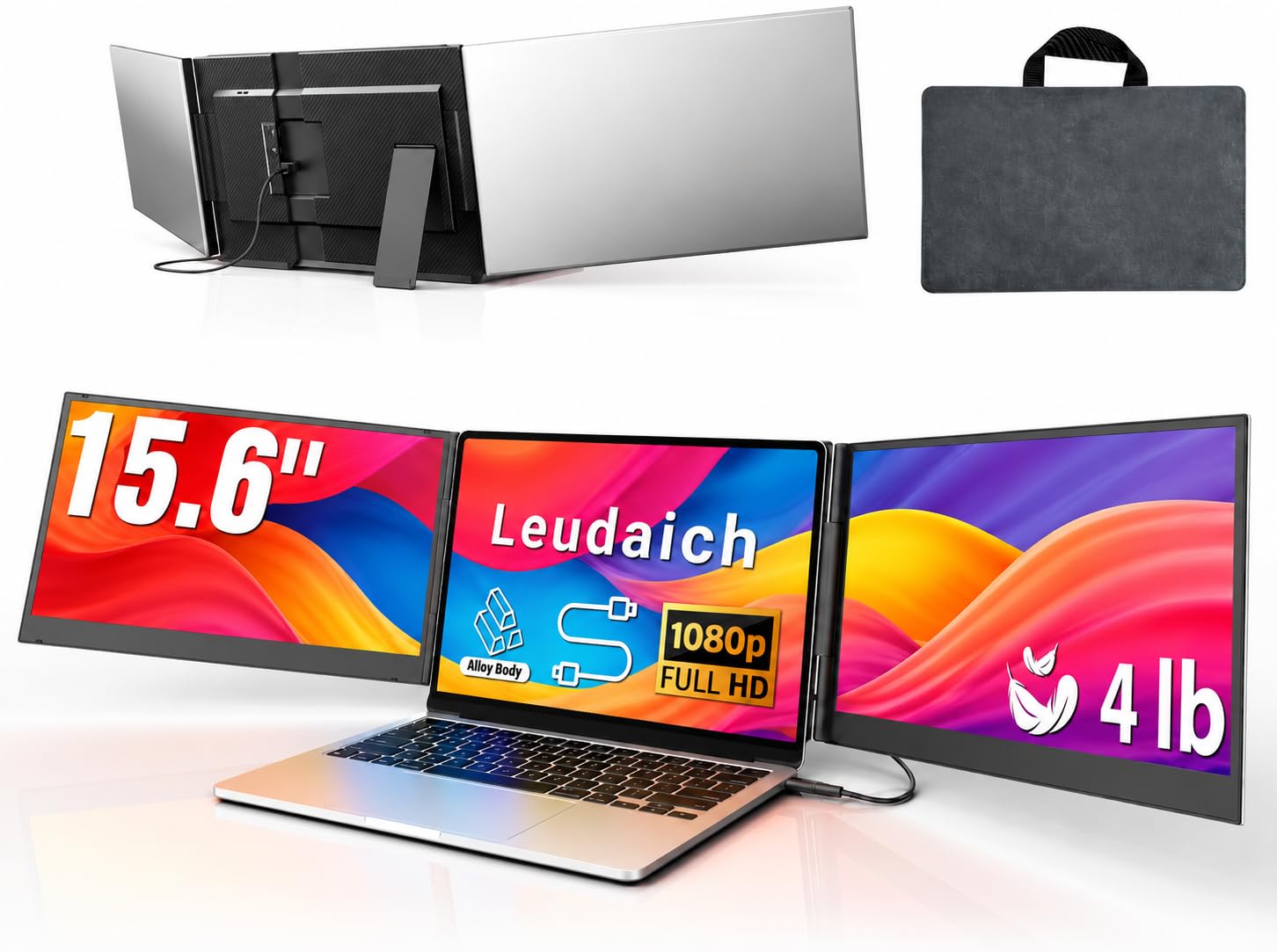
One USB cable powers both screens—no cable spaghetti on your desk.
The Leudaich P7 Pro cuts the cord count to one for a clean desk. After a one-time driver installation (a small software install), a single USB-C or USB-A cable handles both video and power to the two 15.6-inch 1080P IPS screens. The 60 Hz refresh rate (how many times the screen refreshes per second, so video and mouse movements look smooth) and 2-millisecond response time (how fast pixels change color) make it smooth enough for most office tasks and light creative work. The screens deliver 300 nits brightness with 100% sRGB, and the built-in blue light filter and anti-glare technology are designed to reduce eye strain during long sessions.
The aluminum alloy body keeps the unit at a manageable weight, and the independent, no-clip structure means you are not hanging anything on your laptop lid—reducing stress on the hinge. The screens support 180° rotation for flexible viewing angles. The package includes all necessary cables, a power adapter, and a carrying bag. Buyers using it for finance work with multiple spreadsheets call it “excellent for multiple spreadsheets” and note the “sturdy design attaches to 14″ laptop, light and portable with carrying case.” However, some buyers mention that the stand stability requires adjustment and that the unit does not clamp to the laptop, meaning it occupies desk space.
The catch with any one-cable solution is the driver installation. The first setup takes a few minutes, and you need to keep the driver software updated if you change operating systems. Also, some customers note the extender drains the laptop battery faster because the single cable handles both power and data—the manufacturer recommends connecting the included power adapter for optimal brightness and stability. For someone who wants a single-cable, low-clutter triple-screen setup and does not mind a one-time driver install, this is a solid mid-range pick.
Why it simplifies your setup
- Single USB-C or USB-A cable handles both video and power after the driver install
- 15.6-inch 1080P IPS panels with 2ms response time handle office and creative work smoothly
- Aluminum alloy body is durable without excessive weight
What to watch for
- Requires a one-time driver installation—not fully plug-and-play from the start
- Drains laptop battery faster; the included power adapter is recommended for best brightness and stability
Perfect for: anyone who hates cable clutter and is willing to spend five minutes installing a driver for a clean, one-cable triple-screen experience at their desk or in a hotel.
Not ideal for: people who want zero-driver, instant plug-and-play from the first connection—that crowd is better served by the two-cable models above.
5. One Cable Laptop Screen Extender, 15.6″ (Rizpak P7 Pro)
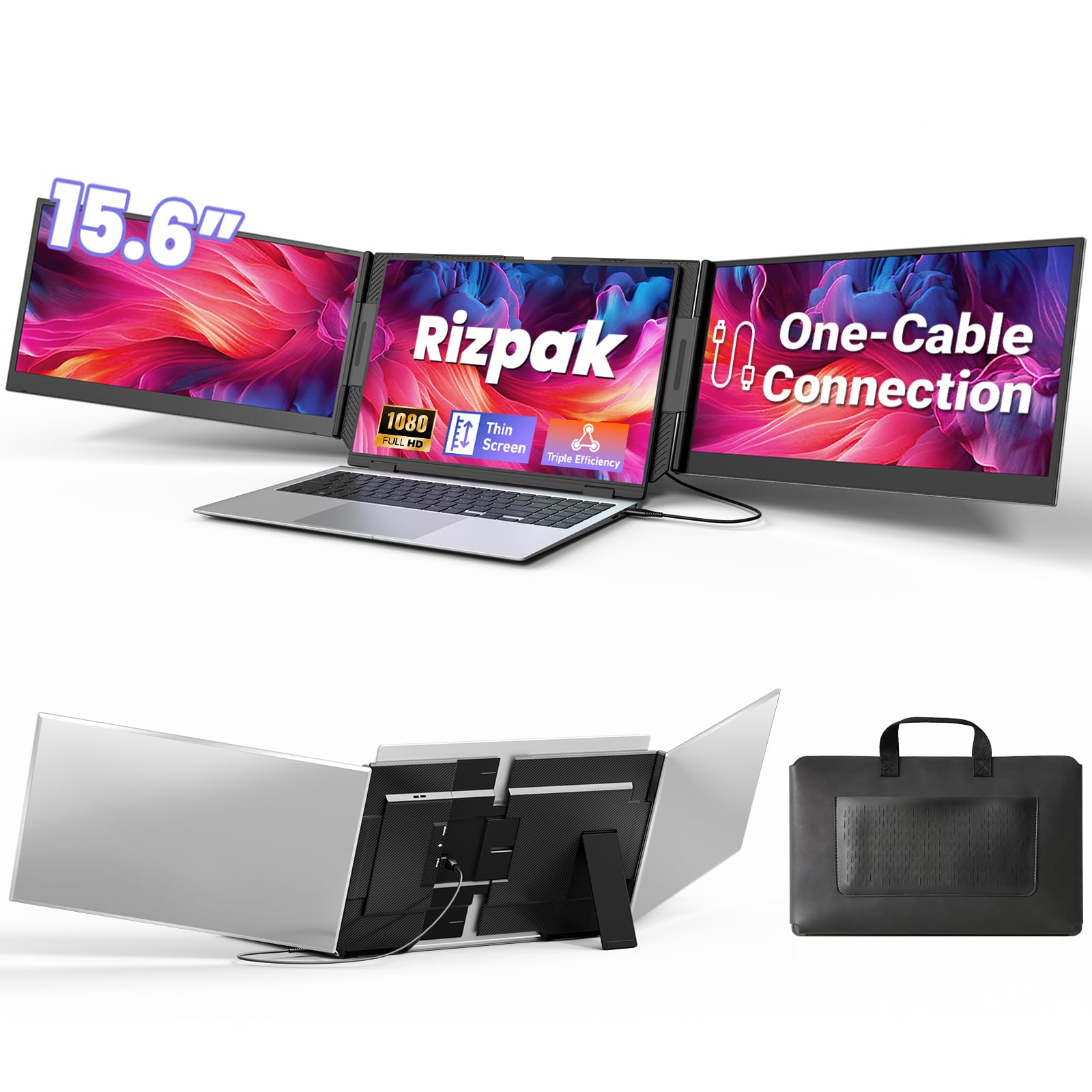
Aerospace-grade aluminum meets single-cable simplicity for the discerning traveler.
The Rizpak P7 Pro is essentially the premium cousin of the Leudaich above, sharing the same one-cable driver-based setup but upgrading the build to aerospace-grade aluminum and adding FreeSync adaptive sync technology (a feature that reduces screen tearing when the frame rate changes, good for smoother motion in videos and games) for smoother motion. The 15.6-inch 1080P FHD IPS screens deliver 100% sRGB color gamut and 178° wide viewing angles, making them suitable for color-sensitive work like photo editing. At 0.2 inches thick for the screens and 4 lbs total weight, it is slightly thicker than the Screnex P7 (0.16 inches) but compensates with that reinforced metal stand and premium feel.
The independent stand design prevents any stress on the laptop hinge, and the 180° foldable screens allow you to protect private content when not in use. The package includes a power adapter, a USB flash drive with the driver, and all necessary cables. Reviewers point out the setup is simple via a single USB-C cable after the driver install, and one reviewer called it “absolutely worth every penny,” noting the ultra-thin profile fits easily in a laptop bag and the build quality feels solid.
The same driver-based limitation applies: it is not instant plug-and-play for the first use. Additionally, the 4-lb weight puts it on the heavier end of this list—matching the SMISEACOW but without that unit’s 0.18-inch thinness. The FreeSync support is a niche plus for light gaming, but for pure productivity work, you may not notice the difference. For buyers who want a one-cable driver setup and are willing to pay a slight premium for the sturdiest aluminum build and adaptive sync, the Rizpak P7 Pro is a well-rounded option.
What improve it: Aerospace-grade aluminum shell and reinforced metal stand for durability, plus FreeSync adaptive sync for smoother motion in presentations and light gaming.
Where it sits: At 4 lbs, it matches the SMISEACOW’s weight but is thicker (0.2 inches vs. 0.18 inches); the trade-off is a more sturdy stand and one-cable convenience after the driver install.
Choose this for: a one-cable triple-screen setup with the most premium build quality—ideal for professionals who want a desk-clean solution and can handle the one-time driver setup.
Pass if: you need true instant plug-and-play without any driver, or if the 4-lb weight and thicker profile are dealbreakers for your daily carry.
6. Blackview Laptop Screen Extender 14″ (DCM5)
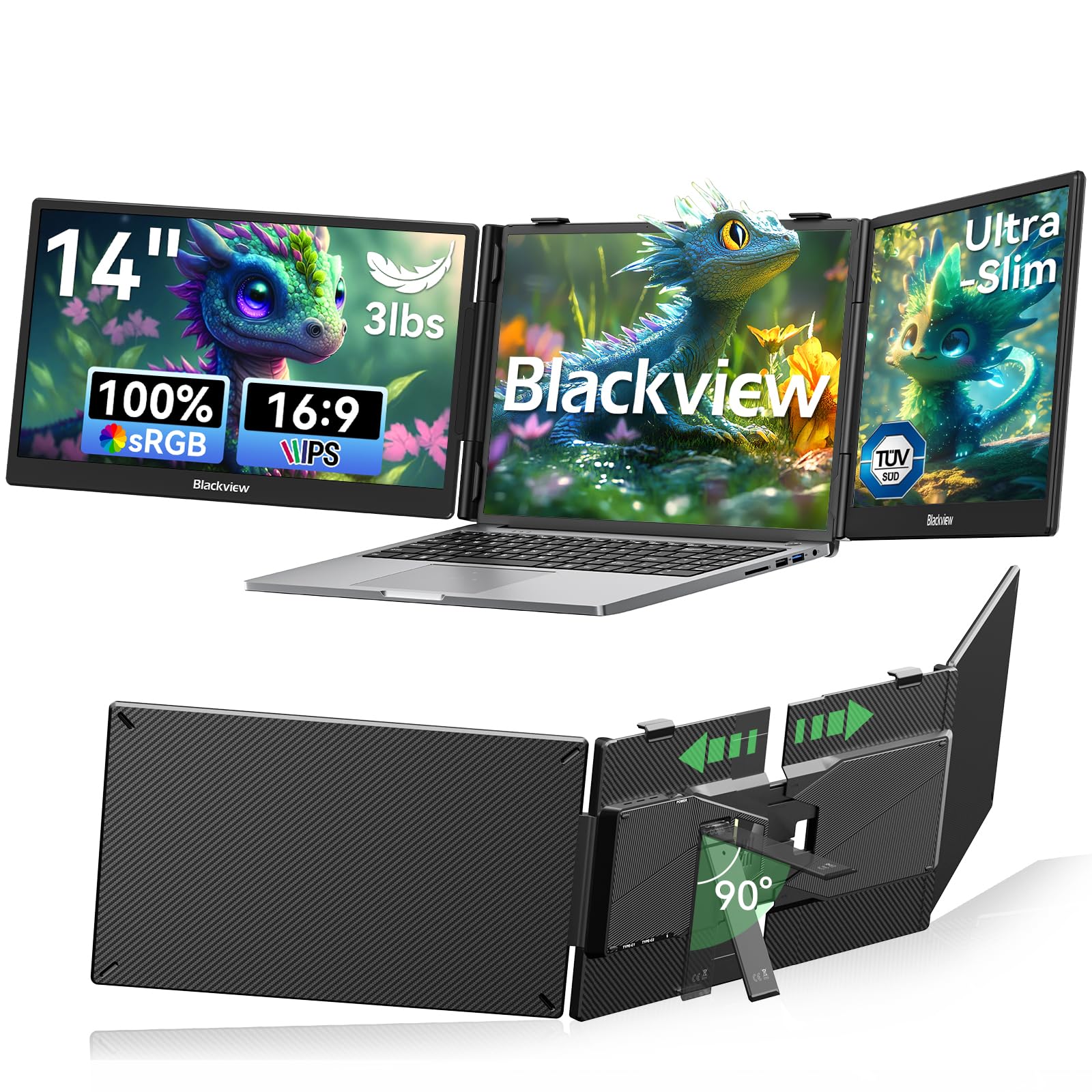
A galvanized steel shell that shrugs off scratches on the road.
The Blackview DCM5 uses a premium galvanized steel shell with a matte finish that resists scratches and fingerprints. At 3.0 lbs, it matches the Vixtan 14″ for being one of the lightest extenders here, yet it feels noticeably more rugged in the hand. The 6-point mounting system and 90° adjustable strand lock the extender tight against your laptop with zero wobble. The 14-inch 1080P FHD IPS panel delivers 300 nits brightness and a 1200:1 contrast ratio (the difference between the brightest white and the darkest black the screen can show)—notably higher contrast than the 1000:1 ratio on most competitors, so blacks look deeper. The panel is TÜV SÜD certified (a German safety and quality certification) for low blue light and flicker-free viewing, which buyers appreciate for marathon work sessions.
Unlike the free-standing models above, the Blackview clamps onto your laptop (13-17.3 inches) with reinforced springs, 6-point non-slip pads, and a rear stand—so it stays locked in place even if you shift your laptop on the table. Shoppers say it is “sturdy, wobble-free, yet portable,” and works smoothly with Windows 11. Setup is plug-and-play with no drivers: connect via USB-C or HDMI, and you can switch between mirror, extend, or portrait modes. The unit also supports smartphones with desktop mode, Nintendo Switch, and gaming consoles, making it versatile beyond just laptop use.
The trade-off for that rugged clamp design is that you are attaching hardware directly to your laptop lid. While the non-slip pads prevent scratches, the added weight on the hinge is something to be mindful of—especially during repeated open-and-close cycles. Also, at 14 inches, the screens are smaller than the 15.6-inch models, so you get less overall real estate. The 300-nit brightness is standard for the category but still dimmer than a modern laptop. For road warriors who prioritize a rock-solid, wobble-free connection and do not mind clamping to their laptop, the Blackview is a tough, travel-ready pick.
Its strongest points
- Galvanized steel shell resists scratches and fingerprints—built for regular travel
- 6-point clamp system with reinforced springs and non-slip pads locks the extender with zero wobble
- 1200:1 contrast ratio delivers deeper blacks than the 1000:1 found on most competitors
What to consider
- Clamp-on design puts weight on the laptop hinge during transport and use
- 14-inch screens provide less total area than the 15.6-inch models in this list
Ideal for: professionals who move between desks, co-working spaces, and client sites and want a rugged, non-slip triple screen that stays locked in place even when they shift the laptop.
Second thoughts: if you avoid any hardware touching your laptop lid or need the largest possible screen area, the 15.6-inch free-standing models above are a better fit.
7. Synnov 15.6″ Laptop Screen Extender
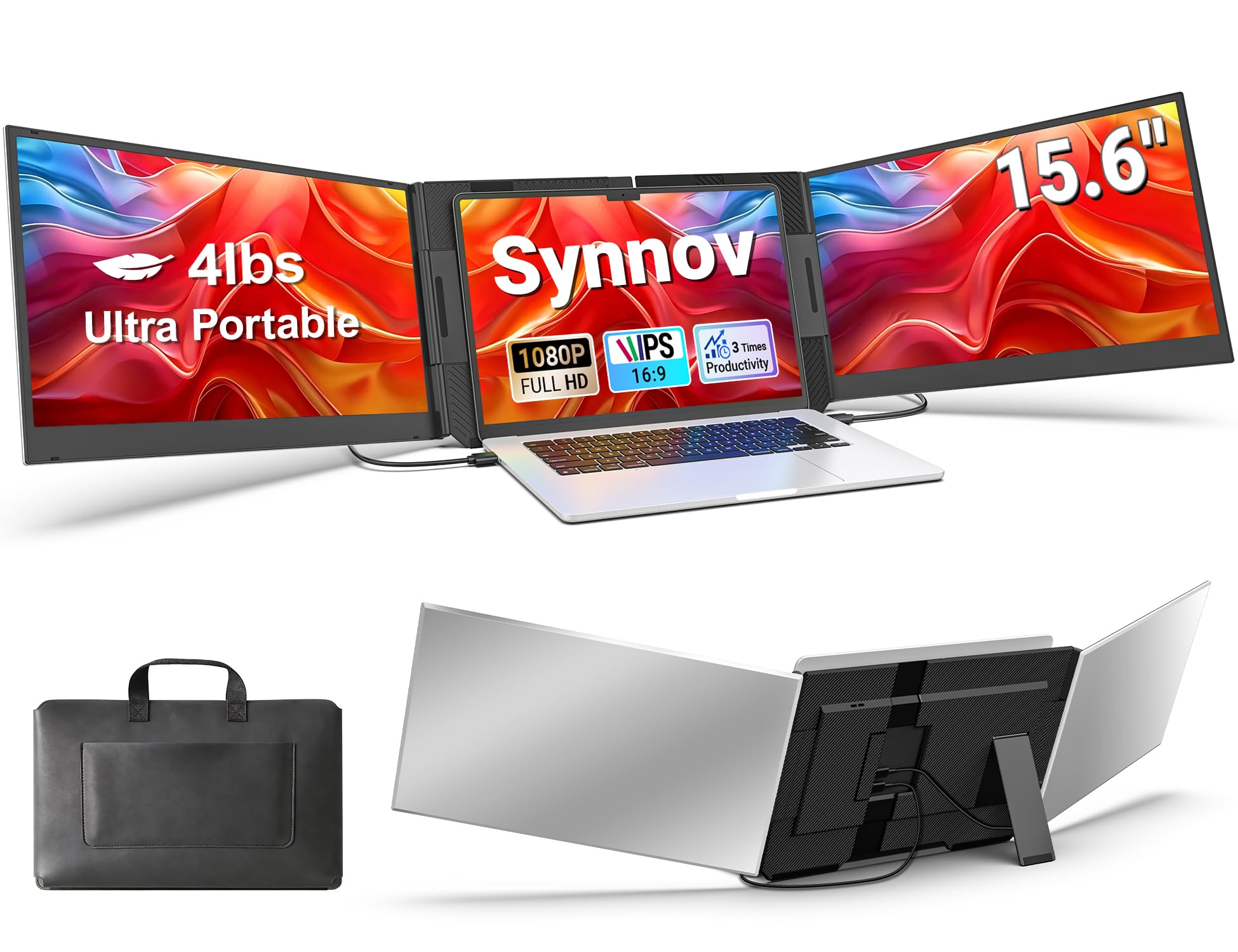
A balanced 15.6-inch extender that prioritizes stability and ease of setup.
The Synnov 15.6″ hits a middle ground many buyers will find agreeable. It uses an upgraded aluminum alloy body with a metal stand for stable, wobble-free positioning, and it weighs 4 lbs with a 0.19-inch thin profile—comparable to the SMISEACOW but a hair thicker. The two 15.6-inch FHD 1080P IPS screens offer 100% sRGB color gamut and 178° ultra-wide viewing angles, making them suitable for color-aware tasks. Unlike the Leudaich or Rizpak, this is a no-driver plug-and-play unit: just connect with two full-function USB-C cables (or one USB-C plus one HDMI).
The no-clip free-standing design avoids pressure on the laptop hinge, and the adjustable brightness and 180° adjustable angle let you dial in the screen positioning for different environments. Buyers report that the screens are “clear, bright, lightweight, sturdy” and the three screens “greatly improve work efficiency.” The package includes a portable carry bag and all necessary cables. The unit also supports extend, mirror, and portrait modes for flexible workflows.
The main downside is brightness: at 280 nits, the Synnov is slightly dimmer than the 300-nit standard on most competitors. In a well-lit room or near a window, the screens will appear less vibrant than the Blackview or SMISEACOW panels. This is a minor gap, but if screen brightness is your top priority, the 300-nit models above punch a bit harder. For someone who wants a straightforward, large-screen (15.6-inch) triple extender that does not require any driver installation and offers a solid aluminum build, the Synnov delivers a reliable, no-surprises experience.
What makes it straightforward: No-driver plug-and-play with two USB-C cables, an aluminum alloy body with metal stand, and 15.6-inch FHD IPS screens at a reasonable weight (4 lbs) and thickness (0.19 inches).
The primary trade-off: At 280 nits, it is slightly dimmer than the 300-nit standard on most competitors—noticeable in bright rooms but still functional in typical indoor lighting.
Get this for: a clean, driver-free 15.6-inch triple-screen setup with a stable aluminum stand—perfect for users who want large screens and simplicity without paying extra for the thinnest chassis.
Skip if: you frequently work in very bright environments; the 280-nit brightness falls short of the 300-nit models and will look dim next to a high-nit laptop display.
Understanding the Specs
Nits (Brightness)
Nits measure how bright the screen can get. A 300-nit extender is fine for most indoor office and café settings, but it will look noticeably dimmer than your laptop if you place it next to a window or under bright ceiling lights. If you work in variable lighting, look for an extender with 300 nits or higher; if brightness is critical, consider pairing the extender with a portable shade or working in a moderately lit room.
IPS Panel Technology
IPS (In-Plane Switching) panels offer wide viewing angles—typically 178°—compared to older TN (Twisted Nematic) screens. This means two people can look at the screen from the sides without seeing colors shift or wash out. For a triple-screen extender, IPS is the standard to look for because the side screens are often viewed at an angle rather than straight on.
Free-Standing vs. Clip-On Design
Free-standing extenders sit behind your laptop on an independent stand—they do not touch your laptop’s lid, so there is no hinge stress, but they take up desk depth. Clip-on extenders attach directly to your laptop screen bezel (the frame around the screen), saving desk space but putting weight on the hinge and potentially leaving marks. Choose the design that fits your workspace and comfort level with hardware touching your laptop.
Plug-and-Play vs. Driver Required
Some extenders work instantly with two USB-C cables (or one USB-C plus HDMI) and need no software—true plug-and-play. Others use a single cable but require a one-time driver installation (a small piece of software) to function. The two-cable route is simpler for the first setup, but the one-cable route keeps your desk cleaner. Check your laptop’s port count: if you have two free USB-C ports, two-cable models are easy; if ports are scarce, a one-cable driver model may be better.
FAQ
Do all 3 screen laptop extenders work with any laptop?
Can I use a 3 screen laptop extender with a gaming console?
What is the difference between 300 nits and 280 nits brightness?
Will a 3 screen laptop extender damage my laptop’s hinge?
How heavy are these extenders in real-world use?
Do I need a separate power adapter for the extender?
Can I use the extender with a tablet or smartphone?
How do I set up portrait mode on a triple-screen extender?
What is the typical lifespan of a portable laptop screen extender?
Final Thoughts: The Verdict
For most buyers, the 3 screen laptop extender winner is the SMISEACOW 15.6″ because it combines the largest screen size with an ultra-slim 0.18-inch profile, a free-standing design that protects your laptop hinge, and true plug-and-play setup with no drivers. If you want the lightest possible carry, grab the Vixtan 14″ at just 3.0 lbs. And for a rugged, wobble-free clamp-on design that stays attached during movement, the Blackview DCM5 14″ is a tough travel companion.
How We Picked
We do not accept paid placement. Every pick is matched to a real buyer and a real use-case; we do not hands-on test units.
Sources & Methodology
Specifications: manufacturer listings and product documentation. Review insights: verified customer reviews, as of July 2026. Pricing: not shown on this page (it changes often); check the current price via the retailer link.
As an Amazon Associate, Gadgets Feed earns from qualifying purchases. This does not affect which products we feature.
Related Guides
Product prices and availability are accurate as of the date/time indicated and are subject to change. Any price and availability information displayed on Amazon at the time of purchase will apply to the purchase of this product. As an Amazon Associate I earn from qualifying purchases.
CERTAIN CONTENT THAT APPEARS ON THIS SITE COMES FROM AMAZON. THIS CONTENT IS PROVIDED "AS IS" AND IS SUBJECT TO CHANGE OR REMOVAL AT ANY TIME.
Amazon and the Amazon logo are trademarks of Amazon.com, Inc. or its affiliates.