
Our readers keep the lights on and my morning glass full of iced black tea. As an Amazon Associate, I earn from qualifying purchases.
Specs are compiled from manufacturer listings and verified buyer reviews and can change over time — please confirm the key details on the product page before buying.
If you are building a trading station, a streaming setup, or just want your spreadsheet, email, and browser open at once, you need a card that can drive three screens without stuttering. The trick is to ignore the marketing and focus on the video outputs and the memory — that is what decides whether your third monitor even works. This guide sorts the options by what actually matters for multi-display use, from budget workhorses to flagship powerhouses.
I’m Min — the founder and writer behind Gadgets Feed. This guide is built by comparing the manufacturers’ published specifications and the patterns across verified customer reviews, so you get each pick’s real strengths and trade-offs instead of marketing spin.
Every card here genuinely supports at least three simultaneous displays, so you can build your multi-monitor setup with confidence. Discover the best 3 screen video card for your desktop needs, whether that means quiet office work or intensive 4K gaming, and find the model that fits your PC’s power supply and case size.
Our Picks at a Glance


How To Choose The Best 3 Screen Video Card
Before you buy, you need to match three things: the video outputs on the card, the ports on your monitors, and the power supply inside your PC. Get those aligned and almost any of these cards will light up three screens without trouble.
Check the physical video outputs
A card can be hugely powerful but still only have one HDMI port. For three monitors, you need either three separate ports or a mix like two DisplayPorts plus one HDMI. Count the ports on the card, then count the matching inputs on your monitors — adapters exist, but native matching is always cleaner.
Match the memory to your resolution
Video memory (VRAM) is what the card uses to hold the image data for every pixel on every screen. For three 1080p office monitors, a card with 2GB or 8GB is plenty. For gaming across three high-refresh panels, you want 12GB or more so the card never has to dump data and stutter.
Verify power and physical fit
Big cards draw serious power. A flagship card can require an 850W power supply, while a small office card needs none at all. Measure the inside of your case too — the largest cards here stretch over 13 inches long and weigh nearly 4 pounds, so they need space and often a support bracket.
Quick Comparison
| Model | Best For | Memory | Clock Speed | Max Resolution | Amazon |
|---|---|---|---|---|---|
| TUF Gaming RTX 5070 Ti★ Best Overall | High-refresh 4K gaming | 16GB GDDR7 | 2610 MHz | 7680×4320 | Amazon |
| MOUGOL RX 580Best Value | Budget triple-display gaming | 8GB GDDR5 | 1206 MHz | 7680 pixels | Amazon |
| ASUS GT 730Multi-HDMI | Quiet office HDMI setups | 2GB GDDR5 | 927 MHz | 3840×2160 | Amazon |
| maxsun RX 580 | White-themed budget builds | 8GB GDDR5 | — | 7680×4320 | Amazon |
| QTHREE RX 560 XT | Triple 4K office and light gaming | 8GB GDDR5 | 1206 MHz | 3840×2160 | Amazon |
| ZER-LON GTX 1660 Super | 1080p gaming on three monitors | 6GB GDDR6 | 1530 MHz | 7680×4320 | Amazon |
| ASRock RX 7700 XT | Mid-range high-refresh gaming | 12GB GDDR6 | 2226 MHz | 7680×4320 | Amazon |
| ASRock RX 9070 XT | Smooth 4K gaming across screens | 16GB GDDR6 | 2970 MHz | 7680×4320 | Amazon |
| Gigabyte RTX 5080 | Top-tier 1440p and 4K | 16GB GDDR7 | 2730 MHz | 7680×4320 | Amazon |
| MSI RTX 4080 Super | Quiet high-end gaming | 16GB GDDR6X | 2610 MHz | 7680×4320 | Amazon |
| MSI RTX 5090 | Absolute max performance | 32GB GDDR7 | 2497 MHz | 7680×4320 | Amazon |
In-Depth Reviews
1. ASUS TUF Gaming GeForce RTX 5070 Ti 16GB GDDR7 OC
Our pick — over 4.5★ from 500+ verified ratings; the strongest balance of quality and price.
The high-end pick that crushes 1440p and 4K gaming across multiple screens without breaking a sweat.
This is the card for the gamer who wants one GPU that can drive a triple-monitor racing or flight-sim setup at max details. The TUF build carries 16GB of GDDR7 memory, which is the highest memory type here, and a boost clock of 2610 MHz that owners say rivals the even more expensive RTX 5080 when overclocked. Buyers report it handles 1440p flawlessly and runs demanding games on max graphics settings.
You get stable temperatures and quiet operation under heavy load, thanks to a 3.125-slot design with a large fin array and three Axial-tech fans (fans that spin on both the hub and blades to push more air). This is why buyers praise quiet operation as the second-best feature after raw performance. A protective PCB coating (a layer that shields the circuit board) guards against short circuits from moisture or dust, so it holds up well in less-than-pristine cases.
The honest catch is size and power. At 13 inches long and 3.6 pounds, it needs serious case space and a support bracket, plus a minimum 850W power supply with a 16-pin connector. Most owners skip the included adapter and use three separate PCI cables from their PSU instead, so plan your upgrade around that.
What wins gamers over
- 16GB of GDDR7 memory handles 4K textures without stutter across panels
- 2610MHz boost clock overclocks to rival the 5080, per owners
- Military-grade components and PCB coating boost long-term durability
What to plan for
- 13-inch length and 3.6-pound weight need a roomy case and support bracket
- Demands an 850W power supply with a 16-pin connector
- Cooling is excellent but fans get audible at full load
Reach for this if: you want a premium card that handles 1440p and 4K gaming across three monitors for years.
Look elsewhere if: your power supply is under 850W or your case cannot fit a 13-inch card.
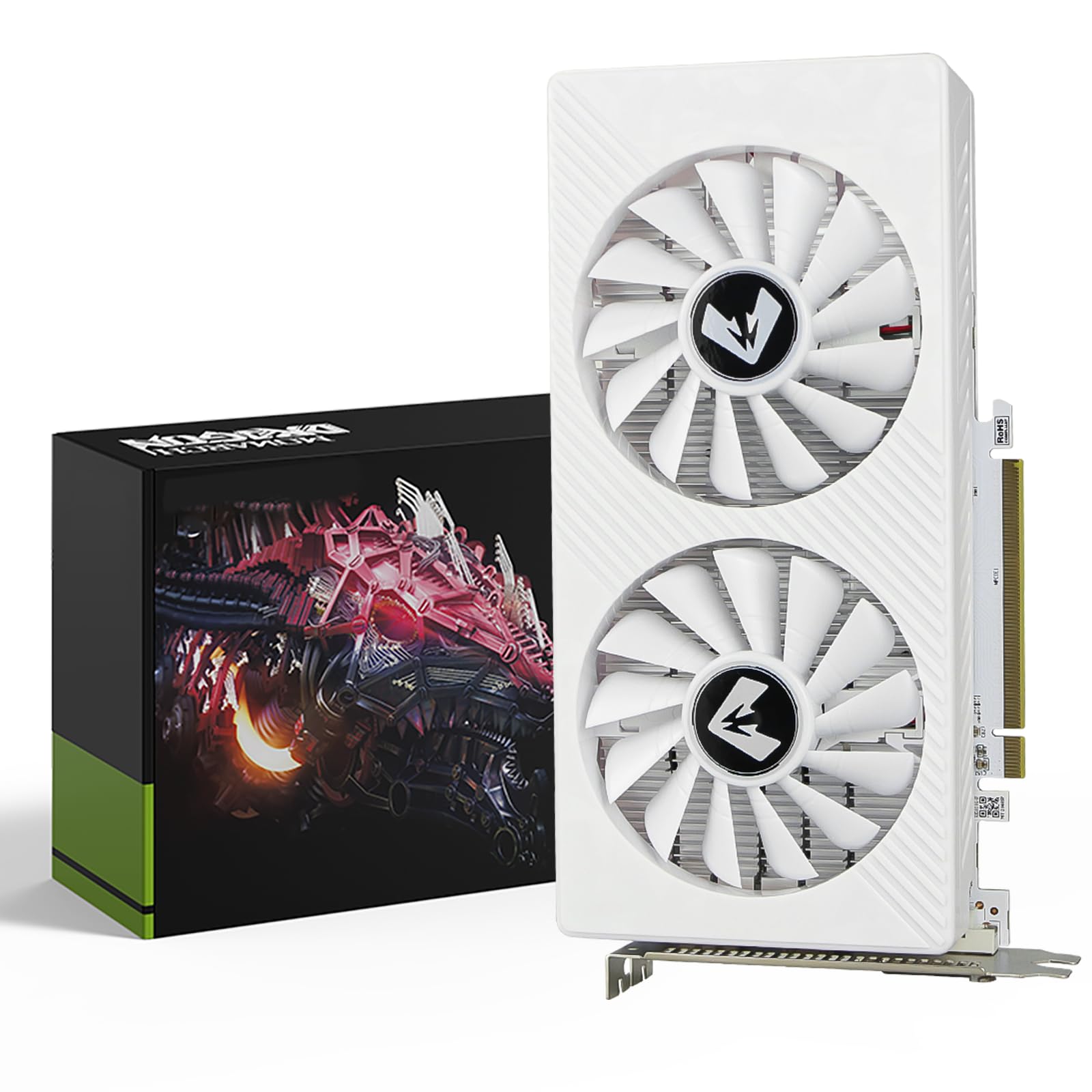
2. MOUGOL AMD Radeon RX 580 8GB GDDR5 (White)
A budget triple-display card that is a huge step up from older integrated graphics for casual gaming.
If you are coming from a five-year-old office PC and want three monitors for work plus a little gaming, this RX 580 is the crowd favorite on a budget. It carries 8GB of GDDR5 memory with a 1206 MHz core clock and 2048 stream processors, which owners mention is a massive boost over older cards like the GTX 960 2GB. Ports include HDMI, DisplayPort, and DVI, giving you the triple-monitor output you need.
Customers note it plays Fortnite, GTA V, Apex Legends, and Valorant at solid frame rates, and the dual-fan cooling keeps it quiet during light office work while ramping up airflow for gaming. The white shroud matches white-themed PC builds, which owners appreciate for the look.
The real-world catch is power. This card needs a 500W minimum power supply, and if you get a black screen or boot failure, the maker says to check your PSU first. It is a starter GPU, and owners are honest that modern heavy titles want something stronger.
Why it is the value pick
- 8GB GDDR5 memory gives budget buyers room for modern games
- HDMI, DisplayPort, and DVI outputs handle triple-monitor setups
- Dual fans stay quiet during office work, ramp up for gaming
Know before you buy
- Needs a 500W or higher power supply for stable operation
- White shell can cover the rear release on some motherboards
- Best for entry-level gaming, not heavy modern titles
Grab it if: you are upgrading an older PC and want three screens for work and light gaming at a low cost.
skip it if: your power supply is under 500W or you plan to play modern AAA games on high settings.
3. ASUS GeForce GT 730 (2GB GDDR5, 4X HDMI)
The silent four-HDMI hero for office productivity and home theater PCs that need zero extra power cables.
This is the card you want when your priority is driving four high-definition monitors from a single quiet card, not gaming. The ASUS GT 730 packs 2GB of GDDR5 memory and a 927 MHz clock, and its standout feature is four HDMI ports. One owner put it simply: it “works fantastic for multiple HDMI monitors.”
The single-slot design with passive cooling means no fans spinning and no noise, which buyers call perfect for quiet home theater PCs and multimedia centers. It is genuinely plug-and-play — it draws power straight from the PCIe slot, so you need no cables from your power supply at all. It even fits in a system where your x4, x8, and x16 slots are all occupied because it only needs a PCIe x1 slot.
The honest limit is that 2GB of memory and this clock speed make it a light-gaming and office card, not a gaming powerhouse. Finding modern drivers is also getting harder, especially on Linux, so check your driver support before buying.
Perfect for: a silent, cable-free way to run multiple HDMI monitors for work or media — owners rate it “perfect for multiple HDMI needs.”
Not for: modern gaming or 4K video playback, where its 2GB memory and older architecture run out of steam.
Best suited to: home theater builds and office desks where silence and multiple HDMI monitors matter more than gaming.
Think twice if: you need current driver support for Linux or plan to play anything beyond light games.
4. maxsun AMD Radeon RX 580 8GB 2048SP (White)
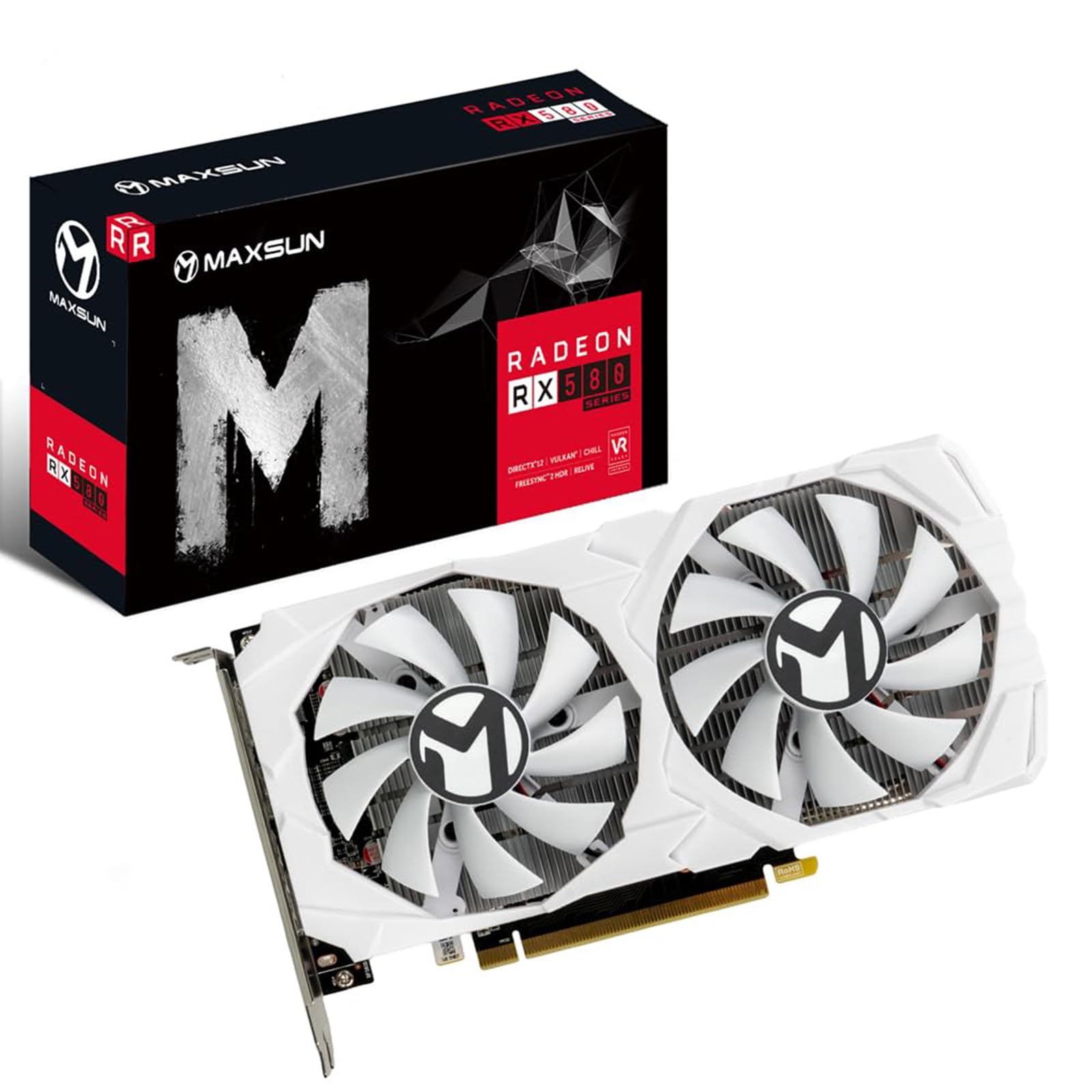
A white triple-display card that shines in white-themed builds and trading workstations running six screens.
This white RX 580 is built around the Polaris 20 processor with 8GB of GDDR5 memory on a 256-bit interface, and it is the pick if your PC case is a white build. Its three full digital outputs — HDMI plus two DisplayPorts — handle multi-monitor setups directly, and it supports DirectX 12, Vulkan, and 4K video decode and encode.
The standout real-world use here is productivity: buyers have run six monitors on a trading workstation with this card flawlessly, and temperatures stayed near idle even under heavy multi-monitor use. On the gaming side, reviewers point out 144FPS in esports titles like Fortnite and VALORANT and 60FPS in many AAA games at reduced settings.
Buyers have flagged the reliability as mixed, with some cards working perfectly and others crashing after a few minutes, and one noted the power port missing two of eight overclocking slots versus the ad. Treat it as a capable budget card where individual units vary — and check your PSU, as one owner traced issues to a failing hard drive rather than the card itself.
Strong suit: multi-monitor productivity — one owner runs six screens on a trading desk without heat issues.
Fair warning: reliability gets mixed owner reports, so it is a fit for budget builds where you can tolerate some variance.
Choose this if: you want a white card for multi-monitor work and esports gaming at a budget price.
Pass it by if: you need guaranteed reliability or plan to push modern AAA games on high settings.
5. QTHREE Radeon RX 560 XT 8GB GDDR5

A budget card that brings 8GB of memory and triple-monitor 4K output to older desktop PCs.
This RX 560 XT is built on the Ellesmere processor and pairs 8GB of GDDR5 memory on a 128-bit interface with a 1206 MHz clock. Its DP, HDMI, and DVI outputs support up to three monitors at once with 60Hz 4K output, so you can run three 4K office displays or enjoy 1080p gaming across a triple-screen setup.
Owners have revived aging machines with it, with one noting it runs their 12-year-old computer “like a Pro.” It works well on Linux, a plus for open-source users, and handles games like RoboCop: Rogue City without the lag they had before. Two independent cooling fans and a dual-slot design with a single 8-pin connector rated at 150W max keep things simple to power.
The fair warning is that this is a budget card, so you cannot max out graphics settings on modern titles — owners say exactly that. The seller instructions also incorrectly say “Nvidia” in places, which shoppers say as a quirk, and one owner hit crashes on the lowest resolution, so check your system’s stability after install.
Great at: giving old desktops a new life with triple 4K monitor output and light gaming — owners praise the performance jump.
Keep in check: the 128-bit memory interface limits bandwidth, so heavy modern games stay off the table.
Ideal for: budget builds and Linux machines needing three 4K monitors for productivity and light gaming.
Not ideal for: gamers who want high settings in modern AAA titles on a triple-screen rig.
6. ZER-LON GeForce GTX 1660 Super 6GB

A dependable 1080p gaming card with three monitor ports and proven long-term staying power.
For entry-level 1080p gaming across three monitors, the GTX 1660 Super hits a strong balance. It packs 6GB of GDDR6 memory (a fast type of video memory) on a 192-bit interface with a 1530 MHz clock and a 1750 MHz memory clock, so you can run modern games smoothly at 1080p. Its port layout — one DVI, one DisplayPort, one HDMI — supports three screens with 8K display capability, meaning you can connect high-resolution monitors without adapters.
Another uses it for Plex transcoding and says it handles four 4K tuners simultaneously. The dual-fan cooling with composite heat pipes keeps the core, memory, and power components in full contact for stability.
The catch is that it is a mainstream card, so newer AA titles run at low-to-mid settings, and noise reports are mixed — some call it very quiet, others find it noisy. Installation needs care: one owner had to remove a cage and an adapter because the power plug blocked the case lid, so measure your case first.
Proof it lasts
- 6GB GDDR6 memory with 14000 MHz delivers smooth 1080p gaming
- Buyers report months of constant use with no failures
- Handles four simultaneous 4K transcodes, per one buyer
Watch for
- Noise is mixed — quiet for some, audible for others
- Needs careful case fitting, with possible bracket removal
- Newer AA titles run at low-to-mid settings only
Best for: kids’ starter gaming PCs and 1080p setups that need proven reliability on a budget.
Pass if: you want to play modern AAA titles on high settings or need a guaranteed-silent card.
7. ASRock Radeon RX 7700 XT Challenger 12GB OC

A mid-range workhorse with 12GB of memory that runs most AAA games at 70+ FPS on max settings.
If you want strong multi-monitor gaming without paying flagship prices, the RX 7700 XT delivers. It uses AMD’s RDNA 3 architecture (a design that improves performance per watt) with 54 compute units, a boost clock up to 2584 MHz and game clock of 2226 MHz, and 12GB of GDDR6 memory on a 192-bit bus with 48MB of Infinity Cache (a small on-chip memory that speeds up data access) to reduce latency. Its three DisplayPort 2.1 ports plus one HDMI 2.1 give you plenty of modern high-refresh outputs, so you can run multiple 144Hz monitors without bottlenecks.
Owners mention it runs most AAA games at 70+ FPS on max settings, calling it a “massive upgrade” from older cards like the 3060. The dual-fan design with striped ring fans and Ultra-fit heatpipe technology keeps temps in check, and the 0dB silent cooling means the fans stay off at low temperatures — perfect for office work between gaming sessions.
The reliability feedback is mixed, with some cards working perfectly from the start and others stopping after two weeks, so test it early. It is also not compatible with all pre-built systems, so verify your power supply, chassis space, and motherboard before you buy.
What wins people over: build quality and value — owners repeatedly call it great value for the performance, with clean aesthetics and quiet fans.
Keep in mind: reliability is up and down in owner reports, and the white LED is not customizable to match case lighting.
Reach for it if: you want 12GB of memory and high-refresh 1440p gaming without flagship pricing.
Be cautious if: you buy a pre-built PC — verify it fits your case and power supply first.
8. ASRock Radeon RX 9070 XT Challenger 16GB OC

A premium 16GB card that handles max-settings 4K gaming without breaking a sweat.
This is the pick for gamers who want to run three high-end monitors at 4K with all the details turned up. The RX 9070 XT uses AMD’s latest RDNA 4 architecture with 64 compute units, a boost clock up to 2970 MHz, and 16GB of GDDR6 memory on a 256-bit bus. Three DisplayPort 2.1a and one HDMI 2.1b output give modern displays the bandwidth they need for high refresh rates.
Owner feedback is strong: it runs ultra and max settings at 1440p without breaking a sweat, and even native 4K is smooth. The triple-fan design with striped axial fans and 0dB silent cooling keeps memory temperatures below 80°C, which buyers point to as a major plus. It is PCIe 5.0 ready, so it pairs well with the latest motherboards.
The recurring complaint is AMD’s software rather than the hardware — drivers can be buggy, and one owner lost performance and multi-monitor function after an update, fixing it by reinstalling an older driver version and disabling auto-updates. The appearance also gets mixed reactions, so it is a function-first card.
Why it leads on value
- 16GB of GDDR6 memory future-proofs demanding 4K titles
- 2970 MHz boost clock delivers max-settings 1440p and 4K
- Cooling keeps memory under 80°C per owners
The software catch
- AMD drivers can be buggy and occasionally break multi-monitor setups
- Appearance gets mixed reactions from buyers
- Needs a strong PSU and case airflow to run cool
Best for: gamers chasing high-refresh 4K across multiple displays with 16GB of headroom to spare.
Think twice if: you want rock-solid driver stability from the start — some owners needed manual fixes.
9. Gigabyte GeForce RTX 5080 Gaming OC 16G

A flagship 16GB card with DLSS superiority that owners call perfect for 1440p and beyond.
For serious gamers and creators, the RTX 5080 Gaming OC is a top-tier triple-display powerhouse. It carries 16GB of GDDR7 memory on a 256-bit interface with a 2730 MHz core clock, and its three DisplayPort plus one HDMI output handle multiple high-refresh 4K monitors. Owners say DLSS is “far superior” to AMD’s upscaling, making it a pick for those who want the smoothest frame generation.
The WINDFORCE cooling system with an RGB Halo (a ring of customizable lights) keeps thermals in check, and customers note it runs cool with fans “practically silent at full speed.” It has a dual BIOS with Performance and Silent modes, a reinforced structure, and comes with a versatile VGA holder to prevent sag from its weight. The 4-year warranty (with online registration) is the longest coverage in this lineup, so you get more protection than any other card here.
The card is physically large, and owners advise confirming it fits your chassis before ordering. Gigabyte’s own software gets mixed opinions — buyers suggest using MSI Afterburner for overclocking instead. One owner switched from an RX 9070 XT to this card specifically for the DLSS quality.
Its defining edge: DLSS frame generation that owners consistently rank above AMD alternatives for smoothness.
Watch the fit: it is big, and Gigabyte’s software underwhelms — plan to use third-party tools for tuning.
Pick this if: you want flagship 1440p and 4K gaming with top-tier DLSS and a long warranty.
Look elsewhere if: your case is small or you prefer AMD’s pricing structure.
10. MSI GeForce RTX 4080 Super 16G Gaming X Trio
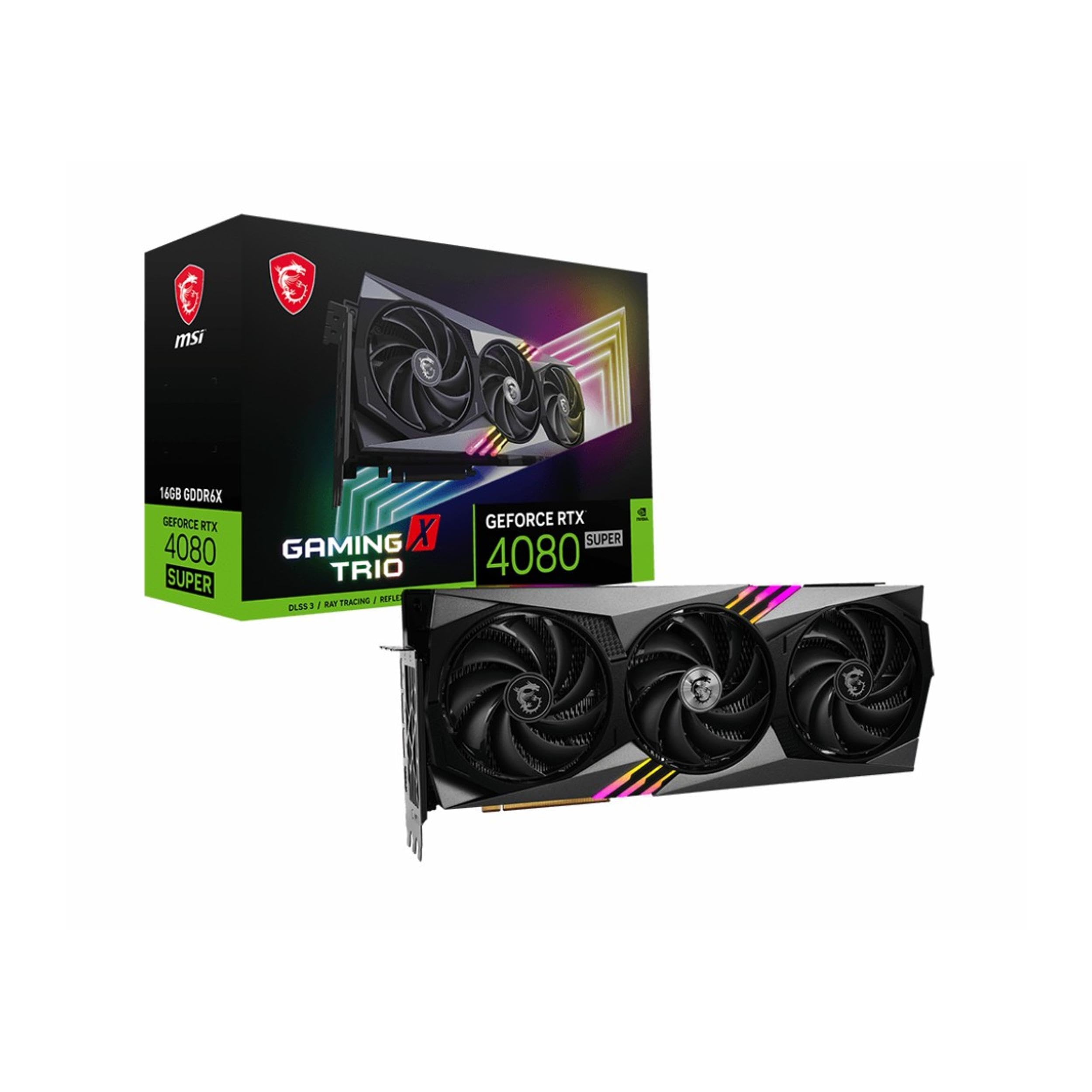
A powerful 16GB card known for staying cool and near-silent even under demanding 4K loads.
The RTX 4080 Super Gaming X Trio is for the enthusiast who refuses to hear their GPU while gaming across three monitors. It carries 16GB of GDDR6X memory on a 256-bit interface with a 2.61 GHz clock, and the MSI TRI FROZR 3 thermal design uses a copper baseplate and precision-machined core pipes to pull heat away fast. Reviewers point out the card maxes out around 45 degrees while gaming on a 34-inch 2K 165Hz screen with no coil whine.
The TORX FAN 5.0 blades, linked by ring arcs, maintain high-pressure airflow quietly, and the airflow control fins reduce noise from heat sink harmonics. It runs DX12 over PCIe 4.0 x16 with three DisplayPorts and one HDMI. Buyers praise the build quality as expected from MSI, with a solid anti-sag bracket and subtle RGB.
The main concern from owners is receiving a defective unit — one reviewer noted two orders arriving as dusty boards that had to be returned, while others report a card that runs hot with coil whine. These are outlier experiences, but they underscore the value of testing the card early in your return window.
Its reputation: excellent thermals and near-silent fans even under heavy 4K loads — the thing owners rave about.
The risk: a small share of owners received defective units, so test yours right after arrival.
Choose this if: you want premium 4K performance with whisper-quiet operation and top-tier build quality.
Be ready for: the possibility of a defective arrival — inspect and test it within the return window.
11. MSI GeForce RTX 5090 32G Gaming Trio OC

The absolute flagship with 32GB of memory and extreme performance that makes any game run flawlessly.
If money is no object and you want the most powerful triple-display card money can buy, the RTX 5090 is the end of the road. It packs an unheard-of 32GB of GDDR7 memory on a 512-bit interface with a 2497 MHz clock, and its three DisplayPort 2.1a ports plus one HDMI 2.1b drive multiple 8K-capable displays. Digital maximum resolution is a staggering 7680 x 4320.
Owners describe it as a monster: games run flawlessly at ultra settings, ray tracing is incredibly smooth, and DLSS boosts frame rates further. Despite its power, buyers call it quiet, fast, and easy to install, with cooling that keeps temperatures below 85°C even under heavy load. One owner says they can now “play on any [settings] without worrying anymore.”
The catch is the price — owners are split on whether it is the best bang for the buck or simply too expensive, and it definitely requires a serious high-wattage power supply. It also stretches 14.1 inches long and 5.9 inches wide, so it only fits large cases. This is a card for the enthusiast who wants zero compromises on a multi-monitor 4K or 8K rig.
The headliner
- 32GB of GDDR7 memory on a 512-bit bus is class-leading here
- Ultra-silent operation even during maxed 4K ray tracing
- Cooling holds temperatures below 85°C per owners
The reality check
- Value is debated — powerful, but the price is hard to justify for most
- 14.1-inch length demands a large case and high-wattage PSU
- Overkill unless you run multiple high-res, high-refresh monitors
Only for: enthusiasts running multiple 4K or 8K displays who demand the absolute maximum performance.
Skip unless: your budget and your case can both handle the size, power needs, and price.
Understanding the Specs
Video Memory (VRAM)
This is the card’s short-term storage for images. It holds the pixels for every screen at once. For three office monitors, 2GB works, but 8GB is safer. For gaming across three screens, 12GB or more prevents stutter. Cards with 16GB or 32GB handle 4K textures on multiple monitors with room to spare.
Clock Speed (MHz)
This is how fast the GPU processes instructions, measured in megahertz. Higher numbers mean faster frame rendering. A 1206 MHz budget card handles office work and light gaming, while a 2970 MHz flagship powers max-settings 4K. Owners pair high clock speeds with enough cooling to avoid thermal throttling.
Max Resolution
This tells you the sharpest image the card can produce, and 7680×4320 (8K) is the ceiling here. For three 4K monitors, you need a card that outputs 3840×2160 or higher. Most of these cards support 4K per screen, so your monitors, not the card, usually set the real limit.
Memory Type (GDDR5 vs GDDR7)
This is the generation of memory on the card, and newer types move data faster. GDDR5 is older but fine for office work and 1080p gaming. GDDR6 and GDDR6X handle 1440p and 4K well. GDDR7 is the latest, offering the most bandwidth for the most demanding multi-screen setups.
FAQ
How do I know a video card will support three monitors?
Will my power supply handle a triple-display card?
What is the difference between GDDR5 and GDDR7 memory?
How much VRAM do I need for three 1080p monitors?
Is a better 3 screen video card always worth the higher price?
Can I mix HDMI and DisplayPort monitors on one card?
Will a large card fit in my PC case?
What does a higher clock speed mean for daily use?
Do I need a special cable to run three monitors?
Final Thoughts: The Verdict
For the majority of shoppers, the best 3 screen video card winner is the ASUS TUF RTX 5070 Ti because it pairs 16GB of GDDR7 memory with a 2610MHz boost clock and proven cooling, making it the standout for high-refresh 1440p and 4K gaming. If you want a budget-friendly triple-display setup for work and esports, the MOUGOL RX 580 offers 8GB of memory and HDMI, DP, and DVI outputs at a fraction of the cost. And for a silent multi-HDMI office or home theater build, the ASUS GT 730 is the plug-and-play champion with four HDMI ports and no extra power cables required — just match your power supply and case size, and you will be running three screens in minutes.
How We Picked
We do not accept paid placement. Every pick is matched to a real buyer and a real use-case; we do not hands-on test units.
Sources & Methodology
Specifications: manufacturer listings and product documentation. Review insights: verified customer reviews, as of August 2026. Pricing: not shown on this page (it changes often); check the current price via the retailer link.
As an Amazon Associate, Gadgets Feed earns from qualifying purchases. This does not affect which products we feature.