
Our readers keep the lights on and my morning glass full of iced black tea. As an Amazon Associate, I earn from qualifying purchases.
Specs are compiled from manufacturer listings and verified buyer reviews and can change over time — please confirm the key details on the product page before buying.
You want to send one video source — a cable box, a gaming console, or a streaming stick — to three different TVs or monitors at the same time. The catch is that not every “3 way” splitter actually handles the handshake between your devices well, and a bad one can cause flickering, black screens, or a washed-out picture on your second and third displays. This guide walks you through the five top-rated models that actually deliver a stable signal, so you can pick the one that matches your resolution needs and your budget without any guesswork.
I’m Min — the founder and writer behind Gadgets Feed. This guide is built by comparing the manufacturers’ published specifications and the patterns across verified customer reviews, so you get each pick’s real strengths and trade-offs instead of marketing spin.
You need a 3 way hdmi splitter to send one video source to three screens at once — but the right one depends on resolution support, build quality, and whether your displays can handle mirror mode (where every screen shows the same image).
Our Picks at a Glance

How To Choose The Best 3 Way HDMI Splitter
Buying the wrong splitter usually means buying it twice — either the picture degrades on your extra screens or it simply refuses to work with your TV brand. Focus on these three things first.
Mirror mode only — plan your setup around it
Every splitter on this list duplicates a single HDMI source to three displays. That is great for showing the same movie in multiple rooms or putting a presentation on three monitors. It does not let you run three different programs on three screens — only a PC with an extended desktop mode can do that, and no splitter enables it. If you need different content on each screen, you need a multi-output graphics card or a separate streaming device per display.
Resolution and refresh rate — match your displays
Standard splitters cap out at 4K@30Hz, which is fine for a TV show but can feel sluggish for gaming or fast motion. If you game at 4K@120Hz or need 8K for a home theater projector, look for a splitter that explicitly supports those higher refresh rates. Also note that a splitter automatically drops to the lowest common resolution across all connected displays — so one older 720p TV will limit every other screen to 720p.
HDCP version — the streaming service gatekeeper
HDCP (High-bandwidth Digital Content Protection) is the handshake your splitter uses to prove to a streaming box that it is allowed to pass video. HDCP 1.4 works with most older devices, but newer Apple TV 4K, Roku, and UHD Blu-ray players often require HDCP 2.2 or 2.3 to output 4K. If your splitter lacks the right HDCP version, you will see a black screen or an “HDCP error” message on your third TV.
Quick Comparison
| Model | Best For | Max Resolution | Ports | Power Source | Amazon |
|---|---|---|---|---|---|
| ENBUER 1×3★ Best Overall | Best Overall value | 4K@30Hz | 3 | DC adapter | Amazon |
| BolAAzuL 4K 30HzBudget Pick | Budget with cable included | 4K@30Hz | 4 | USB-C adapter | Amazon |
| NEWCARE 1×3 | Premium build, popular choice | 4K@30Hz | 3 | DC adapter | Amazon |
| llano 1 in 2 Out | High refresh gaming | 8K@60Hz / 4K@240Hz | 3 | Passive | Amazon |
| ENBUER 8K 1×3 | Full 8K future-proofing | 8K@60Hz / 4K@120Hz | 3 | USB-C adapter | Amazon |
In‑Depth Reviews
1. ENBUER 1×3 HDMI Splitter (B08XQN9SZT)
Our pick — over 4★ from 400+ verified ratings; the strongest balance of quality and price.
The workhorse that beats expensive rivals with simple, stable splitting.
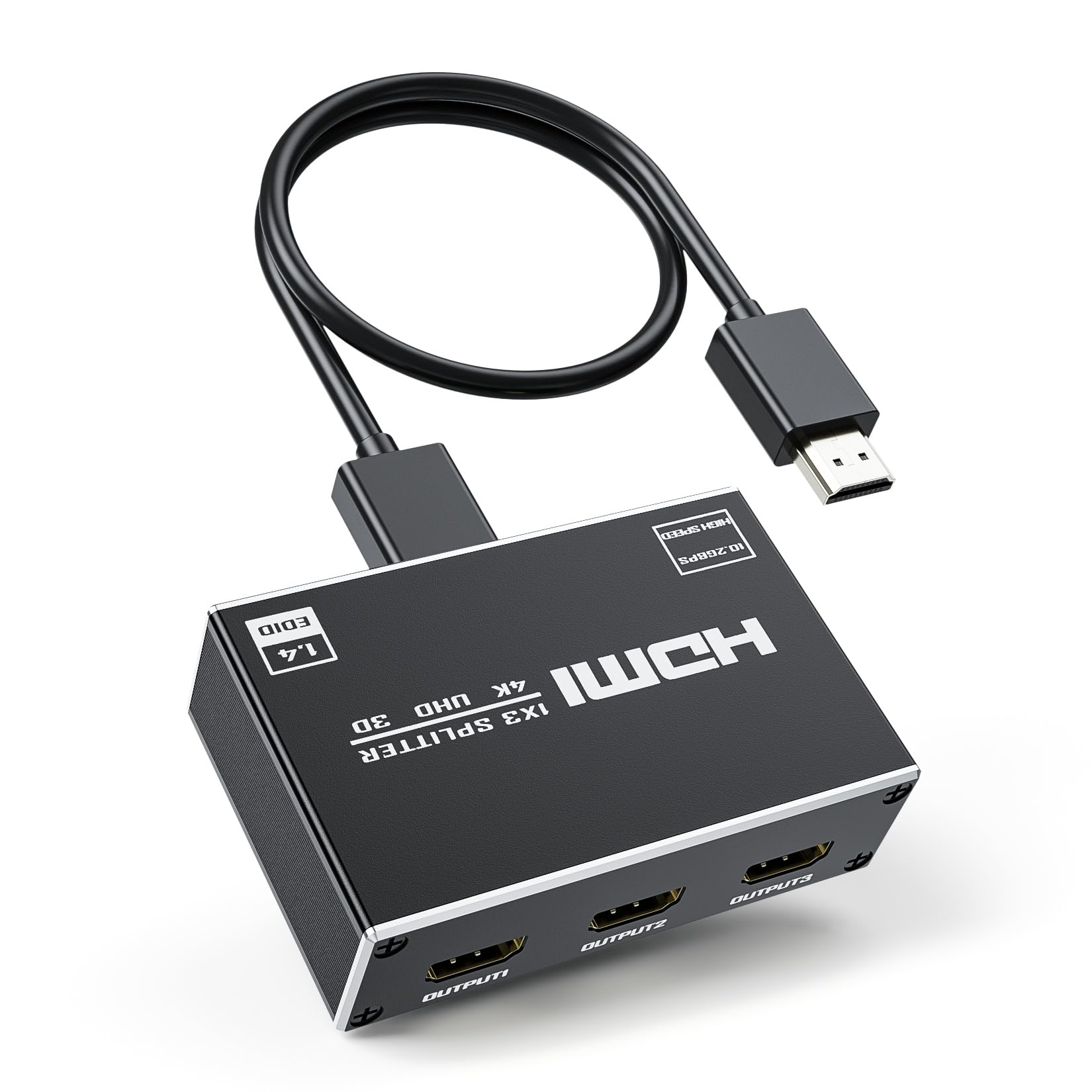
This is the splitter buyers keep recommending to friends because it just works. It takes one HDMI signal and sends it to three displays at 4K@30Hz, supporting 3D and deep color up to 12-bit. The compact box measures 5 x 4 x 1.1 inches — small enough to tuck behind any TV stand — and it is plug-and-play: no drivers, no software, just cables and a 5V DC power supply. Buyers report it works with Dish Joey 4K splitting to an 80-inch Visio (with soundbar) and a separate 42-inch Visio without any issue; one purchased a second unit after the first performed so well.
What wins people over is its broad compatibility. It handles HDMI 1.4 (the standard for 1080p and basic 4K), HDCP compliance (copy-protection handshake), and pairs easily with consoles like PS3, PS4, Xbox, Blu-ray players, and computers. The 4K x 2K@30Hz output at 3480x2160p is more than enough for movies and standard gaming. Build quality feels solid for the price — the size is “just right not too big,” as many owners note — and the thing that stands out most is that a few buyers actually replaced a more expensive splitter with this one because the ENBUER delivered a cleaner picture.
The honest trade-off is that a small portion of units experience intermittent stops — occasional drops that require a power cycle. It is not a widespread failure, but if you need a mission-critical 24/7 setup for a commercial display, you may want the extra reliability of the NEWCARE below. For home theater and everyday use, this is the safest bet.
Why most people love it
- True plug-and-play — no drivers or settings to fiddle with
- Works reliably across mixed setups (4K, 1080p, soundbars)
- Compact size slips behind furniture easily
The real catch
- Occasional units need a power cycle after extended use
- 4K@30Hz limits gaming to 30 frames per second
Grab it if: You want a dead-simple, affordable splitter that works with almost any device and has been tested by hundreds of buyers.
Think twice if: You need 4K@60Hz or higher for gaming — this caps at 30Hz.
2. BolAAzuL 4K 30Hz HDMI Splitter (B0FHVY962T)
An entry-level option that includes everything to get started — for less.
This BolAAzuL splitter packs a metal shell, a built-in USB power cable, an AC adapter, and even an HDMI cable in the box, so you do not need to buy any extra accessories. It supports 4K@30Hz and 1080P@60Hz, with HDR and 3D pass-through, and has a sturdy case that dissipates heat well for its small footprint (2.24 x 3.39 x 0.98 inches). Its 4-number of ports gives you a 33% more outputs than the standard 3-port splitter — though you still route one source to three displays.
Owners mention it was “easy to install and easy to connect” for a workstation with extra monitors. The included HDMI cable is a thoughtful touch, and the over-voltage and short-circuit protection add some confidence. The LEDs on the front let you see signal status at a glance, though a few owners wish they were not quite so bright. The 2-year warranty is longer than most budget splitters offer, which shows some confidence from the maker.
The recurring gripe is picture quality on the second and third screens. Even when owners swapped in high-end HDMI cables, the extra displays showed lower resolution than the primary screen. This is a common issue at this price point — the splitter syncs all outputs to the lowest common denominator, and the cost-saving chipset does not sharpen the secondary feeds. If you need all three screens looking identical and crisp, this is not the right choice.
What you get for the price
- Includes an HDMI cable and power adapter in the box
- Metal shell for better heat dissipation
- 2-year warranty — surprisingly long for this price tier
Where it cuts corners
- Second and third screens can show noticeably lower quality
- USB-C power cable is short — may need an extension
Best for: A temporary setup or a secondary room where only the primary screen needs to look great.
skip it if: You need all three displays to show identical crisp 4K — look at the ENBUER 1×3 or NEWCARE instead.
3. NEWCARE 4K HDMI Splitter 1 in 3 Out (B087LW6Q4Y)

The crowd favorite with over 3000 ratings — built to last.
This is the most popular splitter on the list by a large margin, and the reason is consistent: it simply does what it promises with zero fuss. The aluminum alloy housing is light at 100 grams and measures 2.24 x 3.39 x 0.98 inches, but it feels premium in the hand. It mirrors one HDMI source to three displays at 4K@30Hz or 1080P@60Hz with 8/10/12-bit color depth, and supports Dolby TrueHD and DTS-HD audio — so your surround sound system gets the full signal, not a stripped-down downmix. The long-distance HDMI transmission is rated up to 64 feet (32 feet in and 32 feet out), a noticeable edge over the competition for larger rooms or commercial setups.
What makes this splitter stand out is its build quality and the included accessories: a 4-foot HDMI 2.0 cable and a 5V/1A adapter. The ease of use is a common highlight — “just plug it in and it works” is the repeated sentiment. One owner noted they use it for a CCTV DVR to two separate TVs, and it handles the job without any signal degradation. The 3.39-inch width means it fits neatly on a shelf or behind a monitor arm, and the lack of external buttons keeps it clean and simple.
A few owners hit a Samsung TV compatibility wall — the splitter did not work with certain Samsung models. The 4K version also caused occasional flicker on some setups, and one buyer found that upgrading to the 8K variant solved that issue. If you own a Samsung TV, you may want to check return policies. The mix of input compatibility (reported by about 30 owners) suggests it is not 100% universal, but for most brands, it is rock solid.
Why it is the top seller
- Aluminum body dissipates heat well — no throttling
- 64-foot cable range is ideal for projectors and large rooms
- Includes a 4ft HDMI 2.0 cable and power supply
The one caveat
- Some Samsung TVs have compatibility issues — test with your brand first
- 4K@30Hz may cause flicker on high-bandwidth setups; consider the 8K variant
Reach for this if: You want a proven, well-built splitter for a home theater, office, or retail display where reliability matters.
Look elsewhere if: You own a Samsung TV — or you need 4K at 60Hz for gaming.
4. llano HDMI 2.1 Splitter 1 in 2 Out (B0FMF644FM)

The 8K beast that feeds a 240Hz gaming monitor — if you read the fine print.
This llano splitter is for the buyer who demands the highest refresh rates. It supports up to 8K@60Hz for stunning clarity and 4K@240Hz for ultra-smooth motion, plus HDCP 2.3, HDR10, and Dolby Vision. The next-gen 8K chip has built-in signal amplification for wide cable compatibility, so you can run long HDMI runs without signal loss. It is passive-powered (no separate AC adapter required) and designed for PS5, Xbox Series X, Apple TV, and high-end PCs. At 3 ports (1 in, 2 out), it is technically a 1-in-2-out splitter — but for a gaming setup, two high-refresh displays are often all you need.
Buyers who connected it to 30-foot fiber HDMI cables report it works flawlessly, with one saying it “worked flawlessly. I would recommend this product to anyone.” The aluminum case keeps it cool under load. The compact design means you can hang it behind a monitor mount without worrying about heat buildup. It also handles ARC/eARC passthrough (the manual notes advanced features like ALLM and VRR require support from all connected displays simultaneously — a quirk of the HDMI 2.1 spec).
The most critical issue is the claimed 4K@240Hz. Several owners tested it and found it actually caps at 4K@120Hz in practice, with the manual itself stating 4K@144Hz as the max. If you are buying specifically for a 240Hz monitor, this splitter will not deliver that — it is a documented discrepancy that has frustrated buyers. The unit also failed for one owner when paired with a 100-foot fiber HDMI output (the 30-foot runs worked fine). This is a niche product for high-frame-rate enthusiasts who can live with 120Hz.
The high-end appeal
- 8K@60Hz and 4K@120Hz support for future-proof gaming
- HDCP 2.3 works with all major streaming services and consoles
- Passive-powered — one less cable behind your TV
The 240Hz reality check
- Does not actually deliver 4K@240Hz despite advertising — review pages confirm 120Hz ceiling
- Long cable runs (100ft+) may cause failure
- Only 2 outputs, not 3
Best for: A PS5 or Xbox Series X owner who wants 4K@120Hz on a high-end TV and a second display — and can accept 120Hz instead of 240Hz.
Not for: Anyone who actually needs 240Hz or 3 outputs — you will be disappointed on both counts.
5. ENBUER 8K@60Hz HDMI Splitter 1 in 3 Out (B0BDQZ2V53)

Full 8K with smart EDID management — the Swiss Army knife of splitters.
This is the only true 8K 1-in-3-out splitter on the list, and it brings a surprising amount of intelligence for a device that just replicates video. It supports 8K@60Hz VRR, 4K@120Hz RGB 4:4:4, and 1080P@240Hz, with HDCP 2.3, Dolby Vision, and HDR10+. But the real standout is the Smart EDID management — a set of 4 switching modes (Auto, Copy 1, Copy 2, Copy 3) that let you force a specific resolution across all displays. This means if you have a monitor that only does 1080p and a TV that does 4K, you can set the EDID to match your main display rather than watching everything drop to 1080p automatically. That is a genuine problem-solver that cheaper splitters ignore.
Buyers confirm it handles mixed resolutions well — one runs a Dell 3060 outputting to two 85-inch 4K TVs, one 75 feet away and the other 50 feet away, and it works perfectly. Another owner reported a “crisp” picture after a brief 3-45 second startup delay while the splitter syncs. The build includes a USB-C power cable and a DC 5V adapter, plus a manual explaining the EDID settings. It is wider than the BolAAzuL but still compact enough for a shelf.
Signal splitting (rated as mixed by about a dozen owners) means the startup delay can frustrate some — 45 seconds is a long time to wait for a picture to appear on three screens. A few also found the usability non-intuitive, especially when dipping into the EDID modes for the first time. The 6-month warranty is shorter than average, which is a minor concern at this price point. If you are okay with a learning curve and a potential cold-start delay, this is the most capable 3-way splitter available.
What makes it special
- Smart EDID modes prevent resolution downgrading across mixed displays
- 8K@60Hz and 4K@120Hz — fully future-proof
- Handles very long HDMI cable runs (75ft+) without signal loss
What to watch for
- Startup delay of up to 45 seconds before picture appears
- 6-month warranty is shorter than competitors
- EDID settings take some trial and error to get right
Go for it if: You have mixed-resolution displays (1080p and 4K together) and want to keep the best quality on every screen.
Pass if: You want something that works instantly from the start with zero configuration — the startup delay may test your patience.
Understanding the Specs
EDID — the handshake that decides your resolution
EDID (Extended Display Identification Data) is a small data packet your display sends to the source (the splitter) telling it what resolutions and refresh rates it supports. Most splitters default to the lowest common denominator: if one monitor is 720p, every screen drops to 720p. Splitters with Smart EDID management let you override this — you can tell the splitter to use the EDID of a single target display, so all screens get 4K regardless of the other monitors’ limits. This matters most when you mix an old projector with a new 4K TV.
HDCP — why your streaming box might give you a black screen
HDCP (High-bandwidth Digital Content Protection) is a form of encryption that content providers (Netflix, Apple TV, UHD Blu-ray) require before they will output a 4K signal. The splitter must support the same HDCP version as your source device — HDCP 2.2 or 2.3 for most modern 4K streaming. If the splitter only supports HDCP 1.4, you will see a black screen or an error message on every connected display when you try to watch protected content. Always check that a splitter states HDCP 2.2 or 2.3 if you use a streaming stick or a 4K Blu-ray player.
FAQ
Will a 3 way HDMI splitter extend my desktop across three monitors?
Can I connect a 4K Blu-ray player to a 1080p TV through a splitter?
Why does my splitter show a black screen or flicker?
Does a splitter add input lag for gaming?
What is the difference between 4K@30Hz and 4K@60Hz for a splitter?
Can I use a 3 way splitter in reverse — three sources to one TV?
How long can my HDMI cables be with a splitter?
Do I need a powered splitter or can I skip the adapter?
Will a splitter work with Dolby Atmos or DTS:X?
Why is one of my three screens showing no signal?
Final Thoughts: The Verdict
If you want one dependable pick, the 3 way hdmi splitter winner is the ENBUER 1×3 because it balances price, proven compatibility, and true plug-and-play simplicity — no wasted time troubleshooting EDID issues (the handshake that tells the source what resolution each display supports). If you want premium build quality and the confidence that comes from over 3000 ratings, grab the NEWCARE 1×3. And for future-proof 8K with Smart EDID to handle mixed-resolution displays, the ENBUER 8K 1×3 is the one to reach for.
How We Picked
We do not accept paid placement. Every pick is matched to a real buyer and a real use-case; we do not hands-on test units.
Sources & Methodology
Specifications: manufacturer listings and product documentation. Review insights: verified customer reviews, as of July 2026. Pricing: not shown on this page (it changes often); check the current price via the retailer link.
As an Amazon Associate, Gadgets Feed earns from qualifying purchases. This does not affect which products we feature.