
Four times the pixels of 1080p at a screen size that fills your periphery without forcing you to turn your head — the 32-inch 4K class is the sweet spot for immersion and productivity. But navigating the overlap between professional color accuracy, console-compatible HDMI 2.1 bandwidth, and the variable refresh rates that actually eliminate tearing requires a spec sheet that most buyers only glance at.
I’m Min — the co-founder and writer behind Gadgets Feed. I’ve spent hundreds of hours cross-referencing panel technology, color gamut coverage, and adaptive sync compatibility across the entire 32-inch 4K monitor market to find the models that actually deliver on their promises.
This guide ranks the best panels for gaming, creative work, and hybrid setups, revealing why raw resolution alone doesn’t define the best 30 inch 4k monitor for your specific desk and workflow.
How To Choose The Best 30 Inch 4K Monitor
Selecting the right panel means prioritizing how you use the screen daily. A 32-inch 4K monitor must balance resolution, refresh rate, color accuracy, and panel type — a combination that rarely comes cheap. Understanding where each spec matters will prevent buyer regret.
Panel Technology: The Foundation of Image Quality
The panel type dictates contrast, viewing angles, and response time. VA panels offer strong native contrast (3000:1) but suffer from slower response times and gamma shift. Fast IPS panels provide superior viewing angles and faster response times but lower contrast (1000:1). OLED and QD-OLED panels deliver infinite contrast with perfect blacks and the fastest response times (0.03ms), but they carry a burn-in risk that manufacturers mitigate with pixel refresh cycles.
Refresh Rate and Adaptive Sync: Matching Your Hardware
60Hz is the baseline for 4K productivity, but 120Hz-165Hz unlocks fluid motion for gaming and smoother cursor movement. HDMI 2.1 with 48 Gbps bandwidth is essential for 4K at 120Hz on PlayStation 5 and Xbox Series X, while DisplayPort 1.4 handles PC gaming at 4K with DSC (Display Stream Compression). FreeSync and G-Sync Compatible certification ensures variable refresh rate synchronizes with your GPU to eliminate tearing without capping your frame rate.
Color Gamut and HDR: For Creators and Cinematic Viewing
Creative professionals should seek 95%+ DCI-P3 coverage and Delta E < 2 for accurate color grading. HDR requires 600+ nits peak brightness on LCD panels to feel impactful; VESA DisplayHDR 400 True Black certification on OLED panels ensures deep blacks and specular highlights. sRGB coverage (120%+) is less meaningful than actual DCI-P3 volume for photo editing and streaming content.
Quick Comparison
On smaller screens, swipe sideways to see the full table.
| Model | Category | Best For | Key Spec | Amazon |
|---|---|---|---|---|
| LG 32GX850A-B UltraGear | Premium OLED | Competitive Gaming | 165Hz/330Hz Dual Mode | Amazon |
| MSI MAG 321UPX QD-OLED | Premium QD-OLED | HDR Gaming & Media | 240Hz, 0.03ms GTG | Amazon |
| ASUS ROG Swift PG32UCDMR | Premium QD-OLED | Creative & Gaming | 240Hz, USB-C 90W | Amazon |
| ASUS ROG Strix XG32UCG | Mid-Range Gaming | Versatile Gaming | 160Hz Dual Mode (4K/FHD) | Amazon |
| Dell S3224QS | Mid-Range IPS | Creative Work | 99% sRGB, USB-C Hub | Amazon |
| CRUA 32” Curved | Value Gaming | FPS Gaming | 240Hz, 1500R VA | Amazon |
| KTC H32P22P | Value IPS | Budget Gaming | 165Hz, 1ms MPRT | Amazon |
| LG 32-Inch UltraFine | Mid-Range VA | Home Office | 90% DCI-P3, HDR10 | Amazon |
| Samsung Smart Monitor M8 | Smart Monitor | All-in-One Media | Smart TV Apps, USB-C | Amazon |
| Dell UltraSharp U3223QE | Professional IPS | Color-Critical Work | 100% sRGB, USB-C Hub | Amazon |
| Samsung Odyssey OLED G9 | Ultrawide OLED | Immersive Sim Racing | 5120×1440, 49″ | Amazon |
In‑Depth Reviews
1. LG 32GX850A-B UltraGear

The LG UltraGear delivers a glossy WOLED panel with Micro Lens Array+ technology, hitting 275 nits typical brightness and 1.5M:1 contrast ratio for infinite black depth. The dual-mode functionality lets you toggle between 4K at 165Hz and Full HD at 330Hz via hotkey — a practical feature for switching between cinematic single-player titles and competitive shooters without losing fluidity.
NVIDIA G-Sync Compatible and AMD FreeSync Premium Pro certification ensures tear-free gameplay across a wide VRR range. The virtually borderless design and full ergonomic stand (height, tilt, swivel, pivot) make desk integration seamless. The glossy finish enhances perceived contrast and color vibrancy but does reflect ambient light in bright rooms — plan your setup accordingly.
Three UL certifications (Anti-Glare, Flicker-Free, Low Blue Light) reduce eye fatigue during extended sessions. The 0.03ms GtG response time eliminates ghosting entirely, making this one of the fastest 4K monitors available. The only compromise is the 165Hz ceiling compared to 240Hz QD-OLED competitors, but most users will not perceive the difference outside of esports-level play.
Why it’s great
- Perfect black levels with glossy OLED vibrancy
- Dual mode for flexibility between resolution and speed
- Full ergonomic stand with pivot support
Good to know
- Glossy panel reflects bright ambient light
- 165Hz refresh rate is lower than QD-OLED alternatives
2. MSI MAG 321UPX QD-OLED

The MSI MAG 321UPX utilizes a 3rd-generation QD-OLED panel with 99% DCI-P3 coverage and Delta E ≤ 2 color accuracy straight out of the box. At 240Hz with a 0.03ms GtG response time, it offers the highest refresh rate in the 32-inch 4K OLED class, making it ideal for gamers who prioritize both resolution and raw speed. VESA DisplayHDR True Black 400 certification ensures deep blacks and bright specular highlights that surpass any LCD panel.
Console users benefit from HDMI 2.1 with full 48 Gbps bandwidth, supporting 4K at 240Hz. MSI OLED Care 2.0 includes pixel shift, panel refresh, and taskbar detection to mitigate burn-in risk, a common concern with organic panels. The adjustable stand offers tilt, swivel, and height adjustments, though the base is wide and requires a deep desk.
The glossy QD-OLED surface delivers exceptional color volume, though ambient light can wash out black levels slightly. The lack of a USB-C port with high-power delivery limits its appeal for MacBook users who want single-cable docking. Text clarity on OLED subpixel layouts is slightly less sharp than a high-end IPS panel, a trade-off that matters less for gaming than for spreadsheet-heavy work.
Why it’s great
- 240Hz refresh rate with 0.03ms response
- Factory-calibrated Delta E ≤ 2 color accuracy
- HDMI 2.1 with full 48 Gbps bandwidth
Good to know
- No USB-C port for single-cable laptops
- QD-OLED can appear purple-tinted under bright ambient light
3. ASUS ROG Swift PG32UCDMR

The ASUS ROG Swift PG32UCDMR combines a 32-inch QD-OLED panel with 240Hz refresh rate and DisplayPort 2.1 connectivity, offering full 80 Gbps bandwidth for uncompressed 4K at high refresh. The VESA DisplayHDR 400 True Black compliance and 99% DCI-P3 gamut deliver the most vibrant HDR experience in its class. Notably, the Neo Proximity Sensor detects user presence and automatically blanks the screen to reduce burn-in risk — a sophisticated OLED Care Pro feature not found on cheaper QD-OLED monitors.
The USB-C port delivers 90W Power Delivery, enabling single-cable connection for compatible laptops while charging them — a major advantage for creative professionals who switch between gaming, design, and productivity. The uniform brightness setting ensures consistent luminance across the panel, critical for photo and video editing. The 0.03ms GtG response time eliminates motion blur entirely across all frame rates.
The included DisplayPort 2.1 cable ensures full bandwidth out of the box, and the three-year warranty with burn-in coverage provides peace of mind for long-term ownership. The stand is large and commanding; users with limited desk depth should budget for a monitor arm. The near-perfect color accuracy (Delta E < 2) and OLED black levels make this the single best all-rounder for gaming and creative work at 32 inches.
Why it’s great
- DP 2.1 bandwidth enables uncompressed 4K 240Hz
- USB-C with 90W Power Delivery for laptops
- Neo Proximity Sensor intelligently prevents burn-in
Good to know
- Premium price reflects the feature set
- Large stand footprint may require an arm for tight desks
4. ASUS ROG Strix XG32UCG

The ASUS ROG Strix XG32UCG brings a Fast IPS panel with a dual-mode capability: 4K at 160Hz or Full HD at 320Hz. The 0.3ms response time (minimum) is the fastest among non-OLED panels, achieved through ASUS Fast IPS technology. The Extreme Low Motion Blur Sync (ELMB SYNC) technology works simultaneously with variable refresh rate, eliminating both ghosting and tearing without forcing the user to choose between clarity and smoothness.
95% DCI-P3 coverage and advanced gray-scale tracking ensure accurate color reproduction suitable for content consumption and light creative work. The DisplayWidget Center software allows monitor adjustments via mouse rather than fiddling with OSD buttons. Connectivity includes HDMI 2.1, DisplayPort 1.4, and USB-C with DP Alt mode, plus a tripod socket for streaming setups using a camera arm.
The 100,000,000:1 dynamic contrast ratio is a marketing figure; the static 1000:1 IPS contrast remains the limiting factor for deep blacks compared to VA or OLED. The semi-gloss screen coating reduces reflections while maintaining color pop, a good middle ground between matte and glossy. ROG Gaming A.I. technology provides AI-powered features like crosshair overlays and FPS counters that integrate into the OSD without third-party software.
Why it’s great
- Dual mode allows 320Hz for esports or 160Hz 4K for single-player
- ELMB SYNC eliminates tearing and ghosting simultaneously
- DisplayWidget Center for easy settings management
Good to know
- 1000:1 static contrast limits black-level depth
- No built-in speakers or USB hub
5. Dell S3224QS
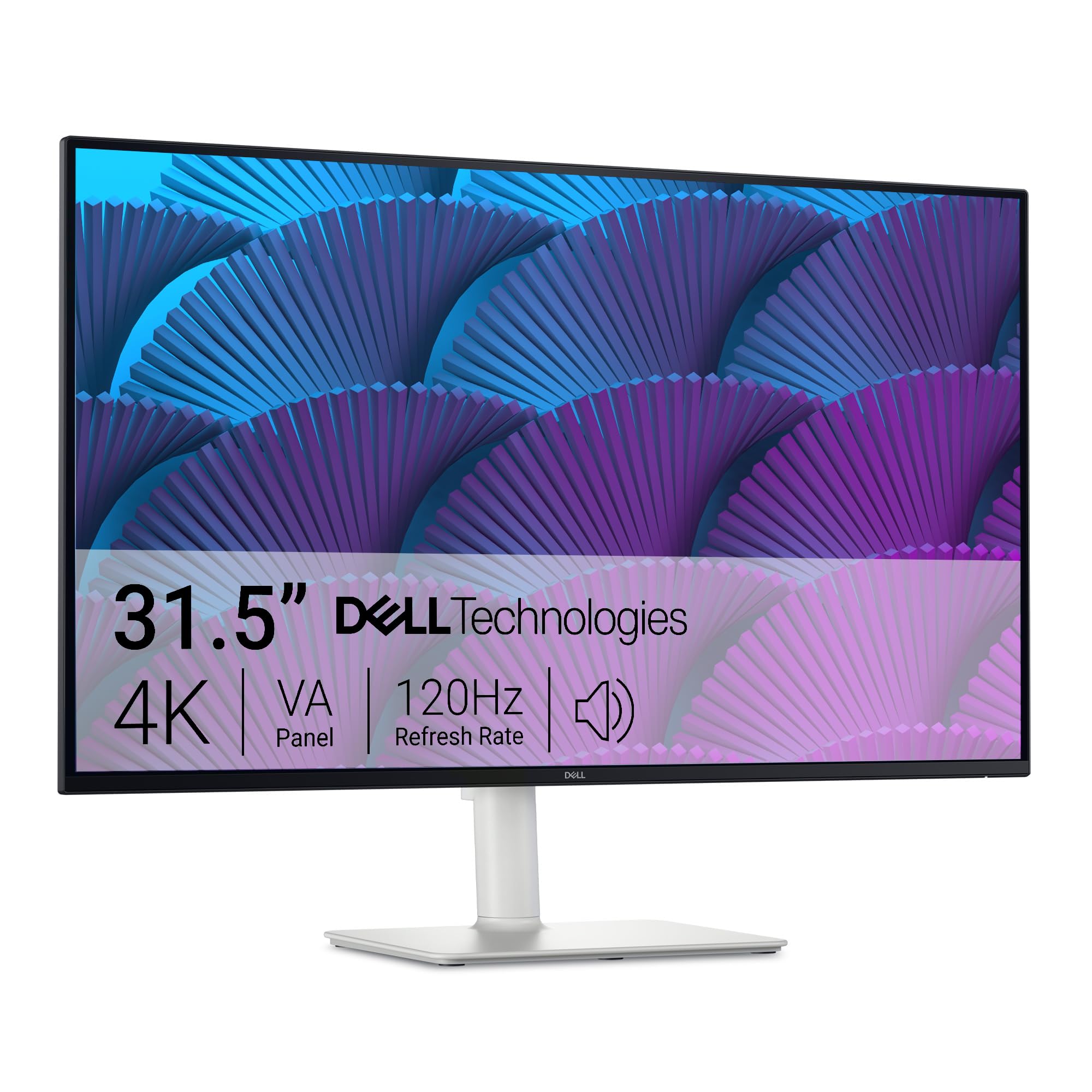
The Dell S3224QS offers an IPS panel with 99% sRGB and 95% DCI-P3 coverage, 1500:1 contrast ratio, and ComfortView Plus reducing blue light to ≤35% without yellowing the image. The 120Hz refresh rate and AMD FreeSync Premium provide smooth motion, while the 0.03ms MPRT response time ensures minimal perceived blur. The integrated 2x5W speakers deliver fuller sound than typical monitor audio, suitable for video calls and casual content.
The ash white finish and ultra-thin bezel create a clean aesthetic that fits modern workspaces. The fully adjustable stand (height, tilt, swivel, pivot) supports portrait mode for coding or document review. Connectivity includes DisplayPort 1.4 and HDMI 2.1 ports, though the lack of USB-C with power delivery means laptop users need a separate cable for charging.
VA panels typically offer higher contrast than IPS, but Dell has tuned this IPS panel to reach 1500:1 static contrast, a notch above standard IPS. The VESA mount compatibility (100x100mm) allows for multi-monitor arms. HDR support is HDR10 only without local dimming, so HDR impact is modest compared to OLED or mini-LED panels.
Why it’s great
- 1500:1 contrast ratio exceeds typical IPS panels
- ComfortView Plus reduces blue light without color shift
- Full ergonomic stand with pivot support
Good to know
- No USB-C connectivity for single-cable setups
- HDR performance is limited without local dimming
6. CRUA 32” Curved Gaming Monitor

The CRUA 32-inch curved gaming monitor uses a VA panel with 1500R curvature and 240Hz refresh rate at 4K UHD resolution. The 3000:1 contrast ratio provides deep blacks that benefit dark-themed games and cinematic content, while the 120% sRGB color gamut and 300 cd/m² brightness deliver punchy colors suitable for immersive gaming. AMD FreeSync support reduces screen tearing across a wide VRR range.
The Picture-in-Picture (PIP) and Picture-by-Picture (PBP) modes allow simultaneous display from two input sources, making it functional for multitasking without a second monitor. HDMI 2.1 ports (two) and DisplayPort 1.4 inputs enable 4K at high refresh rates on modern consoles and PCs. The rear RGB lighting adds ambiance for late-night sessions, though it is not addressable per zone.
Users report the stand can feel wobbly on smooth desks; a monitor arm is recommended for stability. The built-in speakers are adequate for system sounds but underwhelming for music or movies. The VA panel exhibits slower dark-to-light pixel transitions compared to IPS, noticeable in fast-paced scene changes — a compromise at this price point.
Why it’s great
- 240Hz 4K at a budget-friendly cost
- 3000:1 VA contrast for deep blacks
- PIP/PBP for multi-source productivity
Good to know
- Stand is wobbly; a monitor arm improves stability
- VA black smearing in fast dark transitions
7. KTC H32P22P

The KTC H32P22P packs a Fast IPS panel with 165Hz refresh rate, 1ms MPRT response time, and AMD FreeSync and G-Sync compatible adaptive sync into an entry-level price bracket. The 3840×2160 resolution with 3000:1 contrast ratio is unusual for an IPS panel (most IPS panels hit 1000:1), suggesting KTC uses a high-contrast IPS variant. The 121% sRGB color gamut and 1.07 billion colors (8-bit + FRC) provide vibrant, saturated visuals for gaming and media consumption.
Connectivity includes HDMI 2.1 and DisplayPort 1.4, supporting 4K at 165Hz with DSC. The included accessories (DP cable, screwdriver, power adapter) reduce the need for separate purchases. The tilt-adjustable stand offers basic ergonomics, and the VESA mount (100x100mm) enables arm installation. The blue light filter reduces eye strain during extended sessions.
Customer reviews note that reaching the full 165Hz refresh rate depends on using modern GPU hardware with DSC support. The on-screen display (OSD) menu has a learning curve. The built-in speakers are functional but lack bass response. The plastic build feels less premium than mid-range options, but the panel performance justifies the cost for budget-conscious gamers.
Why it’s great
- 165Hz Fast IPS at an entry-level price
- 3000:1 contrast ratio unusual for IPS
- HDMI 2.1 and DP 1.4 support 4K high refresh
Good to know
- Plastic build quality feels less premium
- Full 165Hz requires DSC-capable GPU
8. LG 32-Inch UltraFine
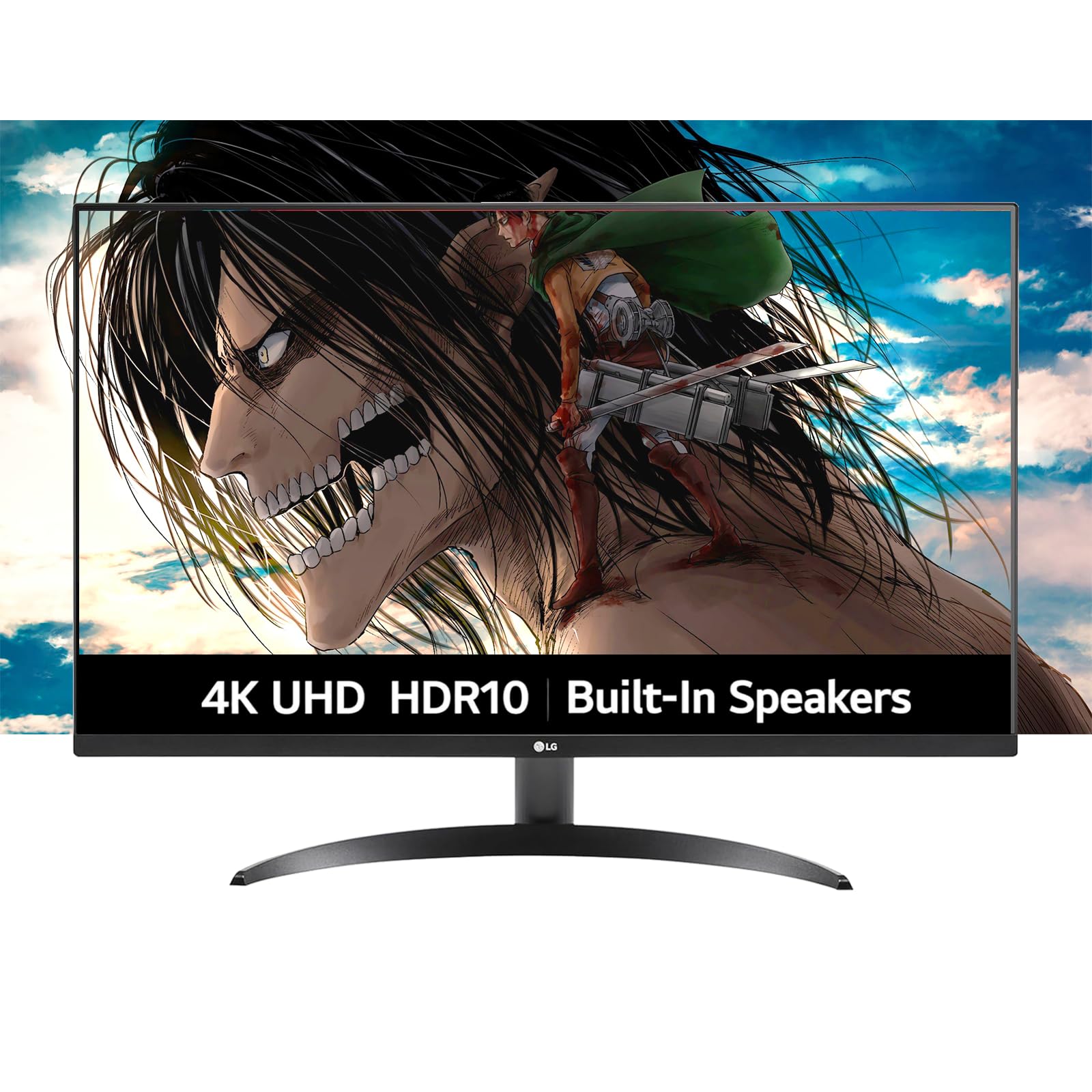
The LG UltraFine 32-inch monitor employs a VA panel with 4K UHD resolution, HDR10 support, and 90% DCI-P3 color coverage for vibrant, true-to-life colors at a mid-range price level. The 1000:1 contrast ratio is standard for VA, providing better black levels than typical IPS panels. The built-in dual speakers with Waves MaxxAudio deliver clear audio for video calls, music, and streaming without desktop clutter.
Dynamic Action Sync reduces input lag for responsive gameplay, while Black Stabilizer brightens dark scenes to reveal hidden details — features that bridge between office productivity and casual gaming. The borderless design provides a clean look, and the tilt-adjustable stand allows basic ergonomic adjustment. HDMI x2 and DisplayPort inputs cover multiple devices, though the 60Hz refresh rate (not explicitly listed in specs, but typical for UltraFine 4K models) limits gaming smoothness to 60 fps.
The OnScreen Control software enables screen splitting and settings adjustments via mouse, improving multitasking efficiency. The VA panel ensures wide viewing angles suitable for collaborative work. The lack of height adjustment or swivel on the stand requires careful desk placement. HDR10 support is standard dynamic range at this price; expectations for impactful HDR should be tempered.
Why it’s great
- 90% DCI-P3 color coverage for vibrant visuals
- Built-in speakers with clear dialog reproduction
- Dynamic Action Sync reduces input lag
Good to know
- 60Hz refresh rate caps gaming smoothness
- Stand lacks height and swivel adjustment
9. Samsung Smart Monitor M8

The Samsung Smart Monitor M8 is a 32-inch 4K LCD display that doubles as a smart TV, running Samsung’s Tizen OS for native access to Netflix, Disney+, Prime Video, and the Samsung Gaming Hub for cloud gaming without a PC or console. Samsung Vision AI optimizes picture quality based on content type, and Active Voice Amplifier adjusts audio volume in response to background noise — useful for open-office environments.
Connectivity includes USB-C with 65W Power Delivery, HDMI, and USB-A ports, enabling single-cable laptop connection while charging. The built-in Bluetooth 5.0 and Wi-Fi support wireless peripherals and direct streaming. Samsung Knox security encrypts data for safe IoT connections. The 400-nit brightness and DCI-P3 color coverage deliver decent image quality for a productivity display.
Camera and microphone quality are adequate for video calls but not exceptional. The single HDMI input may require an external switch for users with multiple devices. The smart TV interface can misidentify input sources initially, though this improves with use. The built-in speakers suffice for ambient audio but lack the bass and volume for cinematic experiences without external speakers.
Why it’s great
- Smart TV platform eliminates need for streaming devices
- USB-C with 65W charging for laptops
- AI picture optimization adapts to content
Good to know
- Single HDMI input limits multi-device setups
- Smart TV interface can misidentify sources
10. Dell UltraSharp U3223QE

The Dell UltraSharp U3223QE is the professional standard for color-critical work, featuring an IPS Black panel technology that delivers 2000:1 static contrast ratio — double that of conventional IPS. The 4K UHD resolution with 100% sRGB coverage and 400-nit brightness ensures accurate color reproduction for photo editing, design, and financial modeling. The built-in USB-C hub with 90W Power Delivery, Ethernet, and four downstream USB 3.2 ports single-cables your entire desk.
The fully adjustable stand supports height, tilt, swivel, and pivot, allowing effortless transition to portrait mode for coding or document review. The factory-calibrated Delta E < 2 ensures near-perfect color accuracy out of the box. The anti-glare matte coating diffuses ambient light without washing out the image, making it suitable for bright offices.
The 60Hz refresh rate and 5ms GTG response time make this monitor unsuitable for competitive gaming. The IPS Black panel, while improving contrast, still cannot match VA or OLED black levels in fully dark rooms. The lack of built-in speakers requires external audio. The relatively high price reflects the professional feature set and warranty support.
Why it’s great
- IPS Black panel achieves 2000:1 contrast ratio
- USB-C hub with 90W PD, Ethernet, and USB ports
- Factory-calibrated Delta E < 2 color accuracy
Good to know
- 60Hz refresh rate limits gaming use
- Premium price for professional-grade features
11. Samsung Odyssey OLED G9 G91SD

The Samsung Odyssey OLED G9 G91SD is a 49-inch ultrawide monitor with Dual QHD resolution (5120×1440), effectively replacing two 27-inch 1440p monitors with a single seamless QD-OLED panel. The 32:9 aspect ratio and 1800R curvature provide immersive peripheral coverage for sim racing, flight simulators, and productivity workflows. The QD-OLED technology delivers 1,000,000:1 contrast ratio with perfect blacks and HDR impact that surpasses any LCD ultrawide.
The 144Hz refresh rate and 0.03ms response time, combined with G-Sync Compatible and AMD FreeSync Premium Pro, ensure tearing-free motion. The Thermal Modulation System predicts surface temperature to prevent overheating, and the Logo & Taskbar Detection auto-dims static elements to prevent burn-in. The Picture-in-Picture feature allows independent control of two input sources side by side.
The dual panel architecture can show a subtle brightness mismatch on very dim gray gradients down the center seam — a known characteristic of this implementation. The fixed 144Hz refresh rate is lower than MSI’s 240Hz QD-OLED for competitive gaming. The large desk footprint and heavy weight require a sturdy mount. The 250 nits typical brightness is lower than most 4K monitors, acceptable for HDR due to infinite contrast but noticeably dim for bright-room use.
Why it’s great
- Seamless Dual QHD resolution replaces two monitors
- QD-OLED perfect blacks and infinite contrast
- Picture-in-Picture for multi-source workflows
Good to know
- 144Hz refresh rate lags behind 240Hz OLED competitors
- Center seam brightness variance on dim gradients
FAQ
Can a standard HDMI 2.0 cable support 4K at 120Hz on 32-inch monitors?
Is QD-OLED burn-in a real concern for daily use as a primary 32-inch monitor?
What GPU do I need to drive a 32-inch 4K monitor at high refresh rates?
Is a 32-inch 4K monitor too big for desk use at normal viewing distance?
Final Thoughts: The Verdict
For most users, the best 30 inch 4k monitor winner is the ASUS ROG Swift PG32UCDMR because it combines 240Hz QD-OLED speed, DP 2.1 bandwidth, and USB-C 90W charging into a single package that serves both creative professionals and competitive gamers. If you want perfect blacks at a more accessible price, grab the LG UltraGear 32GX850A. And for budget-conscious gamers wanting 4K at high refresh rates, nothing beats the KTC H32P22P.