
Our readers keep the lights on and my morning glass full of iced black tea. As an Amazon Associate, I earn from qualifying purchases.
Specs are compiled from manufacturer listings and verified buyer reviews and can change over time — please confirm the key details on the product page before buying.
Choosing a curved monitor that is actually 30 inches (or a close sibling size) is harder than it sounds because the market is flooded with confusing model names. You need to balance the immersion of the curve against the price and the specs that matter for your daily tasks. This guide cuts through the noise by focusing on the three things that define your experience: the sharpness of the resolution, the smoothness of the refresh rate, and the ergonomics of the stand.
I’m Min — the founder and writer behind Gadgets Feed. This guide is built by comparing the manufacturers’ published specifications and the patterns across verified customer reviews, so you get each pick’s real strengths and trade-offs instead of marketing spin.
You want a 30 inch curved monitor that fits your budget and your desk, and this lineup sorts through the specs and owner feedback to show you which one is worth buying for gaming, work, or both.
Our Picks at a Glance


How To Choose The Best 30 Inch Curved Monitor
Because a true 30-inch monitor is rare, this guide includes the nearest sizes (29 or 32 inches) that do the same job. Your main choice is between a super-fast standard screen or a cinematic ultrawide screen, and that decision shapes everything else.
Match the resolution to your graphics card
A 2560 x 1440 (QHD) screen packs in far more detail than a 1920 x 1080 (Full HD) one, so text looks sharper and games have more depth. But that extra detail costs your PC more power to render. If your graphics card is mid-range, a 1080p or 2560 x 1080 panel will run at higher frame rates more easily.
Refresh rate is your smoothness meter
Measured in hertz (Hz), this is how many times the screen redraws the image each second. A 60Hz screen shows 60 frames per second, which is fine for office work. A 200Hz screen updates 200 times per second, which makes fast camera panning in games look dramatically smoother and more responsive. For this category, look for at least 144Hz for gaming.
Curvature is about immersion and eye comfort
The curvature (like 1500R or 1000R) describes how tightly the screen bends. A lower number like 1000R means a deeper curve that wraps further around your field of view. This reduces eye movement and can lessen fatigue, but it also means the screen is designed for a single viewer sitting centered in front of it.
Quick Comparison
| Model | Best For | Resolution | Refresh Rate | Aspect Ratio | Amazon |
|---|---|---|---|---|---|
| msi G32C4X★ Best Overall | Competitive Gaming | 1920 x 1080 | 250Hz | 16:9 | Amazon |
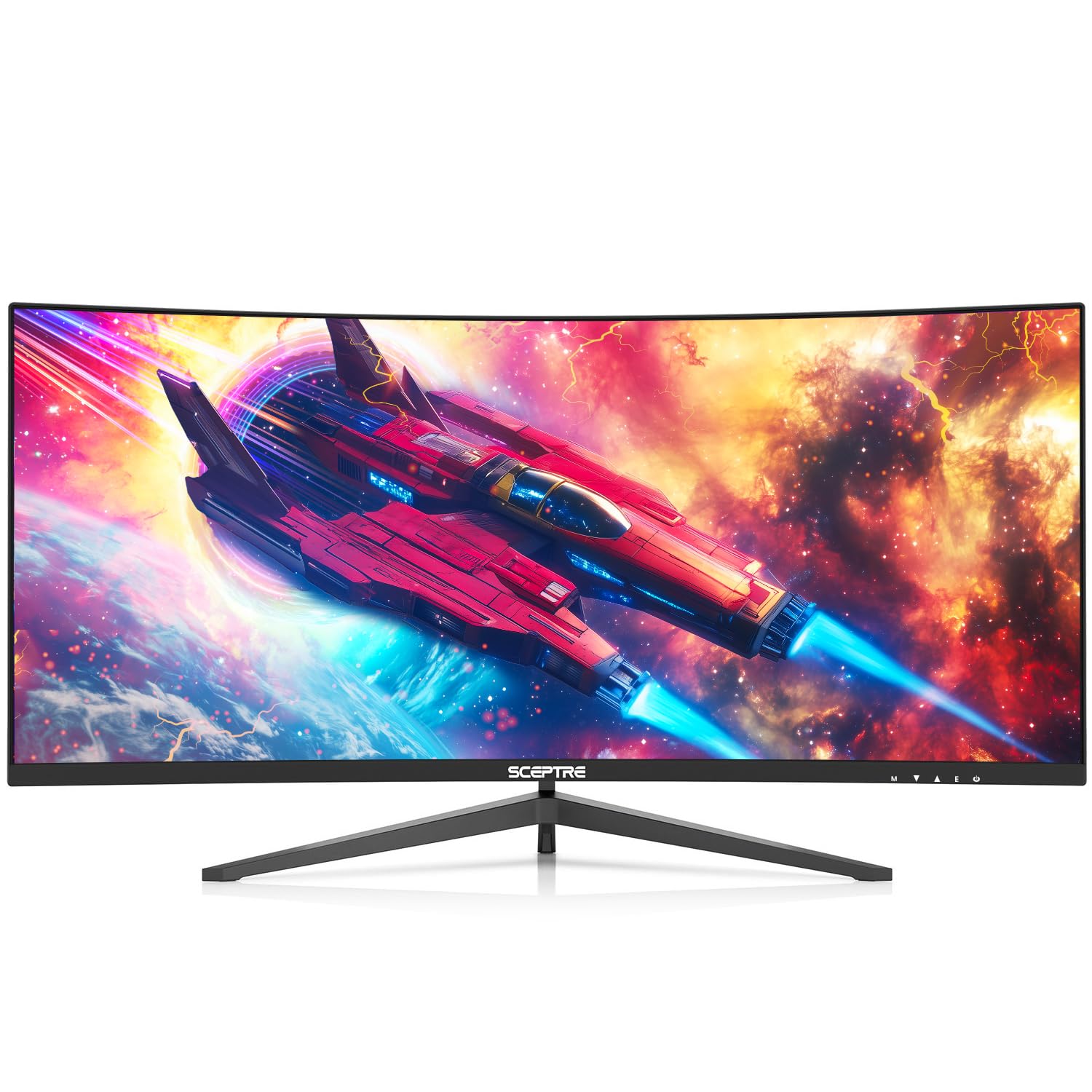
| Sceptre Prime 30-inchBest Value | Ultrawide Value | 2560 x 1080 | 200Hz+ | 21:9 | Amazon |
| Z-Edge UG30Top Performer | High-Refresh Gaming | 2560 x 1080 | 200Hz | 21:9 | Amazon |
| DJiEX 34-inch | High-Res Ultrawide | 3440 x 1440 | 165Hz | 21:9 | Amazon |
| SANSUI 32-inch | Crowd-Pleasing QHD | 2560 x 1440 | 180Hz | 16:9 | Amazon |
| LG 32G600A-B | rich Ergonomics | 2560 x 1440 | 180Hz | 16:9 | Amazon |
| ZZA 34-inch | Creators & Style | 3440 x 1440 | 180Hz | 21:9 | Amazon |
| CRUA 34-inch | Color-Critical Work | 3440 x 1440 | 100Hz | 21:9 | Amazon |
| Qian 30-inch | Office Multitasking | 2560 x 1080 | 200Hz | 21:9 | Amazon |
| Samsung ViewFinity S65TC | Productivity Hub | 3440 x 1440 | 100Hz | 21:9 | Amazon |
In‑Depth Reviews
1. msi G32C4X
Our pick — over 4.5★ from 250+ verified ratings; the strongest balance of quality and price.
A 250Hz refresh rate and 1ms response time make this the smoothest pick for competitive play.
For competitive players, this is the screen that gives you the edge: it redraws at a blistering 250Hz, so fast camera flicks stay crisp on a 32″ 1500R curved VA panel. At 1920 x 1080, it is a standard 16:9 shape, and the 1ms response time helps eliminate screen tearing and choppy frame rates.
The curve wraps around you at 1500R, while a 178° viewing angle keeps the image stable if you lean back. It also supports FreeSync, which matches the monitor’s refresh rate to your graphics card to keep screen tearing away. Buyers report using it on PS5 and finding it “actually better than playing on a 4k tv which i was surprised” — a common reaction from console owners.
What wins people over is the display quality, which earns the most praise by a wide margin, followed closely by overall performance. The consensus is that the full 250Hz refresh rate and colors hit the mark for serious play, all for a price that feels like a steal for the size. It is a bigger footprint than some rivals — about 9.8″D x 28″W x 20″H — so measure your desk first.
Built for Speed
- 250Hz refresh rate eliminates after-image for the smoothest gameplay
- 1ms response time battles screen tearing
- 1500R curve adds immersion on a 32″ screen
Consider These Limits
- 1080p resolution sacrifices sharpness vs QHD rivals
- The deep 9.8″ depth needs generous desk space
Pick it for: fast-paced esports and console gaming where frame smoothness beats pixel count.
Think twice if: you need a high-resolution panel for photo editing or spreadsheet-heavy work.
2. Sceptre Prime Curved 30-inch
A 21:9 ultrawide with a 200Hz+ refresh rate delivers a wide view and fluid motion at a budget price.
This 30-inch Sceptre wraps your view in a 21:9 ultrawide shape (a wider, more cinematic aspect ratio) at a 2560 x 1080 resolution, so you see more of your game or spreadsheet at once. Plug it into your PC via DisplayPort (a common video cable) and you get a 200Hz+ refresh rate (how many times the screen updates per second) for fluid motion. It also supports AMD FreeSync, a technology that syncs your graphics card’s frame rate with the monitor’s refresh rate to reduce tearing and stuttering.
It is a productivity workhorse too: Picture By Picture lets you run two inputs side by side on one screen, so you can compare charts while streaming gameplay. Built-in speakers deliver “office level audio” for conference calls, and the Blue Light Shift reduces eye fatigue during long sessions. At 7.4″D x 27.8″W x 16″H, it sits noticeably shallower on a desk than the MSI above.
Picture quality is the thing everyone raves about, with display quality close behind, and owners describe it as “smooth, crisp 200+Hz display” right from the start. The catch is the setup: it is tilt-only with no height adjustment, and a few owners mention the bezels have a visible gap and the built-in speakers are just passable. For the price, most find it a 9/10 value.
Value verdict: the ultrawide field of view plus 200Hz+ speed is a combination rarely found at this price tier.
Honest limit: skip it if you need a height-adjustable stand for ergonomic desk setups.
3. Z-Edge 30″ Curved Gaming Monitor
A 200Hz refresh rate on a 1500R curve makes this a natural upgrade from 144Hz panels.
This 30-inch Z-Edge brings a 200Hz refresh rate with a 1ms MPRT response time (a spec that measures how fast a pixel changes to reduce motion blur) to its 1500R curved 21:9 panel at 2560 x 1080. Owners describe the leap in smoothness perfectly: “its a perfect feeling of moving from 144hz to 240hz, Would recommend also due to its colors variety!”
The 3000:1 contrast ratio delivers deep blacks and bright whites, so you catch details even in dark game scenes. It packs 2X DisplayPort 1.4 and 2X HDMI 2.0 inputs for rich device compatibility, and the FreeSync function syncs the graphics card and display to eliminate stutter.
It is lightweight and sturdy with an easy setup, making it an excellent value for gaming, streaming, and multitasking. The trade-off is that the OSD must be navigated to find the best modes, and 1080p on a 30″ ultrawide is not as razor-sharp as higher-resolution panels.
Why it wins: a rare triple of 200Hz, 1500R curve, and dual-DP connectivity at a crowd-pleasing price.
Who it’s for: gamers upgrading from 144Hz who want a wide view without paying for QHD.
4. DJiEX 34 Inch Ultrawide Curved Gaming Monitor

A 3440 x 1440 WQHD panel brings premium sharpness to a mid-range price point.
If you want more pixels than a 1080p screen delivers, this 34-inch DJiEX jumps to a 3440 x 1440 (WQHD) resolution on a 1500R 21:9 panel — significantly sharper than the 2560 x 1080 screens above. It pushes a 165Hz refresh rate (over the DP 1.4 interface), keeps colors rich with 127% sRGB coverage, and uses a 4000:1 contrast ratio for deep blacks.
The VA panel delivers a 300 cd/m² brightness with 8-bit color depth, and HDR technology enhances visual clarity in supported games. Connectivity is generous with HDMI 2.0 x 2, DisplayPort 1.4 x 2, and an audio-out port, plus 100mm x 100mm VESA wall mounting. Uniquely, it has a 1-year warranty, which is a nice safety net at this price tier.
Buyers call it “a great monitor for the price point” with clear text and smooth frames, and the 4000:1 contrast ratio gets specific praise. The honest caveat is reliability: the experience is mixed, with one owner reporting failure within minutes of use, so the warranty is worth remembering.
Best for: buyers who want ultrawide sharpness for work and play without jumping to a premium name brand.
Keep in mind: a slim 2.4″ depth makes it delicate to handle, and reliability feedback is mixed.
5. SANSUI 32-Inch Curved Gaming Monitor
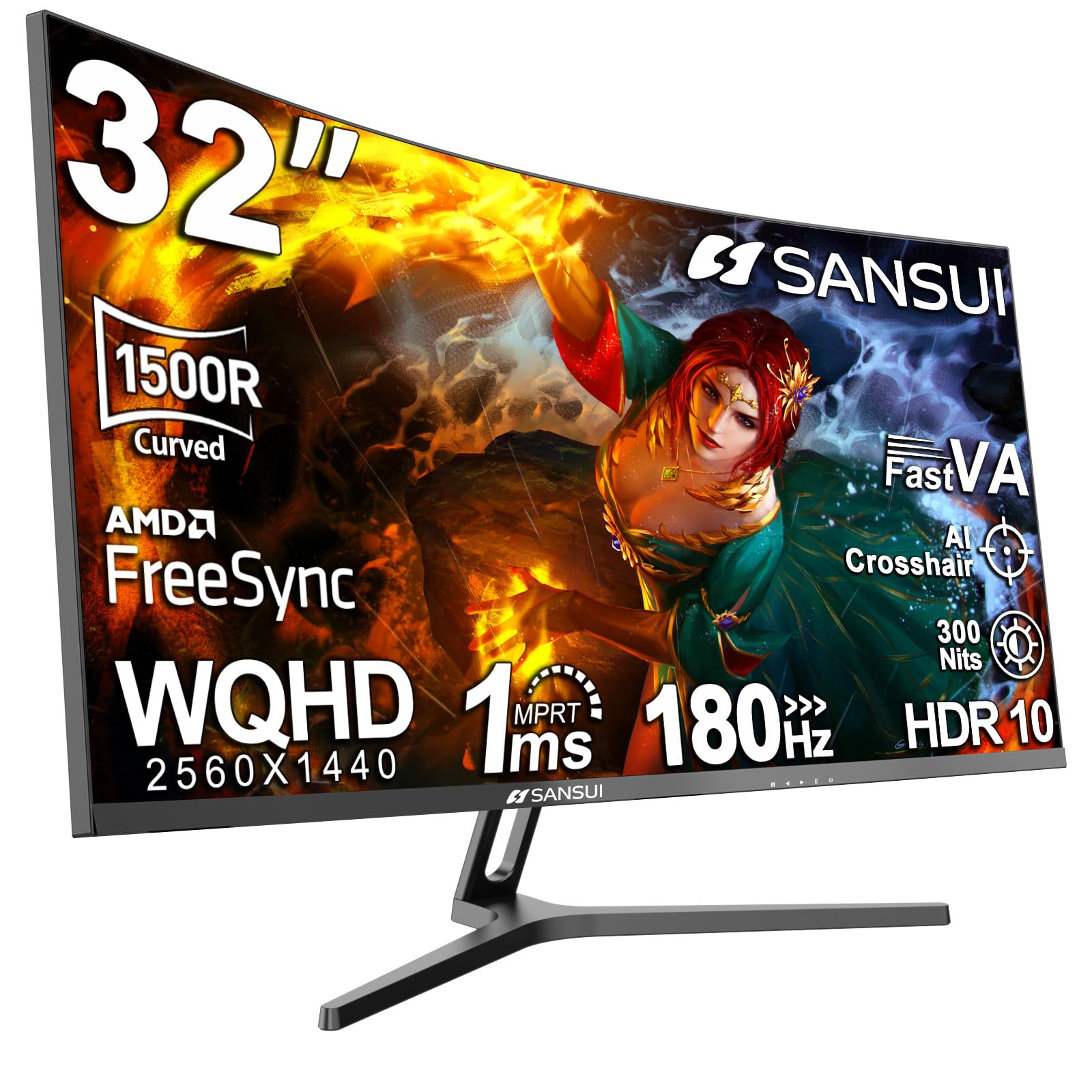
A 2560 x 1440 QHD panel with a 180Hz refresh rate delivers sharp detail and smooth motion.
This SANSUI is a favorite for good reason: a 32″ 1500R curved VA panel at a true 2560 x 1440 (QHD) resolution with a 180Hz refresh rate and 1ms (OD) response time. It covers 125% sRGB and 95% DCI-P3 color gamuts, which translates to vivid, accurate colors for both gaming and creative work.
The ergonomic stand offers tilt (-5° to 15°) and is VESA compatible (100 x 100mm), so you can mount it on an arm. It uses DP 1.4 x2 (up to 180Hz) and HDMI x2 (up to 144Hz), and a DP cable (1.5m) is included. Owners praise the sharp text, smooth motion without ghosting, and the “easy joystick settings” that make tweaking painless.
Quality is the single most-praised aspect, with value for money as a close second, and the setup needs no tools at all. The noise in the data is about pixel quality and color (marking it as mixed), so do not expect factory-perfect calibration. The brand backs it with a 30-day money-back and free replacement warranty plus lifetime technical support.
The Sharp Upgrade
- QHD 1440p resolution is a big jump in detail over 1080p
- 180Hz refresh rate handles fast action cleanly
- DP cable included for full-speed connectivity
Set Your Expectations
- No built-in speakers, so plan for external audio
- Color quality is mixed from the start and may need adjusting
Reach for this if: you want true QHD sharpness and a high refresh rate without going premium.
Look elsewhere if: you need speakers or factory-tuned color accuracy.
6. LG 32G600A-B UltraGear
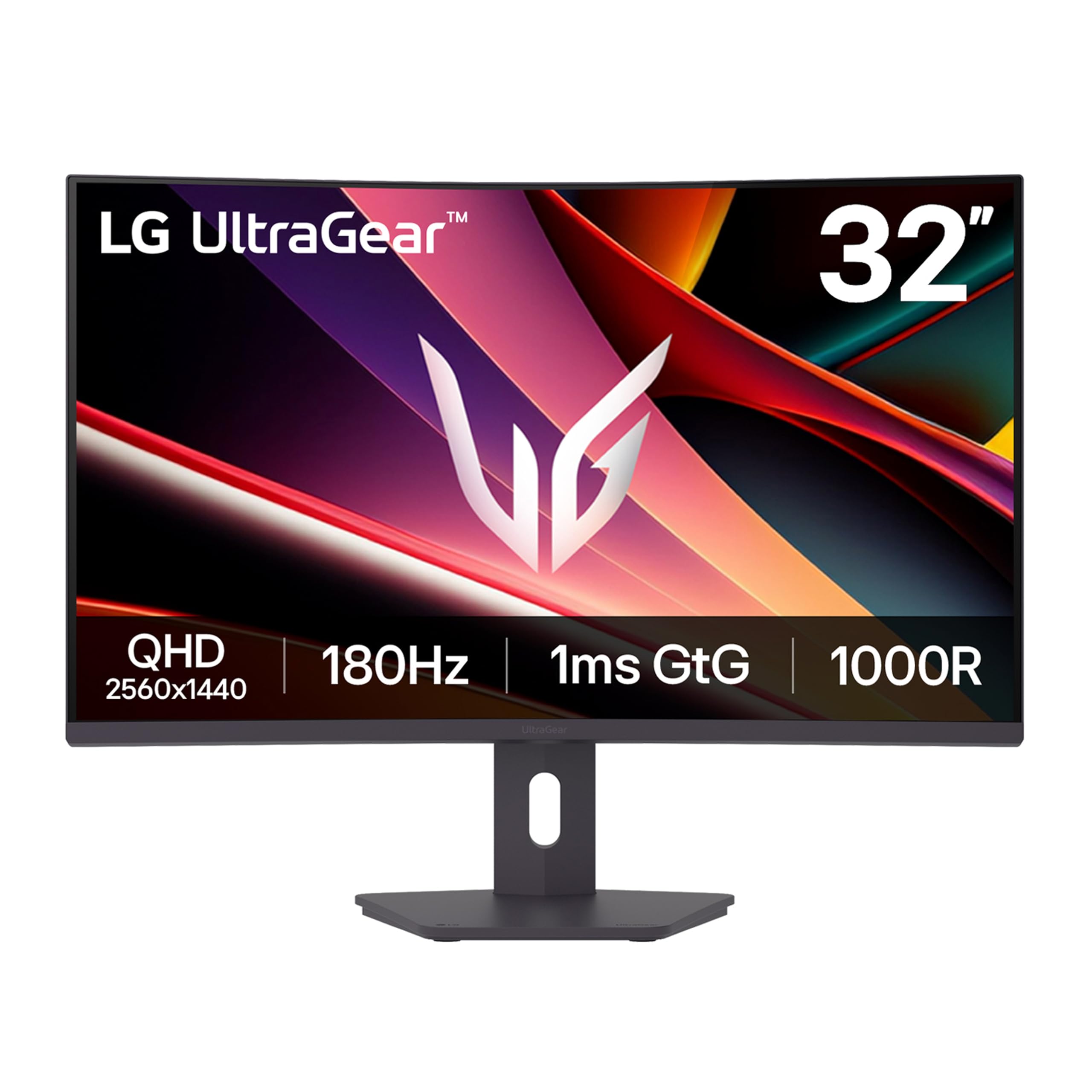
A 1000R curve and a height-adjustable stand prioritize ergonomic comfort for long sessions.
LG’s UltraGear uses a tighter 1000R curvature than most rivals, which wraps more aggressively around your field of view for deeper immersion on its 32″ QHD (2560 x 1440) panel. It refreshes at 180Hz with a 1ms (GtG) response time, and AMD FreeSync keeps action smooth and tear-free.
What really sets this apart from the value picks is its stand: it offers height, tilt, and swivel adjustment, so you can dial in a truly ergonomic setup for long work or gaming sessions. The 3-side virtually borderless design boost the viewing area, and HDR10 support with up to 99% sRGB coverage keeps colors rich. Extra gaming features like Black Stabilizer brighten dark scenes so you can spot enemies hiding in shadows.
Display quality is the top praised aspect here, and owners specifically like that it “adjusts high easily” and works great on a standing desk. The mixed feedback centers on color accuracy and adjustability for some users, so the stand’s movements may feel stiff to picky buyers. It ships with a DisplayPort cable in the box.
Standout feature: the height-adjustable stand is the reason owners pick it over the more famous Samsung Odyssey.
Who it’s for: home-office gamers who want one screen for split-screen work and play.
7. ZZA 34” Gaming Monitor

A white 34-inch ultrawide with 120% sRGB coverage balances style with color accuracy.
This 34″ ZZA stands out literally and figuratively: its white chassis and 1500R curved 21:9 panel deliver a 3440 x 1440 resolution with a 180Hz refresh rate and 1ms response time. With a 120% sRGB coverage, it is engineered for creators who need accurate color reproduction for graphic design, photo editing, and video production.
The 4000:1 contrast ratio produces deep blacks and vibrant highlights, making games and films pop with realism. It offers HDMI 2.1 and DP 1.4 inputs, and a PBP (Picture-by-Picture) mode that lets you view two sources side by side. Owners love that the large curved screen is big enough to “replace dual monitors,” and the built-in sound is good enough that you can skip separate speakers on a desk.
Quality and value for money are the top two praised aspects, with buyers impressed by the brightness and color match. The mixed notes are on picture quality and screen durability, with some units arriving with dead pixels, so inspect your panel early. The HDMI ports support 4K at 60Hz, but only if you use high-bandwidth 4K-rated cables, which are not included.
Why it stands out: the color-focused 120% sRGB coverage in a striking white 34″ frame is rare at the price.
The fine print: check for dead pixels on arrival and expect to supply your own premium cables.
8. CRUA 34 Inch 21:9 UWQHD IPS
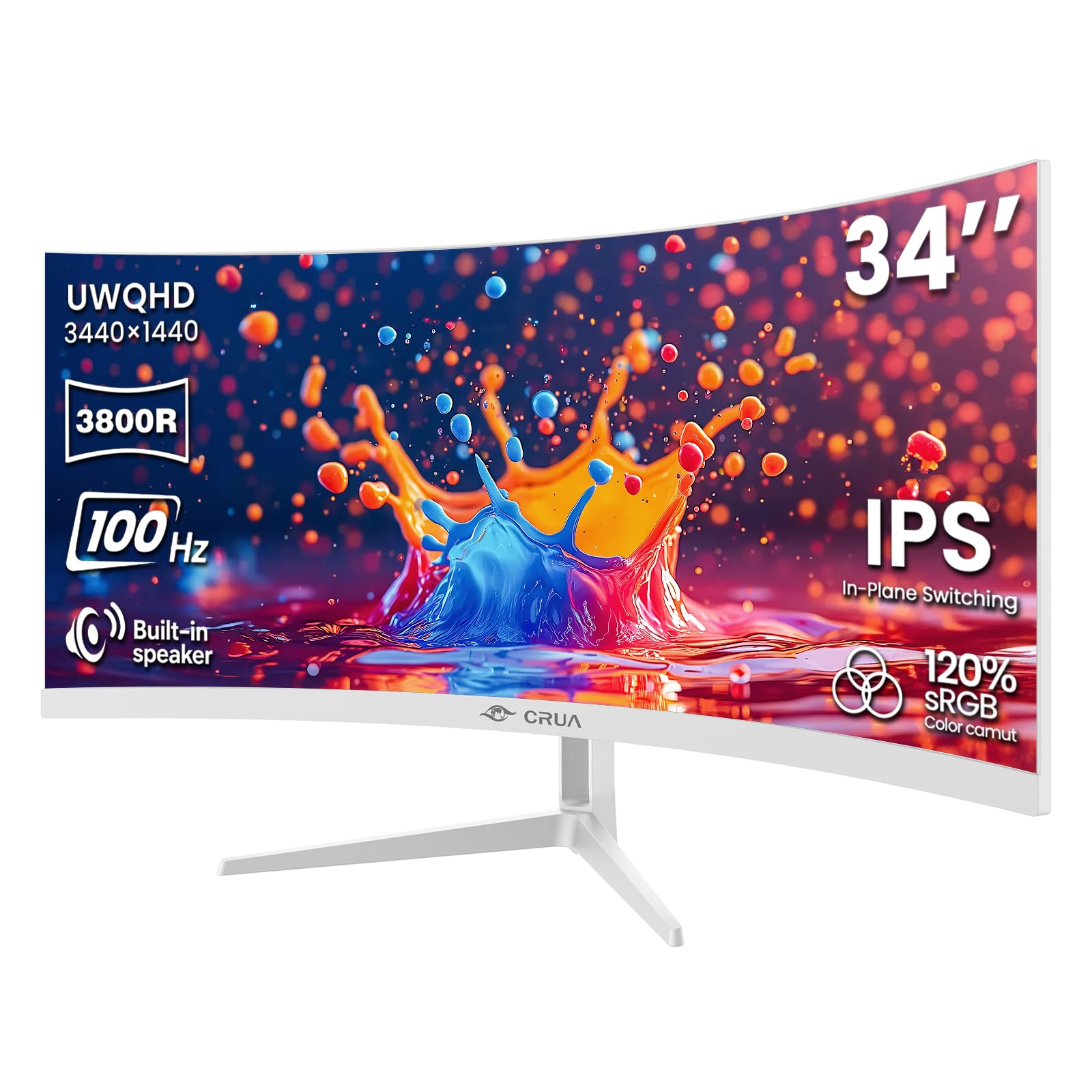
An IPS panel with 178° viewing angles and 120% sRGB coverage prioritizes color accuracy over speed.
Not every curved screen needs esports-level speed, and this 34″ CRUA proves it with an IPS panel that delivers consistent brightness and color across 178° viewing angles. It covers 120% sRGB, 92% DCI-P3, and 1.07 billion colors (8-bit + FRC), so designs look precise and videos look cinematic. Its 3440 x 1440 (UWQHD) resolution at 21:9 offers a massive horizontal workspace.
The refresh rate is a gentler 100Hz with AMD FreeSync support, which is plenty for smooth scrolling, video playback, and light FPS gaming. Its gentle 3800R curve follows your natural field of view to reduce eye movement and improve comfort during long sessions — a key feature for office and editing use. It includes 2x HDMI 2.0, 2x DP 1.4, a 3.5mm audio jack, and built-in speakers.
Monitor and image quality are the most-praised aspects, with one owner reporting it is eye-friendly enough to avoid migraines, which they could not achieve with a well-known brand. The honest trade-off is that the HDR mode is washed out and colors need adjustment from the start, and text can look slightly stretched on the ultrawide ratio. The tilt is adjustable from -5° to 15°.
Best for: designers and editors who value accurate IPS color over breakneck refresh rates.
Pair it with: the 100x100mm VESA mount to reclaim desk space.
9. Qian 30 inch Curved Monitor
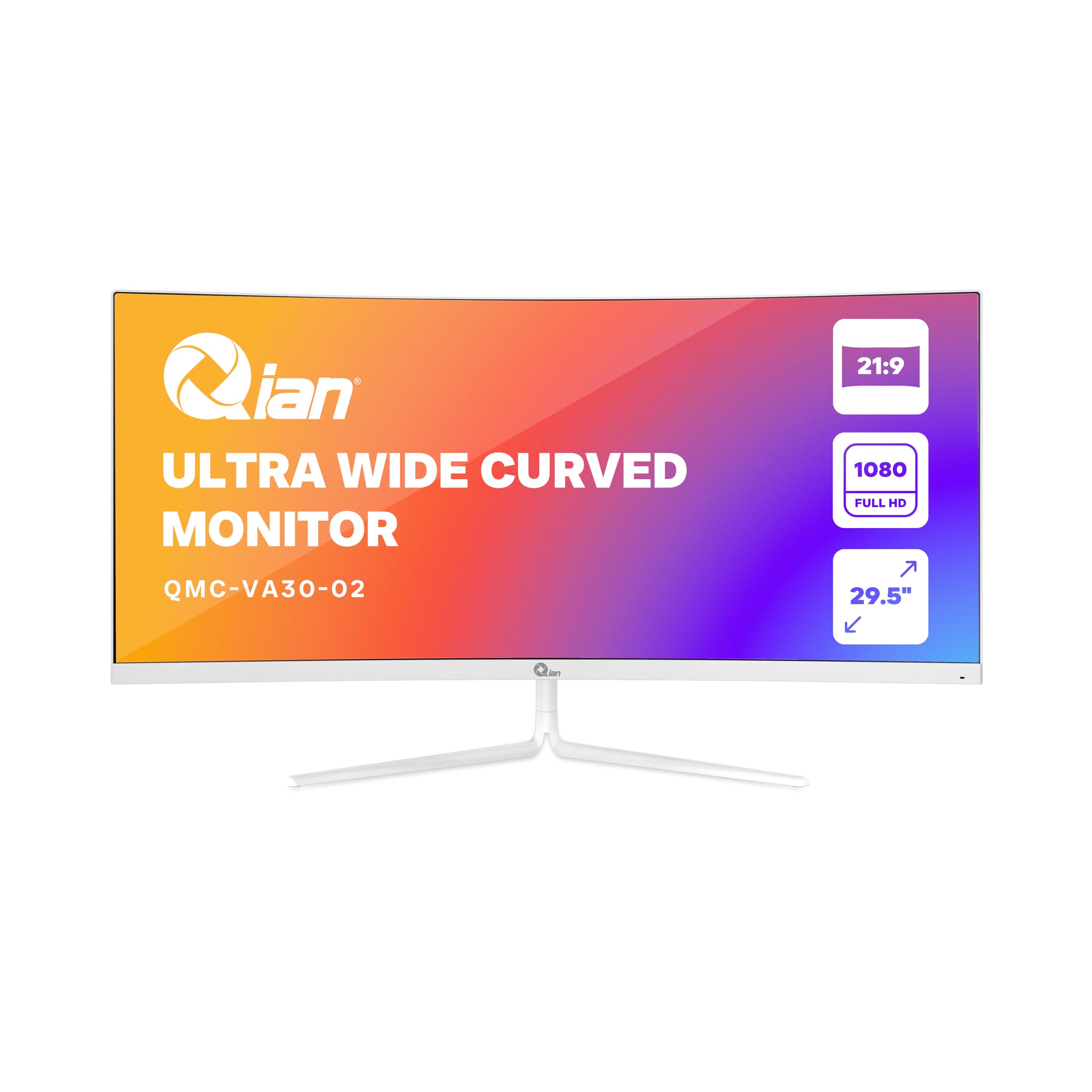
A true 30-inch ultrawide that gives office multitaskers a panoramic view for a modest outlay.
For a genuine 30-inch ultrawide at a budget-friendly price, this white Qian monitor offers a WFHD (2560 x 1080) resolution on a 1500R curved VA panel with a 21:9 aspect ratio. It refreshes at 200Hz with a 10ms response time, which is tuned for smooth performance during data processing, design work, or content review rather than twitch gaming.
The VA panel delivers a 3000:1 contrast ratio for deep blacks and bright whites, and the anti-glare screen reduces reflections from sunlight or direct light in an office. It has DisplayPort x 2, HDMI 2.0 x 2, and a 3.5mm headphone-out, so it flexes to many devices. At 7.8″D x 27.6″W x 15.7″H, it takes a modest footprint, and you can mount it using the 75 x 75mm VESA pattern.
Owners call it “very clear, sharp, easy to use” and note it feels like money well spent. The honest caveat is that it is a budget panel, so while the design is nice, the colors are more muted, and the OSD presets are barely different from each other. An occasional unit arrives with a defective panel showing dead pixels.
Who it’s for: office workers who want a wide curved view for spreadsheets and documents without gaming demands.
Set your bar: expect decent clarity rather than vivid color, and check the panel on arrival.
10. Samsung ViewFinity S65TC

The premium productivity powerhouse that turns one screen into a full office hub.
This Samsung is the most feature-dense pick: a 34″ 1000R curved VA panel at Ultra-WQHD (3440 x 1440) with a 21:9 aspect ratio, built specifically to boost screen real estate. It includes Thunderbolt 4 connectivity that delivers 90W charging while transmitting data — so it powers a laptop and sends video through a single cable.
For desk decluttering, it adds HDMI, DisplayPort, a USB3 hub, and a LAN port so laptops without Ethernet can connect. The KVM switch is a standout: it lets you control 2 sources with one keyboard and mouse, and you can view them split-screen, Picture-in-Picture, or Picture-by-Picture. The height-adjustable stand, swivel, and tilt functions let you fine-tune the position, with eye care reducing flicker and blue light.
Appearance and size are the positives owners praise most, calling it a “statement piece” that is large enough to replace dual monitors. The honest picture is mixed beyond that: interface connectivity and monitor quality get mixed feedback, and some report text appearing pixelated or units with reliability issues. It is a premium investment for productivity, not a gaming-first screen.
Hub of the Desk
- Thunderbolt 4 with 90W charging powers a laptop over one cable
- KVM switch controls two PCs with one keyboard and mouse
- LAN port adds Ethernet without a separate adapter
Consider the Cost
- 100Hz refresh rate is modest for serious gaming
- Mixed reliability feedback and a premium price tag
Pick it for: power users who want to run two computers from one clean, ergonomic setup.
Think twice if: your priority is high-refresh gaming rather than workspace consolidation.
Understanding the Specs
Refresh Rate (Hz)
This is how many times the screen redraws the image every second. A 60Hz screen shows 60 frames per second, which is fine for office work, but a 200Hz screen updates 200 times per second. That higher number makes fast camera panning in games look dramatically smoother and more responsive, which is why gaming monitors push 144Hz and above.
Curvature Radius
The curvature, measured in “R” (for radius), tells you how tightly the screen bends. A lower number like 1000R means a deeper curve that wraps further around your field of view, pulling you into the action. A higher number like 3800R is a gentler curve that reduces eye movement but feels less rich. A 1500R curve is the common middle ground, balancing immersion and comfort.
FAQ
Is a 1000R or 1500R curve better for me?
Can my graphics card run a 1440p ultrawide monitor?
What is the difference between 16:9 and 21:9 aspect ratio?
Does FreeSync matter if I have an Nvidia graphics card?
Is 1080p enough on a large curved monitor?
What does response time (1ms) actually do?
Will a 30-inch ultrawide monitor fit on my desk?
Can I use a curved monitor for office work and spreadsheets?
Final Thoughts: The Verdict
For most buyers, the 30 inch curved monitor winner is the msi G32C4X because its 250Hz refresh rate and 1500R curve give you speed and immersion that few others match at this price. If you want the sharper detail of a 1440p (QHD) display with a high refresh rate, the SANSUI 32-inch is the crowd-pleasing pick. And for a cinematic ultrawide that stretches your workspace while staying affordable, the Sceptre Prime 30-inch is the one to reach for.
How We Picked
We do not accept paid placement. Every pick is matched to a real buyer and a real use-case; we do not hands-on test units.
Sources & Methodology
Specifications: manufacturer listings and product documentation. Review insights: verified customer reviews, as of August 2026. Pricing: not shown on this page (it changes often); check the current price via the retailer link.
As an Amazon Associate, Gadgets Feed earns from qualifying purchases. This does not affect which products we feature.