
Settling for a 30-inch gaming monitor means you’re past the entry-level debate — you know that panel size, pixel density, and refresh rate must converge to create an immersive edge without consuming your entire desk. The “30-inch” class is a sweet spot that demands sharper specs than a 27-inch, but without the pixel-pitch compromises or GPU strain of a full 32-inch behemoth. Every millisecond of input lag and every shade of color accuracy now defines whether you win or just participate.
I’m Min — the co-founder and writer behind Gadgets Feed. My guides are built on hundreds of hours of market research, cross-referencing technical specifications, and analyzing competitive benchmarks to separate genuine performance from marketing claims in this specific panel-size bracket.
This buying guide evaluates the top candidates for the best 30 inch gaming monitor, focusing on concrete specs like refresh rate, response time, panel technology, and color gamut that define true gaming readiness.
How To Choose The Best 30 Inch Gaming Monitor
Selecting a monitor in this precision class requires balancing resolution, panel type, and refresh rate against your GPU’s horsepower. Here are the three non-negotiable factors to evaluate before committing.
Panel Technology: OLED vs. IPS vs. VA
The panel determines contrast, black levels, and color vibrancy. OLED panels (QD-OLED or WOLED) deliver infinite contrast and true blacks with sub-0.1ms response times, ideal for HDR gaming and immersive single-player titles. IPS panels offer wide viewing angles and consistent brightness but suffer from lower contrast ratios (around 1000:1) and IPS glow. VA panels provide better native contrast (3000:1) than IPS but can exhibit slower pixel transitions and black smearing in dark scenes. For competitive gaming where every frame matters, OLED’s near-instant response edges out both.
Refresh Rate and Adaptive Sync
Refresh rate dictates how many frames per second the display can show. At 1440p, 240Hz is the current gold standard for smooth, blur-free motion in fast shooters and racing sims. 360Hz and 500Hz options exist for esports purists but demand top-tier GPUs to maintain those frame rates. Equally important is adaptive sync technology — FreeSync Premium Pro or G-Sync Compatible certification ensures the monitor’s refresh rate matches your GPU’s output in real time, eliminating screen tearing without introducing stutter. For console gamers, HDMI 2.1 is essential to support 120Hz or higher at the panel’s native resolution.
Resolution and Pixel Density
At 30 inches, 2560×1440 (WQHD) is the sweet spot for pixel density and gaming performance. It offers roughly 110 PPI, which delivers sharp text and detail without requiring a top-tier card for high frame rates. A 3440×1440 ultrawide expands horizontal immersion and is excellent for simulators and open-world games but pushes more pixels. 4K UHD (3840×2160) at this size yields exceptional clarity (around 140 PPI) but will heavily tax your GPU to maintain 120fps or higher in modern titles. Choose your resolution based on whether graphical fidelity or buttery-smooth frame rates matter more to your gaming style.
Quick Comparison
On smaller screens, swipe sideways to see the full table.
| Model | Category | Best For | Key Spec | Amazon |
|---|---|---|---|---|
| Acer Predator X27U | QD-OLED | Best Overall Value | 260Hz, 0.03ms, QD-OLED | Amazon |
| Alienware AW2725DF | QD-OLED | Competitive Esports | 360Hz, 0.03ms, QD-OLED | Amazon |
| INNOCN 2780M | OLED | Highest Refresh Rate | 500Hz, 0.03ms, WOLED | Amazon |
| ASUS ROG Strix XG27UCG | Fast IPS | 4K Dual Mode | 4K 160Hz / FHD 320Hz | Amazon |
| LG 27G810A-B | IPS | 4K Dual Mode | 4K 180Hz / FHD 360Hz | Amazon |
| Samsung Odyssey OLED G6 | QD-OLED | Glare-Free Gaming | 240Hz, 0.03ms, QD-OLED | Amazon |
| MSI MAG 272QP | QD-OLED | All-Round Gaming | 240Hz, 0.03ms, QD-OLED | Amazon |
| AOC Q27GAZD | QD-OLED | Budget OLED Entry | 240Hz, 0.03ms, QD-OLED | Amazon |
| LG 34GS95QE | OLED | Ultrawide Immersion | 3440×1440, 240Hz, 800R | Amazon |
| ASUS ROG Strix XG32UCWG | WOLED | Premium 4K HDR | 4K 165Hz / FHD 330Hz | Amazon |
| Amzfast AMZG34C8 Pro | VA | Budget Ultrawide | 3440×1440, 240Hz, VA | Amazon |
In‑Depth Reviews
1. Acer Predator X27U W1bmiipprx

The Acer Predator X27U delivers an outstanding QD-OLED experience at a price that undercuts most competitors while maintaining a 240Hz refresh rate and 0.03ms response time. Its 26.5-inch WQHD panel with 99% DCI-P3 coverage produces blacks that appear truly infinite and colors that leap off the screen — a significant upgrade over any IPS or VA panel in this class. The ZeroFrame design and AMD FreeSync Premium support further reduce distractions and tearing.
Buyers consistently praise the HDR performance and extremely low motion blur, noting that the panel’s image quality rivals displays costing significantly more. Glossy coating is present but not mirror-like, and while the plastic build feels mid-range, the included stand offers height, swivel, and tilt adjustments. The on-screen display menu is somewhat complex, but once calibrated, the default picture modes are strong.
For gamers transitioning from budget IPS or VA monitors, this Predator model represents a transformative leap in contrast and responsiveness. The 240Hz refresh rate suits both competitive shooters and immersive single-player titles, and the WQHD resolution balances detail with GPU demands. It is the single best entry point into high-refresh OLED gaming.
Why it’s great
- Infinite contrast and vibrant colors from QD-OLED
- 240Hz refresh rate and 0.03ms response eliminate ghosting
- Competitive price for OLED performance tier
Good to know
- Plastic build feels less premium than competitors
- On-screen menu navigation is occasionally cumbersome
2. INNOCN 2780M GA27M1Q

The INNOCN 2780M pushes refresh rate boundaries with a 500Hz OLED panel at 1440p, making it the definitive choice for competitive esports players who need the absolute lowest motion blur. The QD-OLED panel delivers a 1,500,000:1 contrast ratio and 99% DCI-P3 coverage, producing rich, accurate colors with deep blacks. Built-in speakers and a full-height adjustable stand with LED ambient lighting add convenience that many high-refresh monitors omit.
User feedback highlights excellent color reproduction out of the box, but notes that the monitor requires a powerful GPU (like an RTX 4080 or better) to fully utilize 500Hz in modern titles at 1440p. The 48Hz-500Hz variable refresh rate range works with FreeSync and G-Sync, and connectivity includes dual DP and dual HDMI 2.1 ports for multi-device setups. The white chassis and LED accents create a distinctive aesthetic that stands out in battlestations.
For players who prioritize fluidity above all else and run hardware capable of pushing 400+ FPS in competitive games, this INNOCN model delivers a genuine advantage. The 0.03ms response time ensures nearly instantaneous pixel transitions, and the HDR500 certification provides brightness that many OLEDs lack. It represents a niche but powerful option for the performance-focused gamer.
Why it’s great
- 500Hz refresh rate eliminates all perceived motion blur
- QD-OLED panel with excellent color accuracy and contrast
- Full ergonomic stand with built-in speakers
Good to know
- Requires very high-end GPU to push 500Hz at 1440p
- White finish and RGB lighting may not suit all setups
3. Alienware AW2725DF

The Alienware AW2725DF combines a 360Hz QD-OLED panel with WQHD resolution to deliver elite-level motion clarity and color vibrancy. Its 0.03ms gray-to-gray response time and AMD FreeSync Premium Pro certification ensure tear-free gameplay even at the highest frame rates. The panel features both HDR 1000 and True Black 400 modes, allowing users to choose between peak brightness or deeper black levels depending on the content.
Buyers consistently praise its exceptional SDR and HDR performance, with deep blacks and vibrant colors that make both competitive shooters and cinematic RPGs look stunning. The ergonomic stand supports height, tilt, swivel, and pivot adjustments, and the I/O cover keeps cable management clean. The 3-year burn-in warranty provides peace of mind for OLED adoption, and users note that the periodic pixel refresh is unobtrusive.
Text clarity can appear slightly softer than IPS due to the subpixel layout, and the glossy coating may show reflections in bright rooms. However, for pure gaming performance at 1440p, this Alienware monitor is among the best available. Its 360Hz ceiling gives a tangible advantage in fast-twitch scenarios without sacrificing image quality for single-player immersion.
Why it’s great
- 360Hz QD-OLED with exceptional motion clarity
- HDR 1000 and True Black 400 dual modes
- Complete ergonomic stand with 3-year burn-in warranty
Good to know
- Text clarity slightly less sharp than IPS panels
- Glossy coating reflects light in bright rooms
4. ASUS ROG Strix XG27UCG

The ASUS ROG Strix XG27UCG uses a Fast IPS panel to offer a unique Dual Mode: native 4K at 160Hz or 1080p at 320Hz for competitive play. This flexibility lets you enjoy crisp desktop use and story-driven games at full UHD resolution, then hit a hotkey for higher frame rates in esports titles. The 1ms GtG response time and ELMB Sync technology keep motion clear without ghosting or tearing.
Users highlight the excellent build quality and versatile stand that offers height, swivel, pivot, and tilt adjustments. The 95% DCI-P3 color gamut provides vibrant, accurate colors, and the DisplayWidget Center software allows OSD adjustments via mouse. Connectivity includes DisplayPort 1.4 with DSC, HDMI 2.1, and USB-C, making it compatible with both PC and console gaming setups.
The 27-inch size delivers high pixel density for sharp 4K details, though running AAA games at native 4K 160Hz requires a powerful GPU. The dual-mode feature effectively future-proofs the monitor, ensuring it remains relevant as GPU horsepower increases. For gamers who want both visual fidelity and a competitive refresh rate ceiling in one package, this ASUS solution is compelling.
Why it’s great
- Dual Mode: 4K 160Hz or 1080p 320Hz
- Fast IPS panel with 1ms response and ELMB Sync
- Robust stand and comprehensive connectivity
Good to know
- Requires strong GPU for 4K gaming at high refresh
- IPS contrast ratio lower than OLED alternatives
5. LG 27G810A-B

The LG 27G810A-B UltraGear delivers a 4K UHD IPS panel with a Dual Mode that switches between 4K at 180Hz and Full HD at 360Hz, offering remarkable flexibility for both immersive and competitive gaming. The 1ms GtG response time and support for both G-Sync and FreeSync Premium ensure smooth, tear-free gameplay across a wide range of frame rates. The 95% DCI-P3 coverage and DisplayHDR 400 provide vibrant colors and decent HDR punch.
User reviews emphasize the monitor’s strong performance as a hybrid work-and-play display, with excellent color accuracy for productivity and low motion blur for gaming. The Dynamic Action Sync and Black Stabilizer features are well-received for reducing input lag and improving visibility in dark scenes. The stand offers full ergonomic adjustment including pivot, and the 4-pole headphone jack with DTS HP:X provides immersive 3D audio.
A notable downside is the audible fan noise reported in silent environments, which may distract some users. The stand height is also slightly limited for taller desks. However, the combination of high resolution, high refresh rate, and dual-mode functionality makes this LG a versatile choice for gamers who need one monitor for every scenario.
Why it’s great
- Dual Mode: 4K 180Hz or FHD 360Hz
- Excellent color accuracy and G-Sync/FreeSync support
- Reduced input lag with Dynamic Action Sync
Good to know
- Fan noise may be noticeable in quiet rooms
- Stand height adjustment range is somewhat limited
6. Samsung Odyssey OLED G6 G61SH

The Samsung Odyssey OLED G6 (G61SH) pairs a 27-inch QD-OLED panel with 240Hz refresh rate and 0.03ms response time, delivering vibrant colors and perfect blacks for an immersive gaming experience. Samsung’s Glare-Free technology effectively reduces ambient reflections, making it suitable for rooms with overhead lighting or windows. The Pantone Validated screen reproduces over 2100 colors accurately, benefiting both gaming and creative work.
User reviews consistently praise the upgrade from IPS to OLED, noting dramatically better contrast and color in dark scenes. The height-adjustable stand includes tilt, swivel, and pivot adjustments, and the OLED Safeguard thermal modulation system helps prevent burn-in during long sessions. FreeSync Premium support ensures tear-free gameplay, and the DisplayPort and HDMI inputs handle 1440p 240Hz without issue.
Some users find the peak brightness lower than premium OLEDs in bright HDR scenes, but the panel’s infinite contrast more than compensates in most gaming environments. Text clarity is slightly less sharp than IPS due to the subpixel structure, but the difference is minimal at normal viewing distances. For a well-rounded, glossy-free OLED monitor with strong ergonomics, this Samsung is a refined choice.
Why it’s great
- Glare-Free QD-OLED reduces reflections effectively
- Pantone Validated with excellent color accuracy
- Full ergonomic stand with OLED burn-in safeguards
Good to know
- Peak HDR brightness lower than top-tier OLED models
- Text clarity slightly softer than IPS displays
7. MSI MAG 272QP QD-OLED X24

The MSI MAG 272QP QD-OLED X24 brings a 26.5-inch WQHD Quantum Dot OLED panel with 240Hz refresh rate and 0.03ms response time, backed by MSI’s OLED Care 2.0 burn-in prevention suite. It features a fanless graphene heatsink for enhanced panel durability and a VESA ClearMR 13000 rating for motion clarity. The 10-bit color depth covers 99% DCI-P3 with Delta E ≤2 accuracy, delivering professional-grade color reproduction.
Buyers highlight the incredible picture quality, with perfect blacks and vivid HDR that transform gaming and media consumption. The 4-way adjustable stand with tilt, swivel, and height options is well-built, and the Gaming Intelligence software provides Smart Crosshair and console mode features. Connectivity includes DisplayPort 1.4a and HDMI 2.1 with CEC, supporting 1440p 240Hz from both PC and console sources.
Some users note that default settings appear dark and slightly blurry, requiring OSD adjustments to the Racing or FPS preset for optimal clarity. The included USB-A to USB-B cable for firmware updates is absent, and the OLED Care pixel refresh can trigger during gameplay, which may be distracting. Overall, it delivers premium OLED performance at a competitive mid-range price point.
Why it’s great
- Excellent QD-OLED image quality and color accuracy
- Graphene heatsink for improved durability
- OLED Care 2.0 with burn-in prevention software
Good to know
- Requires picture adjustments out of the box
- Missing cable for firmware updates
8. AOC Q27GAZD

The AOC Q27GAZD offers a 27-inch QD-OLED panel at an entry-level price, making it the most accessible way to experience infinite contrast and vibrant colors. It features a 240Hz refresh rate and 0.03ms GtG response time, with HDR400 True Black certification for deep, detailed shadows. The QD-OLED panel covers 147.6% sRGB and 110.2% DCI-P3, delivering punchy colors that outperform VA and IPS alternatives.
User feedback highlights the amazing picture quality and responsiveness for the price, with zero ghosting and smooth gameplay in fast-paced titles. However, the included stand is short and lacks tilt and swivel control, making a VESA monitor arm a recommended upgrade. The HDMI port is limited to 165Hz, so DisplayPort 1.4 is required for the full 240Hz experience, and the glossy display shows reflections in brightly lit rooms.
For gamers on a budget who want to experience OLED without paying flagship prices, this AOC model delivers 90% of the performance at a significantly lower cost. The thin upper bezel and frameless design look modern, and the anti-glare coating helps mitigate some reflections. With a simple VESA mount upgrade, it becomes a stellar value proposition.
Why it’s great
- Most affordable QD-OLED gaming monitor
- Rich colors and true blacks with HDR400 True Black
- Zero ghosting at 240Hz with 0.03ms response
Good to know
- Stand is basic and lacks ergonomic adjustments
- HDMI limited to 165Hz; requires DP for 240Hz
9. LG 34GS95QE 34-inch Ultragear OLED

The LG 34GS95QE brings a 34-inch 21:9 OLED panel with an aggressive 800R curvature that fully envelops your peripheral vision, ideal for simulators, racing games, and immersive RPGs. It delivers a 3440×1440 resolution at 240Hz with 0.03ms response time, plus AMD FreeSync Premium Pro and G-Sync compatibility for stutter-free gameplay. The DisplayHDR True Black 400 certification and 1.5M:1 contrast ratio ensure deep blacks and vivid highlights in HDR content.
Users consistently describe the blacks as truly black — indistinguishable from the monitor being off — which adds remarkable depth to games and movies. The 240Hz OLED motion clarity is noticeably sharper than any LCD, and the anti-glare coating minimizes reflections effectively. The four-way adjustable stand is heavy and high-quality, and VESA mounting is straightforward.
Some users note that the steep 800R curve, while excellent for FPS games, may feel too aggressive for non-gaming tasks like document editing or spreadsheet work. The text clarity is typical for OLED, and the menu button placement can cramp your hand during adjustments. For gamers seeking an ultrawide experience with peak OLED performance, this LG delivers transformative immersion.
Why it’s great
- 34-inch ultrawide with 800R curve for deep immersion
- OLED true blacks and HDR True Black 400
- 240Hz with FreeSync Premium Pro and G-Sync
Good to know
- 800R curve can be too tight for productivity tasks
- Menu button placement is awkward to use
10. ASUS ROG Strix XG32UCWG

The ASUS ROG Strix XG32UCWG uses a TrueBlack Glossy WOLED panel at 32 inches with a Dual Mode that switches between 4K at 165Hz and Full HD at 330Hz. The zero-haze glossy surface produces exceptionally sharp imagery with deep blacks and vivid colors, and the VESA DisplayHDR 400 True Black compliance ensures impressive HDR performance. Its AI Assistant features Dynamic Crosshair and Dynamic Shadow Boost for enhanced gameplay awareness.
Buyers praise the premium build quality and excellent OLED Care Pro with Neo Proximity Sensor, which automatically blacks the screen when you step away to reduce burn-in risk. The 3-year warranty includes burn-in coverage, and the included VESA mount kit and microfiber cloth reflect thoughtful packaging. The 99% DCI-P3 gamut and true 10-bit color depth make it suitable for photo and video editing alongside gaming.
Some users report early screen retention issues after a week of use, though this appears to be an edge case mitigated by firmware updates. The display is highly reflective due to the glossy coating, and the full-window brightness maxes out around 250 nits, which may struggle in very bright rooms. For those seeking a premium glossy OLED experience with advanced burn-in protection, this ROG Strix is a top-tier contender.
Why it’s great
- TrueBlack Glossy WOLED with exceptional sharpness
- AI Assistant and Neo Proximity Sensor for burn-in prevention
- 3-year warranty with burn-in coverage
Good to know
- Glossy coating is highly reflective
- Max brightness limited in full-window HDR scenes
11. Amzfast AMZG34C8 Pro
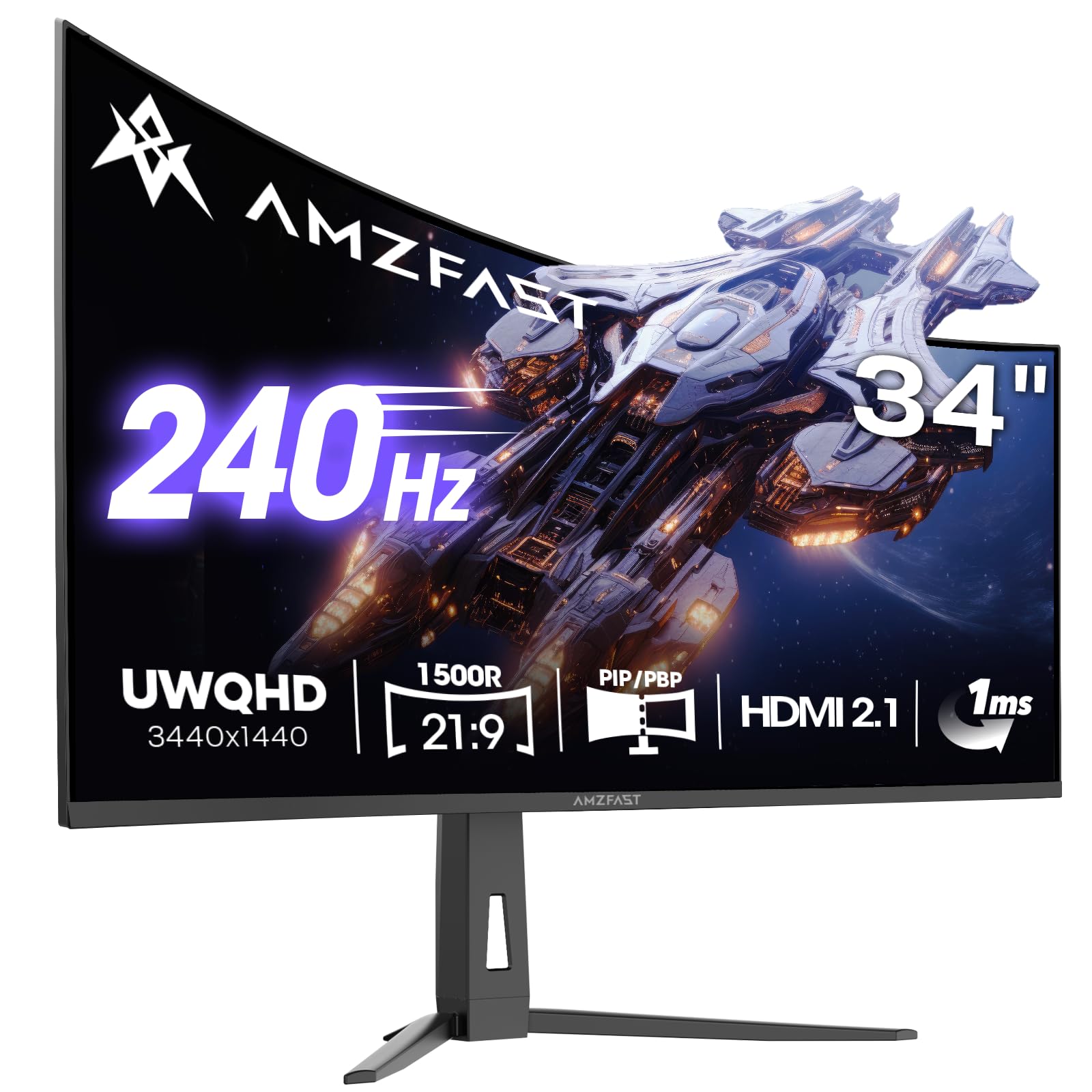
The Amzfast AMZG34C8 Pro offers a 34-inch ultrawide VA panel with 3440×1440 resolution at 240Hz, providing strong value for gamers seeking an immersive ultrawide experience on a budget. The 1500R curvature wraps around your field of view effectively, and the 1ms MPRT response time with Adaptive Sync (FreeSync Premium and G-Sync Compatible) delivers smooth, tear-free gameplay. The 3000:1 contrast ratio produces deeper blacks than IPS panels in this price range.
User reviews highlight surprising quality for the price, with good brightness and adjustable color settings. The AI gaming features like crosshair, night vision, and sniper scope enhance FPS gameplay, and the dual HDMI 2.1 ports allow 240Hz at native resolution from the latest consoles and GPUs. The stand offers full ergonomic adjustment including height, swivel, and tilt, and VESA mounting is supported.
Some users report the stand quality is somewhat basic, with a slight rightward tilt issue on some units. The built-in speakers are adequate for casual use but lack bass and volume. For budget-conscious gamers who prioritize ultrawide immersion and high refresh rates over absolute color accuracy or OLED blacks, this Amzfast model represents a compelling entry point into the 34-inch category.
Why it’s great
- 34-inch ultrawide with 240Hz at budget pricing
- Dual HDMI 2.1 for console gaming at high refresh
- Full ergonomic stand and VESA support included
Good to know
- Stand quality is inconsistent on some units
- Built-in speakers lack strong audio output
FAQ
What resolution is best for a 30-inch gaming monitor?
Is OLED worth the extra cost over IPS for gaming?
Does a 240Hz monitor bottleneck a console like the PS5 or Xbox Series X?
What type of GPU do I need for a 1440p 240Hz monitor?
Do I need a GPU with HDMI 2.1 for 1440p 240Hz?
Final Thoughts: The Verdict
For most users, the best 30 inch gaming monitor winner is the Acer Predator X27U because it delivers outstanding QD-OLED image quality and 240Hz performance at a price that makes OLED accessible to a wider audience. If you want the absolute highest refresh rate for competitive gaming, grab the INNOCN 2780M. And for immersive ultrawide gaming that fully envelops your field of view, nothing beats the LG 34GS95QE.