
Your vintage Bose SoundDock or first-gen iPad still sounds fantastic and holds precious data, but the 30-pin world is rapidly disappearing. Finding a reliable bridge to modern Lightning or Bluetooth ecosystems without sacrificing audio quality or charging speed is the central challenge for anyone holding onto classic Apple gear.
I’m Min — the co-founder and writer behind Gadgets Feed. I’ve spent countless hours researching the narrow subcategory of 30-pin connectivity adapters, analyzing every spec from mA charging output to Bluetooth codec support to ensure only the most functional and durable options make this guide.
Whether you need to stream music wirelessly to an old dock or transfer photos from a legacy camera, this guide covers the most dependable 30 pin to lightning adapter solutions available today.
How To Choose The Best 30 Pin To Lightning Adapter
Navigating the 30-pin ecosystem requires understanding that not all adapters serve the same purpose. A passive physical dongle will behave very differently from an active Bluetooth receiver. The first decision is whether you need to charge an older device, play audio through a legacy dock, or transfer data.
Understand the Three Core Functions
Most adapters in this category fall into one of three camps: a simple male-to-female pass-through that lets you plug a Lightning cable into a 30-pin dock (for charging or data), a USB-A to Lightning audio cable that turns your Lightning EarPods into a computer headset, or a Bluetooth receiver that plugs into a 30-pin dock and streams music wirelessly from any modern phone. Buying the wrong type means the adapter simply won’t function for your intended use case.
Quick Comparison
On smaller screens, swipe sideways to see the full table.
| Model | Category | Best For | Key Spec | Amazon |
|---|---|---|---|---|
| Apple Lightning to Digital AV Adapter | Premium Video | Mirroring iPhone/iPad to 1080p HDMI display | 1080p HD video + audio output | Amazon |
| INVERY DockLinQ Pro Bluetooth 5.0 | Bluetooth Dock | Upgrading Bose SoundDock to wireless streaming | 70ft range, CSR chip, aluminum shell | Amazon |
| ZIOCOM 30 Pin Bluetooth Adapter | Bluetooth Dock | Wireless audio for any 30-pin dock with aux backup | Low latency, 33ft range, built-in 3.5mm aux | Amazon |
| Apple MFi Certified Lightning to USB Camera Adapter | Data/Charging | Connecting flash drives, cameras, and MIDI keyboards to iPhone | Lightning female + USB female + charging port | Amazon |
| GetsISKON USB C to Lightning Headphone Adapter | Audio/Charging | Using Lightning EarPods with USB-C iPhone 15/16 | 3-in-1: charging + data + 24bit/96kHz audio | Amazon |
| Fidioto USB Male to Lightning Female Audio Adapter | Audio Only | Using Lightning EarPods on a Mac or PC with USB-A | USB-A to Lightning, mic + volume control supported | Amazon |
| ESK Certified 6 Feet 30 Pin Charging Cable | Charging/Data | Replacement charging kit for old iPads and iPods | 6ft cable, 5W adapter, 1A charging | Amazon |
In‑Depth Reviews
1. Apple Lightning to Digital AV Adapter

The Apple Lightning to Digital AV Adapter is the gold standard for anyone who needs to mirror their iPhone or iPad screen to an external display. It outputs video up to 1080p HD over HDMI, supporting not just movies but also presentations, slideshows, and gaming. The internal hardware handles HDCP encryption natively, which means popular streaming apps like Netflix, Hulu, and Amazon Prime Video will pass through without the black-screen errors that plague most third-party dongles.
Users consistently report instant plug-and-play reliability with devices ranging from iPhone 13 Pro Max to older iPad models on iOS 17. The adapter draws power from the device itself, so no external power source is needed. Its lightweight build and compact form factor make it a no-brainer for travel, though the short cable length means the adapter hangs a few inches from your phone.
The primary drawback is the premium cost relative to third-party alternatives, but the zero-hassle compatibility with DRM-protected content justifies the investment for frequent presenters and movie watchers. A small number of users report the Lightning connector becoming loose after extended use, but this is far less common than with non-MFi adapters.
Why it’s great
- Native HDCP support eliminates streaming app blackouts
- True 1080p video and audio passthrough via HDMI
Good to know
- Significantly more expensive than third-party alternatives
- Short integrated cable can place strain on Lightning port
2. INVERY DockLinQ Pro Bluetooth 5.0 Adapter

The DockLinQ Pro is a purpose-built Bluetooth receiver that plugs directly into any 30-pin dock, instantly upgrading it for wireless streaming. It features a robust aluminum shell that is significantly more durable than the plastic-cased alternatives, which often crack or lose the 30-pin connection over time. The Bluetooth 5.0 chip provides a rated open-air range of 70 feet, which is easily double that of most competing adapters in this niche.
Pairing is straightforward: plug it in, toggle the on/off switch at the top, and pair from your smartphone. The adapter supports two simultaneous device pairings, meaning you can keep your iPhone and iPad connected and switch between them without re-pairing. It also retains compatibility with the original dock remote, so you can control volume and track skipping directly from the Bose remote if your dock supports it.
The main caveat is compatibility: the manufacturer clearly lists incompatible docks, including most car iPod connectors from Audi, BMW, and Mercedes. It is strictly a home audio dock solution. Some users find the top switch placement slightly counterintuitive for power cycling, but once this is understood, operation is seamless. For upgrading a classic Bose SoundDock, the DockLinQ Pro is the most reliable and well-constructed option available.
Why it’s great
- Aluminum shell provides durable 30-pin connection
- 70ft Bluetooth range and dual-device pairing support
Good to know
- Does not work with car iPod connectors
- Power switch operation can be confusing initially
3. ZIOCOM 30 Pin Bluetooth Adapter Receiver

The ZIOCOM SOUL 2 is a no-fuss Bluetooth adapter that uses its 30-pin plug for power and the integrated 3.5mm aux jack for audio output, making it compatible with any dock that accepts a 30-pin connection. Unlike the DockLinQ Pro, it does not use the dock’s internal audio path — instead, it sends audio through the aux cable, which gives it broader compatibility across brands like Sony, JBL, Yamaha, and Philips. Its low-latency technology ensures video sound stays synced for movies and gaming.
The adapter draws power directly from the dock, so there is no battery to charge. Setup is genuinely plug-and-play: plug it into the dock, connect the aux cable, pair via Bluetooth, and toggle the switch to activate. Users report it working perfectly with older Bose SoundDock models, Altec Lansing IMT810, and Kicker IK501, with the Bose remote retaining basic control functions.
One quirk is the startup sound, which can be mildly jarring but can be muted in some setups. The 33-foot range is shorter than the DockLinQ Pro, but it is sufficient for most rooms. For budget-conscious buyers who need a reliable adapter that works with a wider variety of dock brands, the ZIOCOM delivers excellent performance at a lower cost.
Why it’s great
- Works with a wide range of dock brands beyond Bose
- Low-latency audio keeps playback in sync with video
Good to know
- Shorter 33ft Bluetooth range
- Startup sound cannot be fully disabled
4. Apple MFi Certified Lightning to USB Camera Adapter
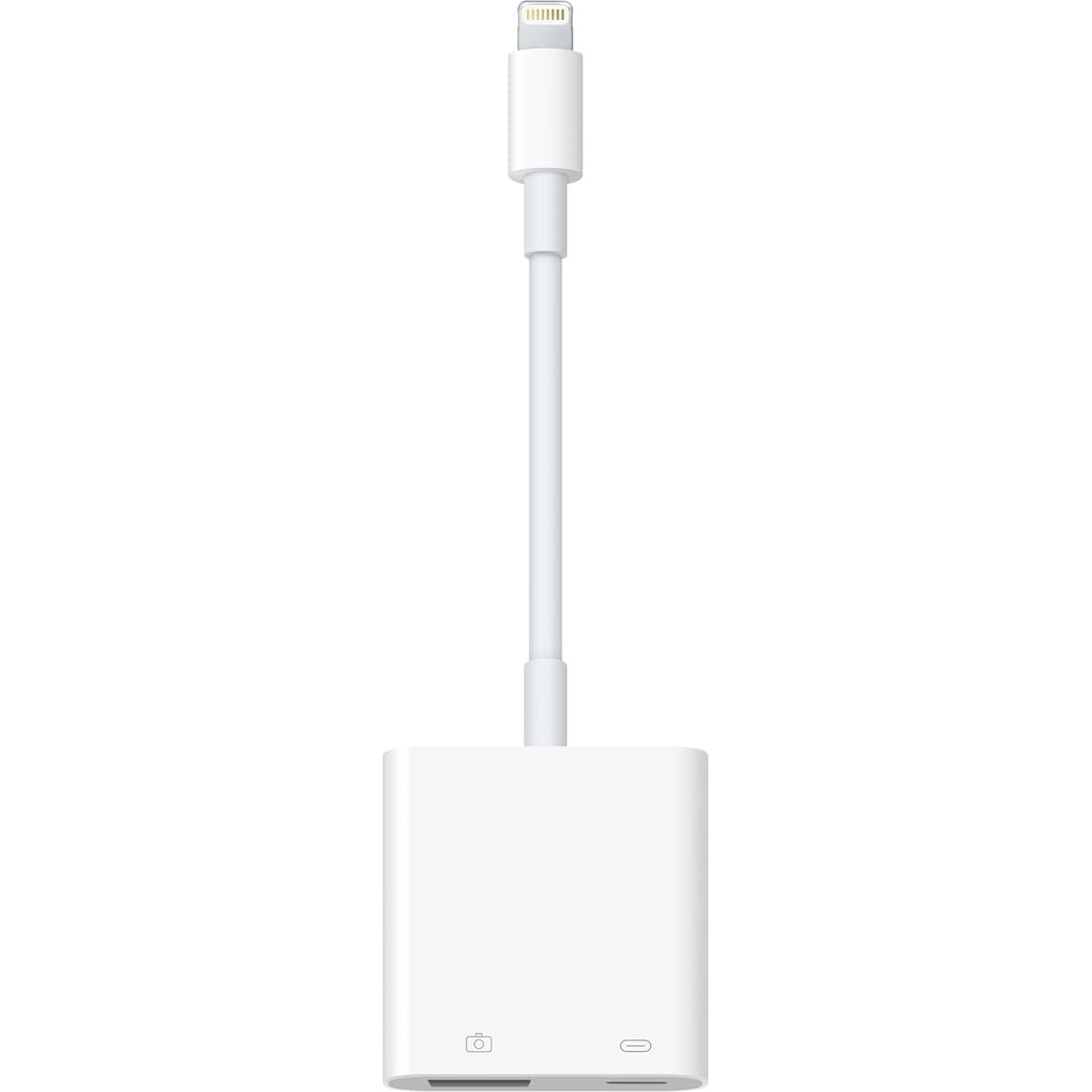
This adapter is essentially a Lightning-to-USB female bridge that also includes a dedicated Lightning charging port. It was originally designed for importing photos from digital cameras, but its utility extends far beyond that. You can connect USB flash drives, SD card readers, MIDI keyboards, mice, and even audio interfaces like the Focusrite Scarlett directly to your iPhone or iPad. The passthrough charging port means you can keep your device powered during long file transfers or music sessions.
The build quality is solid, and the MFi certification ensures compatibility across a wide range of Lightning-equipped devices, from iPhone 6s through iPhone 14 Pro Max and iPad Air/Mini/Pro models. Users specifically praise its ability to resolve power draw issues that cause other adapters to fail when connecting power-hungry peripherals like studio-quality audio interfaces.
The primary reliability concern is the Lightning plug fit — a few users report it not seating securely on iPhone 14 and iPad Mini 5, causing intermittent charging cycles. This appears to be a unit-level quality variance, but it is worth noting. For creative professionals and power users who need to connect external USB devices to their iPad, this adapter is an indispensable tool.
Why it’s great
- Charging passthrough allows simultaneous power and data
- Supports a wide range of USB peripherals including audio interfaces and keyboards
Good to know
- Lightning plug fit can be loose on some device models
- Unit-level quality variance reported for connector seating
5. GetsISKON USB C to Lightning Headphone Audio Adapter
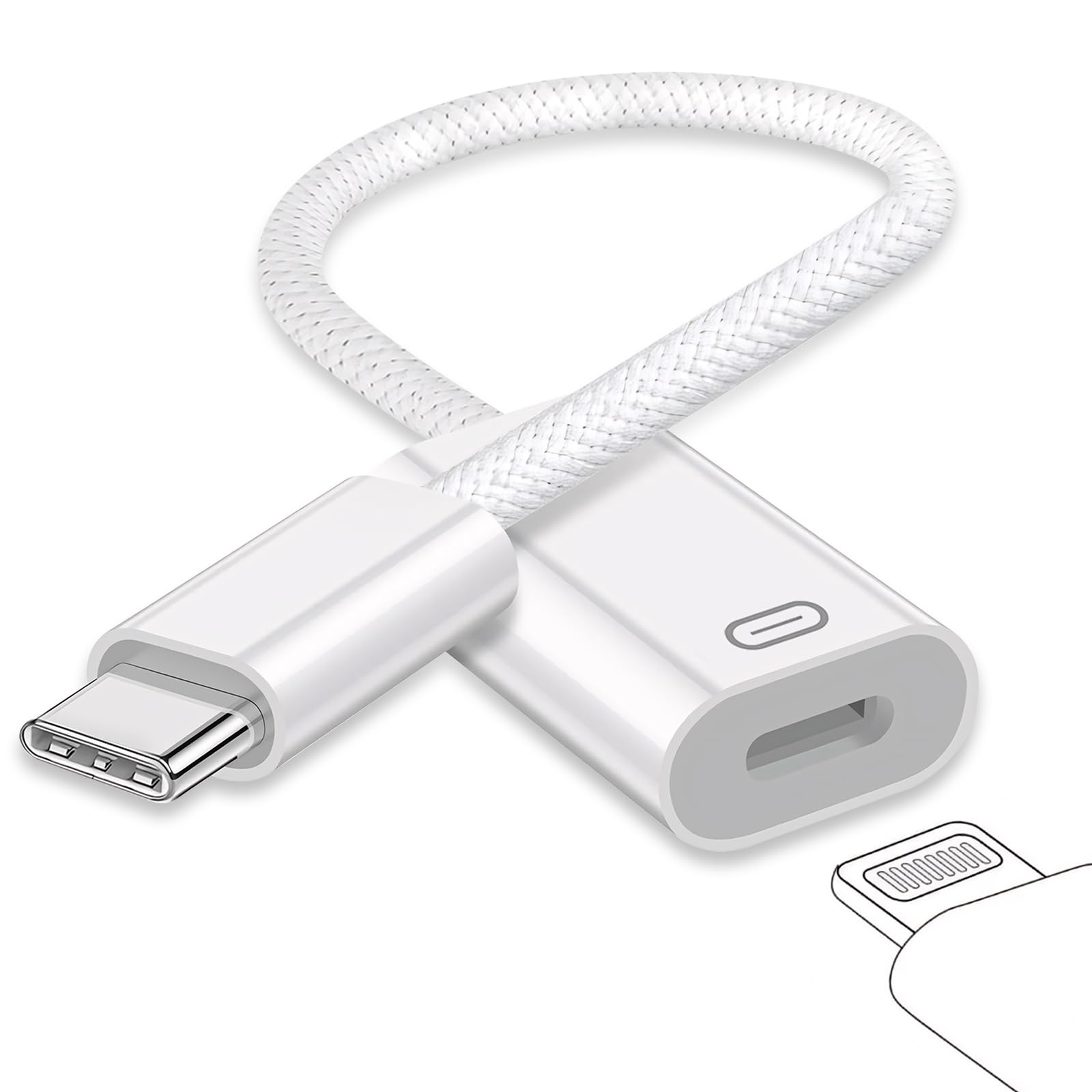
This is a 3-in-1 adapter that combines fast charging, data transfer, and high-resolution audio passthrough in one compact unit. It connects to a USB-C device on one end and provides a Lightning female port for your Lightning EarPods. The built-in lossless DAC chip supports 24-bit/96kHz audio, effectively eliminating the buzzing or static noise that can accompany cheaper audio adapters. It also supports in-line controls like volume up/down and playback pause.
Compatibility is exceptionally broad, covering iPhone 15/16 series, iPad Pro 2018-2022, iPad Air 4-6, iPad mini 6, and M1 MacBooks. Users have reported it works perfectly for connecting Lightning EarPods to the newer USB-C iPad and iPhone models, saving them from buying a separate pair of USB-C headphones.
The main durability concern is the Lightning connector, which a handful of users report failing after 6 months of daily use due to strain at the connection point. Additionally, some users found it was not fully plug-and-play and required navigating to Settings > Sounds to activate the audio output. For its price point, the feature density is excellent, but the long-term connector durability is worth considering.
Why it’s great
- Integrates charging, data, and high-res audio in one adapter
- 24-bit/96kHz DAC eliminates background noise
Good to know
- May require manual audio routing in Settings
- Reported connector failure after 6 months of use
6. Fidioto USB Male to Lightning Female Audio Adapter
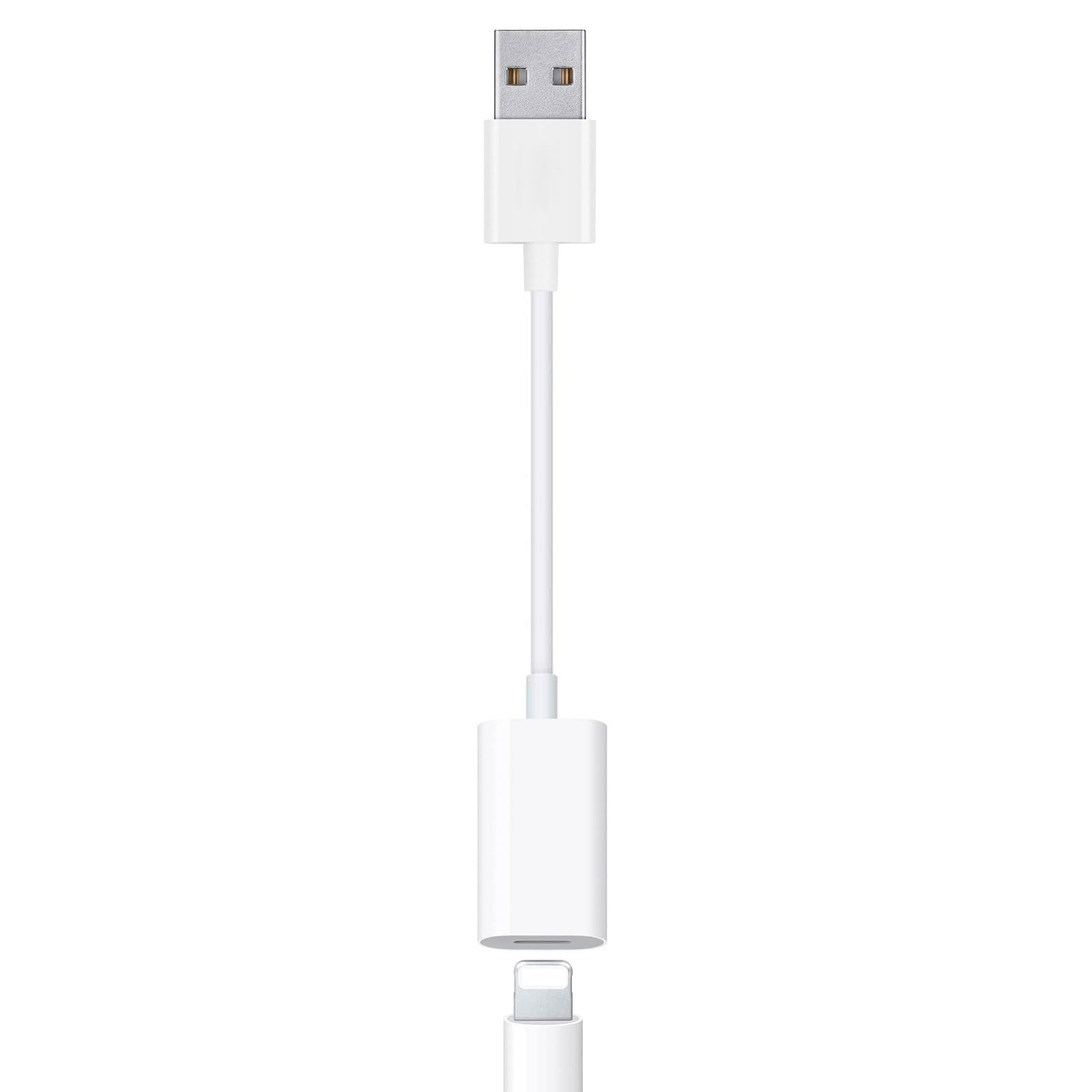
This adapter solves a specific but common modern problem: how to use your Lightning EarPods with a computer that only has USB-A ports. The Fidioto adapter converts a USB-A port into a Lightning female jack, enabling you to use the EarPods for music, Zoom calls, and gaming. It fully supports the built-in microphone and in-line remote, so you can adjust volume, skip tracks, and take calls without touching your computer.
The cable is a short 7.87-inch length, which is ideal for keeping your desk tidy without excess cable slack. Users have confirmed it works with MacBook Air (Intel models), iMac, Mac mini, and Windows 10/11 laptops. The plug-and-play nature means no drivers are required — just plug in and select the adapter as your audio output device in system settings.
It is strictly an audio adapter: it does not support charging or data transfer. Attempting to use it for either purpose will result in no connection. For the specific niche of using Lightning EarPods on a computer, this is a perfectly functional and inexpensive solution, though it is not a 30-pin adapter in the traditional sense — it is a USB-to-Lightning audio bridge.
Why it’s great
- Fully supports mic and in-line remote control
- Plug-and-play with no driver installation needed
Good to know
- Audio only; does not support charging or data
- Only works with USB-A ports, not USB-C
7. ESK Certified 6 Feet 30 Pin USB Charging Cable with 5W Adapter

For those who simply need a functional replacement charging and syncing cable for older 30-pin devices, the ESK 2-pack is the most straightforward option. Each kit includes two 6-foot cables and two 5W USB wall adapters, covering multiple rooms or vehicles. The cables use pure copper wire for reliable 1A charging and data sync, which is the standard maximum for legacy 30-pin devices like the iPad 1/2/3 and iPhone 4/4S.
The 6-foot length provides generous reach from a wall outlet to a nightstand or couch, a notable improvement over the original Apple cables. The slim, lightweight design at just 0.69 ounces makes it easy to travel with. Users with first-gen iPads and older iPod Touches confirm these cables charge and sync without issues.
The main complaint involves the included wall adapters: a notable number of users report the 5W bricks showing a “not certified” error or failing to charge properly. The cables themselves are generally fine, but the adapters may need to be replaced with a higher-quality unit. For the price of a 2-pack with cables and adapters, this remains a budget-friendly stopgap, but it is not a long-term investment.
Why it’s great
- Generous 6-foot cable length in a 2-pack bundle
- Works reliably for both charging and data sync
Good to know
- Included wall adapters can show “not certified” errors
- 1A charging speed is adequate but not fast
FAQ
Will a 30-pin to Lightning adapter charge my iPhone faster than the original cable?
Why does my Bluetooth 30-pin adapter disconnect after a few minutes?
Final Thoughts: The Verdict
For most users, the 30 pin to lightning adapter winner is the INVERY DockLinQ Pro because its aluminum build and long Bluetooth range make it the most durable and effective way to revive an old 30-pin dock. If you want zero-hassle video mirroring for presentations and streaming, grab the Apple Lightning to Digital AV Adapter. And for a budget-friendly 2-pack charging and data cable kit for legacy iPads, nothing beats the ESK Certified 6 Feet 30 Pin Cable.