
Our readers keep the lights on and my morning glass full of iced black tea. As an Amazon Associate, I earn from qualifying purchases.
Specs are compiled from manufacturer listings and verified buyer reviews and can change over time — please confirm the key details on the product page before buying.
Walking into 3D printing for the first time often means one thing: endless tinkering before you ever see a finished part. Hours spent leveling the bed, fighting with adhesion, and slicing settings that make no sense — all before you print anything useful. The real prize is a machine that delivers great prints without requiring constant tinkering.
I’m Min — the founder and writer behind Gadgets Feed. This guide is built by comparing the manufacturers’ published specifications and the patterns across verified customer reviews, so you get each pick’s real strengths and trade-offs instead of marketing spin.
After sorting the data, these are the machines that actually hit the mark for a 300 dollar 3d printer, where speed and ease-of-use finally meet a reasonable price.
Our Picks at a Glance


How To Choose The Best 300 Dollar 3D Printer
Not all budget 3D printers are built the same. The price cap forces trade-offs, but smart buyers know where to compromise.
Auto Bed Leveling vs. Manual Leveling
This is the biggest quality-of-life split in the category. Auto-leveling uses a sensor (like a CR Touch probe) to map the build plate and adjust the nozzle height automatically during the first layer. Manual leveling requires you to turn knobs under the bed while sliding a piece of paper around — a frustrating process that beginners often get wrong. Every printer on this list uses auto-leveling, which saves your first few hours of frustration.
Print Speed: How Fast is Fast Enough?
Speed is measured in mm/s (millimeters per second of nozzle movement). Older budget printers crawled at 50–80 mm/s. Modern ones in this bracket advertise 250–600 mm/s. Real-world average speed is lower (acceleration and curves slow things down), but a 500 mm/s machine finishes a benchy boat in about half the time of a 150 mm/s one. If you print multiple projects a week, a faster machine matters.
Build Volume: The Size of What You Can Make
Build volume is the maximum size of a single print, given in X × Y × Z in millimeters. A small machine (100 x 120 x 100 mm) handles keychains, toys, and small parts. A medium volume (220 x 220 x 250 mm) fits helmet halves, drone frames, and larger decor. If you ever want to print something bigger than a soda can, avoid the sub-150 mm cubes.
Quick Comparison
| Model | Best For | Max Speed | Build Volume | Multicolor | Amazon |
|---|---|---|---|---|---|
| ANYCUBIC Photon Mono 4★ Best Overall | Ultra-Detailed Resin Prints | 70 mm/h (laser speed) | 153.4 x 87 x 165 mm | No (resin type) | $209.99$239.99PrimeAmazon |
| Anycubic Kobra XAlso Great | Premium Speed & Ease | 600 mm/s | 260 x 260 x 260 mm | 4-color (expands to 19) | Amazon |
| SainSmart ZR CoreXYBig Build Champ | Large Multicolor Builds | 600 mm/s | 300 x 300 x 300 mm | 4-color MIFS | Amazon |
| Creality K2 SE | High-Speed Everyday Work | 500 mm/s | 220 x 215 x 245 mm | Needs CFS (sold sep.) | from $479.00Amazon |
| Creality Ender-3 V3 KE | Proven Community Support | 500 mm/s | 220 x 220 x 250 mm | No | $259.00$324.00Amazon |
| Bambu Lab A1 mini | Beginner Reliability | High-speed (value not stated) | Small (value not stated) | No | Amazon |
| Geeetech M1 Mini | Teaching & Learning | 250 mm/s | 100 x 110 x 100 mm | No | Amazon |
| Entina Tina2C | Young Kids & STEM | Not stated | 99 x 99 x 99 mm | No | Amazon |
| Fully Assembled TINA2S | Family Budget Start | Not stated | 100 x 120 x 100 mm | No | Amazon |
In‑Depth Reviews
1. ANYCUBIC Photon Mono 4 Resin 3D Printer
Our pick — 4.5★ from 500+ verified ratings; the strongest balance of quality and price.
Unreal detail from a 10K screen — tiny lettering and smooth surfaces that FDM cannot touch.
This is not a filament printer — it uses resin (liquid plastic that hardens under UV light) which produces far finer detail than FDM. The 7-inch 10K monochrome LCD has a resolution of 9024 x 5120, with each pixel measuring just 17 x 17 μm (micrometers — millionths of a meter) on the X and Y axes. That is a 105% increase in print precision over the older Mono 2. Reviewers point out “unreal print quality with amazing tiny lettering and logos” that would be impossible on a filament machine.
The build volume is 153.4 x 87 x 165 mm (about the size of a large coffee mug). It includes a laser-engraved build platform that improves adhesion so parts do not lift or warp during printing. The LighTurbo matrix light source delivers uniform UV light to reduce visible layer lines, creating parts that often look injection-molded. It weighs just 7.7 pounds — significantly lighter than most FDM machines like the Creality K2 SE (27.5 pounds) — and its dimensions are 10 x 10 x 15 inches, a 25% smaller footprint than the Entina Tina2C’s 8 x 6.5 x 10 inches, so it tucks away on a desk.
The catch: resin printing requires handling liquid chemicals (ventilation and PPE — gloves and a respirator — are essential). The resin vats are prone to breaking, and the LCD screen replacement. One reviewer noted “great print quality 90% of time” but had “minor leveling issues in back corner.” Also, the Anycubic app is not supported for this model, so you slice on a computer.
The Detail Advantage
- 10K (9024×5120) resolution with 17×17 μm pixels for micro-detail.
- LighTurbo light source minimizes layer lines for smooth surfaces.
- Laser-engraved build plate improves part adhesion.
- Small 7.7 lb footprint fits easily on a desk.
Resin Realities
- Requires ventilation, gloves, and proper PPE for safe operation.
- Resin vats and LCD screens are consumables that need periodic replacement.
- Small build volume limits part size compared to filament printers.
Choose this for: miniatures, jewelry, dental models, and any project where surface smoothness and tiny detail matter more than size.
Avoid if: you want large functional parts or are not willing to deal with liquid resin cleanup and ventilation.
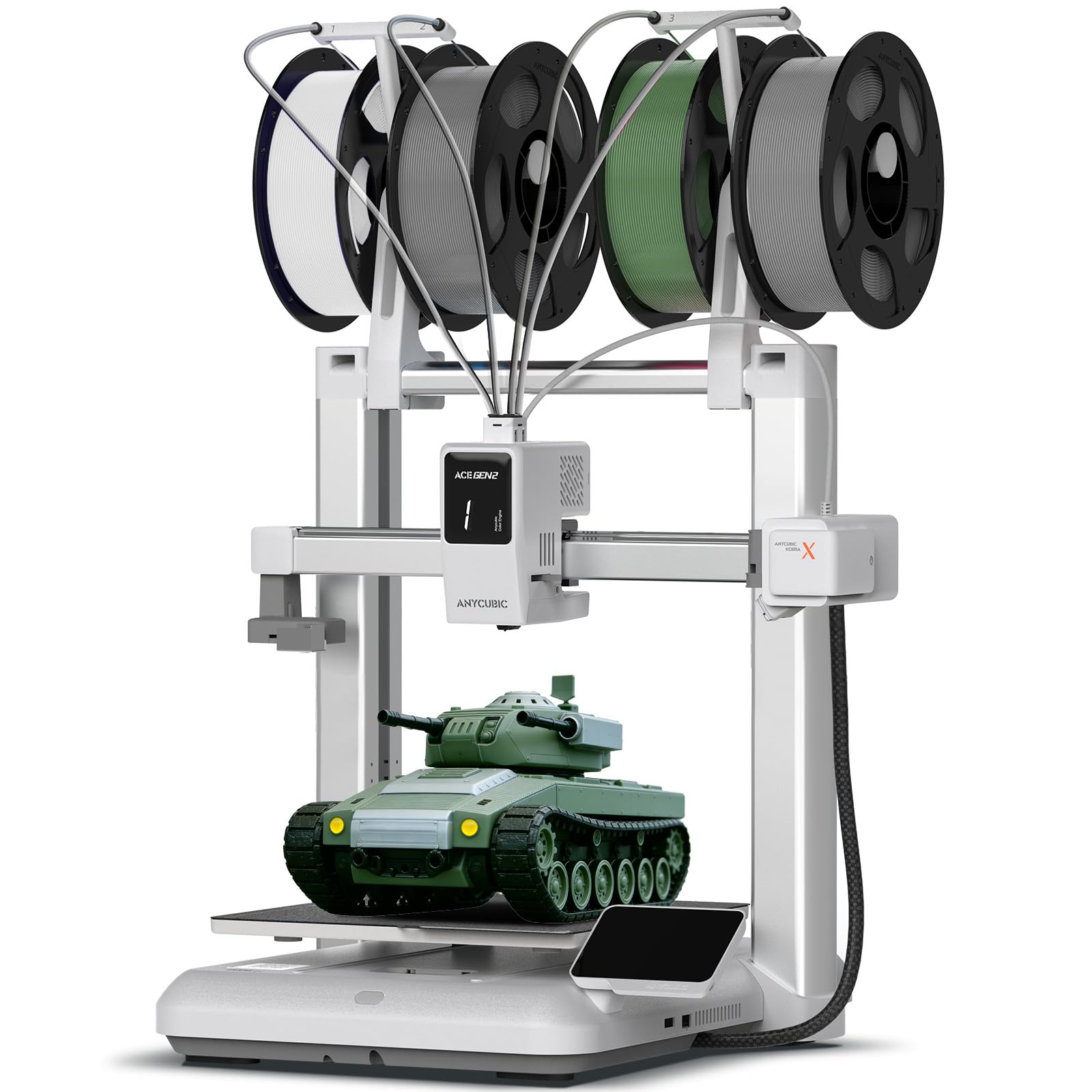
2. Anycubic Kobra X Multicolor 3D Printer
The speed demon that keeps things simple, right from the first layer.
You do not need to be a technician to get great prints here. The Kobra X uses LeviQ 3.0 (the brand’s 49-point full-auto leveling system) to guarantee a perfect first layer without you touching a single knob — a huge relief if bed leveling gave you nightmares on older machines. Buyers report it starts printing “immediately from the start” with a setup time of about 15 minutes.
At 600 mm/s (a top speed that finishes most models in hours, not days), this is one of the fastest options in the price bracket. It also packs a built-in 4-color system that expands up to 19 colors with extra ACE Pro units, so you can print multicolored models without swapping spools manually mid-print. The hardened steel nozzle reaches 300°C, handling materials from PLA to TPU (rubber-like filament) and PETG. It operates at a quiet ≤48 dB, making it a good fit for a home office or a kid’s bedroom.
The catch is maintenance. Some owners mention that covered parts make it harder to access the hotend for cleaning, and the 720P camera’s quality and positioning leave something to be desired. But for under, the combination of speed, multicolor support, and auto-leveling is tough to beat.
Why It Wins
- 600 mm/s top print speed saves hours on big projects.
- Built-in 4-color system (expandable to 19 colors) makes multicolor prints easy.
- LeviQ 3.0 auto-leveling with 49 points ensures no-fail first layers.
- Quiet ≤48 dB operation fits well in a home environment.
The Trade-Offs
- Covered internals make maintenance and cleaning more tedious.
- Onboard 720P camera has poor quality and an awkward position.
- Default settings can cause small surface imperfections (“burps”) on round models.
Reach for this if: you want a fast multicolor machine that requires virtually no setup hassle.
Look elsewhere if: you prefer a printer with simpler, open-frame maintenance access.
3. SainSmart x WonderMaker ZR CoreXY Multicolor 3D Printer
A massive 300mm cube with 4-color capability that punches above its price tag.
This machine gives you a 300 x 300 x 300 mm build volume (the largest on this list) plus a built-in Multicolor Integrated Filament System (MIFS) for 4-color prints right from the start. That is a combination you rarely see near — the build plate alone is roughly double the area of a typical 220 mm cube machine. Customers note it delivers “great print quality” with good overhangs and bridging performance, and no adhesion issues on the double-sided PEI (a flexible build plate surface that parts pop off of easily) plate.
It runs Klipper firmware (an open-source, fast-control software) and works with ORCA Slicer, hitting up to 600 mm/s with 20,000 mm/s² acceleration. The all-metal Core XY structure (a frame design where the print head moves on a belt system instead of a gantry) keeps motion precise at high speeds, and silent mode drops noise to 48 dB. It also supports a wide range of filaments — PLA, PETG, ABS, TPU, even carbon-fiber composites (PLA-CF and PETG-CF) thanks to the 300°C hardened steel nozzle.
But the software side has rough edges. The MIFS system has been reported to cause false filament errors that pause prints, and the WonderMaker slicer is Windows-only. One reviewer summed it up: “Shockingly great printer for the price,” but another who returned theirs called the AMS “poor.” Expect to tinker with the slicer setup before it runs smoothly.
The Big Advantage
- Largest build volume here (300 mm³) handles helmets, large decor, and functional parts.
- 600 mm/s CoreXY speed with 300°C nozzle supports advanced materials.
- Built-in MIFS for 4-color printing without an external unit.
- Quiet 48 dB operation in silent mode.
The Catch
- MIFS system can trigger false filament errors mid-print.
- WonderMaker slicer is Windows-only, limiting Mac/Linux users.
- Some units have rattling issues and no auto-leveling for remote prints.
Best for: makers who need a large build area for big functional parts and are comfortable tweaking software settings.
skip it if: you want a truly out-of-box beginner experience — this one demands some patience.
4. Creality K2 SE 3D Printer
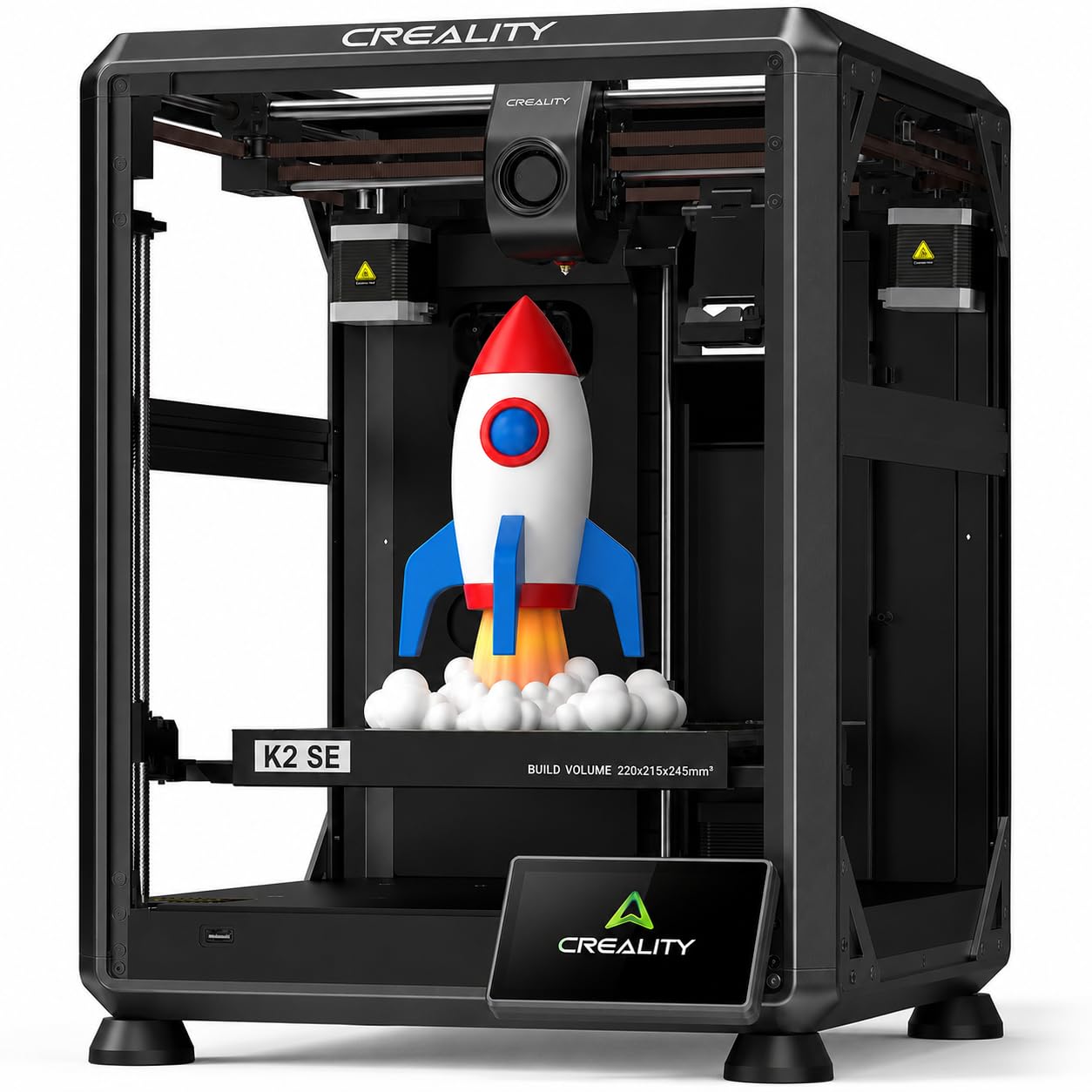
A reliable workhorse that prints fast from the start with minimal fuss.
Creality’s K2 SE is built for the buyer who just wants to print — not calibrate. It features auto-leveling (so you skip the paper-Under-nozzle dance) and a PEI flexible build plate (you bend it slightly and the part pops off). It hits a top speed of ≤500 mm/s with ≤20000 mm/s² acceleration, which means a typical print finishes in under two hours. Reviewers point out it “prints great and fast out of box” and note “flawless adhesion” on the PEI plate without needing glue stick.
The build volume is 220 x 215 x 245 mm — large enough for most hobby projects, from drone parts to cosplay accessories. It also supports multicolor printing, but you will need the separate Creality CFS (Color Filament System), which is sold separately. At 27.5 pounds, the solid metal frame keeps vibrations low during fast prints. The printer weighs 27.5 pounds, giving it stability during high-speed moves.
One important note from real owners: the nozzle is not easy to change, and some units ship with the voltage switch set to EU (230V) instead of US (110V), so check that before your first power-on. Also, a few early unit reviews mention fault codes (FR2358, BM0111) that required returns, though the majority of 394 ratings average a solid 4.0 out of 5 stars.
What Stands Out
- 500 mm/s speed and ≤20000 mm/s² acceleration cut print times drastically.
- Auto-leveling and PEI flex plate minimize setup frustration.
- Solid metal frame (27.5 lbs) dampens vibration for sharp details.
- Supports multicolor with optional CFS add-on.
Watch For
- Voltage switch may ship set to EU 230V — check before first use.
- Nozzle changes are not straightforward; requires disassembly.
- Some units experienced hardware faults early on.
Ideal for: the hobbyist who wants fast, reliable prints and is okay with an occasional nozzle-swap hassle.
Not for: someone who wants immediate multicolor printing without buying extra parts.
5. Creality Ender-3 V3 KE 3D Printer

The Ender legacy gets a modern speed boost, backed by a massive modding community.
This printer inherits the massive community support of the Ender-3 line while upgrading to a 500 mm/s print speed and an 8000 mm/s² acceleration. The Sprite Direct Extruder (the motor that pushes filament sits right at the hotend, not on the frame) lets you print up to 300°C, handling tough filaments like ABS, PETG, and TPU (95A). The CR Touch Sensor (a probe that measures the bed height at multiple points) auto-levels the platform, so you get a reliable first layer without manual knobs.
With a build volume of 220 x 220 x 250 mm, it matches the K2 SE closely in size, but the V3 KE adds dual fans for faster model cooling and smart vibration-compensation algorithms that reduce “ringing” (ghost-like lines on vertical surfaces). Shoppers say it is “extremely easy to use” for a first printer and produces “sharp prints” right away. However, some buyers report the stock fans are loud and that the bed leveling procedure still requires a bit of patience — it is auto-leveling, but you still need to manually tram the bed (adjust its height to match the gantry) before the sensor takes over.
The biggest pain point comes from reliability: a few long-term reviews describe feed jams that killed the hotend completely after about 10 prints. One owner wrote that their unit “hasn’t worked since” after replacing the hotend and electronics. Despite an average of 4.0 stars across 961 ratings, the failure rate among early units is worth noting.
Strengths
- 500 mm/s speed with 8000 mm/s² acceleration for fast turnaround.
- 300°C Sprite Direct Extruder prints advanced materials reliably.
- Huge community support — thousands of mods, profiles, and troubleshooting guides.
- Dual fans and vibration compensation improve print surface quality.
Weaknesses
- Stock fans are loud during operation.
- Some units experience catastrophic hotend jams after a handful of prints.
- Auto-leveling still requires a manual tramming step.
Choose this if: you want a community-supported, fast printer with advanced material capability and you enjoy having many modding options.
Pass if: you need a dead-silent machine or cannot risk hotend failures on a tight project schedule.
6. Bambu Lab A1 mini 3D Printer + LED Lamp Kit
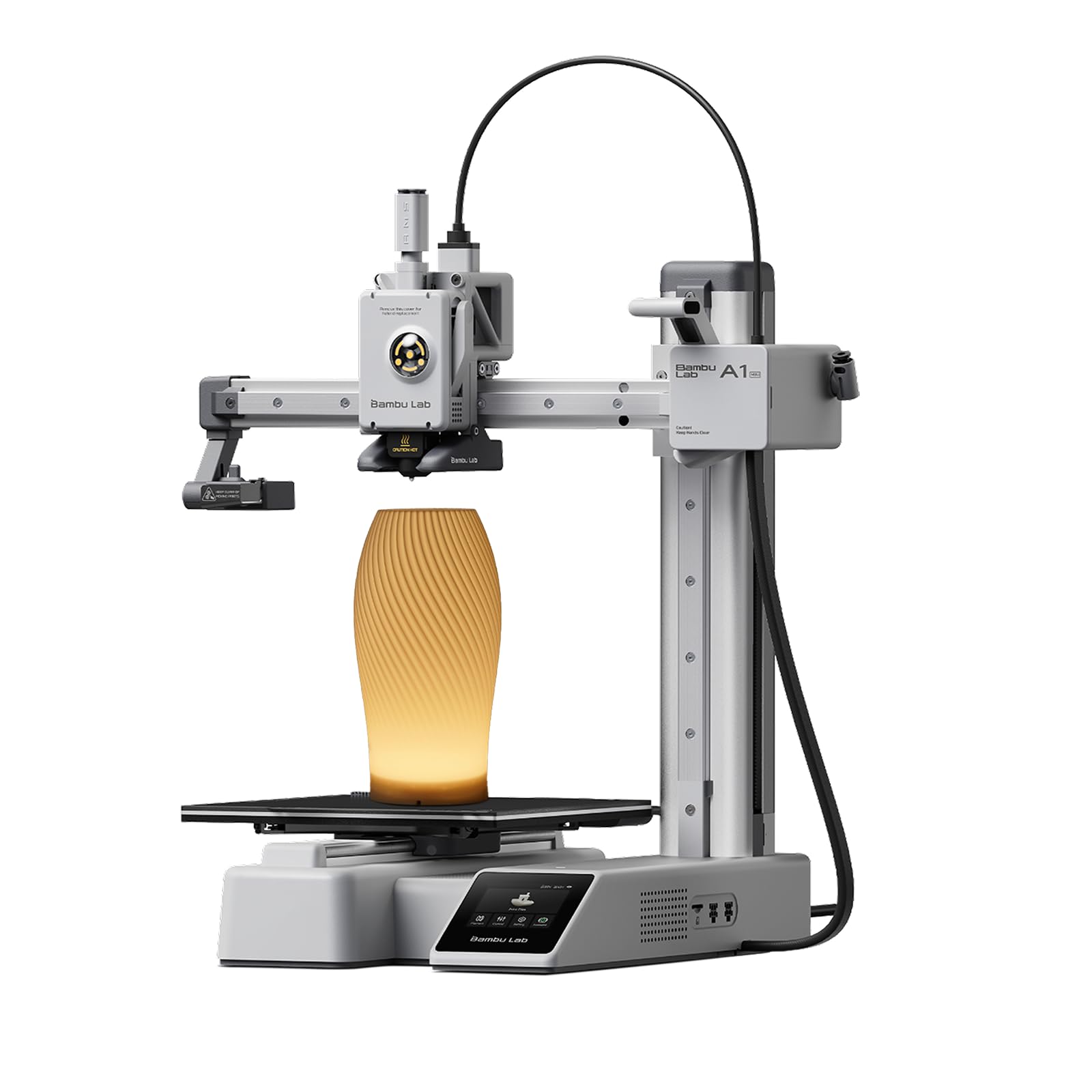
The easiest 3D printer to get started with, period — and it comes with a bonus LED lamp kit.
Bambu Lab built the A1 mini around the idea that a beginner should not need to learn CAD to print something. It arrives fully calibrated — the printer uses full-auto calibration and active flow rate compensation so the first layer is perfect without you touching a single screw. Setup takes about 15 to 20 minutes, and owners mention it “works pretty much right from the start as advertised.” The included LED Lamp Kit lets you print translucent models and turn them into functional lamps, a nice value-add.
It runs at ≤48 dB, so it is quiet enough to sit in your living room while you watch TV. The Bambu Handy app lets you manage prints from your phone (no computer needed for simple jobs), and the MakerWorld library gives you access to thousands of ready-to-print models. While the exact build volume and max speed are not stated in the data, real-world tests confirm it is “compact” and “high-speed” for its size class. It weighs 17.61 pounds, which is lighter than the Creality K2 SE (27.5 pounds) but still stable enough for decent prints.
The trade-off? It is smaller than most other options here. While the data does not give exact dimensions, customers note the “Mini size fits small desks,” meaning you cannot print large functional parts. Also, it does not support multicolor printing from the start. For a pure beginner who just wants to make toys, decor, and small gifts, it is tough to top.
Why It Wins
- Full auto calibration means zero manual leveling or tramming.
- ≤48 dB operation makes it home-friendly.
- Bambu Handy app and MakerWorld library simplify finding and printing models.
- Comes with an LED Lamp Kit for creative light-up projects.
Limitations
- Small build size restricts large prints; best for small items.
- No built-in multicolor system.
- Batteries/connectors not included for the lamp kit.
Great for: absolute beginners, families with kids, and anyone who values simplicity over raw build volume.
Not ideal for: users who need to print large prototypes or functional parts over 150 mm in any dimension.
7. Geeetech M1 Mini 3D Printer for Kids and Beginners
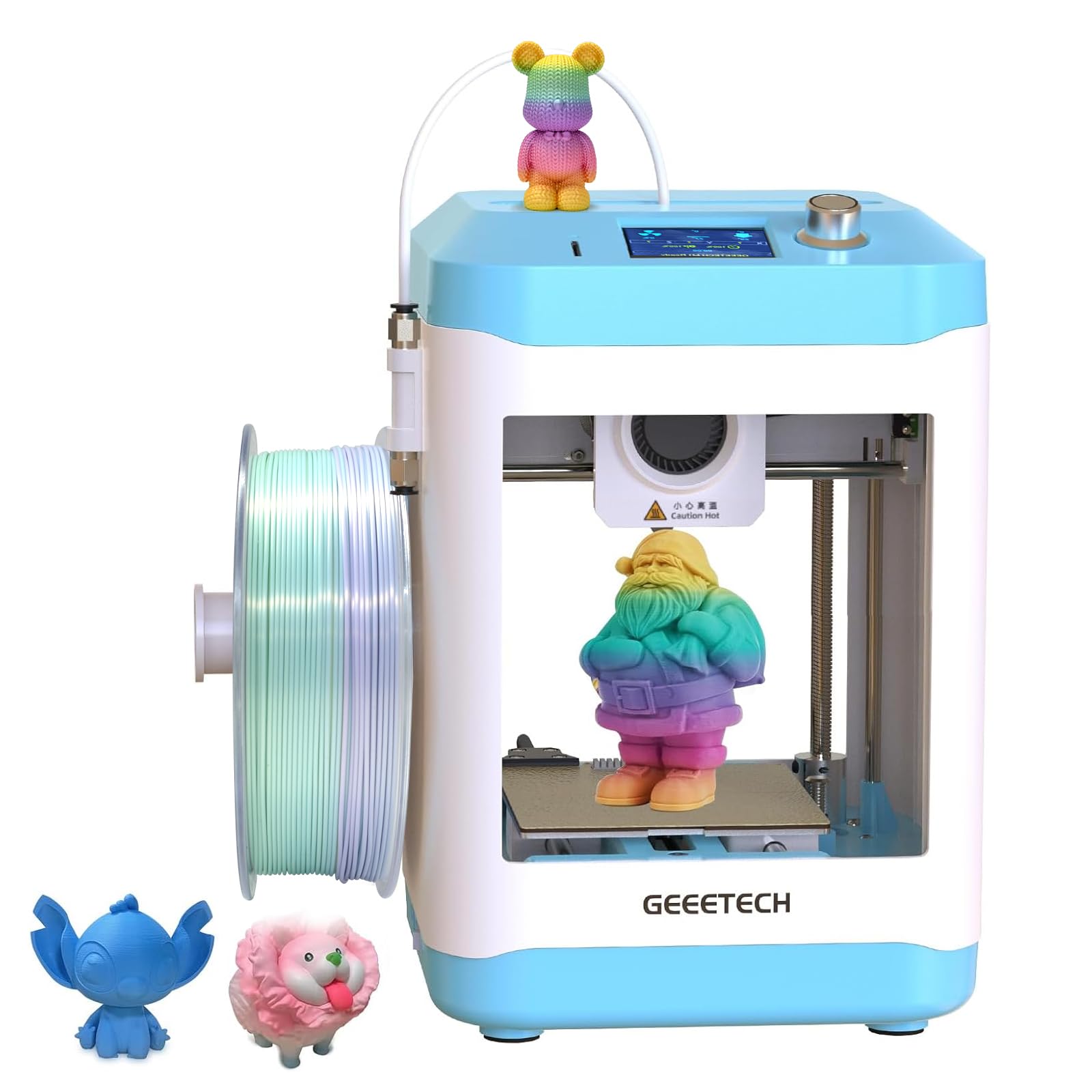
A small but mighty teaching tool that shows kids the whole printing process, not just the easy parts.
The M1 Mini uses a 16-point full-auto leveling system and a direct-drive extruder (the motor pushes filament directly into the nozzle, improving control with flexible filaments). Its dual-drive metal gear has a 1:5 gear ratio, giving it greater torque for consistent extrusion. The build area is just 100 x 110 x 100 mm (about 4 inches per side) — small, but enough for toys, keychains, and learning projects. It prints at up to 250 mm/s, which is half the speed of the top-tier options here, but still fast enough for classroom demos.
One experienced 3D printing teacher notes that the M1 Mini is “not plug-and-play” but is “an excellent teaching tool for learning the process/troubleshooting” — meaning it is a good way for a beginner to learn the craft, not just consume prints. It comes fully assembled, with a 2.4-inch LCD color screen and a PEI print plate. It also includes a filament runout sensor (pauses the print when filament runs out). At 9.63 pounds, it is heavier than it looks, which helps keep it stable during printing.
The downsides: the plastic build raises durability concerns, and some shoppers say it cannot fit a standard 1kg spool without blocking the filament path (the company includes a printable 1kg spool adapter in the box). It also lacks an app-based printing option, so you need a computer or TF card to operate it.
Teaching Benefits
- Auto-leveling and direct-drive extruder simplify setup for beginners.
- Runs at 250 mm/s — decent speed for classroom projects.
- Includes filament runout sensor and PEI plate for reliable prints.
- Open-source design works with Cura, Simplify3D, and other slicers.
Teaching Pain Points
- Small 100 x 110 x 100 mm build plate limits what you can make.
- Default spool holder blocks standard 1kg spools (adapter included but needs printing).
- Plastic frame feels less durable than metal rivals.
Best for: a classroom or a parent who wants a kid to learn about 3D printing troubleshooting in a controlled, small way.
Not for: someone who wants large prints or a dead-simple turnkey experience from the start.
8. Entina Tina2C 3D Printer for Kids & Beginners

From box to first print in 8 minutes — designed so a child can operate it alone.
The Tina2C is built around the Poloprint Cloud app, which guides setup step by step and offers AI-powered search and photo-to-print features. You get a 3.9 x 3.9 x 3.9 inch print volume (just under 100 mm per side) — small, but more than enough for fidget toys, keychains, and simple STEM projects. It weighs only 5.28 pounds, making it the lightest printer here, and its small dimensions (8 x 6.5 x 10 inches) let it fit on a bookshelf or a child’s desk. One buyer’s report says it is “amazing — my 9 year old has not stopped creating toys and fidgets and tool to help daily life for like 2 days straight now.”
It features intelligent auto-leveling, power-loss recovery (so you can resume a print after a power outage), and a self-cleaning nozzle design. The flexible magnetic build plate lets you remove models with a simple bend. It also supports WiFi printing and TF card offline mode, so a child can print from the app without needing a laptop. It works with Windows, macOS, Linux, and Chromebook.
The downside is the tiny build volume — you cannot print anything larger than a small soda can in one piece. Also, the Entina brand is relatively new compared to Creality or Bambu, so community support and replacement parts availability are more limited. Reviewers consistently praise it for young kids, but one adult reviewer who needed larger prints found it too limiting.
Why Kids Love It
- Guided setup in 8 minutes with the Poloprint Cloud app.
- WiFi + app printing means no computer is needed.
- AI-powered search and photo-to-print features spark creativity.
- Lightweight (5.28 lb) and compact — safe for a child’s desk.
The Tiny Plate
- 3.9-inch cube build volume limits prints to small items only.
- Newer brand with a smaller community for troubleshooting.
- Not suitable for larger functional parts or prototypes.
Perfect for: parents of 8-12 year olds who want a no-hassle entry into 3D printing for small toys and school projects.
Not for: teenagers or adults who want a printer for larger, practical items.
9. Fully Assembled TINA2S Mini 3D Printer for Kids & Beginners

A true grab-and-go kit that includes everything but the imagination.
This is a fully assembled, auto-leveling mini printer that includes 10 meters of PLA filament, a microSD card pre-loaded with models and splicing software, and all the basic accessories. The TINA2S has a build volume of roughly 100 x 120 x 100 mm (slightly larger than the Tina2C in the Y-axis) and weighs 6.4 pounds, with dimensions of 8.3 x 8.3 x 11.4 inches — compact enough for a desk corner. It uses a dual Z-axis rail for precision and a flexible magnetic build plate for easy part removal.
One buyer mentioned the printer was a Christmas gift for two boys (11 and 12), who “have a blast with it” and can “download the app on their tablets and print whatever they want” without connection issues. The printer supports 1.75mm PLA, PLA pro, and TPU filament, with one-touch filament loading and unloading. It connects via WiFi and works with Cura, Simplify3D, WiiBuilder, and Slicr3d slicing software.
The catch is consistency. While many owners praise it as a “great beginner printer,” others report frustrating experiences with auto-leveling failures, poor adhesion, and unexpected print failures. One reviewer called it “not beginner-friendly” and said it “feels cheap.” If you get a good unit, it is a wonderful intro for the price — if not, you may spend more time troubleshooting than printing.
Kit Highlights
- Comes fully assembled with filament, SD card, and tools included.
- Auto-leveling and one-touch filament loading simplify operation.
- WiFi connectivity works with Cura, Simplify3D, and other slicers.
Quality Lottery
- Some units suffer from auto-leveling failures and poor adhesion.
- Small 100 x 120 x 100 mm build volume limits project scale.
- Inconsistent build quality — some owners love it, others return it.
Consider this if: you are on the tightest budget for a child’s first printer and want everything in one box.
Look elsewhere if: you need reliable prints right away without the risk of a defective unit.
Understanding the Specs
Print Speed (mm/s)
This is the maximum speed the print head can move while extruding plastic, measured in millimeters per second. A 500 mm/s machine will finish a medium-sized model (like a 4-inch vase) in about 1.5–2 hours, while a 150 mm/s printer takes 3–4 hours for the same shape. The real-world average is lower because the head must accelerate and decelerate around corners — but as a general rule, a higher number means less waiting.
Build Volume (X × Y × Z in mm)
The maximum printable area in width, depth, and height. A 220 mm cube (common on mid-range printers) fits a full-size helmet half or a drone frame. A 100 mm cube (typical of kid-focused printers) fits a keychain, a fidget toy, or a phone stand. Always check that your intended project fits within all three dimensions — a tall model like a vase needs the Z (height) number to be tall enough.
Auto-Leveling vs. Manual Leveling
Auto-leveling uses a sensor (like a CR Touch or inductive probe) to measure the bed height at multiple points, then adjusts the nozzle height during the first layer. Manual leveling requires you to turn adjustment knobs under the bed while sliding a piece of paper between the nozzle and plate — a finicky process. For a beginner, auto-leveling is the difference between a frustration-free start and hours of wasted time.
Filament Compatibility (Max Nozzle Temperature)
Standard PLA prints at around 200°C. PETG and ABS need about 240–260°C. TPU (flexible filament) and carbon-fiber composites print around 220–260°C. A nozzle rated for 300°C (like the hardened steel nozzle on the Kobra X or Ender-3 V3 KE) can handle all of these plus more exotic materials. A standard brass nozzle (around 260°C max) limits you to PLA and PETG.
FAQ
Is a 300 dollar 3D printer good for a beginner?
Can a 300 dollar 3D printer print multicolor?
How big of an object can a 3D printer make?
What is the difference between resin and FDM printers in this budget?
Do I need any experience to use a 300 dollar 3D printer?
How long does a 300 dollar 3D printer last?
Can I print ABS or TPU on a 3D printer?
What parts need to be replaced most often on a budget 3D printer?
How much does 3D printer filament cost per roll?
Final Thoughts: The Verdict
For most buyers, the 300 dollar 3d printer winner is the Anycubic Kobra X because it combines 600 mm/s speed, built-in 4-color support, 49-point auto-leveling, and quiet ≤48 dB operation — all without requiring you to assemble or calibrate anything complex. If you want the absolute easiest start-to-print experience, grab the Bambu Lab A1 mini. And for large multicolor builds at a bargain price, the SainSmart ZR CoreXY is class-leading on build volume alone.
How We Picked
We do not accept paid placement. Every pick is matched to a real buyer and a real use-case; we do not hands-on test units.
Sources & Methodology
Specifications: manufacturer listings and product documentation. Review insights: verified customer reviews, as of July 2026. Pricing: not shown on this page (it changes often); check the current price via the retailer link.
As an Amazon Associate, Gadgets Feed earns from qualifying purchases. This does not affect which products we feature.
Related Guides
Product prices and availability are accurate as of the date/time indicated and are subject to change. Any price and availability information displayed on Amazon at the time of purchase will apply to the purchase of this product. As an Amazon Associate I earn from qualifying purchases.
CERTAIN CONTENT THAT APPEARS ON THIS SITE COMES FROM AMAZON. THIS CONTENT IS PROVIDED "AS IS" AND IS SUBJECT TO CHANGE OR REMOVAL AT ANY TIME.
Amazon and the Amazon logo are trademarks of Amazon.com, Inc. or its affiliates.