
Our readers keep the lights on and my morning glass full of iced black tea. As an Amazon Associate, I earn from qualifying purchases.
Specs are compiled from manufacturer listings and verified buyer reviews and can change over time — please confirm the key details on the product page before buying.
You want a 300GB flash drive, but that size doesn’t exist on store shelves. The closest real-world match is 256GB, and that’s what you’ll actually find in your cart, so this guide focuses on the 256GB models that truly deliver on that capacity with the read speeds that make moving files painless.
I’m Min — the founder and writer behind Gadgets Feed. This guide is built by comparing the manufacturers’ published specifications and the patterns across verified customer reviews, so you get each pick’s real strengths and trade-offs instead of marketing spin.
The best 300 gigabyte flash drive substitute is really about picking the right 256GB model for your speed and durability needs.
Our Picks at a Glance

How To Choose The Best 256GB Flash Drive
Because true 300GB drives don’t exist, compare 256GB models on the two specs that shape daily use — transfer speed and physical durability. A drive that tops out at 90MB/s read feels sluggish when you’re moving a folder of photos, while a 400MB/s drive clears the same job in seconds.
Read Speed vs. Write Speed
Read speed is how fast you pull files off the drive — it’s the number brands advertise because it’s usually much higher. Write speed is how fast you push files onto the drive — that’s the one you feel when copying a big video file. A drive can read at 400MB/s but write far slower, so check both if you regularly back up large folders.
USB-A Only or Dual USB-C?
Most laptops and desktops still use USB-A ports, so a classic stick works everywhere. But if your phone is USB-C, a dual Type-C/USB-A drive lets you offload photos straight from the phone without a cable or adapter. The trade-off is usually a slightly bulkier body and often a slower top read speed.
Quick Comparison
| Model | Best For | Read Speed | Interface | Body | Amazon |
|---|---|---|---|---|---|
| SAMSUNG BAR Plus 256GB★ Best Overall | Everyday reliability + keychain carry | 400MB/s | USB 3.2 Gen 1 (USB-A) | Metal | Amazon |
| PNY PRO Elite V3 256GBSpeed King | Pro-grade speed for huge files | 1000MB/s | USB 3.2 Gen 2 (USB-A) | Metal | Amazon |
| SANDISK Ultra Flair 256GBCrowd Favorite | Trusted brand, fast everyday transfers | 150MB/s | USB 3.0 (USB-A) | Metal | Amazon |
| PNY Turbo Attaché 3 512GB | Maximum capacity on a budget | 100MB/s | USB 3.2 Gen 1 (USB-A) | Plastic | Amazon |
| Lexar JumpDrive S80 256GB | Secure backups with encryption | 150MB/s | USB 3.2 Gen 1 (USB-A) | Plastic retractable | Amazon |
| Amazon Basics 256GB | Simple, affordable bulk storage | 130MB/s | USB 3.1 (USB-A) | Plastic retractable | Amazon |
| JOIOT 256GB Dual | Phone + laptop file sharing | 130MB/s | USB 3.0 (USB-A USB-C) | Plastic | Amazon |
| TOPESEL 256GB Dual | Budget dual-interface versatility | 90MB/s | USB 3.0 (USB-A USB-C) | Aluminum | Amazon |
In-Depth Reviews
1. SAMSUNG BAR Plus 256GB
Our pick — over 4.5★ from 12,500+ verified ratings; the strongest balance of quality and price.
Clip it to your keys and forget it until you need it — this metal stick outruns the plastic crowd.
The Samsung BAR Plus earns its spot as the best overall with a 400MB/s read speed — that’s a 4.4x leap over the TOPESEL’s 90MB/s further down this list, so a folder of photos clears in seconds instead of minutes. Its rugged metal casing with a built-in key ring also means it survives pocket abuse that would crack a plastic shell.
Its 4.7-star rating across 12,000+ owner reviews confirms the reliability that makes it the default recommendation. The stainless steel design shrugs off water, shock, magnet, temperature, and x-ray exposure, and it runs backward compatible with USB 3.0 and 2.0 ports — so it works in older laptops and car stereos alike. Plus, AES 256-bit encryption keeps private files locked.
The one honest trade-off: it’s a solo USB-A stick, so there’s no USB-C port for plugging straight into a modern phone. And it runs warm under sustained heavy copying — a few owners note the heat, though performance doesn’t throttle. Buyers who’ve owned multiple units since 2018 report Samsung’s warranty support handled the rare failure smoothly, which is why the brand keeps earning repeat purchases.
The Speed You Feel
- 400MB/s read — clips through movies and photo libraries
- Metal keychain body that resists water, shock, magnet, and x-ray
- Backward compatible with USB 3.0 and USB 2.0 ports
- AES 256-bit encryption keeps private files locked
The Honest Limits
- No USB-C port for direct phone connection
- Metal case runs warm during heavy sustained writes
- Some Mac owners hit compatibility hiccups
Reach for this if: you want one dependable drive for daily files, backups, and keychain carry — the 400MB/s read speed makes it the fastest all-rounder here.
Think twice if: you need to plug directly into a USB-C phone, since this is USB-A only.
2. PNY PRO Elite V3 256GB
A tiny metal brick with SSD-grade speed for the file-moving obsessed.
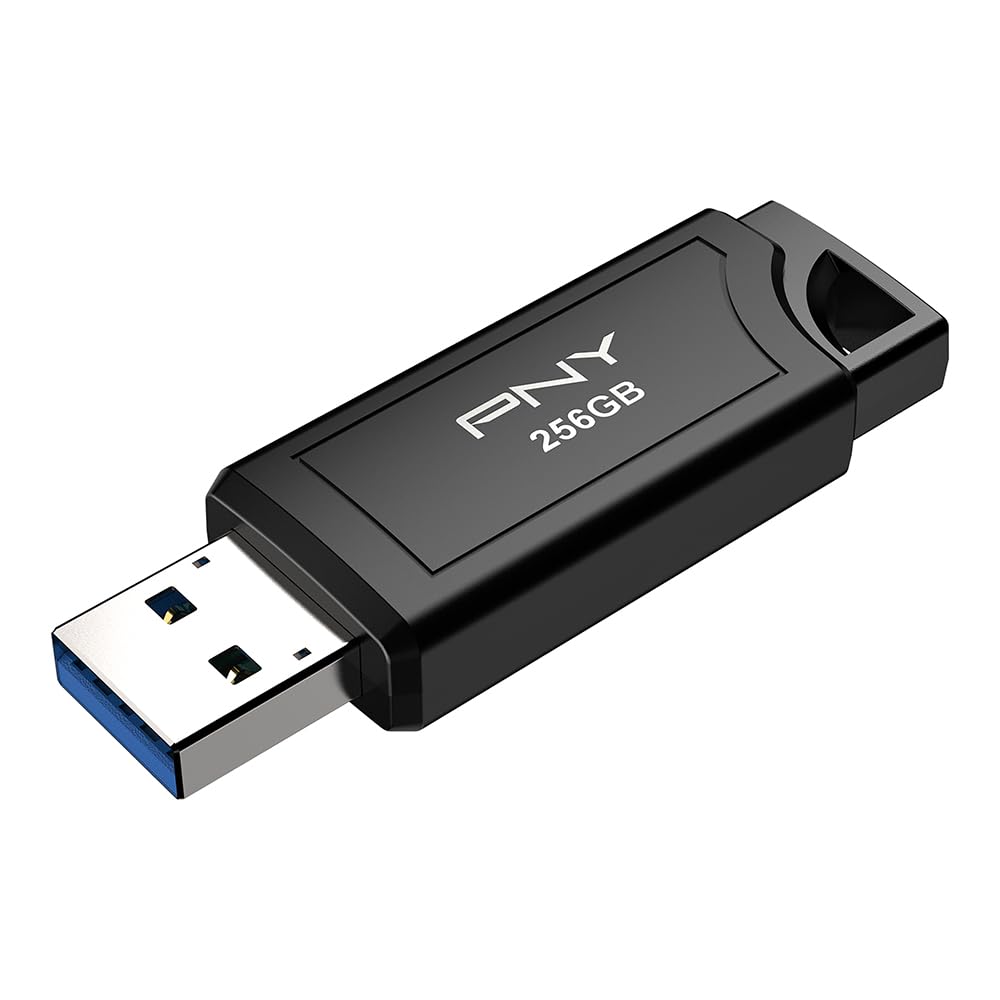
If moving huge files is your daily grind, the PNY PRO Elite V3 tops every other stick here with read speeds up to 1000MB/s and write speeds up to 800MB/s — that’s 2.5x faster than the Samsung’s 400MB/s, landing it in external-SSD territory while staying thumb-drive sized. It needs a USB 3.2 Gen 2 port to hit that peak; on older 5Gb/s ports it still runs fast, just not flat-out.
The all-metal body carries a premium, wear-resistant feel, and owners describe it as a “tiny metal brick” that fits anywhere. It’s built for content creators, gamers, and DJs who move 4K video files and need the transfer done yesterday. One owner benchmarked a 100GB transfer at 900MB/s for the first 27 seconds before settling to 327MB/s — still far ahead of most rivals.
The catch is access: you need a USB 3.2 Gen 2 port on your computer to open up the full speed, and not every laptop has one. A few owners also note it’s not compatible with the Tesla Model Y Juniper’s USB port, so check your vehicle before buying for dashcam duty.
The Pro Advantage
- 1000MB/s read + 800MB/s write — fastest drive on this list
- Premium all-metal, wear-resistant body
- Backward compatible with USB 3.2 Gen 1 / 3.0 / 2.0
Who Should Skip
- Full speed requires a USB 3.2 Gen 2 port
- Not compatible with the Tesla Model Y Juniper
- Premium price for speed you may not need day-to-day
Standout for: professionals moving 4K video or huge project files who feel every second of a transfer.
Look elsewhere if: your laptop only has USB 3.0 ports, because you’ll never reach the headline speed.
3. SANDISK Ultra Flair 256GB
The metal-cased workhorse tens of thousands already trust with their files.
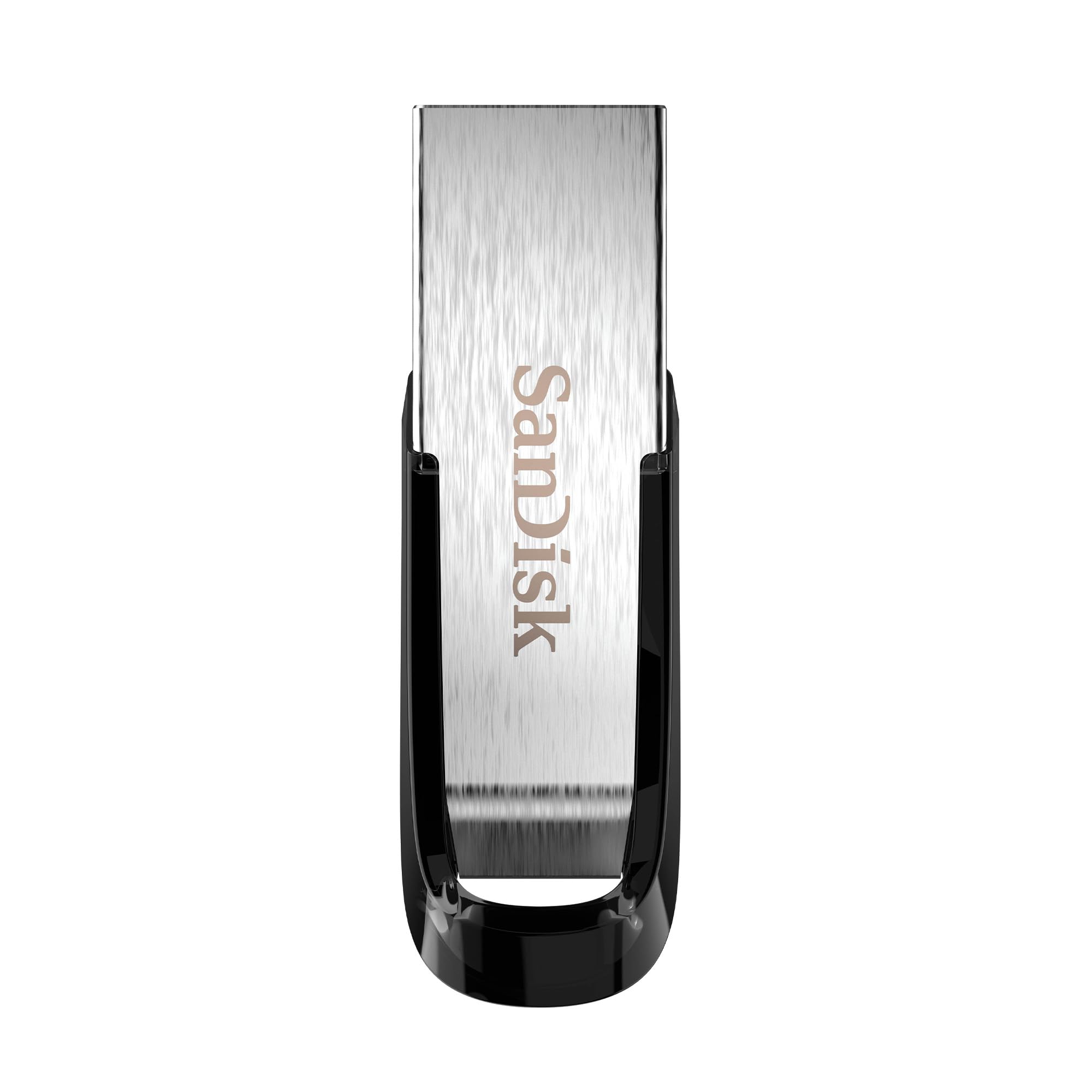
The SanDisk Ultra Flair earns its crowd-favorite tag with a 150MB/s read speed — 15x faster than a standard USB 2.0 drive, so a full movie transfers in under 30 seconds. Its all-metal casing also feels far tougher than the plastic alternatives at similar prices, making it a safe bet for a camera bag or work laptop.
Where it shines is the built-in password protection: 128-bit AES encryption lets you lock private files so a lost drive doesn’t mean leaked documents. The slim 0.26″D x 1.67″W x 0.52″H profile slides into just about any pocket or slot, and owners repeatedly call it “small compact and fits in just about anything you carry.”
The honest note: speed feedback is mixed, with some owners finding it blazing and others reporting slower sustained writes on huge transfers. It also runs warm during heavy use, which is common with metal-bodied drives. Consider the Samsung instead if top-tier read speed is your priority, since it doubles the 150MB/s here.
Why It Wins Fans
- Sleek, tough metal casing at a value price
- 128-bit AES password protection for private files
- 150MB/s read moves a full movie in under 30 seconds
The Trade-Offs
- Write speeds vary — large transfers can slow down
- Runs warm during sustained use
- Occasional units stop working after months, though rare
Best for: buyers who want a trusted brand, metal build, and file encryption without paying premium prices.
Consider the Samsung instead if: top-tier read speed is your priority, since it doubles the 150MB/s here.
4. PNY Turbo Attaché 3 512GB

Double the space you asked for, at a price that still feels like a bargain.
If 256GB feels tight, the PNY Turbo Attaché 3 jumps straight to 512GB — double the capacity of every other pick here — while keeping read speeds up to 100MB/s. That’s the same 10x-over-USB-2.0 advantage, just with room for twice as many movies, photo backups, and documents.
The cap-less sliding collar design protects the connector when it’s tucked away, and the lightweight body is comfortable on a keychain. Owners use it for everything from bootable Ubuntu drives to running apps directly, and the build quality earns consistent praise for the price. It’s backward compatible with USB 2.0, so it works in older machines at lower speed.
The trade-off is speed — 100MB/s read is the slowest on this list, and the plastic body isn’t as rugged as the metal Samsung or SanDisk options. A few owners note it needs a reformat to NTFS for files over 4GB, since the default format has limits. But for pure storage-per-dollar, nothing here matches it.
The Capacity Play
- 512GB — double the storage of every other pick
- Cap-less sliding collar keeps the connector safe
- Read speeds up to 100MB/s, 10x USB 2.0
Where It Lags
- 100MB/s read is the slowest here
- Plastic body lacks the metal ruggedness of rivals
- Default format needs changing for files over 4GB
Choose this for: maximum storage on a budget — 512GB gives you headroom no 256GB drive can match.
skip it if: transfer speed matters more than capacity, since the Samsung reads 4x faster at 400MB/s.
5. Lexar JumpDrive S80 256GB

The retractable stick built for backups and a three-year safety net.
If you back up work projects or app installers that need to stay private, the Lexar S80 takes the guesswork out of protection — a retractable design hides the connector when not in use, and bundled software adds 256-bit AES encryption (a digital lock that scrambles your files so only the password holders can read them). Those two features make it a natural fit for secure backups.
Performance sits at a solid 150MB/s read with USB 3.2 Gen 1, and owners who use it for daily backups report it’s “actually very fast” and “holding up well” with zero issues. The write speed runs faster than most USB 2.0 drives by 10x, and the three-year limited warranty adds confidence that budget sticks don’t offer.
The trade-off: it’s plastic-bodied, so it lacks the premium metal feel of the Samsung or SanDisk, and speed feedback is mixed — some owners see fluctuating write speeds on large transfers. Also note the 5.5″D body is longer than most, so it sticks out more from a laptop port. For secure, reliable backups at a mid-range price, it’s a strong pick.
The Protection Angle
- Retractable design shields the connector
- 256-bit AES encryption software included
- 150MB/s read with a three-year warranty
What to Know
- Plastic body — lighter but less rugged than metal
- Write speeds can fluctuate on large files
- Longer body sticks out from laptop ports
Built for: backup-focused buyers who want encryption and a retractable connector on a budget.
Consider the metal SanDisk if: you’d rather have a tougher body than a longer warranty.
6. Amazon Basics 256GB

A no-frills retractable drive that stores 64,000 photos without fuss.
Amazon Basics delivers exactly what the name promises — a simple, functional 256GB drive with 130MB/s read speeds at a price that makes bulk storage painless. The capacity works out to 64,000 12MP photos or 978 minutes of 1080P video, which is plenty for most people’s entire photo library.
The telescopic retractable design keeps the USB connector safe when it’s rattling around a bag, and there’s a key hole for clipping it to your keys. Owners call it “super easy to use, you just plug in and drag everything you want into it,” and it connects instantly to laptops without any software.
The honest trade-offs: the factory default FAT32 format won’t accept files over 4GB until you reformat to exFAT or NTFS, and the plastic body is basic rather than rugged. A few buyers report write speeds slower than the 130MB/s read figure, though for everyday file storage it gets the job done at a price that’s hard to argue with.
The Simple Sell
- Holds 64,000 12MP photos or 978 minutes of 1080P video
- Retractable telescopic design with key hole
- Plug-and-play on Windows and Mac — no software
The Catch
- FAT32 default format rejects files over 4GB
- Plastic body — not rugged for keychain abuse
- Write speeds trail the 130MB/s read figure
Grab this if: you want maximum storage for minimal cost and don’t need metal ruggedness or blazing speed.
Step up to the SanDisk if: you want a tougher metal body and password protection for roughly the same 256GB capacity.
7. JOIOT 256GB Dual USB-C/USB-A
A two-ended stick for shuttling files between your phone and your laptop.
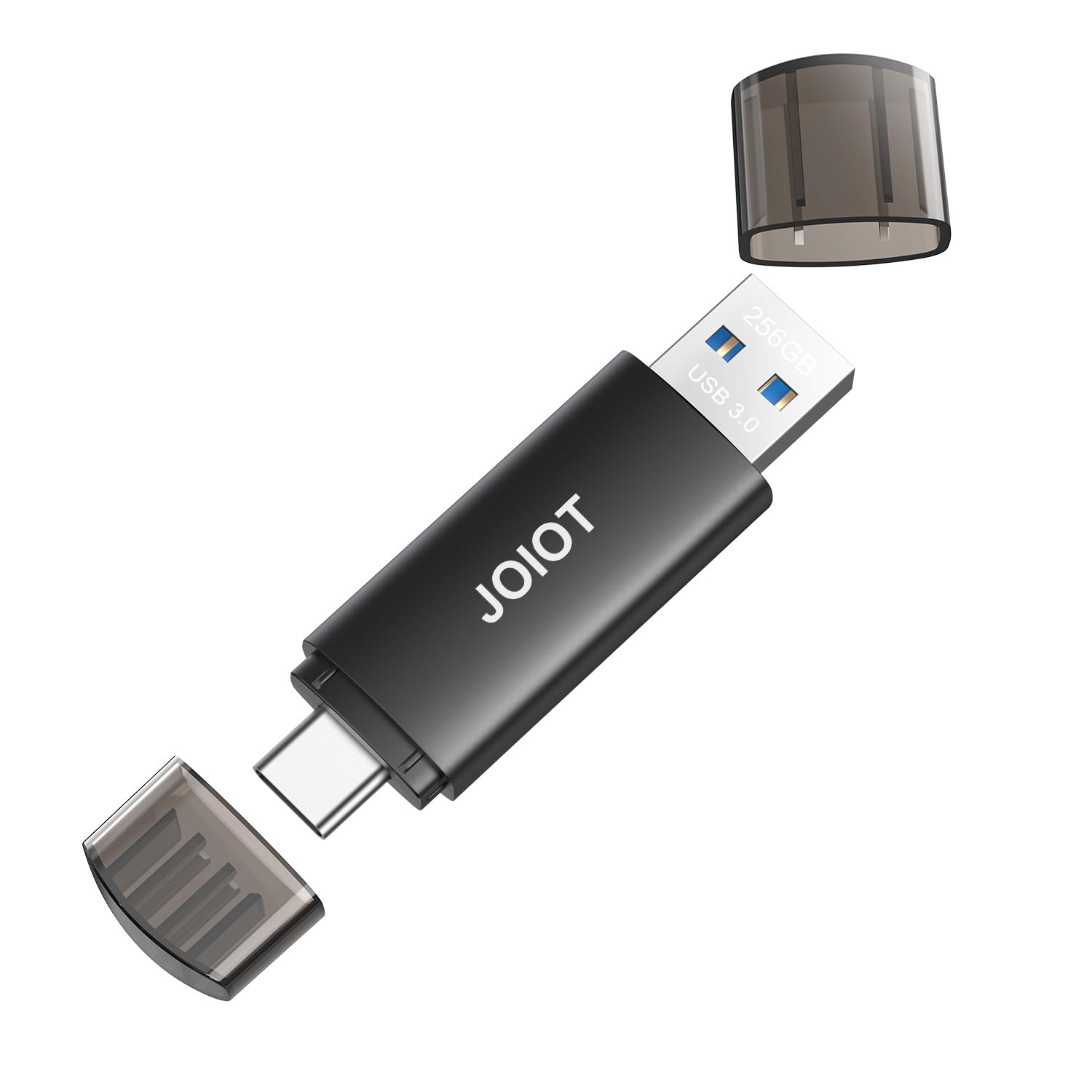
The JOIOT solves the modern problem the Samsung and SanDisk can’t — a USB-C plug on one end and a USB-A plug on the other, so you can plug it straight into an Android phone, iPhone 15/16 series, iPad Pro, or Mac without hunting for an adapter. It’s the drive people grab for travel photos, offloading a phone’s memory card on the go.
Speed lands at 130MB/s read and 35MB/s write on USB 3.0, which is 10x faster than USB 2.0 sticks. Owners rave about using it “perfectly for switching between my desktop computer and my Tesla Model 3,” and the compact 2.5 x 0.7 x 0.3 inch body slips into a pocket. The cap protects whichever connector isn’t in use.
The recurring note is compatibility — the USB-C end doesn’t fit every phone case or port, and a few owners found the C end wouldn’t seat properly in their device. It’s not for Lightning iPhones, and write speeds slow down on very large files. For phone-to-computer file sharing, it’s the easiest option here.
The Dual-Ended Appeal
- USB-C + USB-A plugs — no adapter needed for phones
- Works with iPhone 15/16, Android, iPad Pro, Mac, and Tesla
- 130MB/s read, 10x faster than USB 2.0
Know Before Buying
- USB-C end may not fit thicker phone cases
- Not for Lightning iPhone or iPad
- Write speed drops on very large transfers
Reach for this if: you live between a USB-C phone and a USB-A computer and hate carrying adapters.
Pick the Samsung instead if: you only need desktop-to-desktop transfers and want faster 400MB/s reads.
8. TOPESEL 256GB Dual USB-C/USB-A

The entry-level dual-interface stick that covers all your ports for less.
The TOPESEL brings the USB-C/USB-A dual design to the budget tier, with an aluminum alloy shell that protects against oxidation and corrosion. It’s the drive for someone who wants phone-to-PC file sharing without spending mid-range money — and the LED indicator light tells you at a glance when the connection is live.
Capacity is generous: 256GB stores up to 12 hours of 4K video, 40 hours of 1080P video, 75,800 photos, or 38,800 songs. Read speeds top out at 90MB/s with 35MB/s writes, which trails the JOIOT’s 130MB/s but stays perfectly usable for documents, music, and recovery drives. Owners appreciate the flexibility — one bought multiple units for Ventoy and Windows Recovery duties, calling read/write performance “fine.”
The honest catch: at 90MB/s, it’s the slowest-read drive here, and durability feedback is the weakest point — a few owners mention the drive coming apart or glue melting under heat within the first weeks. The small loop is handy for a keychain, but this is best treated as a light-duty everyday stick, not a rugged backup workhorse.
Why It’s Tempting
- Dual USB-C and USB-A — phone and PC in one stick
- Stores 12 hours of 4K video or 75,800 photos
- Aluminum shell with LED connection indicator
The Reality Check
- 90MB/s read is the slowest on this list
- Durability is the most common complaint — treat it gently
- No keyring or cap on some units, per owner notes
Good for: budget buyers who need both USB-C and USB-A for light file sharing and don’t push huge transfers.
Pay more for the JOIOT if: durability and faster 130MB/s reads matter, since its build earns steadier owner confidence.
Understanding the Specs
Read Speed (MB/s)
This is how fast the drive hands files back to you, and it’s the number brands love to print in big letters. A 150MB/s drive like the SanDisk or Lexar moves a full-length movie in under 30 seconds; the Samsung’s 400MB/s and PNY Elite’s 1000MB/s make the same transfer feel instant. Higher read speed matters most when you frequently pull large files off the stick.
USB Generation & Ports
USB 3.0, 3.1, 3.2 Gen 1, and Gen 2 all look similar but carry different speed ceilings. USB-A-only drives fit any computer but not modern phones; dual USB-C/USB-A drives like the JOIOT and TOPESEL plug straight into phones and tablets. To hit the PNY Elite’s 1000MB/s, you need a matching USB 3.2 Gen 2 port on your computer — otherwise it runs at the slower port’s speed.
FAQ
Why can’t I find a real 300GB flash drive?
Will a 256GB drive actually show 256GB of usable space?
What’s the difference between read speed and write speed?
Can I plug a USB-C flash drive into my iPhone 15 or 16?
Are dual USB-C and USB-A drives slower than single-interface ones?
How do I protect private files on a flash drive?
Why can’t I copy a file larger than 4GB to my drive?
Is a metal flash drive always better than a plastic one?
Which drive is best for my Tesla or car?
Final Thoughts: The Verdict
For most buyers, the best 300 gigabyte flash drive substitute is the SAMSUNG BAR Plus 256GB because its 400MB/s read speed and rugged metal body make it the most versatile daily driver — it’s the crowd favorite at 4.7 stars across 12,000+ owners. If you need raw speed for 4K video work, the PNY PRO Elite V3 at 1000MB/s read is the performance king. And for phone-to-laptop file sharing without adapters, the JOIOT 256GB dual is the one to reach for. Each pick outperforms generic supermarket sticks, so the real decision is which speed, durability, or dual-interface trade-off fits your daily workflow.
How We Picked
We do not accept paid placement. Every pick is matched to a real buyer and a real use-case; we do not hands-on test units.
Sources & Methodology
Specifications: manufacturer listings and product documentation. Review insights: verified customer reviews, as of August 2026. Pricing: not shown on this page (it changes often); check the current price via the retailer link.
As an Amazon Associate, Gadgets Feed earns from qualifying purchases. This does not affect which products we feature.