
Stepping up to a 31.5-inch screen changes everything—more room for timelines, spreadsheets, and game worlds without the neck strain of a tiny 24-inch panel. But at this size, pixel density and panel technology determine whether you get a sharp, immersive workspace or a blurry, eye-straining mess.
I’m Min — the co-founder and writer behind Gadgets Feed. I’ve spent countless hours comparing refresh rates, color gamut specs, and panel types to separate the true standouts from the also-rans in this specific size category.
The 31.5-inch form factor hits a sweet spot where 4K resolution delivers meaningful sharpness, high refresh rates become genuinely useful, and the screen real estate transforms how you work and play. This guide breaks down the best 31.5 inch monitor options across every budget and use case.
How To Choose The Best 31.5 Inch Monitor
A 31.5-inch monitor sits at a critical decision point where every spec matters more than it does on smaller screens. The extra real estate amplifies both the strengths and weaknesses of your panel choice, resolution, and refresh rate.
Resolution: QHD vs. 4K at 32 Inches
QHD (2560×1440) on a 31.5-inch screen delivers roughly 93 PPI—identical pixel density to a standard 24-inch 1080p display. Text and images look decent, but you won’t get that retina-sharp experience. 4K (3840×2160) at this size jumps to about 140 PPI, which is the real sweet spot for crisp text and detailed visuals. If you do any productivity work, spreadsheets, or content creation, 4K is the better long-term investment for a monitor at this size.
Panel Technology: IPS, VA, or OLED
IPS panels offer the best viewing angles and color consistency, making them ideal for collaborative work and color-critical tasks. VA panels deliver superior native contrast (around 3000:1) and deeper blacks, which makes HDR content and dark scenes in games look significantly better. OLED is the premium choice with infinite contrast, perfect blacks, and sub-millisecond response times, but comes at a higher cost and requires some care to avoid burn-in on static desktop elements.
Refresh Rate and Adaptive Sync
60Hz is fine for office work, but once you’ve experienced 120Hz or higher on a 32-inch screen, everything else feels sluggish. For PC gaming, 144Hz to 240Hz provides a massive competitive advantage and smoother motion. Make sure the monitor supports FreeSync or G-Sync Compatible to eliminate screen tearing without the performance hit of V-Sync. Console gamers should prioritize HDMI 2.1 for full-bandwidth 4K at 120Hz.
Quick Comparison
On smaller screens, swipe sideways to see the full table.
| Model | Category | Best For | Key Spec | Amazon |
|---|---|---|---|---|
| ASUS ROG Strix XG32UCG | Premium Gaming | High-FPS + 4K Clarity | Dual Mode 4K 160Hz / FHD 320Hz | Amazon |
| LG 32GX850A-B UltraGear | OLED Gaming | Infinite Contrast | 4K OLED, 165Hz / 330Hz Dual-Mode | Amazon |
| MSI MPG 321URX QD-OLED | Ultimate OLED | Best Image Quality | 4K 240Hz, 0.03ms, DCI-P3 99% | Amazon |
| KTC H32P22P 4K 165Hz | Value 4K Gaming | Budget 4K High Refresh | 4K 165Hz, HDMI 2.1, 121% sRGB | Amazon |
| Samsung Odyssey G50D | Mid-Range Gaming | Fast IPS + Adjustable Stand | QHD 180Hz, Fast IPS, DisplayHDR 400 | Amazon |
| Dell S3225QS 4K | Productivity | All-Day Comfort | 4K 120Hz, ComfortView Plus, sRGB 99% | Amazon |
| LG 32GS60QC-B UltraGear | Immersive Curved | Budget Curved Gaming | QHD 180Hz, 1000R VA, 1ms GtG | Amazon |
| Samsung M7 4K Smart Monitor | Smart All-in-One | Streaming + Work Combo | 4K 60Hz, Smart TV Apps, USB-C | Amazon |
| KTC 32″ QHD 120Hz | Entry Level | Budget First Monitor | QHD 120Hz, IPS, HDR10 | Amazon |
In‑Depth Reviews
1. ASUS ROG Strix XG32UCG

The ASUS ROG Strix XG32UCG redefines versatility with its dual-mode technology, allowing you to toggle between 4K at a smooth 160Hz and full HD at an astonishing 320Hz. This means you get crisp, high-detail visuals for story-driven titles and blistering frame rates for competitive shooters—all in one 32-inch Fast IPS panel. The 0.3ms response time nearly eliminates motion blur, and the ELMB SYNC technology combines variable refresh rate with backlight strobing for unreal clarity in fast motion.
Connectivity is future-proof with HDMI 2.1, DisplayPort 1.4, and a USB-C port with DP Alt mode, making it a seamless hub for both PC and next-gen consoles. The 95% DCI-P3 color gamut and 1000:1 static contrast ratio deliver vibrant, punchy visuals out of the box. The included tripod socket is a thoughtful addition for streamers and content creators who mount cameras above their main display.
The fully adjustable stand—offering height, tilt, swivel, and pivot—ensures ergonomic comfort during long sessions. While the dynamic contrast ratio is boosted via software, the static contrast is typical for IPS, meaning blacks won’t match VA or OLED panels. For a monitor that does everything well without sacrificing speed or resolution, this is the top choice.
Why it’s great
- Dual-mode 4K 160Hz / FHD 320Hz is a genuine game-changer for hybrid gamers
- 0.3ms response time with ELMB SYNC eliminates ghosting completely
- HDMI 2.1 and USB-C with DP Alt mode for maximum device compatibility
Good to know
- Static contrast ratio is standard IPS-level, not ideal for dark room HDR
- Premium pricing positions it above many 4K competitors
2. LG 32GX850A-B UltraGear

The LG 32GX850A-B brings a glossy WOLED panel to the 32-inch form factor, delivering a viewing experience that IPS and VA simply cannot match. With a 1.5M:1 contrast ratio and VESA DisplayHDR True Black 400 certification, blacks are truly infinite and highlights pop with stunning realism. The Micro Lens Array+ technology boosts typical brightness to 275 nits, improving both daytime visibility and HDR impact over previous-gen OLEDs.
Dual-mode functionality lets you enjoy 4K at 165Hz for immersive titles or switch to full HD at 330Hz for ultra-competitive gaming where every millisecond counts. The 0.03ms GtG response time is instantaneous, and both G-Sync Compatible and FreeSync Premium Pro ensure tear-free motion regardless of your GPU brand. The glossy finish enhances color saturation and perceived sharpness, though it can reflect ambient light in bright rooms.
The ergonomic stand supports height, tilt, swivel, and pivot adjustments, making it easy to find your ideal viewing angle. Text clarity and minor banding are known compromises of WOLED compared to QD-OLED, but for pure gaming immersion and professional content consumption, this LG sets a new standard at this size.
Why it’s great
- Infinite contrast ratio and True Black 400 make HDR games look phenomenal
- Dual-mode 4K 165Hz / FHD 330Hz covers all gaming scenarios
- Glossy WOLED panel delivers richer colors than matte alternatives
Good to know
- Glossy screen may cause reflections in brightly lit rooms
- WOLED can exhibit subtle text fringing and banding in solid colors
3. MSI MPG 321URX QD-OLED

The MSI MPG 321URX is the benchmark for image quality in the 31.5-inch space, combining a 4K QD-OLED panel with a flawless 240Hz refresh rate and 0.03ms response time. The quantum dot layer delivers a staggering 99% DCI-P3 color gamut with a Delta E of less than 2, making it reference-grade for creative professionals who also game. VESA DisplayHDR True Black 400 certification means HDR content looks jaw-droppingly realistic, with highlights that pop against absolute black backgrounds.
Connectivity is premium: HDMI 2.1, DisplayPort 1.4a with DSC, and a USB-C port that delivers 90W of power delivery—enough to charge a high-end laptop while driving the display. The built-in KVM switch with Picture-in-Picture and Picture-by-Picture modes makes it a productivity powerhouse for multi-device workflows. MSI’s OLED Care 2.0 helps mitigate burn-in risk through pixel refresh and shift routines.
The stand offers four-way adjustability, though it lacks the same build density as some competitors. At 240Hz, motion clarity is otherworldly, and the QD-OLED’s color volume far exceeds any LCD technology. The trade-off is a slightly lower brightness (250 nits typical) compared to high-end IPS panels, and the purple-tinted reflections that are characteristic of QD-OLED in bright environments.
Why it’s great
- QD-OLED panel with 99% DCI-P3 and ΔE ≤2 is color-accurate enough for professional work
- 240Hz refresh rate with 0.03ms response for buttery-smooth gaming
- 90W USB-C power delivery and built-in KVM simplify multi-device setups
Good to know
- Peak brightness is lower than premium IPS gaming monitors
- QD-OLED shows purple-tinted reflections in direct light
4. KTC H32P22P 4K 165Hz

KTC delivers a compelling value proposition with the H32P22P, packing a 32-inch 4K Fast IPS panel that runs at 165Hz with a 1ms MPRT response time. The 3000:1 contrast ratio is unusually high for an IPS-type panel, and the 121% sRGB color gamut area (roughly 90% DCI-P3) ensures vibrant, punchy visuals that outclass many monitors at double the price. HDMI 2.1 connectivity is included, making it a perfect partner for PS5 or Xbox Series X at full 4K 120Hz.
The monitor supports both FreeSync and G-Sync Compatible adaptive sync, minimizing tearing across a wide range of frame rates. Build quality is solid for the price point, with a metal-reinforced stand that offers tilt and height adjustment. VESA 100x100mm mounting is supported for those who prefer a monitor arm.
Some users report that the maximum refresh rate over certain connections may default to 100Hz without manual override, and the on-screen display menus require some exploration to find all settings. The lack of built-in speakers is a minor omission for a gaming-focused display. For buyers who want 4K gaming without paying OLED or high-end IPS prices, this KTC is the smartest value in the category.
Why it’s great
- 4K 165Hz Fast IPS with HDMI 2.1 at a mid-range price point is exceptional value
- 3000:1 contrast ratio is far above typical IPS panels
- FreeSync and G-Sync Compatible ensures broad GPU support
Good to know
- Maximum refresh rate may need manual configuration in OSD
- No built-in speakers or USB-C power delivery
5. Samsung Odyssey G50D

The Samsung Odyssey G50D bridges the gap between budget and premium with a QHD Fast IPS panel that runs at 180Hz with a 1ms GtG response time. The 178-degree viewing angles are genuinely wide, and the 350 cd/m² brightness paired with VESA DisplayHDR 400 certification makes HDR content noticeably more impactful than standard HDR10 monitors. The QHD resolution at 32 inches provides a balanced mix of sharpness and performance, demanding less GPU horsepower than 4K for high frame rates.
G-Sync Compatible certification ensures smooth, tear-free gameplay with NVIDIA cards, and AMD FreeSync is also supported for broader flexibility. The ergonomic stand is a highlight in this price bracket, offering height, tilt, swivel, and pivot adjustments—a rare combination for a sub-premium monitor. Eye Saver Mode and Flicker-Free technology reduce eye strain during extended sessions.
Some units ship with suboptimal color calibration that requires manual adjustment, and the adaptive sync can cause color shifts when disabled. The stand base is metal and feels sturdy, but the overall build is somewhat plasticky. For gamers who prioritize smooth motion and want a fully adjustable stand without spending premium-tier money, the G50D is a strong pick.
Why it’s great
- 180Hz Fast IPS with 1ms GtG for competitive gaming performance
- Fully ergonomic stand (height, tilt, swivel, pivot) at a mid-range price
- VESA DisplayHDR 400 delivers genuine HDR improvement
Good to know
- Factory color calibration may be off, requiring manual tweaking
- Build materials feel less premium than competing ASUS or LG models
6. Dell S3225QS 4K

The Dell S3225QS is engineered for all-day productivity, featuring a 4K VA panel with a 1500:1 contrast ratio and Dell’s ComfortView Plus technology that reduces harmful blue light emissions to 35% or less without washing out colors. The 120Hz refresh rate (via AMD FreeSync Premium) provides a noticeable smoothness boost over standard 60Hz office monitors, making window dragging and scrolling feel fluid. The VA panel delivers deeper blacks than IPS, improving readability for text-heavy workflows.
Color coverage is impressive for a productivity monitor, hitting 99% sRGB and 95% DCI-P3, which is sufficient for photo editing and design work. The built-in speakers are surprisingly capable, with deeper frequency response and higher output power than previous Dell monitors, reducing the need for external speakers in a compact setup. The ultra-thin bezel design in ash white gives it a modern, minimalist aesthetic that fits well in professional environments.
The stand is sturdy and offers height and tilt adjustment, though it lacks swivel and pivot. At 60Hz native, the 120Hz mode only works with FreeSync Premium enabled, which may require a compatible GPU. For knowledge workers and professionals who stare at screens for eight hours a day, the eye comfort features and sharp 4K resolution make this an excellent choice.
Why it’s great
- ComfortView Plus reduces blue light without compromising color accuracy
- 4K VA panel with 95% DCI-P3 is great for creative productivity tasks
- Built-in speakers are genuinely usable, saving desk space
Good to know
- 120Hz mode requires FreeSync Premium and may not work with all GPUs
- Stand lacks swivel and pivot adjustment
7. LG 32GS60QC-B UltraGear

The LG 32GS60QC-B brings a dramatic 1000R curvature to the 32-inch size, wrapping the display around your peripheral vision for an immersive gaming experience that flat panels cannot replicate. The VA panel delivers a native 3000:1 contrast ratio, resulting in deep, inky blacks that make nighttime scenes and horror games look fantastic. With a 180Hz refresh rate and 1ms GtG response time, motion is smooth and responsive, and AMD FreeSync keeps everything tear-free.
Color reproduction covers 99% sRGB, and HDR10 support enhances the visual punch for compatible games. The three-side virtually borderless design maximizes the screen-to-body ratio, making it feel even larger than its 32 inches. The inclusion of two HDMI ports and one DisplayPort provides flexible connectivity for multiple sources.
The stand offers tilt adjustment only—no height or swivel—which may require a monitor arm for ergonomic setup. The VA panel can exhibit some dark-level ghosting depending on the response time setting, and text clarity isn’t as sharp as IPS due to the panel’s pixel structure. For gamers who prioritize contrast and immersion at a budget-friendly price, the 1000R curve of this UltraGear is hard to beat.
Why it’s great
- 1000R curvature provides exceptional immersion for gaming at 32 inches
- 3000:1 VA contrast ratio delivers far deeper blacks than IPS
- 180Hz refresh rate with 1ms GtG for smooth competitive play
Good to know
- Tilt-only stand limits ergonomic adjustability
- VA panel can show dark-level ghosting and softer text than IPS
8. Samsung M7 4K Smart Monitor
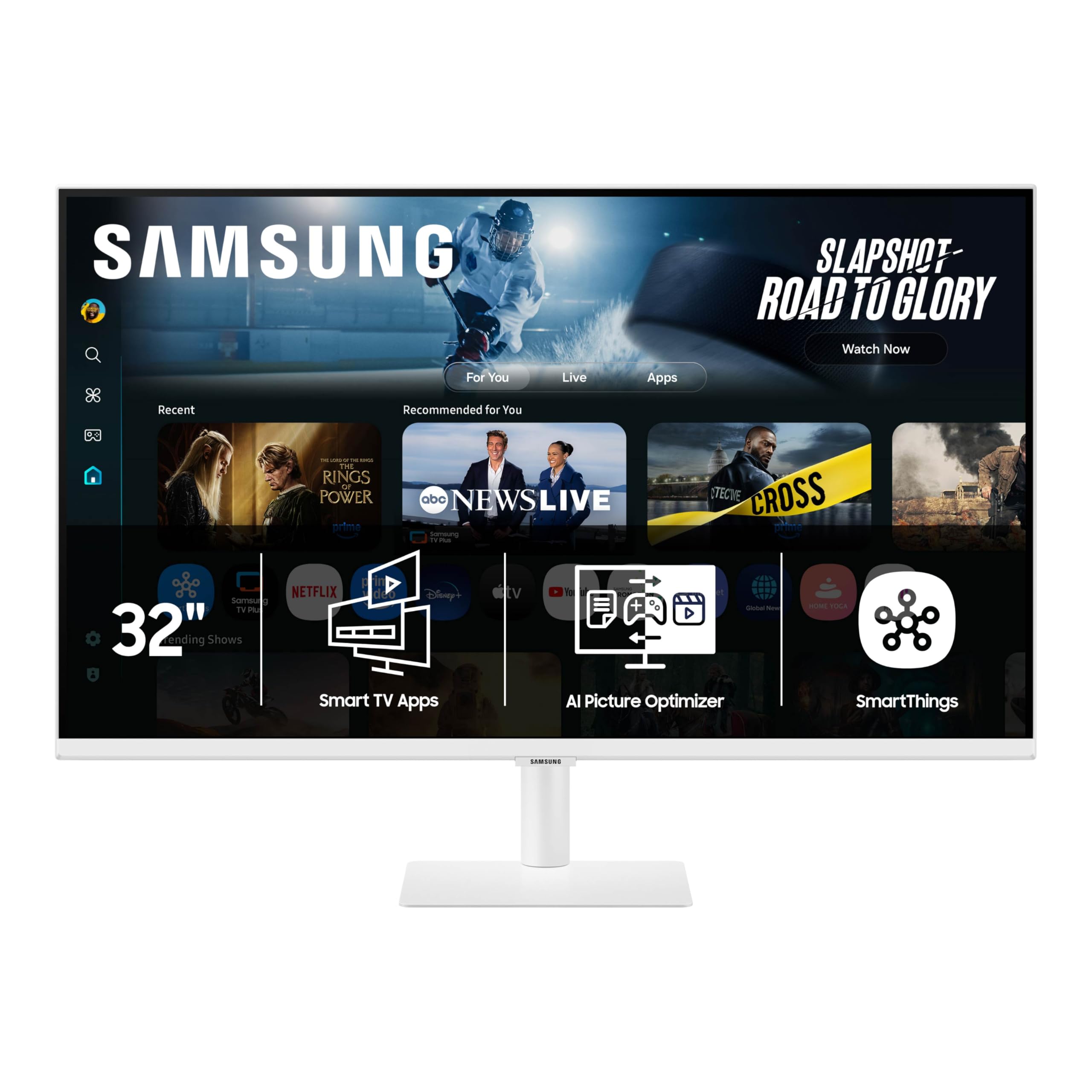
With Samsung Vision AI and built-in streaming apps, it can function as a standalone entertainment hub without needing a PC or console connected. The 4K VA panel delivers a 3000:1 contrast ratio and 300 cd/m² brightness, providing solid image quality for both productivity and content consumption. The Active Voice Amplifier uses AI to enhance dialogue clarity in noisy environments.
USB-C connectivity with power delivery allows you to connect a laptop and charge it simultaneously, reducing cable clutter. The built-in Samsung Gaming Hub gives access to cloud gaming services like Xbox Game Pass and NVIDIA GeForce Now without any hardware. The Samsung Knox security platform adds an extra layer of protection for IoT and smart home integrations.
The 60Hz refresh rate and lack of HDMI 2.1 make it unsuitable for high-refresh-rate gaming or fast-paced competitive titles. Some users report reliability issues with the smart features over time, and the VA panel’s viewing angles are narrower than IPS. For users who want a single screen that handles work, streaming, and casual console gaming, the M7 is a uniquely convenient option.
Why it’s great
- Built-in smart TV platform eliminates the need for external streaming devices
- USB-C with power delivery simplifies laptop connectivity
- Samsung Gaming Hub enables cloud gaming without a console
Good to know
- 60Hz refresh rate is limiting for PC gaming
- Smart features may have reliability issues after extended use
9. KTC 32″ QHD 120Hz IPS

The KTC 32-inch QHD monitor proves that you don’t need to spend heavily to get a solid 31.5-inch experience. It combines a 2560×1440 IPS panel with a 120Hz refresh rate (overclockable from 100Hz), Adaptive Sync, and HDR10 support for under typical mid-range pricing. The IPS panel delivers consistent colors and wide viewing angles, and the 350 cd/m² brightness is sufficient for most indoor environments. The 109% sRGB color gamut area provides decent vibrancy for everyday use and light content creation.
Connectivity includes DisplayPort 1.4 and two HDMI 2.0 ports, supporting the full 120Hz refresh rate over both connection types. The stand offers tilt adjustment and VESA 100x100mm compatibility for wall mounting. Low blue light and flicker-free technology help reduce eye fatigue during extended use.
At QHD resolution on a 32-inch screen, the pixel density is similar to a 24-inch 1080p monitor, so text won’t look as sharp as 4K alternatives. The stand is basic with no height or swivel adjustment. For budget-conscious buyers who want a large IPS panel with a smooth refresh rate for mixed office and casual gaming use, this KTC delivers reliable performance without breaking the bank.
Why it’s great
- 120Hz IPS panel with Adaptive Sync at entry-level pricing
- DisplayPort 1.4 and dual HDMI 2.0 for flexible connectivity
- 350 cd/m² brightness is above average for this price bracket
Good to know
- QHD at 32 inches yields similar pixel density to a 24-inch 1080p monitor
- Basic tilt-only stand lacks height and swivel adjustment
FAQ
Is 1440p QHD sharp enough on a 31.5 inch monitor?
Do I need HDMI 2.1 for a 31.5 inch 4K monitor?
What is the ideal viewing distance for a 32 inch monitor?
Final Thoughts: The Verdict
For most users, the 31.5 inch monitor winner is the ASUS ROG Strix XG32UCG because its dual-mode 4K 160Hz / FHD 320Hz Fast IPS panel covers every use case from competitive gaming to sharp productivity. If you want infinite contrast and perfect blacks, grab the LG 32GX850A-B UltraGear. And for the absolute best image quality across gaming and professional work, nothing beats the MSI MPG 321URX QD-OLED.