
Moving from an 8-bit to a 32-bit microcontroller isn’t just a spec bump — it’s a paradigm shift. Where your old Arduino Nano struggled with complex sensor fusion or a real-time audio filter, a modern 32-bit ARM Cortex or Xtensa core handles it without breaking a sweat. The pain of hitting the flash ceiling mid-project, or watching your serial monitor choke on floating-point math, disappears entirely when you choose the right board.
I’m Min — the co-founder and writer behind Gadgets Feed. I’ve spent countless hours dissecting datasheets, comparing core architectures from Espressif, NXP, and Qualcomm, and analyzing real-world benchmark data to find which 32-bit platforms actually deliver on their promises for embedded developers.
Whether you are building a connected IoT sensor node, a high-speed motor controller, or an AI-powered vision prototype, finding the best 32 bit microcontroller for your project depends on matching core speed, memory, and peripheral count to your specific application workload.
How To Choose The Best 32 Bit Microcontroller
Selecting a 32-bit MCU means navigating trade-offs between core architecture, memory hierarchy, and peripheral integration. Unlike 8-bit boards where GPIO count was the primary differentiator, here you must consider the real-time operating system compatibility, DMA channels, and floating-point unit support.
Core Architecture: ARM Cortex vs. Xtensa vs. RISC-V
The processor core dictates your toolchain and software ecosystem. ARM Cortex-M series (M3, M4, M7) offers broad IDE support and deterministic interrupt latency for hard real-time tasks. Espressif’s Xtensa LX6 and LX7 cores integrate Wi-Fi and BLE natively, cutting design complexity for wireless projects. If you need AI inference at the edge, Qualcomm’s Cortex-A53 MPU paired with a dedicated MCU gives you Linux flexibility alongside real-time control — but at higher power consumption.
Memory: Flash and PSRAM Constraints
32-bit firmware bloat is real. A basic FreeRTOS project with Wi-Fi stacks and TLS can consume 1-2 MB of flash before you write a single line of application code. Boards with 16 MB flash and 8 MB PSRAM, like the ESP32-S3, let you run complex models or OTA updates without juggling memory partitions. For audio or graphics-heavy projects, external PSRAM support is non-negotiable.
Quick Comparison
On smaller screens, swipe sideways to see the full table.
| Model | Category | Best For | Key Spec | Amazon |
|---|---|---|---|---|
| Teensy 4.1 | Premium | High-speed audio & DSP | 600 MHz Cortex-M7 | Amazon |
| Arduino UNO Q 2GB | Premium | AI vision & Linux prototyping | Quad A53 2.0 GHz + STM32 | Amazon |
| Arduino Due | Premium | Legacy 3.3V sensor arrays | 84 MHz Cortex-M3 | Amazon |
| Hosyond ESP32-S3 N16R8 | Mid-Range | Complex IoT with OTA updates | 16MB Flash / 8MB PSRAM | Amazon |
| Freenove ESP32 Dev Board | Mid-Range | WiFi + LED strip control | 240 MHz dual-core | Amazon |
| ELEGOO ESP-32 USB-C | Mid-Range | Battery-powered IoT nodes | 240 MHz dual-core + BLE | Amazon |
| AITRIP ESP32 Kit | Value | Prototyping & education | 2.4 GHz WiFi + breakout board | Amazon |
In‑Depth Reviews
1. PJRC Teensy 4.1 (Without Pins)

The Teensy 4.1 runs an NXP iMXRT1062 ARM Cortex-M7 at 600 MHz — currently the fastest single-core MCU available in this form factor. With 8 MB PSRAM and an optional Ethernet add-on, it handles real-time audio synthesis, FFT analysis, and high-speed motor control loops that would choke a standard Arduino. The entire board measures just 2.4 x 0.7 inches, making it ideal for compact embedded systems.
Programming is done through the Teensyduino add-on for the Arduino IDE, which gives you access to a rich library ecosystem including the PJRC audio library for advanced DSP. The Cortex-M7’s single-precision FPU means floating-point math executes in a single cycle — a critical advantage for control algorithms or audio filtering.
Pins are not pre-soldered, giving you the flexibility to choose between male headers, female sockets, or direct wire connections. However, you will need to source and solder the pins yourself, which adds a small step before breadboarding. For developers who need raw computational throughput in a tiny package, this board remains unmatched.
Why it’s great
- 600 MHz Cortex-M7 with FPU for real-time DSP
- 8 MB PSRAM supports large audio buffers and complex data structures
- Ethernet option for networked embedded applications
Good to know
- Pins not included — requires soldering before use
- Some USB descriptors are hardcoded, limiting some HID controller projects
2. Arduino UNO Q 2GB
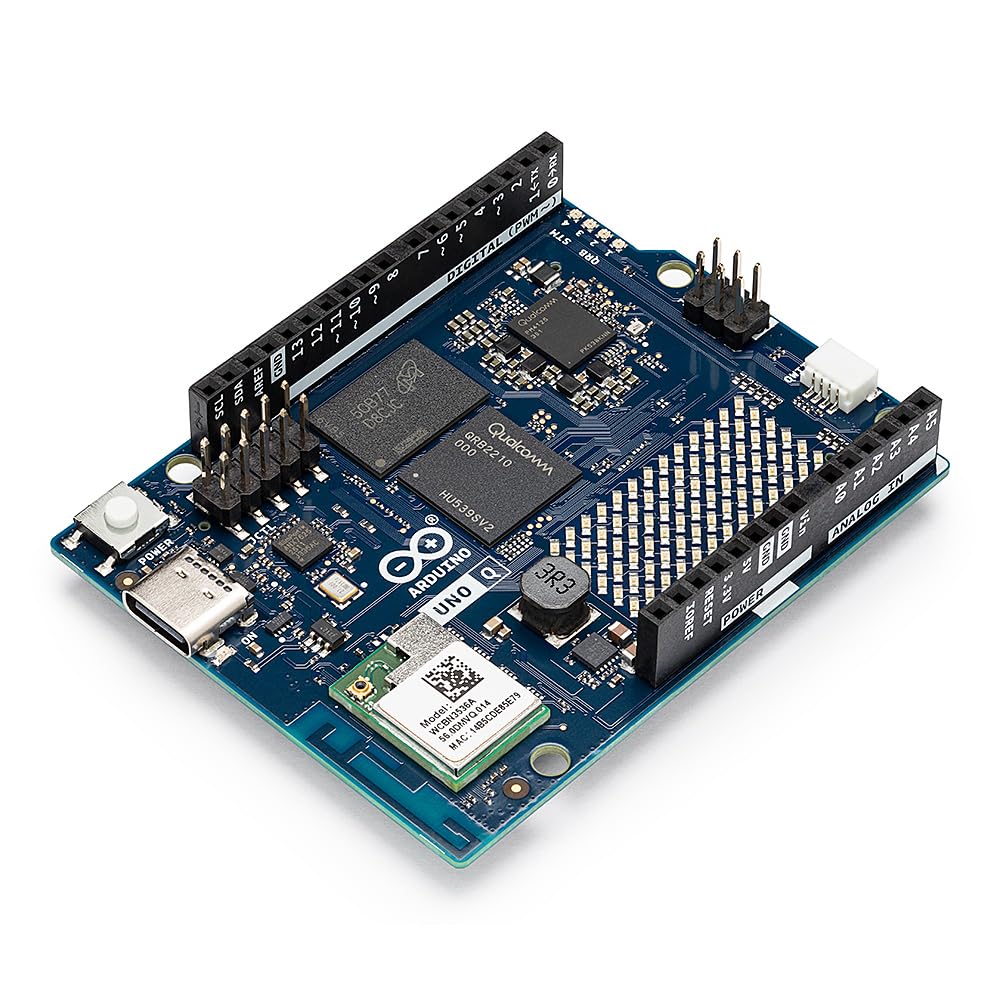
The Arduino UNO Q 2GB is a hybrid board that pairs a Qualcomm Dragonwing QRB2210 quad-core Cortex-A53 MPU with an STM32U585 MCU. This dual-brain architecture lets you run Linux Debian for Python-based AI vision scripts on the MPU while the STM32 handles deterministic real-time I/O on the MCU — all within the classic UNO form factor. The 16 GB eMMC storage gives you room for the operating system and core libraries.
Wireless connectivity is handled through dual-band Wi-Fi 5 and Bluetooth 5.1, while the 8×13 LED matrix and Qwiic connector simplify prototyping with Modulino nodes. The board runs Arduino App Lab for managing sketches, and supports mixed C++ and Python workflows. For edge AI applications like object recognition or voice commands, this board provides a unified development environment.
Early adopters report USB-C PD compatibility issues that can cause boot loops with certain hubs. The software stack is still maturing, requiring occasional workarounds. For developers who need a Linux-capable board with real-time I/O in a shield-compatible package, this is a forward-looking choice despite some rough edges.
Why it’s great
- Hybrid MPU+MCU design for AI and real-time control
- 2 GB LPDDR4 RAM supports Python-based AI inference
- Classic UNO form factor with shield compatibility
Good to know
- USB-C PD issues reported with some hubs and power supplies
- Software ecosystem still early — expect hobbyist-level workarounds
3. Arduino Due with Headers

The Arduino Due is built around the Atmel SAM3X8E ARM Cortex-M3 running at 84 MHz — a mature, well-tested platform for projects that demand more than 8-bit can deliver. With 512 KB flash, 96 KB SRAM, 54 digital I/O pins, and 12 analog inputs, it offers the largest pin count of any Arduino-form-factor board. The 3.3V logic level eliminates level shifters when interfacing with modern sensors and modules.
The Due runs FreeRTOS natively, making it an excellent platform for learning real-time operating system concepts. It can drive over 650 NeoPixels using the FastLED library without memory fragmentation — a task that would crash an Uno. The two USB ports (native and programming) allow simultaneous serial communication with a host computer and a USB peripheral.
This board is an older design and lacks built-in Wi-Fi or Bluetooth. You will need an external shield for wireless connectivity, and the SAM core must be installed manually through the Arduino Boards Manager. For advanced projects requiring multiple UART, SPI, and I2C buses on a proven 3.3V platform, the Due remains a solid workhorse.
Why it’s great
- 54 digital I/O pins with 12 analog inputs for complex sensor arrays
- Native 3.3V operation — no level converters for modern sensors
- Proven ARM Cortex-M3 architecture with FreeRTOS support
Good to know
- No built-in wireless — requires external shield for WiFi/BT
- SAM core must be installed manually in the Arduino IDE
4. Hosyond 3Pack ESP32-S3 N16R8
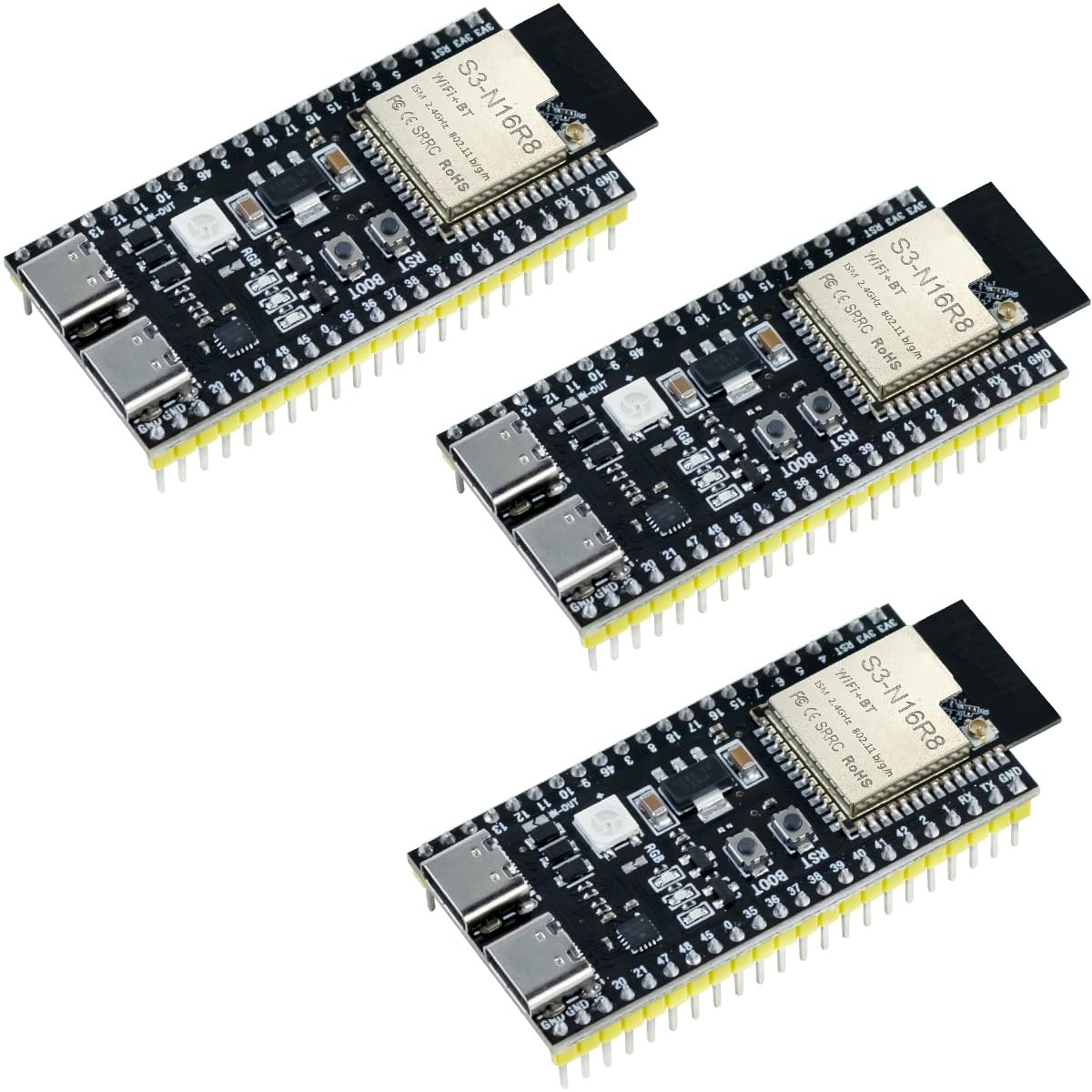
The ESP32-S3 from Hosyond packs an Xtensa LX7 dual-core processor at 240 MHz with 16 MB flash and 8 MB PSRAM — the largest memory configuration in this roundup. This headroom allows you to run complex firmware with OTA update partitions, WebSocket servers, and even lightweight TensorFlow Lite models without hitting memory limits. The dual USB-C ports provide native USB and UART bridge functionality for flexible debugging.
Wireless performance is handled by built-in 2.4 GHz Wi-Fi and Bluetooth 5.0 LE, with an optional external antenna connector for improved range inside enclosures. Users have confirmed reliable WiFi data monitoring in prototype environments without external antennas. The board supports both Arduino IDE and PlatformIO, making it accessible for developers at any experience level.
Documentation is minimal — the pin mappings are not always clearly documented, so you may need to verify GPIO assignments against the ESP32-S3 datasheet. The onboard LED is connected to GPIO48 rather than the more common GPIO2, which can cause confusion when following standard ESP32 tutorials. For projects where memory is the primary constraint, this board delivers exceptional value.
Why it’s great
- 16MB flash + 8MB PSRAM supports large firmware and OTA updates
- External antenna connector for improved WiFi range
- Dual USB-C ports for flexible programming and debugging
Good to know
- Minimal documentation — pin mappings require datasheet verification
- Onboard LED on GPIO48 differs from common ESP32 tutorials
5. Freenove ESP32 Dev Board Kit (2 Pack)

This Freenove kit includes two ESP32-WROOM boards with dual-core Xtensa LX6 processors at 240 MHz, 4 MB flash, and 520 KB SRAM. The boards come with detailed online tutorials that include both MicroPython and C code examples for each of the 20+ provided projects. The pin layout is slightly wider than standard WROOM-32E modules at 24.9 mm, but the included breakout board addresses this with proper spacing.
Users have successfully used these boards for WLED controllers, running multiple LED strips simultaneously without performance issues. The boards are durable — one reviewer reported stepping on a board and only bending the pins. The onboard RGB LED on GPIO4 and standard LED on GPIO2 make debugging basic blink sketches straightforward for beginners.
The USB-C connector has been noted as a potential weak point, with one user reporting failure after roughly 500-600 insertion cycles. Additionally, the board’s pin layout differs from some other ESP32 dev boards, so double-check pin mappings before connecting shields or breakout boards. For educational projects and WLED deployments, this two-pack offers solid value.
Why it’s great
- Two boards included with comprehensive online tutorials
- Onboard RGB LED (GPIO4) for visual debugging
- Durable construction with good solder quality
Good to know
- USB-C connector may wear after heavy use
- Pin spacing differs from standard WROOM-32E modules
6. ELEGOO 3PCS ESP-32 Development Board USB-C
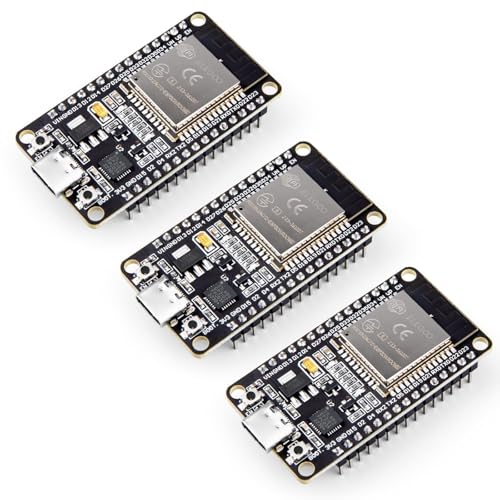
ELEGOO’s ESP-32 board uses the reliable CP2102 USB-to-UART bridge with a modern USB-C connector, providing hassle-free auto-reset for programming — no need to hold the BOOT button during uploads. The dual-core Xtensa LX6 processor runs at 240 MHz and supports AP, STA, and AP+STA modes for flexible WiFi networking. The board includes GPIO, UART, SPI, and I2C headers for connecting a wide range of sensors and actuators.
Power efficiency is a standout feature — the chip supports dynamic clock scaling across operating modes, making this board suitable for battery-powered IoT devices. The OTA firmware update capability lets you push new code to deployed devices wirelessly, a critical feature for remote sensor nodes. Users report the boards work flawlessly with the Arduino IDE out of the box.
While slightly pricier than generic ESP32 boards, the build quality and documentation justify the difference. The three-pack configuration provides a good balance of cost and convenience for prototyping multiple projects simultaneously. For newcomers to 32-bit microcontrollers, the ELEGOO ESP-32 offers a smooth onboarding experience with minimal configuration headaches.
Why it’s great
- Reliable auto-reset eliminates need to hold BOOT button
- Dynamic power scaling for battery-powered IoT projects
- Three boards per pack for multi-project prototyping
Good to know
- Slightly higher cost per board compared to generic alternatives
- No external antenna connector for WiFi range extension
7. AITRIP 2 Sets 30PIN ESP32 Kit with Breakout Board
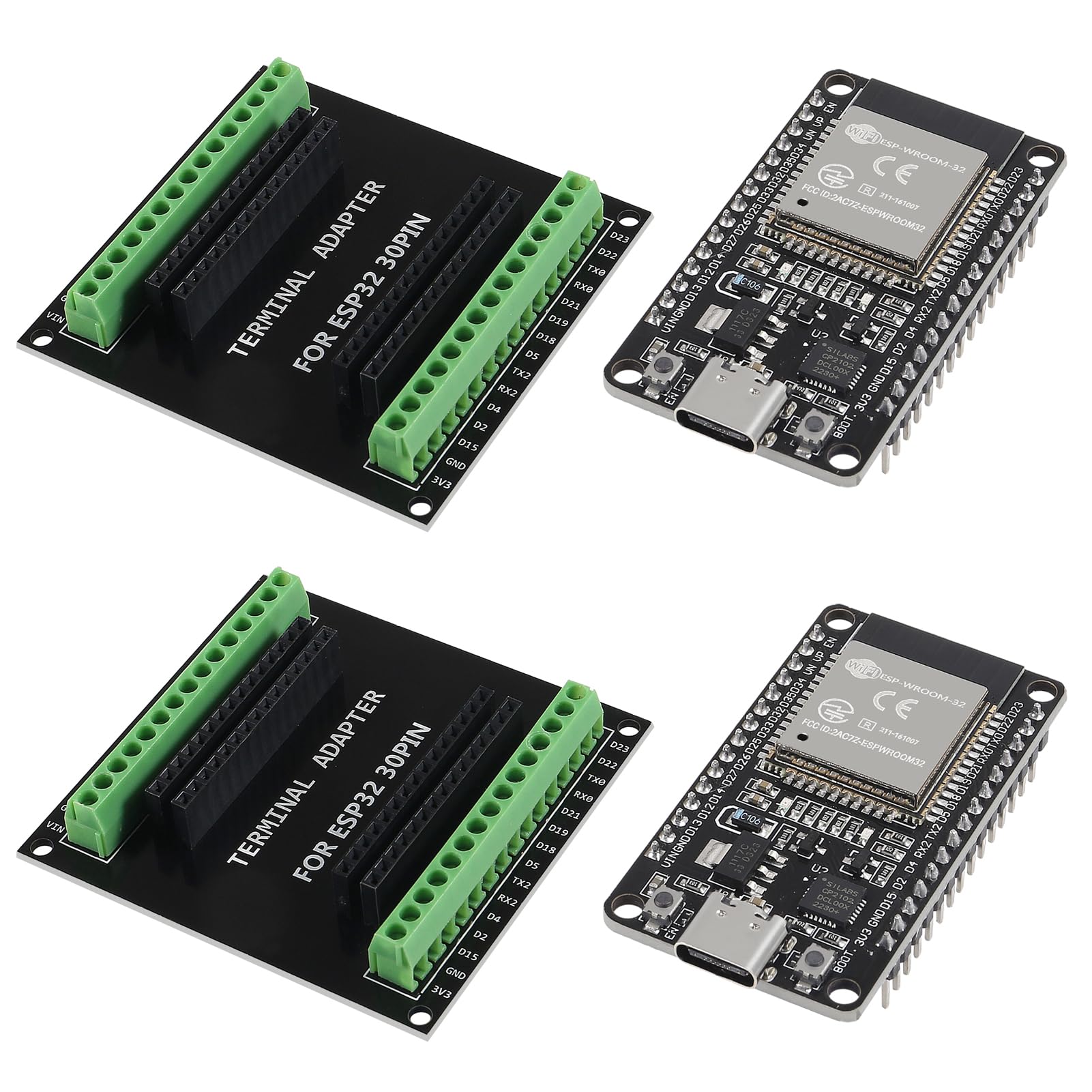
This AITRIP kit provides two ESP32-WROOM-32 development boards with CP2102 USB-to-serial chips, plus a unique breakout board that expands each GPIO pin into two connections. The breakout board lets you reuse pins across multiple sensors or actuators in smart home projects without soldering or permanent connections. The boards operate on the 40 nm low-power process, drawing minimal current in deep sleep mode.
The include dual-core Xtensa LX6 processors handle both 2.4 GHz Wi-Fi and Bluetooth 4.2 (BR/EDR + BLE), with support for the LWIP protocol stack and FreeRTOS. The board is compatible with the Arduino IDE and supports capacitive touch sensors, Hall sensors, SD card interfaces, and Ethernet — a surprising range of peripherals for this price tier.
The breakout board has sharp exposed solder points on the bottom that could potentially scratch surfaces or short against conductive materials. Additionally, the breakout board only works with 30-pin ESP32 boards, so compatibility is limited if you have a 38-pin variant. For budget-conscious makers who need a simple prototyping solution with expandable GPIO access, this kit delivers exactly what it promises.
Why it’s great
- Breakout board GPIO expander eliminates soldering for multi-sensor projects
- Ultra-low power 40 nm process for battery applications
- Rich peripherals: touch, Hall, SD, Ethernet interfaces
Good to know
- Sharp solder points on breakout board bottom may need filing
- Breakout board only compatible with 30-pin ESP32 variants
FAQ
What is the difference between an MPU and an MCU in a 32-bit development board?
How much flash memory do I need for a FreeRTOS project with Wi-Fi?
Can I use an ESP32 board with the Arduino IDE without installing additional software?
Final Thoughts: The Verdict
For most users, the best 32 bit microcontroller winner is the Arduino UNO Q 2GB because it bridges the gap between Linux-capable MPU performance and real-time MCU control in a shield-compatible form factor. If you want raw computational speed for DSP or audio, grab the Teensy 4.1. And for cost-effective wireless IoT projects with generous memory, nothing beats the Hosyond ESP32-S3 N16R8.