
Jumping from a standard 60Hz or 1080p panel to a 32-inch 1440P gaming monitor is one of the most impactful upgrades a PC gamer can make. The larger diagonal and higher pixel density deliver a noticeably sharper, more immersive image than 27-inch counterparts, while the 1440p resolution offers a sweet spot between visual fidelity and frame rate performance on modern GPUs.
I’m Min — the co-founder and writer behind Gadgets Feed. I’ve spent countless hours analyzing technical specifications and real-world performance data across the current 32-inch 1440P monitor market to find the models that actually deliver on their high-refresh-rate and color-accurate promises.
Whether you prioritize raw speed for competitive shooters or vivid HDR for cinematic single-player titles, this guide breaks down the top contenders to help you choose the best 32 inch 1440p gaming monitor for your specific setup and budget.
How To Choose The Best 32 Inch 1440P Gaming Monitor
Selecting the right 32-inch 1440P monitor hinges on three core pillars: panel technology, refresh rate, and adaptive sync support. Your choice in panel type dictates contrast, color, and viewing angles, while refresh rate and sync tech determine motion fluidity and screen tearing prevention.
Panel Types: VA, IPS, and OLED
VA panels offer high contrast ratios (3000:1 to 4000:1) and deep blacks, making them excellent for dark-room gaming, though they can suffer from black-level smearing at lower refresh rates. Fast VA technology used in modern models like the ASUS XG32WCMS mitigates this significantly. IPS panels provide superior color accuracy and wide viewing angles, but their native contrast ratio is lower at around 1000:1, leading to washed-out blacks in dark scenes. OLED panels, including QD-OLED, deliver near-infinite contrast ratios and the fastest pixel response times (0.03ms GTG), eliminating ghosting entirely, though they come with a higher price tag and require burn-in management.
Refresh Rate and Response Time
For competitive esports titles like Valorant or Overwatch, a refresh rate of 240Hz or higher provides a measurable advantage in motion clarity and input latency. For slower-paced single-player RPGs, a 165Hz or 180Hz panel offers a very smooth experience without the premium cost. Response time, measured in milliseconds (ms), indicates how quickly a pixel changes color. Lower is better — look for 1ms GTG on IPS/VA panels and 0.03ms on OLEDs to minimize motion blur and ghosting behind fast-moving objects.
Adaptive Sync: G-Sync vs FreeSync
Adaptive sync technologies synchronize the monitor’s refresh rate with your GPU’s frame output to eliminate screen tearing and stuttering. G-Sync (NVIDIA) and FreeSync (AMD) accomplish similar results, but compatibility varies. Most modern monitors are “G-Sync Compatible,” which works over DisplayPort with NVIDIA GPUs. FreeSync Premium adds a low-framerate compensation (LFC) layer for smoother gameplay when frame rates dip. For a tear-free experience, ensure the monitor supports the adaptive sync standard matching your graphics card.
Quick Comparison
On smaller screens, swipe sideways to see the full table.
| Model | Category | Best For | Key Spec | Amazon |
|---|---|---|---|---|
| ASUS ROG Strix XG32WCMS | Mid-Range | High-refresh VA gaming | 280Hz, Fast VA, 1ms GTG | Amazon |
| KTC H32S25E | Mid-Range | Immersive curved 1000R gaming | 240Hz, VA, 1000R Curve | Amazon |
| Acer Predator X27U | Premium | Budget QD-OLED entry | 240Hz, QD-OLED, 0.03ms | Amazon |
| Samsung Odyssey G50D | Mid-Range | All-around IPS value | 180Hz, Fast IPS, 1ms GTG | Amazon |
| AOC Q27GAZD | Premium | Compact QD-OLED gaming | 240Hz, QD-OLED, 0.03ms | Amazon |
| LG 32GP750-B | Mid-Range | Productive IPS work & play | 165Hz, IPS, 1ms GTG | Amazon |
| LG 32GK650G-B | Premium | Native G-Sync VA panel | 144Hz, VA, G-Sync | Amazon |
| Samsung Odyssey OLED G6 | Premium | High-brightness QD-OLED | 240Hz, QD-OLED, 0.03ms | Amazon |
| MSI MAG 271QP QD-OLED X28 | Premium | Fastest 280Hz QD-OLED | 280Hz, QD-OLED, 0.03ms | Amazon |
| Alienware AW2725DF | Premium | 360Hz esports QD-OLED | 360Hz, QD-OLED, 0.03ms | Amazon |
| INNOCN GA27M1Q | Premium | Ultra-high 500Hz competitive | 500Hz, QD-OLED, 0.03ms | Amazon |
In‑Depth Reviews
1. ASUS ROG Strix XG32WCMS

The ASUS ROG Strix XG32WCMS hits a rare sweet spot, pairing a native 280Hz refresh rate with a Fast VA panel that avoids the typical dark-level smearing associated with the technology. At 32 inches with a 2560×1440 resolution, it delivers punchy contrast (4000:1) and good backlight uniformity, making it a strong contender for both fast-paced shooters and atmospheric single-player titles.
Its 95% DCI-P3 color gamut ensures vibrant, accurate colors out of the box, while the Extreme Low Motion Blur Sync (ELMB SYNC) technology works in tandem with variable refresh rate to eliminate ghosting and tearing simultaneously — a feature rarely seen at this tier. The included DisplayWidget Center software allows for easy mouse-based adjustments, though the HDR400 implementation only adds subtle color gradients rather than transformative highlight detail.
Build quality is solid with the typical ROG aesthetic, and connectivity includes DisplayPort 1.4 and USB-C alongside standard HDMI ports. Users report a very high level of satisfaction, noting zero dark-smear and low input lag, though the 92 PPI means text sharpness is slightly softer than a 27-inch 1440p panel, which is a trade-off of the 32-inch form factor.
Why it’s great
- 280Hz native refresh rate with ELMB SYNC for blur-free motion.
- Excellent 4000:1 contrast ratio and no black smearing.
- Strong value with extensive gaming features at a mid-range price point.
Good to know
- Slightly lower pixel density (92 PPI) than smaller 1440p screens.
- HDR performance is subtle rather than transformative.
2. KTC H32S25E
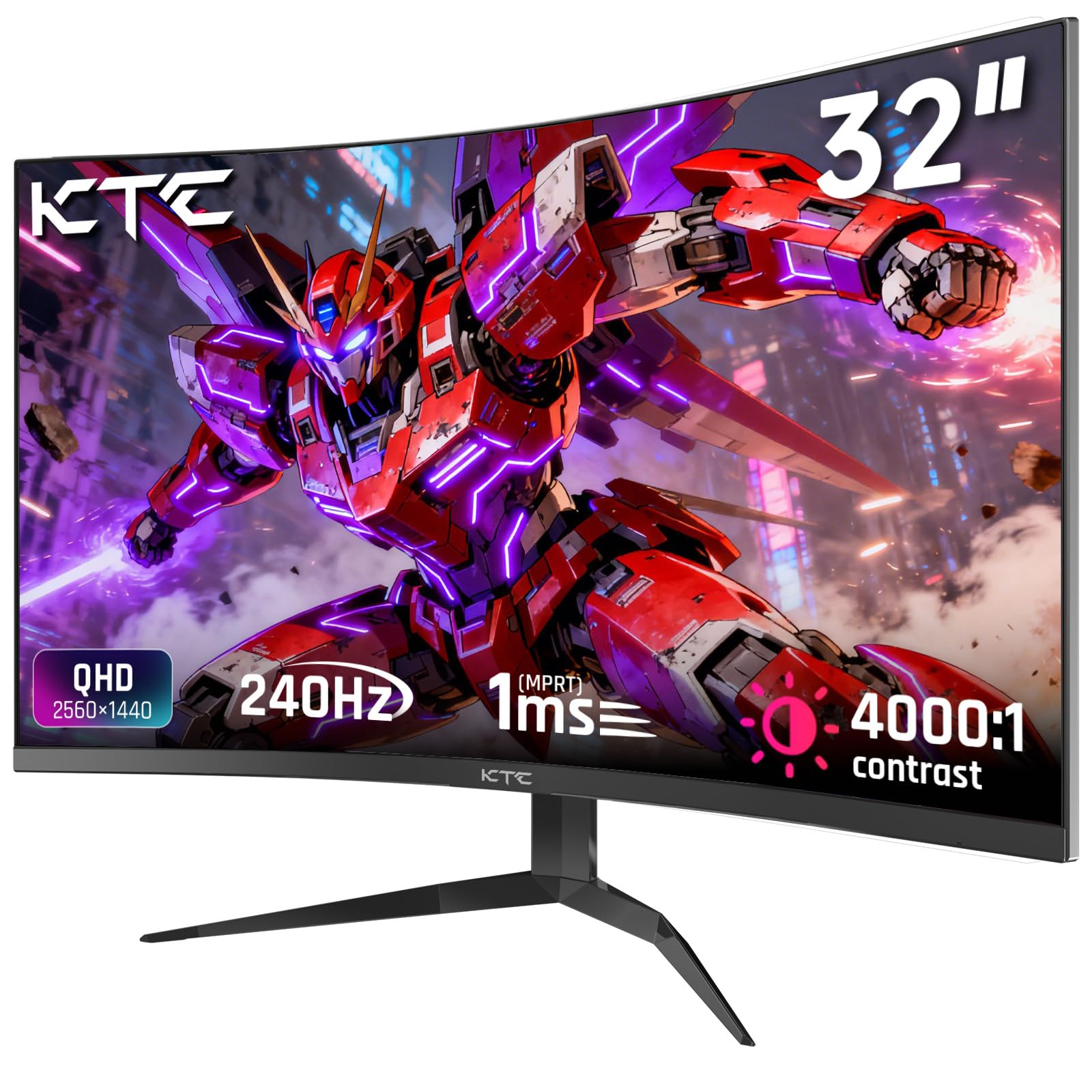
The KTC H32S25E brings a tight 1000R curve to the 32-inch 1440p space, wrapping the image around your peripheral vision for heightened immersion. The VA panel delivers a 4000:1 contrast ratio with deep blacks and a 122% sRGB color gamut, offering vibrant, true-to-life colors that are particularly impressive in shadow-heavy game scenes.
Its 240Hz refresh rate (via DP 1.4) ensures butter-smooth motion, and the combination of FreeSync and G-Sync compatibility keeps tearing at bay. The edge-to-edge frameless bezel design minimizes distractions and makes multi-monitor setups nearly seamless. Setup is straightforward, and the on-screen display (OSD) is controlled via a responsive joystick, though the monitor lacks built-in speakers, relying on its headphone jack for audio output.
While backlight bleed is noticeable at extreme viewing angles, it’s invisible straight-on, which is the primary viewing position for gaming. Users consistently praise the price-to-performance ratio, with many buying a second unit for dual-monitor configurations. The included DP cable, screwdriver, and detailed manual simplify the out-of-box experience, making this a compelling enthusiast pick on a tighter budget.
Why it’s great
- Deeply immersive 1000R curve that matches human eye field.
- High contrast ratio and vibrant 122% sRGB color gamut.
- Excellent price-to-performance with 240Hz and adaptive sync.
Good to know
- No built-in speakers; requires external audio.
- Backlight bleed visible at extreme angles, not straight-on.
3. Acer Predator X27U

The Acer Predator X27U is a 26.5-inch QD-OLED monitor that lands at a budget-friendly price point for the technology, offering a 240Hz refresh rate and a blistering 0.03ms response time. Its WQHD resolution on the QD-OLED panel yields colors that are richer and bolder than any IPS panel, with true blacks that make dark scenes in games like Doom Eternal or Alan Wake 2 look phenomenal.
Despite its lower price, it includes FreeSync Premium and is G-Sync Compatible, ensuring a stutter-free experience. The build feels mostly plastic, but the ZeroFrame design minimizes bezel distraction. Color accuracy is exceptional with 99% DCI-P3 coverage, though peak brightness is lower than premium OLED models, making it better suited for dimmer gaming environments.
It supports 2x DisplayPort 1.4 and 2x HDMI 2.1, providing future-proof connectivity for both PC and next-gen consoles. Users highlight the absurdly good image quality for the price, noting that the QD-OLED’s glossy (non-mirror) coating handles glare adequately. The stand is adjustable for height, tilt, swivel, and pivot, offering excellent ergonomics for long sessions.
Why it’s great
- Infinite contrast and vibrant colors of QD-OLED at a low price.
- 240Hz with 0.03ms response for virtually zero ghosting.
- Full ergonomic stand with HDMI 2.1 connectivity.
Good to know
- Peak brightness is lower than premium OLED variants.
- Build quality is mostly plastic, not premium metal.
4. Samsung Odyssey G50D

The Samsung Odyssey G50D (LS32DG502ENXZA) is a 32-inch Fast IPS panel that balances high performance with a feature set that works well for both gaming and productivity. Its 180Hz refresh rate and 1ms GTG response time provide snappy, clear motion in fast-paced games, while the QHD resolution ensures sharp text and detailed images for creative work.
VESA DisplayHDR 400 certification helps boost contrast and highlight detail in bright scenes, though the 1000:1 native contrast ratio of the IPS panel means blacks aren’t as deep as VA or OLED counterparts. The monitor’s adjustable stand offers height, tilt, and swivel, making it easy to dial in a comfortable viewing angle. Eye Saver Mode reduces blue light for extended sessions without a harsh yellow tint.
Connectivity includes DisplayPort 1.4 and HDMI 2.0, which support G-Sync and FreeSync compatibility for a tear-free experience. Reviews frequently note the excellent out-of-box color vibrancy and the sturdy build quality, though some users report that the factory calibration pushes colors slightly warm, requiring a brief tweak in the OSD for optimal balance.
Why it’s great
- Fast IPS panel with 180Hz and 1ms for competitive gaming.
- Fully adjustable stand and Eye Saver Mode for comfort.
- G-Sync and FreeSync support for smooth, tear-free frames.
Good to know
- IPS contrast ratio means blacks are gray in dark rooms.
- Default calibration can feel slightly oversaturated or warm.
5. AOC Q27GAZD

The AOC Q27GAZD packs a 27-inch QD-OLED panel into a compact frame, offering the same infinite contrast and vibrant colors as larger monitors but at a pixel density of 109 PPI, making text rendering sharper than 32-inch options at QHD. With a 240Hz refresh rate and 0.03ms GTG response time, motion clarity is exceptional in games like Valorant and Overwatch.
HDR400 True Black certification ensures deep blacks and bright highlights coexist in the same scene, providing a noticeable upgrade from standard HDR 400. The panel covers 147.6% sRGB and 110.2% DCI-P3, making it a strong option for color-critical work as well. However, the monitor’s glossy screen shows reflections in brightly lit rooms, and the stand is basic — users strongly recommend a monitor arm for optimal flexibility.
Connectivity includes DisplayPort 1.4 (for 240Hz) and HDMI 2.0 (limited to 165Hz). Users report no text fringing issues a common concern with QD-OLED and find the brightness adequate even in bright environments, though it’s not the brightest panel available.
Why it’s great
- High 109 PPI delivers crisp text and sharp details.
- Incredible color accuracy with HDR400 True Black support.
- Excellent motion clarity with 240Hz and 0.03ms response.
Good to know
- Basic stand; a monitor arm is highly recommended.
- Glossy coating shows reflections in bright rooms.
6. LG 32GP750-B

The LG 32GP750-B is a 32-inch IPS Ultragear monitor that prioritizes color accuracy and a high refresh rate without breaking the bank. Its 165Hz refresh rate and 1ms GTG response time make it responsive enough for fast gaming, while the IPS panel’s 99% sRGB coverage ensures consistent, vibrant colors for both games and creative layouts.
VESA DisplayHDR 400 compatibility and NVIDIA G-Sync (with AMD FreeSync Premium) round out its gaming credentials, providing smooth, tear-free visuals and enhanced contrast in supported titles. The stand is highly adjustable, offering tilt, height, and pivot, making it easy to find a comfortable setup for long hours. The Dynamic Action Sync feature reduces input lag, which is noticeable in competitive titles.
While the 1000:1 contrast ratio is standard for IPS, the matte screen finish effectively eliminates glare in bright rooms. Users consistently rank this as one of the best 1440p 32-inch monitors for productivity due to its sharp text and lack of color shifting at angles. The HDR mode is best left off for SDR content, as it can wash out the image on this panel type.
Why it’s great
- Accurate colors and wide viewing angles typical of premium IPS.
- G-Sync and FreeSync Premium for comprehensive sync support.
- Highly ergonomic stand with height, tilt, and pivot.
Good to know
- Native 1000:1 contrast ratio; blacks are not deep.
- HDR mode is underwhelming on this IPS panel.
7. LG 32GK650G-B

The LG 32GK650G-B is a veteran in the 32-inch 1440p space, distinguished by its native NVIDIA G-Sync module which provides a flawless variable refresh rate experience without the compatibility issues sometimes seen with G-Sync Compatible displays. Its VA panel delivers a 3000:1 contrast ratio, resulting in deep blacks that make dark games like Resident Evil look exceptionally atmospheric.
The monitor supports a 144Hz refresh rate natively, overclockable to 165Hz, which keeps motion smooth in intensive titles. With a three-sided ultra-slim bezel design, it’s a solid candidate for multi-monitor setups. The stand offers height, pivot, and swivel adjustments, though the OSD buttons feel dated compared to modern joystick controls.
Users report that the VA panel holds up well against ghosting and smearing, though it’s not as fast as the newest OLED options. A known quirk is sensitivity to very low humidity, which can cause the screen to flicker off and on. Overall, for NVIDIA GPU owners who want a guaranteed tear-free experience with a large VA panel, this remains a top choice.
Why it’s great
- Native G-Sync module for stutter-free, guaranteed performance.
- High 3000:1 contrast ratio with deep black levels.
- Overclockable to 165Hz for smoother motion.
Good to know
- Can flicker in very low humidity environments.
- OSD controls are dated compared to modern alternatives.
8. Samsung Odyssey OLED G6 (G61SH)

The Samsung Odyssey OLED G6 (G61SH) brings a 27-inch QD-OLED panel to the 1440p arena with Pantone Validation, meaning it reproduces over 2,100 colors and 110 skin tones accurately out of the box. This makes it suitable not just for competitive gaming but for photo and video editing tasks where color fidelity matters.
Its 240Hz refresh rate and 0.03ms response time provide elite motion clarity, and Samsung’s Glare-Free technology reduces reflections better than typical glossy QD-OLED coatings. The OLED Safeguard technology uses a thermal modulation system to actively prevent burn-in, addressing one of the primary concerns with OLED displays. HDR10 support adds depth to highlights and shadows for a more dynamic image.
The ergonomic stand offers height, tilt, swivel, and pivot adjustments. Connectivity includes DisplayPort 1.4 and HDMI 2.1. User feedback highlights the vivid colors and significant upgrade over older IPS panels, with a caveat that text clarity may appear slightly less sharp than a high-PPI IPS screen due to the OLED’s subpixel layout.
Why it’s great
- Pantone Validated for professional-grade color accuracy.
- Glare-Free coating reduces reflections in bright rooms.
- OLED Safeguard technology for active burn-in prevention.
Good to know
- Text clarity is slightly softer than high-PPI IPS panels.
- Requires constant power for pixel refresh cycle.
9. MSI MAG 271QP QD-OLED X28
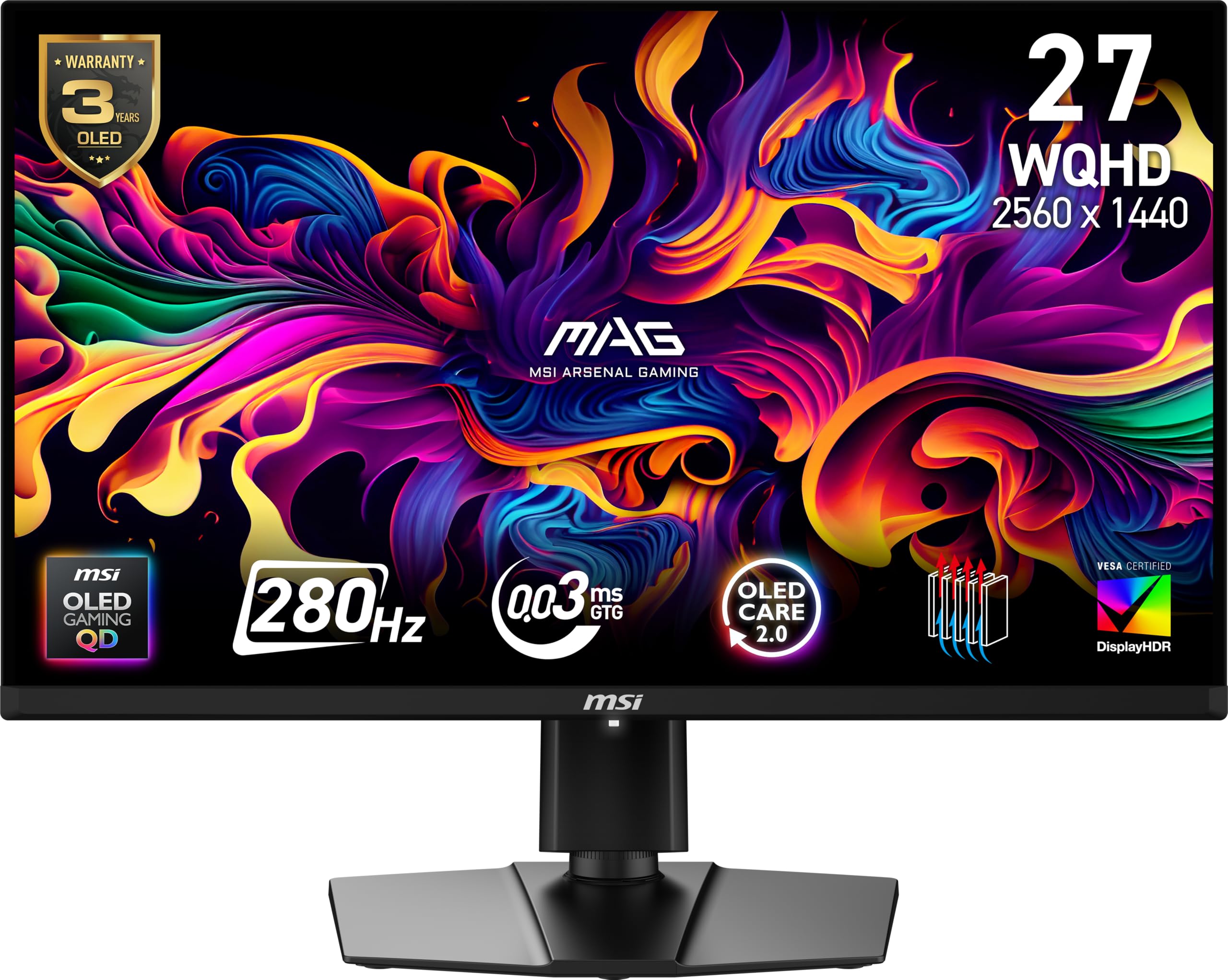
The MSI MAG 271QP QD-OLED X28 pushes refresh rates to 280Hz on a 26.5-inch QD-OLED panel, offering one of the highest native speeds available in this category. Its 0.03ms GTG response time and VESA ClearMR 15000 rating ensure that fast-moving objects are rendered with razor-sharp clarity, making it a dream for competitive esports gamers.
The 10-bit Quantum Dot panel covers 99% DCI-P3 with extreme Delta E ≤2 color accuracy, delivering lifelike colors right from the factory. VESA DisplayHDR True Black 400 certification provides excellent black level performance, with a 1,500,000:1 native contrast ratio. The fanless graphene heatsink enhances panel durability without introducing noise.
Connectivity is future-proof, with DisplayPort 1.4a, HDMI 2.1 (supporting 280Hz at 1440p), and USB-C with 15W Power Delivery. Users upgrading from IPS monitors note the dramatic improvement in motion fluidity and color vibrancy. The main trade-off is that its peak brightness is lower than the brightest LCD panels, making it less ideal for very brightly lit rooms.
Why it’s great
- 280Hz refresh rate with 0.03ms for elite motion clarity.
- DisplayHDR True Black 400 with near-infinite contrast.
- Graphene heatsink for passive, fanless durability.
Good to know
- Lower peak brightness than high-end LCDs.
- Not the brightest option for very sunny rooms.
10. Alienware AW2725DF

The Alienware AW2725DF is a 26.7-inch QD-OLED monitor that pushes refresh rates to 360Hz, targeting the most demanding competitive gamers who want every frame of motion clarity possible. Its 0.03ms gray-to-gray response time virtually eliminates motion blur, and the VESA DisplayHDR True Black 400 certification provides stunning contrast with infinite black levels.
With a DCI-P3 99.3% color gamut and Delta E<2 accuracy, this monitor delivers true-to-life colors that are equally impressive for single-player narratives and creative work. AMD FreeSync Premium Pro and VESA AdaptiveSync ensure a stutter-free experience across a wide range of frame rates. The build quality is excellent, with a premium stand offering height, tilt, swivel, and pivot adjustments, plus customizable RGB lighting on the rear.
It includes a 3-year burn-in warranty, which is a significant peace-of-mind benefit for OLED buyers. Users report minor text clarity issues due to the QD-OLED subpixel layout and a slight purple tint on the coating in direct light, but these are minor trade-offs for what is widely considered one of the best all-around gaming monitors available.
Why it’s great
- 360Hz refresh rate for ultimate competitive motion clarity.
- Superb color accuracy with HDR True Black 400 support.
- Includes a 3-year burn-in warranty for peace of mind.
Good to know
- Minor text clarity quirks typical of QD-OLED.
- Purple tint visible on coating in direct bright light.
11. INNOCN GA27M1Q

The INNOCN GA27M1Q is a 27-inch QD-OLED monitor that pushes the refresh rate boundary to 500Hz, offering the fastest motion clarity available in the 1440p category. Its 0.03ms response time and 1,500,000:1 contrast ratio provide an almost CRT-like level of motion fluidity, making it unmatched for fast-paced competitive titles where every millisecond counts.
The panel covers 99% DCI-P3 and 1.07 billion colors (10-bit), delivering rich, accurate colors. HDR 500 certification offers enhanced highlight detail beyond typical HDR400 panels. Connectivity is robust with 2x HDMI 2.1 and 2x DisplayPort 1.4, supporting the full 500Hz bandwidth. It also features integrated speakers, LED ambient lighting, and a fully adjustable stand.
User feedback is overwhelmingly positive, with many noting its insane value for a 500Hz OLED. To fully utilize the 500Hz refresh rate, a powerful PC capable of pushing 400+ FPS at 1440p is required. The monitor is best suited for competitive gamers who already have a high-end GPU and prioritize fluidity above all else.
Why it’s great
- 500Hz refresh rate pushes motion clarity to the extreme.
- QD-OLED panel with infinite contrast and vibrant colors.
- Excellent connectivity with multiple HDMI 2.1 ports.
Good to know
- Requires a top-tier PC to utilize 500Hz effectively.
- Color/brightness tuning may be needed out of the box.
FAQ
Is 32 inches too big for 1440p gaming?
Can a 32-inch 1440p monitor run well with a PS5 or Xbox Series X?
What GPU do I need to drive a 1440p 144Hz+ monitor?
Final Thoughts: The Verdict
For most users, the best 32 inch 1440p gaming monitor winner is the ASUS ROG Strix XG32WCMS because it delivers the highest native refresh rate (280Hz) with excellent VA contrast and no black smear at a highly competitive price point. If you want the immersive color and infinite contrast of OLED technology, grab the Acer Predator X27U for an entry-level QD-OLED experience. And for pure competitive speed that leaves nothing on the table, nothing beats the INNOCN GA27M1Q with its blistering 500Hz QD-OLED panel.