
Our readers keep the lights on and my morning glass full of iced black tea. As an Amazon Associate, I earn from qualifying purchases.
Specs are compiled from manufacturer listings and verified buyer reviews and can change over time — please confirm the key details on the product page before buying.
A 32-inch 1440p monitor delivers a large, rich desktop with crisp detail, without the heavy graphics-card demands of 4K. This guide breaks down the top 32-inch 1440p monitors for speed-focused gamers, color-critical creators, and curve enthusiasts.
I’m Min — the founder and writer behind Gadgets Feed. This guide is built by comparing the manufacturers’ published specifications and the patterns across verified customer reviews, so you get each pick’s real strengths and trade-offs instead of marketing spin.
Whether you live in spreadsheets, chase headshots, or binge movies, the right 32 inch 1440p monitor is about matching the panel to your daily reality, not just the biggest number on the box.
Our Picks at a Glance
How To Choose The Best 32 Inch 1440P Monitor
At 32 inches, 1440p (also called QHD or WQHD, which stands for 2560×1440 pixels) is the ideal balance—it’s sharp enough for detailed work and gaming, yet far easier on your graphics card than 4K. Your job is to decide what matters most: pure speed, vivid colors, or an rich curve.
Refresh Rate and Response Time
Refresh rate and response time directly determine how fluid and sharp fast-moving gameplay looks. A 180Hz refresh rate (meaning the screen redraws 180 times a second) makes motion look incredibly fluid, and a 1ms response time (the speed at which pixels change color) keeps fast action sharp without ghosting. If you play competitive shooters, prioritize this over everything else.
Panel Type: VA vs. IPS
The panel type dictates whether you prioritize deep blacks (VA) or wide viewing angles (IPS). VA panels (Vertical Alignment) offer deep blacks and high contrast ratios, making dark scenes and movies look fantastic, but they can have slight ghosting. IPS panels (In-Plane Switching) deliver superior, consistent color from wide viewing angles, which is a boon for work and creative tasks, though their black levels are usually not as deep.
Curve vs. Flat
A curved screen with a tight radius like 1000R (meaning the curve is part of a circle with a 1000-millimeter radius) wraps around your field of view, deepening immersion in games and reducing eye strain during long sessions. However, a flat screen is often better if you do precise design work where you need perfectly straight lines, or if you plan to mount the monitor vertically.
Quick Comparison
| Model | Best For | Refresh Rate | Panel Type | Contrast Ratio | Amazon |
|---|---|---|---|---|---|
| KOORUI 32QC★ Best Overall | Budget Immersion | 170Hz | VA | 3000:1 | Amazon |
| Acer Nitro XZ320QUConsole & Office | PS5 & Office Combo | 180Hz | VA | 100,000,000:1 | Amazon |
| Sceptre E325B-QW200DSpeed Demon | Connectivity & Speed | 210Hz | VA | 1,000,000:1 | Amazon |
| MSI MAG 32CQ6F | FPS Gamers | 180Hz | VA | 100,000,000:1 | Amazon |
| ViewSonic VX3267U-2K | USB-C Laptop Users | — | IPS | 1200:1 | Amazon |
| LG UltraGear 32G600A | rich Curved Play | 180Hz | VA | 3000:1 | Amazon |
| ASUS ROG XG32WCS | Balanced Premium Gaming | 180Hz | VA | 1000:1 | Amazon |
| KTC H32S25E | High-FPS Competitive Play | 240Hz | VA | 4000:1 | Amazon |
| Samsung Odyssey G50D | Flat IPS All-Rounder | 180Hz | IPS | 1000:1 | Amazon |
| LG UltraGear 32GP750 | Color-Critical Work & Play | 165Hz | IPS | 1000:1 | Amazon |
| Samsung Odyssey G65B | Ultimate rich Gaming | 240Hz | VA | 2,500:1 | Amazon |
In‑Depth Reviews
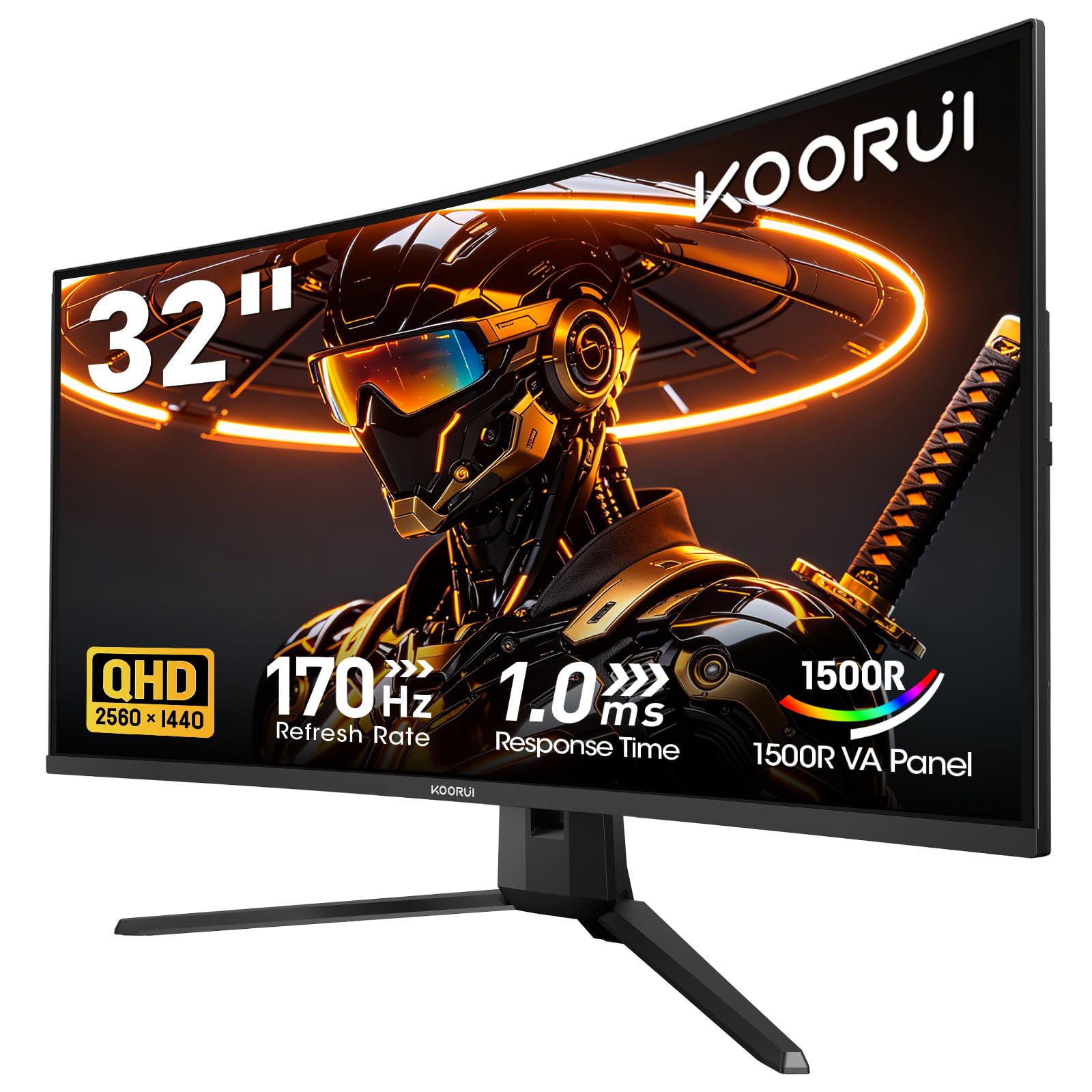
1. KOORUI 32 Inch Curved Gaming Monitor
Our pick — 4.5★ from 6,000+ verified ratings; the strongest balance of quality and price.
The curved 1440p balance that proves budget doesn’t mean basic
This KOORUI is the crowd favorite for a simple reason: it nails the essentials of a 32-inch QHD setup without the premium price tag. The 2560×1440 VA panel wraps around you with a 1500R curvature, which adds genuine immersion in racing and open-world games while still feeling natural for daily desktop work. With a 170Hz refresh rate and 1ms response time, you get smooth, responsive gameplay, and the Adaptive Sync (working with both FreeSync and G-Sync) keeps tearing out of the picture.
Color and contrast punch well above the price. The 3000:1 contrast ratio makes dark scenes look deep and rich, while HDR10 support and 95% DCI-P3 color gamut bring vibrancy to movies and games. You’ll find it’s a pleasure to use for long stretches—flicker-free tech and a low blue light mode help reduce eye strain, and the -5° to 20° tilt lets you dial in a comfortable angle.
The trade-offs to know: there’s no built-in speakers, so you’ll need headphones or external ones, and the stand only tilts—there’s no height adjustment. Buyers report it’s a dependable workhorse, with one owner summing it up: “Had this for three years, works great.” For the smoothest experience, use the DisplayPort 1.2 connection, which open up the full 170Hz (HDMI caps at 144Hz).
The Immersion Wins
- 1500R curve adds depth for games and movies
- 3000:1 contrast ratio delivers rich, deep blacks
- 170Hz with Adaptive Sync for tear-free play
The Real-World Caveats
- No built-in speakers—plan for audio
- Tilt-only stand with no height adjustment
The pick for: A smart first 1440p monitor where value matters more than RGB or extras.
Think twice if: Your desk setup demands height adjustment—you’ll need a VESA 100×100mm mount arm.
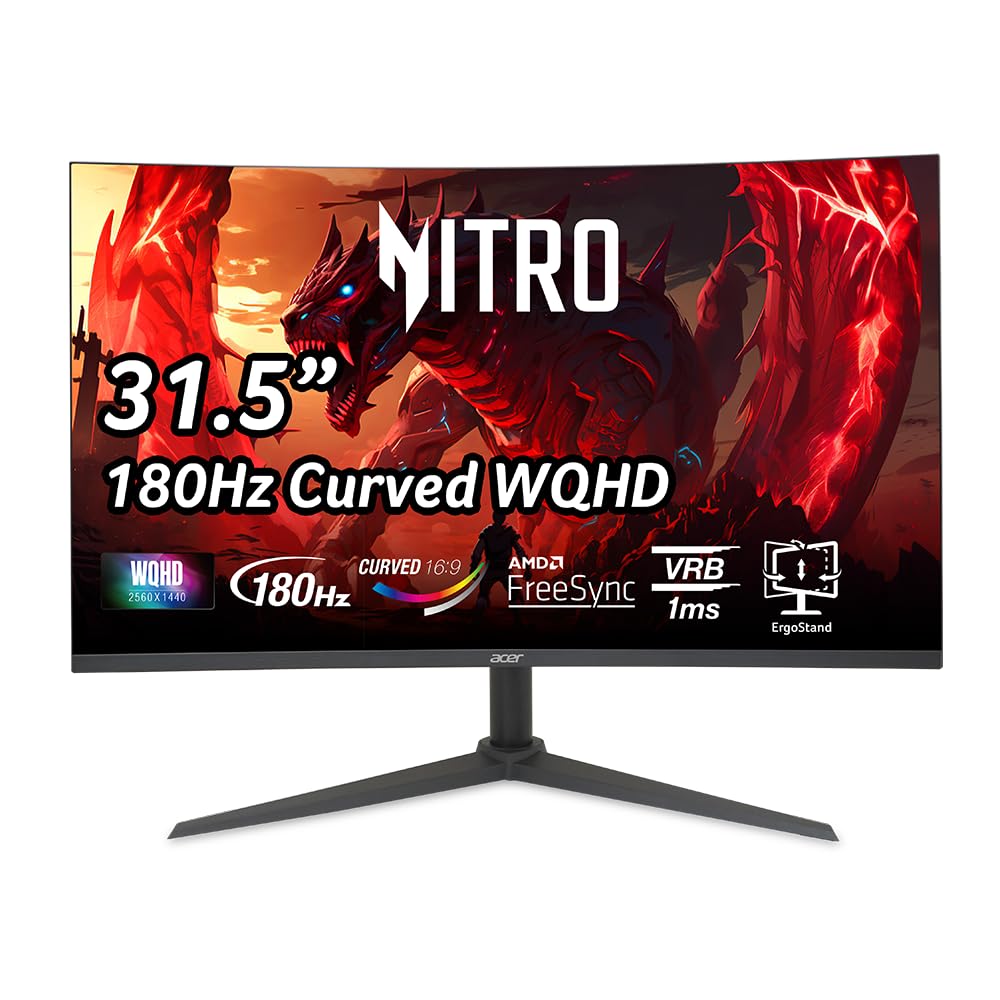
2. Acer Nitro XZ320QU S3
A dual-purpose 31.5-inch curved panel that bridges office days and PS5 nights
What makes this Acer special is how easily it adapts to two very different lives. At work, the 31.5-inch WQHD screen is a productivity powerhouse, and its ergonomic stand—with 3.94″ of height adjustment, -5° to 20° tilt, and +/- 15° swivel—lets you find the perfect posture. When the workday ends, it becomes a capable gaming display with a 180Hz refresh rate, 1ms (VRB) response, and AMD FreeSync for tear-free action.
The contrast ratio here is an astronomical 100,000,000:1, making it an absolute standout for dark, moody games and cinematic movies. Owners consistently praise its crisp colors and sharp pixels with no blur or ghosting, calling it excellent value for money. It’s also one of the few in this class with built-in speakers (2 watts per speaker), though most buyers still prefer headphones for serious gaming sessions.
Connectivity is generous: 1 DisplayPort 1.4 and 2 HDMI 2.0 ports, with cables included for both. The display quality is the top thing owners praise most, with image quality a close second. A few owners mention it may not fit tiny desks—its 27.91″ width demands space—and one reported a quirk where the mouse won’t wake it after sleep without pressing the power button.
Why it wins: The display quality is the standout feature, earning the most praise from owners. It pairs a razor-sharp 180Hz panel with an ergonomic stand and speakers, making it the most adaptable pick here.
Best suited to: Anyone juggling an office workload with console gaming and wanting out-of-the-box ergonomics.
Keep in mind: The built-in speakers are functional but underwhelming—plan for external audio for full effect.
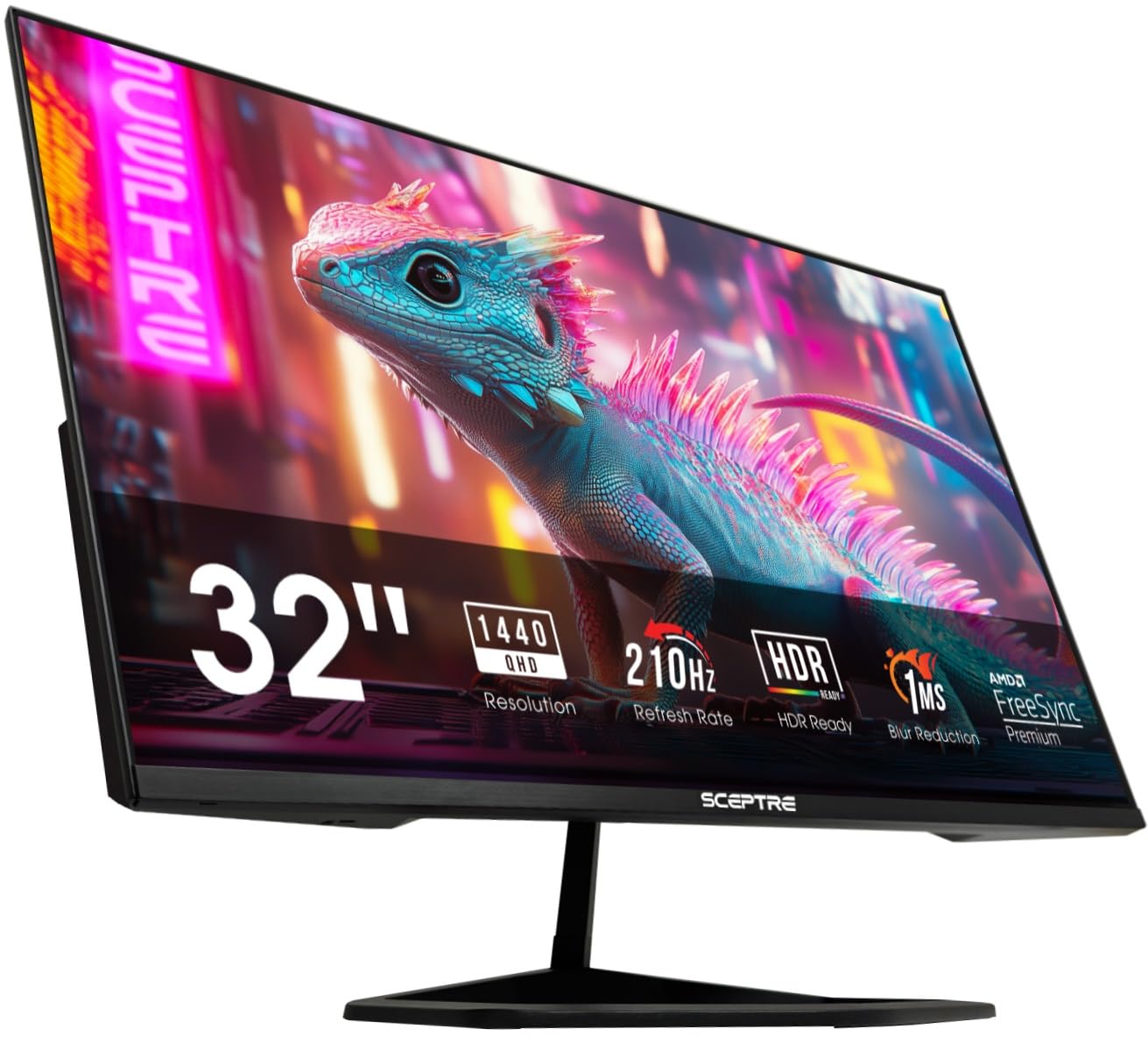
3. Sceptre E325B-QW200D
Blistering 210Hz speed with the modern USB-C hookup your laptop already loves
If raw refresh rate is your drug, this Sceptre delivers the highest here at 210Hz—a full 24% faster than the 170Hz on the KOORUI above—which translates to exceptionally fluid motion in fast-twitch shooters. The 2K QHD VA panel also brings a 115% sRGB color gamut, a meaningful boost over the 99% coverage on the KOORUI, for richer, truer-to-life colors. It’s built for speed, with 1ms Blur Reduction technology keeping fast action crisp.
Connectivity is where this monitor stands apart. It’s one of the few in its price tier with a USB Type-C port, in addition to 1 DisplayPort and 2 HDMI ports (capped at 144Hz). This makes it a plug-and-play dream for MacBook owners—a single USB-C cable handles both display and charging, keeping your desk clutter-free. The built-in speakers are a bonus for casual use, and Blue-Light Shift helps reduce eye strain during long sessions.
Owners rate the screen quality highly, but it’s a mixed bag for others: some love the graphics while a few report blurry displays, and the built-in speakers are often described as mediocre. Screen quality is by far the most-praised aspect, with value for money a strong second. The nearly bezel-free design makes it a great candidate for a dual-monitor setup, and VESA mounting keeps your options open.
The speed case: 210Hz is a tangible advantage for competitive gamers. When you add USB-C and a 115% sRGB gamut, this becomes the speed-focused value king.
Rebel for: Gamers on a budget who refuse to give up high refresh rates and want modern USB-C convenience.
Expect to compromise: The speakers and picture quality are inconsistent—test your unit early and consider external audio.
4. MSI MAG 32CQ6F

A competitive gamer’s tool with an ultra-fast 0.5ms response and FPS-friendly presets
MSI targets this squarely at gamers who want every millisecond of advantage. The 31.5-inch curved QHD panel runs at a super-fast 180Hz refresh rate with a 0.5ms response time, which is noticeably snappier than the 1ms common on the Acer Nitro. It also packs a huge 100,000,000:1 contrast ratio, matching the Acer for deep blacks and vibrant scenes that make games pop. Adaptive Sync and a super narrow bezel round out a display built for total focus.
For FPS players, the on-screen gaming features are a genuine edge: multiple graphics presets and a built-in crosshair overlay help you keep your aim on point without relying on in-game reticles. The super-narrow bezel makes it excellent for multi-monitor setups, creating a near-smooth view. Owners love the upgrade from 27-inch 1440p panels, calling the visuals “stunning” and the build “high quality.”
Performance impresses, but reliability is inconsistent—some units fail to power on, and one buyer saw horizontal lines within a month. It’s also note the “height adjustment” in the title is misleading; owners say it’s effectively non-existent. This is a case where the performance is fantastic, but you’ll want to check your unit thoroughly during the return window.
The Gamer’s Toolkit
- 0.5ms response time is elite for fast-twitch titles
- FPS presets and on-screen crosshair for accuracy
- Super narrow bezel for smooth multi-monitor
Before You Buy
- Slim stand with no real height adjustment
- Mixed reports on long-term reliability
Grab this if: You’re a dedicated FPS player who values response speed and useful gaming extras over desk ergonomics.
skip it if: You’d rather have a sturdy, adjustable stand than a slightly faster response time.
5. ViewSonic VX3267U-2K

A flat IPS screen that’s the ultimate clean, single-cable hub for laptops and Macs
This ViewSonic is the productivity pick among the gaming-heavy lineup. Its flat 32-inch IPS panel delivers outstanding color accuracy and wide viewing angles, making it ideal for photo editing, spreadsheets, and video work. The real a neat extra, though, is the 65W USB-C connection—it powers your laptop, sends video, and carries data through one cable, turning your desk setup into a single, clutter-free connection.
The IPS panel means colors stay consistent even if you’re viewing from an angle, which is a clear advantage over the KOORUI’s VA panel for collaborative work. HDR10 support enhances movies with deeper contrast, and the ultra-thin bezels give it a sleek, modern look. Eye care is built-in with Flicker-Free technology and a Blue Light Filter, so you can work for hours without fatigue.
Owners praise the bright, non-glare panel and call the 32-inch size ideal for desktop work. The recurring gripe is the stand—a few find it flimsy, reporting the large screen wobbles during typing. The VESA mount position also changed recently, which can affect alignment on dual-arm setups without height adjustment. This is a monitor best bought for its panel and connectivity, with a mount arm as a smart add-on.
The easy-win: For MacBook users, the 65W USB-C makes this the simplest, cleanest 32-inch setup available. Pair it with a good monitor arm to solve the wobbly stand issue.
Perfect for: Laptop users and creators who live in one cable and value color accuracy over extreme refresh rates.
A note though: The flimsy stand is a known weak point—factor a VESA 100×100mm mount into your budget.
6. LG UltraGear 32G600A

An aggressive 1000R curve that pulls you into the action unlike any other here
Of all the curved screens in this lineup, the LG UltraGear’s 1000R radius is the most dramatic. This tighter curve (compare it to the shallower 1500R on the KOORUI) fills your peripheral vision, delivering a genuinely rich feel for racing, flight sims, and cinematic single-player games. The 32-inch QHD VA panel delivers a 180Hz refresh rate and 1ms (GtG) response time, so the immersion never comes at the cost of speed.
Picture quality is a strong point, with HDR10 support and up to 99% sRGB coverage delivering vivid, bold colors. The VA panel’s 3000:1 contrast ratio provides deep, rich blacks that make shadows and dark scenes look detailed. AMD FreeSync keeps motion smooth and tear-free, even in HDR scenes. Owners frequently call it a “great value” and note the 1440p resolution lets a mid-range GPU like an RTX 4060 hit high frame rates.
Owners praise the quality control most, with the screen quality and value for money close behind. The full-featured stand is a major plus—it adjusts in height, tilt, and swivel, which isn’t common on curved panels at this level. The Black Stabilizer brightens dark scenes to help you spot hidden enemies, and the Dynamic Action Sync minimizes input lag. A few customers note the screen size can be overwhelming if you’re used to something smaller.
Built for Deep Play
- 1000R curve is the most rich here
- Full ergonomic stand with height, tilt, and swivel
- Black Stabilizer boosts visibility in dark scenes
Worth Knowing
- Strong curve can be distracting for desktop work
- Some buyers find the size overwhelming at first
Choose this for: Maximum immersion in cinematic and racing games, plus full ergonomic adjustability.
Consider alternatives if: You do a lot of design work or prefer a subtle curve—this one is aggressive.
7. ASUS ROG XG32WCS

The ROG badge brings premium build, elite motion handling, and a 3-year warranty to the table
The ASUS ROG XG32WCS is what you get when you want a premium gaming monitor without jumping to OLED prices. The 32-inch curved VA panel runs at 180Hz with a 1ms (GTG) response time, and its standout feature is ASUS Extreme Low Motion Blur Sync (ELMB SYNC)—this lets you use motion blur reduction alongside variable refresh rate, giving you sharp visuals with zero ghosting. Owners specifically praise how it “gets rid of ghosting” for a clean, fluid image.
Color accuracy is a big focus here. The 90% DCI-P3 color gamut, combined with advanced gray-scale tracking, delivers smooth, uniform color gradation that punches above typical VA panels. The 1000R curve is absent here (it’s a 1500R), keeping it a bit more versatile for mixed use. It also has a USB Type-C port for convenient laptop hookup, a solid ergonomic stand, and a 3-Year Warranty with Advanced Replacement—real confidence.
Quality and value for money are the two most-praised aspects by owners. They describe the build as great and the contrast as excellent, noting it’s close to OLED quality in dark scenes. The main quirks: it shuts off for about a second when it loses signal, has occasional HDMI wake-up issues, and the minimum brightness is too high for pitch-black rooms. These are minor annoyances in a monitor that otherwise nails the fundamentals.
The pro verdict: This is the safest “premium” bet—a 3-year warranty, elite motion handling, and great contrast make it a monitor you can buy with confidence and keep for years.
Worth it for: Gamers who want a high-end feel, reliable performance, and a warranty that actually protects your investment.
Minor friction: The high minimum brightness is a small annoyance in dark rooms, and HDMI wake-up can be temperamental.
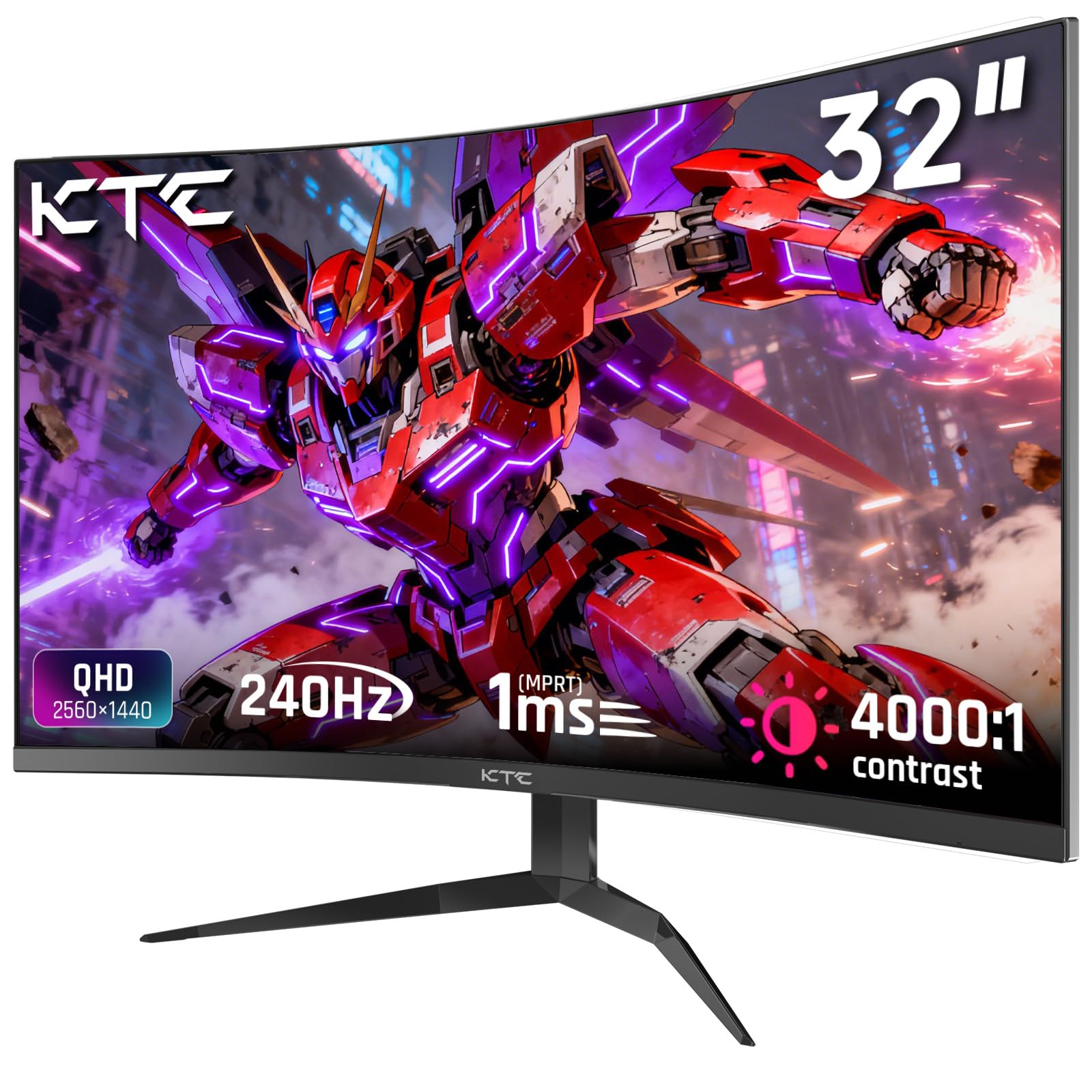
8. KTC H32S25E
A 240Hz titan that rivals the Samsung G65B’s speed at a friendlier price
For competitive players, refresh rate is everything, and the KTC H32S25E matches the expensive Samsung G65B’s 240Hz speed. That means you get the fastest, smoothest motion available at this size and resolution—a genuine edge in esports titles where every frame counts. It’s powered by a 1000R curved VA panel (the same aggressive curve as the LG UltraGear) with a 4000:1 contrast ratio, which is the highest of any panel here.
The picture quality is a major strength. The 122% color gamut and 178° wide viewing angles deliver vivid, accurate colors, and a pre-set sRGB mode with calibration ensures 99% coverage for true-to-life tones. The 350-nit brightness and HDR support make games and movies look bright and punchy. It supports both FreeSync and G-Sync, so it plays nicely with both Nvidia and AMD graphics cards for tear-free action.
Buyers call it a value king, using it to replace monitors that cost significantly more. The picture quality is described as “just under 4K,” and the 240Hz smoothness earns high praise. The main criticisms are the plastic build—described as feeling “cheap”—and a slow wake-from-sleep time of 12-15 seconds. Charging in at 240Hz with a 4000:1 contrast ratio, this is the performance-per-dollar champion for serious gamers.
The Speed Champion
- 240Hz refresh rate ties the top-tier Samsung
- 4000:1 contrast ratio for exceptional depth
- 122% color gamut for vibrant, accurate color
The Trade-Offs
- Plastic build feels less premium than rivals
- Slow 12-15 second wake from sleep
Pick this if: Your priority is maximum frame rate and deep contrast at the best possible value.
Look elsewhere if: Premium build quality and instant wake times matter more than raw speed.
9. Samsung Odyssey G50D

Samsung’s flat Fast IPS panel brings console-grade color to PC gaming
If you want gaming speed but can’t stand the color-shift of VA panels, the Samsung Odyssey G50D is the answer. Its Fast IPS panel delivers the snappy 180Hz refresh rate and 1ms response time gamers crave, but with the superior, consistent color accuracy and wide 178° viewing angles that make it a joy for both gaming and creative work. It’s one of the best non-curved 32″ screens for its price, as owners put it.
The visual experience is enhanced by VESA DisplayHDR 400, which provides better contrast with deeper blacks and brighter whites than standard panels. This helps uncover hidden details in dark game scenes. The picture quality is consistently lauded, with owners calling it “crisp” and praising its vibrant colors, sharp QHD resolution, and smooth performance with both G-Sync and FreeSync for a tear-free experience.
The stand is fully adjustable—swivel, tilt, and height—letting you find the perfect view. Eye Saver Mode minimizes blue light for comfortable extended sessions. While the overall quality is the most-praised aspect by a wide margin, there are occasional reports of dead pixels, so inspecting your unit upon arrival is wise. Some also note the connectivity is limited to one DisplayPort and one HDMI, lacking a second HDMI port for multi-console setups.
Why it stands out: It’s the flat-screen all-rounder that does everything well. Fast IPS color combines with a 180Hz refresh rate, making it ideal for those who game and create on the same monitor.
The balanced pick: Great for gamers, streamers, and creators who want a flat, color-accurate screen without sacrificing speed.
Check yours: There are occasional dead-pixel reports, so verify the panel early in your return window.
10. LG UltraGear 32GP750

A color-true IPS titan that’s as happy editing photos as it is fragging in FPS games
This LG UltraGear is a top-tier IPS flat-screen built for those who refuse to choose between work and play. The 32-inch IPS panel is famous in the community for its phenomenal out-of-box colors—no calibration needed—with a 178° viewing angle that keeps colors consistent from any seat. The 2560×1440 resolution is the balance for a screen this size, offering crisp text and plenty of desktop space for multitasking without the GPU cost of 4K.
On the gaming side, it delivers a high native 165Hz refresh rate with a 1ms (GtG) response, plus support for both NVIDIA G-SYNC and AMD FreeSync Premium. This virtually eliminates screen tearing and stutter, whether you have an Nvidia or AMD graphics card. The VESA DisplayHDR 400 and 99% sRGB coverage make colors vibrant and accurate, bringing virtual worlds to life. Two FPS modes and an RTS mode tailor the picture to your game type, while Dynamic Action Sync cuts input lag.
Owners consistently rate the screen quality as excellent, calling it the “best monitor” they’ve used and praising its responsiveness and value. The matte anti-glare finish is easy on the eyes in bright rooms. The 400-nit brightness is excellent for most rooms, though some find it could be brighter. The stand is super adjustable—tilt, height, and pivot—so you can set it up perfectly. One owner noted that in very dark movie scenes, blacks can look slightly distorted, a common trait of IPS panels.
The All-Rounder Case
- Out-of-box color accuracy needs no tweaking
- G-Sync and FreeSync Premium for any GPU
- Full ergonomic stand with pivot function
The Honest Limit
- IPS black levels aren’t as deep as VA panels
- Some find 400-nit brightness could be higher
Ideal for: Creators and professionals who need accurate colors and a great gaming experience in one flat, adjustable monitor.
Remember: For movie marathons in pitch-dark rooms, a VA panel like the Acer Nitro offers deeper blacks.
11. Samsung Odyssey G65B

A 240Hz smart-gaming powerhouse with HDR 600 that doubles as a TV
The Samsung Odyssey G65B is the most feature-packed monitor here, combining elite gaming specs with smart-TV functionality. Its 240Hz refresh rate and 1ms (GTG) response time put it at the top tier of performance, matching the KTC’s speed, while the VA panel’s 2,500:1 contrast ratio and DisplayHDR 600 rating deliver the finest HDR performance in this lineup—with deeper blacks and brighter whites that make games look genuinely stunning.
It’s built for deep immersion. The 1000R curvature fills your peripheral vision, and the QHD resolution (1.7x the pixel density of Full HD) delivers pin-sharp images. AMD FreeSync Premium Pro ensures smooth, tear-free play. What really separates it is the built-in Gaming Hub—it can stream games and shows without a PC, effectively replacing a separate smart TV in a dorm room or bedroom. CoreSync ambient lighting matches on-screen colors for world-blending immersion.
Owners praise the excellent contrast and vibrant colors, calling it a top-tier gaming display. However, the smart features are polarizing: some find the user interface unnecessary for PC use, and others are frustrated by undismissable pop-ups and notifications. The auto source switch can be delayed, and one buyer experienced random frame drops. The monitor also needs some color calibration from the start, but the raw hardware is exceptional.
The premium verdict: This is the best-looking, most rich display here with HDR 600 and 240Hz. If you want a monitor that also works as a smart TV without your PC on, this is it—but the extra features can get in the way.
For the maximalist: You get top-tier gaming speed, the best HDR here, and a built-in smart TV hub in one curved, premium package.
Be prepared: The smart-OS pop-ups and notifications can be annoying, and you’ll want to calibrate colors for the best picture.
Understanding the Specs
Refresh Rate & Response Time
Refresh rate (measured in Hz) is how many times the screen updates per second. A 60Hz screen looks fine for office work, but a 144Hz or 180Hz panel makes fast motion look dramatically smoother and less blurry for gaming. Response time (measured in ms) is how fast a pixel can change color. Lower is better—1ms is great for gaming, while 4-5ms can cause visible ghosting on fast-moving objects.
VA vs IPS Panels
This is the fundamental technology choice. VA (Vertical Alignment) panels offer high contrast ratios (like 3000:1 or higher), meaning deep blacks and great movie viewing, but they have narrower viewing angles. IPS (In-Plane Switching) panels offer the best, most accurate color from any angle, which is great for creative work, but their contrast ratio typically hovers around 1000:1, so blacks aren’t as deep. For dark-room movie watching, choose VA; for color-critical work, choose IPS.
FAQ
Is 1440p worth it on a 32 inch screen?
Can my graphics card run a 1440p monitor?
What is the difference between a 1000R and a 1500R curved monitor?
Should I get a G-Sync or FreeSync monitor?
How much desk space do I need for a 32 inch monitor?
Do I need a DisplayPort cable or is HDMI fine for 1440p gaming?
What is the ideal viewing distance for a 32 inch monitor?
Is a curved monitor better for office work like spreadsheets and coding?
Can I use these monitors with a PS5 or Xbox Series X?
Should I worry about dead pixels or backlight bleed on a new monitor?
Final Thoughts: The Verdict
Across the board, the 32 inch 1440p monitor winner is the KOORUI 32QC because it delivers a fully rich curved QHD experience at a price that’s tough to top. If you want the lightning-fast 240Hz speed for competitive gaming, grab the KTC H32S25E. And for a premium, reliable build with solid warranty, the ASUS ROG XG32WCS is the one to reach for—especially if you want the best of all worlds without burnout.
How We Picked
We do not accept paid placement. Every pick is matched to a real buyer and a real use-case; we do not hands-on test units.
Sources & Methodology
Specifications: manufacturer listings and product documentation. Review insights: verified customer reviews, as of August 2026. Pricing: not shown on this page (it changes often); check the current price via the retailer link.
As an Amazon Associate, Gadgets Feed earns from qualifying purchases. This does not affect which products we feature.