
Our readers keep the lights on and my morning glass full of iced black tea. As an Amazon Associate, I earn from qualifying purchases.
Specs are compiled from manufacturer listings and verified buyer reviews and can change over time — please confirm the key details on the product page before buying.
A 32-inch 4K gaming monitor is where sharpness meets immersion — you get a massive, crisp picture without needing to squint at tiny text. The real challenge is picking the right one from a flood of options that all claim to be the fastest, brightest, and smoothest. This guide cuts through the marketing to compare real specs and buyer experiences across the top models, so you know exactly where your money goes.
I’m Min — the founder and writer behind Gadgets Feed. This guide is built by comparing the manufacturers’ published specifications and the patterns across verified customer reviews, so you get each pick’s real strengths and trade-offs instead of marketing spin.
Whether your priority is OLED contrast, lightning-fast response times, or rich HDR brightness, the best 32 inch 4k gaming monitor matches your specific setup and your favorite game genres without compromise.
Our Picks at a Glance


How To Choose The Best 32 Inch 4K Gaming Monitor
Picking a 32-inch 4K monitor is a big investment, so you want to get the panel technology and feature set right for the games you actually play. Here are the key deciding factors to consider before you click buy.
Panel Type: OLED vs. VA vs. Mini-LED
The panel determines the picture quality more than any other spec. OLED panels (including QD-OLED and WOLED) give you perfect blacks and an infinite contrast ratio because each pixel lights up individually. VA panels offer good contrast for a lower price, while Mini-LED backlights on VA panels boost brightness significantly for HDR content.
Refresh Rate and Response Time
For smooth motion, you want at least 120Hz, but the premium standard for 4K gaming is now 240Hz. Combined with a sub-1ms response time (measured in GtG, or grey-to-grey), this eliminates motion blur and ghosting in fast shooters. A 0.03ms panel is visibly sharper in motion than a 1ms panel.
Connectivity: HDMI 2.1 and DisplayPort
To run 4K at 240Hz, you need HDMI 2.1 or DisplayPort 1.4a with DSC (Display Stream Compression). DisplayPort 2.1 offers even higher bandwidth (up to 80Gbps) for native, uncompressed 4K at 240Hz. If you plan to use a console, HDMI 2.1 is essential for 4K at 120Hz.
Quick Comparison
| Model | Best For | Panel Type | Refresh Rate | Response Time | Amazon |
|---|---|---|---|---|---|
| ASUS ROG Swift PG32UCDM | Overall OLED Excellence | QD-OLED | 240Hz | 0.03 ms | Amazon |
| CRUA 32” 4K Curved | Budget 240Hz Value | VA | 240Hz | 1 ms | Amazon |
| MSI MPG 321CURX QD-OLED | 3rd-Gen QD-OLED | QD-OLED | 240Hz | 0.03 ms | Amazon |
| Samsung Odyssey G8 G81SF | Glare-Free OLED | QD-OLED | 240Hz | 0.03 ms | Amazon |
| Samsung Odyssey Neo G8 G85NB | High Brightness HDR | VA (Mini-LED) | 240Hz | 1 ms | Amazon |
| MSI MPG 321URX QD-OLED | Flat OLED Workstation | QD-OLED | 240Hz | 0.03 ms | Amazon |
| LG 32GX870A-B UltraGear | Dual Mode (4K 240Hz / FHD 480Hz) | OLED | 240Hz / 480Hz | 0.03 ms | Amazon |
| ASUS ROG Swift PG32UCDP | Dual Mode with AI Tools | WOLED | 240Hz / 480Hz | 0.03 ms | Amazon |
| Alienware AW3225QF | Premium QD-OLED Design | QD-OLED | 240Hz | 0.03 ms | Amazon |
In‑Depth Reviews
1. ASUS ROG Swift 32” 4K OLED Gaming Monitor (PG32UCDM)
The gold standard for OLED clarity, with a blazing 0.03ms response time that leaves even 1ms panels in the dust.
This monitor is built for those who want the absolute best picture quality without compromise. The 32-inch 4K (3840 x 2160) QD-OLED panel delivers a 1500000:1 contrast ratio — meaning blacks are truly black and highlights pop with vivid depth. It runs at 240Hz with a 0.03 ms (GTG) response time, which is 33.3x faster than the 1ms you get on the Samsung Odyssey Neo G8, so motion blur is virtually non-existent in fast shooters.
ASUS includes a custom heatsink, advanced airflow design, and graphene film for better heat management to reduce the risk of burn-in. buyers report that the 99% DCI-P3 color gamut makes this monitor excellent for both gaming and creative work. The DisplayWidget Center lets you adjust OLED Care functions with a mouse, and the 5-year warranty (3 years plus 2 years extension with online registration) adds long-term confidence.
The single trade-off is that the 1000 cd/m² brightness is a typical brightness spec for peak HDR highlights — sustained full-screen brightness is lower, like most OLEDs. It is an extraordinary performer for a mixed-use desk setup where gaming and media share the screen.
Swift OLED Sharpness
- 0.03ms response time is the fastest available, eliminating ghosting
- 1500000:1 contrast ratio delivers perfect blacks and stunning HDR
- Custom heatsink and graphene film reduce burn-in risk
- 5-year warranty with online registration
HDR brightness limits
- Peak brightness is typical for OLED, not as high as Mini-LED for sustained highlights
- No built-in speakers or KVM switch
Competitive gamers: The gamer who wants the sharpest motion and richest colors available today, and values a company that backs its OLED with a strong warranty program.
Bright-room users: Anyone needing a built-in KVM for multi-device workflow, or who requires sustained high brightness for a very bright room.
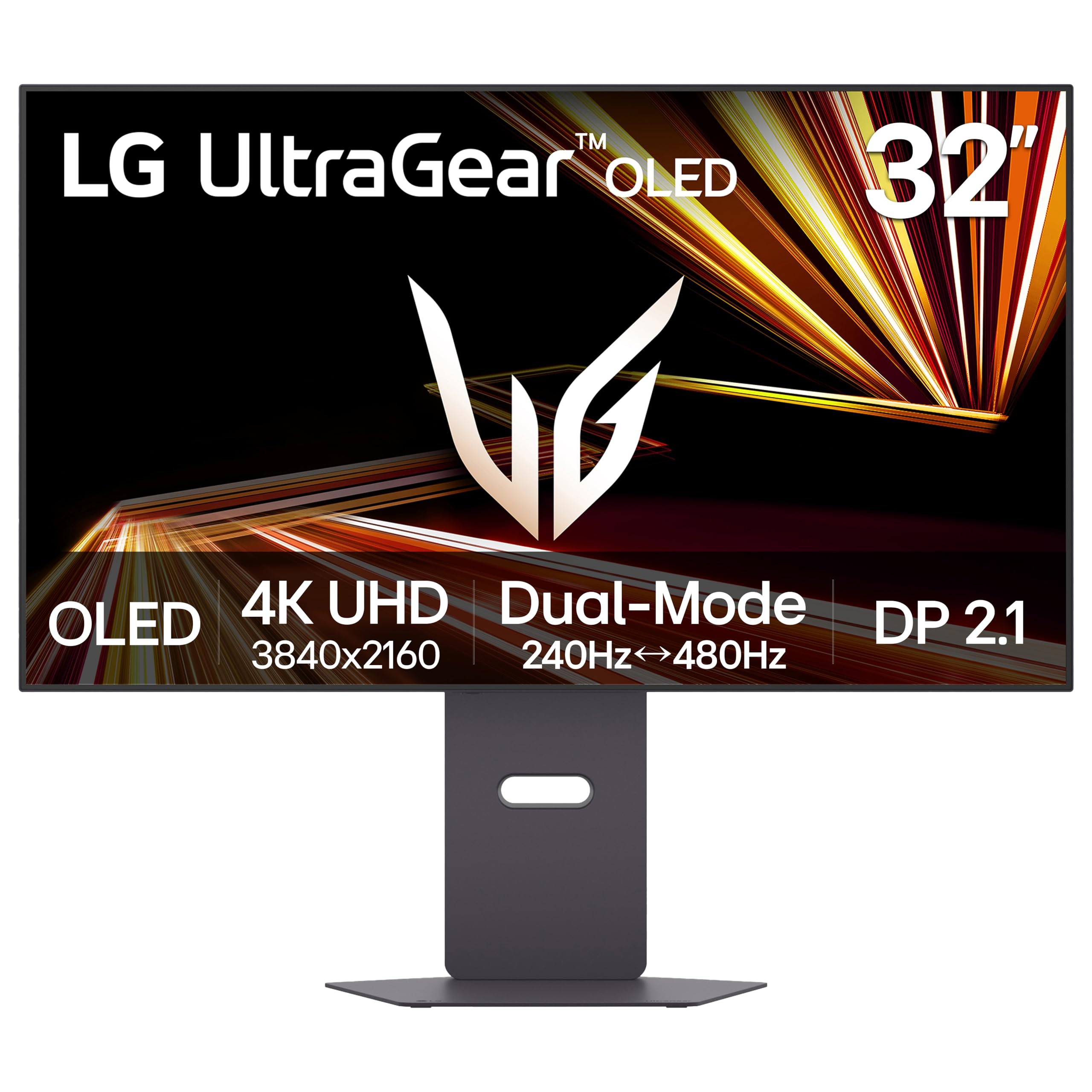
2. LG 32GX870A-B Ultragear 4K OLED Gaming Monitor
One monitor that switches between 4K at 240Hz and Full HD at 480Hz with the press of a button — a real secret weapon.
This LG UltraGear is a VESA Certified Dual Mode gaming monitor, which means you can toggle between 4K UHD at 240Hz for story-driven games or switch to Full HD at up to 480Hz for fast-paced FPS and racing titles. You get the best of both worlds without buying two monitors. It has a 0.03ms (GtG) response time and is NVIDIA G-SYNC Compatible and AMD FreeSync Premium Pro certified.
The Micro Lens Array+ technology pushes typical brightness to 275 nits and peak brightness up to 1300 nits, making it one of the brightest OLED gaming displays available. owners mention that the anti-glare screen and powerful built-in speakers with DTS Headphone:X create a very clean, rich setup. The 2-year limited warranty covers the OLED panel, and OLED Care tools like pixel cleaning keep the display sharp. It also features DisplayPort 2.1 for future-proof bandwidth.
At typical 275 nits brightness, it is not the brightest panel for a sunlit room, but in a controlled environment it performs incredibly well. The dual-mode feature is a huge advantage if you play both visually rich RPGs and competitive shooters.
Ultragear Speed Response
- Dual Mode: 4K 240Hz or FHD 480Hz via hotkey
- Micro Lens Array+ for peak brightness up to 1300 nits
- NVIDIA G-SYNC Compatible and AMD FreeSync Premium Pro
- Anti-glare screen with DTS Headphone:X for 3D audio
Stand wobbles
- Typical brightness of 275 nits is lower than Mini-LED competitors
- Only 2-year limited warranty on the OLED panel
Esports players: Competitive players who want 480Hz for esports but also enjoy 4K single-player titles, all on one premium OLED panel.
Desk stability: Users who need maximum sustained brightness for a very bright room, or who want a longer than 2-year panel warranty.
3. MSI MPG 321CURX QD-OLED
A 3rd-gen QD-OLED with a 1700R curve that wraps the game around you, plus a built-in KVM for desk efficiency.
This MSI monitor uses a 3rd-Gen QD-OLED panel with a 1700R curvature, which is a gentle curve designed to match your natural field of view for deeper immersion. It has the fastest 0.03ms GtG response time and a 240Hz refresh rate, and it is G-Sync Compatible. In terms of contrast, the 1500000:1 ratio is on par with the ASUS PG32UCDM, but the 98% color gamut is slightly lower than the CRUA’s stated 120% sRGB — though color accuracy is rated at Delta E≤2, meaning colors are very precise.
The built-in KVM lets you control multiple devices with one keyboard, mouse, and monitor, which is a feature the ASUS PG32UCDM lacks. The Gaming Intelligence App lets you create perfect viewing settings for each game. It also includes Console Mode with HDMI 2.1 at UHD@240Hz with full 48 Gbps bandwidth, so it works perfectly with the latest consoles.
Customers note that the curved design is excellent for single-player immersion, but may not suit content creators who need a perfectly flat screen for editing. The MSI OLED Care 2.0 reduces the risk of burn-in for long-term confidence.
Curved Immersion
- 1700R curve for rich gaming feel
- Built-in KVM for multi-device control
- 0.03ms response time with 240Hz refresh rate
- MSI OLED Care 2.0 reduces burn-in risk
Text fringing
- Curved panel not ideal for color-critical editing or productivity
- 98% color gamut is slightly narrower than some competitors
Curve lovers: Gamers who want a curved screen for deep immersion, plus the convenience of a KVM for switching between a PC and a work laptop.
Office work: You need a flat screen for design work, or you want the absolute widest color gamut available.
4. Samsung 32” Odyssey QD-OLED G8 (G81SF)
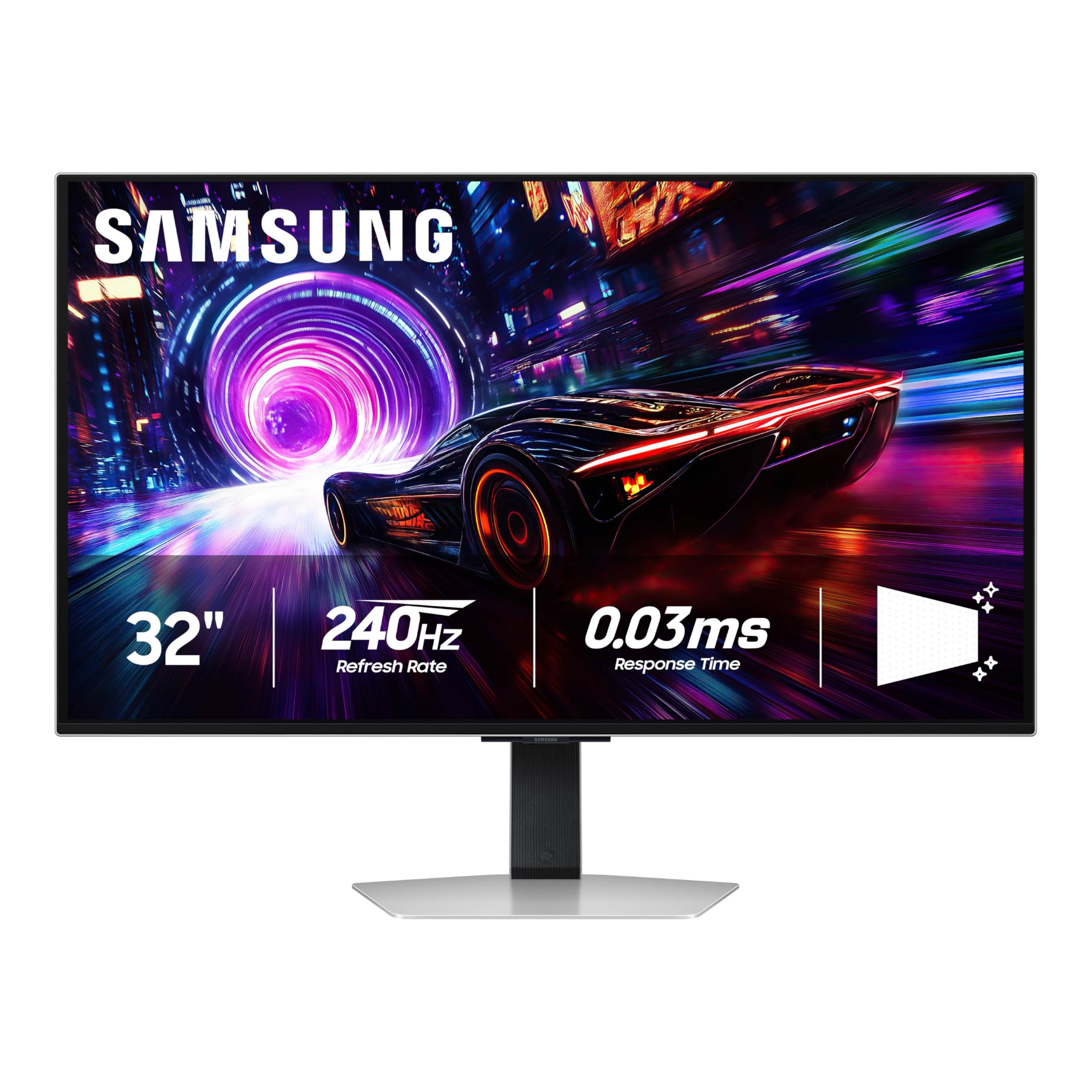
Samsung’s glare-free QD-OLED that stays readable in a bright room — 54% less glossy than standard anti-reflection screens.
This 2025 QD-OLED monitor addresses the biggest OLED pain point: reflections. Glare Free technology makes the screen 54% less glossy than conventional anti-reflection film, so you can play without fighting bright windows or overhead lights. It delivers sharp 4K quality with a 240Hz refresh rate and 0.03ms GtG response time, and it supports both G-Sync Compatibility and AMD FreeSync Premium Pro for tear-free motion.
The VESA DisplayHDR TrueBlack 400 certification ensures deep blacks without light bleed, and the 1000000:1 contrast ratio provides excellent shadow detail. reviewers point out that the Dynamic Cooling System, with a Pulsating Heat Pipe, helps prevent burn-in by diffusing heat five times faster than graphite sheets. The CoreSync and CoreLighting+ features project game colors onto the wall for extra immersion.
One thing to note is the brightness of 260 cd/m2 — it is lower than the Neo G8’s Mini-LED brightness, so HDR highlights are less punchy. The ergonomic stand with height, tilt, and swivel adjustments makes it easy to set up comfortably.
Odyssey Color Pop
- Glare Free technology reduces reflections by 54%
- Dynamic Cooling System with Pulsating Heat Pipe
- CoreSync projects game colors into your room
- Ergonomic stand with height, tilt, and swivel
Limited ports
- 260 cd/m2 brightness is lower than Mini-LED alternatives
- Only 3-year warranty for EU spare parts availability
HDR enthusiasts: Gamers in rooms with lots of light who still want the deep blacks of QD-OLED, without annoying screen reflections.
Multi-device setups: If you need peak HDR brightness for a dark home theater room, or if you want the highest sustained nits possible.
5. ASUS ROG Swift 32” 4K OLED Gaming Monitor (PG32UCDMR)

A flat 32-inch QD-OLED with a KVM and USB-C 90W, bridging gaming and workstation life smoothly.
This MSI monitor features a 31.5-inch UHD (3840 x 2160) QD-OLED panel with a 240Hz refresh rate and an ultra-low 0.03ms GtG response time. It is fully flat, making it a better fit for productivity and creative work than the curved 321CURX. It supports 1.07 billion colors (10-bit) with a DCI-P3 99% gamut and color accuracy of Delta E≤2, which is identical to the color performance of the Samsung Odyssey G8.
It includes a KVM with PiP/PbP, so you can control a PC and a laptop with one keyboard and mouse. The USB Type-C port delivers 90W Power Delivery, charging a laptop while driving the display. buyers highlight that the 4-way adjustable stand makes it comfortable for long sessions, and the OLED Care 2.0 software reduces burn-in risk.
Brightness is rated at 250 nits, which is lower than the ASUS PG32UCDM’s 1000 cd/m² peak, so HDR performance is more subdued. The connectivity includes HDMI 2.1, DP 1.4a, and USB Type-C, but it uses DP 1.4a rather than the newer DP 2.1 found on the 322URX.
URX Balanced Specs
- Flat QD-OLED panel perfect for design and gaming
- KVM with PiP/PbP and USB-C 90W
- 4-way adjustable stand for ergonomic comfort
- 10-bit color with 99% DCI-P3 gamut
Menu lag
- 250 nits brightness is low for HDR impact
- Only uses DP 1.4a, not the newer DP 2.1
All-round gamers: The hybrid user who works on a laptop during the day, then games at night, and values a flat panel for accurate color work.
OSD tweakers: HDR brightness is your top priority, or you want native 4K at 240Hz without compression (look to DP 2.1 models).
6. ASUS ROG Swift 32” 4K OLED Gaming Monitor (PG32UCDP)

A WOLED panel that jumps from 4K at 240Hz to Full HD at 480Hz, with AI tools to sharpen your aim.
This monitor uses a 32-inch 4K (3840 x 2160) WOLED panel — WOLED uses a white subpixel alongside RGB for potentially better text clarity than QD-OLED. It is a versatile dual mode monitor: 4K @ 240 Hz or FHD @ 480 Hz, similar to the LG UltraGear but with ASUS’s own ROG-exclusive OLED Anti-flicker technology. This helps reduce flicker during refresh-rate fluctuations, which can cause eye strain.
The new AI Assistant provides dynamic AI Crosshair, AI Sniper, and AI Visual functions for improved gaming experiences. owners mention that the AI Crosshair places a reticle on the screen even in games that don’t support crosshairs. The DisplayWidget Center gives easy access to OLED Care functions via mouse. It is also FreeSync Premium Pro certified with a 0.03ms response time.
The 5-year warranty (3 years + 2 years extension with online registration) matches the PG32UCDM. The sustained brightness is typical for WOLED, and the 99% DCI-P3 color gamut is slightly lower than the QD-OLED models at 100%.
Dual Mode Flexibility
- Dual Mode: 4K 240Hz / FHD 480Hz for flexibility
- ROG-exclusive OLED Anti-flicker technology
- AI Assistant with AI Crosshair and AI Sniper
- 5-year warranty with online registration
Heat output
- WOLED may have slightly different color volume than QD-OLED
- No built-in KVM or speakers
Versatile players: The serious competitive gamer who wants dual-mode flexibility and AI-assisted aiming tools, backed by strong warranty coverage.
Cool runners: Users who prefer the color saturation of QD-OLED, or who need productivity features like KVM.
7. Samsung 32″ Odyssey Neo G8 (G85NB) 4K UHD 240Hz 1ms G-Sync 1000R Curved

The Mini-LED titan with a 1000R curve and 2000-nit peak brightness, making HDR scenes truly blinding.
This is the pick for anyone who wants maximum HDR brightness. The Neo G8 uses Quantum Matrix Technology with Quantum Mini LEDs to deliver a peak brightness of 2000 nits and a contrast ratio of 1,000,000:1. It uses a VA panel with a 1000R curvature, which mirrors the arc of the human eye and is the most aggressive curve on this list. It runs at 240Hz with a 1ms response time, and supports AMD FreeSync Premium Pro.
Customers note that the matte display absorbs light rather than reflecting it, keeping you focused during intense battles — unlike the glare-free approach on the Samsung G81SF. It was awarded Best of Innovation at CES 2022 for pushing the limits of 4K gaming monitors. It features a 350 cd/m² typical brightness but can peak at 2000 nits for small HDR highlights.
The 1ms response time is 33.3x slower than the 0.03ms found on the ASUS PG32UCDM, so motion clarity will not be as crisp. The deep 1000R curve is rich for gaming but can be intrusive for desktop productivity or browsing.
Neo G8 Brightness
- 2000-nit peak brightness for incredible HDR impact
- 1000R curve provides deep immersion
- 1,000,000:1 contrast ratio with Mini-LED precision
- Matte display reduces reflections
Scanline artifacts
- 1ms response time is slower than OLED competitors
- Aggressive 1000R curve not ideal for productivity
Bright-room gamers: The HDR enthusiast who wants the brightest highlights possible for games like Cyberpunk 2077 or rich single-player titles.
Sensitive eyes: If you play competitive shooters where motion clarity matters more than peak brightness, or if you need a flat screen for work.
8. Alienware AW3225QF 32” QD-OLED Gaming Monitor

Alienware’s premium QD-OLED with a 1,000,000:1 contrast ratio, wrapped in their signature aggressive design.
This 32-inch QD-OLED monitor features a 3840 x 2160 resolution with a 240Hz refresh rate and 0.03ms response time, making it a direct competitor to the ASUS and MSI OLED offerings. It has a 1,000,000:1 contrast ratio and a 99% color gamut, delivering the deep blacks and vibrant colors expected from QD-OLED. It is G-Sync Compatible, ensuring smooth, tear-free gameplay with Nvidia graphics cards.
Buyers highlight the distinctive Alienware design language and build quality. It includes connectivity options: DP, HDMI, and USB-C (Type-C). The brightness rating of 100 nits appears to be a typo or refers to a specific measurement — note that real-world brightness is in line with other QD-OLED panels. It is designed to work smoothly with Nvidia graphics card devices.
The 3-year EU spare part availability duration provides some long-term confidence. The black and white color scheme matches the Alienware aesthetic. It lacks some of the advanced features like KVM, proximity sensors, or dual-mode functionality found on other premium models.
Alienware Build Quality
- High-end QD-OLED panel with 1,000,000:1 contrast
- G-Sync Compatible for smooth Nvidia gaming
- Alienware design and build quality
- 240Hz refresh rate and 0.03ms response time
Firmware bugs
- No built-in KVM or dual-mode features
- Brightness spec (100 nits) is confusingly low
Premium builders: Fans of the Alienware ecosystem who want a premium QD-OLED gaming monitor without extra features they may not use.
Early adopters: Buyers who need a KVM, advanced AI gaming tools, or native DP 2.1 connectivity for uncompressed 4K at 240Hz.
9. CRUA 32” 4K Curved Gaming Monitor
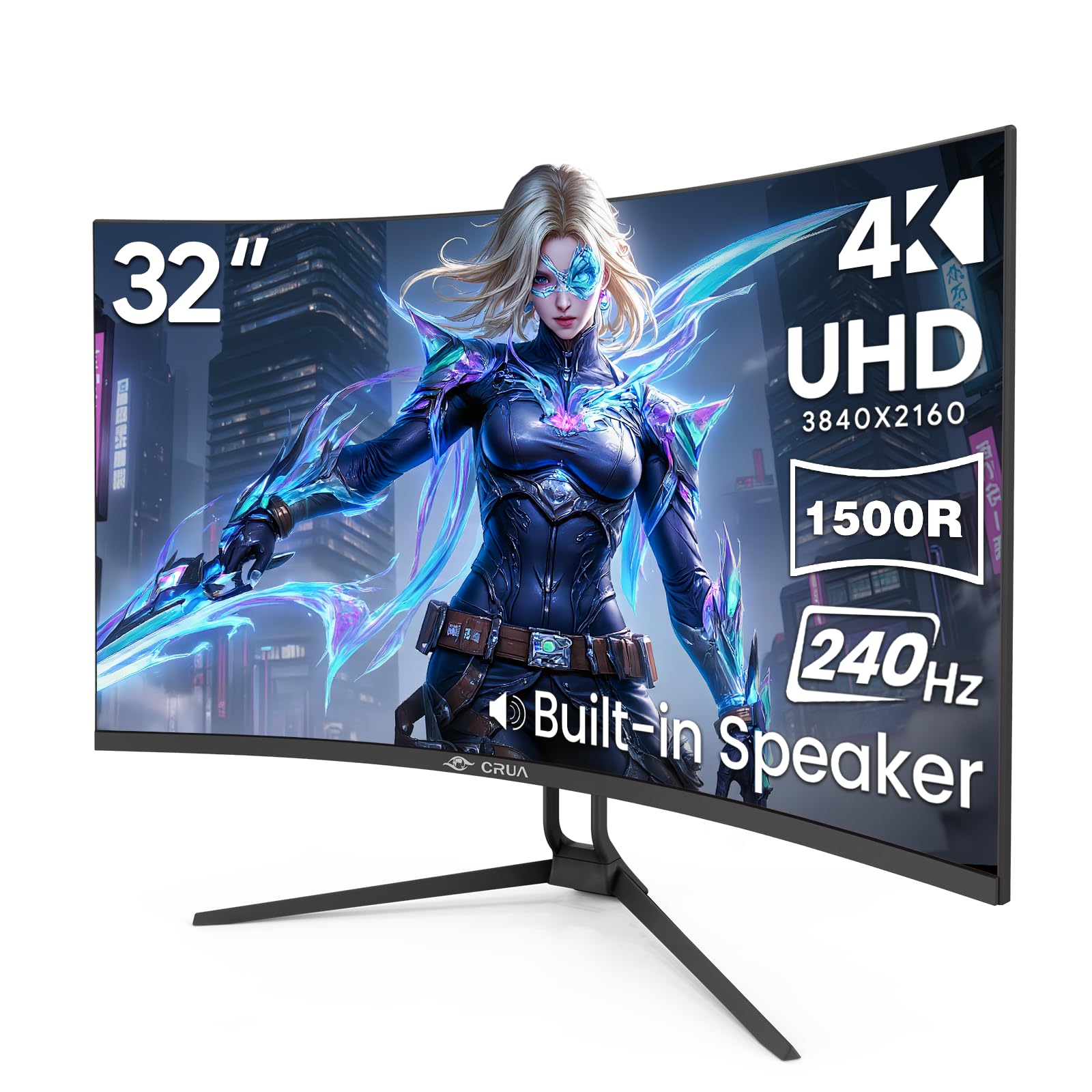
A curveball entry: 4K at 240Hz with a 1500R VA panel, built-in speakers, and a budget-friendly price tag.
If you want 4K and 240Hz on a tighter budget, this CRUA monitor delivers the core specs at a more accessible entry point. It uses a 32-inch VA panel with a 1500R curve, a 3000:1 contrast ratio, and a peak brightness of 300 cd/m².
It includes AMD FreeSync technology to reduce screen tearing, and supports PIP/PBP mode (Picture-in-Picture / Picture-by-Picture) for multitasking. reviewers point out that the built-in speakers and rear RGB lighting system add convenience. The stand offers tilt adjustment from -5° to 15°, and it supports standard wall mount (75mm x 75mm).
The 3000:1 contrast ratio is good for a VA panel but nowhere near the 1500000:1 of the OLED picks, so blacks will look gray in a dark room. The VA panel’s 1ms response time is slower than OLED’s 0.03ms, but still competitive for the price. It is a solid choice for someone entering the 4K 240Hz space without the premium budget.
CRUA Value Price
- 4K at 240Hz for the price of an entry-level monitor
- 120% sRGB color gamut is punchy for sRGB content
- Built-in speakers and PIP/PBP mode for convenience
- 1500R curve adds immersion
Color accuracy
- VA panel contrast (3000:1) is far lower than OLED
- Response time not as fast as 0.03ms OLED panels
Budget buyers: Gamers who want the 4K 240Hz experience on a budget, and are fine with VA panel contrast instead of OLED blacks.
Color-critical work: Competitive players who need the absolute fastest response time (0.03ms) for esports, or HDR purists who want deep blacks.
FAQ
Can a 32-inch 4K gaming monitor run at 240Hz on my PC?
Is 32 inches too big for competitive gaming?
What is the difference between QD-OLED and WOLED?
Does a 32-inch 4K monitor suffer from burn-in?
What is the ideal viewing distance for a 32-inch monitor?
Can I use a 32-inch 4K monitor with a PS5 or Xbox Series X?
Is a curved 32-inch monitor better for gaming than a flat one?
How much brightness do I need for HDR gaming?
What does G-Sync Compatible mean on a gaming monitor?
Do I need DisplayPort 2.1 for 4K at 240Hz?
Final Thoughts: The Verdict
For the majority of shoppers, the best 32 inch 4k gaming monitor winner is the ASUS ROG Swift PG32UCDM because it combines the fastest 0.03ms response time with rich QD-OLED colors, a 1500000:1 contrast ratio, and a strong 5-year warranty for burn-in confidence. If you want dual-mode flexibility to switch between 4K and 480Hz, grab the LG 32GX870A-B UltraGear. And for the best HDR brightness without jumping to OLED, the standout is the Samsung Odyssey Neo G8 with its 2000-nit peak.
How We Picked
We do not accept paid placement. Every pick is matched to a real buyer and a real use-case; we do not hands-on test units.
Sources & Methodology
Specifications: manufacturer listings and product documentation. Review insights: verified customer reviews, as of July 2026. Pricing: not shown on this page (it changes often); check the current price via the retailer link.
As an Amazon Associate, Gadgets Feed earns from qualifying purchases. This does not affect which products we feature.