
Our readers keep the lights on and my morning glass full of iced black tea. As an Amazon Associate, I earn from qualifying purchases.
Specs are compiled from manufacturer listings and verified buyer reviews and can change over time — please confirm the key details on the product page before buying.
Most “6K” monitors on the market are actually 5K panels with marketing spin. A true 32-inch 6K display packs 6144 x 3456 pixels — roughly 21 million of them — which changes how much photo detail and video timeline you can see without zooming. This guide digs into the four monitors that actually meet that resolution bar, so you can tell a genuine upgrade from a spec-sheet illusion.
I’m Min — the founder and writer behind Gadgets Feed. This guide is built by comparing the manufacturers’ published specifications and the patterns across verified customer reviews, so you get each pick’s real strengths and trade-offs instead of marketing spin.
Whether you edit 6K footage or proof prints for clients, the right 32 inch 6k monitor determines whether your colors hold up and your eyes survive the workday, so this guide breaks down the genuine contenders.
Our Picks at a Glance
How To Choose The Best 32 Inch 6K Monitor
A 6K monitor is a long-term purchase, so focus on pixel density, panel technology, and connectivity—the specs that decide daily comfort.
Pixel Density and macOS Scaling
Check the pixels per inch (PPI) figure, because it decides whether text looks crisp or slightly fuzzy. The two 6144 x 3456 panels here hit 223 and 224 PPI respectively, which macOS treats like a built-in Retina display. If you run Windows, confirm your GPU can drive that resolution over DisplayPort 2.1 or Thunderbolt, or you will end up stuck at a lower refresh rate.
Panel Technology and Contrast
Look for IPS or the newer Nano IPS Black technology, which controls how dark the blacks appear in a dim room. Nano IPS Black panels typically reach a 2000:1 contrast ratio, while standard IPS usually sits near 1000:1. If you cut video or grade color in near-darkness, that deeper black level keeps shadows from looking washed out.
Connectivity and Power Delivery
Count the Thunderbolt ports and their wattage, because a single cable should carry video, data, and laptop charging. Thunderbolt 4 with 96W power delivery runs most MacBook Pro models at full speed, while Thunderbolt 5 pushes transfer rates much higher for moving large 6K video files. Make sure the monitor also has HDMI 2.1 or DisplayPort 2.1 if you plan to connect a PC or console.
Quick Comparison
| Model | Best For | Resolution | Contrast Ratio | Color Gamut (DCI-P3) | Amazon |
|---|---|---|---|---|---|
| Kuycon G32P★ Best Overall | Mac users wanting Apple-like clarity on a budget | 6144 x 3456 | 2000:1 | 99% | Amazon |
| ASUS ProArt PA32QCV | Color-critical print and photo work | 6016 x 3384 | 3000:1 | 98% | Amazon |
| LG 32U990A-S UltraFine | Future-proof Thunderbolt 5 workflows | 6144 x 3456 | 2000:1 | 98% | Amazon |
| Dell UltraSharp U3224KB | All-in-one desk hub with webcam | 6144 x 3456 | 2000:1 | 99% | Amazon |
In‑Depth Reviews
1. Kuycon G32P 32” UHD 6K Glossy Monitor
Our pick — 4.5★ from 20+ verified ratings; the strongest balance of quality and price.
The glossy-panel 6K that gives Apple’s Studio Display a serious run for half the money
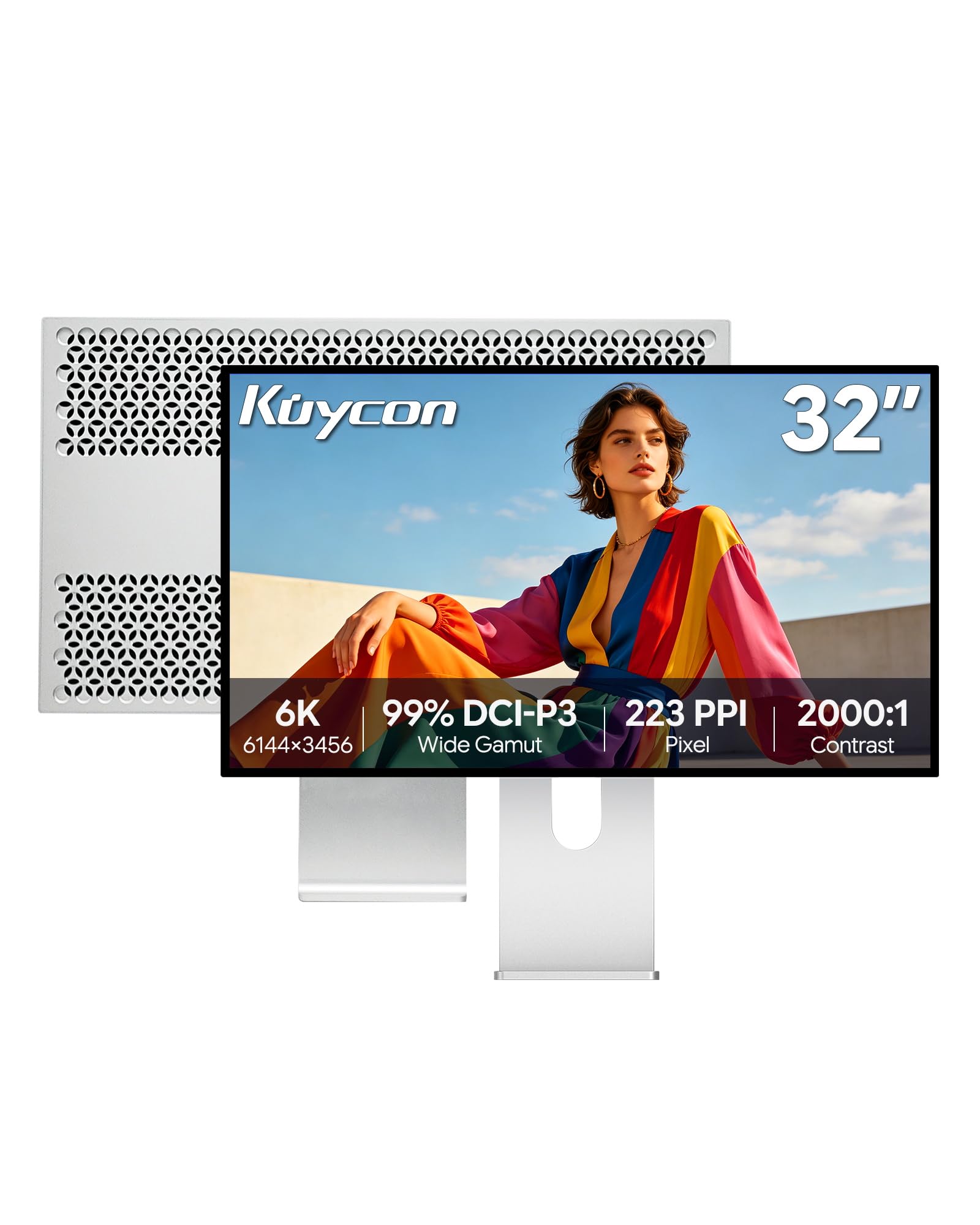
This is the crowd favorite for Mac users who want that crisp, glossy Apple look without the Apple price tag. The 6144 x 3456 panel with 223 PPI delivers the same sharpness that makes text look printed on paper, and buyers report the brightness and clarity match the Apple Studio Display in real-world use. It is one of the only 32-inch 6K options with clear glass outside of Apple’s own lineup.
What wins people over is the display quality — the sharp, bright, premium-feeling picture is by far the most-praised aspect, with the CNC-machined aluminum build coming in second. The stand is sturdy and height-adjustable, and the 100x100mm VESA mount lets you swap in a monitor arm. Setup is genuinely plug-and-play: cables and a VESA mount are included in the box, and it scales perfectly with a MacBook Pro, giving you room for four windows side by side.
Connectivity is where you need to pay attention. The single-cable universal port charges your laptop at up to 100W while streaming 6K video, and it packs gigabit ethernet and a hub for peripherals. A few owners hit a handshake issue over the Thunderbolt connection, but the workaround is simple — using Thunderbolt-to-DisplayPort runs flawlessly, and you just set DP 2.1 for full 6K output. The recurring gripe is the missing battery in the included remote, and shipping sometimes arrives without printed instructions.
What Owners Rave About
- Gorgeous 6K glossy panel with sharp, bright, lifelike colors
- Premium CNC-machined aluminum body that feels solid
- Single-cable setup with 100W laptop charging and gigabit ethernet
- Easy plug-and-play, includes cables and VESA mount
What To Watch For
- Thunderbolt handshake can glitch; Thunderbolt-to-DisplayPort is the reliable path
- Remote ships without a battery
- Quality control varies — occasional defective first units, though support responds fast
Reach for this if: you work on a Mac and want Apple-level 6K sharpness and build quality without paying Apple prices.
Look elsewhere if: you need a monitor that just works over Thunderbolt with zero cable fiddling — this one rewards a little setup patience.
2. ASUS ProArt PA32QCV 32 Inch 6K Monitor

The factory-calibrated workhorse for print proofers and video editors who live in color spaces
If your income depends on colors being right, this ASUS ProArt is the one to study. It is Calman Verified (a certification that the screen’s colors are accurate from the start) with a factory calibration delivering Delta E less than 2 color accuracy, so what you see matches what prints. It covers 100% sRGB plus 98% DCI-P3, and owners describe it as fantastic for illustration and print color proofing. It also carries the deepest contrast of this entire list — a 3000:1 ratio that beats the Kuycon and LG panels by a noticeable margin in dark scenes, so shadows stay detailed in movies and games.
what separates it is the M Model-P3 Color Preset Mode, which matches the color performance of a MacBook display so your laptop and external screen agree without fiddling. The matte LuxPixel anti-glare coating (a special finish that cuts reflections) earns consistent praise from coders who stare at text all day, and the built-in auto KVM switch (a feature that lets you control two connected laptops with one keyboard and mouse) saves you desk space and cable clutter.
Connectivity is rich: dual Thunderbolt 4 ports with up to 96W power delivery and daisy-chaining, plus HDMI 2.1 and DisplayPort 1.4. The trade-offs are real — the built-in speakers are weak, wake time runs 3 to 5 seconds, and a few owners found the KVM only worked over HDMI and DisplayPort rather than Thunderbolt. One buyer also flagged that the ports sit upside-down, which makes cable plugging awkward. ASUS backs it with a 5-year warranty that extends to 5 years with online registration, plus a free 3-month Adobe Creative Cloud subscription.
Built for precision: factory-calibrated Delta E < 2 accuracy and 100% sRGB make it the safest bet for print work, where the Kuycon’s glossy panel could introduce reflection errors.
Honest limits: the weak speakers and slow wake mean it is a tool, not a living-room showpiece — pair it with real speakers and give it a few seconds to wake.
Best for: photographers, illustrators, and editors who need dependable, repeatable color straight from the start.
Think twice if: you want a monitor that doubles as a media hub with good sound — the audio here is incidental.
3. LG 32U990A-S UltraFine 6K Monitor

The world’s first Thunderbolt 5 6K monitor, built for creators who move massive files daily
This LG is the tech-forward choice, claiming the title of the world’s first 6K monitor with Thunderbolt 5. That next-gen port transfers data 2x faster than Thunderbolt 4, which matters when you shuttle 6K video files between drives and timelines all day. It drives a 6144 x 3456 panel at 224 PPI with a Nano IPS Black display that reaches a 2000:1 contrast ratio for deeper blacks and richer shadows in dark editing rooms.
The picture quality is the standout — owners call the 6K display stunning for photo and video work, with accurate colors and razor-sharp detail thanks to the Nano IPS panel. It also covers up to 99.5% Adobe RGB and displays Real 10-bit color depth for smooth tonal transitions, backed by a VESA DisplayHDR 600 certification for brighter highlights. The Thunderbolt 5 port delivers 96W power delivery and supports daisy-chaining, so multiple monitors connect through a single cable to reduce desk clutter.
The honest catch is panel consistency and the grain effect. Several owners mention a sparkle or frost grain on white backgrounds that can soften the sharpness of text, plus color uniformity issues that need calibration for color-critical work. Others received used or opened units in the box, and the bundled LG software has a habit of hijacking Mac function keys. The included stand offers tilt, height, and pivot adjustment, and a full set of cables ships in the box — just be ready to swap the short cables for longer ones.
The Big Win
- Thunderbolt 5 runs 2x faster than Thunderbolt 4 for huge file transfers
- Stunning 6K clarity with accurate Nano IPS colors
- Daisy-chain support connects multiple monitors via one cable
- 96W power delivery charges a MacBook Pro at full speed
The Real Trade-Off
- Some panels show a grainy sparkle on white backgrounds
- Color accuracy trails the Apple Studio Display without calibration
- LG software can hijack Mac function keys, and cables run short
Choose this if: you want the fastest transfer speeds on the market and plan to daisy-chain a multi-monitor creative setup.
Pass on it if: you demand flawless out-of-the-box color for print — expect to spend time calibrating this one.
4. Dell UltraSharp U3224KB 31.5″ 6K Monitor

A 6K command center that folds a 4K webcam, speakers, and a hub into one desk footprint
Dell builds this one as an all-in-one productivity hub, and the standout is the built-in 4K webcam. That means no separate camera clamped to the top of the panel, and the 6144 x 3456 resolution with a 2000:1 contrast ratio gives you a sharp, vivid display for both spreadsheets and movies. The 5ms GTG response time makes it capable for fast action content, and the 16:9 widescreen format handles office work plus gaming in one panel.
Owners who pair it with a Mac Mini M2 Pro via Thunderbolt report flawless 6K clarity that matches a 27-inch 5K display, and the built-in camera supports AI framing for video calls. The USB Type-C connection carries data at high speed, and the ports include ethernet, HDMI, mini-DisplayPort, Thunderbolt, and multiple USB connections, so it genuinely replaces a dock. The included stand is solid and adjustable, and the panel is daisy-chainable for multi-monitor desks.
The honest downsides are reliability and color. Several buyers describe the display quality as mixed, and a meaningful number report backlight problems, screen outages, and half-screen green glitches that persist across replacements — one owner needed a 30-minute power-off reset to recover. The color accuracy earns negative feedback too, with faces sometimes appearing overly pinkish and a green shift that requires manual Adobe RGB and saturation controls to tame. It is also the most fragile of the four, with one screen breaking from a short fall, so treat it gently if you move it.
One-cable desk: the built-in webcam, speakers, and ethernet hub mean this is the only screen you need on your desk — no separate dock required.
The risk factor: reliability is the recurring theme here, so buy it where returns are painless and handle the panel with care.
Grab it for: a tidy single-cable workspace with a webcam built in, especially if you already live in the Dell ecosystem.
Consider something else if: color accuracy is non-negotiable — the pinkish skin tones and green shift will frustrate you.
Understanding the Specs
Resolution and Pixel Density
True 6K means 6144 x 3456 pixels or very close to it, which is roughly 21 million pixels on a 32-inch panel. That works out to about 223 or 224 PPI (pixels per inch), the metric that decides how crisp text and fine details look. Higher PPI keeps photos and video timelines sharp at full resolution without zooming.
Contrast Ratio and Panel Tech
Contrast ratio describes the difference between the brightest white and the darkest black a panel can show. Standard IPS panels usually sit around 1000:1, while the Nano IPS Black panels here reach 2000:1 and the ASUS ProArt hits an impressive 3000:1. Deeper black levels keep shadows from looking washed out in a dim editing room.
FAQ
Does a 32-inch 6K monitor work with a MacBook Pro?
What is the difference between Thunderbolt 4 and Thunderbolt 5?
Will a 6K monitor make text look tiny in macOS?
Can I connect a Windows PC to a 6K monitor?
What does 99% DCI-P3 color gamut mean for photo editing?
How much power can a 6K monitor deliver to my laptop?
Is a glossy or matte screen better for a 6K monitor?
What is daisy-chaining and do I need it?
Final Thoughts: The Verdict
For the majority of shoppers, the 32 inch 6k monitor winner is the Kuycon G32P because it delivers Apple-level glossy clarity and premium aluminum build at a fraction of the price, and buyers consistently rank its display quality as the standout feature. If you do color-critical print work and need factory-calibrated accuracy you can trust, grab the ASUS ProArt PA32QCV with its Calman-verified Delta E accuracy. And for the fastest file transfers on the market, the LG UltraFine 6K with Thunderbolt 5 (a high-speed connection that moves large video files quickly) is the one to reach for.
How We Picked
We do not accept paid placement. Every pick is matched to a real buyer and a real use-case; we do not hands-on test units.
Sources & Methodology
Specifications: manufacturer listings and product documentation. Review insights: verified customer reviews, as of August 2026. Pricing: not shown on this page (it changes often); check the current price via the retailer link.
As an Amazon Associate, Gadgets Feed earns from qualifying purchases. This does not affect which products we feature.