
Our readers keep the lights on and my morning glass full of iced black tea. As an Amazon Associate, I earn from qualifying purchases.
Specs are compiled from manufacturer listings and verified buyer reviews and can change over time — please confirm the key details on the product page before buying.
Forget flat panels that force your eyes to work overtime. A 32-inch curved gaming monitor wraps the action around your field of view, pulling you into the game instead of just showing it to you. This guide ranks the strongest 2K (2560×1440) curved options at 165Hz and beyond, so you know exactly which panel earns your desk space.
I’m Min — the founder and writer behind Gadgets Feed. This guide is built by comparing the manufacturers’ published specifications and the patterns across verified customer reviews, so you get each pick’s real strengths and trade-offs instead of marketing spin.
Before the picks, one honest note: this list matches screen size and refresh rate flexibly. A few monitors here are 31.5 inches, and several hit 180Hz or 240Hz instead of exactly 165Hz — the nearest same-type size and speed serve the same purpose, so you still get the best 32 inch curved gaming monitor 2k 165hz alternatives worth your money.
Our Picks at a Glance



How To Choose The Best 32 Inch Curved Gaming Monitor 2K 165Hz
Picking a big curved monitor is about matching the specs to your hardware and your eyes. Here’s what separates a great buy from a frustrating one.
Refresh Rate vs Response Time
Refresh rate (measured in Hz) is how many times the screen redraws each second — 165Hz looks far smoother than 60Hz. Response time (measured in ms) is how fast a pixel changes color, which kills ghosting trails behind fast-moving objects. For competitive shooters, you want a high refresh rate and a low 1ms response.
The Curve Matters More Than You Think
Curvature is measured in millimeters — 1000R is a tighter, more rich bend that mimics the human eye, while 1500R is a gentler arc. A stronger 1000R curve fills more of your peripheral vision, but a 1500R curve is often more comfortable for mixed work-and-play use.
Quick Comparison
| Model | Best For | Refresh Rate | Curvature | Contrast Ratio | Amazon |
|---|---|---|---|---|---|
| Acer EI322QUR★ Best Overall | Balanced gaming & work | 165Hz | 1500R | 100,000,000:1 | Amazon |
| KTC H32S25E (240Hz)Best Value | Value-packed speed | 240Hz | 1000R | 4000:1 | Amazon |
| LG 32G600A-BBest Ergonomics | Adjustable ergonomics | 180Hz | 1000R | 3000:1 | Amazon |
| ZZA 32 Inch 300Hz | Extreme refresh on a budget | 300Hz | 1500R | 3000:1 | Amazon |
| ASUS ROG XG32WCS | Versatile connectivity & warranty | 180Hz | — | 1000:1 | Amazon |
| KTC H32S25E (Premium) | High color gamut | 240Hz | 1000R | 4000:1 | Amazon |
| Samsung Odyssey G55A | Trusted brand & design | 165Hz | — | 2500:1 | Amazon |
| Samsung Odyssey G65B | Smart features & HDR 600 | 240Hz | 1000R | 2,500:1 | Amazon |
In-Depth Reviews
1. Acer EI322QUR Pbmiippx 31.5″ 1500R Curved WQHD Gaming Monitor
Our pick — over 4.5★ from 450+ verified ratings; the strongest balance of quality and price.
The balanced all-rounder that is the crowd favorite for a reason.
Sitting in front of this Acer for the first time, you notice the 31.5-inch WQHD (2560 x 1440) VA panel wraps around you with a 1500R curve. It pushes an impressive 100,000,000:1 contrast ratio — buyers report it delivers outstanding contrast and crisp resolution for both gaming marathons and daily work. The 400 cd/m² brightness is a full 33% brighter than the LG 32G600A-B’s 300 cd/m², so HDR scenes with VESA DisplayHDR 400 pop with more punch., so HDR scenes with VESA DisplayHDR 400 pop with more punch., so HDR scenes with VESA DisplayHDR 400 pop with more punch.
For fast play, the 165Hz refresh rate is only open up through the DisplayPort connection — the HDMI ports top out at 144Hz. The 1ms VRB response time keeps fast motion sharp, and AMD FreeSync Premium Pro handles screen tearing so you don’t have to. Buyers specifically call it a “32” 1440p 165Hz 1ms VA gaming monitor” and praise its reliable performance and clean design.
The recurring trade-off here is the built-in audio — the 2-watt-per-speaker pair is genuinely weak, so plan on headphones or external speakers. Color quality gets mixed feedback in reviews, with some buyers finding it good and others reporting accuracy that needs tweaking. The included DisplayPort and HDMI cables mean you can get it running immediately from the start.
Curved motion clarity
- Stunning contrast with a 100,000,000:1 ratio makes dark scenes look deep and rich
- High 400 cd/m² brightness makes HDR content feel more alive
- Simple solo setup, plus both DisplayPort and HDMI cables included
Generic HDR limits
- Built-in 2W speakers are weak — budget for separate audio
- Refresh rate peaks at 144Hz over HDMI, so use DisplayPort for 165Hz
- Color accuracy earns mixed owner feedback
choose for curve: you want one monitor that handles rich gaming and serious desk work without compromise — this is the most balanced pick of the whole list.
skip for HDR: you need built-in speakers that sound good, or you’re chasing refresh rates beyond 165Hz.
2. KTC 32 Inch 240Hz Curved Gaming Monitor, 2K 1440P (H32S25E)
A 45% faster refresh than the Acer, at a fraction of the usual cost.
This KTC delivers a 240Hz refresh rate — a 45% jump over the Acer’s 165Hz — which means ultra-smooth motion for fast-paced shooters. — which means ultra-smooth motion for fast-paced shooters. The 1000R curve is 50% tighter than the Acer’s 1500R, wrapping the 32-inch QHD (2560×1440) display closely around your eyes for serious immersion., wrapping the 32-inch QHD (2560×1440) display closely around your eyes for serious immersion. Owners mention the panel stays sharp and vibrant, calling it exceptional value next to pricier rivals.
The 4000:1 contrast ratio captures plenty of detail in dark scenes, and the 1ms response time keeps motion ghosting at bay. A key win here is the connectivity: two HDMI inputs and two DisplayPort ports give you room for multiple devices, and the DP port supports the full 240Hz. The -5° to +20° tilt adjustment lets you set the angle for comfort.
The honest catch, as owners note, is the plastic build feels budget-grade. Buyers also mention a slight color shift and a dirty screen effect in some units, though they stress it’s negligible at this level. It also needs around a 15-minute warm-up for the best picture, which is a small quirk to know about.
High refresh budget: gamers who want a high refresh rate and a deep curve without paying flagship money — customers note over a year of zero issues, with only one flicker when using overdrive.
3. LG 32G600A-B 32-inch Ultragear QHD Curved Gaming Monitor
The rare 2K curved monitor that adjusts to your height, not the other way around.
Most big curved monitors force you into a fixed position, but this LG lets you dial in height, tilt, and swivel to match your posture. The 32-inch QHD (2560×1440) display uses a 1000R curve for that deep, eye-matching wrap, and the 180Hz refresh rate keeps motion fluid. Reviewers point out the display runs beautifully at 1440p and 120Hz, and it’s a perfect fit for desks that feel tight.
Color performance is a real strength — HDR10 support with up to 99% sRGB coverage brings vibrant, rich tones to games and streaming. The 1ms GtG response time (the time a pixel takes to change color, killing ghost trails) keeps fast scenes crisp. AMD FreeSync smooths out screen tearing even in HDR scenes, and the Black Stabilizer feature brightens dark corners so you can spot enemies hiding in shadows.
The trade-off here is brightness at 300 cd/m² — noticeably dimmer than the Acer’s 400 cd/m², so HDR won’t hit the same punch. The screen size earns mixed feedback, with a few buyers reporting it arrives smaller than the advertised 32 inches. The included DisplayPort cable means you can hit the full refresh rate right away.
choose for trust: the most adjustable stand in this lineup — a height, tilt, and swivel setup that’s genuinely rare on curved gaming panels.
skip if budget: you want maximum HDR brightness — the 300 cd/m² panel trails the brighter options here.
4. ZZA 32 Inch Curved Gaming Monitor 300Hz
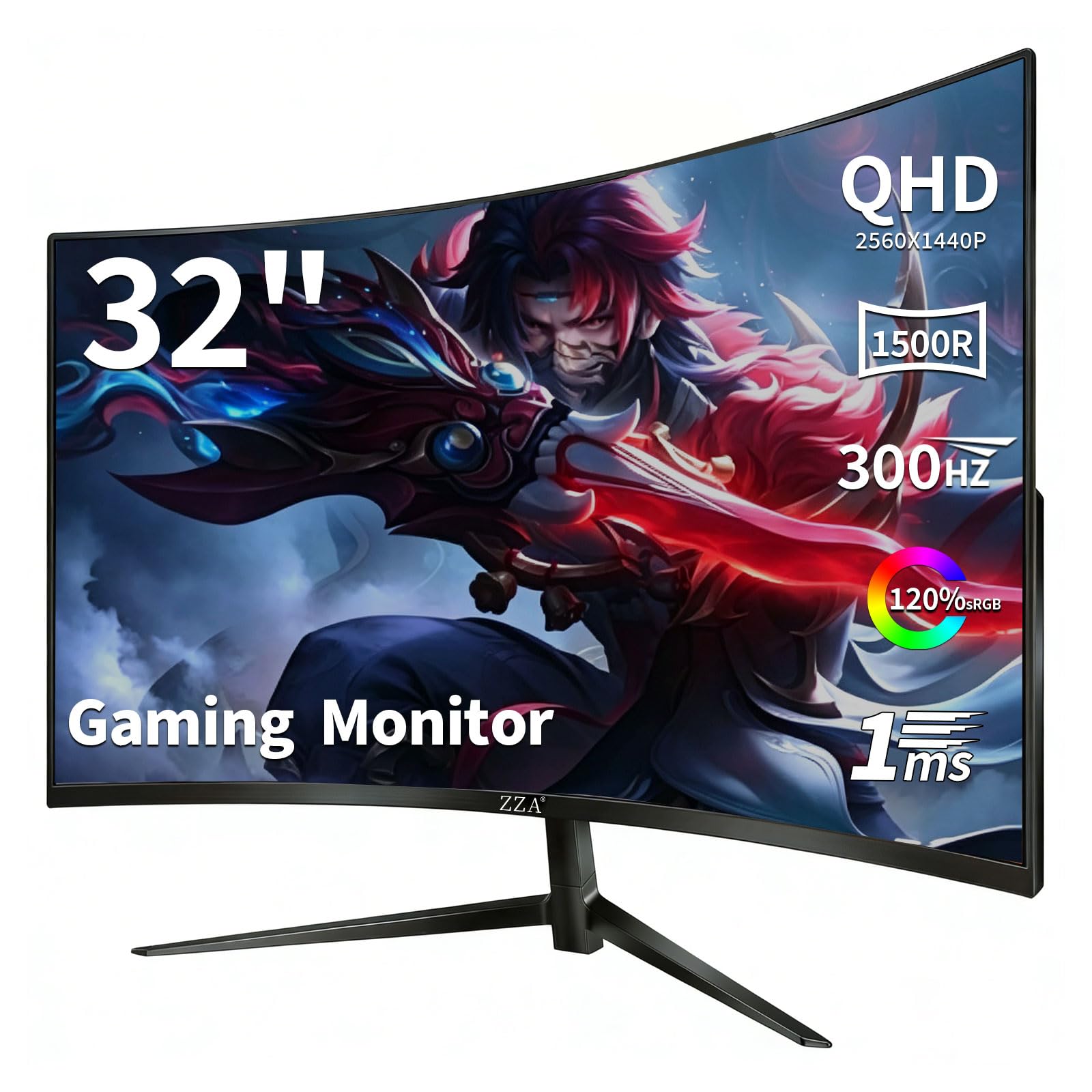
The fastest panel in this guide, with next-gen console ports to match.
At 300Hz, this ZZA absolutely leads the refresh rate race, and you reach that speed through the DisplayPort 1.4 connection — the HDMI 2.1 ports support up to 144Hz for consoles. The 1ms GTG response time (pixel color-change speed) keeps split-second FPS reactions free of blur and ghosting. Shoppers say roughly 120 FPS on ultra settings in demanding titles, calling the visuals bright and vibrant., calling the visuals bright and vibrant.
The 1500R curved VA panel delivers a 120% sRGB color gamut (the color range it can show) and HDR10 for deeper blacks and brighter highlights. AMD FreeSync Premium kills screen tearing, and the 2x HDMI 2.1 plus 2x DisplayPort 1.4 setup means you can keep a PC, PS5, and Xbox Series X all plugged in at once. It’s fully tune for PS5 and Xbox Series X, so you don’t need to swap cables between sessions.
The honest catch is audio — there are no built-in speakers, so buyers recommend external speakers or a headset. Reviews also note there’s no remote, which makes navigating the simple settings a bit tedious. Owners also rave about the Flicker-Free and Low Blue Light features for marathon sessions.
Extreme refresh rate: the competitive gamer with a powerful graphics card who wants the highest possible refresh — but understands there are no speakers and a clunky menu to navigate.
5. ASUS ROG XG32WCS 32 Inch 1440p 180Hz Curved Gaming Monitor

The connectivity king with USB-C power delivery for modern laptops.
This ASUS ROG stands out for its USB Type-C port, which handles video, data, and power delivery in one cable — a lifesaver if you dock a laptop daily. The 32-inch 2560 x 1440 display runs at 180Hz with a 1ms GTG response time, and the ASUS Fast VA technology (a VA panel variant tuned for speed) keeps visuals sharp at high frame rates. Buyers report no black smearing, which is a common VA panel weakness.
Color accuracy is a genuine strength here with a 125% sRGB color gamut and 90% DCI-P3 coverage (a wider color standard used in film), delivering deep blacks and smooth color gradation. The ASUS Extreme Low Motion Blur Sync (ELMB SYNC) works alongside variable refresh rate to eliminate both ghosting and tearing simultaneously. It also includes a 3-year warranty with advanced replacement service, plus a free 3-month Adobe Creative Cloud subscription.
The honest downsides: some owners mention minor text ghosting when scrolling and occasional HDMI wake issues. The brightness earns mixed feedback, with owners noting the minimum brightness is still too high for dark rooms. G-Sync works flawlessly, and the DisplayPort 1.4 connection runs 180Hz without issues.
choose for build: laptop users and multi-device setups — the USB-C port with power delivery simplifies your whole desk.
skip for HDR: you game in a pitch-black room, since the brightness floor is higher than some rivals.
6. KTC 32 inch 240Hz Curved Gaming Monitor (H32S25E Premium)
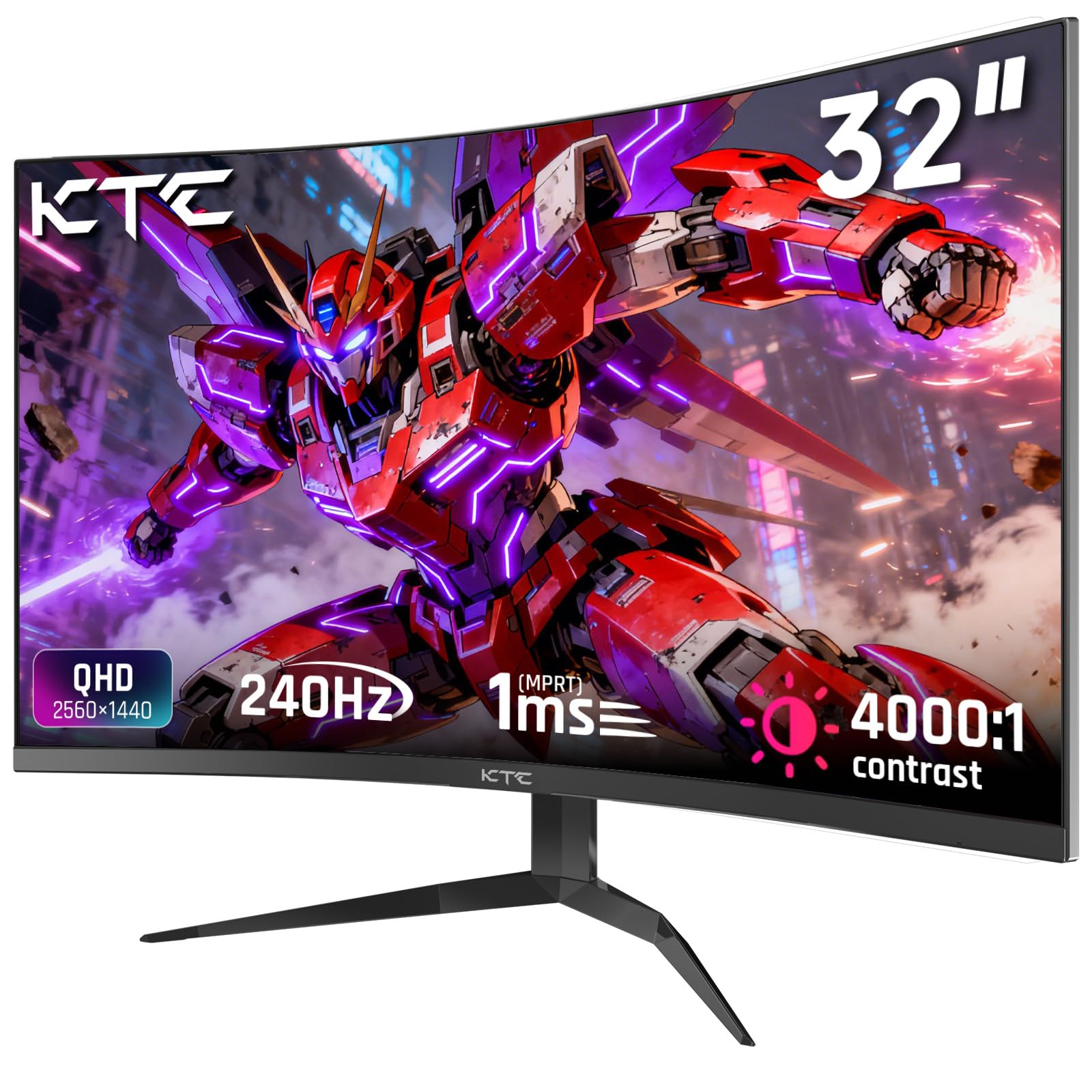
A 240Hz VA panel with a 122% color gamut for vivid, accurate tones.
This KTC takes color seriously — the 122% High Color Gamut (the range of colors the screen can reproduce) combined with a 178° wide viewing angle means colors stay rich and consistent even off-center. It ships with pre-set sRGB and color calibration technology for 99% sRGB coverage, so images look authentic and vibrant straight from the start. The 240Hz refresh rate via DP1.4 keeps motion buttery smooth.
The 1000R curvature is tighter than the 1500R found on gentler curves, wrapping around you to reduce distortion and widen your field of view. Customers note the panel is brighter than expected when upgrading from a 1080p display, with clean text and no dead pixels. The edge-to-edge frameless bezel makes multi-monitor setups feel nearly smooth, which is a big win for streamers and productivity users.
The trade-off is the stand — it’s not height-adjustable, and reviewers point out the included DisplayPort and power cables are short. One owner mentioned the base sits too low, though this is easily solved with a VESA arm. Users also note the default color settings are poor before calibration, so spend a few minutes adjusting them.
Premium KTC variant: gamers and home-office workers who want accurate colors with a smooth 240Hz refresh — just budget for a monitor arm if you need height adjustment.
7. SAMSUNG 32″ Odyssey G55A QHD 165Hz 1ms FreeSync Curved Gaming Monitor

Samsung’s futuristic design meets solid 165Hz performance at a fair price.
The Odyssey G55A packs WQHD resolution at 2560 x 1440 with 1.7 times the pixel density of Full HD, delivering pin-sharp images with more screen space., delivering pin-sharp images with more screen space. The 165Hz refresh rate handles fast-moving scenes smoothly, and the 1ms response time ensures your mouse movements translate instantly. AMD FreeSync Premium with low framerate compensation keeps every scene flowing without stutter.
The futuristic design with RGB backlighting looks striking on any desk, and shoppers say crisp, vibrant colors with rich curvature. The HDR10 support reveals details hiding in shadows with deep blacks and luminous whites. Owners running it at 1440p and 165Hz describe the visuals as stunning, and it’s a straightforward upgrade from 1080p with simple menus.
The catch is ergonomics: the stand offers no height adjustment, the tilt is stiff, and the large base takes up meaningful desk space. A DisplayPort cable is not included, so you’ll need to buy one to hit 165Hz. Color quality earns mixed feedback, with buyers noting the out-of-box picture is mediocre until you calibrate it — HDR also gets weak marks on this panel.
choose for legacy: you want a trusted brand with a sharp 1440p 165Hz panel and a striking design that upgrades the look of your battle station.
skip for newest: you need height adjustment or plug-and-play color accuracy straight from the box.
8. Samsung 32″ Odyssey QHD G65B Curved Gaming Monitor, 240Hz, HDR 600

A 240Hz smart monitor with Gaming Hub that streams without a PC.
The G65B is the most feature-rich monitor here — it’s a full smart display with Samsung’s Gaming Hub, letting you stream cloud games without a PC connected. The 240Hz refresh rate with 1ms (GTG) response time delivers flawlessly smooth gameplay, and buyers report no ghosting, tearing, or lag. The QHD 2560×1440 resolution packs 1.7 times the pixel density of Full HD for pin-sharp detail..
DisplayHDR 600 certification (a brightness and contrast standard) delivers deeper blacks and brighter whites than the G55A’s HDR10, and owners mention vibrant colors with excellent contrast. The 1000R curve fills your peripheral vision, drawing you into the action. Auto Source Switch+ detects when a connected device turns on and switches inputs automatically, so you spend less time fiddling with menus.
The downsides are notable: reliability earns mixed feedback, with some owners reporting the unit stops working after a month. The smart features can feel like overkill for pure PC use — buyers mention un-dismissable pop-ups and boot countdowns that interrupt focus. Pixel quality has negative mentions, and some report an FPS cap around 60-70 with high-end graphics cards, so this pick suits casual rather than hardcore competitive play., so this pick suits casual rather than hardcore competitive play.
pick for flagship: you want a do-it-all 240Hz display that doubles as a smart TV with cloud gaming in the bedroom or small space.
skip for savings: you’re a hardcore competitive gamer or you hate smart-TV pop-ups — the built-in OS can get in the way.
Understanding the Specs
Refresh Rate (Hz)
This is how many times your screen redraws the image every second. A 165Hz display feels dramatically smoother than a standard 60Hz one, and it matters most in fast shooters or racing games where smooth motion gives you a competitive edge. Higher numbers like 180Hz or 240Hz are even smoother, but you need a graphics card powerful enough to push those frame rates.
Curvature (R Value)
The “R” number describes the radius of the curve in millimeters. A 1000R curve is the tightest, most rich bend — it wraps around you like a theater screen. A 1500R curve is a gentler arc that’s often more comfortable for desktop work. The lower the number, the deeper the curve feels around your eyes.
FAQ
Do I need a 2K resolution at 32 inches, or should I go 4K?
Will my graphics card be able to run 165Hz at 2K?
What is the difference between a 1000R and 1500R curve?
Is a VA panel or IPS panel better for gaming?
Can I use a 2K curved monitor with a PS5 or Xbox?
How important is the response time, really?
Is a curved monitor good for office work and productivity?
Do I need to adjust color settings when I first get my monitor?
What does HDR10 and DisplayHDR 400 mean for gaming?
Should I buy a mount or arm for a 32-inch curved monitor?
Final Thoughts: The Verdict
For most buyers, the 32 inch curved gaming monitor 2k 165hz winner is the Acer EI322QUR because it balances a brilliant 100,000,000:1 contrast ratio with a strong 400 cd/m² brightness at a mid-range price. If you want the fastest possible speed for competitive play, grab the KTC 240Hz for its 45% higher refresh rate. And for a laptop-friendly desk setup, the ASUS ROG XG32WCS with its USB-C power delivery is the one to reach for.
How We Picked
We do not accept paid placement. Every pick is matched to a real buyer and a real use-case; we do not hands-on test units.
Sources & Methodology
Specifications: manufacturer listings and product documentation. Review insights: verified customer reviews, as of August 2026. Pricing: not shown on this page (it changes often); check the current price via the retailer link.
As an Amazon Associate, Gadgets Feed earns from qualifying purchases. This does not affect which products we feature.