
A 32-inch curved gaming monitor wraps the action around your peripheral vision, pulling you deeper into the game world than any flat panel can. The ideal 1500R to 1800R curvature, combined with a high refresh rate and snappy response time, makes games feel smoother and more reactive — especially in fast-paced shooters and open-world titles where spatial awareness matters.
I’m Min — the co-founder and writer behind Gadgets Feed. I’ve spent countless hours analyzing the latest panel technologies, refresh rate specifications, color gamut coverage, and connectivity standards to separate the genuine performance upgrades from the marketing fluff in this competitive category.
If you want to maximize immersion without overspending, here is everything you need to know before picking the best 32 inch curved gaming monitor for your setup and budget.
How To Choose The Best 32 Inch Curved Gaming Monitor
Picking the right 32-inch curved gaming monitor comes down to matching three interdependent decisions: curvature, resolution plus refresh rate, and panel technology. Making any one choice without considering the other two can leave you with a display that either taxes your GPU unnecessarily or fails to deliver the immersive experience you paid for.
Curvature Depth: 1500R vs 1800R
The curvature rating, measured in millimeters of radius, determines how aggressively the screen wraps around your field of view. A 1500R curve matches the natural focal distance of the human eye at roughly 1.5 meters, making it the most common choice for 32-inch monitors at standard desk depths. The steeper 1000R or 800R curves found on some ultrawide OLEDs pull the edges even closer but require you to sit at the correct distance to avoid distortion. For a typical desk setup, a 1500R curve provides the best balance of immersion and usability — text remains legible at the edges and the curve doesn’t create noticeable parallax when working in spreadsheets or browsing.
Resolution and Refresh Rate Balance
At 32 inches, pixel density matters. A 1080p panel at this size yields roughly 69 PPI — acceptable for budget builds but noticeably soft for desktop use. QHD (2560×1440) hits about 92 PPI, which is the sweet spot for mid-range GPUs and high refresh rates up to 170Hz or 180Hz. 4K (3840×2160) delivers 138 PPI for razor-sharp detail but demands a powerful graphics card to maintain high frame rates. Some premium monitors now offer dual-mode switching that lets you toggle between 4K at 160Hz and FHD at 320Hz on the same panel, giving you flexibility for different game genres.
Panel Technology: VA, IPS, or OLED
VA panels dominate the curved monitor space because they naturally produce high native contrast ratios (3000:1 to 4000:1) and deep blacks without local dimming, which enhances the perceived depth of the curve. IPS panels offer superior color accuracy and viewing angles but typically have lower contrast (1000:1). OLED and QD-OLED panels are the current pinnacle — they deliver infinite contrast, per-pixel black levels, and sub-millisecond response times, but they carry a premium price and require careful burn-in management. For most gamers on a mid-range budget, a high-quality VA panel with a 1500R curve and QHD resolution represents the best value proposition.
Quick Comparison
On smaller screens, swipe sideways to see the full table.
| Model | Category | Best For | Key Spec | Amazon |
|---|---|---|---|---|
| ASUS ROG Swift PG32UCDM | Premium QD-OLED | High-end 4K gaming | 240Hz / 0.03ms / 3840×2160 | Amazon |
| Alienware AW3425DW | Ultrawide QD-OLED | Ultrawide immersion | 240Hz / 0.03ms / 3440×1440 | Amazon |
| LG 34GX90SA-W | OLED Smart Monitor | OLED with streaming | 240Hz / 0.03ms / 3440×1440 | Amazon |
| MSI MAG 321UPX | QD-OLED Value | 4K OLED gaming | 240Hz / 0.03ms / 3840×2160 | Amazon |
| ASUS ROG Strix XG32UCG | Dual Mode Fast IPS | Competitive + 4K hybrid | 4K 160Hz / FHD 320Hz | Amazon |
| Samsung Odyssey G5 G50F | Mid-Range IPS | QHD gaming on a budget | 180Hz / 1ms / 2560×1440 | Amazon |
| KOORUI 32 | Value QHD | Entry-level 1440p | 170Hz / 1ms / 2560×1440 | Amazon |
| KTC H32C5 | Budget FHD | High FPS esports | 280Hz / 1ms / 1920×1080 | Amazon |
In‑Depth Reviews
1. ASUS ROG Swift 32” 4K OLED Gaming Monitor (PG32UCDM)

The ASUS ROG Swift PG32UCDM represents the current peak of 32-inch curved gaming monitors. Its 4K QD-OLED panel delivers a 240Hz refresh rate with a 0.03ms GtG response time, producing motion clarity that VA and IPS panels simply cannot match. The custom heatsink, graphene film, and advanced airflow design manage heat effectively, which reduces the long-term burn-in risk that has historically plagued OLED displays.
Color performance is equally impressive — 99% DCI-P3 coverage with true 10-bit depth and Delta E < 2 out of the box. The VESA DisplayHDR True Black 400 certification ensures that HDR content shows inky blacks and bright highlights without blooming. The 90W USB-C port with DP Alt mode allows single-cable connectivity for laptops, while the three-year warranty with burn-in coverage provides peace of mind for a premium investment.
The glossy panel coating enhances perceived contrast and color saturation, though it will reflect ambient light in bright rooms. Text clarity on this QD-OLED is good but not quite as sharp as a high-end IPS at the same resolution due to the subpixel layout. For gamers who want the best possible image quality and motion handling at 32 inches, this is the monitor to beat.
Why it’s great
- Class-leading 240Hz OLED motion clarity with 0.03ms response
- True 10-bit color with 99% DCI-P3 coverage and HDR True Black 400
- Three-year warranty includes burn-in coverage
- 90W USB-C power delivery simplifies desk setup
Good to know
- Glossy screen finish reflects direct light sources
- Premium price positions it above mid-range options
2. Alienware 34 240Hz QD-OLED Curved Gaming Monitor (AW3425DW)

The Alienware AW3425DW stretches the immersive experience with a 34.2-inch WQHD (3440×1440) QD-OLED panel wrapped in an 1800R curve. The 240Hz refresh rate and 0.03ms GtG response time deliver buttery-smooth motion across the wider aspect ratio, making it a top choice for racing sims, flight simulators, and open-world RPGs where peripheral awareness matters.
Color accuracy reaches 99.3% DCI-P3 coverage with Delta E < 2, and VESA DisplayHDR TrueBlack 400 ensures deep, per-pixel blacks that make HDR content truly cinematic. The monitor supports both NVIDIA G-Sync Compatible and AMD FreeSync Premium Pro, so it works seamlessly with either GPU ecosystem. The 1800R curvature is more relaxed than the 1500R found on most 16:9 monitors, which helps prevent distortion at the edge of the ultrawide field of view.
Build quality is excellent with a fully adjustable stand that offers height, tilt, swivel, and VESA compatibility. The included DisplayPort and HDMI cables, along with a microfiber cloth for the delicate QD-OLED surface, show attention to detail. Text clarity can appear slightly soft due to the non-standard subpixel layout, and the peak brightness in bright rooms is lower than the best LCD options. For ultrawide gaming immersion, this Alienware is hard to beat.
Why it’s great
- Ultrawide 21:9 QD-OLED panel with 240Hz smoothness
- Supports both G-Sync Compatible and FreeSync Premium Pro
- Fully ergonomic stand with height, tilt, and swivel
- VESA DisplayHDR TrueBlack 400 for deep HDR contrast
Good to know
- Text clarity softer than LCD due to QD-OLED subpixel layout
- Requires strong GPU to push 3440×1440 at 240Hz
3. LG 34GX90SA-W 34-Inch Ultragear OLED Curved Gaming Monitor

The LG 34GX90SA-W is a rare combination: a 240Hz OLED gaming monitor with built-in smart TV functionality via webOS 24. The 34-inch WQHD (3440×1440) OLED panel features an aggressive 800R curvature — the steepest on this list — which creates a genuinely wraparound feel when sitting at the correct distance. The 0.03ms response time and 1,500,000:1 contrast ratio deliver OLED’s signature instant pixel response and infinite black levels.
Integrated streaming apps (Netflix, Prime Video, Disney+, Apple TV) and cloud gaming support for NVIDIA GeForce NOW and Amazon Luna mean this monitor can operate entirely without a PC for media consumption. The 65W USB-C power delivery makes it a convenient hub for a laptop, and the dual HDMI 2.1 ports support full 48 Gbps bandwidth for console gaming. Anti-glare surface treatment reduces reflections better than typical glossy OLED panels.
The 800R curve is noticeably steeper than the 1500R standard — it works well for single-player immersion but may feel too aggressive for productivity tasks like coding with side-by-side windows. The white color scheme is visually distinctive but may not match all desk aesthetics. For gamers who want both a high-performance OLED monitor and a standalone streaming hub, this LG delivers a uniquely versatile package.
Why it’s great
- 800R curve creates the most immersive peripheral wrap
- Built-in webOS 24 with all major streaming apps and cloud gaming
- 65W USB-C power delivery for laptop charging
- HDMI 2.1 with full 48 Gbps bandwidth for consoles
Good to know
- 800R curve may feel extreme for productivity or dual-window work
- White chassis is a style choice that limits color matching
4. MSI MAG 321UPX QD-OLED 32″ 4K Gaming Monitor

The MSI MAG 321UPX brings third-generation QD-OLED technology to the 32-inch 4K format at a price that undercuts many competitors while maintaining flagship-level performance. The 240Hz refresh rate with 0.03ms GtG response time delivers the same instantaneous pixel response that defines the best OLED gaming monitors. VESA DisplayHDR True Black 400 certification ensures deep, per-pixel black levels with bright highlights that make HDR content visually stunning.
Color accuracy is a strong point — Delta E ≤ 2 out of the box with 99% DCI-P3 coverage, making this monitor viable for color-sensitive work alongside gaming. The MSI OLED Care 2.0 suite includes pixel shift, pixel refresh, and panel protection features that reduce burn-in risk during long ownership. The console mode with HDMI 2.1 provides a full 48 Gbps bandwidth, supporting 4K at 240Hz on compatible consoles.
The peak brightness is slightly lower than the ASUS ROG Swift PG32UCDM in sustained HDR scenes, and the text rendering on this QD-OLED panel shows the characteristic softness associated with non-standard subpixel layouts. Some users report the OLED Care pop-up can be intrusive during gameplay. For buyers who want QD-OLED quality without paying the absolute top dollar, the MSI MAG 321UPX is a compelling alternative.
Why it’s great
- Third-gen QD-OLED with 240Hz and 0.03ms response
- Delta E ≤ 2 color accuracy for mixed use
- OLED Care 2.0 reduces long-term burn-in risk
- HDMI 2.1 with 48 Gbps for 4K 240Hz console gaming
Good to know
- Peak sustained HDR brightness trails premium competitors
- QD-OLED text clarity is softer than high-end IPS panels
5. ASUS ROG Strix 32” 4K HDR Gaming Monitor (XG32UCG)

The ASUS ROG Strix XG32UCG solves the classic resolution-versus-frame-rate dilemma with its dual-mode capability: run at native 4K (3840×2160) with a 160Hz refresh rate for visually demanding single-player titles, or switch to FHD (1920×1080) with a blistering 320Hz refresh rate for competitive esports where every millisecond counts. The Fast IPS panel delivers a minimum 0.3ms response time, significantly faster than standard IPS panels.
Color performance is strong with 95% DCI-P3 coverage and 130% sRGB gamut, supported by ASUS Extreme Low Motion Blur Sync (ELMB SYNC) technology that works alongside variable refresh rate to eliminate ghosting and tearing simultaneously. The DisplayWidget Center software allows monitor adjustments using a mouse instead of the joystick. The included tripod socket on the stand is a thoughtful addition for streamers who mount a webcam or microphone above the display.
The native contrast ratio of 1000:1 is standard for IPS and cannot match VA or OLED panels for deep black levels in dim rooms. The semi-gloss screen coating strikes a good balance between reflection handling and perceived clarity. For gamers who play both immersive single-player titles and competitive shooters, the dual-mode flexibility of the XG32UCG is a genuine advantage.
Why it’s great
- Dual mode: 4K 160Hz for visuals, FHD 320Hz for competitive play
- 0.3ms minimum response time with ELMB SYNC
- DisplayWidget Center for easy mouse-based settings
- Tripod socket built into the stand for streamers
Good to know
- IPS contrast ratio of 1000:1 cannot match VA or OLED blacks
- Premium positioning near OLED price territory
6. Samsung 32” Odyssey G5 G50F QHD Gaming Monitor

The Samsung Odyssey G5 G50F delivers a 32-inch QHD (2560×1440) Fast IPS panel with a 180Hz refresh rate and 1ms GtG response time at a price point that makes high-refresh 1440p gaming accessible. The ips panel provides wide 178-degree viewing angles and consistent color reproduction across the display surface, which is important for a 32-inch screen where off-axis viewing occurs naturally.
NVIDIA G-Sync Compatible certification ensures smooth, tear-free gameplay with GeForce graphics cards, while AMD FreeSync provides equivalent support for Radeon owners. The HDR10 support and Black Equalizer feature improve visibility in dark game scenes without crushing shadow detail. The height-adjustable ergonomic stand offers tilt, swivel, and pivot adjustments — a significant step up from fixed stands found on budget monitors.
The native contrast ratio of 1000:1 is typical for IPS technology, so blacks appear grayish in a dark room compared to VA or OLED panels. The monitor includes only one HDMI 2.0 and one DisplayPort 1.2 port, which limits multi-device connectivity. For gamers building a mid-range rig around a QHD-capable GPU, the Odyssey G5 delivers strong performance without demanding top-tier hardware.
Why it’s great
- QHD resolution with 180Hz hits the mid-range sweet spot
- G-Sync Compatible and FreeSync support for tear-free gaming
- Fully ergonomic stand with height adjustment
- Fast IPS panel with wide viewing angles
Good to know
- Limited to one HDMI 2.0 and one DP 1.2 port
- IPS contrast ratio is weak compared to VA alternatives
7. KOORUI 32 Inch Curved Gaming Monitor QHD 170Hz
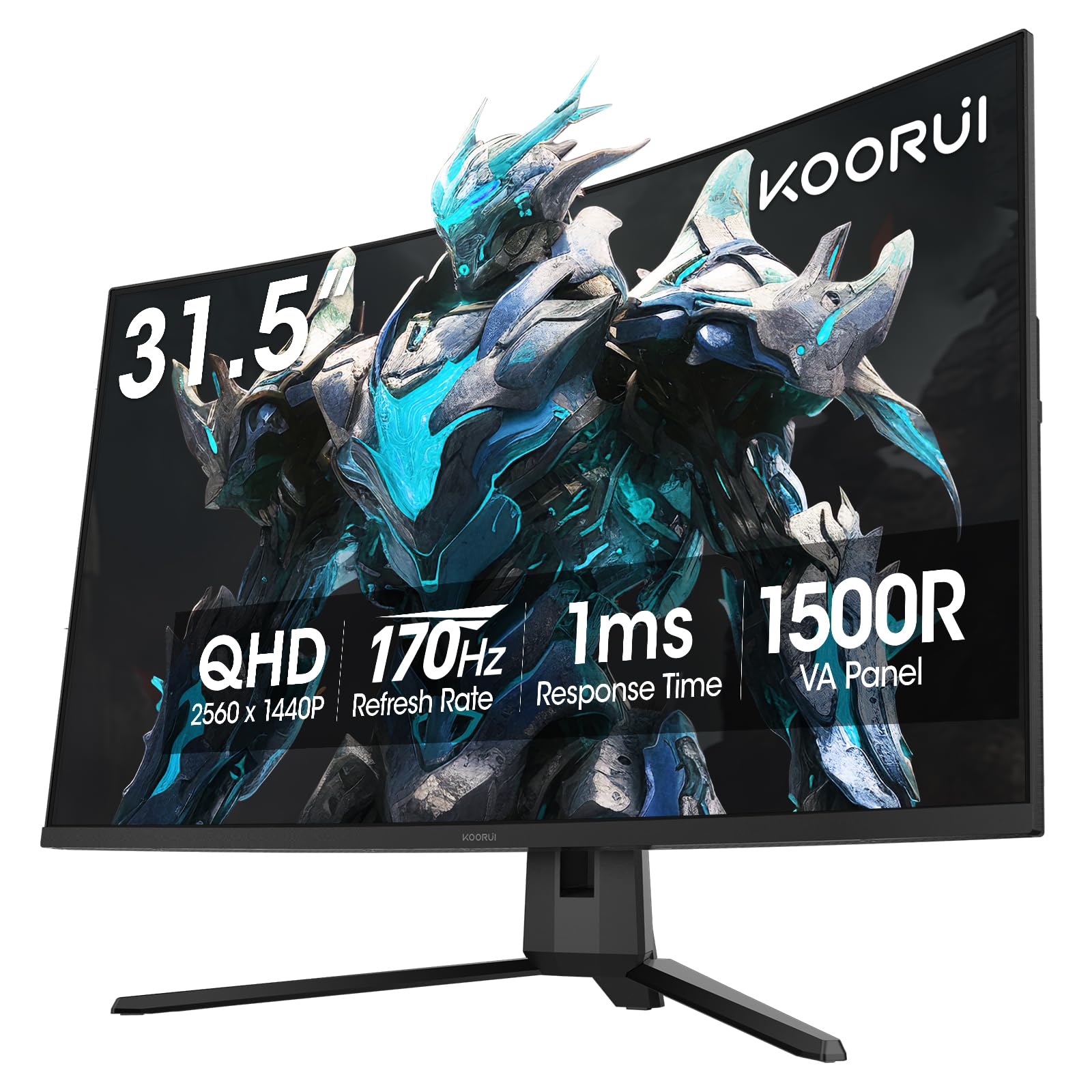
The KOORUI 32-inch curved gaming monitor offers QHD (2560×1440) resolution with a 170Hz refresh rate and 1ms response time at a price that makes it one of the most accessible entry points into high-refresh 1440p gaming. The 1500R VA panel delivers a native contrast ratio of 3000:1, producing deep blacks that enhance the sense of depth in dark game scenes — a clear advantage over IPS monitors in the same budget tier.
Color coverage reaches 90% DCI-P3 with HDR10 support, providing vivid color reproduction for the price. Adaptive Sync technology works with both FreeSync and G-Sync Compatible graphics cards to eliminate screen tearing during gameplay. The tilt-adjustable stand offers basic ergonomics, and the 100x100mm VESA compatibility allows easy wall or arm mounting for a cleaner desk setup.
The 300 cd/m² brightness is adequate for indoor use but may struggle against strong ambient light. The pixel response time at the higher end of the refresh range may show slight ghosting in fast-moving scenes compared to premium VA panels. The on-screen display menu is controlled by a single joystick that can feel imprecise. For budget-conscious gamers moving up from 1080p, this KOORUI delivers genuine QHD performance at a compelling price.
Why it’s great
- QHD resolution with 170Hz at a budget-friendly price
- VA panel with 3000:1 contrast for deeper blacks
- 90% DCI-P3 color coverage with HDR10 support
- VESA compatible for easy wall or arm mounting
Good to know
- 300 nits brightness is modest for bright rooms
- Joystick OSD control can feel imprecise
8. KTC 32 Inch 280Hz Curved Gaming Monitor (H32C5)
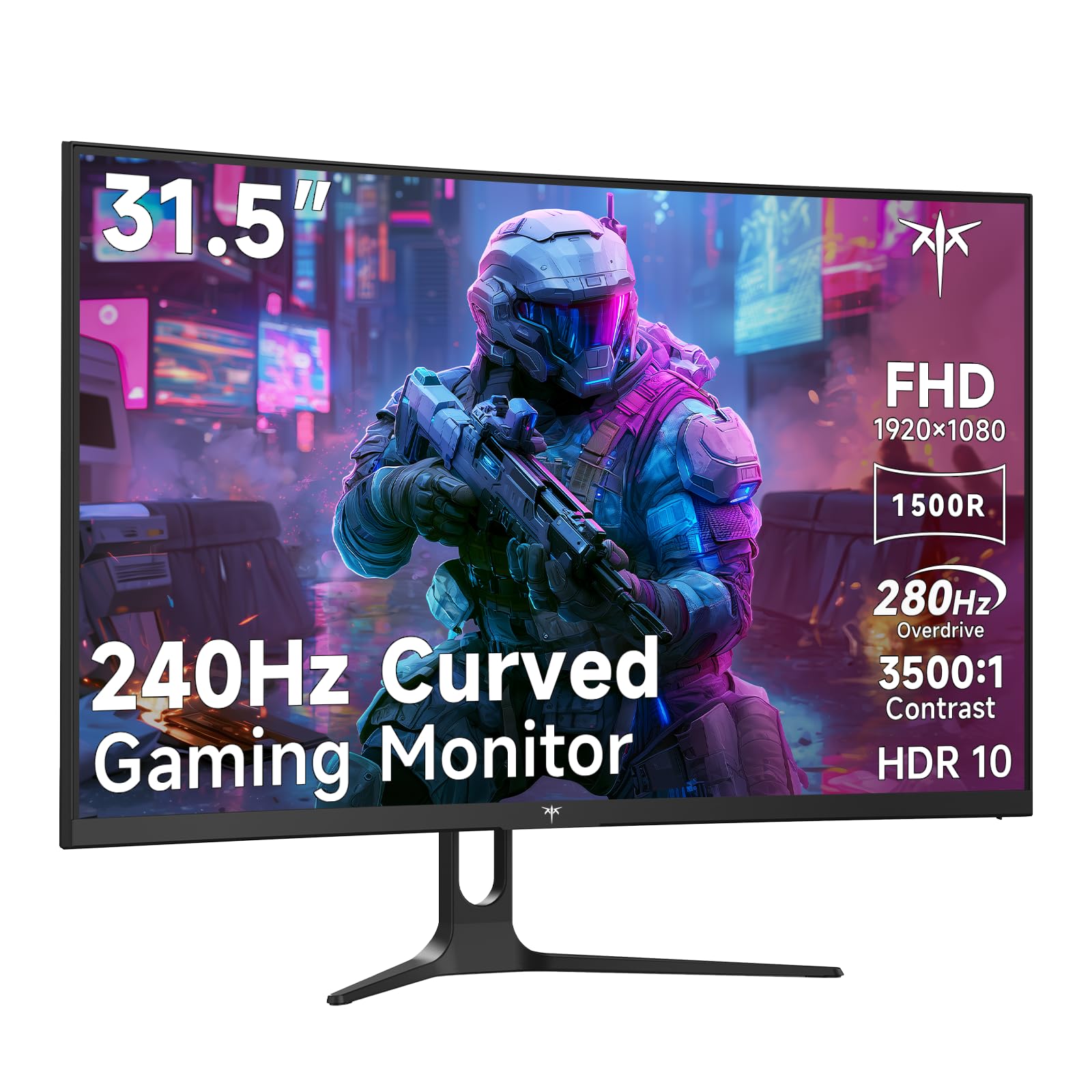
The KTC H32C5 targets budget-conscious competitive gamers who prioritize high frame rates over resolution. The 32-inch 1080p VA panel features a native 240Hz refresh rate that can be overclocked to 280Hz via DisplayPort 1.4, paired with Adaptive Sync to minimize screen tearing. The 1500R curve and 3500:1 contrast ratio deliver a more immersive and contrast-rich experience than flat budget monitors.
Color coverage at 128% sRGB provides punchy, saturated colors that look vibrant in game environments. The HDR10 support helps expand dynamic range despite the panel’s modest 350 cd/m² peak brightness. Connectivity includes dual HDMI 2.0 ports (240Hz) and one DisplayPort 1.4 (280Hz), plus a headphone jack. The tilt-adjustable stand allows basic angle customization, and the 100x100mm VESA mount is compatible with standard monitor arms.
At 32 inches, 1080p resolution produces a pixel density of roughly 69 PPI, which means individual pixels are visible at normal viewing distance — text and UI elements will appear soft compared to QHD or 4K panels. The VA panel’s slower pixel transition time at high refresh rates may introduce subtle ghosting in very fast motion. This monitor is best suited for esports players who want maximum smoothness on a tight budget and primarily play fast-paced titles where resolution matters less than frame rate.
Why it’s great
- 280Hz overclocked refresh rate for ultra-smooth motion
- VA panel with 3500:1 contrast for deep blacks
- Adaptive Sync eliminates screen tearing
- Affordable entry point for high-frequency gaming
Good to know
- 1080p at 32 inches yields low pixel density (69 PPI)
- VA ghosting may appear at very high refresh rates
FAQ
Is a 1500R or 1800R curve better for a 32-inch gaming monitor?
Can a 32-inch curved gaming monitor with 1080p resolution look good?
How does VA panel contrast compare to IPS and OLED for curved monitors?
Do I need a specific graphics card for Adaptive Sync or G-Sync to work?
Final Thoughts: The Verdict
For most users, the best 32 inch curved gaming monitor winner is the ASUS ROG Swift PG32UCDM because it combines true 4K QD-OLED image quality with a 240Hz refresh rate, three-year burn-in warranty, and the most complete feature set at this size. If you want an ultrawide field of view, grab the Alienware AW3425DW. And for pure competitive flexibility, nothing beats the ASUS ROG Strix XG32UCG with its dual-mode 4K 160Hz and FHD 320Hz switching.